
Our readers keep the lights on and my morning glass full of iced black tea. As an Amazon Associate, I earn from qualifying purchases.
Specs are compiled from manufacturer listings and verified buyer reviews and can change over time — please confirm the key details on the product page before buying.
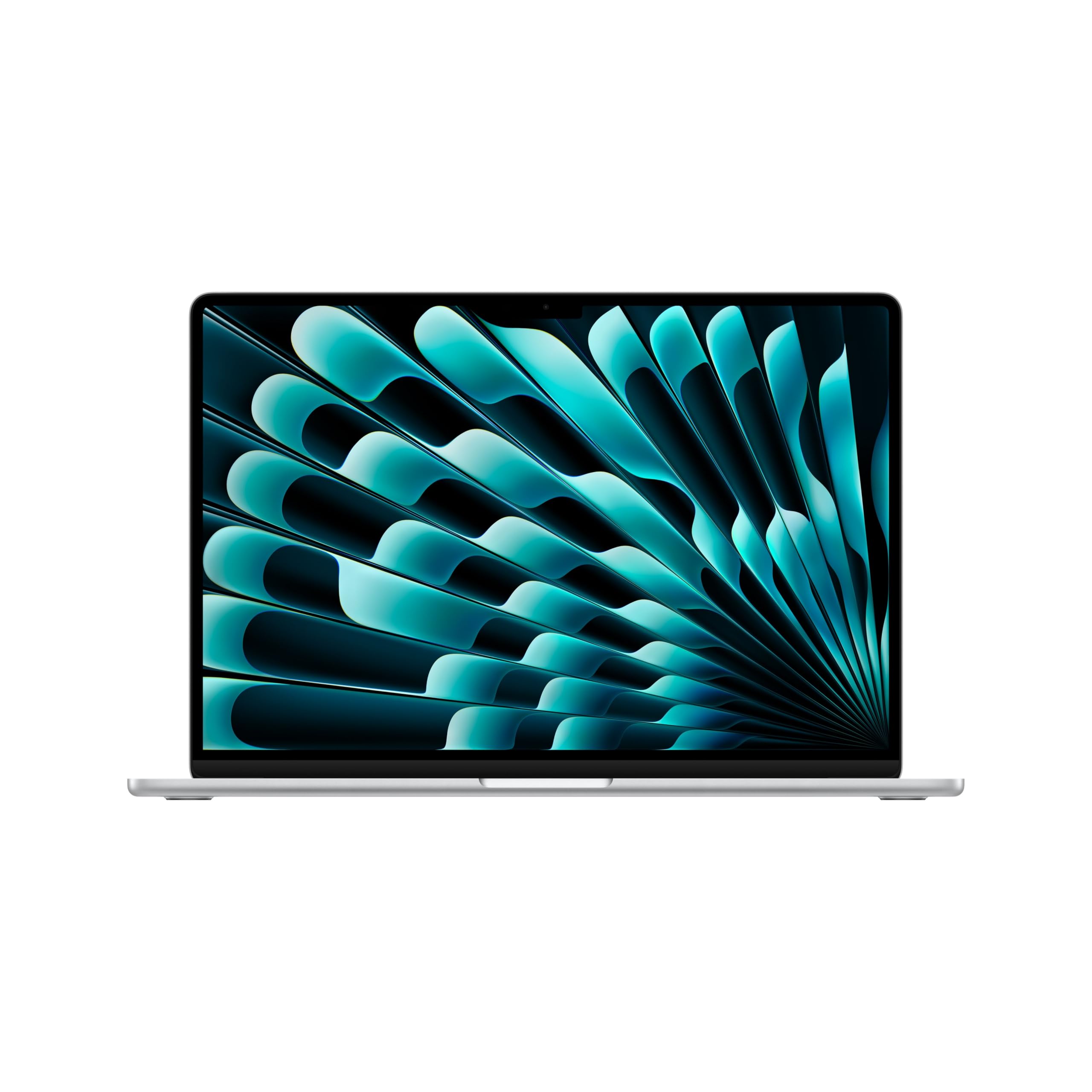
You need a 15-inch work machine that survives a full day, carries a number pad, and does not stall halfway through a spreadsheet. The winner for most people is the Apple MacBook Air 15-inch with the M5 chip: it is the fastest, coolest-running laptop in this group and it holds up to 18 hours of battery life on a charge. But it is a premium pick, and it is not the only answer. If you want a touchscreen, a wired Ethernet port, or a built-in number pad on a tighter budget, several of the picks below solve that exact problem.
I’m Min — the founder and writer behind Gadgets Feed. This guide is built by comparing the manufacturers’ published specifications and the patterns across verified customer reviews, so you get each pick’s real strengths and trade-offs instead of marketing spin.
One thing to know before you scroll: this list uses flexible, human-like matching for screens of about 15 inches. Most picks here are the standard 15.6-inch panel, and one is a 15.3-inch model, so not every pick is the exact number you searched — the nearest same-type size serves the same purpose. Every spec below comes straight from the maker’s own listing. Here is the honest breakdown of the 15-inch business laptop.
Our Picks at a Glance

How To Choose The Best 15-Inch Business Laptop
The single biggest mistake buyers make here is buying on processor name alone. A laptop with a fast chip and 8GB of memory still stalls when you have twenty tabs, a spreadsheet, and a video call open at once. The machine that feels fast in daily work is the one with enough memory and fast storage, not the one with the longest processor name.
Memory is the number that decides your day
Memory, listed as RAM, is the short-term workspace your open apps share. 16GB is the sensible floor for business use today, because it lets you keep a browser, a mail client, a spreadsheet, and a chat app all running without the machine reaching for the slow drive. Almost every pick here carries 16GB for exactly that reason, and one goes further with 32GB. RAM is also the spec worth checking for upgrade room: one pick states you can add memory up to 32GB and storage up to 10TB yourself.
Storage speed matters more than storage size for most people
An SSD — a solid-state drive, which is storage with no spinning parts — boots the machine and opens files far faster than an old-style hard drive. 256GB is workable for a light user, 512GB is the comfortable middle, and 1TB means you stop thinking about space. Look for the words NVMe or PCIe on the SSD, since those are the faster types. One pick here pairs a 1TB NVMe SSD with the memory, which is the biggest drive in this group.
Screen size, touch, and the number pad
Nearly every laptop here is the familiar 15.6-inch Full HD panel, meaning 1920 x 1080 pixels — sharp enough for spreadsheets side by side. A touchscreen adds a second way to scroll and tap through forms, and touch models show up on more than one pick. If you type numbers all day, check for a full numeric keypad; a few picks have one, and it genuinely speeds up invoicing and data entry.
Ports decide what you carry in your bag
A wired Ethernet port, listed as RJ-45, is the quiet hero for office and hotel Wi-Fi that will not behave. HDMI lets you walk into a meeting room and plug straight into the projector. USB-C handles newer docks and chargers. Count the ports you use weekly before you buy, because adding them back through a dongle is money and hassle you did not budget for.
Quick Comparison
| Model | Best For | RAM / Storage | Battery Rating | Weight | Amazon |
|---|---|---|---|---|---|
| Apple MacBook Air 15-inch (M5)★ Best Overall | All-day power and speed | 16GB / 512GB SSD | Up to 18 hours | 3.32 lb | Amazon |
| Auusda 15.6″ N95Best Storage Value | Budget power user | 16GB / 1TB NVMe SSD | 10 hours (12 standby) | — | Amazon |
| 2026 Premium 15.6″ i5-6200UReady from the start | Value office setup | 16GB / 512GB SSD | 6 hours standby | 3.5 lb | Amazon |
| VIGSENUP 15.6″ 6500Y | Privacy-conscious travel | 16GB / 256GB SSD | 38Wh battery | 1.7 kg | Amazon |
| Dell Inspiron 15 Touch (i5-1334U) | Touchscreen on a budget | 16GB / 512GB SSD | 10 hours | — | Amazon |
| HP 15.6″ Ryzen 7 7730U | AMD multitasker | 16GB DDR4 / 512GB NVMe | — | — | Amazon |
| Acer Aspire 3 (i7-1165G7) | Wired office network | 12GB / 512GB PCIe SSD | 8 hours | — | Amazon |
| 2026 Flagship i5-7Y54 | Windows Pro plus Office | 16GB / 512GB SSD | All-day rating | 3.5 lb | Amazon |
| Lenovo IdeaPad Touch (i5-1335U) | Touch plus keypad | 16GB / 512GB SSD | 10 hours | — | Amazon |
| Lenovo V15 Gen 4 (i5-13420H) | Ports and raw speed | 16GB / 512GB SSD | — | — | Amazon |
| Dell Inspiron 32GB (i5-1155G7) | Maximum memory and storage | 32GB / 1TB SSD | 7 hours | — | Amazon |
In‑Depth Reviews
1. Apple 2026 MacBook Air 15-inch with M5 chip
Our pick — 4.5+★ from 750+ verified ratings; the strongest balance of quality and price.
The longest battery rating in this group, at up to 18 hours.
Battery life is where this machine earns its keep. Apple rates it at up to 18 hours, which is the longest figure in this group — the Auusda is rated at 10 hours on its own listing. That headroom means you can carry it to a client meeting or a train seat without hunting for an outlet. The M5 chip also runs cool and quiet, so you avoid the fan noise and hot underside common on budget work laptops.
You get a screen slightly smaller than the 15.6-inch panels elsewhere in this guide, and for spreadsheets you will not notice. What you will notice is the 3.32-pound body, so it is easy to carry between meetings. The 12MP Center Stage camera (a webcam that pans and zooms to keep you in frame) keeps you framed on video calls. The six-speaker system with Spatial Audio (surround-style sound) fills a small room. Performance is its most-praised trait — heavy apps open and switch without lag.
Ports are the honest trade-off. You get two Thunderbolt 4 ports, a MagSafe charging port, a headphone jack, plus Wi-Fi 7 and Bluetooth 6 — but no HDMI and no RJ-45 Ethernet. If your office runs on a wired network or you present through an HDMI cable, budget for a small adapter. And it is the premium option in this article, so the value math only works if you keep a laptop for years.
Where it pulls ahead
- Up to 18 hours of battery life — the longest rating here, versus 10 hours on the Auusda
- 16GB unified memory plus 512GB SSD keeps heavy multitasking smooth
- 12MP Center Stage camera and six-speaker audio suit daily video calls
- 3.32 lb body makes the 15.3-inch screen easy to carry
What you give up
- No HDMI or RJ-45 port — adapters needed for projectors and wired networks
- Premium-tier spend compared with the budget picks below
Buy this one when: you travel between offices and want the longest battery and quietest running machine in this guide. skip it if you need a 15.6-inch screen or a built-in numeric keypad for heavy data entry.
Hold off if: your job depends on a built-in Ethernet jack or an HDMI cable in every meeting room.
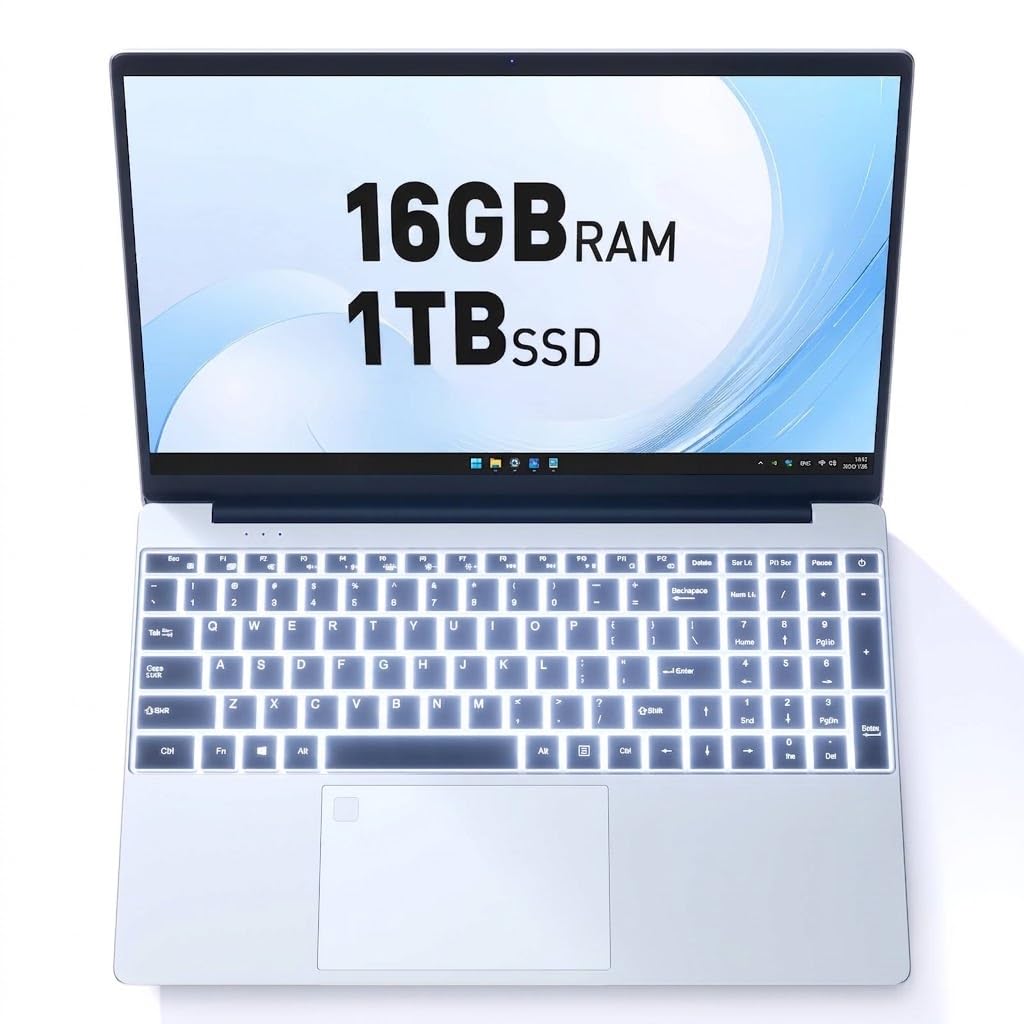
2. Auusda Laptop Computer 15.6″ N95
A full terabyte of fast storage on a budget machine with room to grow.
The standout number is the drive: a 1TB NVMe SSD, versus 512GB on most of this list. That is a lot of file space for contracts, client folders, and years of presentations without touching an external drive. The 16GB of DDR4 memory runs alongside a 12th Gen N95 processor, which is modest silicon for the job but keeps everyday work moving. Reviewers most often praise that it matches the listing, with price-to-performance a close second.
The upgrade path is the part worth knowing. This machine accepts memory up to 32GB and storage up to 10TB, so it can grow with you instead of forcing a new purchase. Pair that with the full HD IPS screen and the backlit keyboard — useful in a dark hotel room — and it hits the basics well. It also ships with a three-year warranty and 24/7 support. Charge time is three hours.
Battery is the recurring caveat. The listing rates 10 hours of life with 12 hours on standby, and that is real for light work, but the pattern in the review pages is that heavy days drain it faster than the headline suggests. Treat 10 hours as a light-duty figure. Ahonest read: brilliant storage value, average stamina.
Storage-forward pick: 1TB of NVMe storage is the biggest drive here, and the 32GB/10TB upgrade ceiling means you can push it further later.
Stamina caveat: the 10-hour rating is a light-work figure — plan to top up on long days away from a desk.
Reach for this if: your work files live locally and you want the most drive space for the least outlay.
Look elsewhere if: you need a machine that survives a full day of heavy apps on battery alone.
3. 2026 Premium 15.6″ FHD Business Laptop (i5-6200U)
Office software included means no surprise subscription bill on day one.
What sets this one apart from the budget pack is what comes pre-loaded. Windows 11 Pro and Office ship with the machine, so you skip the software cost and the setup friction — a real convenience when you need to be productive on arrival. It carries 16GB of RAM (short-term working memory) and a 512GB SSD (fast flash storage), the same comfort tier as picks costing a good deal more. That 512GB drive matches the storage on the MacBook Air above, even if the silicon (the processor) is a generation back. If you want to unbox and start working the same day, this is the one; if you need the newest chip, look at the MacBook Air instead.
The keyboard and pad are built for spreadsheets. A backlit keyboard keeps keys visible in a dark office, and the full numeric keypad speeds up data entry and accounting work. At 3.5 lbs and 0.78 inches thin, it slips into a commuter backpack without weighing you down. There is a fingerprint reader for quick logins, fan cooling to keep it steady under load, and a two-year warranty with a 180-day return window that hardens the value case.
The battery is the trade-off to note. The standby rating is 6 hours, which is the shortest figure here — enough for desk-to-desk use but not a full travel day. It is also a 6th Gen chip, fine for office tasks but not the pick for heavy creative work. For everyday spreadsheets and email, though, the 6th Gen chip is still enough.
Best for the number-crunchers: 16GB RAM, 512GB SSD, and a backlit keyboard with a full numeric keypad suit accounting and data entry.
Battery reality check: 6 hours of standby is the least here — keep it desk-side or near a socket.
This is your fit if: you need Office and Windows Pro included and type numbers all day.
Step past it if: your work takes you off the grid for long stretches.
4. VIGSENUP 15.6″ FHD Laptop (6500Y)

Built for shared desks — a camera shutter and a lock slot on a slim body.
Shared offices and hot-desking call for a laptop that protects itself, and this one leans into that. The front camera has a physical privacy shutter, so you cover the lens with a slide rather than a software toggle. There is a Kensington lock slot for a cable, which matters when the machine sits in a common space. Those two details, plus a 15.6-inch 1080p IPS display, make it the pick for anyone hot-desking or studying in a shared lab.
It is genuinely portable: 21mm thin and 1.7kg light, so moving between rooms is easy, and the 38Wh battery covers a class or a meeting stretch. The dual-core 6500Y processor with Turbo Boost up to 3.4GHz handles browsing, documents, and email. Port selection is generous for the price — 2x USB 3.2, 1x HDMI 1.4, 1x USB 2.0, a headphone/mic combo jack, a TF card reader, and the lock slot. That HDMI port means you can present without a dongle, and the 256GB M.2 SSD boots quickly.
The catch buyers should expect is speed under load. The memory and storage match machines that cost far more, but the processor is a modest dual-core, so heavy multitasking will feel slower than the i5 and i7 picks further up this list. Battery life also varies by use. For daily business and personal work the dual-core 6500Y holds up well; for a long stretch of heavy apps it will not.
What earns it a spot
- Physical camera shutter plus Kensington lock slot suit shared workspaces
- 21mm thin, 1.7kg light for easy commuting
- HDMI 1.4 and a TF card reader built in
- 16GB RAM and 256GB M.2 SSD boot fast
Where it slows down
- Dual-core 6500Y processor is modest for heavy multitasking
- 256GB is the smallest drive here — budget-external storage may be needed
Perfect for: the shared-desk worker who wants camera privacy and a lock slot built in.
Skip if: your day is built on parallel heavy apps that need the fastest chip.
5. Dell Inspiron 15 Business Laptop (i5-1334U, Renewed)
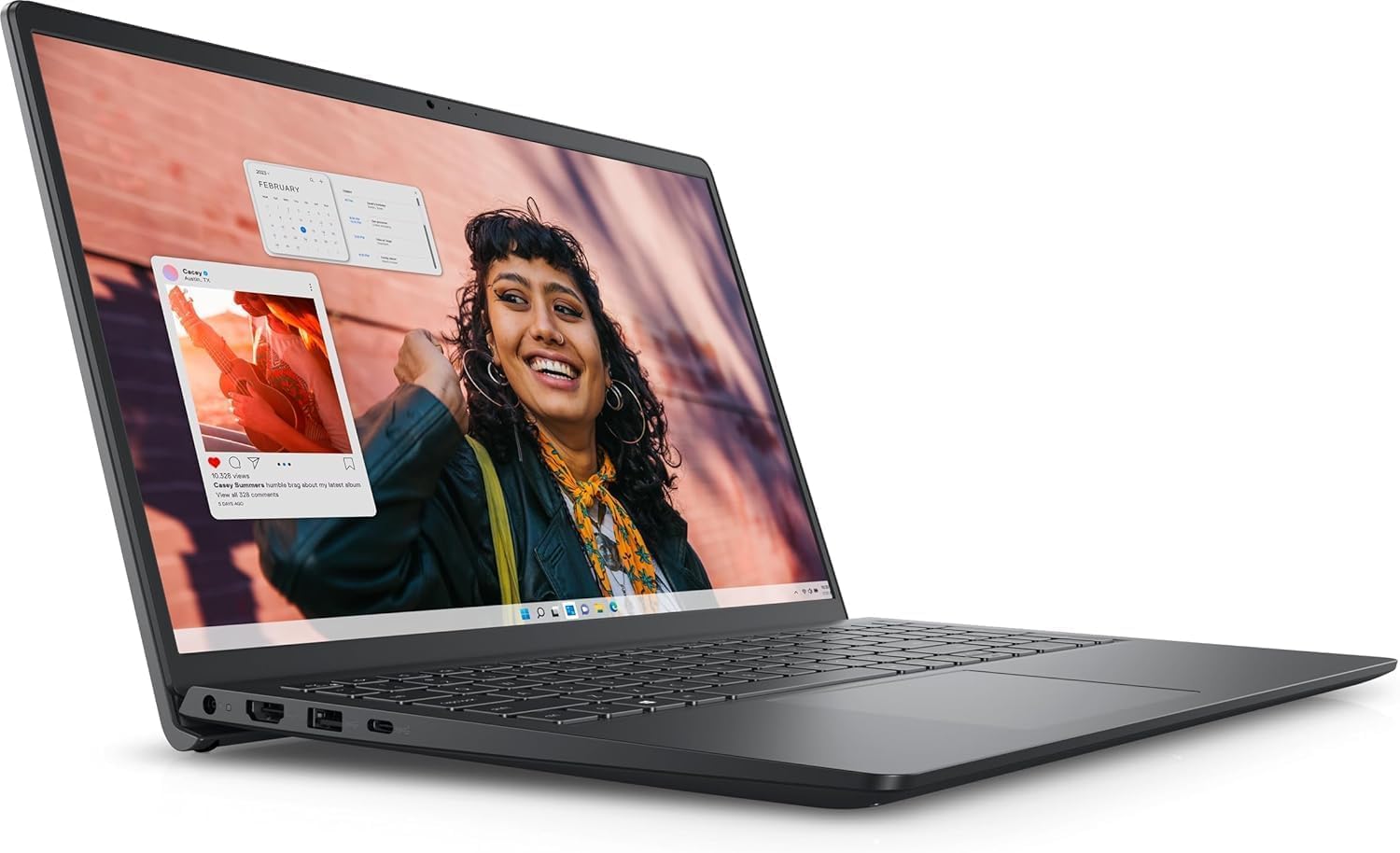
A 10-core Dell with a touchscreen at a price that keeps touch within reach.
The processor is the headline: an Intel 10-Core i5-1334U that the listing says leaves the i7-1250U behind, running up to 4.6 GHz and handling demanding student projects and business apps. Around it sits 16GB of RAM and a 512GB PCIe SSD, so multitasking and file handling stay quick. Pair that with 15.6 inches of Full HD touchscreen and you get a laptop that works by finger as well as keyboard — a real help for form-filling, scrolling long documents, and quick edits in the field.
Connectivity is modern, with Wi-Fi 6 and built-in Copilot AI, and Windows 11 Pro ships pre-installed. The anti-glare micro-edge screen makes the display easy to read in bright rooms. A 60Hz refresh rate is standard for business work, not gaming. The 10-hour battery rating means it carries you through a workday at a desk or on the move.
One thing to weigh: this is a renewed unit. The performance and reliability notes point to a machine that does its job well, but the graphics side gets mixed feedback — fine for spreadsheets and video calls, less suited to watching films. Buyers who want a sealed-new box should look at the other picks. For anyone who wants touch and 10-core speed for less than new pricing, it is a sensible trade.
The core case: 10-core i5-1334U, 16GB RAM, 512GB SSD, and a 15.6-inch FHD touchscreen at a mid-range spend.
The honest note: it is a renewed machine, and the graphics get mixed feedback — fine for work, not a film-watching pick.
Choose it when: you want touch input and 10-core speed without paying new-unit prices.
Skip if: you need a sealed retail box or a screen aimed at movies.
6. HP 15.6″ FHD IPS Touch Laptop (AMD Ryzen 7 7730U)

The AMD route to a bright, anti-glare touchscreen and a full 16GB of RAM.
If you want an AMD chip rather than Intel, this is the pick. The Ryzen 7 7730U processor runs up to 4.5 GHz (a measure of clock speed). It pairs with 16GB of DDR4-3200 memory (fast RAM running at 3200 MHz) and a 512GB PCI-E NVMe SSD (fast flash storage on a PCI-E connection). That is the same comfortable storage tier as most of this list, at the fast DDR4-3200 speed tier. In practice, that combination keeps a browser full of tabs, a mail client, and a document all responsive at once — which is what business work actually looks like.
The screen is a bright, 15.6-inch Full HD IPS touchscreen rated at 300 nits with an anti-glare finish and a 60Hz refresh rate. Nits measure brightness, so 300 is bright enough to read in a sunlit room. The thin bezels keep the panel feeling large, and the touch layer adds finger input for quick taps. AMD Radeon Graphics handles everyday visuals. On the port front you get a USB-C 3.2 Gen 1 at 5Gbps, two USB-A 3.2 Gen 1 at 5Gbps, HDMI 1.4, and a headphone/mic combo jack.
What you will not find on the listing is a stated battery life or a weight figure, so plan to confirm those details when you research it. It is a newer listing, so the review trail is shorter than the older Dell and Lenovo picks. Buyers who want proven feedback at scale may prefer a model with a longer history.
What stands out
- Ryzen 7 7730U up to 4.5 GHz handles multitasking
- 300-nit anti-glare IPS touchscreen reads well in bright rooms
- 16GB DDR4-3200 plus 512GB NVMe SSD at the fast tier
Worth a second look
- No battery-life or weight figure on the listing to compare
- Newer listing, so fewer owner reports than the older picks
Go for it if: you want an AMD chip and a bright touchscreen for all-day desk work.
Think again if: you want a long, well-documented review history before committing.
7. Acer Aspire 3 15.6″ Business Laptop (Core i7-1165G7)
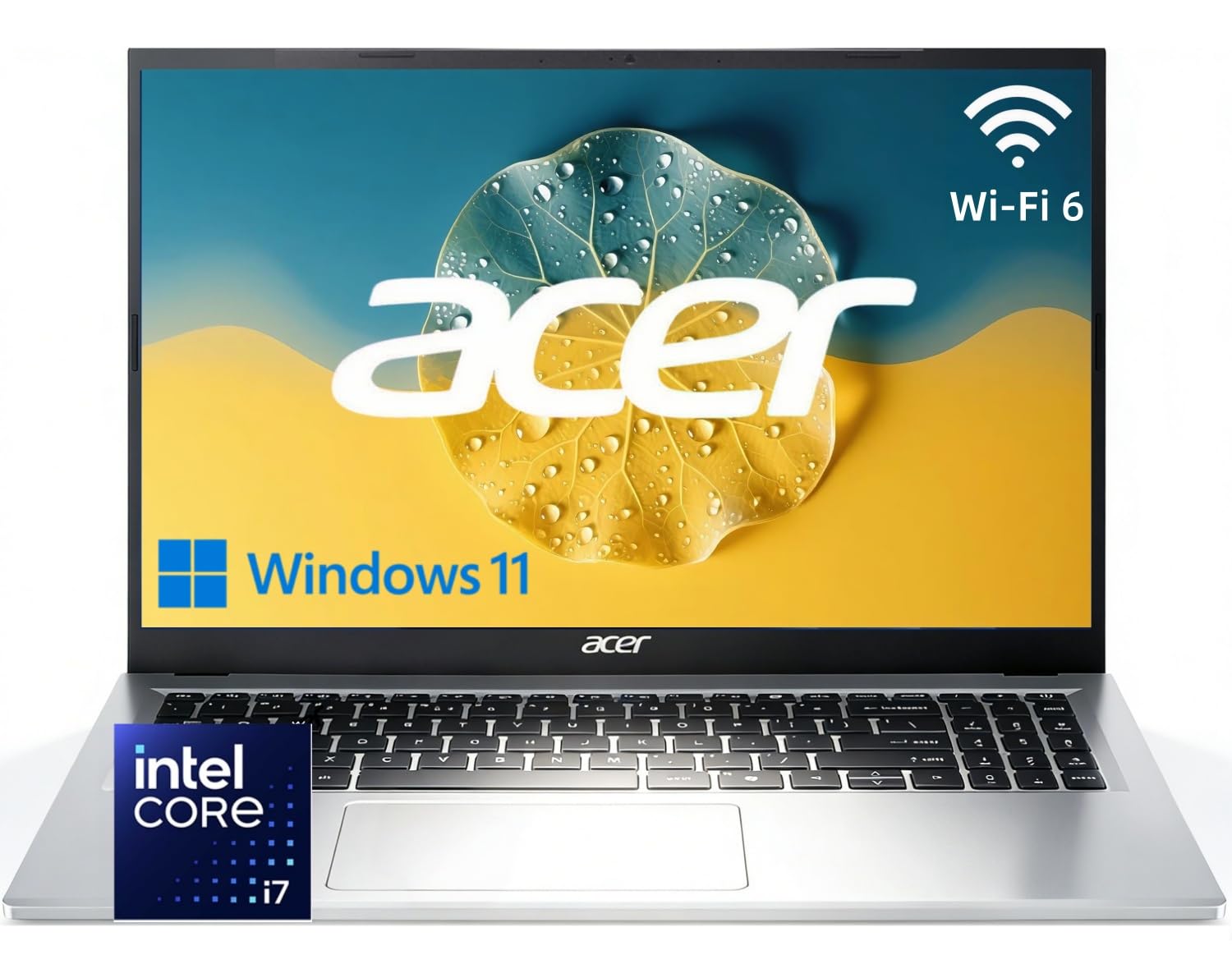
When the office Wi-Fi dies, the Ethernet jack saves the meeting.
An RJ-45 Gigabit Ethernet port is the feature that earns this Acer its slot. Wi-Fi drops in hotels and server rooms, and a cable connection gets you back on the network instantly. Around that you get an 11th Gen Intel Core i7-1165G7 with 4 cores, 8 threads, and Turbo Boost up to 4.7 GHz, backed by 12GB of DDR4 RAM and a 512GB PCIe NVMe SSD. That is fast storage and plenty of memory for documents, spreadsheets, and a dozen browser tabs.
The screen is the 15.6-inch Full HD 1920 x 1080 panel, and the full-size keyboard includes a numeric keypad — a real time-saver for data entry and accounting. Intel Iris Xe Graphics keeps streaming and presentations smooth. Connectivity is well stocked: Wi-Fi 6, Bluetooth 5.2, USB-C 3.2 Gen 2, USB-A 3.2 Gen 1, HDMI 2.1, and the Gigabit Ethernet port. For a home office or a student who needs a reliable wired connection, that is a lot of connection for the money.
The trade-offs are battery and memory headroom. The 8-hour battery rating is mid-table, so plan on a charger for long days away from an outlet. And 12GB of RAM is the smallest memory figure in this guide — enough for solid multitasking, but a touch tighter than the 16GB machines if you run many heavy apps at once. Neither is a deal-breaker for everyday business work; both are worth knowing before you buy.
Where it wins
- RJ-45 Gigabit Ethernet for wired offices and unreliable Wi-Fi
- Core i7-1165G7 up to 4.7 GHz with 512GB PCIe NVMe SSD
- Full-size keyboard with numeric keypad
- Wi-Fi 6, Bluetooth 5.2, USB-C, and HDMI 2.1 round out connectivity
Trade-offs to weigh
- 12GB of RAM is the smallest here
- 8-hour battery is mid-table, not a full travel day
Best matched to: the office worker who plugs into Ethernet daily and types numbers all day.
Less ideal for: heavy multitaskers who want the largest memory pool.
8. 2026 Flagship 15.6″ Business Laptop (i5-7Y54)
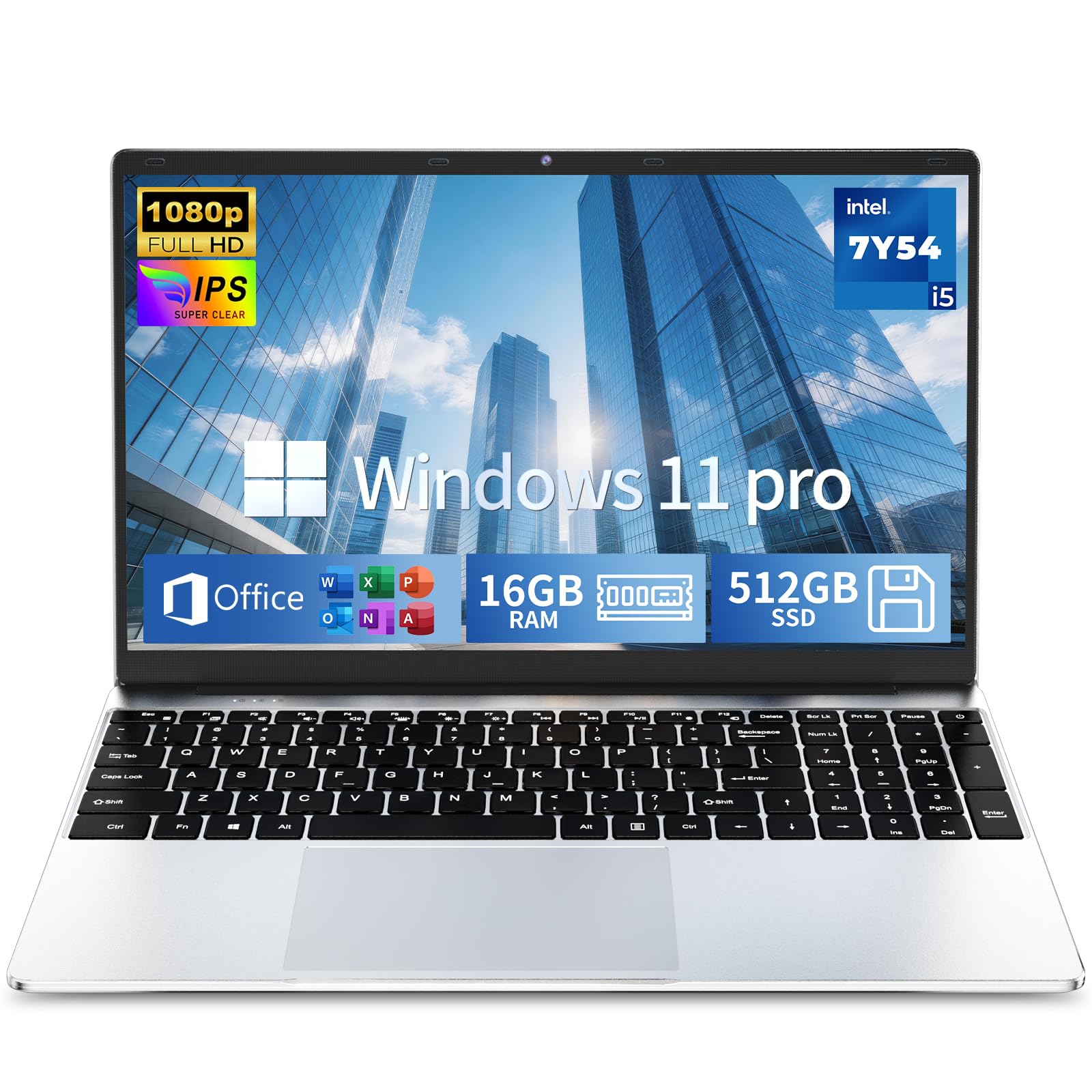
Software paid for and installed before you even open the lid.
This one comes with Windows 11 Pro and Office 365 already in place, so you skip the setup and the software bill. It pairs 16GB of memory with a 512GB high-speed SSD, which is the storage tier that keeps contracts, client files, and presentations all close to hand. The 15.6-inch Full HD anti-glare IPS screen reduces glare during long editing and video-call hours, which is the kind of detail that matters when you sit at the machine all day.
For typing comfort there is a backlit keyboard for dim rooms, and active fan cooling keeps heat moving during office tasks and meetings. At 3.5 lbs it is light enough to carry between desks. The CPU is a Core i5-7Y54, a lower-power chip, so the priority here is battery endurance and cool running rather than raw speed. The listing names all-day power as a feature, and the lower-power silicon supports that aim. Connectivity covers Wi-Fi, USB ports, HDMI, and a TF card reader for projectors and external drives.
The honest note is performance. This is not the pick for heavy creative work or demanding applications — it is built for office documents, email, and video calls, and it does that comfortably. A two-year warranty and a 180-day return window soften the bet. If your work is document-driven, the bundled software and the light body make it a practical choice.
Software included: Windows 11 Pro and Office 365 arrive pre-loaded, saving setup time and software cost.
Power profile: the lower-power i5-7Y54 favors endurance and cool running over raw speed.
This fits you if: your day is documents, email, and meetings and you want Office included.
Look past it if: you run demanding creative apps or need top-end processing speed.
9. Lenovo IdeaPad Business Laptop (i5-1335U)
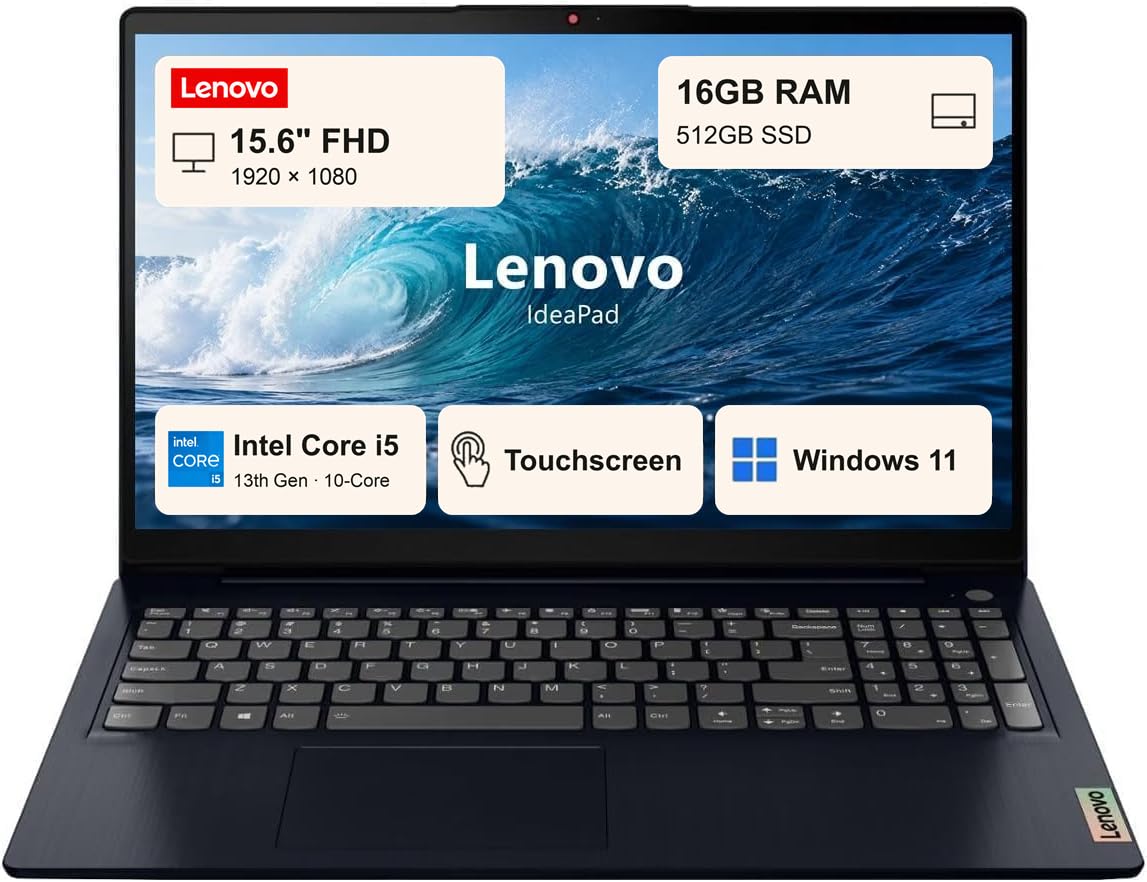
A 10-core 13th Gen chip wrapped in a touchscreen 15.6-inch shell.
The chip is the strong part: an Intel Core i5-1335U from the 13th generation, with 10 cores (2 Performance plus 8 Efficient) and 12 threads, reaching up to 4.6 GHz with Turbo Boost. That is built for the kind of work a business day throws at it — a browser of tabs, collaboration apps, and documents at once. Around it sits 16GB of RAM and a 512GB SSD, the storage tier that keeps file handling quick.
The 15.6-inch Full HD touchscreen is anti-glare, so reflections are reduced for comfortable viewing, and the touch layer helps when you tap through forms or scan long documents. Windows Copilot AI is on board for task assistance. You also get Wi-Fi 6 and Bluetooth 5.1, USB-C, USB-A, HDMI, RJ-45, and an audio combo jack, plus Dolby Audio speakers, dual mics, and an HD webcam with a privacy shutter. The 10-hour battery rating means it carries you through a workday. The Abyss Blue chassis keeps it looking business-ready.
The value picture is what wins people over. But performance does draw mixed feedback — some say it works well, others describe it as slow. A 10-core 13th Gen chip should suit business apps, yet the reports are split, so it is worth checking current reviews. The privacy shutter on the webcam is a nice trust detail.
Spec-forward read: 10-core i5-1335U up to 4.6 GHz, 16GB RAM, 512GB SSD, and a 15.6-inch touchscreen with a 10-hour rating.
What to verify: performance reviews are mixed, so check the latest notes before committing.
Good match for: buyers who want a touchscreen and a modern 10-core chip together.
Go slower if: you need a machine with rock-solid performance consensus from day one.
10. Lenovo V15 Gen 4 (Core i5-13420H)

Eight cores, twelve threads, and every port your office still relies on.
This is the workhorse build. The Core i5-13420H runs 8 cores and 12 threads with 12MB of Smart Cache, up to 4.6 GHz Turbo, and the listing says it beats the i7-1355U — H-series silicon that suits heavy multitasking and demanding office apps. Around it: 16GB of RAM and a 512GB SSD in the same 16GB/512GB tier as the rest of the field. Windows 11 Pro is pre-installed.
Ports are the practical appeal. Alongside USB-C, two USB-A ports, and HDMI, you get an RJ45 Ethernet jack — wired networking for an unreliable office. A numeric keypad sits on the keyboard for spreadsheets and data entry. The 15.6-inch Full HD 1920 x 1080 display is the standard business panel. Reliability is the trait owners talk about most in the review pages, so it fits the role of a machine that must just work every day.
Battery and swapping in another charger are things to plan for. Battery life gets mixed feedback — several note it is not very long-lasting, so treat it as a desk machine that also travels. One report flags compatibility trouble with certain USB-C power cords, so keep the included adapter handy. For raw processing grunt though, this is the value pick of the H-series group.
Why it earns its spot
- 8-core, 12-thread i5-13420H up to 4.6 GHz with 12MB cache
- RJ45 Ethernet plus HDMI, USB-C, and numeric keypad
- 16GB RAM and 512GB SSD with Windows 11 Pro included
Plan around this
- Battery life gets mixed feedback — best treated as a desk machine
- Power-adapter compatibility can be picky, so keep the included charger
Worth it for: heavy multitaskers who want H-series grunt and a wired Ethernet port.
Not the one if: battery endurance tops your priority list.
11. Dell Inspiron Touchscreen Laptop (32GB RAM / 1TB SSD)

The memory king of this list — 32GB and a full terabyte of storage.
If your workflow runs virtual machines, huge spreadsheets, or dozens of browser tabs alongside a design tool, memory is the wall you hit first. This Dell goes furthest on that front with 32GB of RAM and a 1TB SSD, versus 16GB and 512GB on most picks here. The Intel Quad-Core i5-1155G7 runs 4 cores and 8 threads with Max Boost up to 4.5GHz and 8MB of cache. For a work machine that must keep everything open at once, those are the numbers that matter.
You get a 15.6-inch Full HD IPS touchscreen (a sharp 1920×1080 panel with wide viewing angles) rated at 220 nits (a brightness measure — fine indoors, dimmer outdoors). It has a narrow bezel and an anti-glare finish, and the touch layer helps when you tap through documents. The keyboard has a numeric keypad for data entry, so spreadsheets go faster. The port set is broad: two USB 3.2 Type-A, one USB 2.0, HDMI 1.4, a headphone/mic combo jack, and an SD card reader, so you can plug in a monitor, a mouse, and a camera card without a hub. It also has Wi-Fi 5, Bluetooth, and a 720p webcam. Windows 11 Pro is installed.
A few things to plan around. The battery rating is 7 hours, so it is best desk-side or topped up during the day. The review pattern is also worth noting: quality and ease of use fare well, but reliability and durability draw mixed feedback, with keys and the hinge mentioned. Treat it as a hard-working machine that benefits from a protective bag and careful handling, and it delivers a lot of memory for the money.
Why power users lean here
- 32GB RAM and a 1TB SSD — the biggest memory and storage on this list
- i5-1155G7 with 4 cores, 8 threads and Max Boost up to 4.5GHz
- 15.6-inch FHD IPS touchscreen with a numeric keypad and SD card reader
Handle with care
- 7-hour battery rating means it is best kept near a socket
- Durability draws mixed feedback — a protective bag goes a long way
Pick this one if: you run virtual machines or monster spreadsheets and need the most memory and storage available.
Leave it if: you want a laptop that travels all day on one charge.
Understanding the Specs
RAM: your open-apps workspace
RAM is the short-term memory your open programs share. More of it means you can keep a browser, a spreadsheet, a mail client, and a chat app open at once without the laptop slowing down. 16GB is the comfortable baseline for business work and covers nearly every pick here. One model goes to 32GB for heavy virtual machines or large datasets, and the Auusda lets you add memory up to 32GB yourself later. If you rarely run more than a couple of apps, 12GB is workable.
SSD: where speed comes from
An SSD is storage with no moving parts, so it boots the machine and opens files quickly. Capacity is what you live with: 256GB fills up fast with photos and video, 512GB is the safe middle, and 1TB means you stop managing free space. The letters NVMe and PCIe describe the faster type of SSD, and several picks here use them. Faster storage shows up in daily work as near-instant waking from sleep and quick document opening.
Battery ratings: read them as ranges
A stated battery life such as 6, 10, or 18 hours reflects the maker’s own testing, which usually assumes light work. Treat the figure as a ceiling, not a promise. The MacBook Air’s up to 18 hours is the longest rating here, and the Auusda states 10 hours of life with 12 hours on standby. Real hours shrink with brightness, video calls, and heavy apps, so a machine rated for a full day will usually still want a midday top-up on a heavy one.
CPU generations and what they mean for you
The processor, or CPU, is the chip doing the calculating. Its generation number — 11th, 12th, 13th — tells you roughly how recent the design is. A 13th Gen i5 or an H-series chip like the i5-13420H is built for heavier multitasking, while a low-power chip like the i5-7Y54 prioritizes battery and cool running over raw speed. For documents and email, even a modest chip is fine. For many heavy apps at once, pick a newer generation with more cores.
FAQ
Is 15.6 inches too big for carrying to work every day?
Will a 15.6-inch laptop fit in a standard backpack or laptop bag?
Do I need 16GB of RAM or is 12GB enough for business work?
Is a 256GB SSD enough or should I pay for 512GB?
What is the difference between a renewed laptop and a new one?
Does a touchscreen matter for office work?
Will a business laptop with an RJ45 port still connect to Wi-Fi?
How long should a business laptop last before I replace it?
Is an Intel H-series chip better than a U-series chip for business work?
Do these laptops come with Windows and Office already installed?
Final Thoughts: The Verdict
For most buyers, the 15-inch business laptop worth choosing is the Apple MacBook Air 15-inch with the M5 chip. Its up to 18 hours of battery life and quiet M5 performance cover a full workday without a charger. If you want the most storage for your money and room to upgrade, grab the Auusda 15.6″ N95 with its 1TB NVMe drive. And for a wired office that still relies on Ethernet and a numeric keypad, the Lenovo V15 Gen 4 is the one to reach for. Whichever you pick, match the memory and storage to how you actually work — that is the number that decides whether the machine still feels fast a year from now.
How We Picked
We do not accept paid placement. Every pick is matched to a real buyer and a real use-case; we do not hands-on test units.
Sources & Methodology
Specifications: manufacturer listings and product documentation. Review insights: verified customer reviews, as of November 2026. Pricing: not shown on this page (it changes often); check the current price via the retailer link.
As an Amazon Associate, Gadgets Feed earns from qualifying purchases. This does not affect which products we feature.