
A 15-inch Chromebook gives you a large, comfortable canvas for multitasking with multiple tabs, documents, and streaming video, but the wide screen size often masks big differences in processor power, RAM, and storage that directly affect how smoothly your daily workflow runs. Choosing the wrong model can leave you waiting for pages to load and tabs to refresh.
I’m Min — the co-founder and writer behind Gadgets Feed. I’ve spent many hours researching the Chromebook market, analyzing processor benchmarks, RAM configurations, and display quality to identify which 15-inch models deliver a genuinely fluid ChromeOS experience and which ones cut too many corners.
The challenge is that not all large-screen Chromebooks are built the same, and the right choice depends on how you actually use your laptop. This guide to the best 15-inch chromebook breaks down the critical specs and trade-offs so you can pick the model that matches your workflow and budget.
How To Choose The Best 15-Inch Chromebook
A 15-inch Chromebook is a specific tool—its large display is best for users who need to see more content at once, whether for school research, office multitasking, or media consumption. The key is matching the internal specs to your workload without overspending on power you won’t use or underspending on performance you’ll notice every day.
Processor and RAM — The Core of Your Experience
The processor is the engine of any Chromebook. Intel Celeron N-series chips like the N4020 and N4500 are entry-level workhorses suitable for web browsing, light document editing, and streaming. A Pentium N6000 steps up for better multitasking, while an Intel Core i3-1305U delivers roughly double the performance for more demanding tasks like video conferencing, heavier spreadsheet work, or running Android apps. RAM is just as critical: 4GB is the bare minimum for light use, but 8GB is strongly recommended if you plan to keep more than a handful of tabs open simultaneously.
Storage Type and Capacity
Most budget 15-inch Chromebooks use eMMC storage, which is slower than an SSD but adequate for ChromeOS and cloud-based workflows. Models with 64GB eMMC are fine for light users who store files in Google Drive. Upgrading to 128GB or a true SSD (like the Acer Chromebook Plus 515’s 256GB PCIe Gen4 SSD) gives you faster boot times, quicker app launches, and room for offline files. Some bundles include an SD card to expand storage, but embedded storage is always more reliable for the operating system.
Display Quality and Touchscreen
A 15.6-inch Full HD (1920×1080) IPS panel is the gold standard for this size class, offering sharp text and wide viewing angles. Some budget models ship with a lower-resolution 1366×768 HD display, which can look noticeably fuzzier on a 15-inch screen. Touchscreens are a premium differentiator: they add convenience for scrolling and zooming but come at a higher cost. Anti-glare coatings are helpful if you work near windows or under bright lights.
Quick Comparison
On smaller screens, swipe sideways to see the full table.
| Model | Category | Best For | Key Spec | Amazon |
|---|---|---|---|---|
| Acer Chromebook Plus 515 | Premium | Power users & multitaskers | Intel Core i3-1305U, 8GB LPDDR5X, 256GB SSD | Amazon |
| Lenovo IdeaPad Flex 3i Chromebook | Mid-Range | Touchscreen & 2-in-1 flexibility | Intel Pentium N6000, 8GB RAM, 128GB SSD | Amazon |
| HP Chromebook 15 | Mid-Range | Students on a budget | Intel N200, 8GB DDR5, 64GB eMMC + 128GB SD | Amazon |
| ASUS Chromebook CX15 | Mid-Range | Storage-focused users | Intel Celeron N4500, 8GB RAM, 128GB eMMC | Amazon |
| Lenovo Chromebook 15 | Entry-Level | Basic home & school tasks | Intel Celeron N4500, 4GB RAM, 64GB eMMC | Amazon |
| Acer Chromebook 315 | Entry-Level | Budget streaming & browsing | Intel Celeron N4020, 4GB RAM, 64GB eMMC | Amazon |
In‑Depth Reviews
1. Acer Chromebook Plus 515

The Acer Chromebook Plus 515 is the only model in this list equipped with a 13th-gen Intel Core i3-1305U processor, giving it roughly double the performance of any Celeron or Pentium-based Chromebook here. The 8GB of LPDDR5X memory is fast and ample for heavy multitasking, and the 256GB PCIe Gen4 SSD offers significantly faster read/write speeds compared to eMMC storage found in other models. This translates to near-instant boot times, snappy app launches, and smooth performance even with a dozen tabs open alongside Android apps.
The 15.6-inch Full HD IPS touchscreen delivers vibrant colors and wide viewing angles, and the 720p HD webcam with a privacy shutter ensures you look clear on video calls. Wi-Fi 6E support future-proofs your wireless connectivity for the fastest home networks. ChromeOS Plus adds exclusive Google AI features like Gemini integration and the ability to convert handwriting to text, making this a productivity-oriented Chromebook that genuinely feels like a premium laptop.
Battery life is rated at up to 10 hours, which is competitive for a performance-focused 15-inch Chromebook. The build quality is solid with a sturdy gray chassis, and the two USB-C ports support both charging and DisplayPort output, allowing you to connect an external monitor easily. This is the best choice for anyone who needs a 15-inch Chromebook that can handle serious work without compromise.
Why it’s great
- Core i3 processor offers roughly 2x the performance of Celeron models
- 256GB PCIe Gen4 SSD is much faster than eMMC storage
- Includes Google AI Pro for 12 months
Good to know
- No backlit keyboard
- Audio output is not exceptionally loud
2. Lenovo IdeaPad Flex 3i Chromebook

The Lenovo IdeaPad Flex 3i Chromebook stands out with its 360-degree hinge that allows it to transform into a tablet or tent mode, giving you genuine 2-in-1 flexibility. The 15.6-inch Full HD touchscreen is responsive and bright, making it excellent for presentations, drawing with a stylus, or simply scrolling through long web pages. The Intel Pentium N6000 processor, with a max turbo speed of 4.9 GHz, provides noticeably snappier performance than Celeron-based models, especially when switching between multiple apps.
With 8GB of RAM and a 128GB SSD, this Chromebook handles everyday multitasking with ease—you can keep a dozen Chrome tabs, a Google Doc, and a music streaming app open without slowdowns. The 128GB SSD is a genuine solid-state drive, not eMMC, which means faster boot times and quicker app loading. The 10-hour battery life is consistent for a full day of school or work, and the Abyss Blue color gives it a distinctive look that stands out from the usual silver or gray laptops.
The laptop weighs just over 3.5 pounds, which is reasonable for a 15-inch device, and the USB-C ports support charging and external display output. The keys offer decent travel for comfortable typing, though there is no backlight. This is the ideal choice for users who want the versatility of a touchscreen 2-in-1 without sacrificing performance or screen size.
Why it’s great
- Full 360-degree hinge with responsive touchscreen
- True 128GB SSD for fast storage
- Pentium N6000 processor offers smooth multitasking
Good to know
- No backlit keyboard
- Some units may have charger or pairing issues
3. HP Chromebook 15
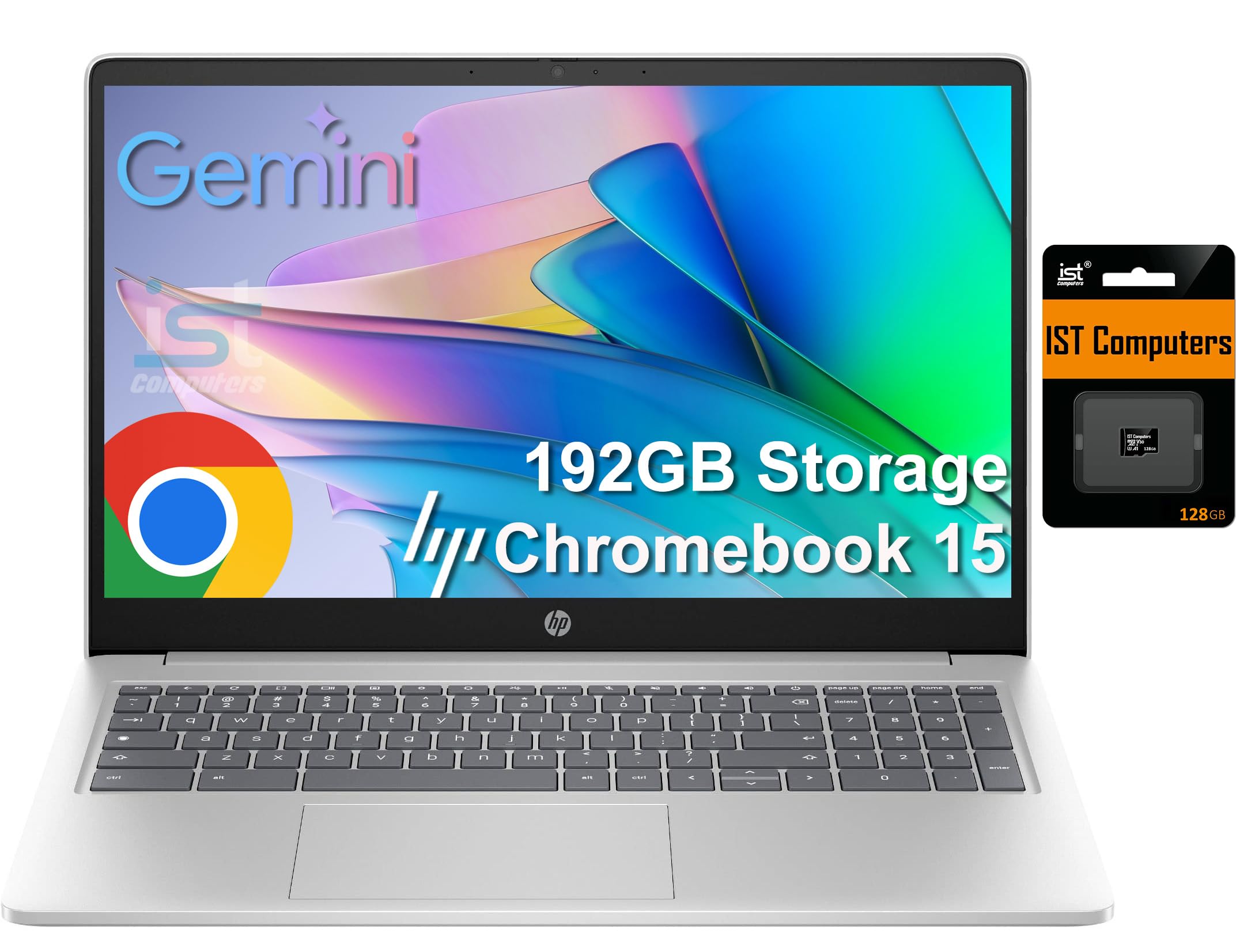
The HP Chromebook 15 delivers impressive value by pairing the efficient Intel N200 processor (a 4-core chip that outperforms older Celeron models) with 8GB of DDR5 RAM. DDR5 memory offers higher bandwidth than DDR4, which helps with smoother multitasking and faster data access. The storage configuration is a 64GB eMMC module plus a 128GB SD card, giving you a total of 192GB of space for files and apps, though the eMMC is slower than an SSD.
The 15.6-inch display is an HD (1366×768) anti-glare panel with 250 nits of brightness. While the resolution is lower than Full HD, the anti-glare coating is effective in bright environments, and the micro-edge design keeps the bezels slim. The numeric keypad is a productivity bonus for anyone who frequently enters numbers, making this a practical choice for students or home office use.
Battery life is rated at up to 12 hours, which is among the best in this lineup, and the HP Chromebook 15 supports fast charging over USB-C. The HD webcam includes a physical privacy shutter for security. The light-colored keys can be difficult to read in dim lighting since there’s no backlight, but the overall performance per dollar is very strong. This is a smart pick for budget-conscious buyers who prioritize RAM and battery life over display resolution.
Why it’s great
- 8GB DDR5 RAM at a budget-friendly price point
- 12-hour battery life for all-day use
- Numeric keypad for easier data entry
Good to know
- 1366×768 HD display, not Full HD
- Light-colored keys are hard to see in low light
4. ASUS Chromebook CX15

The ASUS Chromebook CX15 is a well-rounded mid-range option that features a generous 128GB of eMMC storage and 8GB of RAM, giving it an edge over entry-level models that come with only 4GB and 64GB. The Intel Celeron N4500 processor is a familiar workhorse for ChromeOS, handling web browsing, streaming, and document editing without major hiccups, though it won’t keep up with heavy multitasking or demanding Android games.
The 15.6-inch Full HD NanoEdge anti-glare display delivers sharp text and good color, and the slim bezels make the laptop feel more compact than its screen size suggests. The build quality meets MIL-STD 810H military-grade durability standards, meaning it can withstand drops, shocks, and temperature extremes better than most consumer Chromebooks. The chiclet keyboard includes a physical numeric keypad, ideal for spreadsheet work.
Battery life varies by user, with some reporting a full day of use and others noting quicker battery drain. The laptop weighs 3.51 pounds, which is light for a 15-inch model. Connectivity includes two USB-C ports, two USB-A ports, and an HDMI output, making it versatile for peripherals and external monitors. This is a solid choice for students or professionals who need durable construction and ample storage at a competitive price.
Why it’s great
- 128GB storage with 8GB RAM for smooth daily use
- MIL-STD 810H durability certification
- Full HD anti-glare display with slim bezels
Good to know
- Not a touchscreen model
- Battery life reports are inconsistent
5. Lenovo Chromebook 15

The Lenovo Chromebook 15 (IdeaPad 3i) targets students and home users with a balanced set of features at an entry-level price. It runs on an Intel Celeron N4500 processor and 4GB of RAM—the minimum configuration for a workable ChromeOS experience. Browsing a few tabs, editing a Google Doc, and watching YouTube will be fine, but pushing beyond five or six tabs may introduce lag.
The 15.6-inch Full HD anti-glare TN display delivers 220 nits of brightness, which is adequate for indoor use but may struggle under direct sunlight. The anti-glare coating helps reduce reflections, and the display supports an above-average touch screen with good color clarity. The storage solution is a 64GB eMMC module plus a 64GB SD card, giving you 128GB total for files.
Battery life is rated at up to 10 hours, and the inclusion of Wi-Fi 6 (802.11ax) and Bluetooth 5.2 ensures modern, fast wireless connectivity. The HD webcam has a physical privacy shutter, and the Auto Update Expiration date is June 2030, which means you’ll get security updates for many years. This is a reliable, no-frills machine for young students or anyone who needs a basic secondary laptop for light tasks.
Why it’s great
- Wi-Fi 6 and Bluetooth 5.2 for fast wireless
- Full HD display with touch functionality
- AUE date of June 2030 ensures long support
Good to know
- 4GB RAM limits heavy multitasking
- TN panel has narrower viewing angles than IPS
6. Acer Chromebook 315

The Acer Chromebook 315 is the most budget-friendly 15-inch Chromebook in this lineup, making it attractive for users who need a large screen for streaming and light web use without spending much. The Intel Celeron N4020 dual-core processor and 4GB of RAM are the entry-level standard, offering enough power for email, social media, and YouTube but not for heavy multitasking or running multiple Android apps side by side.
The standout feature for its price is the 15.6-inch Full HD IPS touchscreen, which delivers sharp 1920×1080 resolution and excellent viewing angles—rare at this price point. The 12.5-hour battery life is among the longest you’ll find on any Chromebook, allowing for extended use away from an outlet. The laptop weighs only 2.76 pounds, making it extremely portable for a 15-inch device.
The silver chassis is thin and light, and the two USB-C ports support charging and display output. The 64GB eMMC storage is sufficient for a cloud-first workflow, but you’ll need to rely on Google Drive for larger files. The auto-update expiration is not as distant as some newer models, but for the price, this Chromebook offers exceptional value as a secondary device or for a student who primarily uses web apps.
Why it’s great
- Full HD IPS touchscreen at a very low price point
- 12.5-hour battery life is best in class
- Lightweight at 2.76 pounds
Good to know
- 4GB RAM and Celeron N4020 limit multitasking
- Choppy scrolling reported with multiple tabs
FAQ
What does Auto Update Expiration (AUE) mean for a Chromebook?
Can I run Microsoft Office or Adobe apps on a 15-inch Chromebook?
Why do some 15-inch Chromebooks have 1366×768 displays instead of Full HD?
Final Thoughts: The Verdict
For most users, the best 15-inch chromebook winner is the Acer Chromebook Plus 515 because its Intel Core i3 processor, 8GB RAM, and 256GB SSD deliver genuinely premium performance that handles any workflow you throw at it. If you want a touchscreen 2-in-1 with great build quality, grab the Lenovo IdeaPad Flex 3i Chromebook. And for the best value on a tight budget, nothing beats the HP Chromebook 15 with its 8GB RAM and long battery life.