
Our readers keep the lights on and my morning glass full of iced black tea. As an Amazon Associate, I earn from qualifying purchases.
Specs are compiled from manufacturer listings and verified buyer reviews and can change over time — please confirm the key details on the product page before buying.
You want a 15-inch portable monitor that boosts your productivity without weighing you down. The best pick for most buyers balances a crisp resolution, a single-cable USB-C connection (one cord for both power and video), and a weight that won’t wreck your backpack. This guide helps you match the right screen to how you actually work, game, or present on the go.
I’m Min — the founder and writer behind Gadgets Feed. This guide is built by comparing the manufacturers’ published specifications and the patterns across verified customer reviews, so you get each pick’s real strengths and trade-offs instead of marketing spin.
If you’re comparing lightweight screens for travel, this breakdown of the best 15-inch portable monitor options highlights which models earn their spot in your bag. Each pick is judged on real owner experiences and verified specs so you can buy with confidence.
Our Picks at a Glance

How To Choose The Best 15-Inch Portable Monitor
Before you buy, know that most “15-inch” portable monitors are actually 15.6 inches — that is the standard laptop screen size, and it is what you want for a true match to your existing laptop. The real decision points are how it connects, how bright it gets, and how much it weighs.
Prioritize Single-Cable USB-C Connectivity
The biggest convenience difference is a full-featured USB-C port that carries both video and power through one cable. This means you plug in once and the screen works, no separate power brick required (if your laptop supports power delivery). Some models need an external power adapter to reach full brightness, so check whether that matters for your setup.
Match Resolution to Your Work
For spreadsheets, code, and documents, 1080p Full HD is sharp and affordable. If you edit photos or want finer text, a 2K (2560×1440) panel shows noticeably more detail, but it typically costs more and may need a more powerful laptop connection. Think about what you stare at most before choosing resolution.
Check the Weight and Stand
A portable monitor only helps if you actually carry it. Light models weigh around 1.5 pounds, while screen extenders that clamp onto your laptop can be heavier and add bulk. The stand matters too — a fold-out kickstand is fine for a desk, but a detachable cover that doubles as a stand protects the screen in transit and offers more angles.
Quick Comparison
| Model | Best For | Resolution | Brightness | Connectivity | Amazon |
|---|---|---|---|---|---|
| cocopar 15.6″★ Best Overall | Best Overall Value | 1920 x 1080 (FHD) | 280 cd/m² | USB-C, HDMI, 3.5mm Audio | Amazon |
| Ingnok 15.6″Budget Champion | Ultra-Thin Travel | 1920 x 1080 (FHD) | 300 cd/m² | USB-C, mini HDMI | Amazon |
| InnoView 15.6″ 2KSharpest Display | Sharpest Text & Detail | 2560 x 1440 (QHD) | 250 cd/m² | USB-C, HDMI | Amazon |
| Acer PM161Q | Reliable Brand Simplicity | 1920 x 1080 (FHD) | — | USB-C, HDMI 1.4 | Amazon |
| GlixyPixVue Extender | Clip-On Laptop Extender | 1920 x 1080 (FHD) | 280 cd/m² | USB-C, mini HDMI, USB-A | Amazon |
| Cevaton Extender | Detachable Dual-Screen | 1920 x 1080 (FHD) | 300 cd/m² | USB-C, HDMI, USB-A | Amazon |
| ASUS ZenScreen MB16AHV | Premium Anti-Glare | 1920 x 1080 (FHD) | 250 cd/m² | USB-C, mini HDMI | Amazon |
| MAGICRAVEN Extender | Clip-On for 14-16.5″ Laptops | 1920 x 1080 (FHD) | 300 cd/m² | USB-C | Amazon |
| Lenovo L15 | Height-Adjustable Stand | 1920 x 1080 (FHD) | 250 cd/m² | USB-C | Amazon |
| ASUS ZenScreen MB16ACV | Legacy FreeSync Pick | 1920 x 1080 (FHD) | — | USB-C, USB Type-A | Amazon |
| Plugable USBC-PDMON | Monitor + Charging Hub | 1920 x 1080 (FHD) | 300 cd/m² | USB-C (with USB hub) | Amazon |
In‑Depth Reviews
1. cocopar 15.6 Inch 1080P FHD 60Hz Portable Monitor
Our pick — over 4.5★ from 6,000+ verified ratings; the strongest balance of quality and price.
A travel-ready 1080p screen that balances quality and portability..
The cocopar is the pick that keeps proving itself in real-world use, and it leads with a 15.6-inch IPS A-grade panel at 1920 x 1080 resolution. You get a crisp Full HD image with an 85% sRGB color gamut and a 178° viewing angle, which means colors stay true when you tilt the screen or look at it from the side.
Setup is genuinely plug-and-play through its two full-featured USB-C ports or the HDMI port. A single USB-C cable handles both power and display, and it supports power pass-through so your laptop can keep charging while the monitor runs. Owners highlight that the sharp screen and good colors shine after a quick adjustment, with full brightness only arriving when you use the included power adapter.
The thing everyone raves about is the build quality — the screen is lightweight, fits easily in a backpack, and feels well-made. It works with MacBook, Surface, most Windows laptops, plus PS4, Xbox, and Nintendo Switch for gaming on the go, and two VESA holes let you mount it for a standing desk setup in landscape or portrait mode.
What Owners Love Most
- Sharp 1080p display with vibrant, adjustable colors for photo and video work
- True single-cable USB-C connection with power pass-through for clean travel setups
- VESA mountable with a 178° viewing angle for flexible landscape or portrait use
Fair Trade-Offs
- Built-in speakers are quiet, so external audio is worth planning for
- Full brightness requires the included power adapter rather than laptop power alone
Grab it if: you want a dependable, well-built 1080p travel screen that works across laptops and consoles without fuss.
Think twice if: you need loud built-in speakers or always run on battery with no adapter handy.
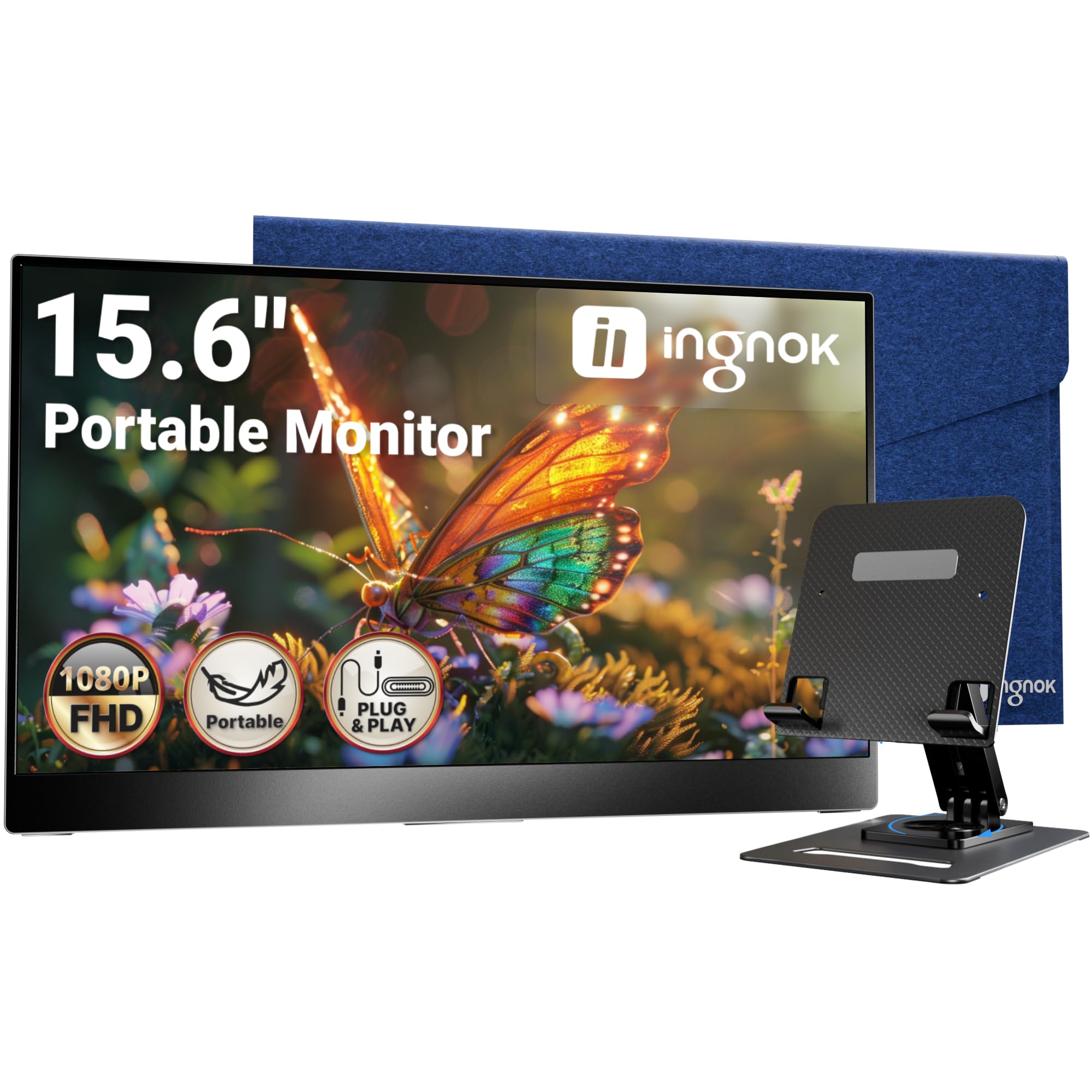
2. Ingnok 15.6 Inch USB-C Screen Extender
An ultra-thin 1080p panel that slips into any bag at a budget-friendly price..
The Ingnok is built around one idea: carry it everywhere without noticing it. At just 1.44 pounds and roughly half the thickness of a phone, this 15.6-inch screen is one of the lightest ways to add a second display. The Full HD IPS panel delivers 1920 x 1080 resolution with a 300 cd brightness rating that keeps the image clear even in brighter rooms.
What wins people over is how simple it is to use. A single USB-C cable provides both data and power, and it works with laptops, Macs, PCs, phones, PS4, PS5, and Switch. The package includes a case, a stand, and two cables, so you can start working right from the start. Buyers report it connects instantly to a MacBook Air and takes about 30 seconds to set up.
The honest catch is the audio and the fine print. The built-in speakers are below average in volume, and a few owners note the small text can tire your eyes during long reading sessions. The adjustable stand has two height positions and the included felt case works well for protection — though the case velcro is a minor annoyance. This monitor is ideal for video, YouTube, and general multitasking rather than dense text work.
Why it wins: the combination of a 1.44-pound frame, 300 cd brightness, and a complete accessory bundle makes it a standout budget travel pick.
Reach for this if: you want a featherlight second display for videos, meetings, and light multitasking without spending much.
Look elsewhere if: you need strong speakers or plan to stare at small text for hours every day.
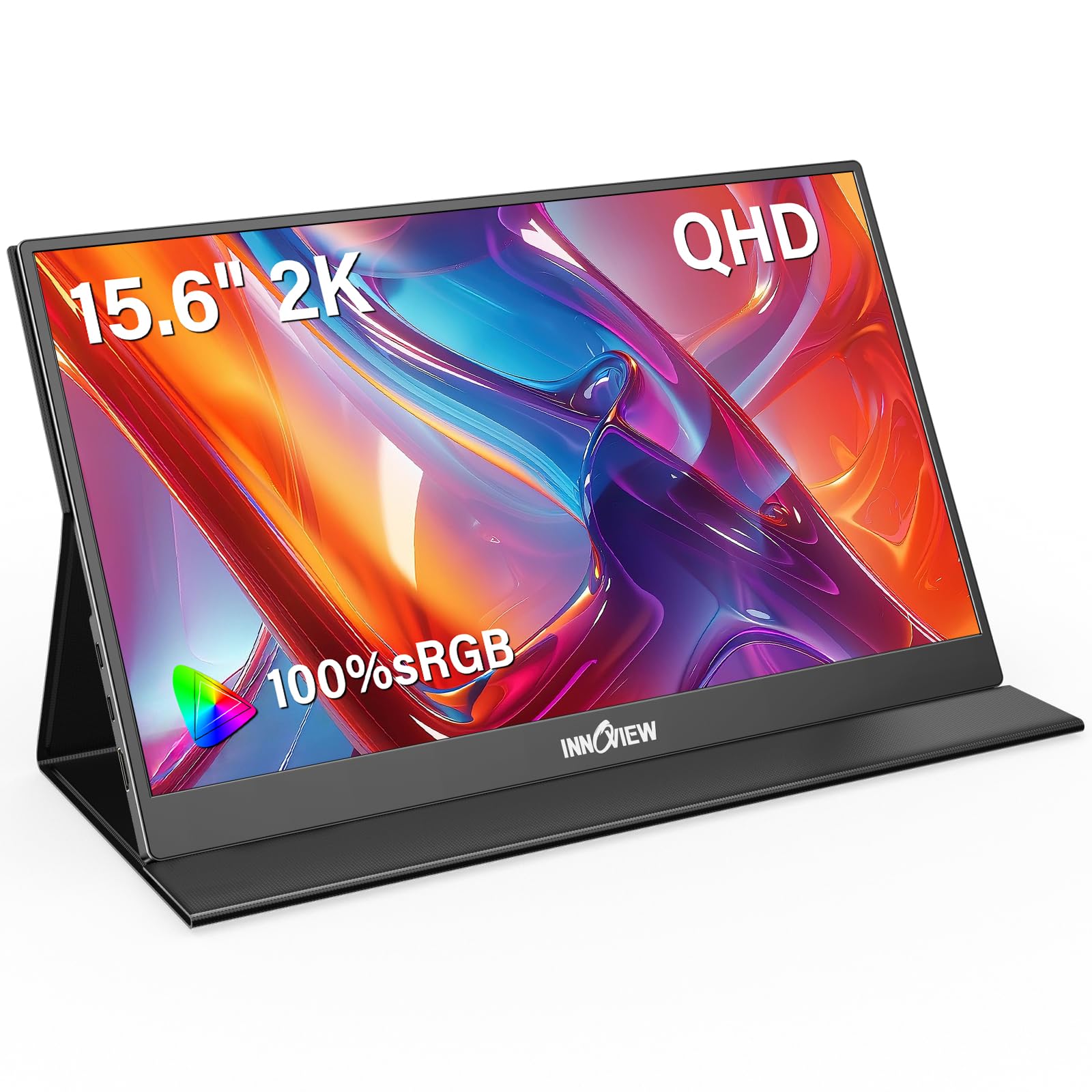
3. InnoView 2K Portable Monitor 15.6″ 2560×1440 QHD
A 2K resolution boost that sharpens text, code, and graphics..
The InnoView is the pick for anyone who finds 1080p just a little soft. Its 15.6-inch panel runs at 2560×1440 QHD resolution with 100% sRGB color coverage, which puts it a clear step ahead of standard Full HD screens for detail. That extra pixel density makes a real difference for document editing, coding, and any work where crisp text matters.
Setup is designed to be friction-free with two full-featured Type-C ports and one standard HDMI port, and it needs no driver installation. The protective case is made from durable PU leather and doubles as a sturdy stand, so the screen is shielded during travel and propped up for work in seconds. Dual stereo speakers pump out rich audio for music, movies, and gaming.
Owners consistently describe the display quality as exceeding expectations — it is sleek, lightweight, and easy to connect. Unlike the 1080p cocopar above, this one trades some brightness (250 cd) for far sharper resolution. The feedback on reliability is more mixed, with a small number reporting connectivity issues after initial use, so treat the included cables gently and test the ports early.
Where It Excels
- 2560×1440 QHD resolution with 100% sRGB for exceptional text and color clarity
- PU leather smart cover doubles as a sturdy stand for travel protection
- Dual stereo speakers and plug-and-play USB-C/HDMI connectivity
Keep In Mind
- Bottom brightness at 250 cd means it is best kept out of direct sunlight
- Connectivity and reliability draw mixed feedback, so check your ports on arrival
Best suited for: programmers, editors, and students who want the sharpest possible image in a portable 15.6-inch screen.
Not for: anyone who works in very bright rooms or wants maximum brightness over raw resolution.
4. Acer 15.6in FHD 1920×1080 IPS 60Hz Slim Portable Monitor PM161Q
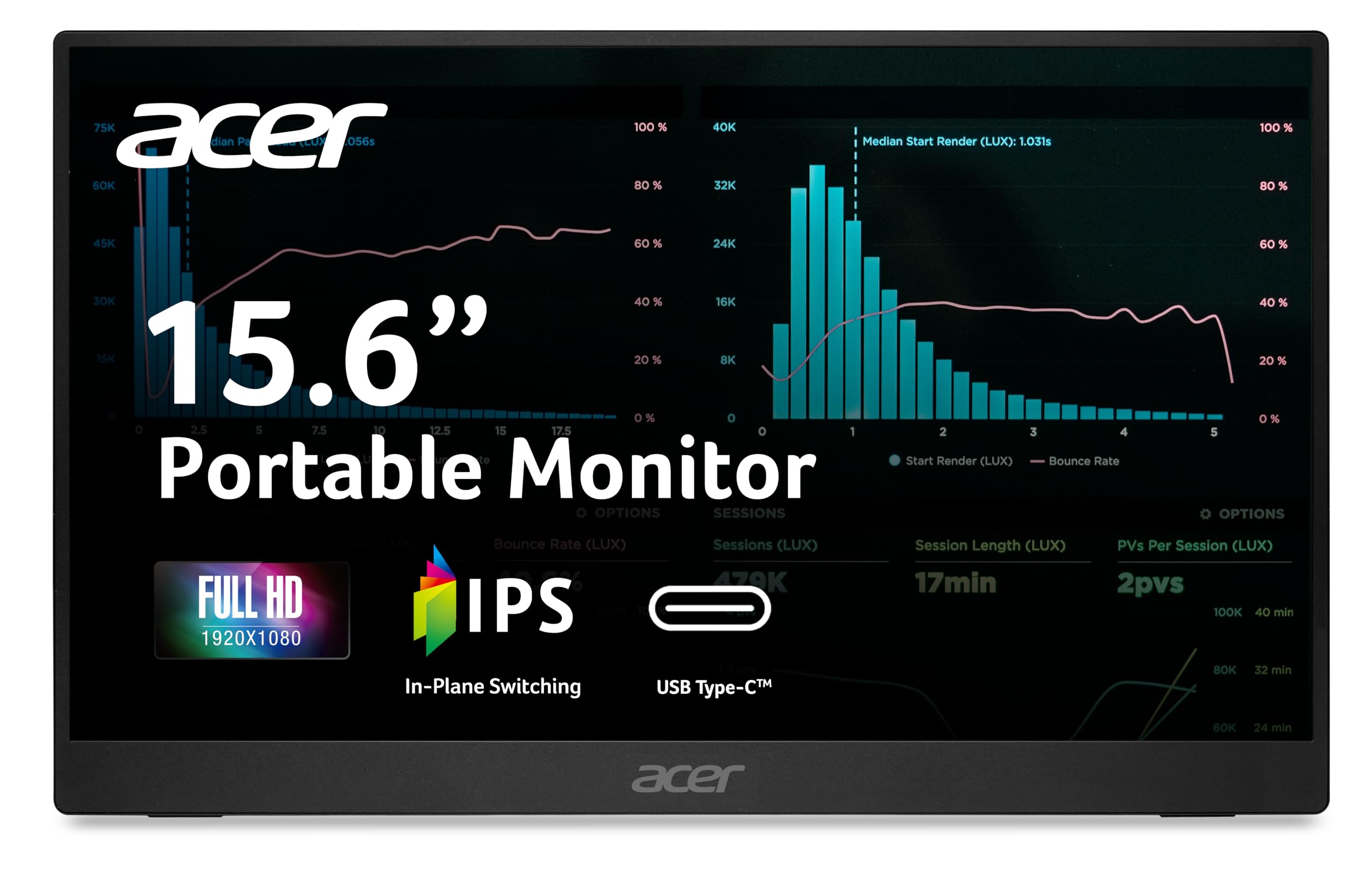
A trusted brand name, a super-slim frame, and a fast 4ms response for smooth motion.
The Acer PM161Q is for buyers who want a recognizable brand and a no-fuss experience. It slides into a bag with ease at just 1.52 pounds and only 0.41 inches thin, making it one of the slimmest options here. The 15.6-inch IPS panel delivers Full HD 1920 x 1080 resolution in a 16:9 aspect ratio with a 2000:1 contrast ratio for deep blacks and crisp text.
It is built around a clutter-free single-cable idea: one USB-C cable carries display, data, and power (15W) to your laptop, and it also connects to smartphones or tablets. The 4ms response time and 60Hz refresh rate with Adaptive-Sync support keep motion smooth for gaming and video playback. HDMI 1.4 is there for cameras or other devices, and the tiltable stand opens up for quick kickstand use.
Owners mention sharp graphics and easy setup, with one noting it works great as a desktop monitor for a security system. It plays nicely with Mac, iPad, and Raspberry Pi, and the USB-C port can power the screen without an external adapter. The honest downsides are a slightly duller image compared to a premium laptop screen and a stand that feels flimsy, so plan to keep the screen propped on a desk rather than tossed around.
Biggest strength: a proven brand, ultra-slim 0.41-inch profile, and a fast 4ms response time make it a reliable all-rounder for office and light gaming.
Choose it if: you value brand reliability and a super-thin screen for presentations and everyday second-screen work.
Pass if: you need a premium stand or the brightest panel available.
5. GlixyPixVue Laptop Screen Extender 15.6 Inch FHD 1080P IPS
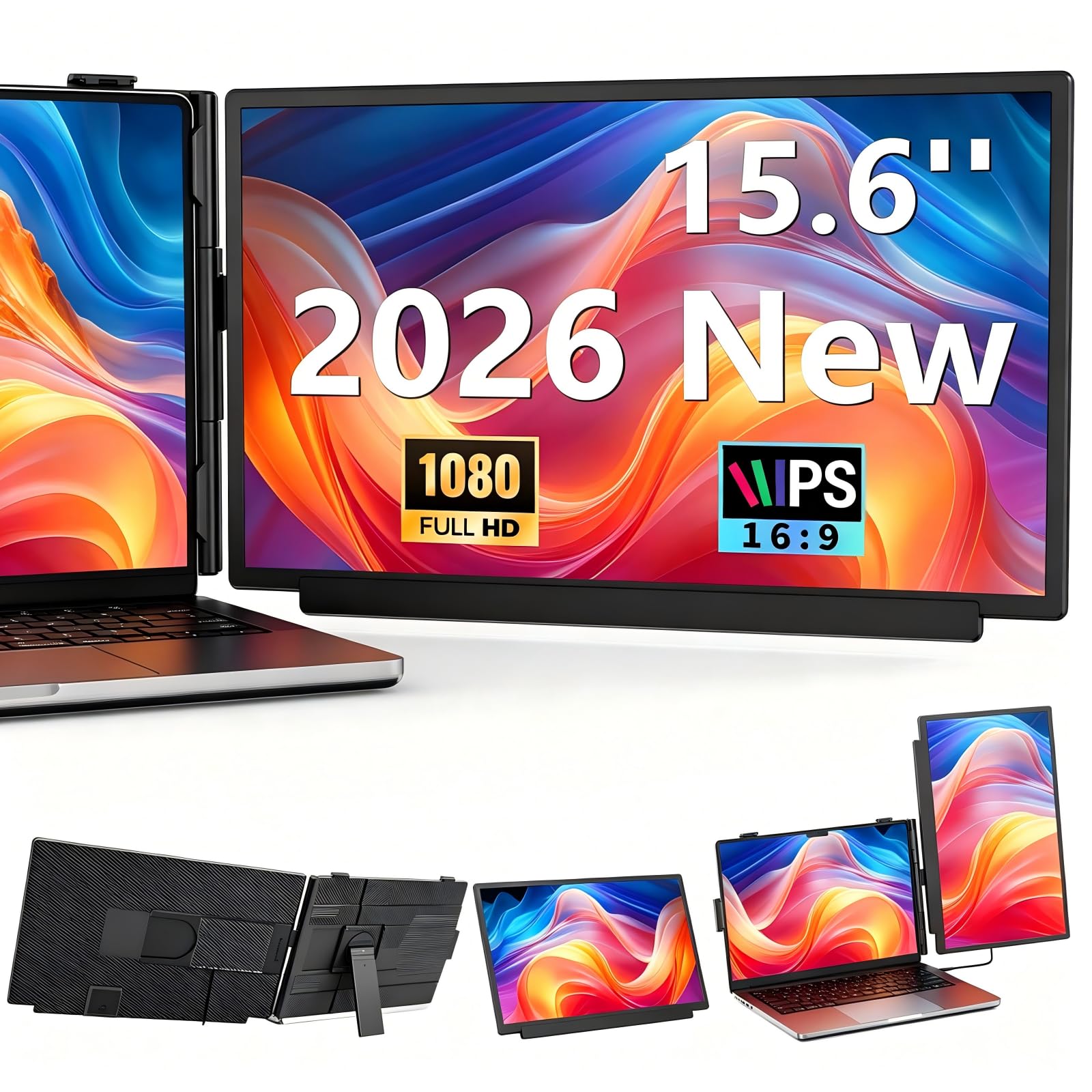
A clip-on extender with a 360-degree stand that turns any 13 to 17.3-inch laptop into a dual-screen rig.
The GlixyPixVue takes a different approach than the standalone picks above: it physically attaches to your laptop. This 15.6-inch FHD (1920 x 1080) IPS extender fits laptops from 13 to 17.3 inches and detaches from its base to work as a standalone display. The upgraded stand swivels a full 360 degrees and telescopes down for comfortable viewing in any scenario.
Connectivity is flexible with a single Type-C cable for full-featured ports, or an HDMI + USB-A combo for older laptops — all cables are included. A standout feature here is 100W PD reverse charging, which means when connected to a PD power supply, the monitor can keep your laptop powered while maintaining full brightness. The screen is just 0.27 inches thick and rated at 280 nits brightness with a 1000:1 contrast ratio.
Owners love the bright, sharp display and the sturdy build, noting it fit securely on both a 14-inch and a 15.6-inch laptop. The four display modes — Mirror, Extend, Portrait, and Single-Screen — cover most workflows. The main limitation reported is connectivity: some owners found only the USB-C to USB-C cable works reliably, while the USB-A and mini-HDMI combos failed to deliver a signal. Test your cables early to confirm compatibility.
Standout Perks
- 100W PD reverse charging powers your laptop while the monitor runs
- 360-degree swivel stand with portrait and landscape rotation for any setup
- Ultra-slim 0.27-inch design rated for -20°C to 60°C operation
Watch For
- USB-A and mini-HDMI connections may not work on all units, limiting options
- Clip-on design adds weight and bulk to your laptop compared to standalone screens
Reach for it if: you want a physical dual-screen rig that charges your laptop and rotates for portrait coding or reading.
Skip if: you prefer a lightweight standalone monitor you can set away from the laptop.
6. Cevaton Laptop Screen Extender 15.6″ FHD 1080P
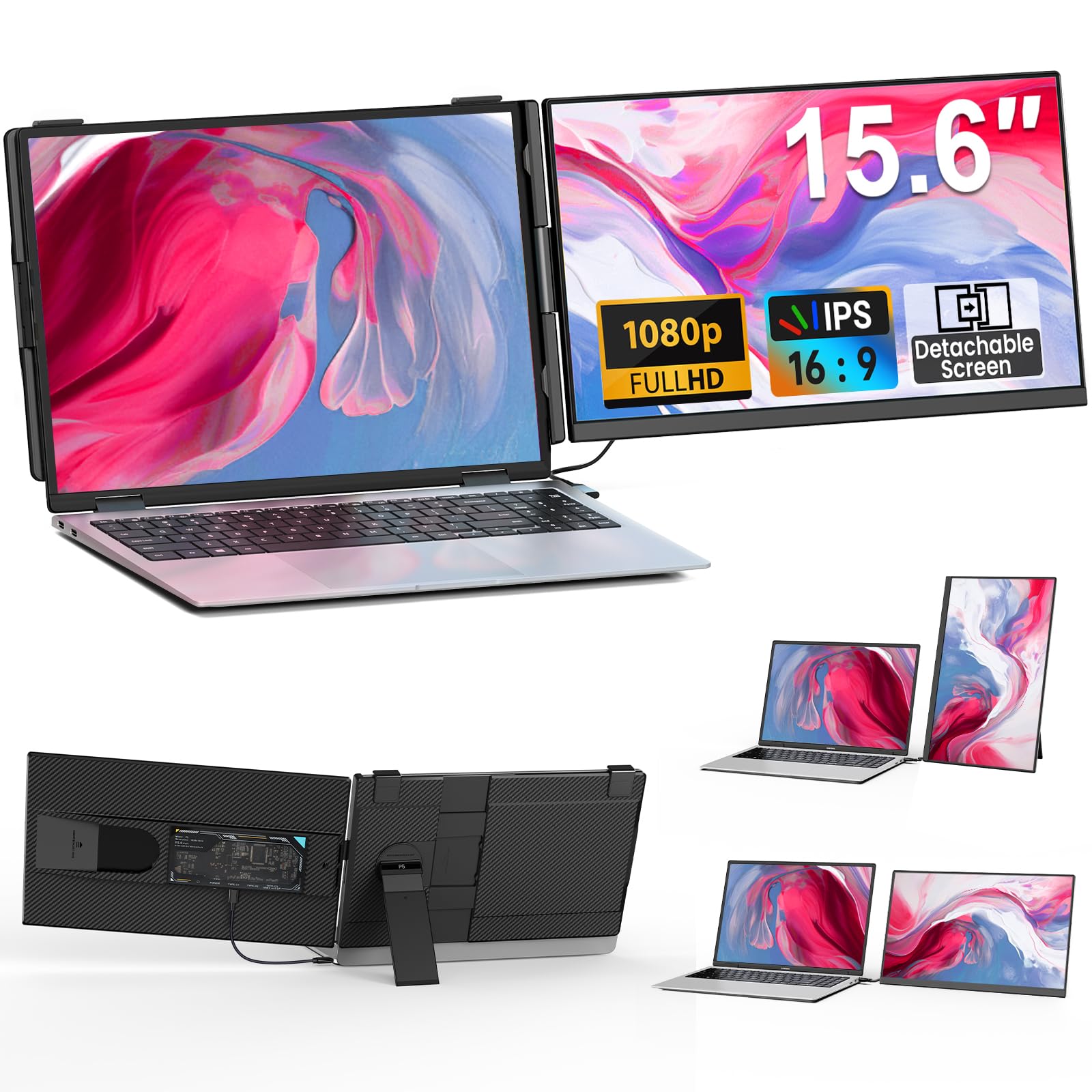
A detachable 15.6-inch extender with a transparent back and RGB flair for modern setups.
The Cevaton is a screen extender that doubles as a style statement. Each 15.6-inch screen weighs just 1.45 pounds when detached, and the whole unit drops to only 5mm thick. The 1080P Full HD borderless IPS display brings 300 nits brightness and an 85% NTSC color gamut for vivid colors, while the fully transparent back panel with RGB breathing lights gives it a distinct look.
Setup is genuinely plug-and-play: a single USB-C to USB-C cable works if your laptop has a full-featured Type-C port (Thunderbolt 3.0/4.0 or DP/video output). For laptops without that, you connect using one USB-A and one HDMI cable. The detachable design with a 360° rotatable stand supports horizontal and vertical modes, and when used in single-screen mode it does not need to clamp onto the laptop at all.
Customers note a crisp picture, sharp colors, and an easy setup that transforms their workflow. The detachable stand and vertical rotation (turning the screen 90° for reading documents) are daily highlights. The recurring gripe is connection reliability: several owners found only the USB-C cable delivers a signal, which limits use if that port is needed for charging. The RGB lights (colorful backlighting) are a bit pointless for most, but they can be turned off.
What Stands Out
- Detachable 1.45 lbs per screen with 360° rotation for portrait or landscape
- 300 nits brightness with 85% NTSC color gamut for vivid, crisp visuals
- Transparent back panel with RGB breathing lights for a unique aesthetic
Consider This
- USB-A and HDMI cables may not always deliver a signal on every unit
- Goes heavier at 2.75 lbs total when both screens are attached
Best for: users who want a detachable dual-screen setup with style, and who have a full-featured USB-C port on their laptop.
Not ideal if: you rely on HDMI-only connections or want the lightest possible carry weight.
7. ASUS ZenScreen MB16AHV 15.6 Inch 1080p Portable Monitor

An anti-glare 1080p screen with a bacteria-inhibiting surface built for shared workspaces.
The ASUS ZenScreen MB16AHV earns its premium badge by solving two problems most portable monitors ignore: glare and hygiene. Its 15.6-inch Full HD IPS display uses an anti-glare surface so you can work in cafes and bright hotel rooms without squinting at reflections. On top of that, Its embedded ionic silver coating inhibits 99.9% of bacteria, a practical feature for shared desks and travel hubs..
Connectivity keeps the travel setup clean with dual USB-C and mini-HDMI ports, and 15W power delivery means one cable handles both power and video. The 10mm ultra-slim profile at just 0.9kg (about 2 pounds) slips easily into a travel bag. A fold-out kickstand and tripod socket let you adjust the viewing angle on any desk, and the Auto-Rotate DisplayWidget software automatically switches between portrait and landscape modes for reading long documents.
Owners consistently praise the crisp, clear display and easy compatibility with both Mac and PC, with one noting it can power and charge an iPad simultaneously. It comes with a 3-year warranty and a free 3-month Adobe Creative Cloud subscription. The honest catch is the kickstand — several owners found the plastic kickstand unreliable, with one breaking within days, so a separate stand is a smart backup for heavy travel.
Premium Perks
- Anti-glare surface for comfortable use in bright, shared environments
- Ionic silver coating blocks 99.9% of surface bacteria.
- 10mm ultra-slim profile at 0.9kg with USB-C 15W single-cable power
Watch The Details
- Plastic kickstand is the weak link — treat it gently or bring a separate stand
- Screen smudges easily with fingerprints, so handle it by the edges
Pick this if: you work in shared or bright spaces and want hygiene features plus a crisp anti-glare display.
Look elsewhere if: you need a rock-solid built-in stand or plan to use it mostly in a dim home office.
8. MAGICRAVEN 15.6″ Laptop Screen Extender Clip-On
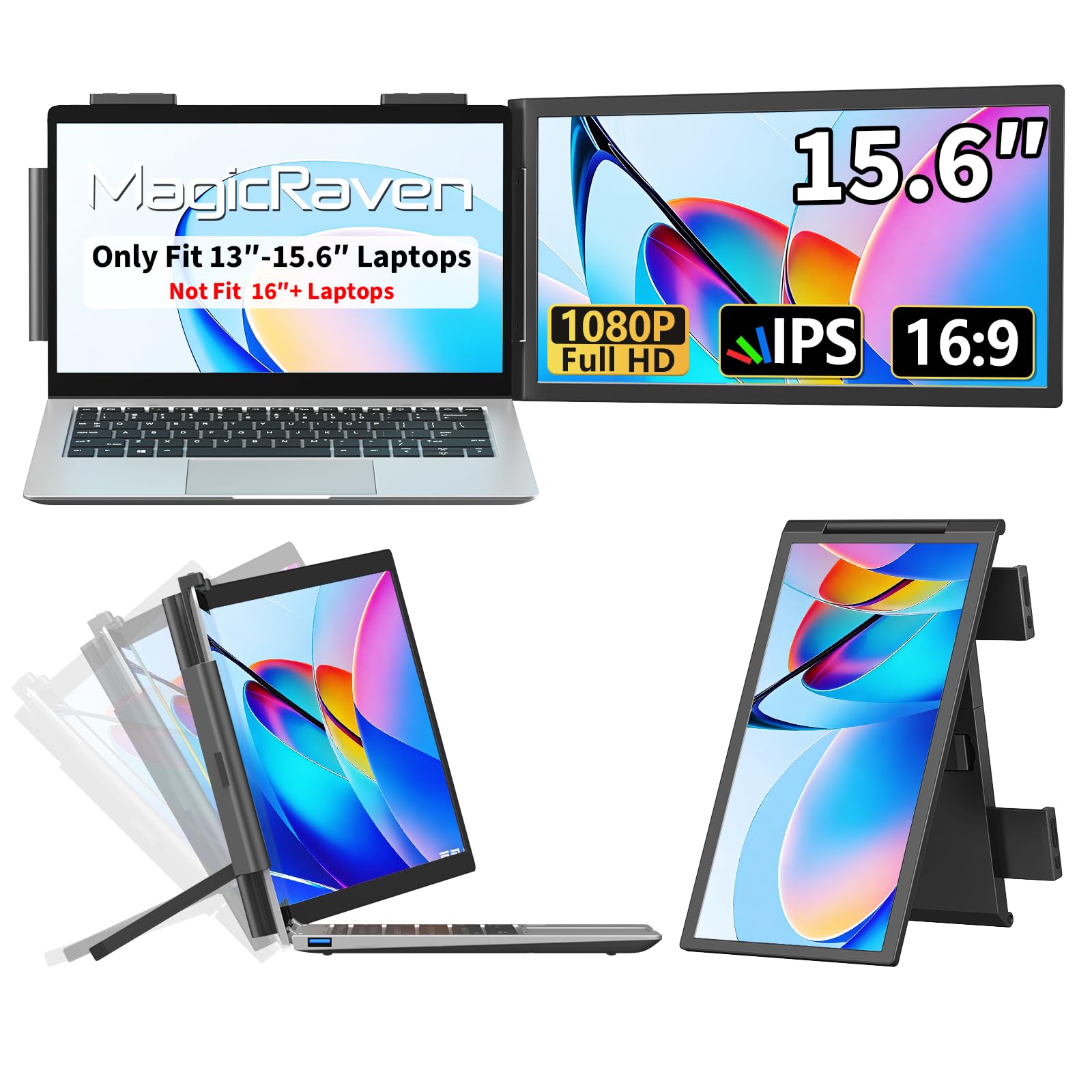
A 1080p clip-on extender with a 110-degree kickstand built for IT pros and traders.
The MAGICRAVEN targets people who live in multiple windows at once — IT professionals, stock traders, and programmers. It clips onto laptops from 14 to 16.5 inches and gives you a 15.6-inch 1080P FHD IPS screen rated at 300 cd brightness with 100% sRGB color coverage. The 2.38-pound weight is heavier than standalone monitors, but it saves desk space by attaching directly to your laptop.
Setup is plug-and-play with a single full-featured USB-C cable (carries video, power, and data in one cord), and it works with Windows, Mac, Chrome, Android, Linux, Dex, and Switch. The kickstand supports a 110° stand angle for comfortable viewing, and the screen folds flat for travel in a carry-on. The package includes everything you need — no extra cables to buy — and US-based support is available around the clock with a low-maintenance 3-year warranty.
The display quality earns consistent praise — owners call it clear, vivid, and great for multitasking, with the 1920×1080 resolution proving sharp for apps and Zoom. The recurring concern is stability: feedback is split between owners who find it sturdy and those who describe it as fragile, so it suits careful handling. One owner reported a unit dying after 11 weeks, which makes testing it thoroughly within the return window a smart move.
Why It Works
- 300 cd brightness with 100% sRGB for a bright, colorful image
- Clips onto 14-16.5 inch laptops and saves desk space entirely
- 3-year warranty with US-based 24/7 customer support
Heads Up
- Stability gets mixed feedback, so handle the mount with care
- At 2.38 lbs it adds noticeable weight to your laptop bag
Ideal for: traders and programmers who want a dedicated second screen without sacrificing desk space.
Not for: anyone who wants the lightest possible carry or a fragile-proof build.
9. Lenovo L15 Portable Monitor 15.6” FHD IPS

A 15.6-inch Full HD screen from a trusted brand with a stand that actually adjusts for comfort.
The Lenovo L15 brings a familiar name and an ergonomic focus to the portable monitor space. Its 15.6-inch Full HD IPS panel runs at 1920 x 1080 resolution with a 250-nit brightness rating and a 60Hz refresh rate for fluid video. The standout feature is the height-adjustable stand, which lets you customize the viewing angle to reduce eye strain during long work sessions.
Connectivity is simple with two USB-C ports for versatile plug-and-play pairing with your laptop. Flicker-free technology helps reduce eye fatigue during extended use, which makes it a good companion for hotel-room work or coffee-shop sessions. At just under two pounds, it fits easily into a backpack without adding noticeable weight — owners say it slips in and disappears.
Owners call it a massive productivity upgrade, praising the sharp, bright display, the sturdy built-in stand, and the premium Lenovo feel. It works well as a standalone monitor for writing and reading, and a MacBook Air (M4) or Surface Pro pairs with it using a single USB-C cable. The noted caveat is reliability — some reviewers point out the unit stopped working after a week or two, so test it thoroughly on arrival and keep your receipt handy.
Comfort First
- Height-adjustable stand customizes your view to reduce eye strain
- Flicker-free technology for comfortable long reading and writing sessions
- Under two pounds with two USB-C ports for easy plug-and-play
Know The Risk
- Reliability feedback is mixed, with some units failing after a week or two
- Sleeve lacks a cable pouch, so keep your USB-C cable organized separately
Grab it if: you spend long hours reading or writing on the road and want an adjustable, eye-friendly display.
Think twice if: you want maximum confidence on reliability or need a brighter 300-nit panel (a measure of screen brightness; higher means better visibility in bright rooms).
10. ASUS ZenScreen 15.6 Inch Portable Monitor MB16ACV

A proven anti-glare 1080p USB-C screen that has earned its place in thousands of travel bags.
The ASUS ZenScreen MB16ACV is the older sibling of the MB16AHV and remains a crowd favorite for a simple reason: it just works. This 15.6-inch Full HD (1920 x 1080) IPS display features an anti-glare surface that keeps reflections down in bright environments. The kickstand design props the monitor up in either portrait or landscape mode, and the hybrid-signal solution supports power and video through a single USB-C connection.
What makes it versatile is compatibility with any laptop that has a USB Type-C or Type-A port, plus phones and consoles. TÜV Rheinland-certified Flicker-free and Low Blue Light reduce eye strain during extended use.. It is lightweight at under 3 pounds, and the included ZenScreen Sleeve protects it in transit.
Owners consistently highlight the excellent quality, portability for business trips, and crisp picture at 1080p 60Hz. It pairs beautifully with an M1 MacBook Air right from the start, and the lack of a separate power adapter keeps travel weight down. The honest caveats: value draws mixed opinions (some find it overpriced), durability feedback is mixed with reports of the stand breaking within a month, and it is not a gaming monitor. It needs DP alt mode or DisplayLink drivers on some devices, so check your laptop’s ports first.
Why It Endures
- Anti-glare IPS panel with TÜV Rheinland-certified Flicker-free and Low Blue Light.
- Hybrid-signal USB-C solution works with Type-C or Type-A laptops
- Kickstand design props up in portrait or landscape mode
Fair Warnings
- Durability draws mixed feedback, with stand breakage reported within a month
- Not universally plug-and-play — requires DP alt mode or DisplayLink on some devices
Choose it if: you want a trusted ASUS anti-glare screen for business travel and have a DP alt mode capable laptop.
Look past it if: you need a sturdy stand or want guaranteed plug-and-play on every device.
11. Plugable 15.6″ USB-C Portable Monitor with 100W Pass-Through Charging
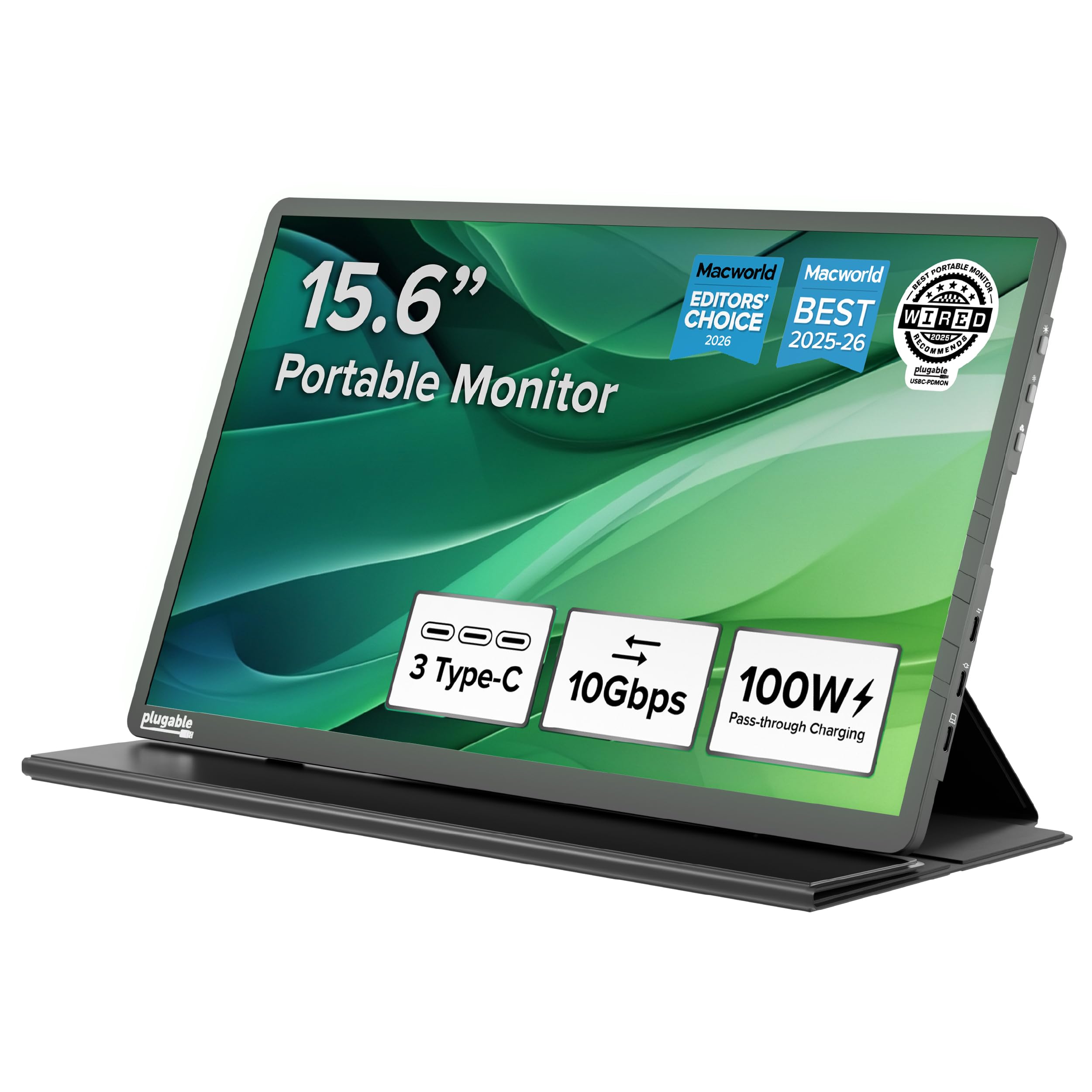
The award-winning screen that doubles as a 10Gbps USB hub with true 85W laptop charging.
The Plugable USBC-PDMON is the most versatile pick here because it is not just a monitor — it is also a dock. Its 15.6-inch FHD 1920×1080 IPS panel runs at 300 nits with wide viewing angles, but the real story is the 2x 10Gbps USB-C ports. You get 100W pass-through power (delivering 85W to charge your host laptop) plus 10Gbps data transfer speeds for peripherals, all through the monitor.
It earned Editor’s Choice nods from ZDNET, WIRED, and MacWorld for its solid build.. It is lightweight at 1.85 pounds, includes a folding travel cover that doubles as a stand, and connects with most USB-C, USB4, and Thunderbolt hosts. Compatibility spans MacBook Air/Pro (M1 through M5), Dell XPS, Surface, ThinkPad, iPads, and iPhones 15 and above — as long as the host supports DP Alt Mode.
Owners describe it as light, easy, and crisp, with true pass-through power and charging that actually works. One notes it became an important part of their travel kit and worked plug-and-play instantly. The catch is that you need a 100W USB-C charger (sold separately) to get that full 85W charging, and phones or tablets may require supplemental power to display an image. It is a premium investment, backed by lifetime support from a North American team.
The Hub Advantage
- 100W PD pass-through delivers 85W charging to your laptop while displaying
- 2x 10Gbps USB-C ports for peripherals turn it into a travel dock
- 1.85 lbs with a folding cover/stand and lifetime support
Plan For
- Requires a 100W charger (sold separately) for full 85W laptop charging
- Phones and tablets often need supplemental power to display an image
Pick this if: you want one device that charges your laptop, connects peripherals, and displays — the ultimate travel hub.
Pass if: you just need a cheap second screen and do not need hub functionality.
Understanding the Specs
Color Gamut (sRGB)
Color gamut tells you how many colors the screen can show, measured as a percentage of a standardnamed “sRGB”. A higher percentage like 100% sRGB means the screen shows a fuller, more vivid range of colors, which matters for photo editing and design work. Lower percentages like 45% sRGB still look fine for spreadsheets, documents, and video, but colors will look less saturated compared to a premium laptop display.
Brightness (nits/cd/m²)
Brightness is measured in nits (also written as cd/m²). A monitor rated at 280 to 300 nits will look clear in a well-lit room or near a window, while a 250-nit panel is better suited to a dimmer home office. If you plan to work in bright cafes or outdoors, aim for the higher end of this range — otherwise you will find yourself squinting at a washed-out image.
FAQ
Will a 15.6-inch portable monitor work with my MacBook Pro?
Can I use a portable monitor with my Nintendo Switch or PS5?
Do I need to install drivers for these portable monitors?
Will a portable monitor power itself from my laptop, or does it need its own adapter?
Is a 2K resolution monitor worth the extra cost for a portable screen?
What does a clip-on laptop screen extender do differently from a standalone monitor?
Can I rotate a 15-inch portable monitor to portrait mode for reading documents?
Do portable monitors have built-in speakers?
Will a portable monitor work with a desktop PC or just laptops?
How much weight does a 15-inch portable monitor add to my bag?
Final Thoughts: The Verdict
For the majority of shoppers, the 15-inch portable monitor winner is the cocopar because it pairs a sharp 1080p IPS display, true single-cable USB-C setup, and VESA mountability at a price that makes it an easy recommendation. If you want the sharpest possible image for text and photo work, grab the InnoView 2K. And for a monitor that also charges your laptop and connects peripherals, the Plugable is the one to reach for. Whichever you choose, verify your laptop’s USB-C port supports DP Alt Mode first — that single check determines how clean your travel setup will be.
How We Picked
We do not accept paid placement. Every pick is matched to a real buyer and a real use-case; we do not hands-on test units.
Sources & Methodology
Specifications: manufacturer listings and product documentation. Review insights: verified customer reviews, as of August 2026. Pricing: not shown on this page (it changes often); check the current price via the retailer link.
As an Amazon Associate, Gadgets Feed earns from qualifying purchases. This does not affect which products we feature.