
For musicians reading sheet music, professionals reviewing blueprints, or families sharing a movie on a long flight, the standard 10- or 11-inch screen simply isn’t enough. You need a canvas that matches the size of the original print, with enough resolution to keep fine text and details razor-sharp without constant pinching and zooming. That is exactly where a 15-inch tablet enters the picture, offering a display area that rivals a small laptop while retaining the portability of a slate.
I’m Min — the co-founder and writer behind Gadgets Feed. I’ve spent countless hours analyzing processor benchmarks, battery capacities, display color accuracy, and real-world user feedback from musicians and digital creatives to separate the genuinely useful 15-inch tablets from the oversized also-rans.
Whether you are a conductor who needs a 1:1 digital music stand or a student who wants a portable cinema, this guide walks through the key specs and pitfalls to help you find the right 15-inch tablet for your specific workflow.
How To Choose The Best 15-Inch Tablet
The jump from a 10-inch screen to a 15-inch one changes everything about how you use a tablet, but it also introduces a new set of tradeoffs. You are buying a device that must balance a massive display with a battery that can handle it, a processor that won’t choke on split-screen apps, and a physical size that still feels manageable. Here are the three filters that matter most.
Battery Capacity and Fast Charging
A 15-inch LCD panel draws significantly more power than a smaller screen. Look for a battery rated at 10,000 milliamp-hours (mAh) or higher — ideally 12,000 mAh — if you expect a full day of use. Pay equal attention to the charging wattage: a 15W charger will take hours to refill a 12,000 mAh pack, while 30W or 33W fast charging cuts that downtime nearly in half. If you frequently travel or work away from an outlet, these numbers define your real-world freedom.
Processor and Physical RAM
Running two apps side by side on a 15-inch screen demands more from the processor than a typical phone-sized experience. A chip like the MediaTek Helio G99, built on a 6nm process, provides the efficiency and thermal headroom needed for smooth split-screen work. Equally important is physical RAM — some tablets advertise large numbers by including virtual memory, but only genuine LPDDR4X or LPDDR5 RAM prevents stutters when you have a browser, a note-taking app, and a video player all open simultaneously.
Display Quality and Glare Management
Not all 15-inch panels are equal. A Full HD (1920×1080) resolution is the baseline, but pay attention to brightness (measured in nits) and whether the screen has an anti-glare coating. If you are a musician reading sheet music under stage lights or a student working near a window, a panel that hits 350 nits or higher with an anti-glare finish will save your eyes from constant strain. TUV eye-care certification is another bonus for long reading sessions.
Quick Comparison
On smaller screens, swipe sideways to see the full table.
| Model | Category | Best For | Key Spec | Amazon |
|---|---|---|---|---|
| HOOGEE 15.6″ | Mid-Range | Sheet Music & Movies | Helio G99 / 12000mAh | Amazon |
| MESWAO 15.6″ | Mid-Range | Musicians & Professionals | 12000mAh / 32MP Camera | Amazon |
| HOOGEE 16GB | Mid-Range | Heavy Multitasking | 16GB RAM / 30W Charging | Amazon |
| TCL NXTPAPER 14 | Mid-Range | Paper-Like Reading & Art | 2.4K Display / Stylus | Amazon |
| OnePlus Pad Go 2 | Mid-Range | Portable Entertainment | 120Hz Display / 17h Battery | Amazon |
| TABWEE 13.4″ | Mid-Range | Budget All-in-One Bundle | 120Hz / 24GB RAM (Virtual) | Amazon |
| Samsung Galaxy Tab S10 FE | Premium | All-Round Galaxy Experience | Exynos 1580 / S Pen Included | Amazon |
| Microsoft Surface Pro | Premium | Full Windows Laptop Replacement | Snapdragon X Plus / 16GB RAM | Amazon |
| Galaxy Tab S11 Ultra | Premium | Best Display & AI Features | 14.6″ AMOLED / 120Hz | Amazon |
| Apple iPad Pro 13″ M5 | Premium | Pro Creative Workflows | M5 Chip / Ultra Retina XDR | Amazon |
| Wacom Cintiq 24 | Premium | Professional Digital Art | 23.8″ IPS / 8192 Pressure | Amazon |
In‑Depth Reviews
1. HOOGEE 15.6 Inch Android 14 Tablet
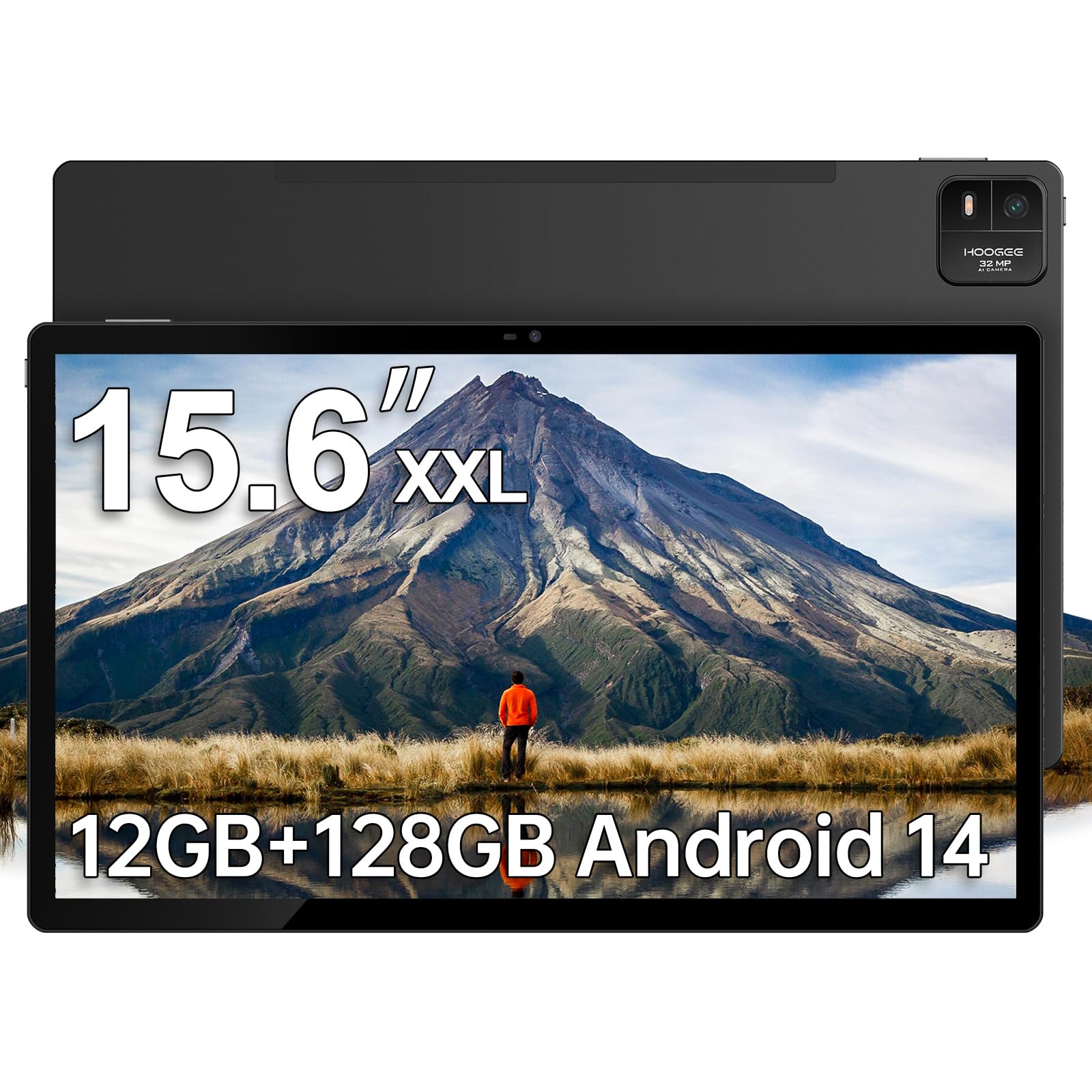
The HOOGEE 15.6-inch tablet nails the core requirements that musicians and media consumers care about most: a massive 1080p FHD display with a 16:9 aspect ratio that reproduces standard sheet music at actual size, a MediaTek Helio G99 octa-core processor that keeps Android 14 running smoothly, and a 12,000 mAh battery that delivers a genuine 10 to 11 hours of continuous video playback or rehearsal use. The 12GB of RAM (with 128GB of internal storage expandable to 1TB) provides enough headroom for split-screen apps without the stutter seen in lower-tier models.
Build quality is a cut above typical budget large tablets — the premium metal finish gives it a solid feel, and the eye-care low blue light mode makes a real difference during long reading sessions. The 15W fast charging is adequate for overnight top-ups, though you will want to keep the charger handy if you drain the battery fully during a travel day.
Where this tablet truly shines is as a digital music stand. Musicians report that the 1:1 scale for sheet music eliminates the need to squint or scroll mid-performance, and the boot-up speed is snappy enough to feel reliable on stage. It is large and heavy compared to a 10-inch tablet, but that is the trade-off for a display that finally matches the size of printed scores.
Why it’s great
- True 1:1 sheet music display with 96% more viewing area than 10-inch tablets
- Helio G99 chipset delivers lag-free multitasking in Android 14
- 12,000 mAh battery easily lasts a full day of work or entertainment
Good to know
- 15W charging is slower than mid-range competitors with 30W+
- No fast charger or stylus included in the box
- Weight and size make one-handed use impractical for long periods
2. MESWAO 15.6 Inch Android 14 Tablet
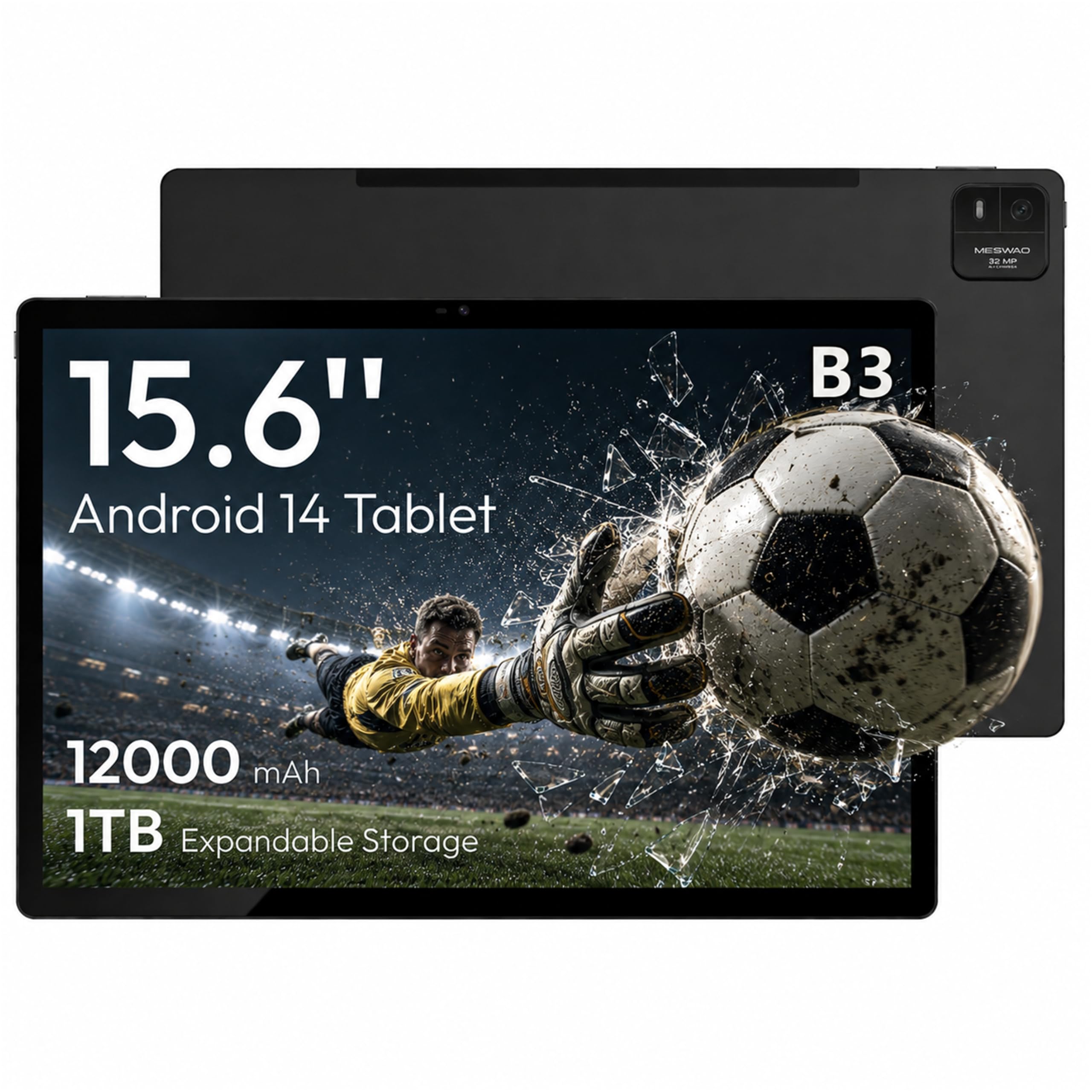
The MESWAO B3 is a close sibling to the HOOGEE in many respects — same 15.6-inch 1080p IPS display, same MediaTek Helio G99 6nm processor, and the same 12,000 mAh battery capacity — but it differentiates itself with a 32MP rear camera and a four-speaker sound chamber system that delivers genuinely room-filling audio. The 6GB of physical LPDDR4X RAM is honest (no inflated virtual memory claims), and the 128GB internal storage expands up to 1TB via a TF card slot.
The 350-nit brightness level makes the screen usable in moderately lit environments, and the 16:9 widescreen ratio is ideal for both sheet music and widescreen movies. Real-world battery life hovers around 10.5 hours of continuous video playback, which matches the HOOGEE closely. The included Type-C to 3.5mm adapter and USB-A to Type-C adapter add welcome connectivity flexibility that many competitors omit.
Customer feedback highlights the responsive touch layer and the solid metal build, though some users have reported Bluetooth range issues (around 15 feet) due to the metal chassis interfering with the antenna. This is a minor annoyance if you use a wireless pedal or keyboard within arm’s reach, but worth noting if you need Bluetooth peripherals at a distance.
Why it’s great
- Honest 6GB physical RAM with no virtual memory gimmicks
- 32MP rear camera excels at scanning documents and music scores
- Quad speakers provide rich stereo audio for movies and calls
Good to know
- Bluetooth range is limited by the metal case design
- Charging port durability has been called into question by some long-term users
- Virtual memory marketing can be misleading — focus on the 6GB real RAM
3. HOOGEE 15.6 Inch Tablet 16GB RAM
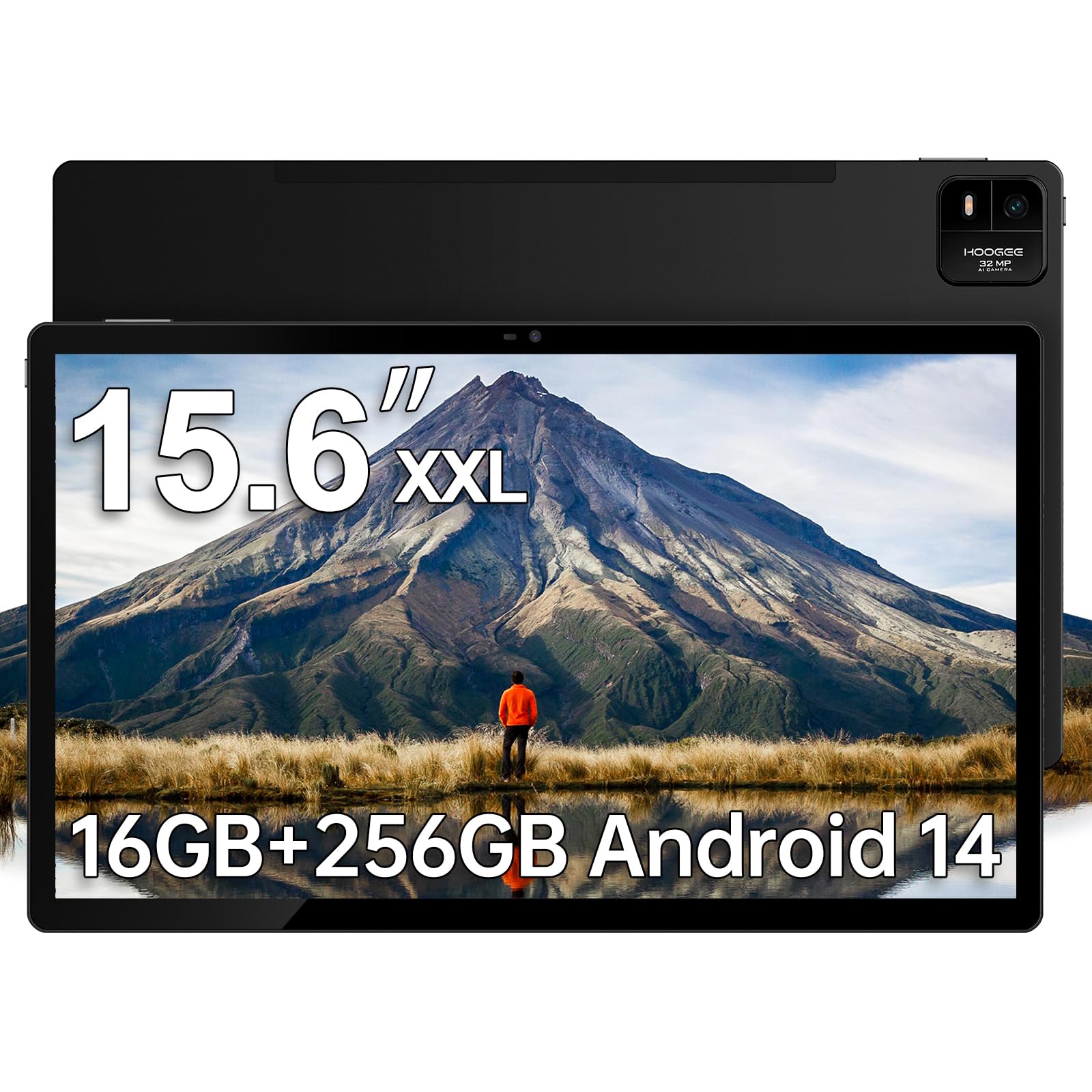
This HOOGEE variant addresses the most common complaint about large-screen tablets: slow recharging. It packs the same 15.6-inch 1080p display and Helio G99 processor as the base model, but upgrades to 30W fast charging that cuts the recharge time significantly compared to the 15W charger included with the standard HOOGEE. The 256GB of internal storage (expandable to 1TB) doubles the base storage, and the 16GB RAM configuration (8GB physical plus 8GB virtual expansion) provides more headroom for users who run multiple heavy apps simultaneously.
The 12,000 mAh battery is shared with the base model, delivering the same 11 hours of continuous usage, but the faster charging means you can top up meaningfully during a short break. The Android 14 interface is tuned for simplicity with large icons and high-contrast menus, making this a strong candidate for senior users or anyone who finds complex OS navigation frustrating.
The built-in diagnostic app is a thoughtful addition — it gives users a direct channel for troubleshooting without digging through online forums. However, the 16GB headline number includes virtual memory, so real multitasking performance is closer to an 8GB physical device than a true 16GB machine. If you need raw memory for tasks like video editing, consider a device with more physical RAM.
Why it’s great
- 30W fast charging dramatically reduces downtime versus 15W competitors
- 256GB internal storage doubles the base capacity for media libraries
- User-centric interface with large icons suits seniors and tech novices
Good to know
- Virtual RAM inflates the 16GB claim — real physical RAM is 8GB
- Large physical size makes it impractical for handheld use
- No stylus or premium accessories included in the box
4. TCL NXTPAPER 14 Android Tablet

The TCL NXTPAPER 14 breaks away from the 16:9 crowd with a 14.3-inch 2.4K display (2400 x 1600 pixels) that uses NXTPAPER 3.0 technology to simulate the feel of printed paper. The anti-glare coating, blue light reduction, and DC dimming work together to reduce eye strain significantly during extended reading sessions — a game-changer for musicians who stare at scores for hours and for readers who consume e-books daily. The dedicated NXTPAPER Key lets you toggle between Regular, Ink Paper, and Color Paper modes instantly.
Under the hood, the same MediaTek Helio G99 processor and 8GB of physical RAM (plus 8GB of expandable virtual memory) keep Android 14 running smoothly. The 256GB internal storage is generous, though there is no microSD slot, so what you buy is what you get. The 10,000 mAh battery charges at 33W (charger not included) and supports reverse charging for topping up your phone or earbuds — a rare convenience in this category.
The included T-PEN stylus with 4096 pressure levels transforms the tablet into a capable digital notebook and drawing pad, and the flip case doubles as a stand. The 1.67-pound weight and 0.27-inch thin profile make it more portable than the 15.6-inch competition, though the smaller screen size means sheet music is not reproduced at 1:1 scale for A4 prints.
Why it’s great
- Paper-like anti-glare display dramatically reduces eye fatigue
- 2.4K resolution provides sharper text and images than standard 1080p
- 33W fast charging and reverse charging add real versatility
Good to know
- No microSD slot restricts internal storage to the 256GB on board
- Wall charger is not included in the box
- 14.3-inch screen may not display full-size sheet music at 1:1 scale
5. OnePlus Pad Go 2
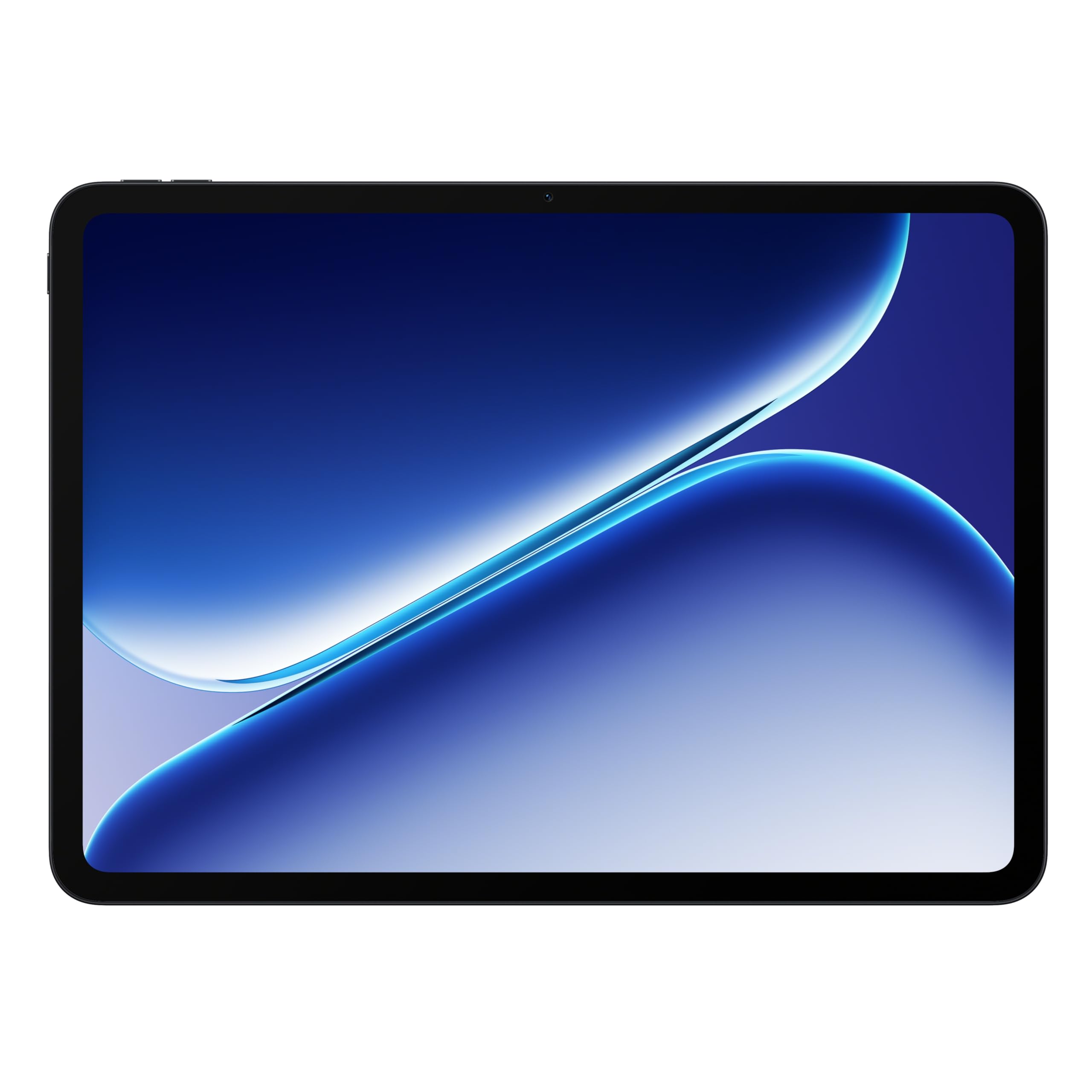
The OnePlus Pad Go 2 is a different breed of large tablet — it prioritizes a premium visual experience with a 12.1-inch Dolby Vision display that runs at a buttery-smooth 120Hz refresh rate. While it is not a 15-inch tablet, it earns a place here as the best alternative for users who value display fluidity and battery endurance over raw screen real estate. The MediaTek Dimensity 7300-Ultra processor handles gaming, streaming, and multitasking with zero perceptible lag.
The 10,050 mAh battery is rated for up to 17 hours of video playback, which is class-leading for this size class. The slim, lightweight design (just over a pound) makes it genuinely portable — you can hold it one-handed for reading without the arm fatigue that comes with 15.6-inch slabs. The fingerprint sensor embedded in the power button is a welcome security upgrade over basic face unlock.
OxygenOS keeps the software experience clean and responsive, and the SUPERVOOC fast charger included in the box refills the battery quickly. The main trade-off is the smaller screen size — if your primary use case is 1:1 sheet music display, the 12.1-inch panel will require more zooming than a 15.6-inch model.
Why it’s great
- 120Hz Dolby Vision display delivers unmatched smoothness and color
- 17-hour battery life is best-in-class for this size category
- Lightweight design at just over one pound for genuine portability
Good to know
- 12.1-inch screen is smaller than dedicated 15-inch options
- Not ideal for 1:1 sheet music reproduction at full size
- Pen support is basic and not suited for professional drawing
6. TABWEE 13.4 Inch Android 16 Tablet Bundle

The TABWEE 13.4-inch tablet bundle is an aggressive value play: for a entry-level price, you get the tablet, a keyboard, a mouse, a stylus, a flip case, a tempered glass screen protector, a stand, and a charger. The 1920×1200 IPS display with a 120Hz refresh rate and 180Hz touch sampling rate feels far more premium than the price suggests, and the TUV eye-care certification makes long study sessions more comfortable on the eyes.
The 24GB RAM headline number combines 8GB of physical RAM with 16GB of virtual expansion, which is enough for everyday multitasking like split-screen note-taking and web browsing. The 10,000 mAh battery with 18W charging is adequate, though you will want to plug in overnight. Android 16 with Gemini AI integration offers smart features like document summarization and email drafting that are genuinely useful for students.
The biggest catch is that real-world performance with the 2.2GHz octa-core T7280 processor does not match the Helio G99 in sustained tasks like gaming or heavy app switching. However, for the price — especially considering the full accessory bundle — this is a formidable option for students or casual users who want a large screen without spending premium money.
Why it’s great
- Massive accessory bundle includes keyboard, mouse, stylus, case, and more
- 120Hz display with eye-care certification punches above its class
- Android 16 with Gemini AI adds smart productivity features
Good to know
- Processor cannot match the Helio G99 in sustained performance
- Virtual RAM inflates the 24GB claim — real RAM is 8GB
- Heavy and awkward to hold as a tablet without the keyboard attached
7. Samsung Galaxy Tab S10 FE

The Samsung Galaxy Tab S10 FE brings the full Galaxy ecosystem experience to a large-screen form factor. While it does not have a 15-inch display, its 13-inch (est.) panel with a 90Hz refresh rate provides a bright, sharp canvas that works beautifully with the included S Pen for note-taking, drawing, and PDF annotation. The Exynos 1580 processor delivers smooth performance for everyday tasks and light gaming, and the IP68 water resistance rating means you do not have to panic if it gets splashed during outdoor use.
Battery life is rated at up to 20 hours, which is exceptional for a device in this performance tier, and Super Fast Charging gets you back up to speed quickly. The Circle to Search feature with Google and the Handwriting Assist tool that straightens messy notes are genuinely useful AI integrations that go beyond gimmicks. The 128GB base storage can be expanded up to 1TB via microSD.
Customer reviews consistently praise the display clarity and the reliability of the S Pen experience. The main compromises versus the premium Tab S11 Ultra are the LCD panel (versus AMOLED) and the 90Hz refresh rate (versus 120Hz), but at this price point, the S10 FE delivers an unbeatable balance of features and value for the Samsung faithful.
Why it’s great
- IP68 water resistance provides durability that few tablets offer
- Included S Pen with AI handwriting tools enhances note-taking
- 20-hour battery life is industry-leading for this performance class
Good to know
- Screen size is smaller than dedicated 15-inch models
- LCD panel lacks the deep blacks of AMOLED competitors
- Stylus tip may loosen over time with heavy use
8. Microsoft Surface Pro 12-inch (2025)

The Surface Pro is not a conventional tablet — it is a full Windows 11 Copilot+ PC in a 2-in-1 form factor. The 12-inch PixelSense touchscreen has excellent color accuracy and a 16:10 aspect ratio that is productive for document editing and web browsing. The Snapdragon X Plus processor with its dedicated AI engine (45 trillion operations per second) handles multitasking, video streaming, and productivity apps with a smoothness that rivals traditional laptops.
The 16GB of RAM and 512GB SSD provide genuine PC-class performance — this is a machine that can run full desktop applications like Adobe Lightroom, Microsoft Office, and development tools without compromise. The battery life rating of 16 hours is realistic for mixed productivity use, and the facial recognition via IR camera makes logging in seamless. At just over 1.5 pounds without the keyboard, it is one of the most portable full Windows devices available.
Customer feedback highlights the build quality and the versatility of the kickstand design, but note that the Surface Pro Keyboard and Slim Pen are sold separately, which adds to the overall cost. The 12-inch screen is also smaller than the 15-inch tablets on this list, so if your priority is sheet music or movie viewing, a larger dedicated Android tablet may serve you better.
Why it’s great
- Full Windows 11 with Snapdragon X Plus runs desktop apps natively
- 16GB RAM and 512GB SSD provide genuine PC-class performance
- Facial recognition and kickstand design enhance daily usability
Good to know
- Keyboard and Slim Pen are sold separately, raising the total cost
- 12-inch screen is substantially smaller than 15-inch tablet competitors
- Not ideal for sustained 4K video editing or gaming
9. Samsung Galaxy Tab S11 Ultra
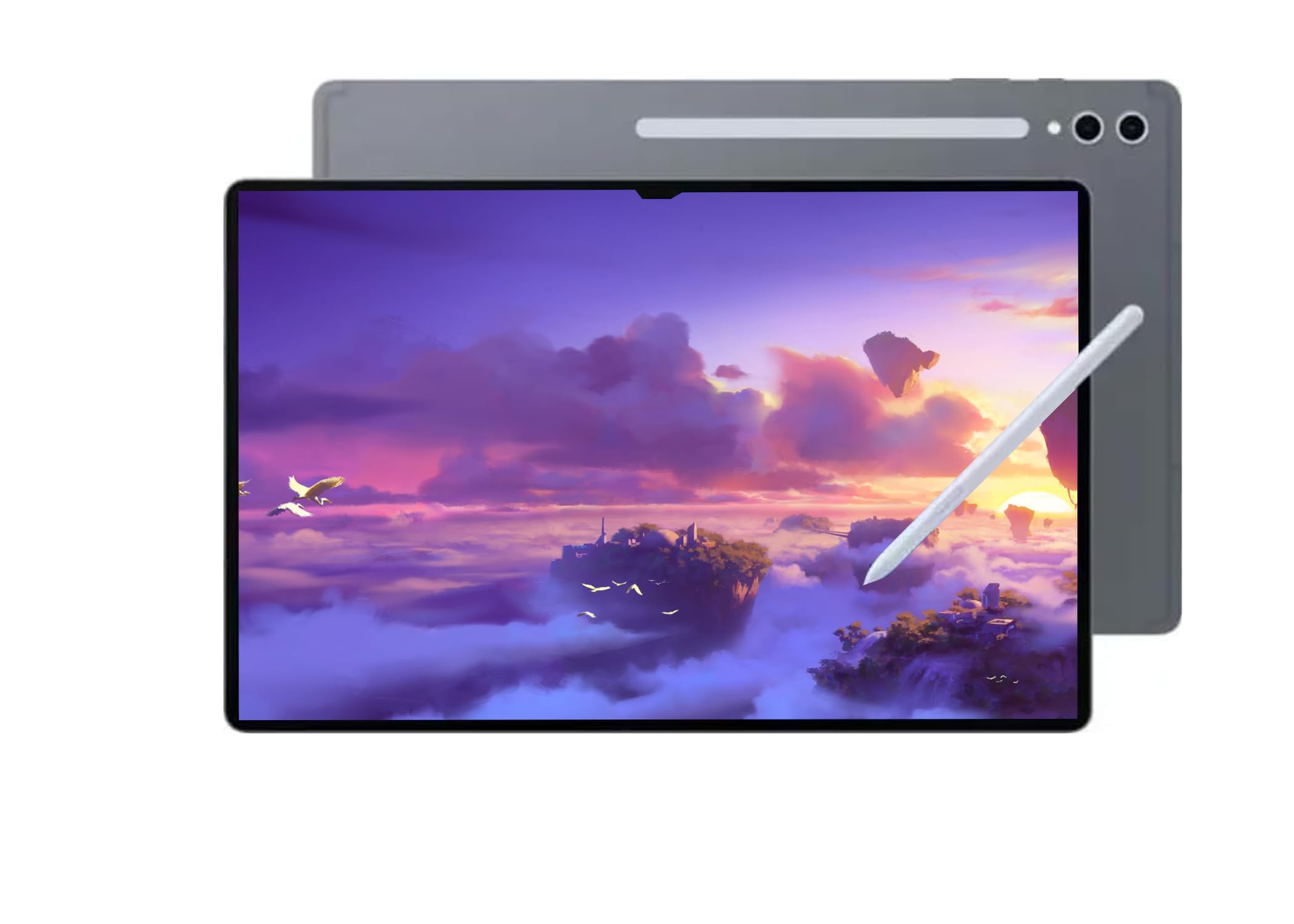
The Samsung Galaxy Tab S11 Ultra is the undisputed king of display quality among large tablets. Its 14.6-inch Dynamic AMOLED 2X panel with 120Hz refresh rate and 2960 x 1848 resolution delivers inky blacks, vibrant colors, and ultra-smooth scrolling that no LCD-based tablet can match. The anti-reflective coating is genuinely effective at cutting glare in bright environments, making it the best choice for consuming HDR content or reviewing photo edits on the go.
The MediaTek Dimensity 9400+ processor, 12GB of RAM, and 256GB of storage provide flagship-level performance for gaming, video editing, and heavy multitasking. The 11,600 mAh battery is rated for up to 16 hours of video playback, and the included S Pen supports Air Actions for remote control of presentations and media. The quad-speaker system with Dolby Atmos produces room-filling sound that makes the Ultra a true multimedia powerhouse.
There are two critical caveats. First, this model is an international variant with no US warranty, and it only supports Wi-Fi (no cellular or calling functionality). Second, it commands a premium price that puts it in the same bracket as the iPad Pro. If display quality is your absolute priority and you are comfortable with the warranty limitations, the S11 Ultra is unmatched.
Why it’s great
- 14.6-inch Dynamic AMOLED 2X display is the best in its class
- 120Hz anti-reflective screen with WQXGA+ resolution is stunning
- Supports Wi-Fi 7 and Bluetooth 5.3 for cutting-edge connectivity
Good to know
- International model has no US warranty and no cellular support
- Premium price rivals the iPad Pro in the same tier
- Very large and heavy — not comfortable for one-handed use
10. Apple iPad Pro 13-inch M5

The iPad Pro 13-inch with the Apple M5 chip is the gold standard for creative professionals who need a portable yet powerful canvas. The Ultra Retina XDR display with ProMotion (120Hz), P3 wide color, and True Tone delivers color accuracy and brightness that outclasses every other large tablet on this list. The M5 chip’s Neural Accelerators enable on-device AI tasks that run circles around Android competitors, and iPadOS 26’s Liquid Glass interface provides a windowing system that finally feels desktop-grade.
The 1TB configuration (with 16GB of RAM) provides ample storage for pro video files and large art projects, and the nano-texture glass option available at this tier eliminates glare for artists working in varied lighting. The landscape 12MP Center Stage camera and quad-speaker system make this a serious tool for video calls and content review. The all-day battery life easily handles a full workday of creative apps like Procreate, DaVinci Resolve, or Logic Pro.
The premium price is the obvious barrier, and the Apple Pencil Pro and Magic Keyboard are sold separately, adding significant cost to the full setup. But if you are a professional creative who relies on the Apple ecosystem and demands the absolute best display and performance, the iPad Pro M5 is the benchmark that every other large tablet is measured against.
Why it’s great
- M5 chip delivers unmatched CPU and AI performance for creative apps
- Ultra Retina XDR display with ProMotion is the best in any tablet
- Nano-texture glass eliminates glare for studio and outdoor use
Good to know
- Premium price is the highest on this list by a wide margin
- Apple Pencil Pro and Magic Keyboard sold separately
- iPadOS still has limitations compared to desktop Windows for some workflows
11. Wacom Cintiq 24 Drawing Tablet

The Wacom Cintiq 24 is not a general-purpose tablet — it is a professional pen display designed for artists, animators, and game developers who need a high-accuracy drawing surface that connects to a Windows or Mac computer. The 23.8-inch IPS panel with 2.5K WQHD resolution (2560×1440) provides a massive creative workspace, and the Pro Pen 3 with 8192 pressure levels and ±60-degree tilt support delivers the most natural drawing experience available. The anti-glare glass eliminates the sparkle and parallax issues that plague some competing pen displays.
The 100% sRGB coverage with 8-bit color depth ensures your artwork looks exactly as intended across digital platforms, and the included adjustable stand allows for comfortable positioning during long drawing sessions. The USB-C connectivity works with DisplayPort Alt Mode or Thunderbolt 3/4, making setup simple with compatible computers.
The catch is that the Cintiq 24 is a peripheral — it has no internal processor, battery, or operating system. It must be tethered to a computer and is not portable. The included Pro Pen 3 has received mixed feedback from users who find it less comfortable than the Pro Pen 2, and the setup requires a mini-HDMI cable that is not included in the box. For professional artists seeking a dedicated drawing surface, however, the Cintiq 24 is a serious tool.
Why it’s great
- 23.8-inch 2.5K display with anti-glare glass provides a premium drawing surface
- 8192 pressure levels with tilt support deliver natural pen response
- Adjustable stand and VESA mount compatibility for flexible ergonomics
Good to know
- Requires a separate computer — no standalone functionality
- Not portable; designed as a stationary workstation
- mini-HDMI cable not included; Pro Pen 3 comfort is divisive
FAQ
Is a 15-inch tablet too heavy to hold for reading?
Can a 15-inch tablet replace a laptop for work?
What is virtual RAM and should I care about it?
Final Thoughts: The Verdict
For most users, the 15-inch tablet winner is the HOOGEE 15.6 Inch Android 14 Tablet because it delivers the right balance of Helio G99 performance, 12,000 mAh battery endurance, and sheet-music-friendly display at a mid-range price. If you want a paper-like reading experience with a bundled stylus, grab the TCL NXTPAPER 14. And for professional creative work that demands the best display and ecosystem, nothing beats the Apple iPad Pro 13-inch M5.