
Ghosting in dark corridors and tearing across bright skies — the wrong 16:9 panel turns split-second reaction into a blurry gamble. The 16:9 aspect ratio dominates gaming because it matches console standards, native YouTube fullscreen, and the widest library of PC titles without black bars. But within this familiar shape, the gap between a sluggish 60Hz office display and a true gaming monitor is measured in milliseconds, color gamut coverage, and adaptive sync capability.
I’m Min — the co-founder and writer behind Gadgets Feed. I’ve spent countless hours cross-referencing panel technologies, refresh rate ceilings, response time claims, and real-world user validation across dozens of models to build a buying guide that actually separates marketing hype from tangible gaming performance.
Whether you compete in ranked Valorant, explore sprawling open worlds, or demand vibrant HDR visuals, this guide breaks down the specs that matter for your 16:9 gaming monitor purchase so you never overpay for a spec sheet that doesn’t translate to real gameplay gains.
How To Choose The Best 16:9 Gaming Monitor
Every 16:9 gaming monitor looks similar on a shelf — flat rectangle, bezels, stand. But the internal panel, refresh rate ceiling, and adaptive sync compatibility define whether you see frames clearly or fight visual artifacts. Focus on these three decision points first.
Refresh Rate vs. Response Time: What Actually Wins Rounds
Hz measures how many frames the monitor can display per second. Higher numbers — 144Hz, 240Hz, 360Hz — reduce motion blur in fast camera pans. Response time (measured in milliseconds, often GTG or MPRT) dictates how quickly a pixel changes color. A monitor with 240Hz but 5ms GTG will show noticeable smearing. Look for 1ms GTG on IPS panels and 0.03ms GTG on OLED — the difference is visible in tracking targets across high-contrast backgrounds.
1080p vs. 1440p vs. 4K: Resolution and Your GPU Budget
At 24-27 inches, 1080p (1920×1080) still dominates competitive gaming because it lets lower-tier GPUs push maximum frame rates. 1440p (2560×1440) is the current sweet spot — noticeably sharper than 1080p without requiring a flagship graphics card to hit 144+ fps in modern titles. 4K (3840×2160) demands serious GPU power and is best suited for immersive single-player games where visual fidelity matters more than raw refresh rate.
Panel Technology: IPS, OLED, and the Trade-offs
IPS panels offer wide viewing angles, good color accuracy, and moderate contrast ratios around 1000:1. OLED delivers infinite contrast with per-pixel lighting, true blacks, and sub-0.1ms response times, but carries burn-in risk over years of static HUD elements. Fast IPS has narrowed the gap significantly — 0.3ms to 1ms GTG is now common on IPS, making it the safer all-rounder for mixed-use gamers who also work or browse on the same display.
Quick Comparison
On smaller screens, swipe sideways to see the full table.
| Model | Category | Best For | Key Spec | Amazon |
|---|---|---|---|---|
| MSI MPG 271QRX QD-OLED | Premium OLED | Competitive Esports | 360Hz / 0.03ms GTG | Amazon |
| LG 27GS93QE UltraGear OLED | Premium OLED | HDR Gaming & Visuals | 240Hz / 0.03ms GTG | Amazon |
| ASUS ROG Strix XG27AQDMG | Premium OLED | Glossy Image Quality | 240Hz / 0.03ms GTG | Amazon |
| Dell S2725QS 4K | Premium IPS | 4K Productivity & Casual Gaming | 120Hz / 0.03ms MPRT | Amazon |
| AOC Q27G41ZE | Mid-Range IPS | High-FPS 1440p Gaming | 260Hz OC / 0.3ms MPRT | Amazon |
| Samsung Odyssey G5 G53F | Mid-Range IPS | Balanced Gaming Value | 200Hz / 1ms MPRT | Amazon |
| Acer Nitro KG271U | Mid-Range IPS | Console Gaming Value | 180Hz / 0.5ms GTG | Amazon |
| KOORUI G2721P | Budget IPS | 1440p Entry Level | 200Hz / 1ms MPRT | Amazon |
| ASUS TUF VG259QMR5A | Budget IPS | Ultra-Fast 1080p Competitive | 310Hz / 0.3ms GTG | Amazon |
In‑Depth Reviews
1. MSI MPG 271QRX QD-OLED

The MSI MPG 271QRX QD-OLED sets the current ceiling for 16:9 competitive gaming monitors. Its 360Hz refresh rate paired with a 0.03ms GTG response time means each frame transition is virtually instantaneous — no ghosting, no perceivable pixel lag even during 360-degree flicks in fast-paced shooters. The QD-OLED panel delivers a 1,000,000:1 contrast ratio and VESA DisplayHDR True Black 400 certification, which transforms dark scene visibility in titles like Escape from Tarkov and Alan Wake 2.
MSI includes OLED Care 2.0 features — pixel shift, panel refresh, and static screen detection — to mitigate burn-in risk over extended ownership. The stand supports height, tilt, and swivel adjustments, and the HDMI 2.1 port provides full 48 Gbps bandwidth, making this monitor ready for both PC and current-gen consoles at native 1440p 120Hz. The Gaming Intelligence app lets you save per-game profiles without diving into the OSD.
Delta E ≤ 2 out of the box means color-critical work is viable, though the QD-OLED coating can appear slightly purple under direct ambient light. VRR flicker is minimal, and the KVM switch allows control of two devices with a single keyboard and mouse set. This monitor is the definitive pick for players who demand the fastest pixel response available at 1440p.
Why it’s great
- 360Hz refresh rate with 0.03ms GTG eliminates all perceived motion blur
- QD-OLED panel produces infinite contrast and vibrant HDR colors
- HDMI 2.1 with full 48 Gbps bandwidth for console compatibility
- OLED Care 2.0 provides robust burn-in protection features
Good to know
- QD-OLED coating shows subtle purple hue in bright reflected light
- Brightness caps around 250 nits in SDR, adequate for dimmer rooms
- Premium price tier limits accessibility for budget builds
2. LG 27GS93QE UltraGear OLED

LG’s 27GS93QE uses a WOLED panel that achieves true inky blacks without the purple-tint issue seen on some QD-OLED monitors in bright rooms. The 240Hz refresh rate and 0.03ms GTG response time deliver fluid motion that competes directly with higher-priced OLED options. VESA DisplayHDR True Black 400 ensures HDR highlights punch above the monitor’s price bracket, and the 1.5M:1 contrast ratio makes shadow detail pop without crushing dark areas.
AMD FreeSync Premium Pro and G-Sync Compatible certification cover both GPU ecosystems. The anti-glare coating uses a matte finish that minimizes reflections without blurring fine texture detail — a common compromise on glossy OLED panels. The stand includes height, tilt, pivot, and swivel adjustments, so ergonomic positioning is straightforward from unboxing.
Color gamut hits 98.5% DCI-P3 coverage, making this monitor viable for creative work that demands accurate reds and greens. The 2-year UltraGear OLED warranty explicitly covers the OLED panel, which reduces anxiety around burn-in during the ownership period. The main trade-off is lower peak brightness compared to high-end IPS HDR monitors, but the per-pixel contrast more than compensates in darkened gaming rooms.
Why it’s great
- WOLED panel delivers true black levels with no purple reflection artifact
- 240Hz and 0.03ms GTG offer flagship-level motion clarity
- Full ergonomic stand included with height, tilt, pivot, and swivel
- 2-year warranty covers the OLED display panel
Good to know
- Peak brightness in SDR mode is moderate at around 275 nits
- Pixel cleaning cycle runs automatically every few hours of use
- Built-in speakers are usable but lack low-end depth
3. ASUS ROG Strix XG27AQDMG

The ASUS ROG Strix XG27AQDMG stands apart from the OLED crowd because it uses a glossy WOLED panel — no matte coating diffuses the image. Colors appear punchier, blacks look deeper, and fine text remains sharper compared to matte-finished OLED monitors. The 240Hz refresh rate and 0.03ms GTG response time match the LG 27GS93QE on speed, but the glossy surface gives it an edge in perceived contrast and clarity during dark gaming scenes.
ASUS includes its custom heatsink and advanced airflow design to passively cool the panel, reducing the risk of burn-in over time. The OLED Anti-flicker technology minimizes VRR flicker during frame rate fluctuations — a common complaint on OLED monitors. The uniform brightness setting locks luminance consistency, which is useful for games with static UI elements like health bars and minimaps.
The stand offers tilt, swivel, and height adjustment, and the monitor includes a 3-year warranty with burn-in coverage. Connectivity covers DisplayPort 1.4, two HDMI 2.0 ports, and two USB 3.2 Gen 1 Type-A ports. The main compromise is peak brightness — around 275 nits in SDR — which means this monitor performs best in rooms where you can control ambient lighting. For pure image quality at 240Hz, this is the glossy reference standard.
Why it’s great
- Glossy WOLED coating delivers unmatched contrast and color pop
- Custom heatsink and OLED Anti-flicker reduce burn-in and VRR flicker
- 3-year warranty with burn-in coverage included
- Uniform brightness setting prevents luminance dips during static scenes
Good to know
- SDR peak brightness is around 275 nits — best in dim environments
- No built-in speakers require external audio solution
- VESA mount installation reported as slightly tight by some users
4. Dell S2725QS 4K

The Dell S2725QS is the only 4K monitor in this lineup, and it earns its place by delivering sharp 3840×2160 resolution at a smooth 120Hz refresh rate. The 27-inch form factor gives 163 PPI — text and UI elements appear razor-sharp, making this an excellent choice for gamers who also edit photos or work with spreadsheets. The IPS panel hits 99% sRGB coverage with a 1500:1 contrast ratio, which is above the typical 1000:1 IPS standard, improving black depth in dim game scenes.
AMD FreeSync Premium keeps frame delivery consistent, and the 0.03ms MPRT response time (with motion blur reduction) keeps fast motion clear. The built-in speakers have been redesigned with greater output power and deeper frequency response compared to the previous generation — they remain usable for casual gaming without external speakers. ComfortView Plus reduces blue light emissions to ≤35% without washing out colors, a meaningful feature for long sessions.
The stand is fully adjustable with height, pivot, swivel, and tilt, and the ash white finish gives a modern minimalist aesthetic. Connectivity includes DisplayPort and HDMI 2.1. The 4K resolution demands a GPU capable of pushing 120 frames in modern titles — this monitor is better suited for console gamers or PC users with RTX 4070-class cards or higher. For mixed productivity and gaming, the S2725QS is the sharpest tool in the kit.
Why it’s great
- 4K resolution at 120Hz delivers 163 PPI for crystal-clear image detail
- 1500:1 contrast ratio beats most IPS panels for deeper blacks
- Fully adjustable ergonomic stand included in the box
- ComfortView Plus reduces blue light without color distortion
Good to know
- Requires powerful GPU to drive 4K at high frame rates in modern games
- Some users report slight vignetting on edge of display
- Not ideal for competitive FPS due to lower 120Hz ceiling
5. AOC Q27G41ZE

The AOC Q27G41ZE challenges the notion that you need to spend premium money for high-refresh 1440p gaming. This IPS panel runs at 240Hz natively via DisplayPort 1.4 and overclocks to 260Hz, paired with a 0.3ms MPRT response time. Colors are vibrant straight from the factory — the 2560×1440 resolution hits the crispness sweet spot without requiring a top-tier GPU to max out frame rates in titles like Call of Duty and Apex Legends.
Adaptive-Sync works with both AMD FreeSync and G-Sync Compatible GPUs, eliminating screen tearing across the refresh window. Game Mode presets, Shadow Control, and an intuitive graphical OSD make in-game adjustments quick. The three-sided frameless design keeps the focus on the screen, and VESA 100x100mm mount compatibility gives flexibility for multi-monitor setups or arm mounting.
The stand offers tilt adjustment from -3° to +21°, but lacks height and swivel adjustment — a VESA arm is recommended for ergonomic setups. Build quality feels slightly lightweight compared to pricier options, and the maximum brightness of 300 nits is adequate but not class-leading. For the price, the Q27G41ZE delivers the highest refresh-per-dollar ratio in the 1440p segment with no dead pixel complaints reported in long-term use.
Why it’s great
- 260Hz overclocked refresh rate at 1440p is unmatched at this tier
- 0.3ms MPRT keeps fast motion blur-free during competitive play
- FreeSync and G-Sync Compatible support covers all GPU setups
- Shadow Control improves visibility in dark game environments
Good to know
- Stand only offers tilt adjustment — no height or swivel built in
- Brightness tops at 300 nits, which can feel dim in bright rooms
- Plastic build feels less substantial than premium competitors
6. Samsung Odyssey G5 G53F

Samsung’s Odyssey G5 G53F delivers a well-rounded 1440p gaming experience at 200Hz with a 1ms MPRT response time, placing it squarely in the capable mid-range. The IPS panel provides wide 178-degree viewing angles and HDR10 support that adds depth to highlights without the expense of full HDR certification. The 300-nit brightness is consistent, and color reproduction looks natural out of the box with minimal calibration required, as confirmed by multiple user reports.
AMD FreeSync Premium reduces stutter and tearing across the full refresh range, while Black Equalizer improves shadow visibility in games like DayZ and Rust. Auto Source Switch+ automatically detects and switches between connected devices — useful for a setup shared between a PC and a console. The Virtual Aim Point overlay helps players line up shots in shooters without third-party software.
The stand provides tilt adjustment only, and the included cable management loop feels underbuilt — some units arrived with the loop broken. No built-in speakers mean you’ll need headphones or external speakers for audio. Colors are described by users as “clean and vibrant” at the sale price point, making this a dependable choice for gamers who want 1440p smoothness without chasing the highest refresh numbers.
Why it’s great
- 200Hz refresh rate with 1440p hits a strong balance of speed and sharpness
- Black Equalizer lifts shadow details without washing out bright areas
- Auto Source Switch+ moves between devices without manual input
- IPS panel delivers consistent wide-angle color accuracy
Good to know
- Stand offers tilt only with no height or swivel adjustment
- No built-in speakers require external audio
- Cable management loop on stand is fragile
7. Acer Nitro KG271U

The Acer Nitro KG271U targets console gamers who want 1440p resolution with high frame rates on PlayStation 5 and Xbox Series X. The 180Hz refresh rate works via DisplayPort 1.2 on PC, while HDMI 2.0 supports 120Hz at 1440p on consoles — exactly what current-gen hardware outputs. The 0.5ms GTG response time keeps motion clean during fast camera movement, and the IPS panel delivers DCI-P3 95% color gamut coverage for vibrant game worlds.
AMD FreeSync eliminates screen tearing across the supported range, and the zero-frame design maximizes screen space in multi-monitor setups. The built-in speakers are described as “mediocre but convenient” by users — passable for casual gaming without a headset, but not for immersive audio. The rear joystick provides easy OSD navigation, and presets including low blue light mode are useful for late-night sessions.
The stand is the weakest element: it offers no height or swivel adjustment, and the base feels flimsy enough that the monitor wobbles on desk bumps. Most users recommend using a VESA mount for long-term stability. The 250-nit maximum brightness is below average for this class, making the monitor better suited for indoor use without direct window light. For the price, the KG271U delivers console-optimized specs with the main compromise being physical build quality.
Why it’s great
- 180Hz PC / 120Hz console compatibility at 1440p native resolution
- 0.5ms GTG response time prevents visible ghosting in fast games
- DCI-P3 95% color gamut produces rich and accurate colors
- Built-in speakers provide convenient audio for casual use
Good to know
- Stand is flimsy and non-adjustable — VESA mount recommended
- 250-nit brightness is low for brightly lit rooms
- Built-in speakers lack bass and sound quality for immersive audio
8. KOORUI G2721P
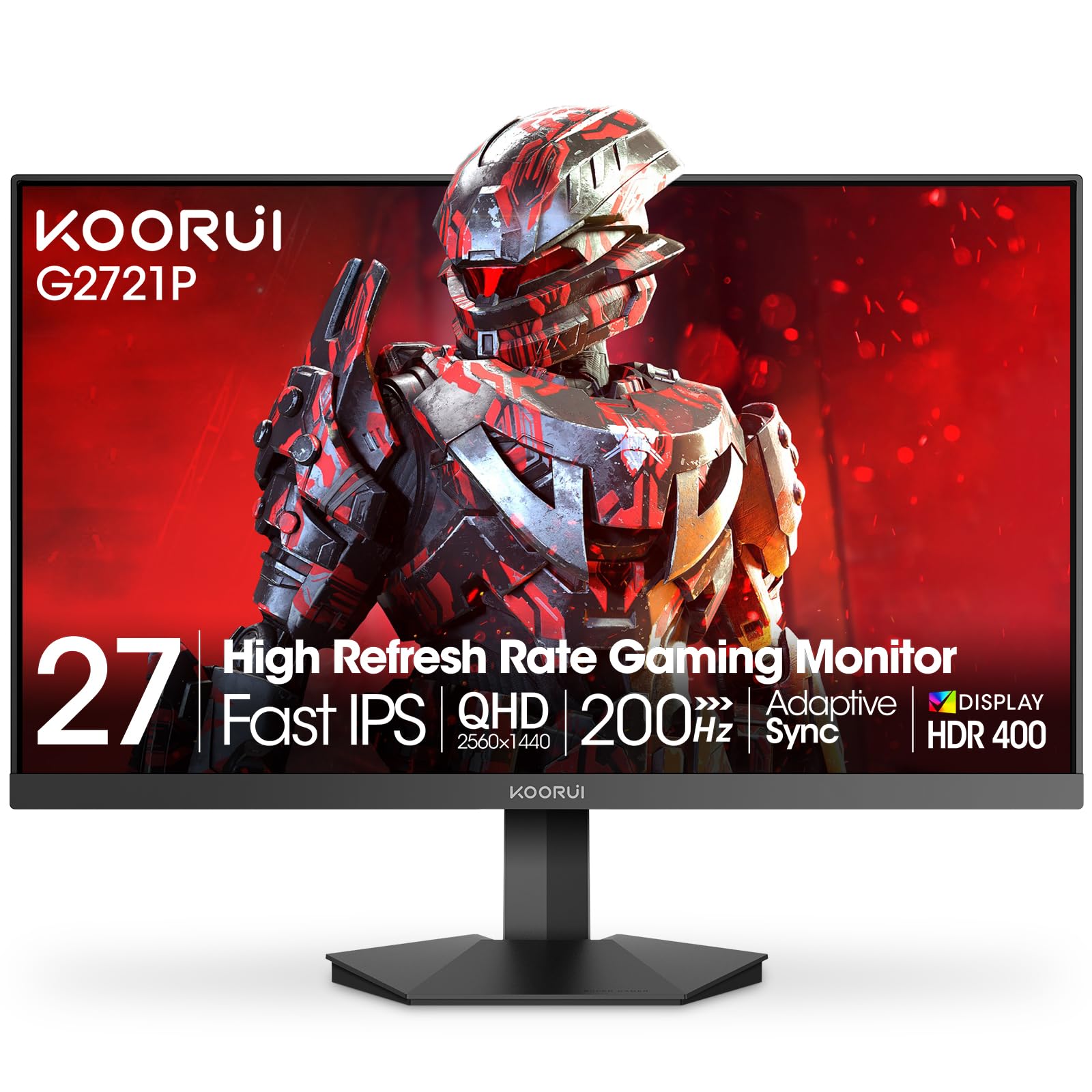
The KOORUI G2721P undercuts most 1440p gaming monitors on price while retaining a 200Hz refresh rate and 1ms MPRT response time. The 27-inch IPS panel covers DCI-P3 95% of the color gamut, and HDR 400 certification provides basic highlight enhancement — not as punchy as true HDR, but noticeable compared to standard SDR. Users consistently describe the picture as sharp with consistent color accuracy across viewing angles.
FreeSync Premium and G-Sync Compatible adaptive sync keep motion smooth across both GPU camps. The stand allows tilt adjustment from -5° to +20°, and the monitor supports VESA 100x100mm wall mounting. Connectivity includes two HDMI 2.0 ports and one DisplayPort 1.4, which is sufficient for most gaming setups. The joystick-based OSD is easy to navigate, and Game Mode settings optimize visuals for different genres.
Build quality is decent for the price tier — the plastics don’t feel premium, but no major structural issues are reported. No built-in speakers means separate audio is required. Some units initially shipped with flickering issues that KOORUI resolved through replacement under the 3-year warranty. For buyers on a strict budget who want 1440p gaming at 200Hz, the G2721P delivers the most performance per dollar with acceptable compromises in build refinement.
Why it’s great
- 200Hz at 1440p is the best refresh-per-dollar ratio in budget segment
- DCI-P3 95% color gamut delivers unexpectedly rich color for this tier
- HDR 400 support improves contrast in supported games
- 3-year warranty with 12-month replacement service included
Good to know
- No built-in speakers require external audio solution
- Plastic chassis feels basic compared to mid-range competitors
- Some early units required warranty replacement for flickering issue
9. ASUS TUF Gaming VG259QMR5A
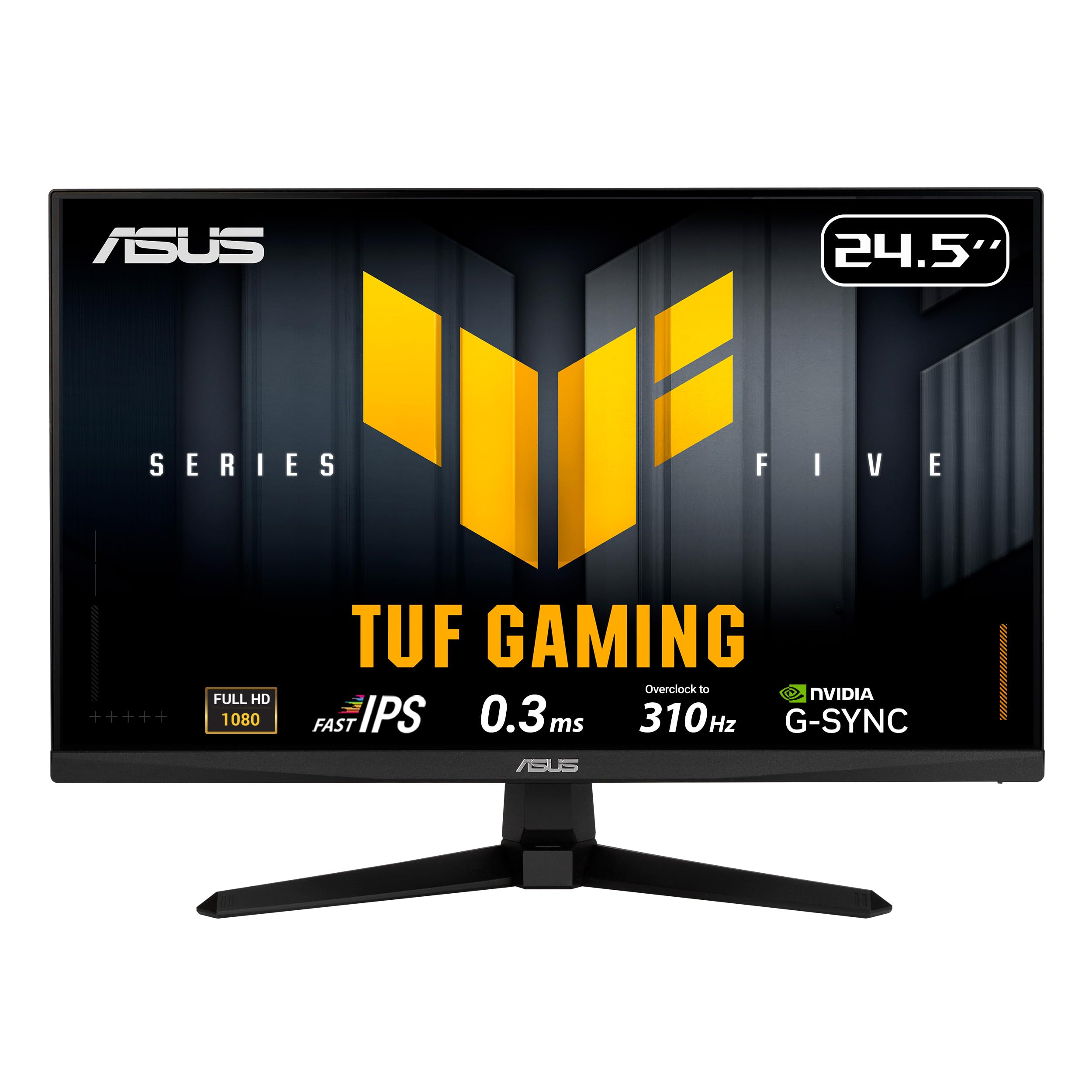
The ASUS TUF Gaming VG259QMR5A is purpose-built for one job: delivering the highest possible frame rate at 1080p for competitive PC gaming. The 24.5-inch Fast IPS panel runs at 310Hz overclocked with a 0.3ms GTG response time, which means each of those frames transitions faster than human perception can detect. In games like Valorant, Overwatch 2, and Counter-Strike 2, this translates to smoother tracking and earlier target acquisition compared to standard 144Hz or even 240Hz monitors.
ASUS Extreme Low Motion Blur Sync (ELMB SYNC) allows ELMB to function simultaneously with variable refresh rate, eliminating both ghosting and tearing in a single implementation — a rare feature at this price. FreeSync Premium and G-Sync Compatible certification ensure tear-free gameplay regardless of GPU brand. The DisplayWidget Center software lets users adjust OSD settings with a mouse instead of fumbling with buttons, and TUF Gaming AI features like Dynamic Crosshair and Shadow Boost adapt to in-game lighting.
The stand includes tilt adjustment, and the monitor supports VESA 100x100mm mounting. Users report excellent value at this price tier with good color filters and fast response consistency. The 24.5-inch size is the sweet spot for competitive play — large enough to see detail, small enough that eye movement across the screen is minimal. The main compromise is resolution: 1080p at 24.5 inches means lower pixel density compared to 1440p options, so text and UI elements won’t look as sharp. For pure competitive performance on a budget, this monitor is the class leader.
Why it’s great
- 310Hz refresh rate with 0.3ms GTG is the fastest in its price bracket
- ELMB SYNC eliminates ghosting and tearing simultaneously
- DisplayWidget Center allows mouse-controlled OSD adjustment
- FreeSync Premium and G-Sync Compatible for any GPU
Good to know
- 1080p resolution at 24.5-inch size limits pixel density for text clarity
- Stand provides tilt adjustment only — VESA mount recommended
- Best for competitive esports; less ideal for open-world or cinematic games
FAQ
Should I buy a 1080p 240Hz or a 1440p 144Hz monitor for competitive gaming?
Is OLED worth the extra cost for a gaming monitor used mostly for work?
What does G-Sync Compatible mean compared to official G-Sync?
Does a 16:9 gaming monitor work with PlayStation 5 and Xbox Series X?
Final Thoughts: The Verdict
For most users, the 16:9 gaming monitor winner is the MSI MPG 271QRX QD-OLED because it combines the fastest 360Hz refresh rate with OLED’s infinite contrast and accurate Delta E ≤ 2 color, making it equally lethal in competitive shooters and beautiful in single-player epics. If you want 4K resolution for productivity and casual console gaming, grab the Dell S2725QS — its 120Hz IPS panel and sharp text rendering make it the best hybrid value. And for competitive players on a strict budget, nothing beats the ASUS TUF Gaming VG259QMR5A with its 310Hz refresh rate and 0.3ms response time for clean, tear-free 1080p performance.