
Our readers keep the lights on and my morning glass full of iced black tea. As an Amazon Associate, I earn from qualifying purchases.
Specs are compiled from manufacturer listings and verified buyer reviews and can change over time — please confirm the key details on the product page before buying.
If your laptop freezes when you have too many browser tabs open, or apps crawl while you’re trying to work, the fix is usually a memory upgrade. You don’t need a new machine—just a single 16 GB stick of laptop RAM can make your old computer feel responsive again. This guide breaks down the best 16 GB laptop RAM options based on real specs and user experiences, so you can choose the right one with confidence.
I’m Min — the founder and writer behind Gadgets Feed. This guide is built by comparing the manufacturers’ published specifications and the patterns across verified customer reviews, so you get each pick’s real strengths and trade-offs instead of marketing spin.
You want to end the lag, not create a new problem, so we focus on speed, timing, and fit to help you find the perfect 16 gb laptop ram for your needs.
Our Picks at a Glance


How To Choose The Best 16 GB Laptop RAM
Before you click buy, you need to know your laptop’s exact memory type. Most modern laptops use DDR4 SODIMM (a small, laptop-sized stick with 260 pins), but your machine might only support a certain speed. Knowing these three things will save you from a return trip.
Speed (MHz) and What It Really Does
The speed, measured in megahertz (MHz), is how fast the memory can talk to your CPU. A 3200MHz stick is faster than a 2400MHz stick, but your laptop’s motherboard decides the final speed. If your system only supports 2666MHz, a faster stick will simply downclock to that speed. So, buying the fastest RAM won’t hurt, but it might not give you the full advertised speed if your laptop is older.
Latency (CL) and the Timing Tale
Latency, shown as something like CL17 or CL22, is the delay before the memory can deliver data. It’s a measure of responsiveness. A lower CL number (like 17) is technically quicker than a higher one (like 22), but the difference is usually small in daily use. What matters more is that you get reliable, stable memory that matches your system’s generation.
One Stick or Two? The Kit Question
You can buy a single 16 GB stick or a kit with two 8 GB sticks. A single stick is best if your laptop has one free slot and you’re adding to an existing 8 GB module to reach 24 GB. A kit of two is for laptops with two empty slots, as it allows dual-channel memory, which can offer a slight performance boost in some tasks. The best choice depends on your laptop’s current setup and open slots.
Quick Comparison
| Model | Best For | Memory Speed | CAS Latency | Form Factor | Amazon |
|---|---|---|---|---|---|
| Crucial 16GB★ Best Overall | The crowd favorite | 3200 MHz | 22 | SODIMM | Amazon |
| SK HYNIX 16GBOEM Favorite | OEM reliability | 2666 MHz | 19 | SODIMM | Amazon |
| Timetec 16GBLifetime Value | Lifetime warranty value | 3200 MHz | 22 | SODIMM | Amazon |
| A-Tech 16GB | Older laptops | 2400 MHz | 17 | SODIMM | Amazon |
| PNY 16GB Kit | Dual-channel upgrades | 3200 MHz | 22 | SODIMM | Amazon |
| TEAMGROUP 16GB Kit | Reliable 2x8GB kit | 3200 MHz | 22 | SODIMM | Amazon |
| Samsung 16GB | Top-tier brand trust | 3200 MHz | 22 | SODIMM | Amazon |
| G.SKILL Ripjaws Kit | Acer Nitro 5 owners | 3200 MHz | 22 | SODIMM | Amazon |
| G.SKILL Ripjaws Single | Single-slot upgrades | 3200 MHz | 22 | SODIMM | Amazon |
In‑Depth Reviews
1. Crucial 16GB DDR4 RAM
Our pick — over 4.5★ from 17,000+ verified ratings; the strongest balance of quality and price.
The safe, crowd-pleasing pick that works flawlessly in almost anything you slot it into.
You get a RAM stick that simply works the first time, thanks to Crucial’s 100% compatibility guarantee. Buyers report it was “plug and play” with an old Dell, detected instantly, and improved multitasking without a single crash. This 260-pin SODIMM (a small memory module for laptops) runs at 1.2V (low power draw) and is backed by Crucial’s online scanner, so you can verify your laptop before buying.
Owners have successfully upgraded everything from ASUS VivoBooks to Dell Inspirons, often doubling their RAM to 24GB or 32GB with zero issues. The core reason it claims the top spot is its balance: it runs at the full 3200MHz (PC4-25600) with a CL22 latency (a measure of delay in processing requests), which suits most modern Intel and AMD laptops.
As one buyer succinctly put it, it’s a “rock solid memory” upgrade that costs a fraction of a new laptop, delivering a noticeable performance boost in everything from boot times to multitasking. The occasional nitpick is that some units come in a 1Rx8 or 2Rx8 rank configuration, but this rarely affects performance in real-world use.
What wins people over
- Rock-solid stability with zero reported crashes.
- Runs at full 3200MHz speed for smooth multitasking.
- Truly plug-and-play; most laptops recognize it instantly.
Worth knowing
- The rank (1Rx8 vs 2Rx8) can vary between production batches.
- It’s a premium pick, so you’ll pay a bit more than budget brands.
Reach for this if: you want a guaranteed, stress-free upgrade with broad compatibility and proven reliability across thousands of laptops.
Look elsewhere if: your laptop is older and only supports 2400MHz, where you could save money with a slower stick.
2. SK HYNIX 16GB DDR4 2666MHz
The exact stick many laptops ship with, giving you guaranteed OEM-grade compatibility.
Here’s a smart play if you’re upgrading an older machine: this stick runs at 2666MHz with a CL19 latency, which is a notably faster response time than the 3200MHz sticks that have a CL22 rating. While it’s a slower speed on paper, the lower latency means it can feel just as snappy in everyday tasks, and it’s a perfect match for laptops designed for 2666MHz memory. Because it’s 2Rx8 (dual rank), it offers good performance for systems that support it.
The most interesting user reports show it’s not just for laptops—owners have used it in Dell desktops and even Synology NAS systems, finding it a cheaper alternative to desktop RAM. One user upgraded an old HP from 4GB to 16GB and reported it felt like a new computer with no glitches. The main spec to note is the 260-pin SODIMM form factor (PC4-21300), which is the standard for laptops but confirms it won’t fit desktop DIMM slots.
Why it’s a smart buy: It’s an original equipment manufacturer (OEM) stick, meaning it’s built to the exact specs many laptops use, which is why compatibility issues are so rare.
The standout spec mic-drop: This 2666MHz stick with CL19 latency beats the 3200MHz CL22 sticks on pure response time, making it a great value for older laptops.
A note on speed: If your laptop supports 3200MHz, you’ll want that faster speed instead, as this stick is tuned for systems that max out at 2666MHz.
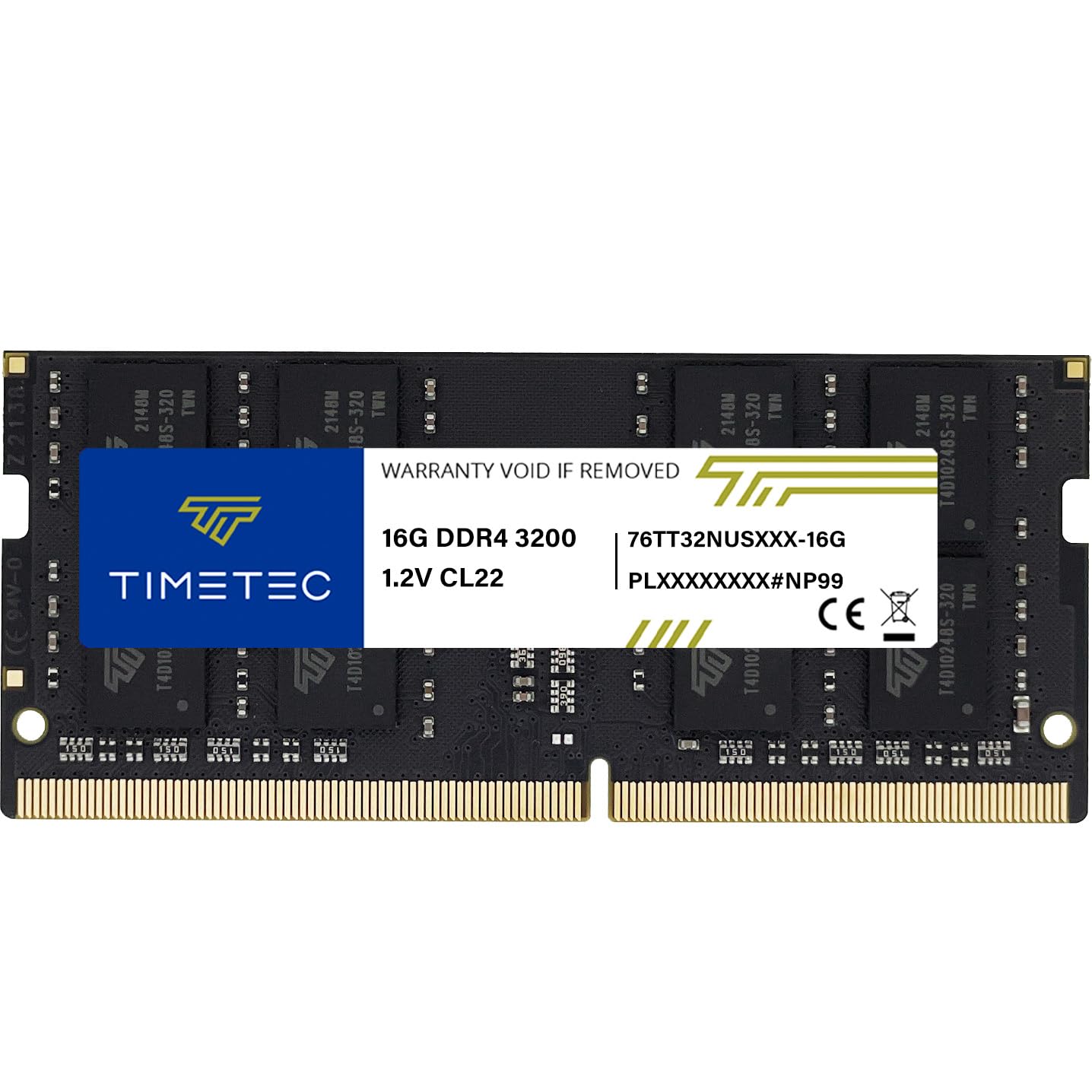
3. Timetec 16GB DDR4 3200MHz
A budget-friendly stick that keeps full specs and reliability, so you don’t sacrifice performance for price.
Timetec promises a Limited Lifetime Warranty and US-based support, which is rare at this price point. The stick itself is a 16GB 260-pin SODIMM running at 3200MHz with CL22 latency, and it’s designed to downclock to 2933MHz or 2666MHz if your system needs it to. This auto-downclocking feature means it’s a safe bet even if you’re not 100% sure of your laptop’s maximum supported speed.
Buyers praise the plug-and-play install, reporting it “immediately worked great from the start” on HP and Lenovo laptops with zero configuration. Owners note their laptops ran faster after a simple swap, making memory quality the most-praised aspect. Note that the PCB color (green or black) and rank (1Rx8 or 2Rx8) may vary by production batch, but performance stays consistent.
The value case
- A lifetime warranty that backs the build quality.
- Auto-downclocks to fit older or restricted systems.
- Recognized instantly by major laptop brands like HP and Lenovo.
The trade-off
- Sellers note prices have crept up recently due to market demand.
- Not compatible with desktop DIMM slots, so double-check your form factor.
Best if: you want a reliable 3200MHz stick with the safety net of a lifetime warranty and a more budget-friendly price than big-brand rivals.
Think twice if: looks matter to you—the PCB color is not guaranteed, so it may not match your other stick aesthetically.
4. A-Tech 16GB DDR4 2400MHz

The perfect match for five-year-old laptops that top out at 2400MHz.
This is the stick to grab when your laptop is a few generations old. It runs at 2400 MHz (PC4-19200) with a tight CL17 latency, making it a direct upgrade path for machines that don’t support faster memory. Its tighter CL17 latency (14.17ns vs. 13.75ns for a CL22 3200MHz stick) makes it feel just as responsive in daily tasks despite the lower clock speed.
Real-world upgrades show the value clearly: one owner took a 5-year-old Ryzen laptop from 8GB to 20GB and watched RAM usage drop from 80% to 40%, making the system noticeably snappier. The 2Rx8 dual-rank configuration helps here, providing good performance for older CPUs. It’s also a versatile stick—A-Tech lists it as compatible with desktops, laptops, mini PCs, and NAS units, all with a lifetime warranty.
Who this is for: If you’ve checked your system info and your old laptop’s maximum memory speed is 2400MHz, this is the optimal stick. Owners describe the install as easy, with one noting the laptop prompted a config change on boot and then automatically configured itself perfectly.
The honest note: The reliability has a mixed history in reviews, with the overwhelming majority reporting flawless operation, though a rare unit has caused issues for one owner—typical for any memory module.
Best for: squeezing more life out of an older machine with a compatible, correctly-specced stick rather than a faster one that will just downclock.
skip it if: your laptop supports 3200MHz—you’d be leaving performance on the table by choosing this slower speed.
5. PNY 16GB (2x8GB) 3200MHz Kit

A matched pair designed for laptops with two open slots and a taste for speed.
If your laptop has two free memory slots, this 2x8GB kit is the way to fill them both. It’s rated for 3200MHz (PC4-25600) with a CL22-22-22-52 timing, and it’s backwards compatible with lower frequencies like 2933MHz, 2666MHz, 2400MHz, and even 2133MHz. This means it’s future-proof and will work in a wide range of laptops, running at whatever speed your system can handle.
Reliability is the most-praised aspect by a wide margin. Owners mention it “works flawlessly” and hits the advertised 3200MHz speeds easily. One owner upgraded an HP Envoy from 8GB to 16GB for Windows 11 and found it ran much more smoothly, while another used it in a six-year-old desktop and was thrilled it worked “like a charm” this time around.
Why a kit wins: PNY sells these as a matched set designed to run together, which avoids the tiny risk of stability issues when you mix two separately-purchased sticks. The 1.2V power draw keeps it cool and efficient in tight laptop chassis.
Pick this if: you have two open slots and want the dual-channel performance boost (where two sticks work together for faster data transfer), with the confidence of a matched, reliable kit.
Consider single instead if: you only have one free slot—buying a 2x8GB kit when you can only use one stick wastes capacity.
6. TEAMGROUP Elite 16GB (2x8GB) 3200MHz

The dependable 2x8GB workhorse that brings aging mini PCs and laptops back to life.
TEAMGROUP’s Elite kit is proof of reliability, which is the number one thing owners mention about it. This 2x8GB kit runs at 3200MHz with a CL22 latency, but it’s engineered to downclock to 2933MHz or 2666MHz if your system’s CPU or BIOS doesn’t support the full speed. One buyer even noted it worked fine in an HP laptop that only officially supported 2400MHz, simply by running at the lower speed.
It’s often an inexpensive way to get to 16GB, which is the second most-praised aspect. Users report installing it in everything from mini PCs to NAS systems (network-attached storage), with one describing a “Game-Changer” boost on a mini computer where apps now launch instantly and multitasking is smooth. It adheres to JEDEC standards (industry memory specs) and comes with a lifetime warranty, so you’re not sacrificing support for the lower price.
Why owners rate it
- Exceptional reliability—the most common praise by far.
- Downclocks gracefully to fit systems with lower speed limits.
- A budget-friendly route to a full 16GB kit.
Small gripes
- The packaging can be tough to open without damaging the box.
- It’s a 2x8GB kit, so it’s not useful if you only have one free slot.
Reach for it: if you’re on a budget and want a reliable dual-stick kit that’s proven in laptops, mini PCs, and even NAS devices.
Look elsewhere: if you crave the absolute lowest latency—this runs at standard CL22 timings, not the tighter CL17 of slower sticks.
7. Samsung 16GB DDR4 3200MHz

The name you know from inside your laptop, now as a standalone performance upgrade.
There’s a certain confidence that comes with installing the same brand that made your laptop’s original memory. Samsung’s 16GB stick runs at 3200MHz (PC4-25600) with a CL22 latency and uses a 2Rx8 dual-rank configuration, which can offer better performance in some workloads. It’s a 260-pin SODIMM at 1.2V, meaning it’s built to the exact standard most DDR4 laptops use.
Owners note it runs flawlessly, with one praising its perfect fit in an HP Slim Desktop and another matching the OEM 8GB stick in an HP Pavilion. The memory quality is the second most-praised aspect, and buyers consistently mention the “jump was amazing” when upgrading from 8GB to 24GB. It’s a plug-and-play affair, as customers note it started up with no problems at all.
The brand advantage: Samsung is the largest memory manufacturer in the world, and this module is the same type used in countless laptops from HP, Dell, and Lenovo. That means proven compatibility and the highest quality assurance testing.
Perfect if: you want the ultimate confidence from a top-tier memory brand, especially if your laptop already has a Samsung module you’re matching.
Not the value king: you’ll pay a small premium for the Samsung name over comparable sticks from Timetec or TEAMGROUP with the same specs.
8. G.SKILL Ripjaws 16GB (2x8GB) 3200MT/s

The gamer’s choice that cut boot times by seconds in the laptops owners tested.
If you have a gaming laptop with two slots, this 2x8GB kit is engineered for you. It’s rated at 3200MT/s with a CL22-22-22-52 timing, and it comes with a JEDEC default profile, meaning it should run at full speed without any BIOS changes. One owner reported a 5-minute install on a 2020 Acer Nitro 5 with zero tweaks needed, and saw boot times cut by 8-10 seconds and smoother multitasking.
Owners praise improved 1% lows in games and stable operation, even passing MemTest86 stress tests with zero errors. The kit is low-profile, so it fits in slim laptops easily. Owners also note it brought a 7-year-old HP notebook back to life, booting fast with smooth multitasking, and another has run it for nearly a year in a gaming laptop with zero issues.
The gamer’s edge
- Runs at full 3200MT/s from the start, no BIOS fiddling needed.
- Proven performance gains: faster boots and better game frame pacing.
- Low-profile design fits even tight laptop chassis.
The warning
- G.SKILL explicitly warns not to mix this kit with other memory sticks.
- It’s a 2x8GB kit, so owners of single-slot laptops should pick the 1x16GB version.
Built for: gamers and power users with laptops like the Acer Nitro 5 who want a matched, high-speed kit that’s proven to boost frame rates and cut load times.
Ignore if: your laptop has only one memory slot—you’d be forced to leave one stick unused.
9. G.SKILL Ripjaws 16GB (1x16GB) 3200MT/s

The perfect single-stick solution for laptops with one free slot and a need for speed.
This is the single-module version of the Ripjaws kit, made for laptops with just one open memory slot. It’s a 1x16GB 260-pin SODIMM rated at 3200MT/s with CL22-22-22-52 timings, and it works in both laptops and small form factor PCs. The JEDEC default profile means it’s genuinely plug-and-play—one owner says their laptop “starts up super fast” after the install.
Reviewers point out flawless operation over months of daily use, making reliability the top praise. The capacity is what buyers often note, with one user able to run their 3D printing software, stream to a TV, and run a virtual machine for work cameras all at once. It also comes with a cool sticker, a small touch that buyers mention. The memory quality and speed are consistently well-rated, making it a solid choice for a single-stick upgrade.
The practical pick: If your laptop came with 8GB soldered and has one free slot, this is the ideal way to reach 24GB. Owners note it’s well up there with other brands for a similar price, making it a smart, affordable upgrade path.
Reach for it if: you have a single free slot and want the high-speed 3200MT/s performance in a dependable stick from a trusted gaming brand.
Be aware: a rare unit has arrived dead on arrival, though the replacement process was quick and smooth for that owner.
Understanding the Specs
Memory Speed (MHz)
This is how fast your RAM can transfer data to the processor. Higher numbers (like 3200MHz) are faster than lower ones (like 2400MHz). However, your laptop’s motherboard dictates the maximum speed it will use, so a faster stick will simply run at a slower speed if your laptop doesn’t support the full rate. Check your system’s specs to know which speed to buy.
CAS Latency (CL)
This is the delay in clock cycles before the memory can deliver data. A lower CL number (like CL17) means a shorter delay and faster response time than a higher number (like CL22). Since speed and latency work together, a slightly slower stick with tighter latency can feel similar in everyday use to a faster one with looser timings.
FAQ
Will a 3200MHz stick work in a laptop that supports 2666MHz?
What is the difference between SODIMM and DIMM memory?
Should I buy a single 16GB stick or a 2x8GB kit?
Is it safe to mix a new 16GB stick with my existing 8GB stick?
How do I know if my laptop RAM is upgradeable?
What does 1Rx8 and 2Rx8 mean in RAM specs?
Do I need to change BIOS settings after installing new RAM?
What does Non-ECC and Unbuffered mean?
Is a CL17 2400MHz stick faster than a CL22 3200MHz stick?
Will adding more RAM void my laptop’s warranty?
Final Thoughts: The Verdict
For most people, the 16 gb laptop ram winner is the Crucial 16GB because its blend of 3200MHz speed, proven stability, and broad compatibility makes it the safest, most reliable choice for any modern laptop. If you want a matched dual-channel kit from a trusted gaming brand, grab the G.SKILL Ripjaws 2x8GB. And for a budget-friendly upgrade with a lifetime warranty, the Timetec 16GB is the one to reach for.
How We Picked
We do not accept paid placement. Every pick is matched to a real buyer and a real use-case; we do not hands-on test units.
Sources & Methodology
Specifications: manufacturer listings and product documentation. Review insights: verified customer reviews, as of August 2026. Pricing: not shown on this page (it changes often); check the current price via the retailer link.
As an Amazon Associate, Gadgets Feed earns from qualifying purchases. This does not affect which products we feature.