
Our readers keep the lights on and my morning glass full of iced black tea. As an Amazon Associate, I earn from qualifying purchases.
Specs are compiled from manufacturer listings and verified buyer reviews and can change over time — please confirm the key details on the product page before buying.
Finding a gaming laptop with 16GB of RAM is the easy part. The hard part is knowing which one actually delivers steady frame rates without overheating, and which one will leave you frustrated after a few months. This guide cuts through the noise by comparing the raw specs and real owner experiences for twelve of the most popular models on the market right now.
I’m Min — the founder and writer behind Gadgets Feed. This guide is built by comparing the manufacturers’ published specifications and the patterns across verified customer reviews, so you get each pick’s real strengths and trade-offs instead of marketing spin.
The goal is to help you find the right 16 gb ram gaming laptop for your budget without getting burned by marketing hype or a single bad review.
Our Picks at a Glance


How To Choose The Best 16 GB RAM Gaming Laptop
Picking the right gaming laptop means looking past the RAM number. The real question is how all the parts work together when you fire up a demanding title. Let us walk through the four things that matter most.
Your Graphics Card is the Main Engine
A 16 GB RAM Gaming Laptop is only as good as its discrete GPU. For smooth 1080p gaming right now, an NVIDIA GeForce RTX 4050 is the realistic starting point. If you want higher frame rates or a sharper QHD screen, step up to an RTX 5060 or RTX 5070. The GPU does the heavy lifting in games, so it gets your budget first.
CPU Generation Affects Longevity
A 12th Gen Intel Core i7 or a Ryzen 5 7535HS is fine for today’s games. But a 13th or 14th Gen Core i7, or a Ryzen 7 7445HS, gives you more headroom for future titles and heavy multitasking like streaming while you play. The newer chips also tend to run more efficiently, which helps with heat.
The Display is Your Window to the Game
A 144Hz or 165Hz refresh rate makes motion look smooth. The resolution matters too: 1920×1080 (1080p) is common, but a 2560×1600 (QHD+) screen looks sharper. The catch is a QHD screen demands more from the GPU, so you need the graphics power to match it.
Cooling Makes or Breaks the Experience
Thin laptops can throttle performance when they get hot. Look for dual-fan systems with multiple heat pipes, like MSI’s Cooler Boost 5 or ASUS’s ROG Intelligent Cooling. If you buy a budget model, plan to add a cooling pad to keep frame rates stable during long sessions.
Quick Comparison
| Model | Best For | GPU | CPU | Display | Amazon |
|---|---|---|---|---|---|
| msi Thin GF63★ Best Overall | Entry-Level i7 & RTX 4050 | RTX 4050 | i7-12650H | 15.6″ FHD 144Hz | Amazon |
| Alienware X16 R2Premium Pick | Premium Build & QHD Speed | RTX 4070 | Core Ultra 7-155H | 16″ QHD+ 240Hz | Amazon |
| Acer Predator Helios Neo 16Future Proof | Future-Proof Desktop Replacement | RTX 5070 Ti | Core Ultra 9 275HX | 16″ WQXGA 240Hz | Amazon |
| Lenovo Legion 5i | OLED Display & Quiet Gaming | RTX 5070 | i7-14700HX | 15″ 2.5K OLED 165Hz | Amazon |
| ASUS ROG Strix G16 | Top-Tier Cooling & High FPS | RTX 5060 | i7-14650HX | 16″ FHD+ 165Hz | Amazon |
| GIGABYTE Gaming A16 | Slim Design & Long Battery Life | RTX 5060 | Ryzen 7 260 | 16″ WUXGA 165Hz | Amazon |
| Acer Nitro V | Best All-Rounder (Performance & Price) | RTX 4050 | i7-13620H | 15.6″ FHD 165Hz | Amazon |
| HP Victus 15 (Ryzen 7) | Budget 144Hz with RTX 4050 | RTX 4050 | Ryzen 7 7445HS | 15.6″ FHD 144Hz | Amazon |
| ASUS TUF Gaming A16 | Durable Build & Great Battery | RTX 4050 | Ryzen 7 7445HS | 16″ FHD+ 145Hz | Amazon |
| HP Victus 15 (Ryzen 5) | Entry-Level Dual Monitor Work | RTX 2050 | Ryzen 5 7535HS | 15.6″ FHD 144Hz | Amazon |
| msi Thin 15 | Lightweight 144Hz & Reliable Thermals | RTX 4050 | i7-12650H | 15.6″ FHD 144Hz | Amazon |
In‑Depth Reviews
1. msi Thin GF63
Our pick — over 4★ from 950+ verified ratings; the strongest balance of quality and price.
The cheapest path to a 12th Gen i7 and RTX 4050, but reliability is a major risk.
The MSI Thin GF63 is the classic “you get what you pay for” story. It offers a 12th Gen Intel Core i7-12650H and an RTX 4050 at a very competitive price point, making it tempting for budget gamers. It features a 15.6-inch 144Hz display and uses the older DDR4 memory standard. The Cooler Boost 5 system attempts to keep things cool. A positive buyer review noted it handled emulators and SimCity 5 at max settings without issue.
However, the real customer reviews paint a troubling picture. One long-term owner (over two years) reported “severe overheating during gaming,” which caused “random restarts despite proper ventilation.” They also experienced a corrupted BIOS and found MSI’s support to be “poor.” Other owners noted the build quality feels fragile, with a “power button feeling fragile” and an “unresponsive touchpad.” This is the single laptop in the list where the negative reviews strongly suggest a reliability risk that outweighs its low price.
Only for the risk-tolerant budget buyer: The spec sheet looks great on paper for the price, but multiple owners mention serious overheating and build quality issues. If you buy it, be prepared for potential problems down the line.
Proceed with caution: A tempting price for the hardware, but the recurring complaints about overheating and poor build quality make it the riskiest option on this list.
2. Alienware X16 R2
The premium build that brings a desktop-class RTX 4070 to a 16-inch chassis.
This is the laptop for someone who wants the full package: a fast GPU, a gorgeous screen, and a solid metal feel. The NVIDIA GeForce RTX 4070 with 8GB GDDR6 memory gives you the power to run modern games at high settings on the 16-inch QHD+ display. That 240Hz refresh rate with a 3ms response time means every movement in a fast shooter looks fluid. The Intel Core Ultra 7-155H processor (16 cores, up to 4.8 GHz) keeps everything moving smoothly.
Buyers report the build quality is a cut above, with an excellent cooling system that keeps thermals under 85°C even under load. The 2.1 speaker setup with Dolby Atmos is also a standout for a gaming laptop. The “catch” is that some owners have experienced a boot issue that may be related to Dell firmware, and a few have reported the power button failing after about 60 days. It is also the most expensive option here, so it is a true premium investment.
Best for the pure enthusiast: If you want top-tier performance, a stunning screen, and a laptop that feels as expensive as it is, the Alienware X16 R2 delivers. Look elsewhere if you are on a strict budget or want to avoid potential early-adopter firmware quirks.
The verdict: The most powerful and best-built 16-inch gaming laptop on this list, but the premium price tag and a few reliability reports mean it’s for those who want the best and can stomach the risk.
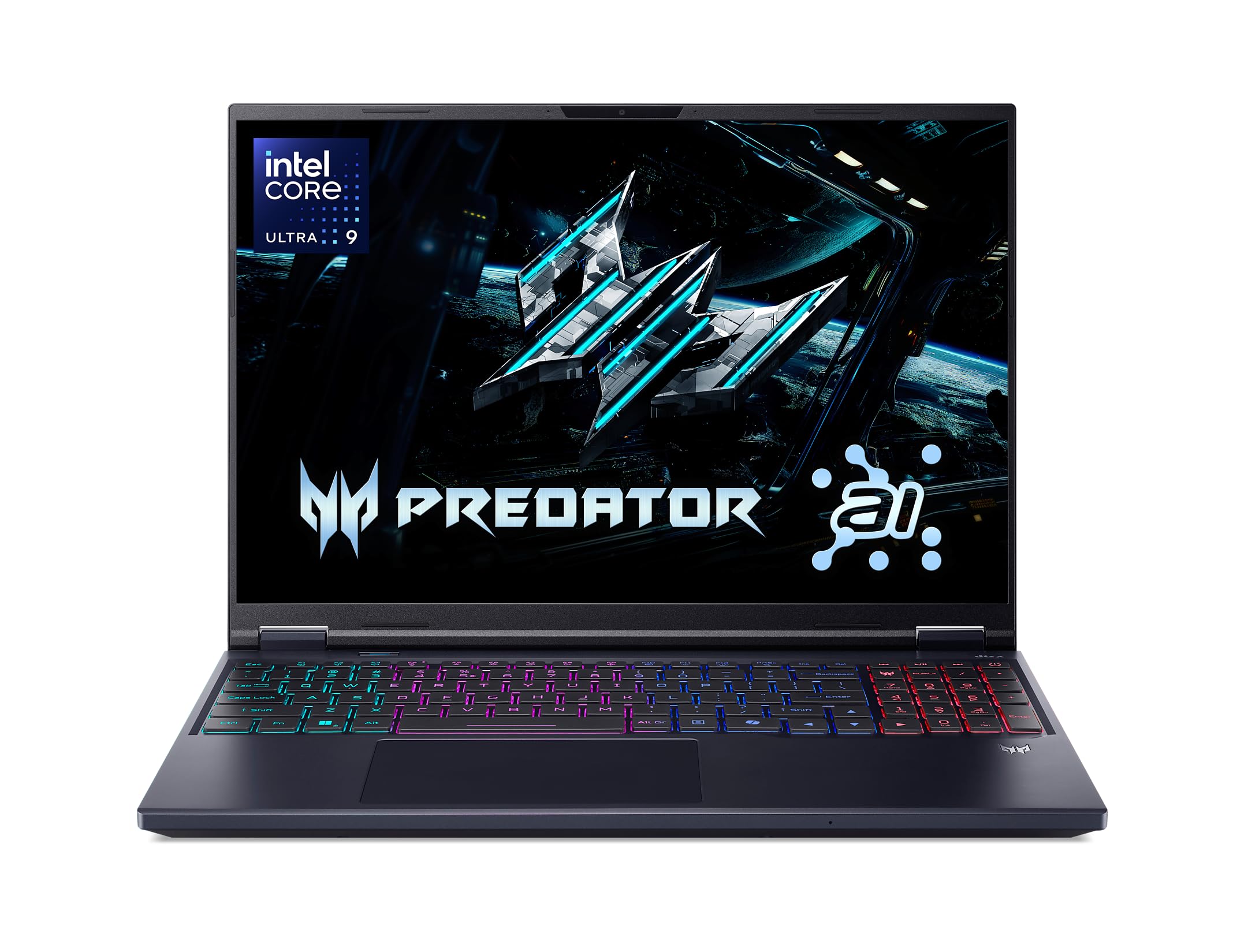
3. Acer Predator Helios Neo 16 AI
The desktop replacement with an RTX 5070 Ti that chews through AAA titles at 240Hz.
If you plan to keep your next laptop for several years and want it to handle the most demanding games, this Acer Predator is a serious contender. The GeForce RTX 5070 Ti GPU (with 992 AI TOPS) is the most powerful card in this roundup, supported by the Intel Core Ultra 9 275HX processor that boosts up to 5.4 GHz. The 16-inch WQXGA screen runs at a blistering 240Hz with a 3ms response time, and it supports NVIDIA G-SYNC to eliminate screen tearing. One reviewer noted a Time Spy score of around 17,600 and said real-world gaming “exceeds expectations,” with Battlefield and Call of Duty running over 100 FPS at high settings with DLSS.
The biggest trade-off is the thermals. Many owners stress that an external cooling fan is practically required to prevent overheating. Buyers also point out that the 16GB of DDR5 RAM feels insufficient for heavy multitasking, and upgrading to 32GB is a common recommendation. The battery life is mediocre, and it comes with noticeable bloatware. But for pure raw gaming power, it is tough to top at this price level.
The powerhouse choice: This is for the gamer who wants the absolute best price-to-performance ratio for future titles and is comfortable using a cooling pad. The 16GB RAM is a limit you will want to upgrade, and the battery life is an afterthought.
A clear value leader for raw power: The RTX 5070 Ti and fast CPU make it a true desktop replacement for under, but plan on a clean Windows install and a RAM upgrade.
4. Lenovo Legion 5i
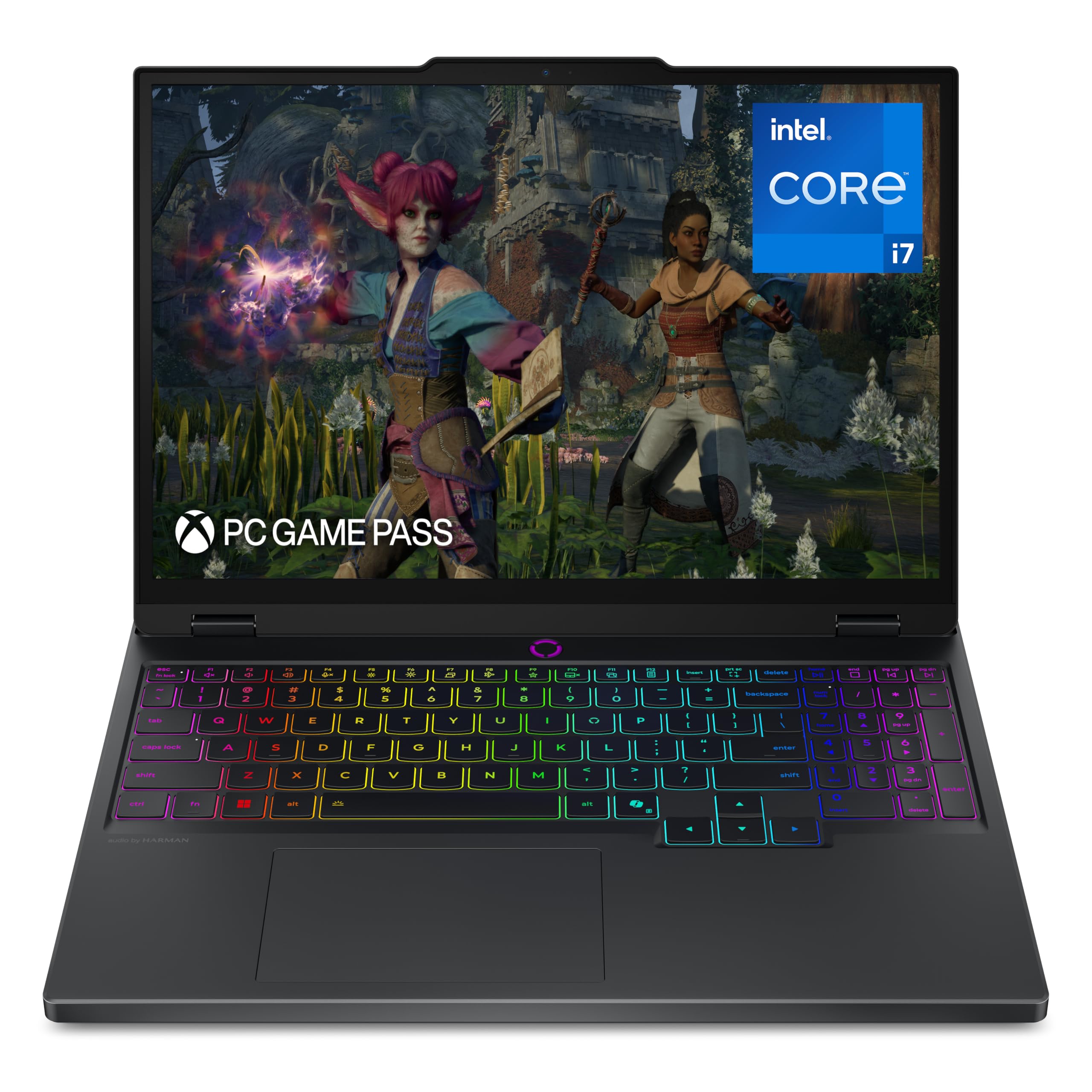
A sharp OLED screen that makes games glow, paired with quiet cooling.
This Lenovo Legion is a fantastic choice for a student who wants a superb screen for both gaming and coursework. The huge highlight is the 15-inch 2.5K (2560×1600) PureSight OLED display with a 165Hz refresh rate. Colors look incredibly vivid and blacks are truly black, making for a rich experience in any game. The GeForce RTX 5070 graphics, combined with the Intel Core i7-14700HX (up to 5.4 GHz), delivers high frame rates. The Lenovo AI Engine+ works behind the scenes to boost FPS in AAA titles.
Buyers are happy with the overall package, calling it “light” with a “solid build.” The Legion Coldfront cooling system uses “stealth fans” to keep noise down, which is a major plus for shared spaces. The “catch” here is a detail that matters for performance: one buyer mentioned the 16GB DDR5 RAM runs in single-channel mode, which can cost up to 10% performance in games. The speakers are also “terrible” according to owners. It is a premium-priced machine, but the OLED panel is a genuine differentiator.
Best for the visual enthusiast: If you care more about image quality than raw frame rates, this is the pick. The OLED screen is in a different league from IPS panels, and the quiet cooling is a bonus for dorms and libraries.
Stunning screen, slight performance tax: Buy this for the display and quiet operation, but understand the single-channel RAM is a known limitation that affects gaming performance.
5. ASUS ROG Strix G16 (2025)
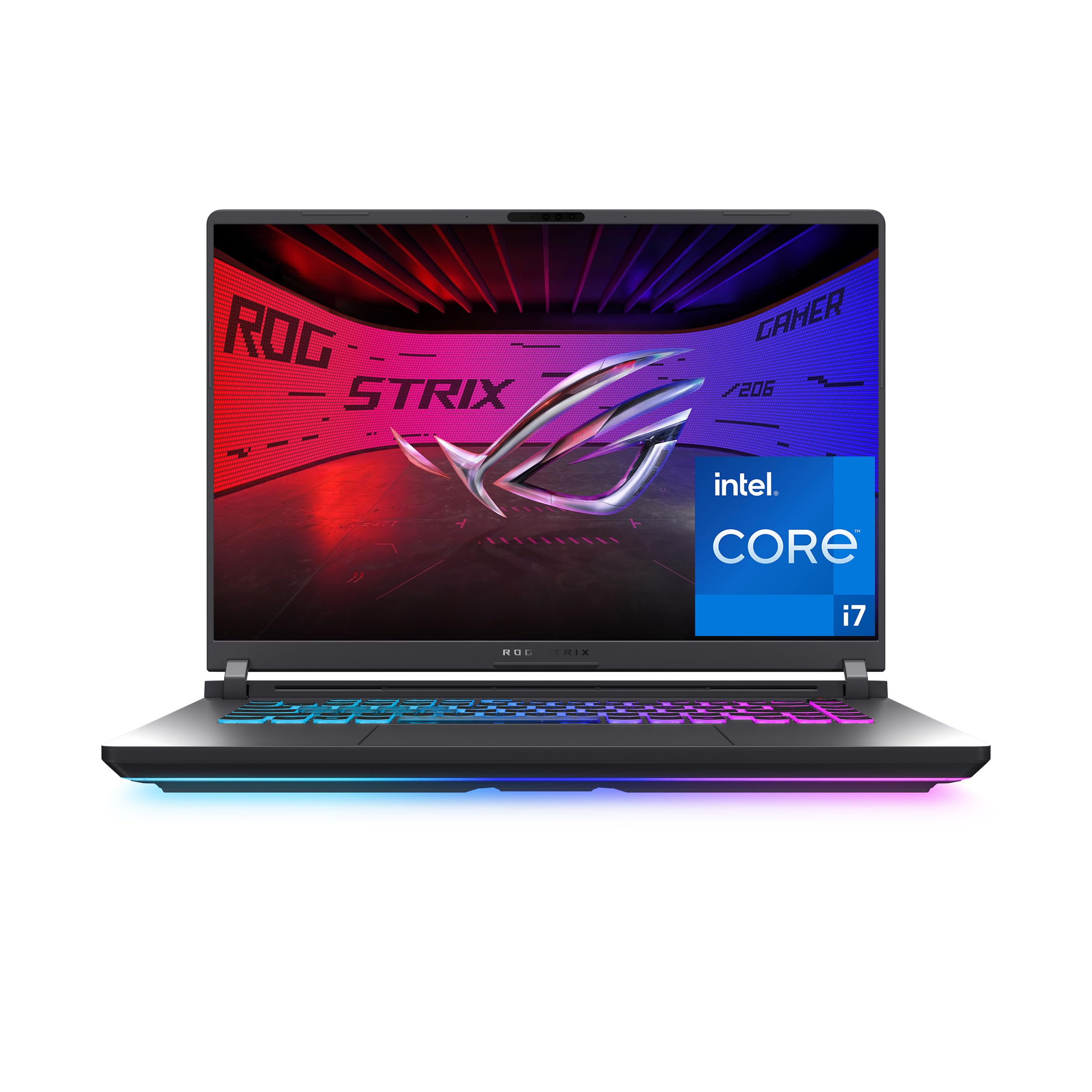
Advanced vapor chamber cooling keeps an RTX 5060 and Core i7 running strong for hours.
ASUS has engineered among the most effective cooling systems in this class. The ROG Strix G16 uses an end-to-end vapor chamber, tri-fan technology, and Conductonaut extreme liquid metal on the CPU to keep thermals in check. This means the Intel Core i7-14650HX and RTX 5060 can sustain high performance without throttling. One owner reported it delivers over 100 FPS in GTA V Enhanced with high ray tracing and over 120 FPS in Warframe. The 16-inch FHD+ display has a 165Hz refresh rate and a new ACR film that reduces glare.
Buyers rave about the build quality and the Dolby Atmos audio. The 360-degree RGB light bar is customizable, and you can switch to Stealth Mode in professional settings. The main trade-off, as one experienced reviewer pointed out, is that the 16GB of RAM is limiting for 2026 and beyond. The Ethernet LAN port can also be a bit loose, causing the cable to disconnect. It gets hot on soft surfaces, so a hard desk or cooling pad is recommended for long sessions.
Best for sustained performance: If you play for hours, this is the laptop. The cooling system is top-tier, allowing for high frame rates without the laptop turning into a lap warmer. The 16GB RAM is the only real bottleneck.
The cool-headed performer: A top pick for serious gamers who value steady performance and a premium feel, but factor in a potential RAM upgrade down the line.
6. Alienware 16 Aurora
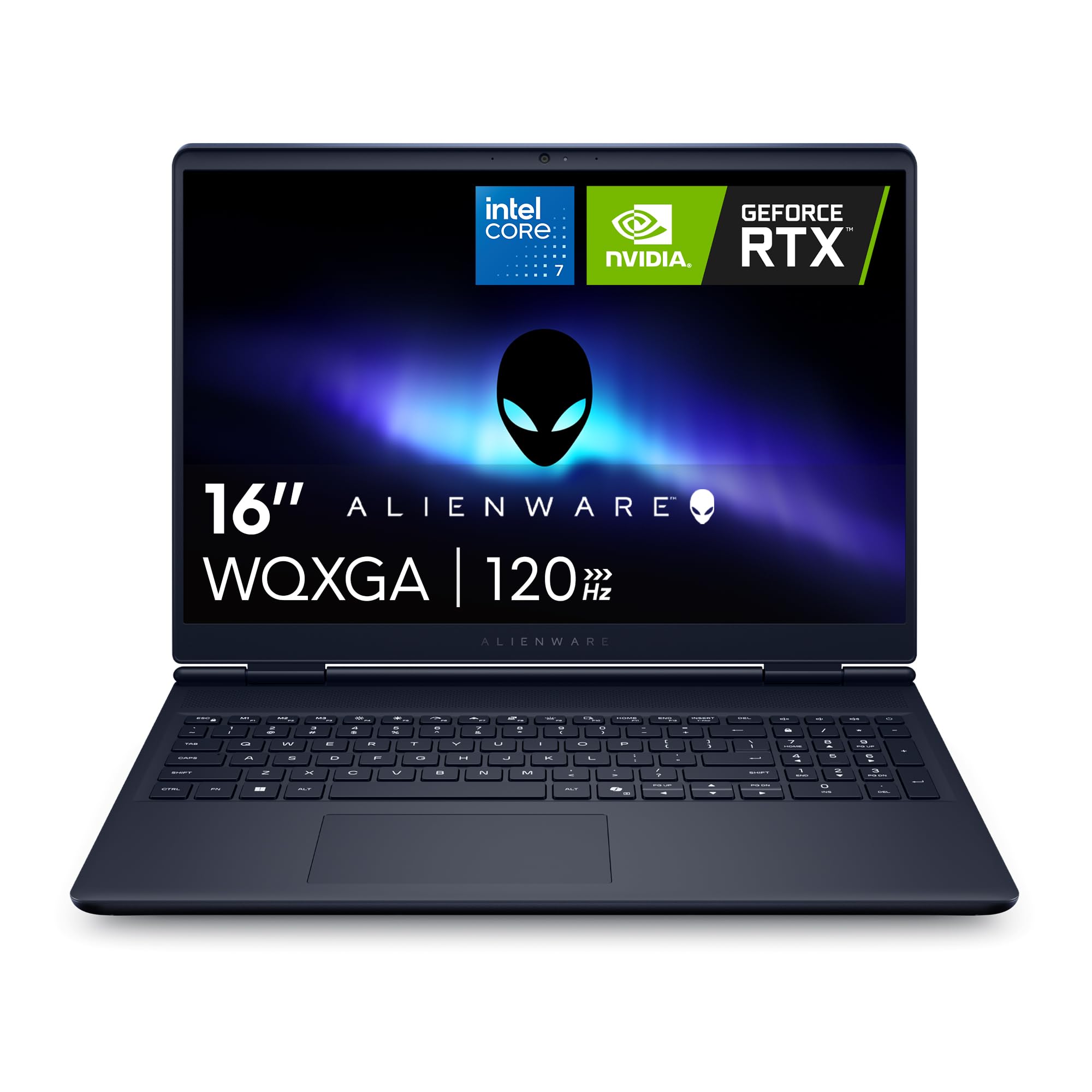
Alienware DNA with a 16-inch WQXGA screen and one-year onsite service.
This Alienware model sits in a middle ground, offering a premium brand experience with the new NVIDIA GeForce RTX 5050 graphics and a 16-inch WQXGA (2560×1600) display. The 120Hz refresh rate is lower than some competitors, but the higher resolution provides a sharper image for both gaming and creative work. The Intel Core 7-240H processor can boost up to 5.2 GHz. A key advantage is the included 1 Year Onsite Service from Dell, where a technician comes to your home if the hardware fails.
Buyers describe it as a “beastly gaming laptop” with a gorgeous display and a comfortable keyboard. The new Cryo-Chamber cooling design focuses airflow on the core components. The fans can get loud under heavy load but are quiet otherwise. The main drawback is the RTX 5050 is the entry-level card in the new RTX 50 series, so it won’t match the performance of the RTX 5060 or 5070. The battery life is average, and it is a larger machine.
Best for brand loyalty and confidence: If you want the Alienware aesthetic and the reassurance of Dell’s onsite service, this is a solid option. It is less powerful per dollar than the Acer Predator, but the service plan is a real differentiator.
Premium brand, mid-range power: A good looking laptop with a great screen and excellent support, but the RTX 5050 limits its gaming ceiling compared to similarly priced competitors.
7. GIGABYTE Gaming A16
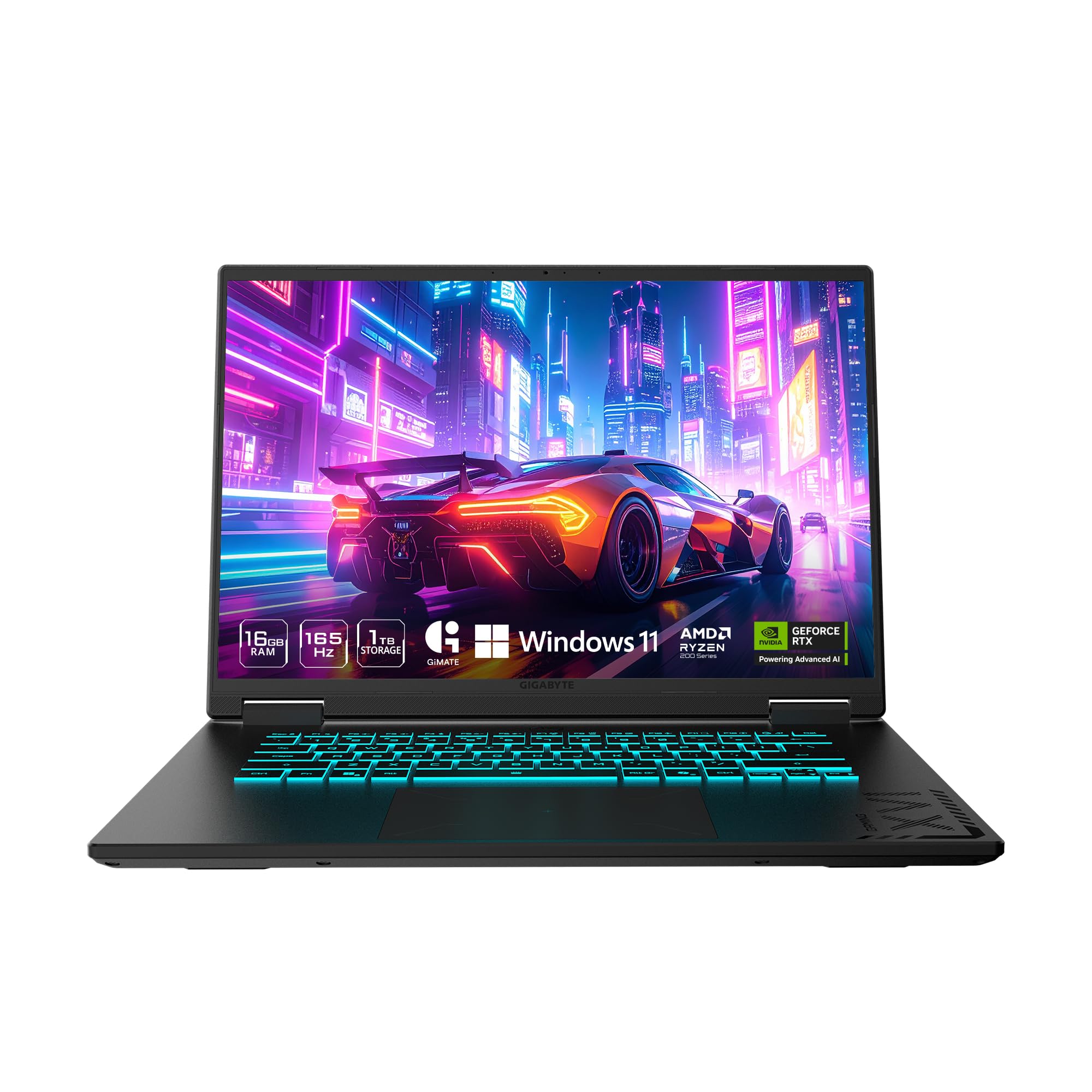
A slim 0.76-inch chassis with an RTX 5060 and impressive battery life for a gaming machine.
GIGABYTE has packed a lot into a thin frame. The Gaming A16 is only 19.45mm (0.76 inches) thick, yet it houses an AMD Ryzen 7 260 processor and an NVIDIA GeForce RTX 5060. The 16-inch 165Hz WUXGA (1920×1200) display provides a little extra vertical space for browsing compared to a standard 1080p panel. A standout feature is the stated 14-hour battery life, which is exceptional for a gaming laptop with this much power. The 180-degree hinge design is practical for sharing your screen.
Owners mention it feels solid and runs “all current AAA games with confidence.” The GiMATE AI software is intended to tune performance. The “catch” is significant: some customers note the AI-fueled control center constantly “tune” system resources, sabotaging gaming performance. One reviewer was very frustrated with this. The fans are also noted to be “a bit loud” under load. It is a promising design that is let down by some software quirks.
Best for travelers and students: The slim build and long battery life are the main selling points. If you need a laptop that can game and last through a day of lectures, this is a top contender, assuming you can manage the control center software.
Beautiful hardware, annoying software: A great portable powerhouse that is held back by its own AI-tuning software. Check recent reviews or be prepared to tweak the settings.
8. Acer Nitro V (ANV15-52-76NK)
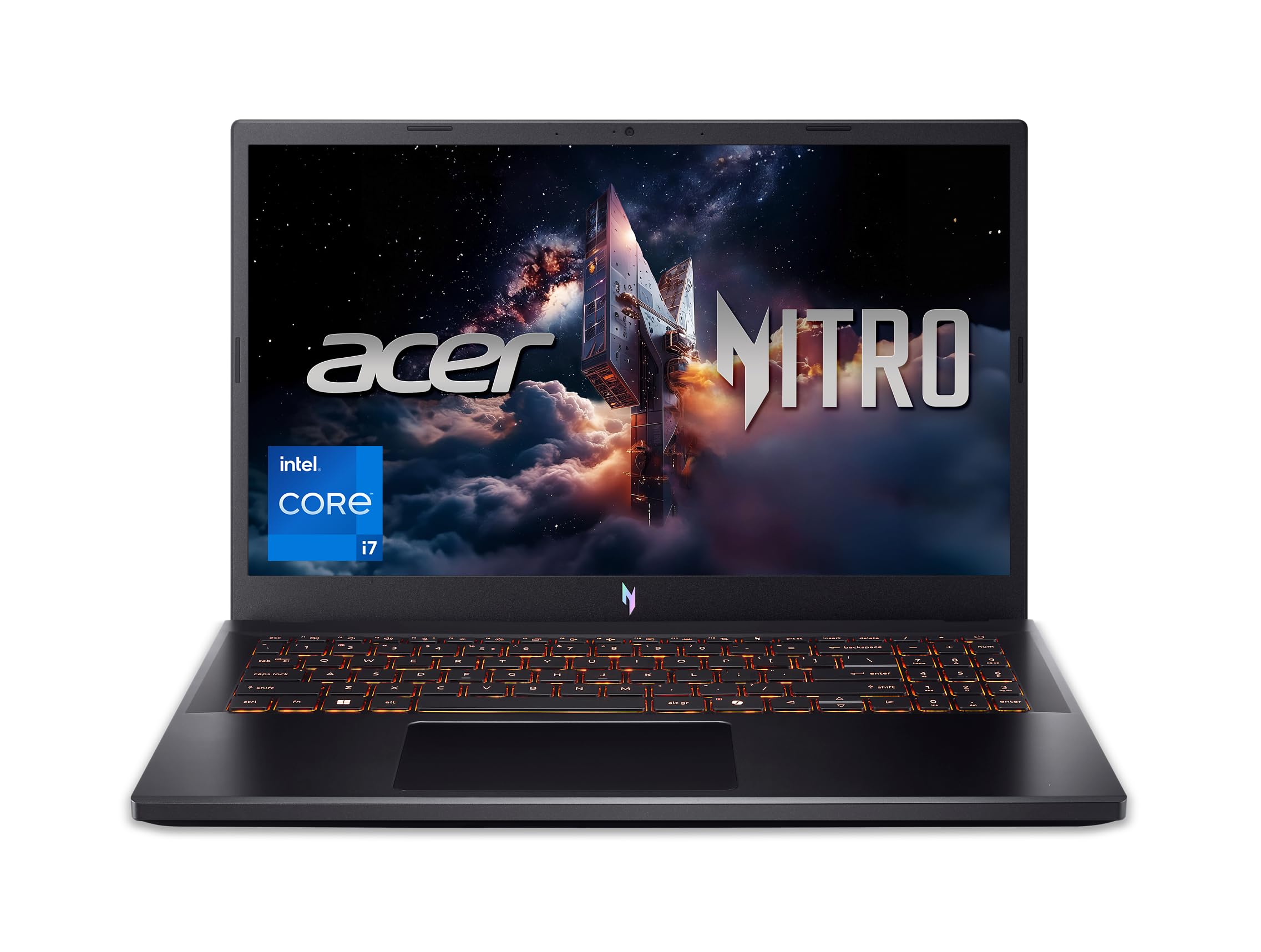
The do-it-all 1080p gaming laptop that hits the balance of performance, price, and features.
This is the benchmark for a mid-range 16 GB RAM Gaming Laptop. The Acer Nitro V combines a 13th Gen Intel Core i7-13620H, an RTX 4050 (with 194 AI TOPS), and a 15.6-inch 165Hz FHD display. The 1TB Gen 4 SSD gives you double the storage of many competitors at this price, which is huge for a modern game library. It includes Thunderbolt 4 for fast data and display connectivity, plus Killer Ethernet for a good online gaming experience.
Reviewers point out excellent performance, with one “Simmer” noting loading screens took only 10 seconds and that the laptop handled 75GB of mods and ultra graphics settings without a hitch. The laptop is lightweight, and the 16GB of DDR5 RAM is upgradable to 32GB. The drawbacks are a loud fan that spins up under load, some pre-installed bloatware, and the battery lasting about 5 hours in mixed use, which drops much faster when gaming. Most owners recommend using a cooling pad.
The default recommendation for most people: It nails the fundamentals: a strong CPU/GPU combo, a fast screen, plenty of storage, and good connectivity. The only real weaknesses are the noisy fans and standard-issue bloatware.
Best overall balance: The Acer Nitro V offers the best combination of 1080p gaming performance, storage, and features for its price. It is the smart, safe choice for the vast majority of gamers.
9. HP Victus 15 (Ryzen 7, RTX 4050)
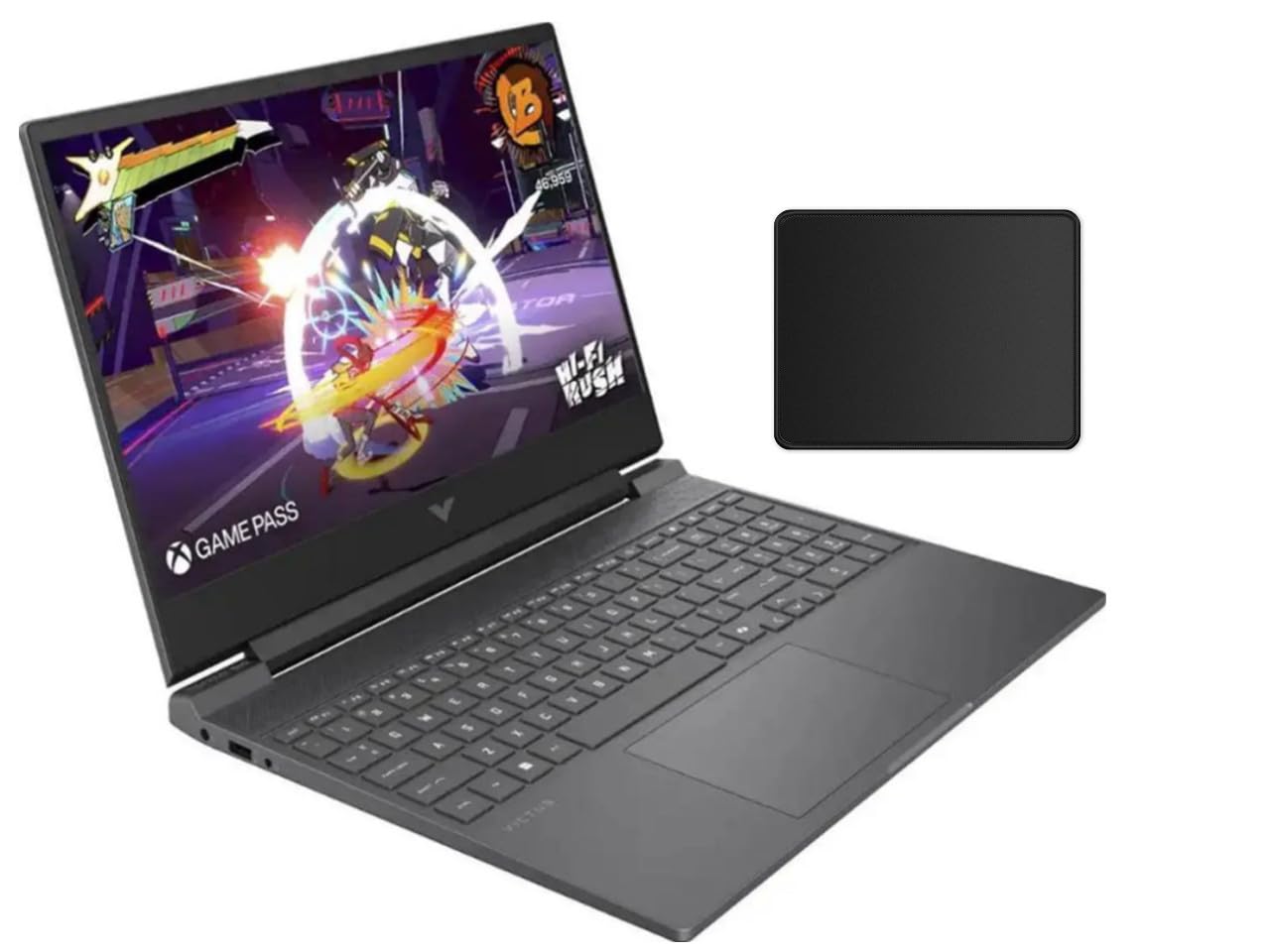
An entry-level champion that brings a dedicated RTX 4050 and a 144Hz screen to the budget table.
For gamers on a tight budget, this HP Victus 15 configuration is a very attractive starting point. It offers the AMD Ryzen 7 7445HS processor and an NVIDIA GeForce RTX 4050, giving you the dedicated graphics power needed for smooth 1080p gaming. The 15.6-inch FHD display with a 144Hz refresh rate and AMD FreeSync Premium technology ensures a tear-free experience. It comes with 16GB of fast DDR5 RAM and a 512GB SSD.
Shoppers say it is a “cheap laptop with dedicated GPU” that can run Cyberpunk 2077 at about 40fps and older games at 90fps. It is also capable for CAD work. The catches are expected for the price: a “cheap screen” with mediocre quality, a low chassis height that might bother some, a mediocre touchpad, and a locked CPU that prevents overclocking. One customer observed the advertised “mouse pad” bundle item was not included. It does the job, but the build quality feels its price.
Best for the absolute budget gamer: If you simply need a 144Hz laptop with an RTX 4050 for the lowest price, this is it. You are making real compromises on screen quality and build materials, but the core performance is there.
All focus on the GPU: This HP Victus prioritizes the graphics card over everything else. A good choice if you plan to use an external monitor and are on a strict budget.
10. ASUS TUF Gaming A16
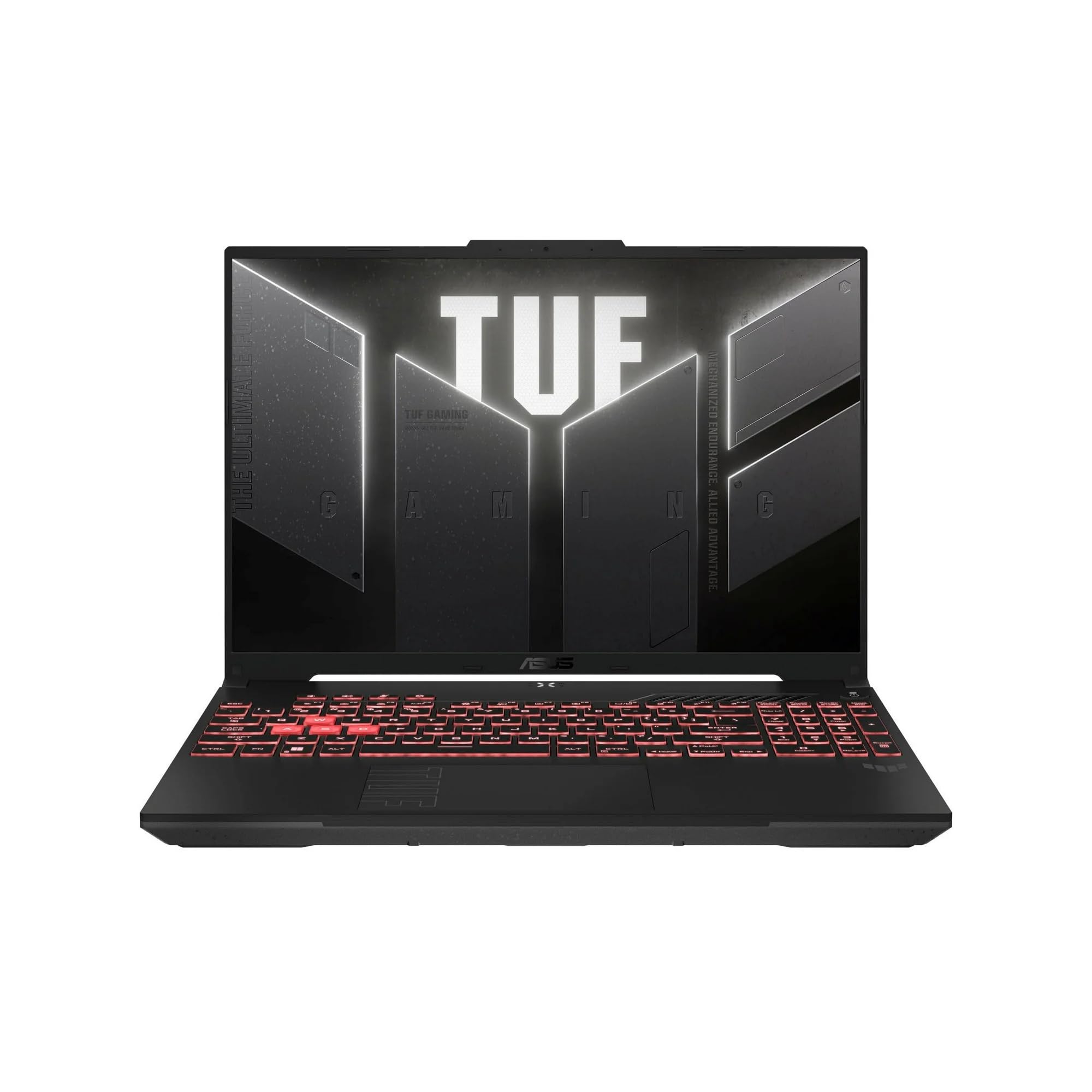
Tough, long-lasting, and built to handle real-world abuse better than most.
The ASUS TUF series is known for durability, and the A16 model lives up to that reputation. It pairs an AMD Ryzen 7 7445HS with an RTX 4050 and a 16-inch Full HD+ (1920×1200) display running at 145Hz. The 16:10 aspect ratio gives you more vertical screen space, which is great for productivity. The battery life is a standout feature: buyers report getting 5.5 to 6 hours on eco/power-saving mode and 3.5 to 4 hours on standard GPU mode. It also charges to full in about one hour.
Owners say it is a “solid starter” that handles Roblox and entry-level games without crashes. The build quality is a strong point, and the screen is good. The fans are quiet when using a headset, and there are no overheating issues reported with normal use. The main trade-off is the performance. One user highlighted it is best for “light Steam games”, and another recommended upgrading the RAM to 32GB for a better experience. It is not a speed demon, but it is a reliable workhorse.
Best for the college student: The excellent battery life and sturdy build make it ideal for taking to classes and gaming in the dorms. It won’t win benchmark races, but it will survive a few drops in a backpack.
Durable and efficient: A great pick if you prioritize battery life and build quality over raw gaming performance. The RTX 4050 handles lighter titles well.
11. HP Victus 15 (Ryzen 5, RTX 2050)

The ultra-budget workhorse that excels as a productivity machine with a 144Hz screen.
This is the most affordable option on the list, designed for someone who wants a modern 144Hz laptop for work and light gaming. It features the AMD Ryzen 5 7535HS processor and an NVIDIA GeForce RTX 2050 graphics card. While the RTX 2050 is the least powerful GPU here, it is still a huge step up from integrated graphics. The 16GB of DDR5 RAM ensures smooth multitasking. One long-term buyer reported it has been powering dual 27-inch monitors (a 4K 144Hz and a 1440p 144Hz) for over nine hours a day for two years, calling it “durable and stable.”
The real review consensus is that this is a great “shop laptop” for CAD, laser work, and running multiple external displays. The battery life is poor, at only about 3 hours on productivity tasks like QuickBooks or Excel. Plugged into a wall, it performs well. For serious gaming, the RTX 2050 will struggle with modern AAA titles at high settings. It is best viewed as a productivity laptop with a decent screen and a big step up in graphics capability over a non-gaming laptop.
Best for the productivity-first user: If you need a fast, responsive laptop for work, school, and the occasional light game, this is a great value. The RTX 2050 is not for heavy gaming, but the rest of the package is solid.
A true budget workhorse: Excellent for multitasking and external monitors. The RTX 2050 is its limitation, so keep expectations for modern gaming very low.
12. msi Thin 15

A thin and light RTX 4050 machine that surprisingly runs cool in long sessions.
The MSI Thin 15 is a good alternative for those who want a portable laptop that still packs a punch. It uses a 12th Gen Intel Core i7-12650H and an RTX 4050, paired with 16GB of newer DDR5 RAM and a 512GB NVMe SSD. The 15.6-inch 144Hz FHD display is typical for the price. A major plus is the thermal performance: a buyer reported the laptop runs for “3+ hours without overheating,” a notable claim compared to its sibling, the GF63. The Cooler Boost 5 system, with 2 fans and 6 heat pipes, seems effective here.
Owners describe it as a “great beginner gaming laptop” that is “thin, light, smooth and fast.” It handles graphic design work and programming without issue. The fan is “loud under heavy load,” and a cooling pad is a smart addition. The battery drains quickly when gaming, which is standard, but staying plugged in solves that. This is a solid, reliable entry point into 144Hz gaming with an RTX 4050.
Best for the new gamer: It is lightweight, runs cool, and offers a genuine performance upgrade over budget options. A great laptop to start your PC gaming journey while staying affordable.
A reliable, cooler running entry-level laptop: It fixes the thermal issues of the GF63 model, offering a more trustworthy experience for a similar price. Recommended for beginners.
Understanding the Specs
Graphics Card (GPU)
The GPU is the single most important component for gaming. It renders the images on your screen. An RTX 4050 is the modern baseline for 1080p gaming. An RTX 5060 offers a significant jump in performance, and an RTX 5070 or 4070 is for high-refresh QHD or future-proofing. The “RTX” name means the card supports ray tracing (a lighting technology) and DLSS (AI-powered upscaling that boosts frame rates).
Central Processor (CPU)
The CPU handles game logic, physics, and background tasks. A Core i7 or Ryzen 7 processor is ideal for gaming. The generation number (e.g., 12th Gen vs 14th Gen) matters for performance and efficiency. Newer generations (13th, 14th) generally offer better single-core speed for games and better power management for battery life.
Display Refresh Rate
Measured in Hertz (Hz), this tells you how many times the screen updates per second. A standard laptop is 60Hz. Agaming laptop is 144Hz or 165Hz, meaning the image refreshes up to 165 times per second. This makes motion look much smoother, especially in fast-paced shooters and racing games. A higher refresh rate, like 240Hz, offers an even more fluid experience.
FAQ
Is 16GB of RAM enough for gaming in 2025?
Should I get a laptop with DDR4 or DDR5 RAM?
What is the difference between an RTX 4050 and an RTX 5060?
Do I need a cooling pad for my gaming laptop?
What does the “Hz” number mean on a laptop screen?
Will a 16 GB RAM Gaming Laptop run CAD or video editing software?
How long does a gaming laptop battery last?
Can I upgrade the RAM in my gaming laptop later?
What is DLSS and do I need it?
Is an Intel Core i7 always better than a Core i5 for gaming?
Final Thoughts: The Verdict
For the majority of shoppers, the 16 gb ram gaming laptop winner is the Acer Nitro V because it offers the best all-around balance of a powerful 13th Gen i7, an RTX 4050, a fast 165Hz screen, and a generous 1TB SSD, all at a very competitive price. If you want the highest possible performance and a stunning QHD display for a future-proof experience, grab the Acer Predator Helios Neo 16. And for a student who needs a durable laptop with excellent battery life for class and decent gaming in the dorm, the standout is the ASUS TUF Gaming A16.
How We Picked
We do not accept paid placement. Every pick is matched to a real buyer and a real use-case; we do not hands-on test units.
Sources & Methodology
Specifications: manufacturer listings and product documentation. Review insights: verified customer reviews, as of July 2026. Pricing: not shown on this page (it changes often); check the current price via the retailer link.
As an Amazon Associate, Gadgets Feed earns from qualifying purchases. This does not affect which products we feature.