
The 16-inch 2-in-1 laptop segment is the most demanding test of a manufacturer’s engineering. You are asking for a display large enough for serious creative work and spreadsheet-level productivity, a hinge that survives thousands of folds between tent, stand, tablet and laptop modes, touch responsiveness that feels as natural as glass, and a chassis light enough to carry through airport security. That combination of screen real estate and convertible flexibility creates a unique thermal and weight challenge that most notebooks simply fail to meet.
I’m Min — the co-founder and writer behind Gadgets Feed. I have spent hundreds of hours parsing spec sheets, comparing display resolutions, battery capacities, processor NPU TOPS, port selection, and hinge reliability data points across the current crop of 16-inch convertibles to deliver a guide built on category-specific research rather than surface-level impressions.
Whether you are an architect needing precise stylus input, a student juggling multiple research windows, or a professional requiring a single device for both note-taking and workstation-level tasks, this analysis of the best 16 inch 2-in-1 laptop options will help you match the right machine to your actual daily workflow.
How To Choose The Best 16 Inch 2-In-1 Laptop
The 16-inch 2-in-1 market demands compromise between portability, processing power, and battery runtimes. Understanding the key trade-offs ensures your decision addresses your specific use case rather than chasing the highest number on a spec sheet.
Processor and NPU
The processor generation defines both raw performance and battery efficiency. Intel Core Ultra 7 (Series 2, Lunar Lake) delivers up to 47 TOPS on its NPU, enabling on-device Copilot+ features like real-time captioning and Windows Studio Effects without draining the CPU. AMD Ryzen AI 5 and 7 variants also offer competitive NPU performance. For pure creative workloads like 4K video transcoding, a higher-core-count chip matters more than NPU TOPS, but for daily AI-assisted productivity the NPU is the new benchmark.
Display Quality and Touch Experience
The 16:10 aspect ratio is the industry standard for productivity because it offers extra vertical pixels for toolbars and document lines. Minimum 2K (1920×1200) resolution is acceptable, but 2.5K (2560×1600) or 3K AMOLED (2880×1800) drastically improves text clarity and color accuracy for photo editing. 400 nits brightness is the floor for comfortable outdoor work. 120Hz refresh rate makes scrolling and stylus input feel fluid, though it does consume more battery — look for a variable refresh rate if battery life is a top priority.
Weight and Hinge Durability
A 16-inch 2-in-1 that weighs over 3.5 pounds becomes unpleasant to hold in tablet mode for extended note-taking sessions. The best units in this category hit around 3.0 to 3.5 pounds using magnesium alloy or aluminum alloy chassis. The 360-degree hinge must provide enough friction to hold the screen at any angle but not so much resistance that it feels stiff. MIL-STD-810G certification offers some assurance of hinge and chassis longevity through drop and vibration testing.
Quick Comparison
On smaller screens, swipe sideways to see the full table.
| Model | Category | Best For | Key Spec | Amazon |
|---|---|---|---|---|
| GEEKOM GeekBook X16 Pro | Premium | Maximum value for creators | 32GB LPDDR5x / 2TB SSD | Amazon |
| Samsung Galaxy Book5 Pro 360 | Premium | Best display quality | 3K Dynamic AMOLED 2X | Amazon |
| HP OmniBook X Flip | Mid-Range | Best overall convertible | AMD Ryzen AI 5 / 50 TOPS | Amazon |
| Lenovo Yoga 7i (Ultra 7 155U / 2TB) | Premium | Large onboard storage | 2TB PCIe 4.0 SSD | Amazon |
| HP OmniBook 7 Flip | Premium | AI performance + 32GB RAM | Intel Ultra 7 258V / 47 TOPS | Amazon |
| LG gram Pro 2in1 | Premium | Lightest 16-inch 2-in-1 | 3.08 lbs / 32GB RAM | Amazon |
| Lenovo Yoga 7i (Ultra 7 155U / 1TB) | Mid-Range | Proven Yoga reliability | Intel Core Ultra 7 155U | Amazon |
| Lenovo Yoga 7i (Ultra 5 226V) | Mid-Range | Wi-Fi 7 connectivity | Intel Core Ultra 5 226V | Amazon |
| Lenovo Yoga 7i (Ultra 7 155U / 512GB) | Mid-Range | Solid all-rounder | Intel Core Ultra 7 155U | Amazon |
| Lenovo Yoga 7i (i5-1240P) | Budget-Friendly | Entry-level 2-in-1 | 2.5K touch display | Amazon |
| HP OmniBook 5 | Budget-Friendly | Exceptional battery life | Up to 34h battery | Amazon |
| Dell 16 Plus | Mid-Range | 2.5K anti-glare display | 2560×1600 / Intel Arc | Amazon |
| Alienware 16 Aurora | Premium | Gaming in 2-in-1 form | RTX 5060 8GB GDDR7 | Amazon |
In-Depth Reviews
1. GEEKOM GeekBook X16 Pro

The GEEKOM GeekBook X16 Pro breaks the mold of what a value-priced 16-inch laptop can include. The Core Ultra 9 185H processor, with 16 cores and 22 threads, delivers performance that comfortably handles video editing, large dataset analysis, and moderate 3D rendering. Intel Arc graphics with ray tracing and XeSS support means this machine is genuinely usable for gaming and GPU-accelerated creative tasks, not just as a marketing checkbox. The 32GB of LPDDR5x RAM at 7500MHz is a configuration typically reserved for machines costing significantly more, and the 2TB PCIe Gen4 NVMe SSD offers both speed and capacity without compromise.
The 16-inch IPS panel at 2.5K (2560×1600) with 100% sRGB and a 120Hz refresh rate is the standout feature for visual work. The 16:10 aspect ratio provides tangible extra vertical space for editing timelines, writing documents, and browsing long web pages. At just 2.8 pounds with a magnesium alloy chassis, it is remarkably light for a 16-inch device — making tablet-mode use actually tolerable for note-taking with a stylus. The IceBlade 2.0 dual-fan cooling system keeps the Ultra 9 from throttling during sustained loads, though the fans are audible under heavy GPU utilization.
The included 65W GaN charger is notably smaller than most laptop power bricks, and battery life reaches up to 17 hours of light productivity. Port selection is generous with a full-speed USB4 port supporting DisplayPort 2.1, HDMI 2.1, two USB-A ports, and a microSD slot. The fingerprint reader and Windows 11 Pro further justify the package for professionals who need security and remote desktop capabilities out of the box.
Why it’s great
- 32GB RAM and 2TB SSD is an extreme value at this price point
- 2.5K 120Hz display is sharp and fluid for creative work
- 2.8-pound magnesium chassis is genuinely portable for a 16-inch
Good to know
- RAM is soldered and non-upgradable
- Fans can become loud under sustained GPU load
2. Samsung Galaxy Book5 Pro 360

The Samsung Galaxy Book5 Pro 360 sets the visual quality benchmark for the entire 16-inch 2-in-1 category. The 3K (2880×1800) Dynamic AMOLED 2X display with a 120Hz refresh rate produces deep blacks, vibrant colors, and an anti-glare coating that makes outdoor use surprisingly usable. This is the screen to choose if color-accurate photo editing, HDR video playback, or any visually intensive work is central to your workflow. The S Pen with enhanced tilt sensitivity is included in the box and magnetically attaches to the chassis, offering a note-taking and drawing experience that rivals dedicated graphics tablets.
Performance is driven by an Intel Core 7 Ultra processor with a capable NPU for Copilot+ features, though the RAM configuration tops out at 16GB in the standard configuration — a limitation for users who need to run virtual machines or process large datasets. The battery life is rated at up to 25 hours for video playback, and in mixed productivity use it comfortably lasts a full workday. The quad-speaker setup tuned by AKG with Dolby Atmos delivers the best audio of any convertible on this list, making it ideal for media consumption in tent mode.
The chassis is lightweight for a 16-inch AMOLED device, though not as light as the LG gram Pro. Port selection includes two Thunderbolt 4 ports, HDMI, USB-A, a headphone jack, and a microSD slot — sufficient for most daily setups without a dongle. The fingerprint reader and seamless Phone Link integration with Samsung Galaxy phones are added convenience layers that make this a strong choice for users already in the Samsung ecosystem.
Why it’s great
- 3K AMOLED 120Hz display is the best in class for color and contrast
- Included S Pen with tilt sensitivity adds real creative value
- Excellent AKG quad speakers with Dolby Atmos
Good to know
- RAM is soldered and limited to 16GB
- Keyboard key travel feels shallow compared to Lenovo Yoga models
3. HP OmniBook X FLIP Copilot+ PC

The HP OmniBook X FLIP represents the most balanced execution of the 16-inch convertible concept at a mid-range price. The AMD Ryzen AI 5 340 processor with 50 NPU TOPS delivers on-device AI capabilities that outpace many Intel-based competitors at this tier, enabling features like real-time video background blur and noise reduction without taxing the CPU cores. The 2K WUXGA (1920×1200) IPS touchscreen at 400 nits is bright enough for most indoor and shaded outdoor environments, and the 360-degree hinge feels robust enough to withstand repeated daily folding.
Battery life is a strong suit, with up to 21 hours of rated runtime. Real-world mixed use with screen brightness at 70% and multiple browser tabs, streaming, and word processing yields approximately 12-14 hours — enough for a full day of work without hunting for an outlet. The 5MP IR camera with HDR and temporal noise reduction produces professional-grade video call quality, and Poly Studio audio tuning adds a level of voice clarity that makes this the best option for remote workers who spend hours in Zoom or Teams calls.
The 16GB LPDDR5x RAM and 512GB SSD configuration is appropriate for multitasking with office suites and creative apps, though power users may wish for 32GB. The chassis uses recycled metals and feels premium without being heavy, though at a bit over 3.5 pounds it is not the lightest option here. Port selection includes USB-C, USB-A, and HDMI, and the HP Fast Charge feature restores 50% battery in roughly 30 minutes when you do need to top up.
Why it’s great
- 50 TOPS NPU delivers leading on-device AI performance
- Excellent battery life for all-day unplugged use
- 5MP IR camera with Poly Studio audio for professional calls
Good to know
- RAM and storage are soldered and not user-upgradable
- 16-inch size makes tablet mode feel somewhat heavy for extended use
4. Lenovo Yoga 7i 2-in-1 (Ultra 7 155U / 2TB)

The 2TB PCIe 4.0 SSD variant of the Lenovo Yoga 7i addresses a core pain point for creative professionals and data-heavy users: running out of local storage. With 2TB of fast NVMe storage, you can keep your entire Lightroom catalog, multiple virtual machines, or a large game library installed without relying on external drives. The Intel Core Ultra 7 155U processor with 12 cores and 14 threads handles multi-app multitasking smoothly, and the 16GB DDR5 RAM ensures frequent app switching does not cause stuttering. The 2K (1920×1200) IPS touchscreen with 300 nits is adequate for indoor work, though it lacks the brightness and color coverage of the Samsung or LG displays.
The 360-degree hinge design is a well-refined Lenovo signature. Transition between laptop, tent, stand, and tablet modes feels smooth and secure, with no wobble in laptop mode even when using the touchscreen at full extension. The backlit keyboard offers good key travel for a thin 2-in-1, and the fingerprint reader integrated into the power button allows fast, secure login. Wi-Fi 6E and Bluetooth 5.2 provide modern wireless connectivity, and the port selection of two USB-A, two USB-C with Thunderbolt 4, HDMI, and a microSD reader covers most peripheral needs without a hub.
Battery life is rated for approximately 10-12 hours of mixed use, which is solid but not class-leading. The chassis is slightly heavier than the LG gram Pro and the GEEKOM X16 Pro, which can be felt during extended tablet-mode use. Lenovo Vantage software includes some promotional pop-ups that users have noted as an annoyance, though the core hardware quality and Lenovo’s reputation for durability remain strong assets.
Why it’s great
- 2TB PCIe 4.0 SSD is ideal for large creative project files
- Thunderbolt 4 connectivity with dual USB-C/dual USB-A ports
- Reliable 360-degree hinge with smooth mode transitions
Good to know
- Display brightness at 300 nits is lower than HP and Samsung options
- Chassis is heavier than the lightest competitors at this size
5. HP OmniBook 7 Flip (Intel Ultra 7 258V)

The HP OmniBook 7 Flip positions itself as the AI-centric workstation for professionals who need on-device machine learning capabilities. The Intel Core Ultra 7 258V (Series 2) with a 47 TOPS NPU is paired with 32GB of DDR5 RAM, making this machine capable of running local language models, Stable Diffusion image generation, and complex data analysis pipelines without cloud dependency. The Intel Arc 140V GPU with access to up to 16GB of shared system memory handles video encoding and light 3D rendering tasks with surprising efficiency for an integrated solution. The included HP USB-C Rechargeable MPP2.0 stylus with 4096 levels of pressure sensitivity adds genuine creative input capability for note-taking and sketching.
The 16-inch WUXGA (1920×1200) IPS touchscreen at 400 nits is crisp and bright, though the 16:10 resolution is only 1200p rather than the 1600p found on higher-end options. This means less vertical workspace compared to a 2.5K panel. The 360-degree flip design transitions smoothly, and the backlit keyboard is comfortable for long typing sessions. Audio by Poly Studio with dual stereo speakers produces clear, well-defined sound for video calls, and the HP 5MP IR camera with temporal noise reduction ensures professional video quality in any lighting condition.
Battery life is rated at up to 10 hours, which is lower than the Samsung and HP OmniBook X, but the charging speed offsets this somewhat. Wi-Fi 7 and Bluetooth 5.4 future-proof the wireless connectivity. One notable limitation: the touchpad can be a point of variability, as some units have arrived with a non-functional touchpad (a hardware defect that should be covered under warranty). The keyboard layout also lacks dedicated Home and End keys, which may frustrate spreadsheet-heavy users.
Why it’s great
- 32GB RAM and 47 TOPS NPU for serious on-device AI workloads
- Rechargeable MPP2.0 stylus included with 4096 pressure levels
- Wi-Fi 7 and Thunderbolt 4 for fastest connectivity
Good to know
- Battery life around 10 hours is below the category average
- Some units have reported touchpad hardware defects on arrival
6. LG gram Pro 2in1
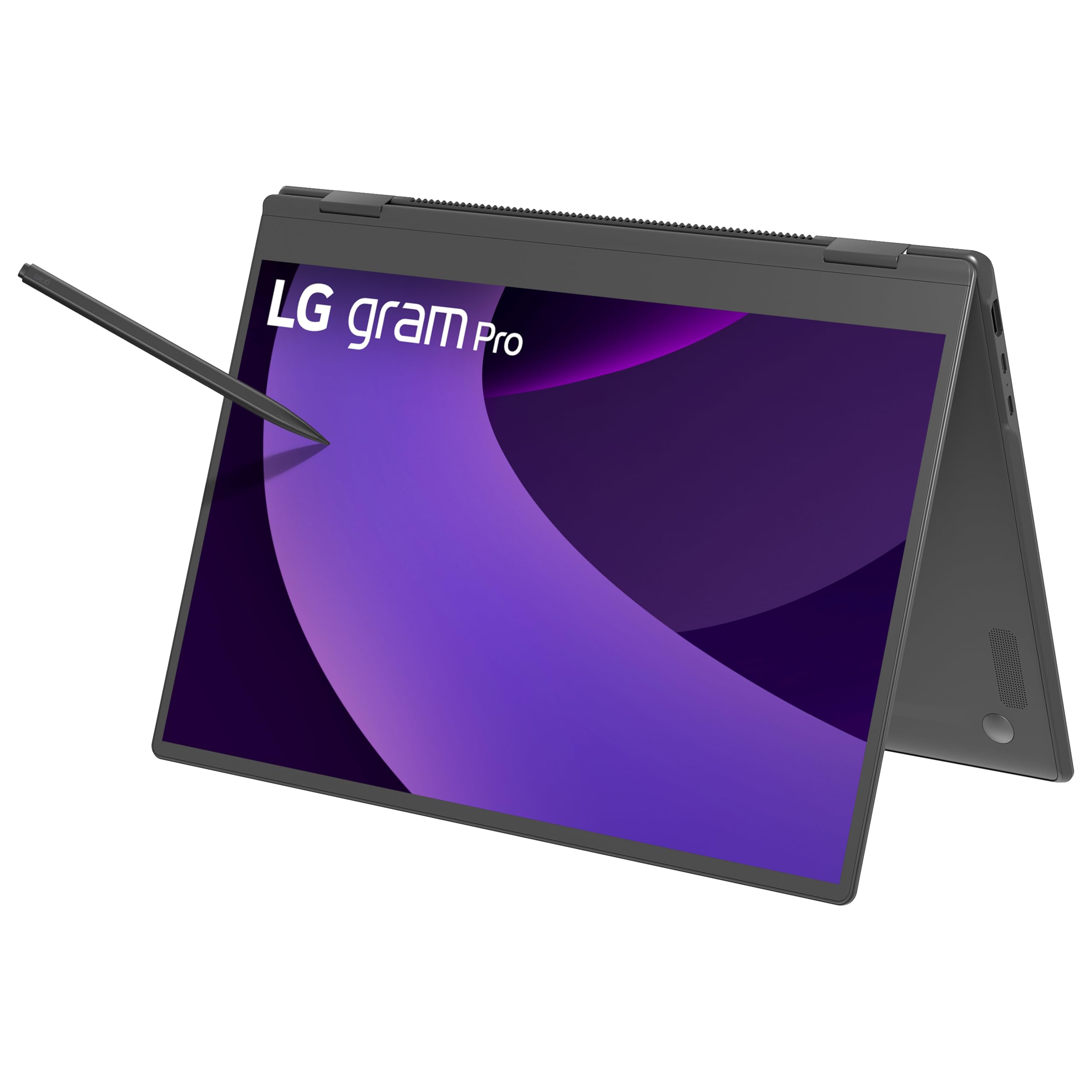
The LG gram Pro 2in1 achieves what no other 16-inch convertible has managed: a weight of 3.08 pounds in a full-size aluminum chassis with a 360-degree hinge. This weight reduction transforms the 2-in-1 experience because the machine is genuinely comfortable to hold in tablet mode for reading, sketching, or presenting. The Intel Core Ultra 7 255H processor delivers strong CPU performance with a capable NPU for Copilot+ features, and the 32GB of DDR5 RAM ensures the system can handle heavy multitasking without page file swaps. The 2TB SSD provides ample fast storage for large project files and media libraries.
The 16-inch IPS panel is not the highest resolution in this roundup (1920×1200), but it maintains 400 nits brightness and good color accuracy for most productivity work. The included stylus pen with 4096 levels of pressure sensitivity performs well for note-taking, though users have noted unreliable palm rejection and inconsistent right-click behavior from the pen’s rear button — an area where Samsung’s S Pen integration is smoother. The internal dual cooling system keeps the chassis from overheating during extended use, a critical factor given the thin profile.
Battery life is rated at up to 19 hours of video playback, and real-world mixed productivity use yields a full workday with margin to spare. The 77Wh battery is among the largest in the segment. Port selection includes two Thunderbolt 4 ports, USB-A, HDMI, a microSD slot, and a headphone jack — good coverage for a laptop this thin. The LG gram Link ecosystem allows file sharing across Android and iOS devices, adding convenience for multi-platform users. The MIL-STD-810G certification provides some reassurance about chassis durability despite the lightweight construction.
Why it’s great
- 3.08 pounds is the lightest 16-inch 2-in-1 you can buy
- 32GB RAM and 2TB SSD in a professional-quality build
- Excellent battery life with a large 77Wh battery
Good to know
- Display resolution is 1920×1200, not 2.5K or 3K
- Stylus palm rejection and eraser button are unreliable
7. Lenovo Yoga 7i 2-in-1 (Ultra 7 155U / 1TB)

This 1TB SSD variant of the Yoga 7i hits the price-to-performance sweet spot for users who need substantial local storage without the premium of the 2TB model. The Intel Core Ultra 7 155U processor with 12 cores delivers responsive performance for office productivity, creative applications, and moderate coding workloads. The 16GB DDR5 RAM ensures 20-plus browser tabs, a Slack instance, Spotify, and a document editor all remain active without hitting memory limits. The 2K (1920×1200) IPS touchscreen with 300 nits is satisfactory for indoor use, though color-critical work benefits from an external monitor calibration.
The 360-degree hinge is a signature Lenovo strength with reliable tension and smooth rotation. Users consistently report satisfaction with the build quality, noting that the Storm Grey chassis feels sturdy and premium despite being slightly heavier than the thinnest competitors. The backlit keyboard provides decent key travel, and the fingerprint reader is accurate and quick. Connectivity is comprehensive: two USB-A, two USB-C with Thunderbolt 4, HDMI, microSD reader, and a headphone jack.
Battery life is solid but not remarkable, delivering around 8-10 hours of mixed use. The pre-installed Lenovo Vantage software includes promotional notifications that some users find intrusive, but this does not affect the core hardware experience. The 1TB SSD provides ample room for most users’ files, applications, and media, making this a strong all-around choice for students and professionals who want a dependable 16-inch convertible without overspending.
Why it’s great
- 1TB SSD provides plenty of storage at a reasonable mid-range price
- Thunderbolt 4 and a full port selection reduce dongle dependency
- Proven Lenovo hinge design with reliable durability
Good to know
- Display brightness at 300 nits is less than ideal in bright rooms
- Lenovo Vantage includes promotional pop-up notifications
8. Lenovo Yoga 7i 2-in-1 (Ultra 5 226V)
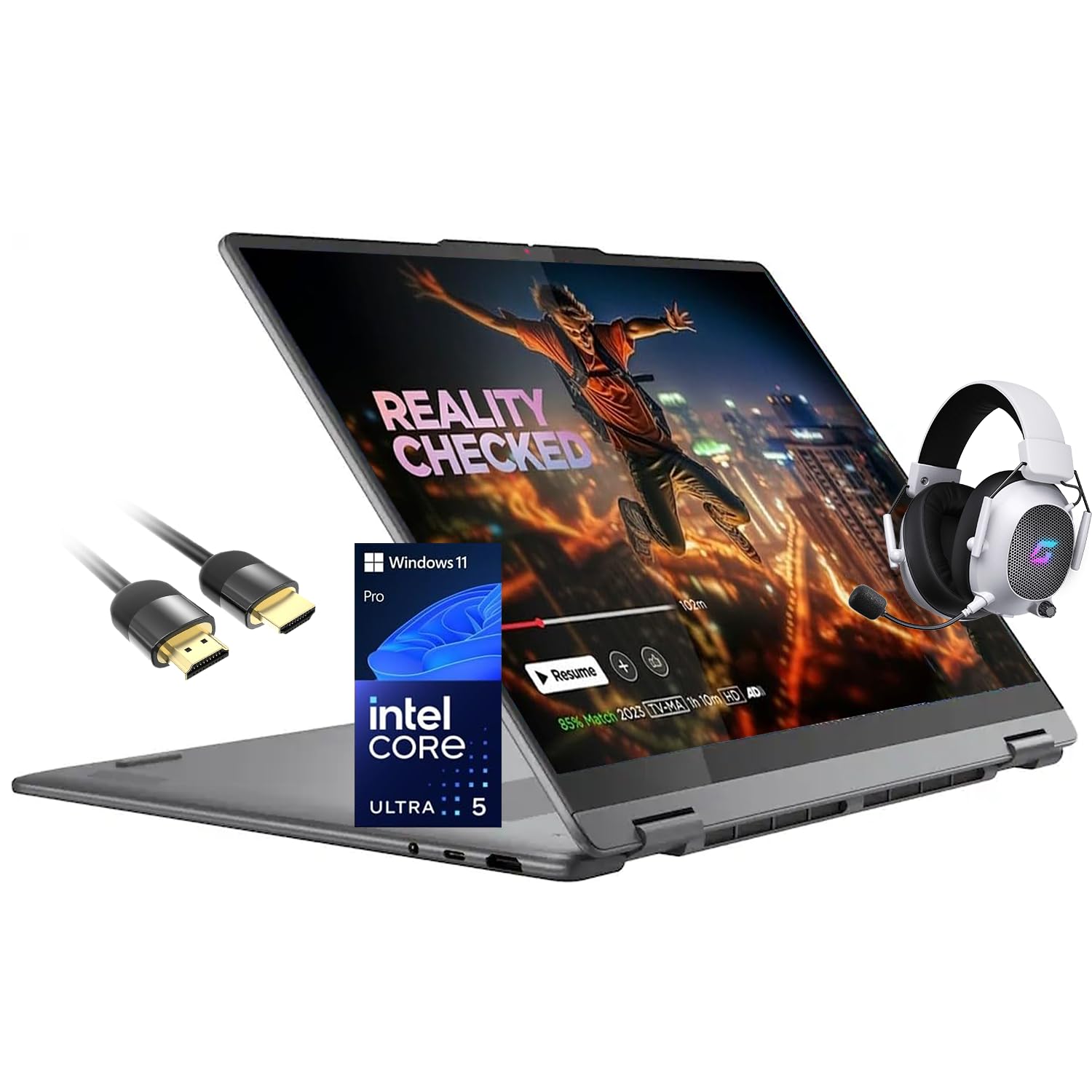
The Lenovo Yoga 7i equipped with the Intel Core Ultra 5 226V processor offers a forward-looking connectivity package with Wi-Fi 7 and Bluetooth 5.3, making it an ideal choice for users in dense wireless environments or those who frequently transfer large files over local networks. The Ultra 5 processor, while not as powerful as the Ultra 7, still provides a 40+ TOPS NPU for on-device AI tasks and handles typical multitasking with ease. The 16GB LPDDR5X RAM and 512GB PCIe SSD provide a solid baseline for mainstream productivity.
The 16-inch 2K (1920×1200) IPS touchscreen with 300 nits brightness and Low Blue Light technology is comfortable for long work sessions. The 360-degree all-metal chassis with a backlit keyboard and fingerprint reader feels premium, and the included Mytrix Gaming Accessory bundle adds value for entertainment-oriented users. The 71WHr battery delivers up to 15 hours of rated playback, with Rapid Charge Express providing three hours of use after just 15 minutes of charging — a genuinely useful fast-charge feature for users on tight schedules.
Port selection includes two Thunderbolt 4 ports, USB-A 3.2 Gen 1, HDMI, a microSD reader, and a headphone jack — robust connectivity for a mid-range 2-in-1. The system runs Windows 11 Pro out of the box, which adds BitLocker encryption and remote desktop capabilities. The build is slightly heavier than the absolute lightest competitors, but the combination of Wi-Fi 7, fast charging, and a solid feature set makes this a compelling choice for hybrid workers who value future-proof wireless specs.
Why it’s great
- Wi-Fi 7 provides the fastest wireless connectivity in this segment
- Rapid Charge Express delivers 3 hours of use after 15 minutes of charging
- All-metal chassis with Thunderbolt 4 and full HDMI
Good to know
- Core Ultra 5 is less powerful for heavy creative workloads than Ultra 7
- 512GB SSD may fill quickly for media-heavy users
9. Lenovo Yoga 7i 2-in-1 (Ultra 7 155U / 512GB)
This 512GB SSD configuration of the Yoga 7i with the Core Ultra 7 155U cores the same excellent processor as the higher-tier models, making it a smart choice for users who prioritize CPU power over local storage. The 12-core processor with 14 threads handles demanding multitasking, light video editing, and even some 3D modeling without stuttering. The 16GB DDR5 RAM is sufficient for most productivity scenarios, and the integrated Intel Arc graphics can manage light gaming at moderate settings. The 2K IPS touchscreen with 300 nits is serviceable for indoor use, and the anti-glare NanoEdge panel helps reduce reflections.
The 360-degree hinge remains a strong asset, providing reliable mode switching that feels durable enough for daily use. The backlit keyboard and fingerprint reader add convenience and security. Port selection is generous with two USB-A, two USB-C with Thunderbolt support, HDMI, microSD reader, and a headphone jack — the full Lenovo Yoga port suite that makes external hubs unnecessary for most setups. The Storm Grey chassis has a professional, understated aesthetic that works in both home and office environments.
The 512GB SSD is the main trade-off for the Ultra 7 processor at this price. Users with large media libraries or multiple applications installed will need to rely on cloud storage or external drives sooner than with the 1TB or 2TB models. Battery life is similar to the other Yoga 7i variants, delivering around 8-10 hours of real-world mixed use. For users who want the fastest processor available in a 16-inch Lenovo convertible but are willing to manage storage, this is a smart compromise.
Why it’s great
- Core Ultra 7 155U delivers strong CPU performance at a reasonable price
- Comprehensive port selection with Thunderbolt 4 and full HDMI
- Reliable 360-degree hinge from a trusted brand
Good to know
- 512GB SSD fills quickly; plan for cloud or external storage
- Display brightness is only 300 nits
10. Lenovo Yoga 7i 2-in-1 (i5-1240P)

The 12th-generation Intel Core i5-1240P variant of the Yoga 7i provides an entry point into the 16-inch 2-in-1 category without sacrificing the core convertible experience. The i5-1240P with 12 cores and 16 threads still delivers solid performance for web browsing, Microsoft Office, streaming, and light creative tasks — though it will not match the responsiveness of newer Core Ultra chips in AI-accelerated workloads. The real draw here is the 2.5K (2560×1600) display at 400 nits, which offers sharper text and better brightness than many newer budget-tier 2-in-1s. The included stylus pen bundle with a magnetic cap adds immediate note-taking capability out of the box.
The 8GB RAM configuration is the most significant limitation. While sufficient for basic productivity tasks, running multiple applications simultaneously will hit memory limits quickly, causing the system to rely on slower SSD paging. The 256GB SSD also fills up fast. This configuration is best suited for students with modest computer needs or as a secondary device for media consumption and light document editing. The fingerprint reader provides quick and secure login, and the backlit keyboard is comfortable for typing.
Battery life is rated at around 6 hours, which is below the modern standard for this category. The 4-cell lithium-ion polymer battery is adequate for a few classes or meetings but will not last a full workday on a single charge. The build quality still feels premium thanks to the aluminum chassis, and the 360-degree hinge is the same reliable design Lenovo uses in its higher-end models. This is a functional, budget-conscious entry point into the 16-inch 2-in-1 form factor, provided you accept the RAM and storage limitations.
Why it’s great
- 2.5K 400-nit display is excellent for the price point
- Included stylus pen bundle adds immediate creative capability
- Reliable Lenovo build and hinge design
Good to know
- 8GB RAM and 256GB SSD limit multitasking and storage
- Battery life around 6 hours is below modern standards
11. HP OmniBook 5 16 inch (Snapdragon X)

The HP OmniBook 5 powered by the Snapdragon X X1-26-100 processor is the battery endurance leader in this category by a wide margin. HP rates it at up to 34 hours and 45 minutes of battery life, and real-world usage reports confirm exceptional runtimes that can last multiple days of moderate use or a full transatlantic flight with heavy streaming. The Qualcomm Adreno GPU handles desktop graphics and light gaming reasonably well, but the ARM-based architecture means compatibility with legacy x86 software and modern PC games is inconsistent — this is a productivity-first machine, not a gamer’s device.
The 2K OLED display (1920×1200) at 300 nits produces rich colors and deep blacks typical of OLED panels, making it a pleasure for media consumption. However, the reflective screen surface can be distracting in brightly lit environments. The chassis is made from recycled materials and feels sturdy, with a lightweight build that is easy to carry. HP Fast Charge can restore 50% battery in approximately 30 minutes, which is a practical safety net when you do need to top up.
There are several notable limitations. The Snapdragon X chip, while efficient, lacks the raw CPU and GPU power of Intel Core Ultra alternatives for demanding tasks. The RAM is soldered and not upgradable, and the SSD is replaceable but not easily. The keyboard is not backlit — an omission that frustrates work in dim environments. The camera privacy shutter is a thoughtful addition, and the HP True Vision FHD IR camera supports Windows Hello facial recognition. For users whose primary need is all-day, multi-day battery life for web-based work, email, document editing, and media streaming, the OmniBook 5 is the undisputed champion.
Why it’s great
- Up to 34 hours of battery life is unmatched in this category
- OLED display provides excellent color and contrast for media
- HP Fast Charge delivers 50% battery in 30 minutes
Good to know
- Snapdragon X ARM processor has limited gaming and legacy app compatibility
- Non-backlit keyboard and reflective display in bright conditions
12. Dell 16 Plus Laptop DB16250
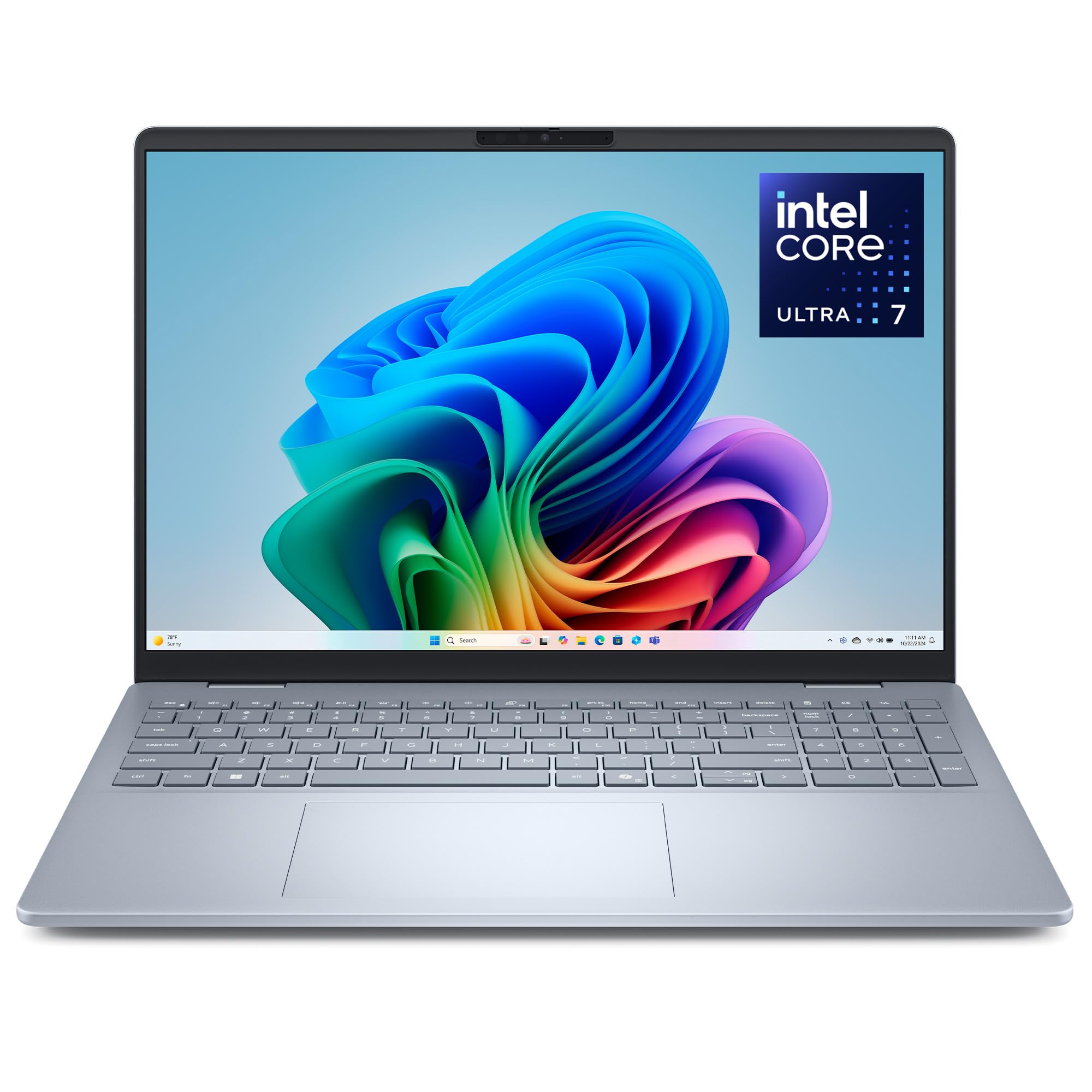
The Dell 16 Plus DB16250 focuses on display quality and build durability. The 16-inch 2.5K (2560×1600) IPS anti-glare panel with 100% sRGB coverage is one of the sharpest and most color-accurate displays in this roundup, making it an excellent choice for photo editing, data visualization, and any task where text clarity matters. The 16:10 aspect ratio provides generous vertical real estate, and the matte finish eliminates reflections that plague glossy touchscreens — though note that this is not a 2-in-1 convertible. The Intel Core Ultra 7 256V with 47 TOPS NPU delivers competitive AI performance, and the Intel Arc graphics handle light creative workloads smoothly.
The chassis is crafted from high-quality aluminum and has undergone MIL-STD-810G testing for durability. The backlit keyboard includes a dedicated Copilot key for quick AI assistant access, and the FHD+ webcam with Windows Hello provides secure facial login. At approximately one inch thick, it is not the thinnest option, but the trade-off is better thermal management and a sturdy feel. The 1TB SSD provides ample storage, and the 16GB LPDDR5X RAM is sufficient for most multitasking scenarios.
This is not a 2-in-1 — it is a traditional clamshell laptop. It earns a place in this guide because its 16-inch display and portability make it a strong alternative for users who want the screen size and performance of a 2-in-1 but do not need the convertible hinge. Battery life is good for a performance-focused machine, and Dell’s 1-year onsite service provides additional peace of mind. The main connectivity drawback is the single USB-A port, which may require a hub for users with multiple legacy peripherals.
Why it’s great
- 2.5K anti-glare display with 100% sRGB is excellent for color work
- Intel Core Ultra 7 256V with 47 TOPS NPU for AI tasks
- MIL-STD-810G durability testing and 1-year onsite service
Good to know
- This is a clamshell laptop, not a 2-in-1 convertible
- Only one USB-A port; may require a hub
13. Alienware 16 Aurora AC16250

The Alienware 16 Aurora is the only entry in this roundup featuring a discrete NVIDIA GeForce RTX 5060 GPU with 8GB of GDDR7 VRAM, making it the clear choice for any buyer who needs serious gaming or GPU-accelerated rendering performance in a 16-inch laptop. The Intel Core 7-240H (Series 2) processor paired with the RTX 5060 delivers 80-120 FPS in modern titles at high settings, and the 16:10 WQXGA (2560×1600) display with 300 nits brightness provides good visual fidelity for both gaming and productivity. The Alienware Cryo-Tech cooling system with a redesigned rear thermal shelf focuses airflow directly on the GPU and CPU, though the fans are loud under load — an expected trade-off for this level of performance.
At over 5 pounds, the Aurora is the heaviest laptop in this guide, and its battery life during gaming is predictably short. However, for non-gaming productivity tasks, the battery life is surprisingly decent — enough for a full day of office work on a single charge. The chassis features Alienware’s distinctive design language with customizable RGB lighting zones and a sturdy build. The 1TB SSD provides fast game loading, and the 16GB DDR5 RAM is sufficient for most gaming scenarios.
This is not a 2-in-1 convertible — it is a traditional gaming clamshell. It is included here because users seeking a powerful 16-inch laptop for both work and gaming often cross-shop this segment with convertibles. The laptop has no fingerprint reader and relies on Windows Hello facial recognition. Dell’s 1-year onsite service adds value for a gaming laptop that may experience thermal-related issues over time. For any buyer who prioritizes gaming performance above all else, the Alienware 16 Aurora is the definitive option in this guide.
Why it’s great
- RTX 5060 with 8GB GDDR7 delivers genuine gaming performance
- WQXGA 2560×1600 display is excellent for both work and games
- Alienware Cryo-Tech cooling manages GPU thermals effectively
Good to know
- Over 5 pounds and loud fans under load
- Not a 2-in-1 convertible — traditional clamshell gaming laptop
FAQ
Can a 16-inch 2-in-1 laptop replace a tablet for note-taking?
How much RAM do I really need in a 16-inch 2-in-1 in 2025?
What is the real-world battery life difference between OLED and IPS displays in 16-inch convertibles?
Can I upgrade the storage or RAM on these 16-inch 2-in-1 laptops?
Final Thoughts: The Verdict
For most users, the best 16 inch 2-in-1 laptop is the HP OmniBook X FLIP because it delivers a balanced combination of a 50 TOPS NPU, excellent 2K touchscreen, all-day battery life, and a premium 360-degree design at a mid-range price that does not compromise on build quality. If you prioritize a stunning 3K AMOLED display and the best stylus experience, grab the Samsung Galaxy Book5 Pro 360. And for pure value with 32GB of RAM and a 2TB SSD in a lightweight chassis, nothing beats the GEEKOM GeekBook X16 Pro.