
The holy grail of DDR5 memory has a very specific configuration: 16GB capacity, 6000MHz frequency, and absolutely no glowing LEDs. This particular spec isn’t a compromise—it’s the sweet spot where price-to-performance meets thermal efficiency, offering the blazing-fast data transfer your modern CPU craves without the unnecessary power draw or aesthetic clutter of RGB lighting. For builders who prioritize substance over show, this combination delivers the high-bandwidth, low-latency foundation that Intel 13th/14th Gen and AMD Ryzen 7000/8000 platforms are engineered to exploit.
I’m Min — the co-founder and writer behind Gadgets Feed. I’ve spent countless hours cross-referencing memory subtimings, real user benchmarks, and platform-specific QVL lists to find the DIMMs that actually deliver on their rated 6000MHz CL30/CL36 promises without demanding a BIOS wrestling match.
Finding a genuine non-RGB stick at this speed and latency means cutting through the noise. This guide is built around the best 16gb ddr5 ram 6000 non-rgb modules that prioritize rock-solid stability and clean thermal performance over flashy aesthetics.
How To Choose The Best 16GB DDR5 RAM 6000 Non-RGB
Selecting a non-RGB DDR5 kit at 6000MHz requires a laser focus on three core elements: the memory chip manufacturer, the programmed latency (CL), and the overclocking profile support. Pre-built RGB ecosystems often inflate the price, so a non-RGB module should theoretically offer better value for the same silicon. The key is verifying that the absence of lights doesn’t mean a corner cut on the actual memory die quality.
Latency Timing: CL30 vs CL36 vs CL40
The Column Address Strobe (CAS) latency defines how many clock cycles it takes for the memory to return data. At 6000MHz, CL30 (30-36-36-76 or similar) is the gold standard, offering the snappiest response in memory-sensitive games and rendering tasks. CL36 is the solid mid-range option that keeps costs down while still offering excellent throughput. CL40 or higher kits at this frequency are often budget-bin dies that miss the performance point of paying for 6000MHz in the first place.
Single Stick vs. Dual-Channel Kits
A single 16GB stick of DDR5 offers a generational bandwidth upgrade over DDR4, but it runs in single-channel mode, which severely cripples the memory controller’s efficiency. A 2x16GB kit (32GB total) is the true performance standard, enabling dual-channel interleaving that doubles the theoretical bandwidth. If your budget allows, always opt for the dual-channel kit—the performance uplift in 1% low framerates and file compression speeds is dramatic and immediate.
EXPO vs. XMP 3.0: Platform Lock-In
AMD’s EXPO (Extended Profiles for Overclocking) and Intel’s XMP 3.0 are both one-click overclocking profiles that push the JEDEC default (4800MHz) up to the rated 6000MHz. While many modern kits include both profiles on the same stick, some budget modules are optimized for one platform exclusively. An AMD-centric kit (like the G.Skill Flare X5) is tuned specifically for the Ryzen memory controller’s topology, often resulting in tighter subtimings than a generic XMP stick would achieve on the same board.
Quick Comparison
On smaller screens, swipe sideways to see the full table.
| Model | Category | Best For | Key Spec | Amazon |
|---|---|---|---|---|
| Patriot Viper Venom | Premium Single | Elite CL30 Single-Channel | 6000MHz CL30 (30-40-40-76) | Amazon |
| ADATA Lancer | Mid-Range Single | Budget-Friendly CL30 | 6000MHz CL30 | Amazon |
| Kingston Fury Beast | Single Module | Low-Profile Fit | 6000MT/s CL36 | Amazon |
| PUSKILL 32GB Kit | Value Dual | Budget Dual-Channel | 6000MHz CL30 (2x16GB) | Amazon |
| TEAMGROUP T-Force Vulcan | Best Overall Kit | Silent High-Performance | 6000MHz CL30 (2x16GB) | Amazon |
| G.Skill Flare X5 | AMD Optimized | AM5 Plug-and-Play | 6000MT/s CL30 (2x16GB) | Amazon |
| Crucial Pro 32GB Kit | Budget Dual | Entry-Level Upgrade | 6000MHz CL48 (2x16GB) | Amazon |
In‑Depth Reviews
1. Patriot Memory Viper Venom DDR5 16GB 6000MHz CL30

The Patriot Viper Venom sets the pace with its aggressive CL30-40-40-76 timing at a 1.35V operating voltage, a combination that usually only appears on premium binned dies. As a single 16GB module, it’s ideal for builders who want to start with one high-performance stick and add a matching second later for dual-channel operation. The on-die ECC feature provides a layer of data integrity typically found on workstation-class memory, making it a safe bet for both gaming and production workloads.
Users consistently report effortless EXPO and XMP 3.0 activation, hitting the rated 6000MHz without manual voltage tweaking. The 50-gram weight and standard DIMM profile mean it fits under even the largest air coolers without clearance issues. The heatsink is stealth-black aluminum with no logos protruding, maintaining the pure non-RGB aesthetic that serious builders demand.
The only catch is the premium you pay for that CL30 die bin. This module sits at the higher end of the single-stick spectrum, but if you’re chasing the lowest latency for competitive gaming, the Viper Venom’s validated XMP 3.0/EXPO dual support makes it a future-proof investment that will transition seamlessly between Intel and AMD platforms.
Why it’s great
- ELITE CL30 timing at stock voltage
- Dual XMP 3.0 and EXPO support for platform flexibility
- On-die ECC for enhanced data stability
Good to know
- Premium price per stick for the CL30 bin
- Single module — need two for dual-channel performance
2. ADATA Lancer DDR5 16GB 6000MHz CL30

The ADATA Lancer delivers CL30 latency at a mid-range price point, making it a smart pick for budget-conscious builders who refuse to compromise on responsiveness. The XMP 3.0 profile is factory-tested for Intel LGA1700 platforms, and several users have reported successful manual overclocks pushing the module beyond 6200MHz with increased voltage. The design is clean and simple, with a black aluminum heatsink that sheds heat effectively without any light bleeding.
However, this stick is technically part of the “Lancer Neon RGB” product line, and the non-RGB version can sometimes be hard to distinguish from its illuminated sibling. The 72-gram weight is slightly heavier than competitors due to a denser heatsink, which contributes to lower junction temperatures during extended memory stress tests. For single-module setups, the ADATA Lancer is a reliable workhorse that punches above its price class.
The trade-off comes in subtiming optimization. While the primary CL30 rating is solid, the memory chips may not be as tightly binned as those in the Patriot Viper Venom, meaning you might hit a wall earlier if you attempt aggressive manual timing reductions. Stick to the XMP profile, and the Lancer performs flawlessly in everyday gaming and productivity tasks.
Why it’s great
- CL30 latency at a competitive entry point
- Dense heatsink provides strong thermal performance
- Reported headroom for manual overclocking beyond 6000MHz
Good to know
- Subtle RGB branding may appear on packaging
- Not as tightly binned as premium CL30 competition
3. Kingston FURY Beast 16GB 6000MT/s CL36

The Kingston FURY Beast is the go-to choice for SFF (Small Form Factor) builds where clearance above the memory slots is at a premium. At only 38.6 grams and a low-profile heatsink design, it slides under massive dual-tower air coolers like the Noctua NH-D15 or Deepcool Assassin IV without any clearance drama. The CL36 latency is a step above budget CL40 dies but remains highly competitive, offering 6000MT/s throughput for Intel XMP 3.0 systems.
Kingston’s reputation for rock-solid compatibility is well-earned here. The FURY Beast auto-overclocking feature works seamlessly on both Intel 600/700 series and AMD AM5 boards, recognizing the memory controller topology and applying the appropriate profile. The heatsink is purely functional, with no superfluous plastic shrouds or RGB diffusers that could trap heat.
The primary drawback is that for the premium Kingston asks, the CL36 timing is not as aggressive as competing CL30 sticks at a similar price. If you need the absolute lowest latency for competitive framerates, you may want to pay a bit more for a CL30 kit. However, if your priority is guaranteed compatibility and a foolproof installation under crowded CPU cooling, the Beast is the most risk-free option available.
Why it’s great
- Ultra-low profile fits under massive air coolers
- Auto-overclocking profile works on both Intel and AMD
- Lightest module at 38.6g, ideal for compact builds
Good to know
- CL36 latency, not CL30 — slightly slower response
- Higher tier price for mid-range timing spec
4. PUSKILL 32GB (2x16GB) 6000MHz CL30 Desktop Memory
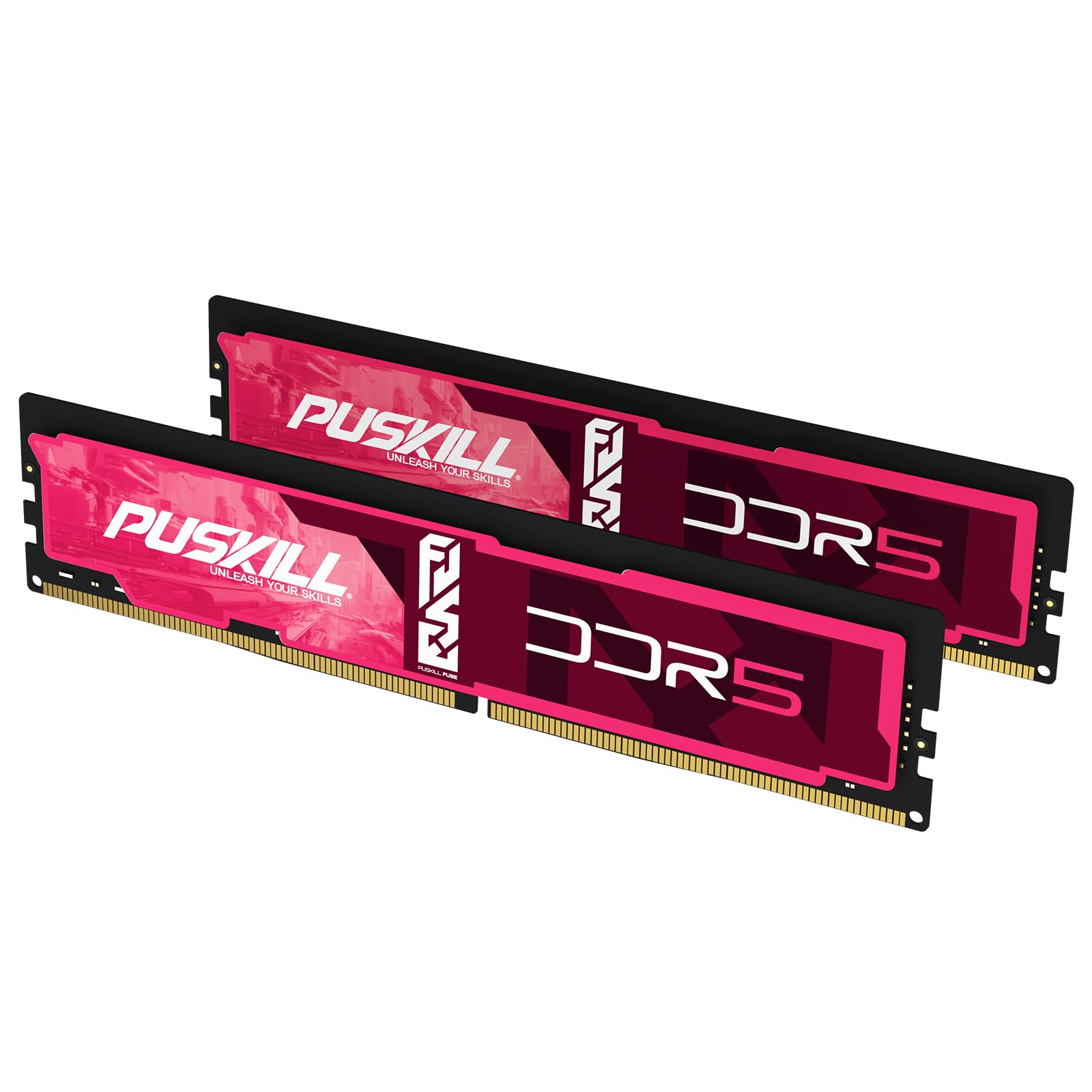
The PUSKILL 32GB kit breaks the market convention that tight CL30 timings and dual-channel capacity cost a premium. With its ultra-low CL30-36-36-76 latency, this kit matches the flagship Patriot Viper Venom in CAS latency while delivering double the total capacity out of the box. The 1.35V PMIC (Power Management IC) ensures stable voltage delivery during sustained loading, keeping heat in check even during long rendering sessions or all-night gaming marathons.
Compatibility is broad, with certified support for Intel LGA1700 (12th, 13th, 14th Gen) and AMD AM5 (Ryzen 7000/8000) platforms. The one-click XMP 3.0 and EXPO profiles are factory validated, and user reports confirm that enabling the profile in BIOS immediately locks in the full 6000MHz speed without manual tweaking. The matte black heatspreader design is minimalist and non-intrusive, fitting seamlessly into any theme.
The main caveat is that these are two individually packaged 16GB modules rather than a factory-matched kit in a single blister pack. While this has no performance impact—the memory controller handles synchronization—some buyers noted receiving sticks from different production batches. For most users, this is irrelevant, but if you care about absolute binning uniformity, look for a kit that guarantees matched pair packaging.
Why it’s great
- Flagship CL30 latency at a budget kit price
- Dual 16GB sticks for immediate dual-channel bandwidth
- Full XMP 3.0 and EXPO support for broad platform coverage
Good to know
- Delivered as two separate modules, not a factory-matched kit pair
- Potential for mixed production batches between sticks
5. TEAMGROUP T-Force Vulcan 32GB (2x16GB) 6000MHz CL30

The TEAMGROUP T-Force Vulcan 32GB kit is the undisputed sweet spot for any performance-oriented build that doesn’t want to pay for RGB. This dual-channel 2x16GB configuration runs at 6000MHz CL30 using SK hynix A-die memory chips, widely regarded as the most overclockable DDR5 dies on the market. The low-profile heatsink measures barely taller than the PCB itself, making it an easy fit under any CPU air cooler, including the chunkiest dual-tower designs.
Real-world performance is outstanding. Users report instant EXPO enablement on AM5 boards (B650, X670, B850) with flawless 6000MHz CL30 stability, and the kit plays nicely with Ryzen’s Infinity Fabric, keeping the FCLK (Fabric Clock) at the ideal 1:1 ratio. For Intel builders, the XMP 3.0 profile works equally well on Z690 and Z790 boards. The Vulcan is a favorite among competitive gamers because it eliminates stutter entirely in memory-bound titles, offering 1% low framerate improvements that are immediately noticeable.
The only reason to look elsewhere is if you need 64GB or more capacity. TEAMGROUP limits this specific Vulcan line to the 32GB kit at this latency bin. Additionally, the silver color of the heatspreader (as opposed to standard black) may clash with some all-black build themes, though this is purely cosmetic and varies by retail revision.
Why it’s great
- SK hynix A-die chips — best-in-class overclocking potential
- Lowest latency (CL30) at ideal dual-channel capacity
- Ultra-low profile fits under giant air coolers
Good to know
- No higher capacity options (64GB) at this CL30 bin
- Silver heatsink may not match all motherboard aesthetics
6. G.Skill Flare X5 32GB (2x16GB) 6000MT/s CL30

The G.Skill Flare X5 is the de facto standard for AMD Ryzen 7000 and 8000 series builds, and for good reason. This kit was co-engineered with AMD to leverage the EXPO overclocking technology, offering pre-tuned subtimings that squeeze every ounce of performance from the Ryzen memory controller. At CL30-38-38-96 and 1.35V, the Flare X5 strikes the ideal balance between bandwidth and latency, hitting the FCLK sweet spot that keeps Infinity Fabric running in synchronous 1:1 mode.
Installation is genuinely plug-and-play on compatible motherboards—users on X670E and B850 boards report that enabling EXPO results in immediate boot at the full 6000MT/s without any POST failures or training cycles. The matte black heatsink is specifically designed to avoid interfering with AM5’s offset CPU socket, ensuring zero clearance issues with tall CPU coolers. G.Skill’s rigorous binning process means each kit is paired at the factory, guaranteeing matched dies across both sticks.
The premium price is the main barrier. This kit sits at the top of the pricing tier for a 32GB 6000MHz CL30 set, largely because of G.Skill’s reputation and the AM5-specific validation costs. For Intel users, the XMP 3.0 profile also works well, but you’re paying for EXPO engineering that you won’t fully utilize on a non-AMD platform. If you’re building a high-end Ryzen system, the Flare X5 is a future-proof, hassle-free investment.
Why it’s great
- Factory-matched SK hynix dies for guaranteed stability
- AMD EXPO optimized with pre-tuned subtimings
- Proven compatibility across all AM5 motherboard generations
Good to know
- High premium for the EXPO branding on AMD builds
- Intel users pay extra for unused AMD-specific tuning
7. Crucial Pro 32GB (2x16GB) 6000MHz CL48

The Crucial Pro 32GB kit is the most affordable way to get a full 32GB (2x16GB) dual-channel DDR5 setup running at 6000MHz. Backed by Micron’s 42 years of memory engineering, this kit uses Micron’s own in-house dies rather than third-party chips, ensuring a vertically integrated production chain that tends to produce consistent quality. The 1.1V operating voltage is remarkably low, resulting in lower thermal output than any other kit on this list, which is a massive benefit for power-constrained or silent builds.
The CL48 latency is the obvious compromise here. At 48 clock cycles, this kit is significantly slower to respond than any CL30 or CL36 competitor, which directly impacts memory-sensitive tasks like competitive gaming frame times and compression workloads. For general productivity, web browsing, and even moderate AAA gaming, the higher bandwidth of 6000MHz still provides a smooth experience, but memory-bound benchmarks will trail the CL30 kits by a noticeable margin.
Crucial’s support for both Intel XMP 3.0 and AMD EXPO on the same module is a genuine convenience—you can swap this kit between platforms without worrying about profile compatibility. However, the lower voltage limit (1.1V) means there is minimal headroom for manual overclocking. If your budget is strict and you need 32GB of 6000MHz capacity without caring about the pinnacle of response times, the Crucial Pro is a reliable, cool-running workhorse.
Why it’s great
- Lowest operating voltage (1.1V) for minimal heat output
- Micron’s proprietary dies ensure consistent quality control
- True dual-platform support (Intel XMP 3.0 + AMD EXPO)
Good to know
- CL48 latency is significantly slower than CL30/CL36 alternatives
- Very limited overclocking headroom due to voltage constraints
FAQ
Is 6000MHz CL30 worth it over CL36?
Can I use a single 16GB stick for gaming?
Does non-RGB RAM perform differently than RGB RAM?
What happens if I mix two different 16GB 6000MHz kits?
Why does my 6000MHz RAM boot at 4800MHz by default?
Final Thoughts: The Verdict
For most users, the best 16gb ddr5 ram 6000 non-rgb winner is the TEAMGROUP T-Force Vulcan 32GB Kit because it delivers the ideal sweet spot of dual-channel capacity, CL30 latency, and SK hynix A-die quality at a price that outclasses the competition. If you want absolute AM5-specific optimization with zero setup friction, grab the G.Skill Flare X5. And for the tightest possible budget that still demands 32GB capacity, nothing beats the Crucial Pro 32GB Kit despite its CL48 latency penalty. Choose based on your latency tolerance, and build with confidence.