
The 16GB VRAM threshold is no longer a luxury—it’s the new baseline for high-refresh 1440p gaming, serious 4K texture packs, and local AI inference. Choosing the wrong card here means hitting a VRAM wall mid-generation, forcing texture detail drops or out-of-memory errors in demanding titles.
I’m Min — the co-founder and writer behind Gadgets Feed. I’ve spent countless hours analyzing GPU architectures, VRAM bandwidth benchmarks, and thermal performance data across the latest NVIDIA Blackwell and AMD RDNA 4 lineups to isolate which 16GB cards actually deliver on their framebuffer promise.
This guide breaks down the critical specs, real-world performance, and cooling trade-offs to help you select the right 16gb graphics card for your build, whether you’re chasing high-FPS eSports or stable AI workloads.
How To Choose The Best 16GB Graphics Card
Not all 16GB cards are created equal. Memory type, interface bandwidth, and core architecture dramatically shape what that VRAM can actually do. Here’s what matters most.
Memory Type: GDDR7 vs GDDR6
GDDR7 pushes effective bandwidth significantly higher than GDDR6 at the same memory bus width. A 128-bit card with GDDR7 can rival a 256-bit card using GDDR6 in raw throughput—meaning more frame buffer bandwidth for high-res textures. Cards like the PNY RTX 5060 Ti and MSI RTX 5070 Ti leverage GDDR7 to deliver smoother 1440p and 4K performance despite narrower buses.
PCIe Interface Generation
PCIe 5.0 cards are backward-compatible but benefit from the extra bandwidth in games and creative suites that stream large assets. The Gigabyte RX 9060 XT and RTX 5070 Ti variants include PCIe 5.0 support, ensuring your card isn’t bandwidth-starved in future upgrade paths. Older motherboards using PCIe 4.0 or 3.0 will still work, but you may leave some performance on the table at 4K ultra settings.
Cooling Solution & Form Factor
Triple-fan designs like the Gigabyte Gaming OC series provide superior thermal headroom for sustained loads, while compact dual-fan cards like the PowerColor Reaper fit small form-factor builds but may run warmer under extended gaming sessions. Check card length and slot thickness against your case before buying—many 16GB cards are 2.5-slot or larger.
Ray Tracing & Upscaling Support
NVIDIA’s DLSS 4 and AMD’s FSR 4 dramatically extend the usable life of a 16GB card by enabling AI-driven upscaling. Cards with dedicated Tensor Cores (RTX 5060 Ti, RTX 5070 Ti, RTX 5080) offer superior ray tracing performance and frame generation, while AMD’s RDNA 4 cards provide competitive raw rasterization at lower price points with FSR support.
Quick Comparison
On smaller screens, swipe sideways to see the full table.
| Model | Category | Best For | Key Spec | Amazon |
|---|---|---|---|---|
| MSI RTX 5070 Ti Ventus 3X | Premium | 1440p Ultra & AI | 16GB GDDR7 / 256-bit | Amazon |
| Gigabyte RTX 5070 Ti Gaming OC | Premium | 4K High Refresh | 16GB GDDR7 / 2588 MHz | Amazon |
| ZOTAC RTX 5080 Solid CORE OC | Premium | Enthusiast 4K Gaming | 16GB GDDR7 / 30 Gbps | Amazon |
| PNY RTX 5060 Ti OC Dual Fan | Mid-Range | 1080p/1440p Gaming | 16GB GDDR7 / 2692 MHz | Amazon |
| Sapphire RX 9060 XT Pulse | Mid-Range | 1440p & Linux Workflows | 16GB GDDR6 / 3290 MHz | Amazon |
| XFX Swift RX 9060 XT | Mid-Range | Budget 1440p Gaming | 16GB GDDR6 / 3320 MHz | Amazon |
| PowerColor Reaper RX 9060 XT | Mid-Range | SFF Builds | 16GB GDDR6 / 200mm Length | Amazon |
| Gigabyte RX 9060 XT Gaming OC | Mid-Range | High-FPS 1080p | 16GB GDDR6 / 2700 MHz | Amazon |
| WEELIAO GUNNIR Intel Arc A770 | Value | Budget 4K & Content Creation | 16GB GDDR6 / 256-bit | Amazon |
| ASUS Dual RTX 5060 | Entry-Level | 1080p Gaming | 8GB GDDR7 / 2565 MHz | Amazon |
| Gigabyte RTX 5060 Windforce OC | Entry-Level | 1080p Gaming | 8GB GDDR7 / 2512 MHz | Amazon |
In‑Depth Reviews
1. MSI Gaming RTX 5070 Ti Ventus 3X OC

The MSI RTX 5070 Ti Ventus 3X OC hits the sweet spot for performance per dollar among 16GB cards. Built on the NVIDIA Blackwell architecture with 16GB of GDDR7 across a full 256-bit interface, this card delivers roughly 85% of RTX 5080 performance at a significantly lower investment. The TORX Fan 5.0 design with a nickel-plated copper baseplate keeps core temperatures well under 65°C during extended 1440p ultra sessions.
Real-world benchmarks show this card pushing 120-140 FPS in demanding titles like Tarkov and DayZ at 3440×1440, with DLSS 4 and frame generation pushing frame rates beyond 200 FPS in Battlefield 6. The 16GB VRAM buffer proves critical for high-resolution texture packs and eliminates the stutter issues common with 12GB cards in modern open-world games. The included support bracket also mitigates sag in larger cases.
For AI and cybersecurity workloads, the 5070 Ti handles Llama 3.1 8B inference and Hashcat operations efficiently thanks to the Blackwell Tensor Cores. The card is also SFF-Ready, meaning it fits into compact enthusiast cases without sacrificing thermals. The Ventus design omits RGB, which is a plus for users wanting a stealthy, professional look.
Why it’s great
- Outstanding 1440p/4K performance with DLSS 4
- Full 256-bit GDDR7 bus maximizes memory bandwidth
- Runs cool and quiet under sustained loads
Good to know
- 15.2-inch length requires a spacious case
- No RGB lighting for those who want it
2. Gigabyte GeForce RTX 5070 Ti Gaming OC 16G

The Gigabyte RTX 5070 Ti Gaming OC represents the flagship tier of the 16GB Blackwell lineup, with a 2588 MHz core clock that pushes past reference specs. The triple-fan WINDFORCE cooling system with server-grade thermal gel keeps hot spots manageable during sustained 4K workloads, and the 2.5-slot design offers a reasonable footprint for a card of this caliber.
Performance reviews highlight the 5070 Ti’s 16GB VRAM as the critical differentiator over the 5070’s 12GB allocation, especially when paired with a Ryzen 7 9800X3D for high-FPS 1440p gaming. The card’s robust overclocking headroom allows for additional performance gains beyond factory boost clocks, and the bundled power cables simplify installation. Users upgrading from a 3070 report significant temperature improvements, with the Gaming OC running quieter at full load.
The Gigabyte variant is praised for its aesthetic—clean lines, subtle RGB, and a sturdy backplate that resists sag without requiring a bracket. Display outputs include 3x DisplayPort 2.1a and 1x HDMI 2.1b, supporting 8K output. The 4-year EU spare part availability indicates Gigabyte’s confidence in long-term support, though case clearance remains a concern at just under 12 inches.
Why it’s great
- Excellent overclocking potential with stable thermals
- Superior cooling keeps noise low under load
- Premium build quality with solid backplate
Good to know
- Large size may not fit smaller cases
- Premium pricing reflects top-tier positioning
3. ZOTAC Gaming GeForce RTX 5080 Solid CORE OC
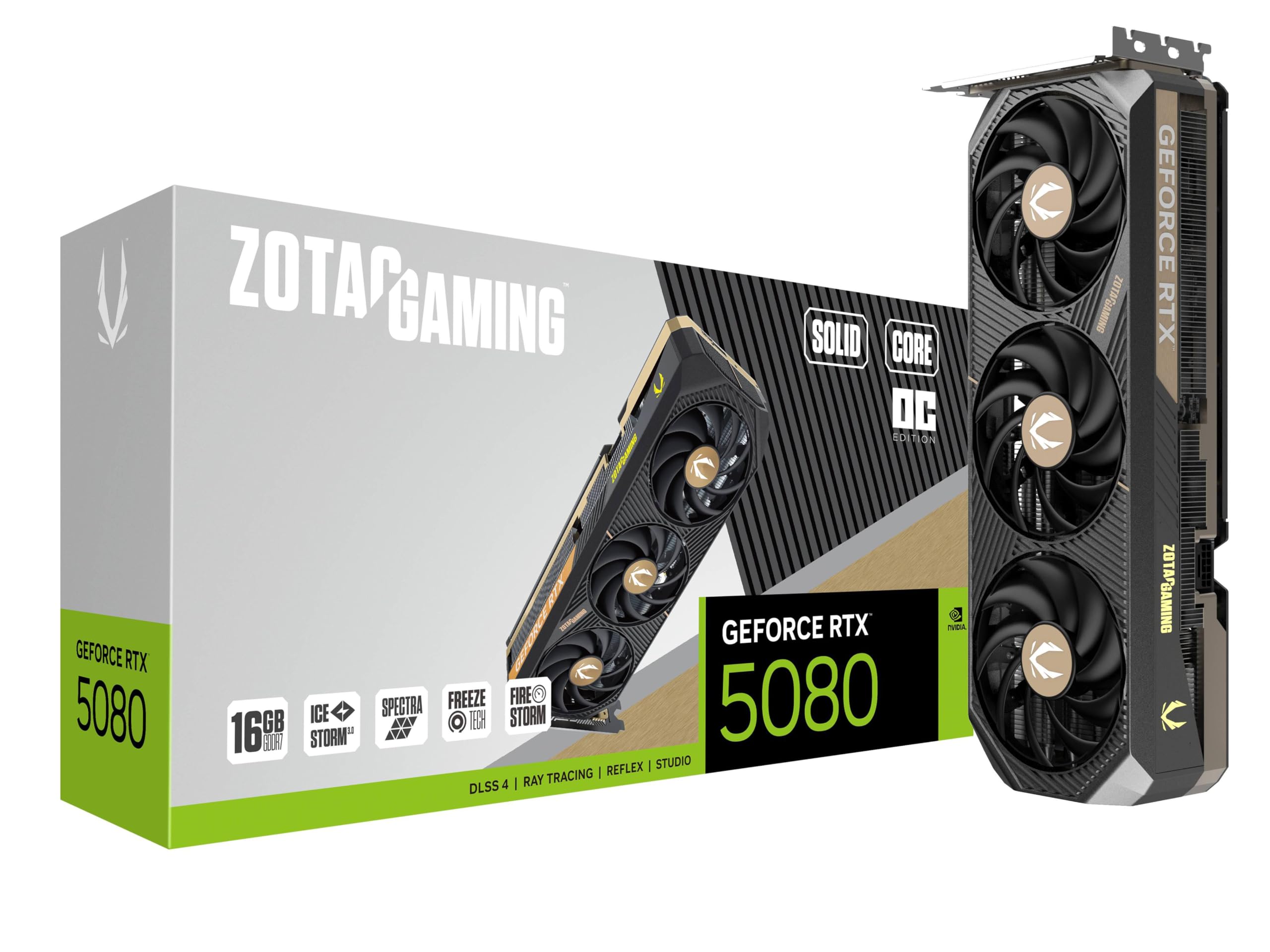
The ZOTAC RTX 5080 Solid CORE OC is the enthusiast-tier pick for those who demand maximum 4K performance without stepping up to the prohibitive pricing of a 5090. Its 16GB of GDDR7 running at 30 Gbps across a 256-bit interface delivers 15-22% better benchmarks than an RTX 3090, making it a compelling upgrade for high-refresh 4K monitors. The IceStorm 3.0 cooling system with vapor chamber and BladeLink fans maintains whisper-quiet operation even under sustained loads.
Gamers report this card handles Diablo 4 at maximum settings using under 50% GPU utilization, meaning significant headroom for future titles. The included GPU support stand reinforces the card’s frame in vertical or horizontal orientations, preventing sag in full-tower cases. Lighter than a 3080 Ti at roughly the same footprint, the 5080 fits most ATX cases without issue.
Creative professionals benefit from the 30 Gbps memory bandwidth for 8K video editing and complex 3D renders. The SPECTRA RGB lighting is fully customizable through ZOTAC’s software, and the 3x DisplayPort 2.1b plus HDMI 2.1b outputs support multi-monitor 8K setups. At this price tier, the 5080 justifies its premium with genuine generational leaps in both raster and ray tracing performance.
Why it’s great
- Blazing 30 Gbps memory bandwidth for 4K gaming
- Exceptional cooling with vapor chamber technology
- Lightweight design compared to previous generation
Good to know
- High-end pricing targets serious enthusiasts
- Requires at minimum a 750W power supply
4. PNY NVIDIA GeForce RTX 5060 Ti OC Dual Fan
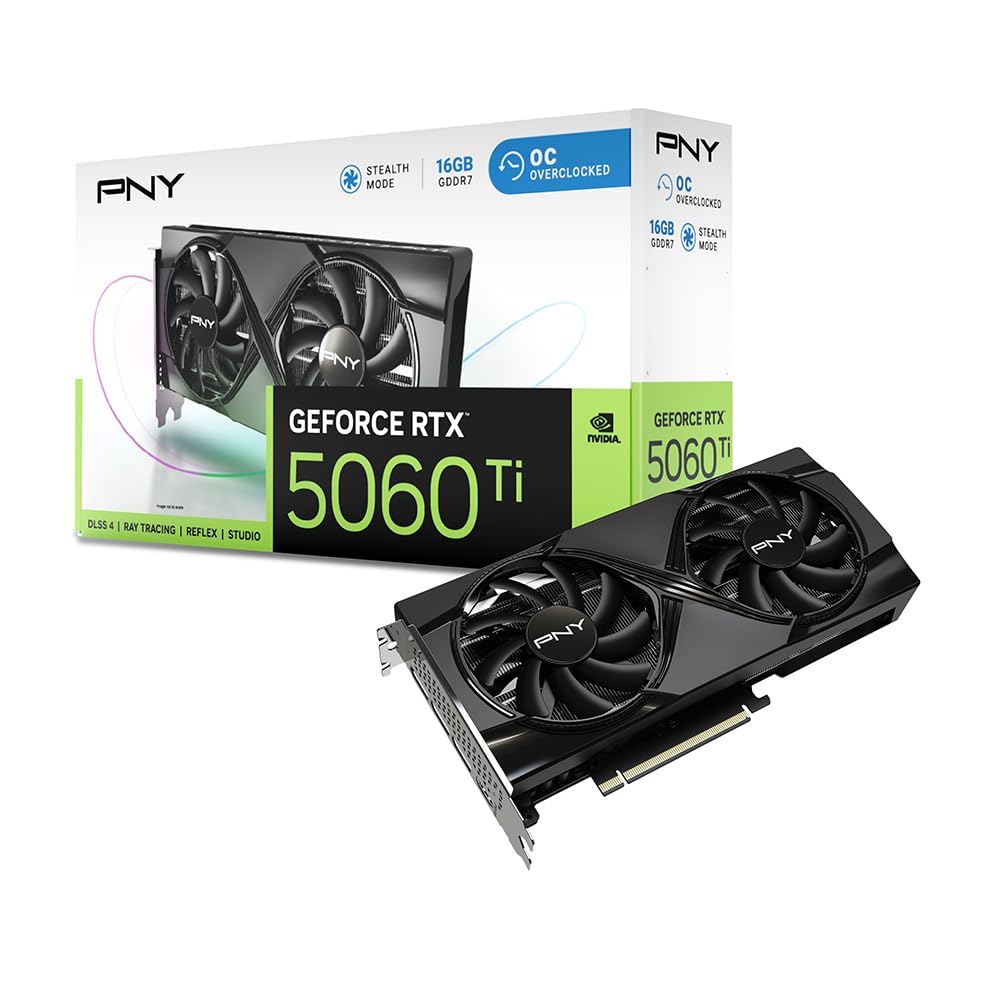
The PNY RTX 5060 Ti OC Dual Fan delivers 16GB of GDDR7 memory at the most accessible price point in the NVIDIA 50-series stack. Its 2692 MHz boost clock and 128-bit bus leverage GDDR7’s higher data rates to achieve bandwidth that rivals last-generation 256-bit GDDR6 cards. This results in buttery-smooth 1080p ultra and strong 1440p high settings performance, with power draw averaging just 150W during gaming sessions.
Upgraders from an RTX 2080 Super report transformative gains, particularly in VRAM-sensitive titles like Final Fantasy XVI where 8GB cards struggled. The 16GB buffer eliminates slow texture rendering and micro-stutters entirely at 3440×1440, while the dual-fan design remains cool even in Middle Eastern ambient temperatures. The 2-slot form factor makes it one of the most space-efficient 16GB options available.
For AI workloads, the 5060 Ti offers the best value proposition among 16GB cards, with excellent Linux compatibility out of the box. The PCIe 5.0 x8 interface works perfectly on both modern and older PCIe 4.0 boards, though users with PCIe 3.0 platforms should be aware of a minor bandwidth penalty. The lack of RGB and a straightforward aesthetic make it ideal for professional builds where discretion matters.
Why it’s great
- Most affordable entry to 16GB GDDR7 memory
- Excellent power efficiency at 150W draw
- Compact dual-fan design fits most cases
Good to know
- PCIe 5.0 x8 interface may bottleneck on old boards
- Ray tracing performance trails higher-tier Blackwell cards
5. Sapphire 11350-03-20G Pulse AMD Radeon RX 9060 XT

The Sapphire Pulse RX 9060 XT brings full PCIe 5.0 x16 bandwidth and 16GB of GDDR6 to the mid-range segment at a competitive price. With a blistering 3290 MHz boost clock, this RDNA 4 card excels in raw rasterization performance, delivering smooth 1440p gaming across the vast majority of modern titles. The dual-fan Pulse cooler maintains edge temperatures in the mid-50s°C, and the compact footprint makes installation straightforward even in smaller ATX cases.
Linux users will find this card exceptionally plug-and-play, with excellent driver support on Devuan and other distributions. The 16GB VRAM proves valuable for Blender rendering, local LLM inference, and ComfyUI workflows without the driver friction sometimes associated with NVIDIA cards on Linux. Undervolting reveals additional clock headroom, and firmware updates allow pushing the power cap to 200W for even higher sustained performance.
The Sapphire Pulse includes 2x HDMI ports and 1x DisplayPort, which supports most modern monitor configurations. Power draw is modest with a single 6+2 pin connector, making it suitable for systems with 500W power supplies. The card runs at roughly 60°C GPU and 70°C memory under load, and reviewers report no coil whine or fan noise issues.
Why it’s great
- Excellent Linux compatibility with open-source drivers
- Low power draw with single 8-pin connector
- Great cost per FPS at 1440p
Good to know
- Only 2x HDMI and 1x DisplayPort
- Ray tracing performance trails NVIDIA equivalents
6. XFX Swift AMD Radeon RX 9060 XT OC Gaming Edition

The XFX Swift RX 9060 XT OC Gaming Edition offers the highest boost clock of any 16GB card in this list at 3320 MHz, making it a standout for raw raster performance in the mid-range tier. The SWFT dual-fan cooling solution keeps temperatures around 60°C during all-day gaming sessions, and the card achieves Timespy scores near 17000, rivaling last-gen higher-tier options.
Modern AAA games at 1080p max settings run smoothly on 95% of titles, and 1440p gaming is remarkably capable for the price point. Users upgrading from a 6650 XT report noticeable improvements in both frame rate stability and visual quality, with the card remaining silent even under load. The compact design with 2x DisplayPort and 1x HDMI supports triple-monitor setups for productivity workflows.
The Swift model is slightly larger than expected but fits comfortably in standard mid-tower cases. Power efficiency is a strong point, with stock trading and gaming both running cool and stable without glitching. The card handles 4K output for media consumption but is best optimized for 1440p high-refresh gaming where it truly shines.
Why it’s great
- Highest boost clock among mid-range 16GB cards
- Super quiet operation even under sustained load
- Great value for 1440p gaming performance
Good to know
- Limited to 3 video outputs
- Ray tracing not competitive with NVIDIA
7. PowerColor Reaper AMD Radeon RX 9060 XT 16GB

The PowerColor Reaper RX 9060 XT is purpose-built for small form factor builds, measuring just 200mm in length—significantly shorter than most 16GB cards. Despite its compact footprint, it carries 16GB of GDDR6 on AMD’s RDNA 4 architecture and pulls only a single 8-pin power connector, making it an excellent choice for ITX and compact mATX systems where space and power constraints are tight.
Performance is impressive for its size, handling 4K at 60 FPS in titles like Arch Raiders with native resolution, and crushing everything below 4K. The card runs cool with GPU temperatures topping out around 72-76°C and hot spots around 88-91°C under load. Users upgrading from RX 580s report the Reaper is smaller, quieter, and more power-efficient while delivering significantly higher frame rates.
Local LLM inference runs well on the 16GB buffer, and Linux compatibility is strong with AMD’s open-source drivers. The minimalist design and lack of RGB mean the card blends into any build aesthetic. The only caveat is that older games with compatibility layers may see issues, and AMD’s frame pacing in certain DX11 titles can require driver-level tweaks.
Why it’s great
- Ultra-compact 200mm length for SFF builds
- Low power draw with single 8-pin connector
- Surprisingly capable 4K performance
Good to know
- Frame pacing inconsistent in some older titles
- Runs warm under sustained gaming loads
8. GIGABYTE Radeon RX 9060 XT Gaming OC 16G

The Gigabyte RX 9060 XT Gaming OC stands as the premium RDNA 4 option among 16GB cards, featuring the WINDFORCE triple-fan cooling system with Hawk fans and server-grade thermal gel. This combination delivers exceptional thermal performance, keeping the card cool and quiet even during overclocked sessions. The RGB lighting adds aesthetic flexibility without compromising the card’s clean design language.
Performance reviews emphasize the card’s monster 1080p high-FPS capabilities, hitting 240 FPS in Fortnite and delivering stable flight simulation performance in DCS. The 16GB GDDR6 buffer at 2700 MHz boost clock provides ample headroom for 1440p ultra settings in Cyberpunk 2077 and Hogwarts Legacy, with ray tracing performance exceeding RDNA 3 expectations. The zero-RPM fan mode keeps the card silent during light workloads.
The dual-slot design includes a solid backplate that resists bending, and PCIe 5.0 support ensures compatibility with future platforms. AV1 encoding support makes this card suitable for streamers and content creators on a budget. At over 11 inches long, ensure your case has sufficient clearance before purchasing.
Why it’s great
- Superior WINDFORCE cooling with zero-RPM mode
- AV1 encoding for content creation
- Excellent 1080p and 1440p high-FPS performance
Good to know
- Large size requires spacious case
- Ray tracing still trails NVIDIA cards
9. WEELIAO GUNNIR Intel Arc A770 Photon 16GB OC

The WEELIAO GUNNIR Intel Arc A770 Photon brings a genuine 256-bit memory bus and 16GB of GDDR6 at 2400MHz to the budget-friendly segment, making it a dark horse for VRAM-hungry workloads. The triple-fan white design includes RGB accents and ensures stable temperatures during intense workloads. It’s one of the few sub-premium cards to offer both 16GB VRAM and a full 256-bit interface.
Gamers report solid 1080p high settings performance across FPS and RPG titles without stuttering, though ray tracing should not be a purchasing reason for this card. The 16GB buffer provides future-proofing for texture-heavy titles, but Intel’s still-maturing driver stack means occasional compatibility quirks. Linux users should note that fan control software is Windows-only, which may limit thermal tuning.
The white aesthetic appeals to themed builds, and PCIe 4.0 support ensures broad compatibility. The card handles 4K output for media consumption and lighter gaming, but high-end 4K gaming is not this card’s strength. Buyers should verify the WEELIAO distributor warranty terms before purchase, as support channels differ from major brands.
Why it’s great
- Full 256-bit memory bus at a budget price
- 16GB VRAM provides excellent future-proofing
- Triple-fan cooling keeps temperatures manageable
Good to know
- Intel drivers still maturing for older titles
- Limited warranty and support channels
10. ASUS Dual NVIDIA GeForce RTX 5060 8GB OC Edition

The ASUS Dual RTX 5060 OC Edition introduces GDDR7 memory to the entry-level segment, offering 623 AI TOPS and Blackwell architecture at a very accessible price. While the 8GB VRAM limits future-proofing for texture-heavy 1440p gaming, the GDDR7 bandwidth on a 128-bit bus delivers impressive 1080p performance, with frame rates exceeding 140 FPS in Fortnite and competitive games.
The Axial-tech fan design with a smaller hub and longer blades improves downward air pressure, cooling the 150W TDP card efficiently. Many users report actual power draw averaging around 100W, making this an exceptionally power-efficient upgrade from older cards like the GTX 1660 or RTX 2060. The compact dual-fan form factor fits older 8-year-old systems without issue.
For 1080p gaming at medium to high settings, this card is a strong performer. The lack of RGB keeps it discreet, and the SFF-Ready designation means it fits in compact builds. However, the 8GB capacity will require texture quality compromises in some modern titles, and users targeting 1440p should consider 16GB alternatives.
Why it’s great
- Accessible entry to GDDR7 and Blackwell architecture
- Excellent power efficiency at ~100W typical draw
- Compact dual-fan design fits most cases
Good to know
- 8GB VRAM limits 1440p texture quality
- No RGB lighting
11. GIGABYTE GeForce RTX 5060 WINDFORCE OC 8G

The Gigabyte RTX 5060 Windforce OC brings GDDR7 memory to an 8GB budget-friendly configuration, leveraging NVIDIA’s Blackwell architecture and DLSS 4 to deliver over 250 FPS in titles like Cyberpunk and DOOM when paired with a Ryzen 5700. The WINDFORCE dual-fan cooling system keeps noise levels low while maintaining stable temperatures during photo/video editing and music production workloads.
Users upgrading from GTX 1660-class cards report roughly double the capability, with solid medium to high settings performance at 1080p. The 8GB VRAM is the primary limitation, requiring settings management in VRAM-hungry games, but DLSS 4 provides a meaningful upgrade in image quality and frame rate. The card supports 7680×4320 output for multi-monitor setups and creative work.
Setup requires running DDU before swapping GPUs, especially on older AM4 boards, to avoid driver conflicts. Once properly configured, the card runs stable under both Windows 10 and Windows 11. The compact 7.83-inch length makes it one of the most space-efficient RTX 50-series cards available, fitting easily in smaller cases.
Why it’s great
- Most compact RTX 50-series card at 7.83 inches
- DLSS 4 provides excellent value for 1080p gaming
- Quiet operation suitable for media creation
Good to know
- 8GB VRAM may bottleneck new 1440p titles
- Requires clean driver installation via DDU
FAQ
Is 16GB VRAM enough for 4K gaming?
Should I choose GDDR7 or GDDR6 for a 16GB card?
Can I use a 16GB graphics card with an older power supply?
Which 16GB card is best for machine learning workloads?
Will a 16GB GPU work with my current PCIe 3.0 motherboard?
Final Thoughts: The Verdict
For most users, the 16gb graphics card winner is the MSI Gaming RTX 5070 Ti Ventus 3X OC because it delivers near-flagship performance with a full 256-bit GDDR7 bus at a price that undercuts the RTX 5080 by a substantial margin. If you want the absolute best value for 1440p gaming, grab the XFX Swift RX 9060 XT. And for small form factor builds, nothing beats the PowerColor Reaper RX 9060 XT‘s compact 200mm design.