
The difference between a gaming laptop that feels sluggish within a year and one that stays fast for years often comes down to one number: 16GB of RAM. In the current gaming landscape, 8GB is the bare minimum that chokes on modern titles, while 16GB is the sweet spot where Windows, Discord, Steam, and a demanding AAA game can all coexist without stuttering.
I’m Min — the co-founder and writer behind Gadgets Feed. I’ve combed through hundreds of spec sheets, benchmark results, and real-world customer experiences to isolate which 16GB configurations deliver consistent frame rates and which ones hide compromises in their GPU VRAM or thermal designs.
Every machine on this list meets the 16GB threshold, but the real differentiator is how that memory pairs with the GPU, display, and cooling. This guide cuts through the noise to reveal the single strongest 16gb ram gaming laptop for every budget and use case.
How To Choose The Best 16GB RAM Gaming Laptop
Not all 16GB laptops are created equal. The GPU, the RAM generation (DDR5 vs DDR4), the display resolution, and the cooling system all interact to determine whether your games run at 90 FPS or stutter at 30. Here are the three most important factors to evaluate before buying.
GPU VRAM — The Silent Bottleneck
A laptop with 16GB of system RAM can still choke if the dedicated GPU runs out of video memory. Modern AAA titles at 1080p high settings often consume 4GB to 6GB of VRAM. An RTX 3050 with 4GB will force texture quality down, while an RTX 4070 with 8GB keeps everything crisp. Always check the GPU’s VRAM capacity — not just the model number — because a 16GB RAM laptop paired with a 4GB GPU underperforms a 8GB RAM laptop with an 8GB GPU in texture-heavy scenes.
Display Resolution and Refresh Rate Synergy
Pairing a mid-range GPU like an RTX 4050 with a 1440p QHD+ 240Hz display creates a mismatch: the GPU can’t push enough frames to justify the high refresh rate. For RTX 3050 and RTX 4050 laptops, a 1080p 144Hz panel is the optimal match. For RTX 4070 and above, a QHD+ 165Hz or 240Hz screen lets you see every frame. A 16GB RAM gaming laptop is only as good as the GPU-display pairing that supports it.
Thermal Design — Sustained vs Burst Performance
Gaming laptops boost their CPU and GPU for the first few minutes, then thermal throttle if the cooling system is undersized. Look for dual-fan setups with at least three heat pipes and exhaust vents on the rear, not just the sides. Laptops like the MSI Vector 16 HX and Dell G16 use vapor chambers that maintain clock speeds during hour-long sessions. A 16GB RAM laptop that overheats will drop frame rates below what the hardware is capable of.
Quick Comparison
On smaller screens, swipe sideways to see the full table.
| Model | Category | Best For | Key Spec | Amazon |
|---|---|---|---|---|
| Lenovo Legion 5i | Premium | OLED gaming & color accuracy | RTX 5070 / 16GB DDR5 | Amazon |
| MSI Vector 16 HX | Premium | Raw performance & 32GB RAM | RTX 5070 Ti / 32GB DDR5 | Amazon |
| Acer Predator Helios Neo 16 | Premium | 240Hz competitive gaming | RTX 5070 Ti / 16GB DDR5 | Amazon |
| Dell G16 7630 | Premium | 240Hz QHD+ & i9 performance | RTX 4070 / 16GB DDR5 | Amazon |
| ASUS ROG Strix G16 | Premium | 165Hz balanced gaming | RTX 5060 / 16GB DDR5 | Amazon |
| GIGABYTE Gaming A16 | Mid-Range | RTX 5070 at 1080p | RTX 5070 / 32GB DDR5 | Amazon |
| Alienware 16 Aurora | Premium | Brand trust & onsite service | RTX 5050 / 16GB DDR5 | Amazon |
| HP Victus RTX 4050 | Mid-Range | RTX 4050 1080p gaming | RTX 4050 / 16GB DDR5 | Amazon |
| HP Victus i5 RTX 3050 | Budget | 1080p 144Hz budget entry | RTX 3050 / 16GB DDR4 | Amazon |
| MSI Thin A15 | Budget | 1080p thin and light gaming | RTX 3050 / 16GB DDR5 | Amazon |
| MSI Thin i5 | Budget | 1080p 144Hz value gaming | RTX 3050 / 16GB DDR4 | Amazon |
| HP Victus Ryzen RTX 2050 | Budget | 1080p eSports & 144Hz | RTX 2050 / 16GB DDR5 | Amazon |
| HP Victus Ryzen RX 6550M | Budget | AMD budget 1080p 144Hz | RX 6550M / 16GB DDR5 | Amazon |
In‑Depth Reviews
1. Lenovo Legion 5i

The Lenovo Legion 5i is the most cohesive 16GB RAM gaming laptop available today because it pairs an Intel Core i7-14700HX with an RTX 5070 and a 15-inch 2.5K WQXGA PureSight OLED display running at 165Hz. The OLED panel delivers true blacks, a 1,000,000:1 contrast ratio, and 100% DCI-P3 coverage, making it the only machine on this list where single-player games look genuinely cinematic. The 16GB of DDR5 memory is socketed, meaning you can upgrade to 32GB later without replacing the motherboard.
Lenovo’s Legion Coldfront Hyper cooling uses dual fans and copper heat pipes to keep the i7-HX and RTX 5070 from thermal throttling during extended sessions. The chassis is thinner and lighter than the previous generation, measuring under 1 inch thick and weighing around 5.1 pounds. Port selection includes two USB-C ports with DisplayPort support, HDMI 2.1, and a full-size Ethernet jack. The AI Engine+ in Legion Space optimizes frame rates per game without manual tuning.
Battery life reaches up to 9 hours on light workloads thanks to the OLED panel’s power efficiency and a fast-charging system that reaches 70% in 30 minutes via USB-C. The only real trade-off is the single-channel RAM configuration some units ship with, which can reduce CPU performance by up to 10%. If that bothers you, upgrading to a dual-channel kit is straightforward. For anyone who wants the visual fidelity of OLED combined with genuine AAA gaming power, this is the pick.
Why it’s great
- Stunning 2.5K OLED with 165Hz makes every game look vibrant
- RTX 5070 handles ray tracing at 1080p and high settings at 1440p
- Fast charging via USB-C reaches 70% in 30 minutes
Good to know
- Stock 16GB may run in single-channel mode, reducing CPU throughput
- Speakers are tinny and lack bass compared to premium competitors
2. MSI Vector 16 HX AI

The MSI Vector 16 HX is the only laptop in this roundup that ships with 32GB of DDR5 RAM as standard, paired with an Intel Core Ultra 9-275HX and an RTX 5070 Ti GPU. That combination makes it overkill for 1080p but perfectly matched for the native 16-inch QHD+ display running at 240Hz. The RTX 5070 Ti’s 12GB of GDDR7 VRAM ensures no texture quality compromises even in the most demanding titles at maximum detail.
Build quality is a clear step up from MSI’s mid-range Katana and Thin lines. The Cosmo Gray aluminum lid and chassis feel rigid, and the per-key RGB keyboard offers solid travel. The cooling system uses two fans and multiple heat pipes, but expect fan noise to ramp up under sustained load — a characteristic of all high-TDP gaming laptops. Port selection is generous, including two Thunderbolt 5 ports, HDMI 2.1, and a 2.5G LAN port for competitive online play.
Wi-Fi 7 and Bluetooth 5.4 are future-proof wireless standards that most laptops in this price range still lack. The downsides are the pre-installed bloatware (Nahimic, Killer, A-Volute) that some users report can cause system instability, and battery life that drops below two hours when the RTX 5070 Ti is active. For raw performance and a display that justifies every frame, the Vector 16 HX is the most powerful 16GB-turned-32GB machine here.
Why it’s great
- 32GB DDR5 stock RAM means no upgrade needed for years
- RTX 5070 Ti with 12GB GDDR7 handles 1440p ultra without stutter
- Thunderbolt 5 and Wi-Fi 7 provide cutting-edge connectivity
Good to know
- Pre-installed bloatware can cause performance issues if not removed
- Fans are loud under load, typical for this power class
3. Acer Predator Helios Neo 16 AI

The Acer Predator Helios Neo 16 delivers an Intel Core Ultra 9 275HX paired with an RTX 5070 Ti and a 16-inch WQXGA (2560×1600) display at a 240Hz refresh rate with a 3ms response time and G-SYNC support. That combination rivals machines costing significantly more. The 16GB of DDR5-6400MT/s memory is socketed as two 8GB SO-DIMM modules, making a future upgrade to 32GB simple.
The display is the standout feature here: 500 nits brightness, 100% DCI-P3 coverage, and NVIDIA Advanced Optimus that switches between integrated and discrete graphics without a reboot. Killer Wi-Fi 6E keeps latency low in competitive titles. The Intel Core Ultra 9’s NPU handles background tasks like audio noise reduction, offloading work from the CPU and GPU to maintain stable frame times during streaming.
Battery life is mediocre — expect around 2-3 hours of actual gaming on battery, which is standard for a full-power 275HX and RTX 5070 Ti combination. Some units have shipped with opened boxes, and the pre-installed bloatware may require a clean Windows install. But for gamers who prioritize a high-refresh-rate QHD+ screen and the latest GPU architecture, this is the best price-to-performance ratio in the premium tier.
Why it’s great
- 240Hz WQXGA with G-SYNC offers buttery-smooth competitive play
- RTX 5070 Ti with DLSS 4 delivers high FPS in ray-traced titles
- Socketed RAM allows easy upgrade beyond 16GB
Good to know
- Battery life is short under GPU load, typical for this power tier
- Some units arrive with cosmetic packaging issues
4. Dell G16 7630

The Dell G16 7630 is built around an Intel Core i9-13900HX and an RTX 4070 with 8GB GDDR6, making it one of the most balanced premium configurations available. The 16-inch QHD+ display runs at 240Hz with a 3ms response time and supports Variable Refresh Rate, which eliminates screen tearing without the input lag penalty of V-Sync. The 16GB of LPDDR5x memory is soldered, so you cannot upgrade it later — this is the main long-term limitation.
The thermal design is inspired by Alienware, using a vapor chamber, four heat pipes, and two ultra-thin-blade fans. This setup keeps the i9-13900HX from throttling even during extended CPU-intensive sessions like rendering or simulation games. The Metallic Nightshade finish with a black thermal shelf looks understated for a gaming laptop, making it suitable for a professional environment. Ports include HDMI 2.1, USB-C with DisplayPort, and a full-size SD card reader.
Dell includes 1 Year Onsite Service, which means a technician will come to your home if a hardware issue can’t be solved remotely — a rare warranty perk. Downside: the Alienware Command Center software has been reported to consume up to 15GB of RAM in some cases, and the audio jack can accumulate dust, requiring periodic cleaning. If you want a premium build with an i9 and don’t plan to upgrade RAM, the G16 is a strong contender.
Why it’s great
- Core i9-13900HX provides desktop-class multi-core performance
- Vapor chamber cooling maintains boost clocks during long sessions
- 1-year onsite service is rare and valuable warranty coverage
Good to know
- RAM is soldered LPDDR5x, so 16GB is the maximum
- Alienware bloatware can consume significant system resources
5. ASUS ROG Strix G16 (2025)

The ASUS ROG Strix G16 (2025) pairs an Intel Core i7-14650HX with an RTX 5060 Laptop GPU and a 16-inch FHD+ (1920×1200) 16:10 display running at 165Hz with a 3ms response time. The 16GB of DDR5-5600MHz memory and 1TB PCIe Gen 4 SSD provide fast load times and smooth multitasking. The display uses a new ACR film that enhances contrast and reduces glare, making it more usable in brightly lit rooms than typical glossy panels.
The ROG Intelligent Cooling system uses a full-coverage vapor chamber, tri-fan technology, and Conductonaut Extreme liquid metal on the CPU. This is one of the most effective cooling solutions in this price range, keeping the system quiet under normal loads and only ramping fans when the GPU is fully utilized. The 360-degree RGB light bar can be switched to Stealth Mode for a completely silent, blacked-out look in professional settings.
Battery life is rated at 2 hours under gaming load and up to 50 hours on standby, which is realistic for a high-performance machine. The keyboard layout is comfortable for long sessions, with brighter keycaps for standard gaming keys. The RTX 5060’s 8GB VRAM is sufficient for 1080p ultra settings, but the 1920×1200 resolution is slightly taller than 1080p, so some games may require a small settings compromise. For a well-cooled, premium-feeling mid-tier machine, the Strix G16 is hard to beat.
Why it’s great
- Vapor chamber and liquid metal cooling keep noise low under load
- 165Hz 16:10 display with ACR film reduces glare significantly
- RTX 5060 handles 1080p ultra settings in most modern games
Good to know
- FHD+ 16:10 means slightly more pixels than 1080p, impacting frame rates
- Battery life drops fast during GPU-intensive tasks
6. GIGABYTE Gaming A16

The GIGABYTE Gaming A16 offers an unusual combination: an Intel Core i7-13620H, an RTX 5070, and 32GB of DDR5 RAM in a 19.45mm-thin chassis with a 180-degree hinge. At this price point, getting 32GB of RAM and an RTX 5070 is extremely rare — most competitors stop at 16GB. The 165Hz 1920×1200 WUXGA display is clear and bright, but the GPU is capable of driving a higher resolution, so the 1080p-class panel feels like a mismatch for the RTX 5070’s potential.
Performance in benchmarks is strong: Battlefield 6 runs at 90 FPS maxed out, and Cyberpunk 2077 with DLSS 4 Multi Frame Generation pushes past 165 FPS at 1080p. The GiMate AI software is intended to make system tuning easier, but it has been reported to use 2.5GB of RAM at idle and can disable the GPU entirely if misconfigured. Many users recommend uninstalling it immediately. The dual-fan cooling keeps GPU temperatures under 71°C under load, but the fans are loud.
Battery life is around 5-7 hours for light productivity, but gaming requires the AC adapter. The straight power cable design is less convenient than a right-angle connector. Storage is easy to upgrade with a free M.2 slot supporting a second NVMe drive. For anyone who wants an RTX 5070 and 32GB of RAM without paying premium-tier prices, the GIGABYTE A16 delivers exceptional raw value — provided you’re willing to bypass the bloatware.
Why it’s great
- 32GB DDR5 RAM and RTX 5070 at a mid-range price is excellent value
- Thin 19.45mm chassis with 180-degree hinge is highly portable
- Dual M.2 slots allow easy storage expansion
Good to know
- GiMate software can disable the GPU and consume RAM — uninstall it
- WUXGA display is 1080p-class, not fully exploiting the RTX 5070
7. Alienware 16 Aurora

The Alienware 16 Aurora brings the brand’s signature design language and build quality to a 16-inch WQXGA (2560×1600) 120Hz display paired with an Intel Core 7-240H and an RTX 5050 with 8GB VRAM. The 8GB VRAM is a meaningful advantage over 4GB alternatives, allowing higher texture settings at 1440p. The 16GB of DDR5 RAM and 1TB SSD provide fast boot and load times. The display’s 300-nit brightness is adequate indoors but struggles in direct sunlight.
The Cryo-Chamber cooling design focuses airflow on the CPU and GPU, and the chassis eliminates the rear thermal shelf found on older Alienware models for a cleaner look. Dell includes 1 Year Onsite Service, which means a technician will travel to your location if the hardware fails. The build is solid but on the heavier side, at over 5.5 pounds. The keyboard is comfortable with customizable Alienware FX lighting zones.
Battery life is average for the category — expect around 4-5 hours of light use. Some units have experienced random shutdowns after waking from sleep, possibly related to overheating or driver issues. The RTX 5050 is a capable 1080p ray-tracing GPU, but the WQXGA display demands more pixels than it can comfortably drive at high settings in AAA titles. If you prioritize Alienware’s warranty and design language over raw frame-rate-per-dollar, this is a solid choice.
Why it’s great
- 8GB VRAM RTX 5050 handles higher textures than 4GB alternatives
- Onsite service warranty provides peace of mind for hardware issues
- Premium Alienware build quality with distinctive design
Good to know
- WQXGA display may be too pixel-dense for the RTX 5050 at high settings
- Some units report random shutdowns and overheating issues
8. HP Victus 15 (Ryzen 7 + RTX 4050)
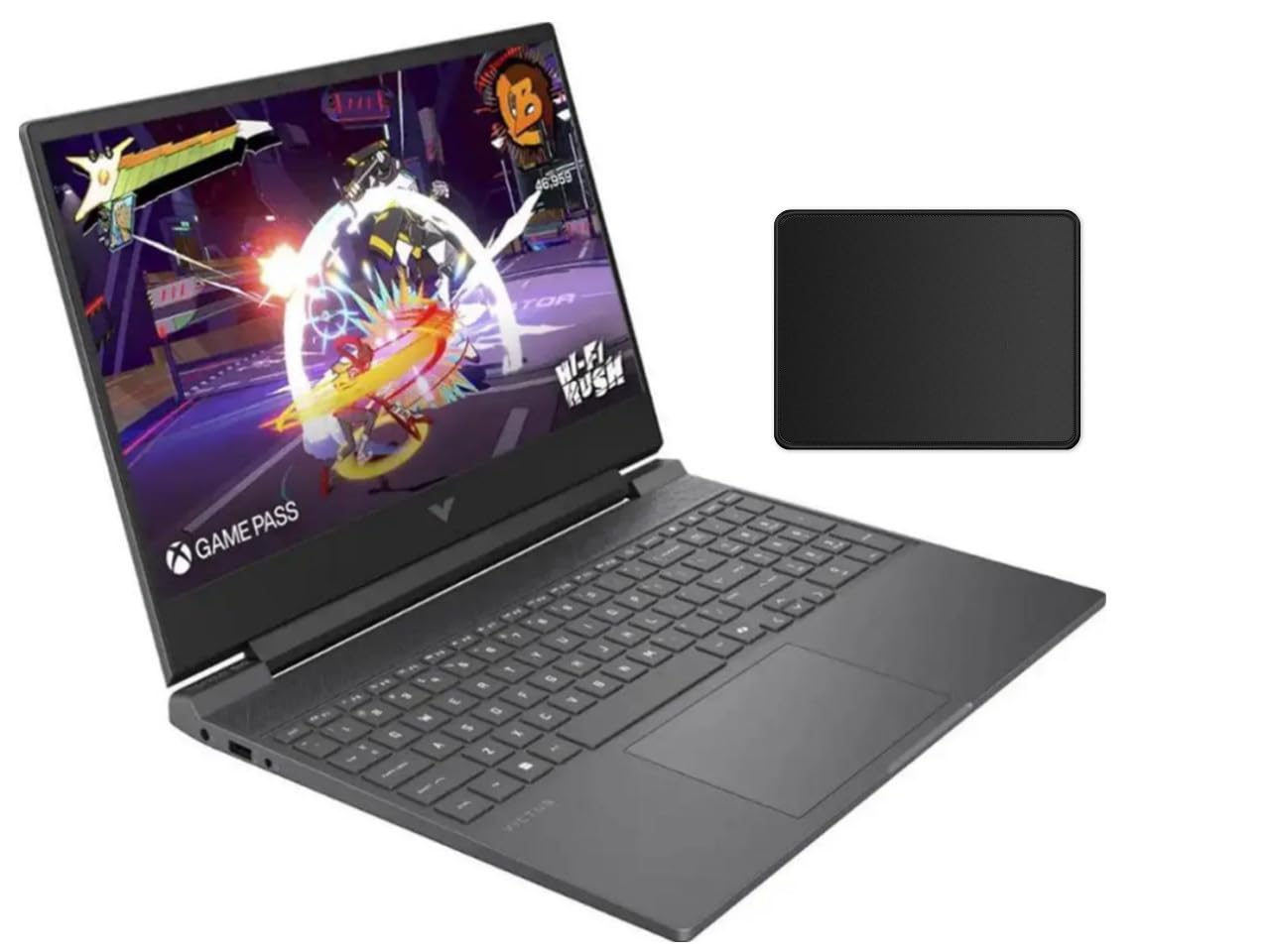
The HP Victus 15 with an AMD Ryzen 7 7445HS and RTX 4050 is the most affordable entry point into modern GPU architecture with 16GB of DDR5 RAM. The RTX 4050 supports DLSS 3 Frame Generation, which gives it a significant advantage over the RTX 3050 in supported titles — Cyberpunk 2077 can hit 40 FPS at 1080p with ray tracing, while older titles run at 90+ FPS. The 144Hz FHD display with AMD FreeSync Premium eliminates tearing.
Build quality is typical for the budget Victus line: plastic chassis with some flex, a decent keyboard with backlighting, and a touchpad that’s usable but not premium. The cooling system uses dual fans that blow hot air out the side, which can warm your mouse hand during long sessions. The Ryzen 7-7445HS lacks an integrated GPU, meaning the laptop relies entirely on the RTX 4050 for display output, which reduces battery life to around 3-5 hours.
The bundle includes a mouse pad, which is a bonus but not a high-quality accessory. The storage and RAM are both upgradable, and the design is relatively clean for a gaming laptop — no aggressive angles or RGB overload. For the price, this is the best way to get DLSS 3 gaming performance with 16GB of DDR5 RAM. Just know that the RTX 4050’s 6GB VRAM is a hard limit for 1080p ultra textures in the latest titles.
Why it’s great
- RTX 4050 with DLSS 3 delivers frame rates well above the 3050
- 144Hz FreeSync display is responsive and tear-free
- Best price-to-performance for modern GPU architecture
Good to know
- No integrated GPU means higher power draw and lower battery life
- Plastic chassis feels less durable than metal alternatives
9. HP Victus 15 (i5 + RTX 3050)

The HP Victus 15 configured with an Intel Core i5-12450H and an RTX 3050 with 6GB of GDDR6 VRAM is one of the cheapest ways to get a 144Hz display and 16GB of DDR4 RAM in a single machine. The 6GB VRAM on this RTX 3050 variant is better than the more common 4GB version, allowing for medium-to-high textures in modern titles at 1080p. The display is a 15.6-inch FHD IPS micro-edge anti-glare panel that works well in brightly lit rooms.
Performance is adequate for eSports titles and older AAA games. CS2 runs at 130+ FPS, Red Dead Redemption 2 performs better than on consoles, and the system handles Blender and Unreal Engine basic work. The keyboard has a backlight and a numeric keypad, which is helpful for productivity. The touchpad has been reported to stick occasionally, so a dedicated mouse is recommended for longer sessions. The 512GB PCIe SSD is fast but fills quickly with modern game installs.
Battery life is limited when gaming — expect 2-3 hours — but the 10-hour idle rating is decent for non-gaming use. The DDR4 RAM is a downgrade from DDR5 in bandwidth, but for 1080p gaming the difference is minimal. The biggest advantage here is the price: you get a 144Hz screen, 16GB RAM, and a 6GB VRAM GPU for what many competitors charge for a 4GB card. It’s the best entry-level option for budget-conscious gamers who need a responsive display.
Why it’s great
- 6GB VRAM RTX 3050 outperforms 4GB variants at higher textures
- 144Hz anti-glare display is bright and responsive
- Solid entry-level gaming performance at a very low cost
Good to know
- DDR4 RAM limits memory bandwidth compared to DDR5 laptops
- Touchpad can stick, requiring a mouse for comfortable use
10. MSI Thin A15 (Ryzen 5)

The MSI Thin A15 combines an AMD Ryzen 5-7535HS with an RTX 3050 and 16GB of DDR5 RAM in a chassis that’s noticeably lighter and slimmer than the HP Victus competition. The 15.6-inch 144Hz FHD display provides smooth motion, and the Cooler Boost dual-fan thermal design helps maintain performance during extended sessions. The RTX 3050 with 4GB VRAM is the main limitation here — it forces medium-to-low textures in modern AAA games.
Performance is good for the size and weight: GTA V and Fortnite run at high settings smoothly, and Marvel Rivals runs at playable frame rates on low settings. The DDR5 RAM is a step up from the DDR4 found in similarly priced Victus models, offering higher bandwidth for CPU-bound tasks. The build is plastic but feels sturdier than the price suggests, and the keyboard is comfortable with decent key travel.
The 4GB VRAM is a hard bottleneck for 2025+ titles, and some users have reported dead pixels within the first month, with MSI’s warranty requiring 5 or more dead pixels for a replacement. If portability is your top priority and you primarily play competitive eSports titles that don’t need high VRAM, the Thin A15 is a viable option.
Why it’s great
- Thin and light chassis makes it easy to carry for LAN parties or travel
- DDR5 RAM provides better bandwidth than budget DDR4 alternatives
- 144Hz display ensures smooth competitive gaming visuals
Good to know
- 4GB VRAM RTX 3050 limits texture quality in modern AAA games
- Battery life is very short during gaming sessions
11. MSI Thin (i5)

The MSI Thin with an Intel Core i5-13420H and RTX 3050 offers the same 144Hz FHD display and 16GB DDR4 RAM as the HP Victus, but in a lighter gray chassis with a minimalist design. The i5-13420H is a 13th-gen processor with PCIe Gen 4.0 support, providing fast SSD speeds. The RTX 3050 with 4GB GDDR6 handles Dota 2, RPG Maker, and Marvel Rivals well, but struggles with modern AAA titles at high settings.
The build is compact and portable, and the fan noise is notably quieter than many budget gaming laptops. The 144Hz display is crisp with good color reproduction for the price. The keyboard is comfortable for typing and gaming. The 512GB SSD is adequate for a few games, but you’ll need external storage for a large library. The RAM is upgradable, providing some future-proofing for multitasking.
The main drawbacks are the 4GB VRAM and the poor battery life — 2-3 hours of YouTube and as little as 45 minutes of gaming. The laptop also runs hot under moderate gaming loads, even with a cooling pad. For the price, it’s a functional entry-level machine that handles eSports titles and older games well. If you need a low-cost laptop for games that don’t require high VRAM, this is a solid choice.
Why it’s great
- Quiet fan operation compared to other budget gaming laptops
- 144Hz display with good color reproduction for the price
- Upgradable RAM provides some future-proofing
Good to know
- 4GB VRAM RTX 3050 is a bottleneck for modern textures
- Very short battery life, especially during gaming
12. HP Victus 15 (Ryzen 5 + RTX 2050)

The HP Victus 15 with an AMD Ryzen 5 7535HS and RTX 2050 is the entry-level gateway for anyone who wants 16GB of DDR5 RAM and a 144Hz display at the lowest possible cost. The RTX 2050 has 4GB GDDR6 VRAM and is slower than the RTX 3050, but it still supports NVIDIA’s basic features and can run eSports titles like CS2 at over 100 FPS at 1080p low-medium settings. The 144Hz anti-glare display is the same panel found in more expensive Victus models.
The build quality is identical to other Victus 15 laptops — a plastic chassis with a backlit keyboard and a numeric keypad. Port selection is decent, with two USB-A ports, one USB-C, HDMI 2.1, and RJ-45 Ethernet. The Bang & Olufsen-tuned dual speakers provide better audio than most budget laptops. The 512GB PCIe M.2 SSD is fast, and both RAM and storage are accessible for upgrades.
Battery life is limited to about 3-5 hours under light use, and performance drops significantly when unplugged. The RTX 2050 lacks DLSS support, so you rely entirely on raw rendering power. This laptop is best suited for light gaming, schoolwork, and media consumption. For the budget, it’s the cheapest way to get a 144Hz display and 16GB of DDR5 RAM in a gaming-oriented chassis.
Why it’s great
- Most affordable entry into 144Hz FHD gaming with 16GB DDR5
- Decent port selection with HDMI 2.1 and USB-C
- Good audio quality from Bang & Olufsen-tuned speakers
Good to know
- RTX 2050 lacks DLSS and is slower than the RTX 3050
- Performance drops significantly when running on battery power
13. HP Victus 15 (Ryzen 5 + Radeon RX 6550M)
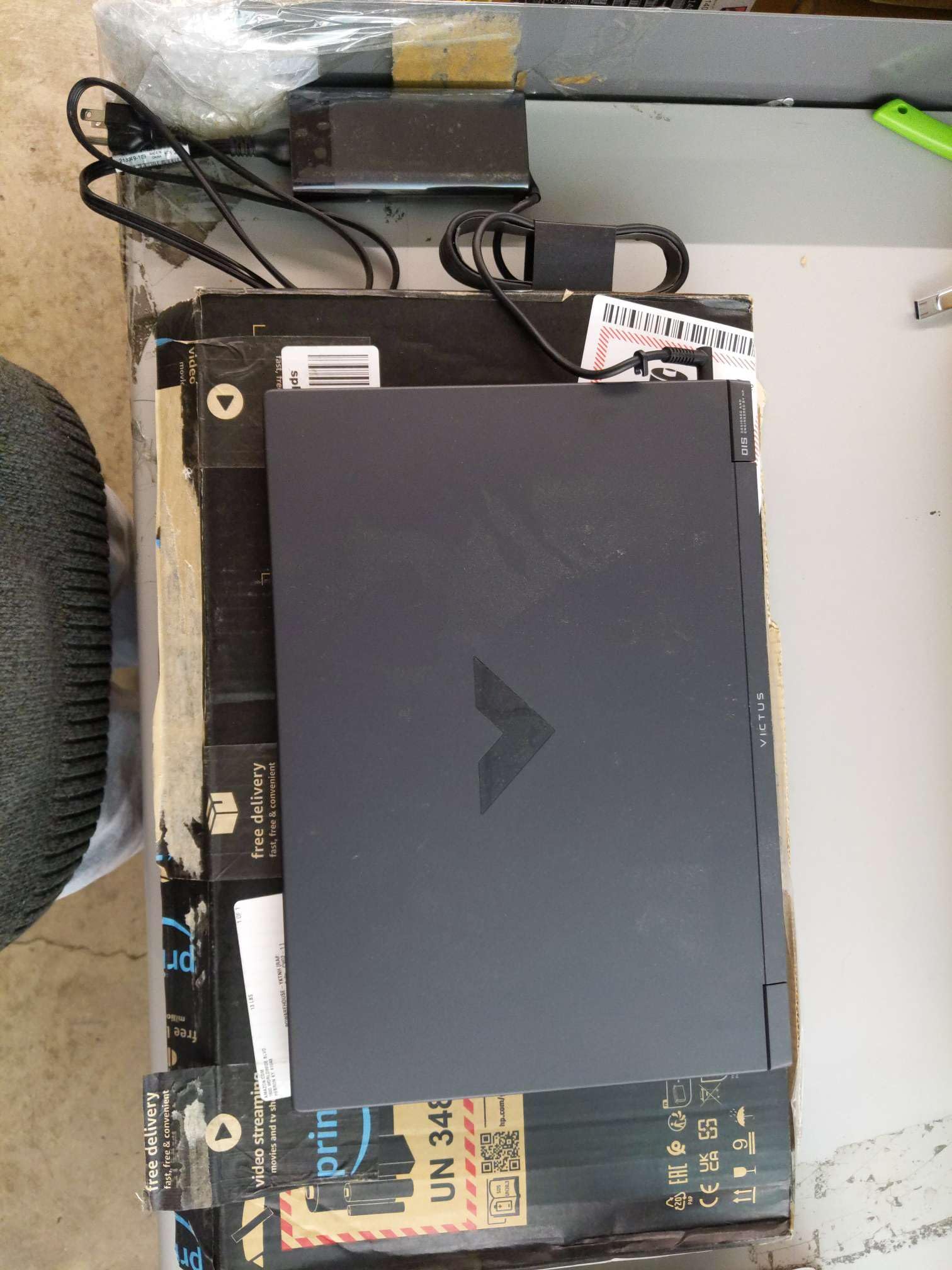
The HP Victus 15 with an AMD Ryzen 5 7535HS and AMD Radeon RX 6550M is the only all-AMD configuration on this list, and it offers competitive performance against the RTX 2050 while often costing less. The RX 6550M comes with 4GB of dedicated GDDR6 VRAM and outperforms the RTX 2050 in raw rasterization, though it lacks ray-tracing hardware and DLSS. The 144Hz FHD anti-glare display and 16GB of DDR5 RAM round out a solid budget package.
Performance is good for eSports and older AAA titles. Games like CS2, Fortnite, and GTA V run smoothly at 1080p high settings. The RX 6550M handles Cyberpunk 2077 at low settings with acceptable frame rates. The display is vivid and the 144Hz refresh rate ensures smooth motion. The laptop includes a backlit keyboard with a numeric keypad, Wi-Fi 6, and Bluetooth 5.3. The battery life is rated at around 6-7 hours for light use, though gaming reduces that to about 2 hours.
Build quality is the same as other Victus models — functional but not premium, with some flex and plastic panels. The lack of ray-tracing support means this laptop won’t run the latest AAA titles at high visual fidelity. However, for the price, it’s a strong option for competitive gamers and casual players who prioritize frame rates over eye candy. It’s the best value in the all-AMD budget segment.
Why it’s great
- RX 6550M offers better raw rasterization than the RTX 2050
- 144Hz FHD display with 16GB DDR5 RAM at a very low cost
- Wi-Fi 6 and Bluetooth 5.3 provide modern wireless connectivity
Good to know
- No ray tracing or DLSS support limits visual features in new games
- Plastic chassis feels less durable than metal alternatives
FAQ
Is 16GB of RAM enough for AAA gaming in 2025?
Should I buy a 16GB RAM gaming laptop with an RTX 3050 or a 8GB RAM laptop with an RTX 4060?
Does a 16GB RAM gaming laptop need a 144Hz display?
Can I upgrade the RAM in a 16GB gaming laptop to 32GB later?
Final Thoughts: The Verdict
For most users, the 16gb ram gaming laptop winner is the Lenovo Legion 5i because its OLED display, RTX 5070 GPU, and upgradable RAM deliver premium visuals and future-proof performance in a well-cooled chassis. If you want the highest raw framerates and 32GB of stock RAM, grab the MSI Vector 16 HX. And for the best value in the mid-range, nothing beats the HP Victus 15 with RTX 4050, which brings modern DLSS 3 technology to a budget-friendly price.