
Our readers keep the lights on and my morning glass full of iced black tea. As an Amazon Associate, I earn from qualifying purchases.
Specs are compiled from manufacturer listings and verified buyer reviews and can change over time — please confirm the key details on the product page before buying.
If you want the best 16GB RAM gaming PC for most people, the HP OMEN 25L is the one to beat. It runs a 20-core Intel Core i7-14700F with 16GB of DDR4 memory and a 6GB GTX 1660 SUPER graphics card, so it renders a 100-player Guild Wars 2 fight at 50-60 FPS and still boots to desktop in seconds. A 16GB memory kit is the real dividing line here: it is the point where a tower stops choking on a battle royale and a browser tab at the same time, and every build below clears it. What separates them is the graphics card bolted in, the drive speed, and how honest each maker is about the older silicon hiding inside.
I’m Min — the founder and writer behind Gadgets Feed. This guide is built by comparing the manufacturers’ published specifications and the patterns across verified customer reviews, so you get each pick’s real strengths and trade-offs instead of marketing spin.
Sorting out which tower is right for you matters far more on this shelf than any raw clock speed. That is why the picks below are ordered by what actually holds up in real sessions, not by what looks loudest on the spec sheet for any 16gb ram gaming pc.
Our Picks at a Glance


How To Choose The Best 16GB RAM Gaming PC
Everything on this list already clears the 16GB memory bar, so the real question is what runs alongside it. Pick your tower on three things: the graphics card, the drive, and whether the memory is DDR4 or DDR5.
Start with the graphics card, not the CPU
Your graphics card draws every frame, so it sets your ceiling. A GTX 1660 SUPER is a 1080p part — it renders Guild Wars 2 in a crowded 100-player fight at 50-60 FPS and smooths out to 150-230 FPS once the map empties. An RTX 5060 Ti with 8GB of GDDR7 memory (a newer, faster type of video memory) pushes the same kind of scene harder and supports DLSS 4 and ray tracing, which use machine learning and light simulation to keep frames smooth. Match the card to your monitor: a 1080p 144Hz screen is wasted on an entry card, and a 4K panel will humble a mid one.
DDR4 versus DDR5 memory
Both are 16GB, and both handle AAA games without stuttering. DDR5 4800MHz or DDR5 generally moves data a bit faster than DDR4 3200MHz, which helps when you run a game, a browser, and a chat app at once. If you plan to add a second stick later, check the motherboard supports it — several builds here leave spare DIMM slots open.
Storage type and capacity
A PCIe NVMe drive (a stick that plugs straight into the board) loads maps noticeably faster than a SATA SSD, which itself beats an old spinning drive. Watch the capacity too: 512GB fills up fast once you install two or three modern titles, while 1TB gives you breathing room before you go shopping for an external drive.
Upgrade path and cooling
Look at the power supply wattage, the number of RAM slots, and whether the case opens without a full teardown. Air cooling with multiple fans keeps a tower stable through long sessions, and quieter than you would expect at this level. Spare RAM slots, a second M.2 slot and a 650W supply are what let a tower grow instead of being replaced.
Quick Comparison
| Model | Best For | CPU | Graphics | Memory & Storage | Amazon |
|---|---|---|---|---|---|
| HP OMEN 25L★ Best Overall | All-round 1080p gaming | Intel Core i7-14700F | GTX 1660 SUPER 6GB | 16GB DDR4 / 512GB NVMe | Amazon |
| STGAubron Gaming PC DesktopBudget Entry | Budget entry point | Intel Core i7 (4th gen) | GTX 1660 Super 6GB | 16GB / 512GB SSD | Amazon |
| Prebuilt Gaming Desktop (Ryzen 5 5500)Starter Value | First-time buyers | AMD Ryzen 5 5500 | RTX 3050 6GB | 16GB DDR4 3200 / 1TB NVMe | Amazon |
| MXZ Gaming PC Desktop | High-refresh 1080p play | Intel Core i5-12400F | RTX 4060 8GB | 16GB DDR4 3200 / 500GB NVMe | Amazon |
| Thermaltake LCGS Quartz i1460 | Cool-running entry gaming | Intel Core i5-14400F | RTX 5060 8GB | 16GB DDR4 3600 / 1TB NVMe | Amazon |
| iBUYPOWER Element SE | DDR5 all-rounder | AMD Ryzen 5 8400F | RTX 3050 6GB | 16GB DDR5 4800 / 1TB NVMe | Amazon |
| Skytech Gaming PC Desktop | Starter tower that scales | AMD Ryzen 7 5700 | RTX 5060 8GB GDDR7 | 16GB DDR4 3200 / 1TB NVMe | Amazon |
| CyberPowerPC (i5-14400F) | Future upgrade base | Intel Core i5-14400F | RTX 5060 8GB | 16GB DDR5 / 1TB PCIe 4.0 NVMe | Amazon |
| MSI Codex R2 | Quiet, work-ready build | Intel i5-14400F | RTX 5060 8GB | 16GB DDR5 / 1TB SSD | Amazon |
| KOTIN Gaming PC Desktop | Out-of-box high FPS | AMD Ryzen 7 8700F | RTX 5060 Ti 8GB GDDR7 | 16GB DDR5 / 1TB Gen4 NVMe | Amazon |
| CyberPowerPC (Ryzen 7 8700F) | Premium all-rounder | AMD Ryzen 7 8700F | RTX 5060 Ti 8GB GDDR7 | 16GB DDR5 / 1TB PCIe 4.0 NVMe | Amazon |
In‑Depth Reviews
1. HP OMEN 25L Gaming Desktop Intel i7-14700F GTX 1660S 6GB, 16GB RAM 512GB
Our pick — over 4.5★ from 100+ verified ratings; the strongest balance of quality and price.
Twenty cores for the price of a mid-tier build, and it boots before the console crowd even signs in.
Twenty cores is the headline here, and it is the reason this tower wins the shelf. The Intel Core i7-14700F runs up to 5.4 GHz with Intel Turbo Boost and carries 33 MB of cache, which is the chip’s fast scratchpad for juggling game data. That means AAA titles, a stream and a stack of browser tabs run at once without the stutter a 6-core chip shows.
It pairs 16GB of DDR4 memory with a 6GB GTX 1660 SUPER and a 512GB PCIe NVMe M.2 SSD. Boot is near-instant and levels load quickly, so cutting from menu to match feels close to a console. The 1660 SUPER is a 1080p card: in the dense 100-player Guild Wars 2 scramble it lands at 50-60 FPS at medium/high with reflections and post-processing dialled back, then climbs to 150-230 FPS in quieter zones. Fortnite, League of Legends, Valorant, CS2, Overwatch 2, Rocket League, Roblox and Minecraft often clear 100 FPS; GTA V, Apex Legends and Elden Ring target 60+.
The catch every prospective buyer should weigh is the upgrade path. A 500W power supply backs the current card, but dropping in a stronger GPU means a PSU swap, and the motherboard power connector matches the GPU connector, which complicates the job. Ray tracing is not recommended on the 1660 SUPER. For the buyer who wants a strong, ready-to-play 1080p tower and does not plan to tinker, that is an easy trade.
Where the OMEN 25L Pulls Ahead
- A 20-core Intel Core i7-14700F with 33MB cache that multitasks where a 6-core build would buckle.
- Wired gaming keyboard and mouse come in the box, so the tower is playable on delivery.
- Gigabit Ethernet plus a wireless USB WiFi adapter keeps online play stable.
- Top-mounted I/O with a headphone/mic combo jack and 5Gbps USB Type-A ports puts peripherals within reach.
What to Know Before You Buy
- The 500W supply becomes the bottleneck the moment you want a faster graphics card.
- Ray tracing is off the table with the GTX 1660 SUPER.
- 512GB fills quickly once two or three modern titles are installed.
Made for: players who want a fast, quiet 1080p tower from the start and no plans to open the side panel.
Think twice if: your roadmap includes a GPU upgrade — the 500W supply and shared power connector make that a project.
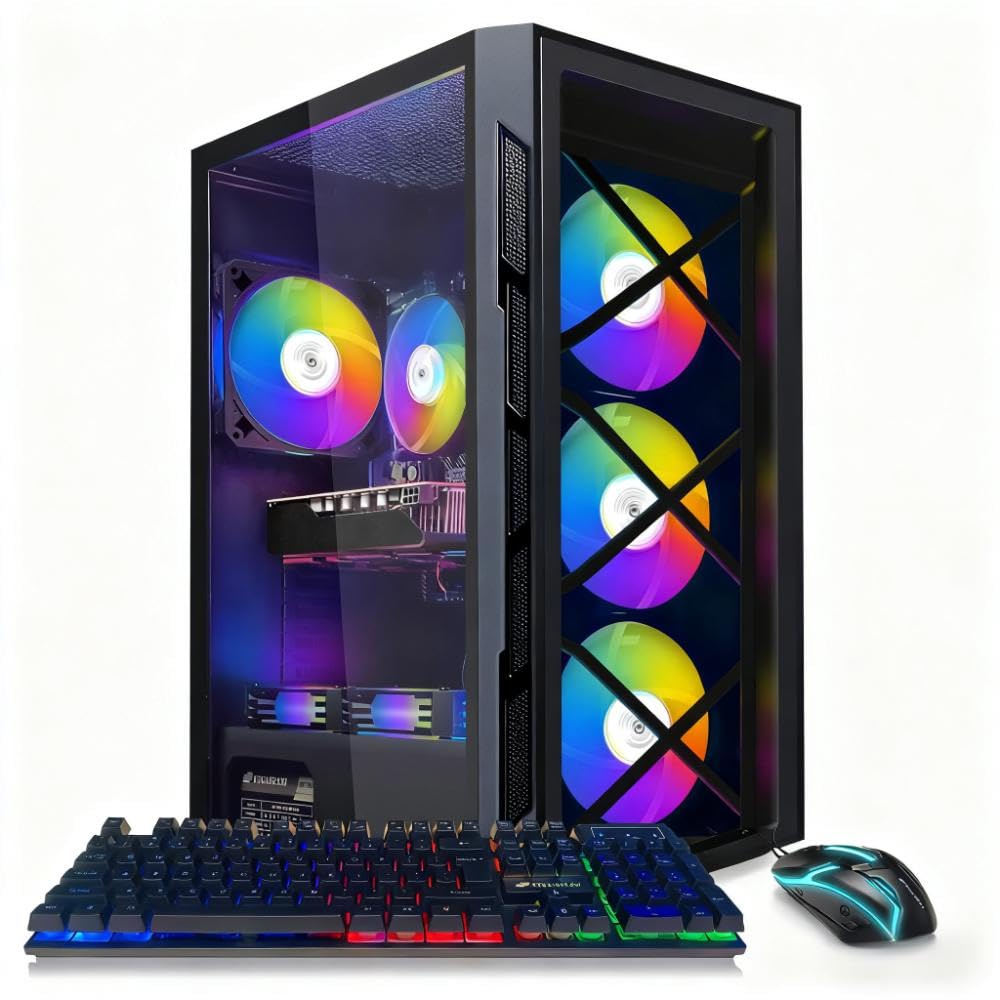
2. STGAubron Gaming PC Desktop, Core I7, GTX 1660 Super 6G, 16G RAM, 512G SSD
Cheap enough for a first jump off console, and it wears six RGB fans while doing it.
If you are stepping over from a console for the first time, this is the easiest on-ramp on the list. It runs an Intel Core i7 up to 3.9GHz with 16GB of memory, a 512GB SSD, and a GeForce GTX 1660 Super 6G graphics card — a 1080p part that handles Fortnite, Warzone, Tarkov, GTA V, WoW, Valorant and Apex Legends. Setup is genuinely plug-and-play, and it arrives with an RGB keyboard and mouse so you can start the same day.
Past the entry price, the age of the silicon is the honest caveat. This is built on a 4th-generation i7, which is old hardware, and the Wi-Fi and Bluetooth live on low-quality USB adapters rather than a built-in card. The connectivity mix is Bluetooth 5, HDMI, PCIE x16, USB 2.0 and USB 3.0. If you are chasing current AAA releases with future-proof headroom, spend more — but as a no-fuss starter, it delivers.
Upgrading is where you feel the ceiling. There is a single PCI slot, so a second graphics card is off the table, and the case needs a longer power supply cable for ideal placement. Buyers report it fits the mold for a first-time owner: “I recommend new players switching from console to pc that this is the best on the range budget.” For a curated, wired-up starter tower that lights up, it earns its spot.
First-timer friendly: keyboard, mouse, six RGB fans and Windows 11 Home 64-bit come ready to go, so there is nothing to assemble.
The real limit: a single PCI slot and a 4th-gen i7 mean this is a starting point, not an upgrade base — plan to replace rather than expand it.
Reach for it if: you want the cheapest clean entry into PC gaming and value immediate fun over future headroom.
Look elsewhere if: you need a modern CPU and built-in networking from the start.
3. Prebuilt Gaming Desktop PC, AMD Ryzen 5 5500, GeForce RTX 3050 6GB, 16GB DDR4 3200MHz RAM, 1TB NVMe SSD, ARGB Air Cooling, Wi-Fi
A 1TB drive and ray-tracing support for the price of a so-so graphics card.
Where most starter builds nickel-and-dime you on storage, this one ships a full 1TB NVMe SSD alongside 16GB of DDR4 3200MHz memory. That extra headroom means you install the entire library before you go shopping for an external drive. The AMD Ryzen 5 5500 is a 6-core, 12-thread chip that reaches 4.2GHz, and it pairs with a GeForce RTX 3050 6GB — a card that does high-frame-rate 1080p gaming with ray tracing switched on.
It is set up for a smooth handoff. Built-in Wi-Fi, multiple USB ports, and HDMI plus DisplayPort outputs cover a range of monitors, and the ARGB air cooling with multiple fans keeps things stable and quiet through long sessions. Owners describe a tower that just works: fast, smooth, and quiet on games like Civilization 7, XCOM2 and Supreme Commander 2 at high resolution.
The one gap to flag is the missing accessory on some units. The RGB and fan remote is not always in the box, and reaching the maker about it is hard. The build itself is sound, but if fiddling with fan lighting from the start matters to you, factor that in.
Big-storage on a starter budget: the 1TB PCIe NVMe drive is double what several pricier picks include, so your library has room to breathe.
A small gap: the RGB/fan remote can be missing, and support contact is thin — you may need to hunt for one.
Suits: someone who wants a first tower with room for a big game library and does not plan on tearing it open.
A mismatch for: tinkerers who want every accessory and a deep support line for a beginner machine.
4. MXZ Gaming PC Desktop Computer, I5 12400F 4.4GHz, RTX4060, 16GB DDR4 3200, NVME 500GB SSD, 6RGB Fans, Win 11 Pro Ready

Pushes Apex to 144-240 FPS with the GPU barely breaking a sweat.
If your monitor runs at a high refresh rate and you play esports titles, this is the build that keeps up. The RTX 4060 8GB card sits next to an Intel i5-12400F 6-core, 12-thread processor that reaches 4.4GHz, plus 16GB DDR4 3200 and a 500GB NVMe M.2 SSD. A 550W 80+ supply and the H610M S2 motherboard round out the frame. Owners mention Apex Legends at 144-240 FPS on max settings with GPU and CPU near 45%, Call of Duty/Warzone at 180 FPS, and Fortnite at 180-300 FPS.
The case makes the hardware easy to live with. A windowed side panel shows off five RGB fans, and the interior is roomy and uncluttered when you want to swap a part. Windows 11 Pro is pre-installed, which matters if you want the fuller feature set rather than the Home edition several rivals ship. Boot is quick and the fans stay quiet under load.
The recurring wrinkle is the wireless: the stock Wi-Fi receiver produces an unreliable signal compared to other devices on the same network. Adding a separate receiver helps a great deal, and a wired Ethernet connection removes the problem entirely. With a cabled connection this tower is a genuine high-refresh performer.
Tuned for frames: an RTX 4060 8GB and a 4.4GHz i5-12400F deliver the sort of Apex and Warzone numbers most 1080p setups cannot touch.
Wire it up: the built-in Wi-Fi is the weak link — plan on Ethernet or an added receiver for reliable online play.
The pick for: competitive players who want maximum FPS and a high-refresh monitor, with a cable run to the router.
Not ideal if: you must game on Wi-Fi with no wired option and demand rock-solid wireless without adding hardware.
5. Thermaltake LCGS Quartz i1460 Gaming Desktop (Intel Core i5-14400F, ToughRam DDR4 3600MHz 16GB RGB Memory, NVIDIA GeForce RTX 5060, 1TB NVMe M.2, WiFi, Windows 11)

A white tower with a glass panel and a current-gen RTX 5060 tucked inside.
Not everyone wants a black box under the desk, and this Thermaltake leans into that. It arrives in white with a 3mm thick tempered glass side panel and an ARGB tower air cooler, so the hardware you paid for is on display. Under the glass sits an Intel Core i5-14400F on an Intel B760 motherboard, paired with 16GB DDR4 3600MHz RGB memory and a 1TB NVMe M.2 drive. The NVIDIA GeForce RTX 5060 handles DisplayPort and HDMI output, and Windows 11 Home is ready to go over Wi-Fi.
Setup lands at the top of the praise pile — owners describe a plug-and-play tower that boots about as fast as a console, with quiet RGB fans and clean internal cabling thanks to a full-length PSU cover. It holds up in play too, running Battlefield without issue and standing in as a strong upgrade from an Xbox Series S.
The one thing to inspect on arrival is the rear I/O alignment. Customers note the security pins on the I/O shield bending outward, leaving the USB ports hard to reach and risking contact with the motherboard. It is a quick check on the first power-up, and worth doing before you tuck the tower away.
Why It Stands Out
- RTX 5060 and DDR4 3600MHz memory make this a current-gen build, not leftover stock.
- White finish with a tempered glass panel and ARGB cooling that looks as good as it runs.
- 1TB NVMe M.2 with support for more storage later.
The Fine Print
- The rear I/O shield alignment can be off, pinching the USB ports — check it on arrival.
- 1TB is the ceiling from the start; adding a second drive is a separate purchase.
A fit for: buyers who want a modern GPU and a showpiece case without a custom build price.
Think twice if: you will not inspect the port alignment yourself and cannot easily return a unit.
6. iBUYPOWER Element SE Gaming PC Desktop Computer AMD Ryzen 5 8400F CPU, NVIDIA GeForce RTX 3050 6GB GPU, 16GB DDR5 RAM, 1TB NVMe SSD, Windows 11 Home
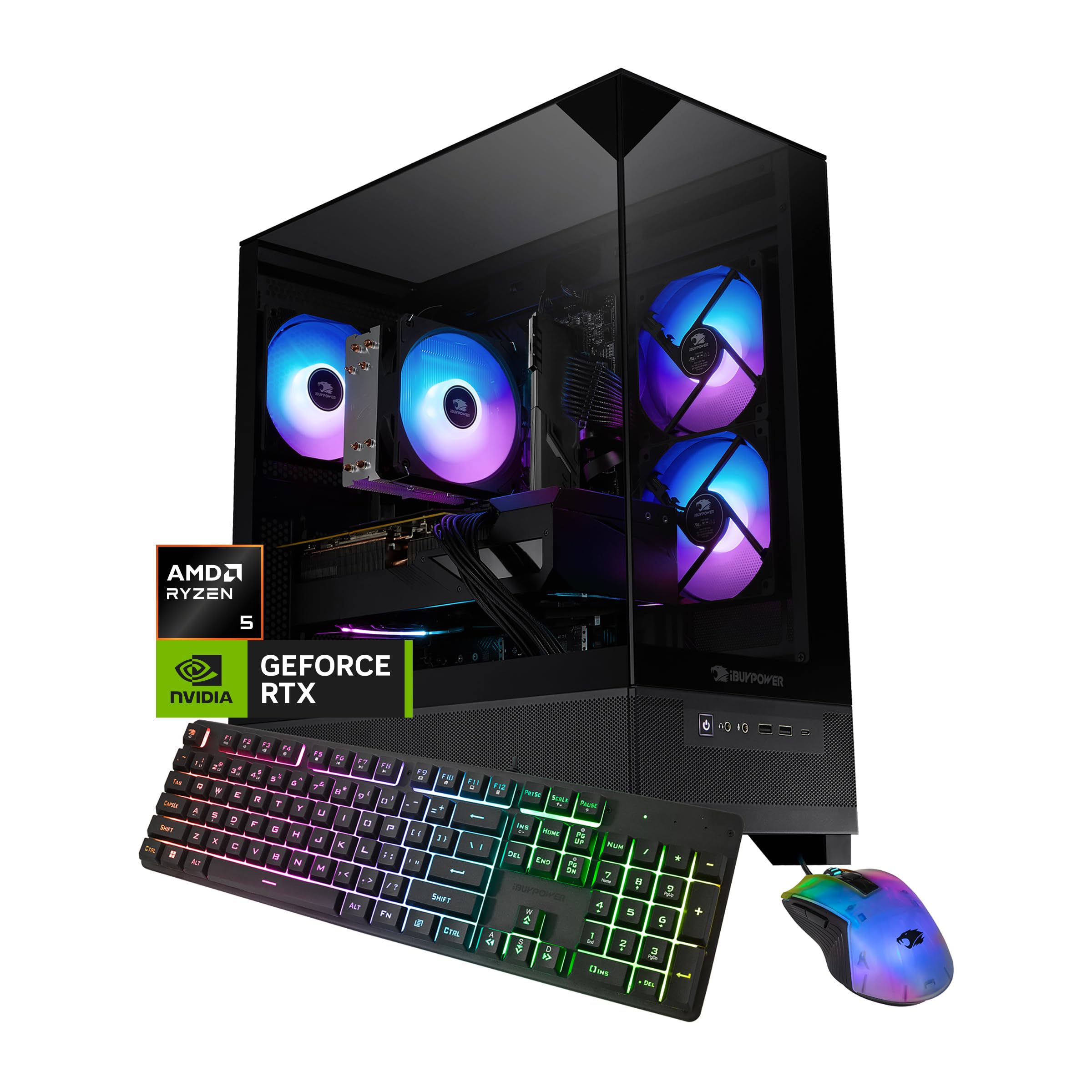
A DDR5 tower that boots clean and skips the bloatware other builds ship with.
One thing separates this iBUYPOWER from its price rivals: it runs 16GB of DDR5 4800MHz memory and a 1TB NVMe SSD on an AMD Ryzen 5 8400F that reaches 4.7 GHz. DDR5 is the newer memory standard, and it moves data faster than the DDR4 builds around it, which shows up when you keep a game, browser and streaming app open together. The NVIDIA GeForce RTX 3050 6GB handles 1080p play, and Windows 11 Home comes pre-installed with no bloatware.
Over the wire, this is a fast machine. The 8400F processor, the graphics card and the memory all pull their weight, and setup is quick. Graphics quality is strong, and for non-gaming work the tower is snappy. A tempered-glass RGB case with 802.11AC Wi-Fi, six USB 3.1 ports, gigabit Ethernet and a free gaming keyboard and RGB mouse complete the package.
The honest catch is the power supply. Multiple reviewers point out the included PSU going bad, and reliability is the most-discussed topic in the feedback — a minority of units fail within the first couple of weeks, while most run fine from the start. It is a build worth pairing with a household surge protector and a note of the one-year parts and labor warranty.
On the plus side: DDR5 memory and a 4.7GHz Ryzen 5 8400F give this an edge over DDR4 starters for everyday speed.
Watch the PSU: the power supply is the part buyers flag most, so treat it as the component to keep an eye on.
Right for: a first gaming tower where you want DDR5, 1TB of storage and no bloatware clutter.
Consider another pick if: you want the lowest risk of a power-supply hiccup down the line.
7. Skytech Gaming PC Desktop, Ryzen 7 5700, RTX 5060, 16GB RAM, 1TB SSD
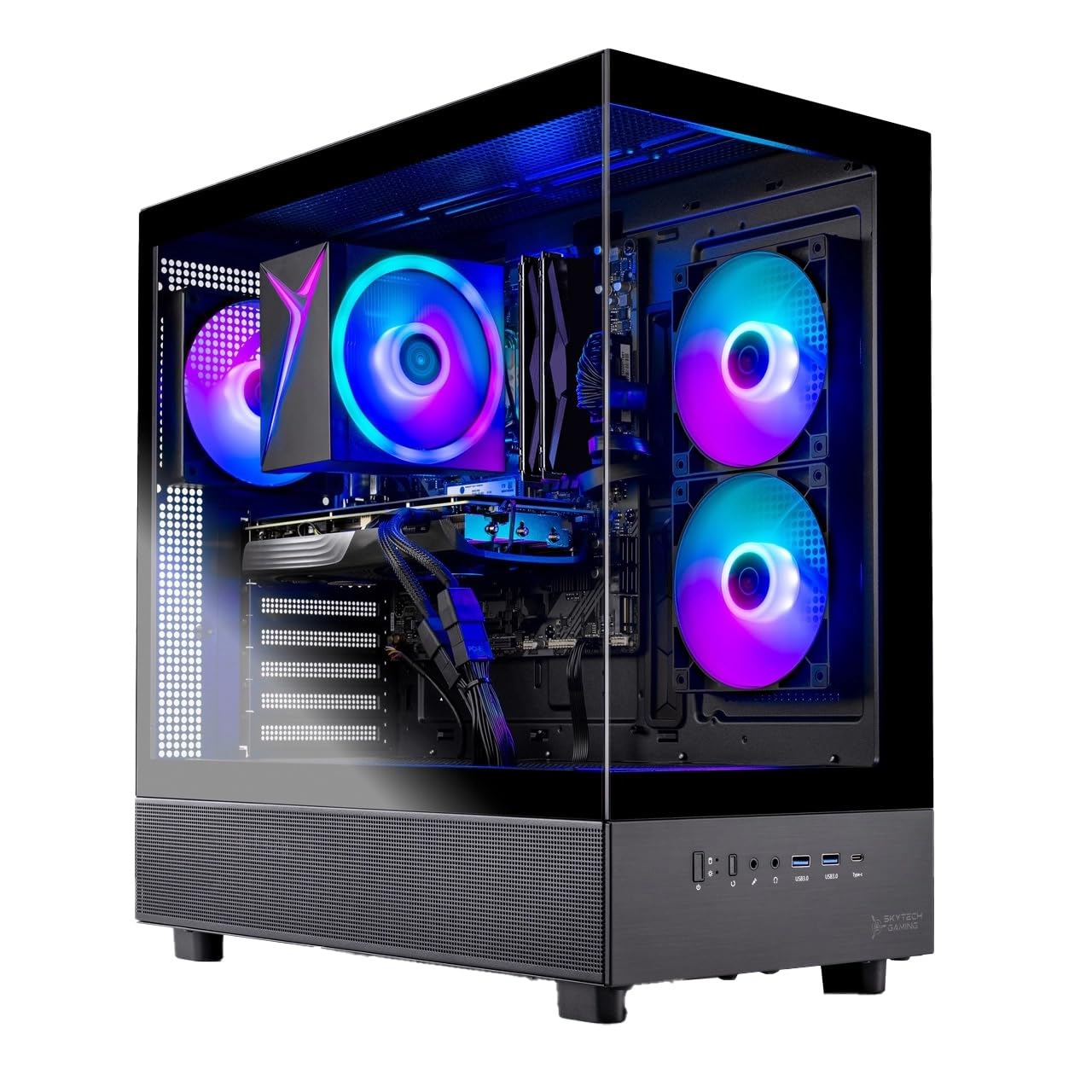
A Ryzen 7 tower with a GDDR7 graphics card and a case that shows it off.
This one leans on the CPU and the card in equal measure. The AMD Ryzen 7 5700 runs 3.7GHz with a 4.6GHz Turbo Boost, sitting beside a NVIDIA GeForce RTX 5060 8GB card with GDDR7 memory — the newest, quickest form of graphics memory. A 1TB NVMe M.2 SSD loads games noticeably faster than a traditional hard drive, and 16GB of DDR4 3200 memory with a heat spreader keeps things cool. It all lives in a tempered-glass Skytech Azure case with a high-performance air cooler and ARGB fans.
from the start it is a capable 1080p machine. Shoppers say Elden Ring, Baldur’s Gate 3, Cyberpunk 2077, Helldivers 2 and Starfield running at 1080p with smooth 60+ FPS. The tower is genuinely quiet for a gaming build and the LED lighting looks the part. Setup is quick, and the free gaming keyboard and mouse get you moving without extra shopping.
The caveat is expandability: the case holds only two RAM slots, and reaching the drive and SATA area means near-full disassembly. If you plan to add storage or swap components regularly, that is a chore. For a first PC or a set-and-forget tower, it is not a problem.
Fast and quiet: a Ryzen 7 5700 with an RTX 5060 8GB of GDDR7 memory runs modern titles smoothly while staying near-silent.
Tight inside: just two RAM slots and drive access that needs a teardown limit how far you can grow this rig.
Best for: a first serious gaming PC that is quiet, pretty and ready to play 1080p from the start.
skip it if: you upgrade and swap drives often and want easy access to the internals.
8. CyberPowerPC Gaming PC, Intel Core i5-14400F, GeForce RTX 5060 8GB, 16GB DDR5, 1TB PCIe 4.0 NVMe SSD
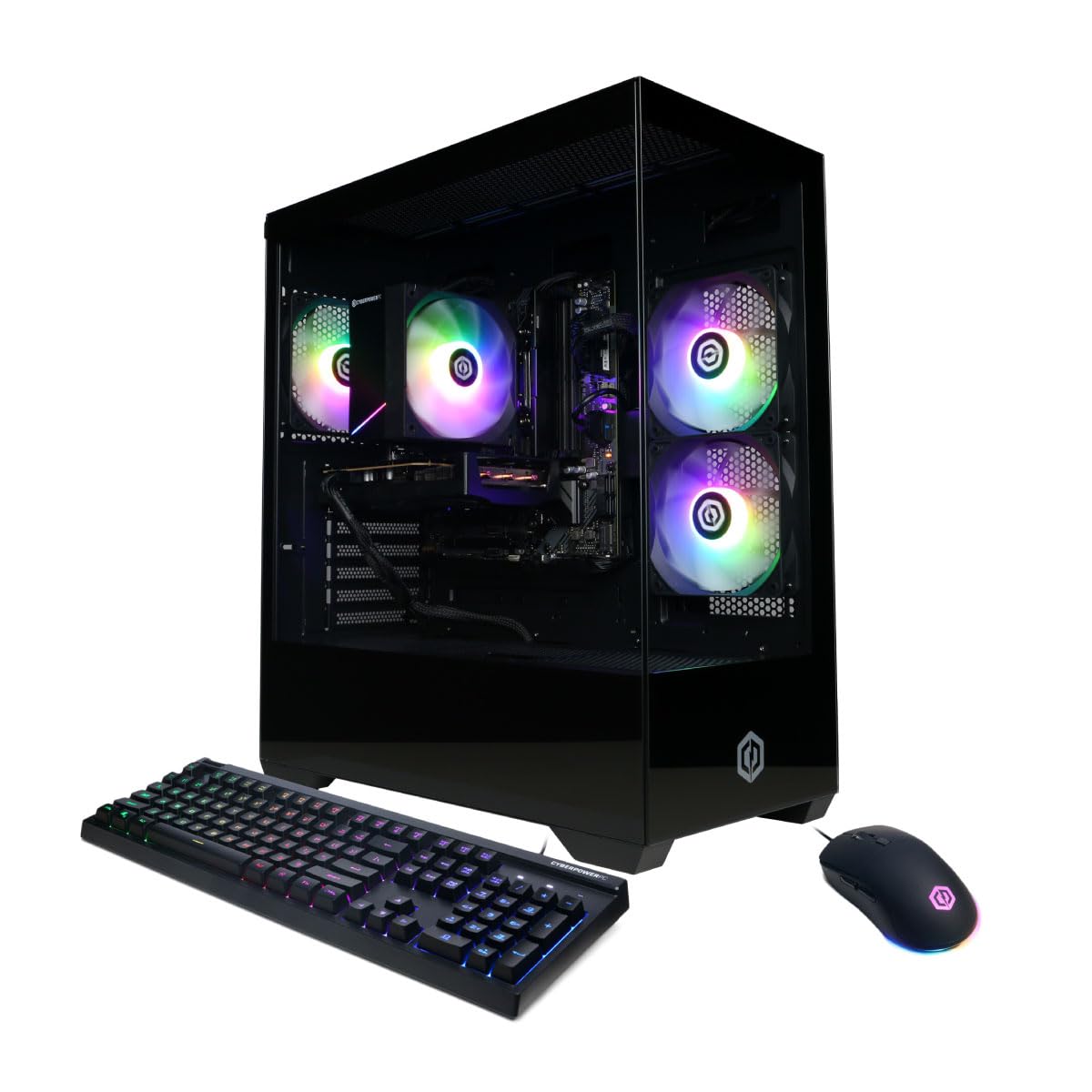
Built to be opened — good cable routing and a glass panel that invites upgrades.
Most prebuilts are sealed boxes. This CyberPowerPC is the opposite: a 1TB PCIe 4.0 NVMe SSD (the fastest tier of consumer storage on the board) sits alongside 16GB of DDR5 and an Intel Core i5-14400F 10-core processor on an Intel B760 chipset. Two NVMe slots and an easy-access glass side panel mean adding a drive or a card is a project you can actually finish on a Saturday.
The networking is a step above the budget tier too. WiFi 6 with Bluetooth 5.3 and a LAN port keep online play stable, and there are 2 USB-A 3.2 and 6 USB-A 2.0 ports for peripherals. The NVIDIA GeForce RTX 5060 8GB runs Fortnite very well and handles AAA titles without frame drops or stutter, so it is not merely a base to build on — it is playable today.
Where it asks a little patience: the built-in Wi-Fi works best once you run an Ethernet cable to the receiver, and the 16GB of memory shows its limit under heavy multitasking, though it handles AAA gaming fine. Owners treat the tower as a stock build that can grow — some swapped in a faster GPU, a bigger PSU and a 2TB SSD when they were ready.
What Buyers Praise Most
- A true upgrade-ready base: two NVMe slots and a glass panel that opens with ease.
- WiFi 6 and Bluetooth 5.3 deliver current wireless standards, not last-gen parts.
- 16GB DDR5 and a 1TB PCIe 4.0 NVMe SSD make it a solid everyday gaming machine.
Where It Asks More
- The Wi-Fi receiver performs best on a wired connection, which is an extra step.
- 16GB of RAM is the limit for heavy multitaskers, though AAA play is unaffected.
Ideal for: the player who wants to start gaming today and graduate to a custom machine by swapping parts.
Consider another pick if: you want maximum memory headroom without opening the case.
9. msi Codex R2 Gaming Desktop, Intel i5-14400F, RTX 5060, 16GB DDR5, 1TB SSD
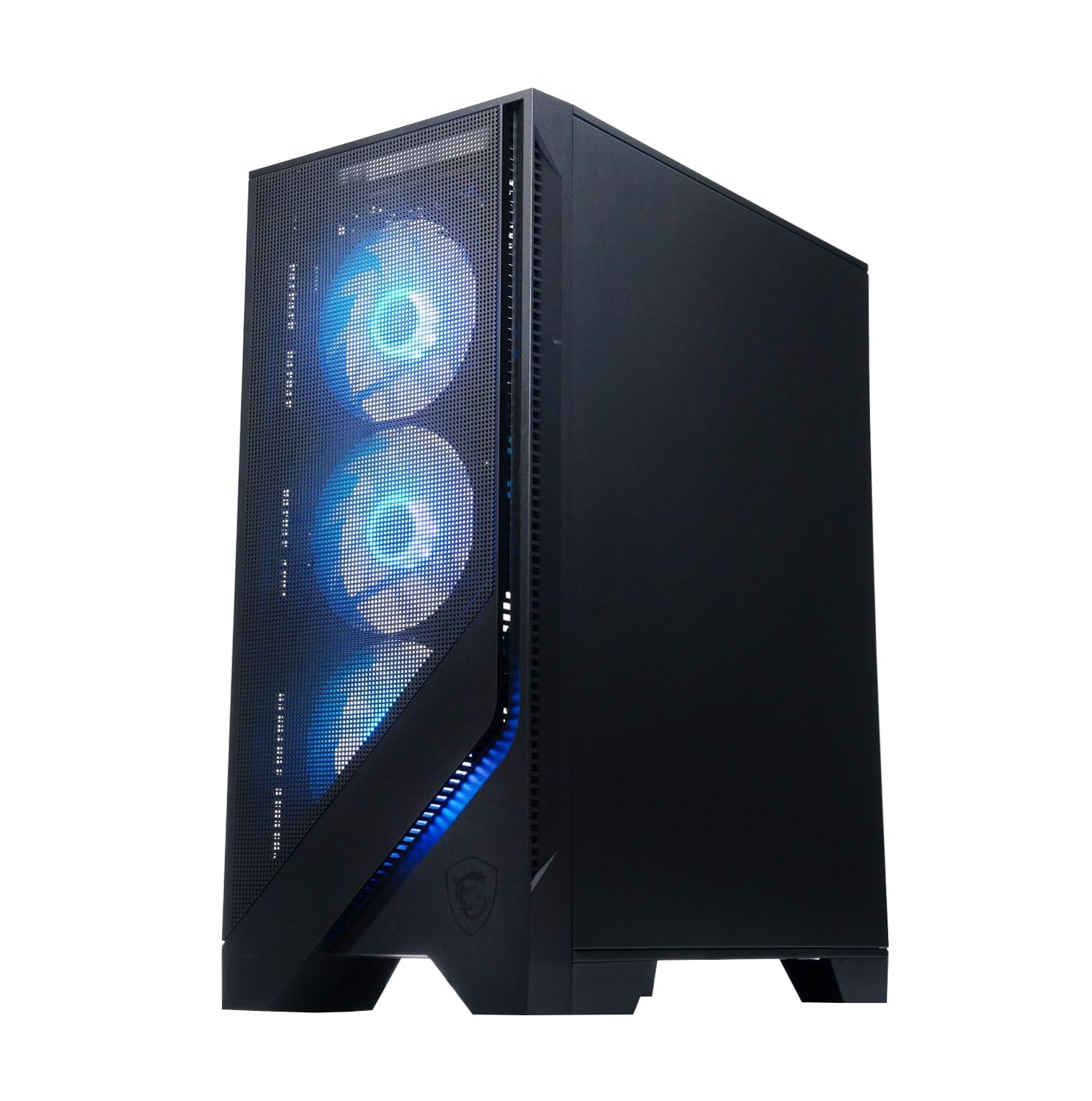
Handles office apps without lag and stays silent while it games.
Not every 16GB gaming tower is only for gaming, and this MSI proves it. An Intel i5-14400F with 32MB of cache handles Fortnite, Tarkov, Minecraft, Roblox and Rocket League at high FPS — and the same tower runs a stack of office apps without a stutter. The NVIDIA GeForce RTX 5060 8GB with 16GB DDR5 and a 1TB SSD keeps modern titles loading quickly, while four system fans and an RGB CPU air cooler keep everything cool.
What people notice first is how quiet it runs. Owners describe it as silent in play with easy Wi-Fi setup and MSI Center software for controlling the lighting. A keyboard and mouse come in the box, and the design is clean and modern with subtle customizable lighting — restrained enough for a shared home office.
The trade-offs are the ones you would expect at this build level: 16GB of memory limits heavy multitasking compared to a 32GB setup, and the fans get a little audible under sustained load. One buyer also received a unit with a scratched rear panel, though the internals were untouched.
A true dual-purpose tower: fast enough for Fortnite at high FPS and composed enough for a full workday of office apps.
Quiet by default: four fans and an RGB air cooler keep the build cool and near-silent in everyday use.
The one to grab: if you game at night and use the same desk for work by day, and want a quiet, well-built tower.
Not the best fit if: you run memory-hungry creation suites that would benefit from 32GB.
10. KOTIN Gaming PC Desktop, Ryzen 7 8700F, RTX 5060 Ti 8GB, 16GB DDR5, 1TB SSD
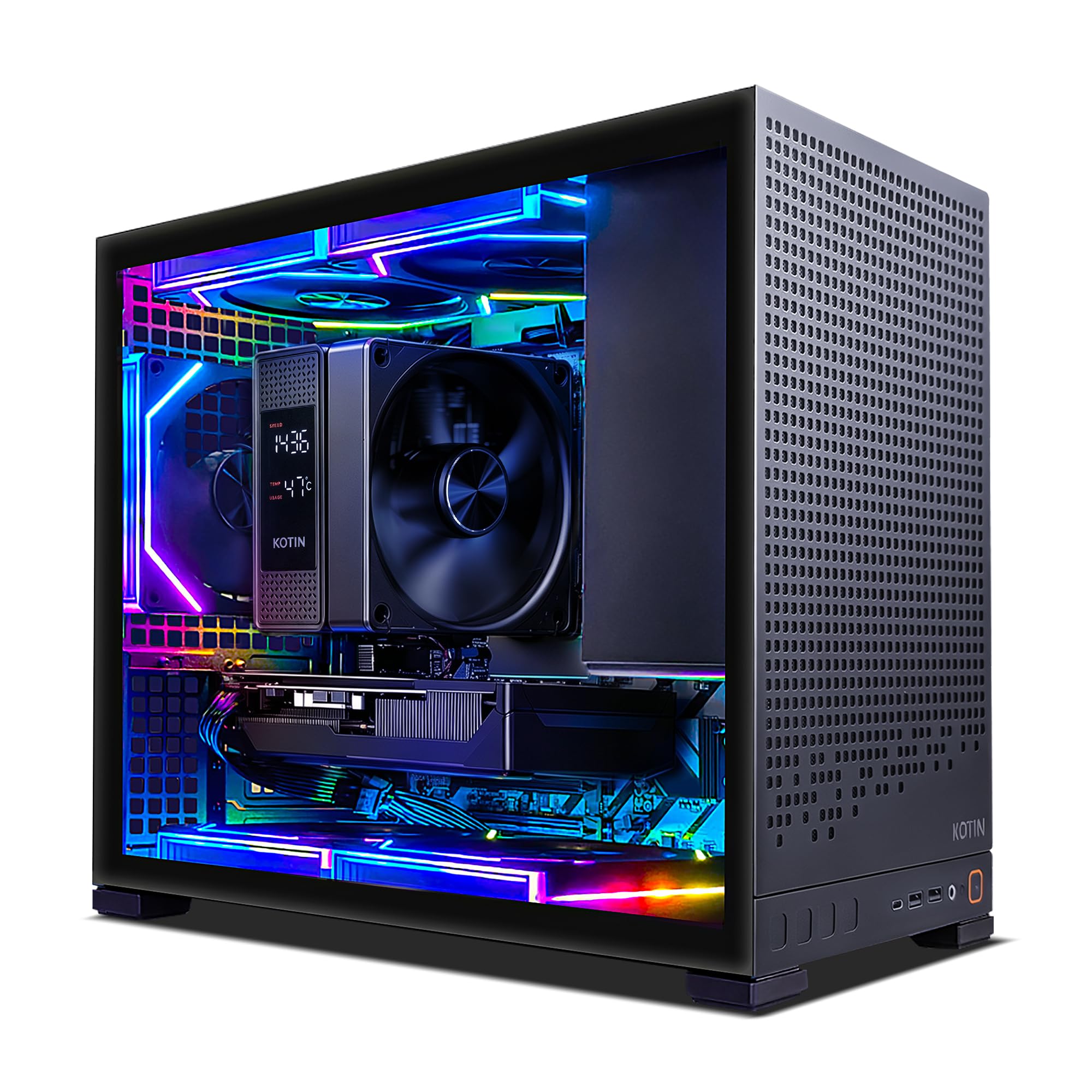
Overwatch at 300+ FPS from a tower with a built-in temperature display.
Raw frame counts are the story with this KOTIN. An AMD Ryzen 7 8700F that reaches 5 GHz pairs with a NVIDIA GeForce RTX 5060 Ti 8GB card using GDDR7 memory, and buyers report Overwatch clearing 300+ FPS and Rivals around 200 FPS — a leap from a previous 40 FPS ceiling. The card supports DLSS 4 and ray tracing, so 1080p and 1440p play both stay fluid.
The build quality matches the speed. A CPU air cooler with six copper heat pipes and a digital temperature display (so you can watch the temps live) sits with five 120mm ARGB fans pushing steady airflow. A 650W 80 PLUS Gold power supply, four DDR5 DIMM slots and three M.2 SSD slots leave real room to upgrade, and WiFi 7 with Bluetooth covers low-latency online play.
The honest note is on memory. The 16GB of DDR5 is nearing its ceiling in games like Arc, Warzone and Elden Ring, and adding a 32GB kit later is an easy two-screw upgrade. The brand is also newer, so the track record is shorter than the mainstream names.
Built to last and to grow: a six-pipe cooler, five ARGB fans, WiFi 7 and a 650W Gold supply make this the most upgrade-ready build here.
The catch is memory: 16GB is the floor once you play modern titles — a 32GB upgrade is a smart first move.
For you if: you want maximum frame counts and upgrade headroom with a smaller, newer brand.
Look elsewhere if: you want a long track record behind the name.
11. CyberPowerPC Gaming PC, AMD Ryzen 7 8700F, GeForce RTX 5060 Ti 8GB, 16GB DDR5, 1TB PCIe 4.0 NVMe SSD

The most-reviewed tower here, and it earns the crowd with a Ryzen 7 and an RTX 5060 Ti.
This CyberPowerPC carries the deepest buyer history of the group, and the build backs it up. An AMD Ryzen 7 8700F with 8 cores runs alongside a NVIDIA GeForce RTX 5060 Ti 8GB card using GDDR7 memory, paired with 16GB of DDR5 and a 1TB PCIe 4.0 NVMe SSD on an AMD B850 chipset. The card outputs 1x HDMI and 2x DisplayPort, and a 650W Gold supply handles the load —Wifi 6 and Bluetooth 5.3 keep online play steady, with 7.1 channel audio rounding it out.
Owners describe a tower that simply runs everything. It handles high-end games without stuttering, runs all your favorite titles smoothly, and looks the part through the tempered glass side panel with custom RGB lighting. The ports are generous — 2 USB-C 3.2, 4 USB-A 3.2 and 2 USB-A 2.0 — and the keyboard and mouse come included. A one-year parts and labor warranty with free lifetime tech support seals it.
The one thing to weigh is the memory ceiling. This is a 16GB DDR5 machine, and like the KOTON and iBUYPOWER picks here, heavy multitaskers will eventually want a 32GB kit. The Premium All-Rounder is also the priciest build on the list, so it suits buyers who want the newest silicon and the deepest review history behind it.
The crowd favorite: 4.3 stars across hundreds of ratings, and the praise lands on performance, build quality and looks in equal measure.
What to plan for: 16GB of DDR5 is the starting point; a future 32GB kit keeps it current as your library grows.
The pick for: anyone who wants the newest CPU and GPU pairing with the most buyer feedback behind it.
Not the choice if: you want to spend less for similar gaming performance — several picks here deliver comparable frames.
Understanding the Specs
Graphics Card & Video Memory
Your graphics card draws every frame, so it sets how high your frame rate can go. Video memory — the “6GB” or “8GB” in a card’s name — is its own fast pool for textures, and a bigger pool helps at higher resolutions and with ray tracing on. The GTX 1660 SUPER cards here are comfortable 1080p parts; the RTX 3050, RTX 4060 and RTX 5060 cards add newer features like DLSS 4 and ray tracing, which use machine learning and light simulation to keep frames smooth without dropping quality. Match the card to your screen: a 1080p 144Hz monitor wants a mid-tier card, while a 4K display needs far more. Ray tracing is demanding — on the 1660 SUPER builds it is not recommended, so switch it off and enjoy the frames.
Memory: DDR4 vs DDR5
Every tower here has 16GB of memory, the balance where a modern game and a few background apps coexist without stutter. The difference is the generation. DDR4 3200MHz is the established standard and runs cool and cheap. DDR5 4800MHz and up moves data faster and shows its advantage when you run a game, a browser and a chat app at once. If you plan to add a second stick later, check the board has spare DIMM slots — several picks here leave them open. And watch what you are running: 16GB handles AAA gaming fine, but heavy video editing or dozens of tabs will eventually push past it.
Storage: NVMe, SATA and Capacity
Storage type decides how fast the tower feels day to day. A PCIe NVMe drive plugs straight into the board and boots the system in seconds, loading maps far quicker than a SATA SSD, which itself beats an old spinning hard drive. Capacity is the other half of the equation: 512GB fills up fast once two or three modern titles are installed, while 1TB buys real breathing room. Some towers here also leave spare M.2 slots, so you can add another drive rather than buy a whole new machine.
Power Supply, Cooling and Upgrades
The power supply feeds everything. A 500W unit backs the current card but becomes the bottleneck the moment you want a faster GPU, while a 650W 80 PLUS Gold supply leaves room to grow. Cooling keeps all of it stable: air coolers with multiple fans and RGB lighting hold temperatures down through long sessions and run quieter than you might expect. Finally, look at the upgrade path — the number of RAM slots, the number of PCIe and M.2 slots, and whether the case opens without a full teardown. Spare RAM slots, extra M.2 slots and a 650W supply are what let a tower grow instead of being replaced.
FAQ
Is 16GB of RAM enough for modern gaming?
Do I need DDR5 memory or is DDR4 fine?
What is the difference between an RTX 5060 and an RTX 5060 Ti?
Will these towers run games at 1440p or only 1080p?
How long will a 16GB RAM gaming PC last before I need to upgrade?
Can I upgrade the RAM or graphics card in a prebuilt tower?
Do these gaming PCs come with Windows installed?
What power supply wattage do I need for a prebuilt gaming PC?
Is Wi-Fi built in or do I need an adapter?
Final Thoughts: The Verdict
If you want one tower that does everything well without a project, the HP OMEN 25L is the pick — a 20-core Intel Core i7-14700F with 33MB cache, 16GB of DDR4 and a 6GB GTX 1660 SUPER that boots in seconds and plays 1080p smoothly. If you want the newest silicon and the deepest buyer history behind it, grab the CyberPowerPC with the Ryzen 7 8700F and RTX 5060 Ti. And for a first tower that plays today and grows with you tomorrow, the CyberPowerPC with the i5-14400F is the one to reach for.
How We Picked
We do not accept paid placement. Every pick is matched to a real buyer and a real use-case; we do not hands-on test units.
Sources & Methodology
Specifications: manufacturer listings and product documentation. Review insights: verified customer reviews, as of September 2026. Pricing: not shown on this page (it changes often); check the current price via the retailer link.
As an Amazon Associate, Gadgets Feed earns from qualifying purchases. This does not affect which products we feature.