
Running out of digital real estate is a constant frustration when your media library, project archives, or backup versions keep piling up. A single 16 TB drive offers the capacity to store thousands of hours of video or hundreds of thousands of photos in one place, eliminating the hunt for free space across multiple smaller disks.
I’m Min — the co-founder and writer behind Gadgets Feed. I’ve spent weeks analyzing the technical specifications, customer reports, and real-world performance data of the current 16TB hard drive market to separate the reliable workhorses from the risky buys.
This guide breaks down the top contenders for the best 16tb hard drive, comparing transfer speeds, build quality, and real-world endurance to help you pick the right storage foundation for your data.
How To Choose The Best 16TB Hard Drive
The 16TB hard drive category spans everything from entry-level external plug-and-play drives to high-end enterprise internal units designed for 24/7 operation. Understanding the key differences in drive technology and intended use cases will prevent costly mistakes.
Internal vs External: Matching the Drive to Your Setup
Your first decision is whether you need an internal SATA drive for a desktop, NAS, or server, or a self-contained external unit that connects via USB. Internal drives generally offer better value per terabyte and can be replaced or upgraded independently of the enclosure, but they require a compatible bay and SATA connection. External drives provide immediate plug-and-play convenience for laptops, TVs, and consoles, often with a warranty covering the whole unit, but they tie the drive to a specific enclosure that may be harder to repair if the USB controller fails.
Spindle Speed and Cache: Real-World Transfer Performance
For large files like 4K video projects or disk images, a 7200 RPM spindle speed paired with a 256 MB cache delivers a significant throughput advantage over 5400 RPM alternatives. Expect sustained read speeds around 250 MB/s from a fast 7200 RPM drive, while a 5400 RPM unit typically tops out around 180-200 MB/s. The larger cache helps absorb short bursts of writes, smoothing out performance during simultaneous file operations.
Recording Technology: CMR vs SMR for Data Integrity
Conventional Magnetic Recording (CMR) writes data directly to the platter without overlapping tracks, maintaining consistent write performance even during intensive use. Shingled Magnetic Recording (SMR) overlaps tracks like roof shingles to increase density, but at the cost of drastically slower rewrite speeds. For any NAS, RAID array, or system that handles frequent file modifications, CMR is non-negotiable — SMR drives should be reserved strictly for write-once, read-occasionally cold storage where write performance is irrelevant.
Quick Comparison
On smaller screens, swipe sideways to see the full table.
| Model | Category | Best For | Key Spec | Amazon |
|---|---|---|---|---|
| Oyen Digital HDX Pro C 16TB | External | Creative professionals needing fast USB-C | 7200 RPM, USB-C 10Gbps | Amazon |
| LaCie d2 Professional 16TB | External | Mac-based creative workflows | 260 MB/s USB-C | Amazon |
| Seagate IronWolf Pro 16TB | Internal NAS | Reliable multi-bay NAS arrays | 7200 RPM, 256 MB cache | Amazon |
| Glyph BlackBox Pro 16TB | External | Professional audio/video field use | 260 MB/s USB-C | Amazon |
| WD 16TB Elements Desktop | External | Simple plug-and-play backup | USB 3.0, 5 Gbps | Amazon |
| Toshiba MG08ACA16TE 16TB | Internal Enterprise | High-value enterprise storage | 7200 RPM, Helium sealed | Amazon |
| UnionSine 16TB External | External | Budget-friendly large capacity | 5400 RPM, USB 3.0 | Amazon |
| Bestoss 2.5 Inch 2TB SSD | Internal SSD | Speeding up an old laptop | 550 MB/s SATA III | Amazon |
| BIWIN Black Opal X570 4TB | Internal NVMe | Ultra-fast system drive | 14500 MB/s PCIe 5.0 | Amazon |
In‑Depth Reviews
1. Oyen Digital HDX Pro C 16TB USB-C 7200RPM Enterprise External Hard Drive
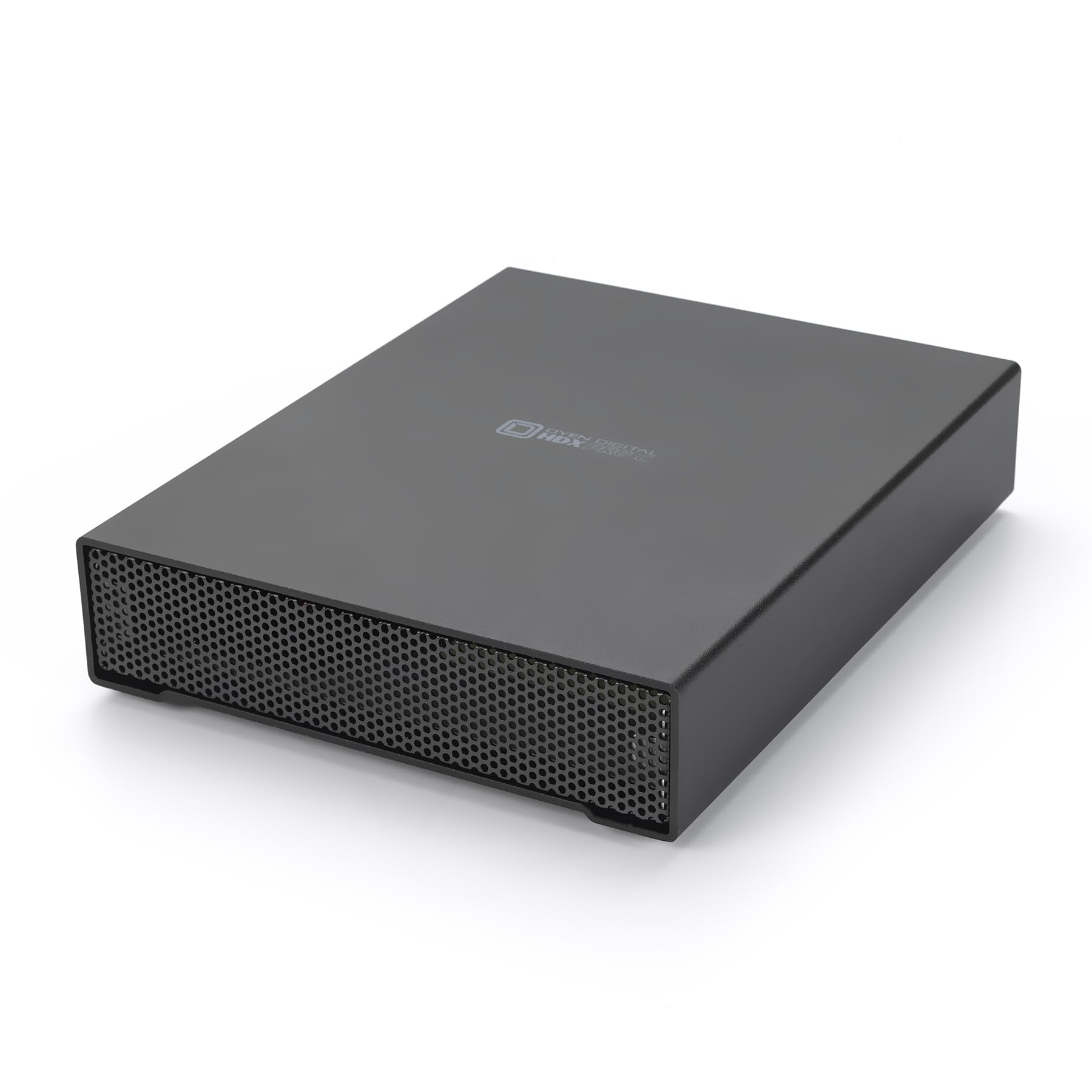
The Oyen Digital HDX Pro C stands out with its all-aluminum enclosure, internal power supply, and a quiet fan that keeps the 7200 RPM enterprise drive at safe operating temperatures during extended transfers. The dual USB-C ports support daisy-chaining additional drives, a feature rarely seen in this category, making it ideal for video editors or photographers managing multiple storage volumes from a single laptop port.
Real-world tests show sustained read speeds around 260 MB/s over USB 3.2 Gen 2, matching or exceeding the rated performance of most competing 16TB external drives. The included USB C-C and C-A cables ensure compatibility with both Thunderbolt machines and older USB-A ports without needing adapters. Users consistently praise the solid construction and dependable power delivery.
The main trade-off is noise — the combination of a 7200 RPM spindle and an internal fan produces an audible hum during operation, making it less suited for a quiet bedroom or office. Additionally, the premium build quality comes at a higher entry point than basic external enclosures, but the robust design and daisy-chain functionality justify the investment for professionals who rely on their storage daily.
Why it’s great
- Daisy-chain capable USB-C ports reduce cable clutter
- Internal power supply eliminates bulky external brick
- Enterprise-grade 7200 RPM drive delivers fast sustained transfers
Good to know
- Audible fan and drive noise may be noticeable in quiet spaces
- Premium cost compared to basic 16TB external drives
2. LaCie d2 Professional 16TB USB 3.1 Type-C External Hard Drive

The LaCie d2 Professional is engineered for creative environments familiar with Thunderbolt and USB-C workflows. Its extruded aluminum enclosure acts as a heat sink, passively cooling the 7200 RPM enterprise-class drive inside without needing a fan, keeping noise levels very low even during sustained operation. The drive ships pre-formatted as exFAT, allowing immediate read-write access on both macOS and Windows without reformatting.
Benchmarks and customer reports consistently confirm sustained transfer speeds of 250-260 MB/s, making it one of the fastest 16TB external drives available. The 5-year limited warranty from LaCie and Seagate provides long-term peace of mind for professionals storing irreplaceable project files. Photographers and video editors particularly appreciate the drive’s ability to handle large file transfers without throttling or overheating.
Shipping in the manufacturer’s box without an outer cardboard sleeve has been noted as a privacy concern for deliveries, as the contents are clearly advertised on the box. Additionally, a small number of users have reported drive failures within the first year, though LaCie’s warranty process generally covers replacements smoothly. The design prioritizes desktop stability, but the drive is heavy and not intended for frequent travel.
Why it’s great
- Fanless aluminum chassis operates silently
- True 260 MB/s sustained read and write speeds
- exFAT format works immediately with Mac and PC
Good to know
- Ships in retail box with no privacy sleeve for delivery
- Heavy enclosure is not designed for portability
3. Seagate IronWolf Pro 16TB Enterprise Internal NAS HDD

The Seagate IronWolf Pro is the definitive choice for anyone building or expanding a multi-bay NAS (Network Attached Storage) system. All models in the IronWolf Pro lineup use Conventional Magnetic Recording (CMR), ensuring consistent write performance even in RAID arrays where parity calculations demand steady throughput. The 256 MB cache and 7200 RPM spindle deliver sequential transfer rates around 240-250 MB/s, matching what you would expect from a premium enterprise drive.
AgileArray firmware with dual-plane balancing and rotational vibration (RV) sensors are specifically designed for multi-drive environments, maintaining performance when adjacent drives vibrate during active reads and writes. The 550 TB/year workload rating and 2.5 million hours MTBF indicate a drive built for continuous 24/7 operation in commercial or heavy home server applications. Seagate also includes complimentary 3-year Rescue Data Recovery Services.
Noise is the primary trade-off — under heavy loads, the drive produces a noticeable chatter and seek noise that can be disruptive in a living room or home office. The premium price point also reflects the enterprise-grade components and warranty, so it is more expensive than consumer-grade internal drives. Buyers should verify that their seller is an authorized distributor to ensure the full 5-year warranty applies.
Why it’s great
- CMR technology ensures RAID-friendly consistent write performance
- RV sensors maintain throughput in dense multi-bay enclosures
- 3-year Rescue Data Recovery included
Good to know
- Audible seek noise under heavy RAID load
- Warranty verification depends on authorized seller status
4. Glyph BlackBox Pro External Hard Drive 16TB USB-C

The Glyph BlackBox Pro is built for professional environments where durability matters. The enclosure uses electro-galvanized steel and aluminum, providing significantly more physical protection than the typical plastic or thin aluminum shells found on consumer-tier external drives. The internal 7200 RPM enterprise drive delivers sustained read and write speeds up to 260 MB/s over USB 3.1 Gen 2, a speed confirmed in user tests comparing transfers from high-speed SSDs.
Glyph includes both USB-C to USB-C and USB-C to USB-A cables, ensuring immediate compatibility with modern laptops and older desktops. The drive is particularly popular among audio and video professionals who need a rugged, portable storage solution for on-location work. Many users report long-term reliability over multiple years of heavy use, citing the build quality as a key reason for repeat purchases.
Some users have reported drive failures after around 10 months of continuous use, and data recovery from the manufacturer was unsuccessful in certain cases. This highlights the critical importance of maintaining separate backups regardless of the drive’s reputation. The premium price reflects the industrial-grade enclosure and warranty support, but the higher cost may be prohibitive for budget-conscious buyers.
Why it’s great
- Steel and aluminum enclosure provides real physical protection
- Sustained 260 MB/s read/write performance
- Two cables included for USB-C and USB-A hosts
Good to know
- Drive failures reported within the first year in some cases
- Premium cost for the ruggedized enclosure design
5. WD 16TB Elements Desktop External Hard Drive

The WD Elements Desktop is the standard bearer for straightforward, high-capacity external storage. No software, no configuration — just plug the included USB 3.0 cable and power adapter into your computer, and the drive mounts immediately as a single volume. The 16TB model uses a reliable WD internal drive, and the compact vertical design takes up very little desk space relative to its capacity.
Transfer rates settle around 150-180 MB/s in real-world usage, which is typical for a drive in this category. The drive runs quietly during idle operations and only produces a spinning hum during active file transfers. WD’s reputation for reliable consumer storage means most users have positive long-term experiences, and the Elements line has been a consistent bestseller for bulk backup and media storage.
Some users report the drive being noticeably louder than expected during active transfers, with a distinct humming or vibration noise. The USB 3.0 interface, while widely compatible, is limited to 5 Gbps and will not match the speeds of USB-C or Thunderbolt connected external drives. Additionally, the drive is pre-formatted in NTFS, meaning Mac users will need to reformat to a compatible file system for write access.
Why it’s great
- Reliable WD brand with consistent performance and build
- True plug-and-play setup with no driver installation needed
- Compact vertical footprint saves desk space
Good to know
- NTFS format requires reformatting for full Mac write support
- Transfer noise can be audible during sustained use
6. Toshiba MG08ACA16TE 16TB 7200RPM Enterprise Hard Drive (Renewed)

The Toshiba MG08ACA16TE is a helium-sealed enterprise drive that packs nine CMR platters into a standard 3.5-inch form factor, achieving 16TB with lower power consumption and reduced internal turbulence compared to air-filled drives. The 7200 RPM spindle and 512 MB cache enable sustained throughput around 260 MB/s, making it a compelling choice for home lab users, media servers, and NAS arrays on a budget.
The renewed designation means these drives are typically pulled from enterprise data centers after a period of use and then tested and repackaged. This allows buyers to access enterprise-grade hardware at a significant discount versus new retail pricing. Buyers should be aware that they are not getting a fresh-from-factory drive and will need to check SMART data for power-on hours upon arrival.
The primary risk with the renewed model is the variable condition of the drives. Several customers have reported receiving units with over 30,000 power-on hours — equivalent to roughly 3.5 years of continuous use — which significantly increases the probability of future failure. The helium seal provides excellent density and efficiency, but the unknown usage history makes this a high-risk option for storing primary, irreplaceable data without a robust backup strategy.
Why it’s great
- Enterprise-grade helium sealed design for low power and high density
- Substantial cost savings over new enterprise drives
- CMR recording delivers RAID-friendly write consistency
Good to know
- Expect high power-on hours already accumulated from prior data center life
- Reliability depends entirely on condition of the individual unit received
7. UnionSine Desktop External Hard Drive 16TB USB 3.0
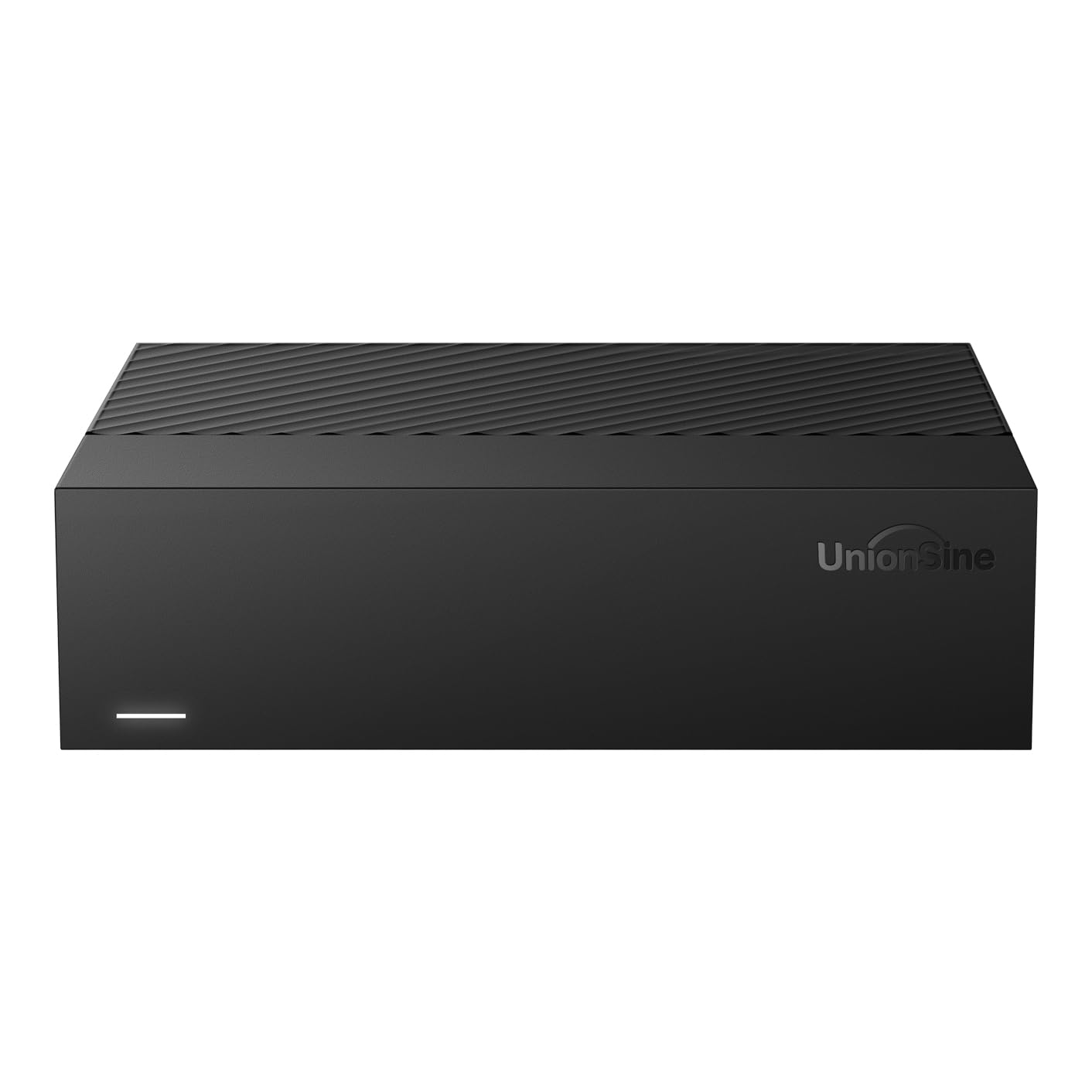
The UnionSine 16TB external drive targets budget-conscious buyers who need massive storage capacity without paying a premium for high-speed components. The drive uses a 5400 RPM spindle, which is perfectly adequate for media storage, backup archives, and game libraries where sequential write speed is not the primary concern. The ASM chipset promises wide compatibility with Windows, Mac, Linux, TVs, and game consoles.
The included 12V/3A power supply and anti-vibration silicone mounting help reduce mechanical noise and ensure stable data delivery during extended use. Users have reported its effectiveness for Xbox and PlayStation game storage, where games can be played directly from the external drive. The theoretical speeds of 130-270 MB/s are typical for a 5400 RPM drive over USB 3.0.
Performance consistency can be an issue — some users have noted slower response times and higher noise levels compared to premium drives, particularly during random access operations. The 5400 RPM spindle means large file transfers will take longer than with any 7200 RPM alternative. Long-term reliability is unproven compared to established brands like WD, Seagate, and Toshiba.
Why it’s great
- Very competitive cost per terabyte for bulk storage
- Wide compatibility with PC, Mac, TV, and game consoles
- Anti-vibration silicone helps reduce operational noise
Good to know
- 5400 RPM spindle means slower large file transfers
- Long-term reliability and service record is unestablished
8. Bestoss 2.5 Inch 2TB SSD SATA III Internal Hard Drive
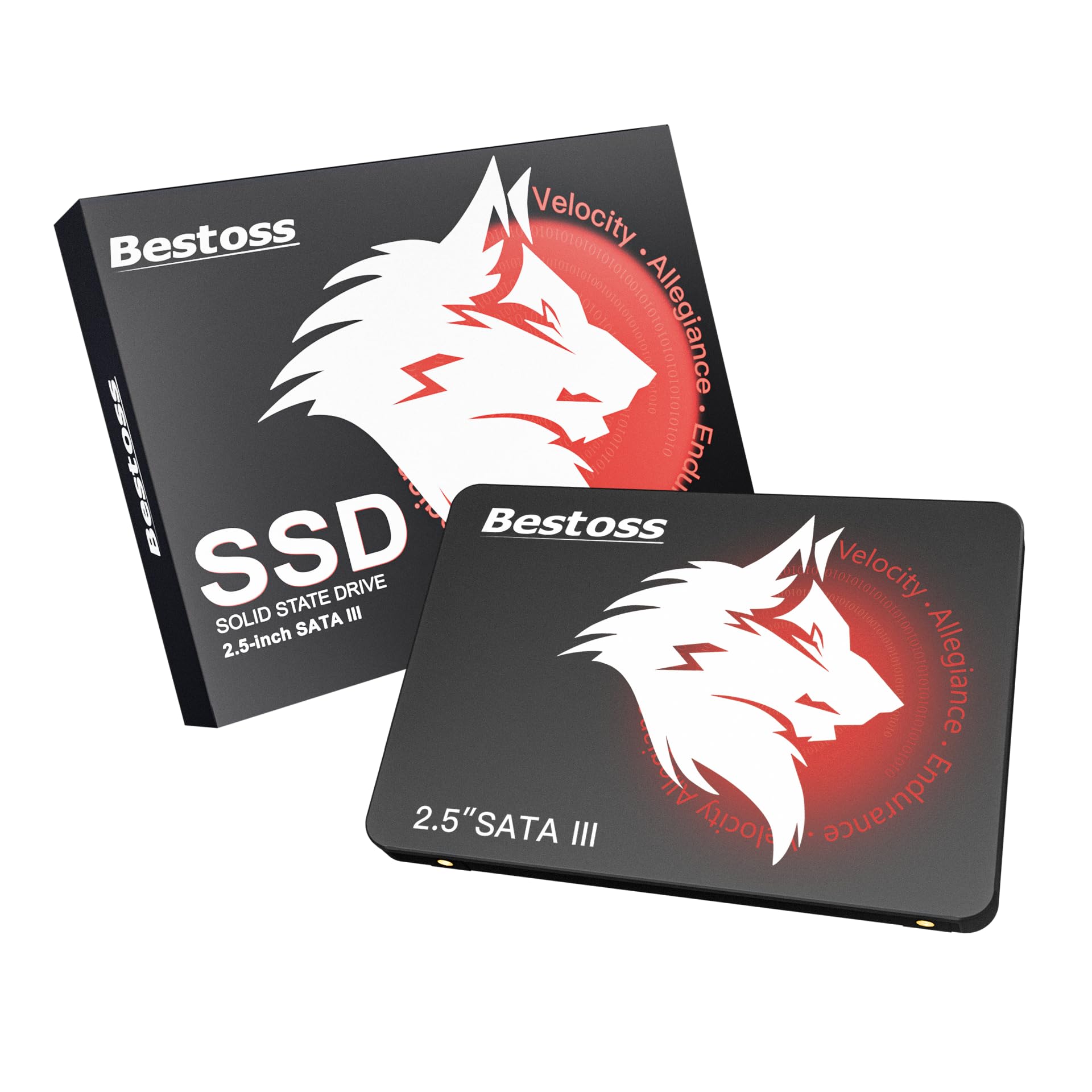
The Bestoss 2TB SATA III SSD offers a budget path to upgrading an old laptop, desktop, or even a Raspberry Pi with solid-state performance. While it does not offer 16TB of capacity, it directly addresses the need for faster boot times and application loading — a critical consideration for anyone weighing a pricey 16TB HDD against a smaller but much faster SSD. The TLC NAND provides longer write endurance than cheaper QLC alternatives.
Read speeds up to 550 MB/s — the theoretical maximum of SATA III — represent a 5x improvement over a typical 7200 RPM hard drive for boot and application performance. Plug-and-play compatibility with Windows and Linux systems makes it a straightforward drop-in replacement for any 2.5-inch drive bay. The 3-year warranty offers a basic safety net for this price tier.
The 2TB capacity is dwarfed by the 16TB drives that are the primary focus of this category, making it unsuitable for large media archives or full system backups. SATA III speeds, while fast for a hard drive, are dramatically slower than contemporary NVMe SSDs which offer 10x or greater throughput. This drive serves a different niche entirely — it is a speed upgrade, not a capacity expansion.
Why it’s great
- TLC NAND provides better write endurance than budget QLC alternatives
- Easy installation and broad OS compatibility
- Immediate boot and application speed improvement over any HDD
Good to know
- 2TB capacity is much smaller than the 16TB drives in this category
- SATA III speeds are a fraction of current NVMe SSD performance
9. BIWIN Black Opal X570 Gen5 SSD 4TB, M.2 PCIe 5.0 NVMe 2.0
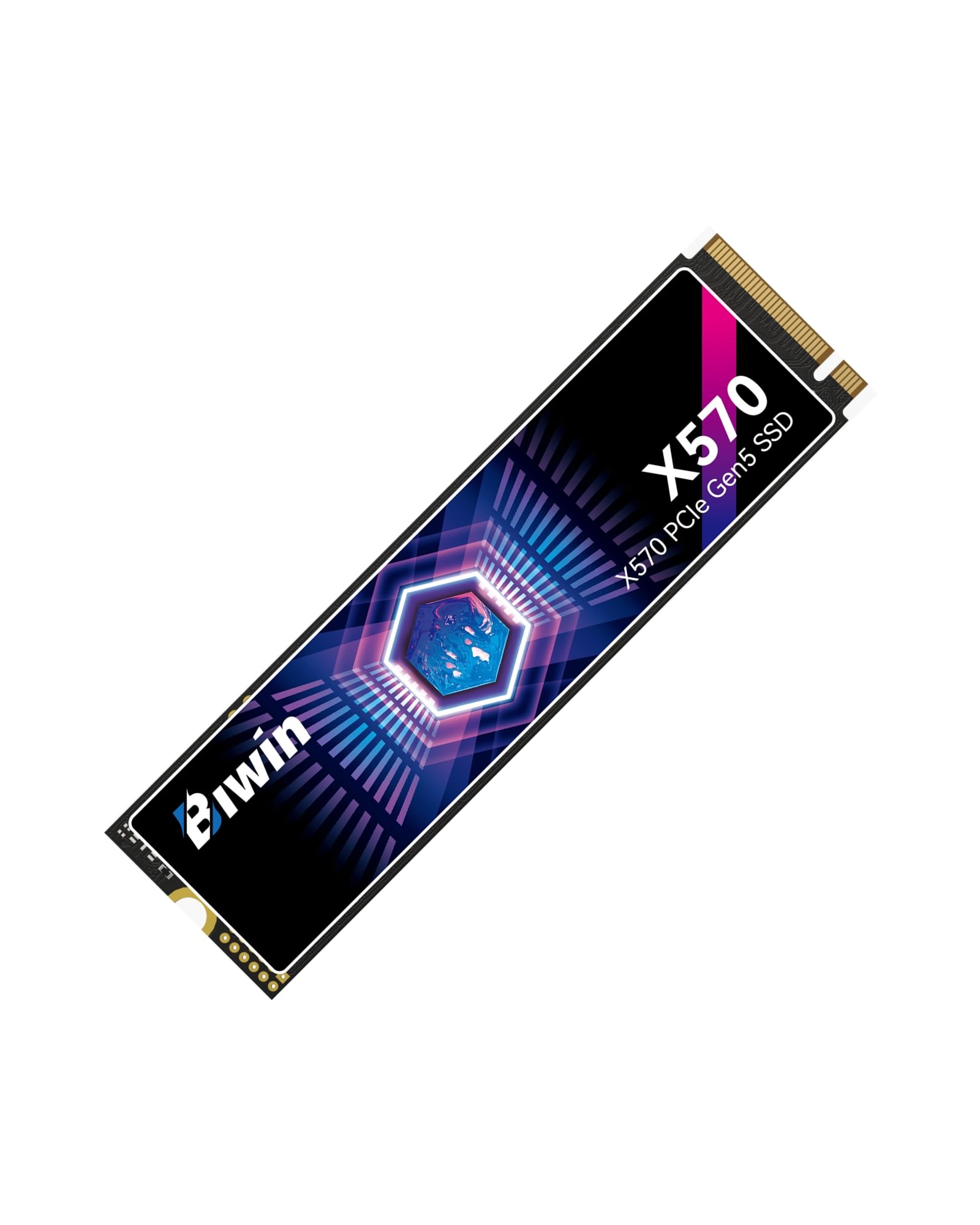
The BIWIN Black Opal X570 represents the absolute pinnacle of consumer storage speed, leveraging the PCIe 5.0 interface to deliver sequential read speeds up to 14,500 MB/s and writes up to 11,000 MB/s. For professionals working with 8K video, massive 3D models, or AI training datasets that need to load into memory instantly, this drive eliminates the bottleneck that even the fastest PCIe 4.0 SSD creates. The 2400 TBW endurance rating and 5-year warranty indicate a drive built for sustained high-performance workloads.
The advanced thermal management system is critical here — PCIe 5.0 drives generate significant heat under load, and the X570 requires a heatsink or active cooling to maintain peak performance without throttling. When paired with a compatible motherboard or add-in card, the drive maintains its blistering transfer rates during large file transfers. Users report zero errors and excellent performance when used in Thunderbolt 5 enclosures with modern MacBooks.
At 4TB, the capacity is a fraction of what a 16TB hard drive offers, and the cost per terabyte is exponentially higher. The drive also demands a PCIe 5.0 slot for its full speed, limiting compatibility to the latest motherboards and laptops. For pure bulk storage of less frequently accessed data, this is an inefficient and expensive choice compared to any 16TB HDD.
Why it’s great
- 14,500 MB/s read speed is unmatched for professional workflows
- High 2400 TBW endurance rating for demanding workloads
- Excellent thermal management with proper heatsink installation
Good to know
- Requires PCIe 5.0 motherboard slot for full speed benefits
- 4TB capacity and high cost per TB is not suitable for bulk storage
FAQ
Is a 7200 RPM 16TB drive significantly louder than a 5400 RPM model?
Can I use a 16TB internal enterprise drive in a standard desktop computer?
Final Thoughts: The Verdict
For most users, the best 16tb hard drive winner is the Oyen Digital HDX Pro C because it combines enterprise-grade 7200 RPM performance with a professional aluminum enclosure that includes daisy-chain USB-C ports, eliminating cable clutter and offering a complete solution for power users. If you want silent operation for a creative workspace, grab the LaCie d2 Professional. And for a NAS array requiring consistent RAID performance with CMR reliability, nothing beats the Seagate IronWolf Pro 16TB.