
A 17.3-inch laptop screen gives you a massive canvas for work, but even that real estate gets tight when you’re juggling spreadsheets, code editors, video calls, and reference documents simultaneously. The fix isn’t a bigger laptop—it’s a portable screen extender that attaches directly to your existing machine, giving you two or three displays in the space of one.
I’m Min — the co-founder and writer behind Gadgets Feed. For this guide, I analyzed panel specifications, connector types, weight distribution, and real-world feedback across seven top laptop screen extenders to find which models actually deliver a stable, clear, and clutter-free multi-monitor experience for a 17.3-inch laptop.
After weeks of research and cross-referencing technical specs with verified buyer experiences, I’ve identified the models that earn a spot on any shortlist for the best 17.3 inch laptop screen extender in today’s market.
How To Choose The Best 17.3 Inch Laptop Screen Extender
All screen extenders claim to boost productivity, but when you’re pairing one with a 17.3-inch laptop, fit and stability become non-negotiable. A flimsy clip or undersized panel turns a supposed upgrade into a daily frustration. Here are the three specs that separate a useful tool from a desk ornament.
Panel Size and Resolution
The extender’s screen size dictates how much actual usable real estate you gain. Most extenders land at 14 or 15.6 inches. A 14-inch panel keeps the total footprint compact and the weight down near 3 pounds, making it easier to carry. A 15.6-inch panel offers 24% more area, which feels significant when you’re working with timelines, dashboards, or large data tables. Regardless of size, always confirm the resolution is 1920×1080 FHD—lower resolutions on a 15.6-inch panel look soft and force you to scroll more, defeating the point of the extender.
Connection Type and Cable Management
Two main connection architectures dominate the category. Dual-cable setups (two USB-C or one USB-C plus HDMI) provide true plug-and-play with no driver install, but they require your laptop to have two video-output-capable ports. Single-cable designs use a USB-C or USB-A connection after a one-time driver installation, which is cleaner on your desk and works even if your laptop only has one video-capable port. The trade-off is that single-cable models usually need an external power adapter to maintain full brightness, adding one more brick to your bag.
Weight, Stand Design, and Build Quality
A 17.3-inch laptop already weighs between 4 and 6 pounds. Adding a screen extender that clips onto the lid puts extra stress on the laptop’s hinge, which is a common failure point. Look for models with an independent stand or reinforced base that sits behind the laptop rather than hanging from the screen. Total system weight matters for portability—extenders under 3.5 pounds paired with an aluminum or reinforced plastic chassis hit the sweet spot between durability and luggage tolerance.
Quick Comparison
On smaller screens, swipe sideways to see the full table.
| Model | Category | Best For | Key Spec | Amazon |
|---|---|---|---|---|
| ZUMWALT P7 | Triple 15.6″ | Max screen real estate | Two 15.6″ FHD IPS panels | Amazon |
| Rizpak One Cable | Triple 15.6″ | Clean single-cable desk setup | 100% sRGB, 4 lbs aluminum | Amazon |
| SMISEACOW S8 Pro Max | Triple 15.6″ | Travel-first design | 0.18″ thin, 3.9 lbs | Amazon |
| domyfan P7 | Triple 15.6″ | Budget-friendly 15.6″ option | 0.16″ thin, 3.9 lbs | Amazon |
| Vixtan 14″ | Triple 14″ | Ultralight on-the-go use | 3.0 lbs, 100% sRGB | Amazon |
| AOKER Tri-Screen | Triple 14″ | Matte anti-glare panels | 2.2 lbs, 4.5mm thin | Amazon |
| FEZOBR Dual-Screen | Triple 14″ | Entry-level price point | 300 nits brightness | Amazon |
In‑Depth Reviews
1. ZUMWALT P7 Triple 15.6″ Laptop Screen Extender
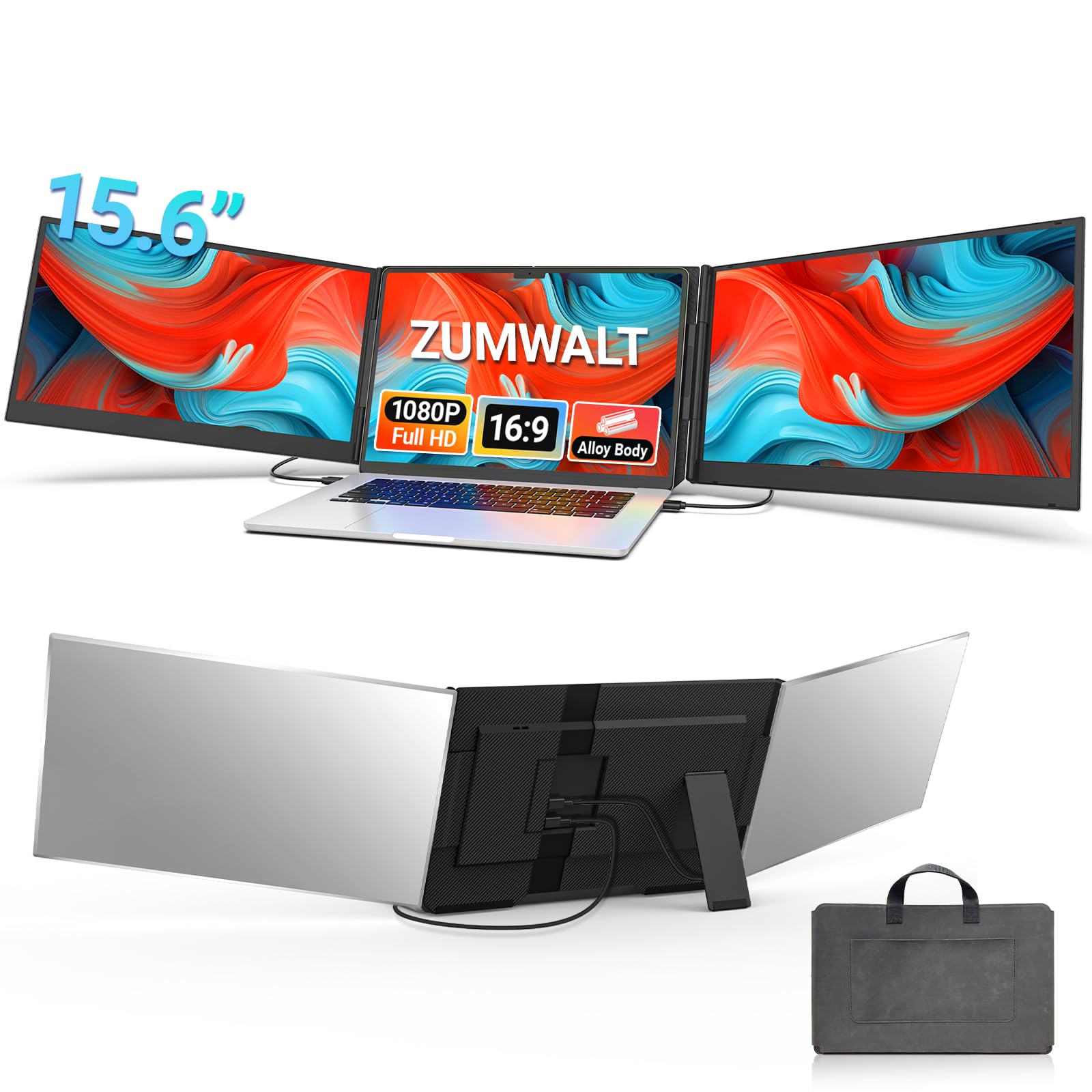
The ZUMWALT P7 stands out by offering two 15.6-inch FHD IPS panels—the largest available in this product roundup—giving you a combined workspace that genuinely rivals a desktop triple-monitor setup. Each panel delivers 280 nits of brightness with a 178-degree viewing angle, so colors remain consistent even when you’re collaborating from the side of the screen. The upgraded internal cabling means you only need two USB-C connections when your laptop supports full function ports, which drastically reduces the cable spaghetti that plagues lesser extenders.
The aluminum alloy shell keeps the total system at 4 pounds, which is reasonable given the 31.2 inches of combined diagonal screen area. The stand mounts independently behind your laptop rather than clipping onto the lid, which removes hinge stress—a critical advantage for 17.3-inch laptops that already carry significant weight. Users consistently report sharp image clarity and zero latency during data-heavy workflows like coding and video editing.
One practical limitation: if your laptop lacks two full-featured USB-C ports, you’ll need an H5-T adapter and an external power source to drive both screens simultaneously. MacBook M-series owners should verify compatibility before purchase, as those chips require the adapter for dual-screen output. The included leather carry bag keeps everything organized for airport security or coffee shop sessions.
Why it’s great
- Largest panels in category at 15.6 inches each
- Independent stand protects laptop hinge
- Sharp FHD IPS with wide viewing angles
Good to know
- Requires dual USB-C or H5-T adapter for full function
- At 4 lbs, heavier than 14-inch alternatives
- Glossy finish reflects overhead lighting
2. Rizpak One Cable 15.6″ Triple Laptop Screen Extender
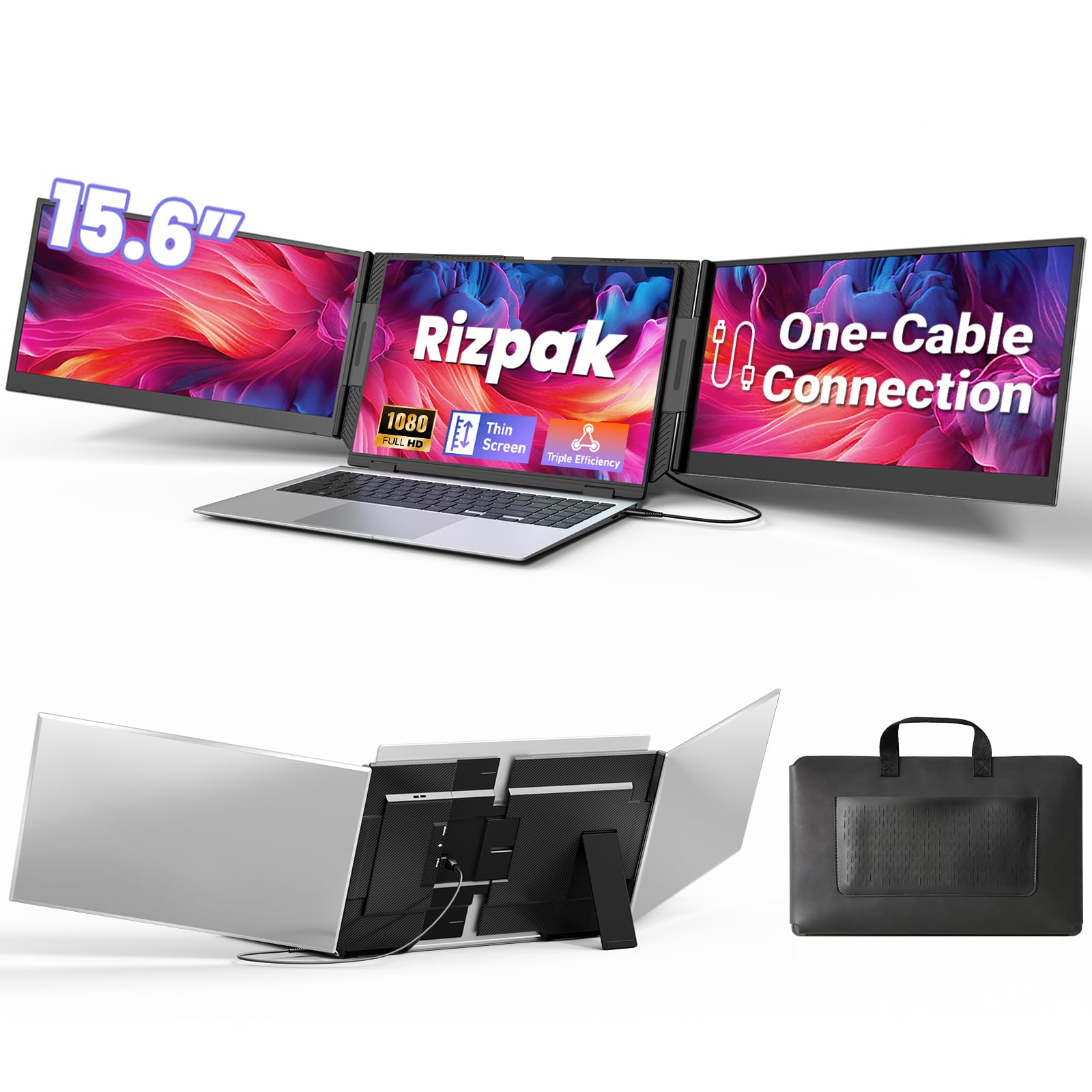
The Rizpak One Cable model solves the port-compatibility problem that plagues dual-cable extenders. After a one-time driver installation, a single USB-C or USB-A cable drives both 15.6-inch FHD IPS panels simultaneously, meaning you can connect even if your 17.3-inch laptop has only one video-capable port. This makes it the cleanest desk solution in the lineup—one cable running from the laptop to the extender, no adapters, no external power brick required for basic operation.
The display quality punches above its weight class with 100% sRGB color gamut coverage and 300 nits brightness. That color accuracy matters if you’re doing photo editing, UI design, or presentation work where true-to-life hues separate a professional result from a washed-out mess. The independent aluminum stand supports the extender without any load on your laptop’s hinge, and the 180-degree foldable screens let you angle each panel for group viewing or privacy.
The trade-off for single-cable simplicity is that you need to install a driver before first use—about two minutes of setup that some users might prefer to skip. Also, for maximum brightness and stability during long sessions, the manufacturer recommends connecting the included power adapter to the PD port, which reintroduces a cable to the equation. The 4-pound weight is identical to the ZUMWALT, making it a non-issue for bag travel but noticeable during one-handed carry.
Why it’s great
- One-cable connection reduces desk clutter
- 100% sRGB for color-critical work
- Aluminum back panel and reinforced stand
Good to know
- Driver installation required before first use
- Power adapter recommended for sustained peak brightness
- Not compatible with gaming consoles
3. SMISEACOW S8 Pro Max Triple 15.6″ Laptop Screen Extender
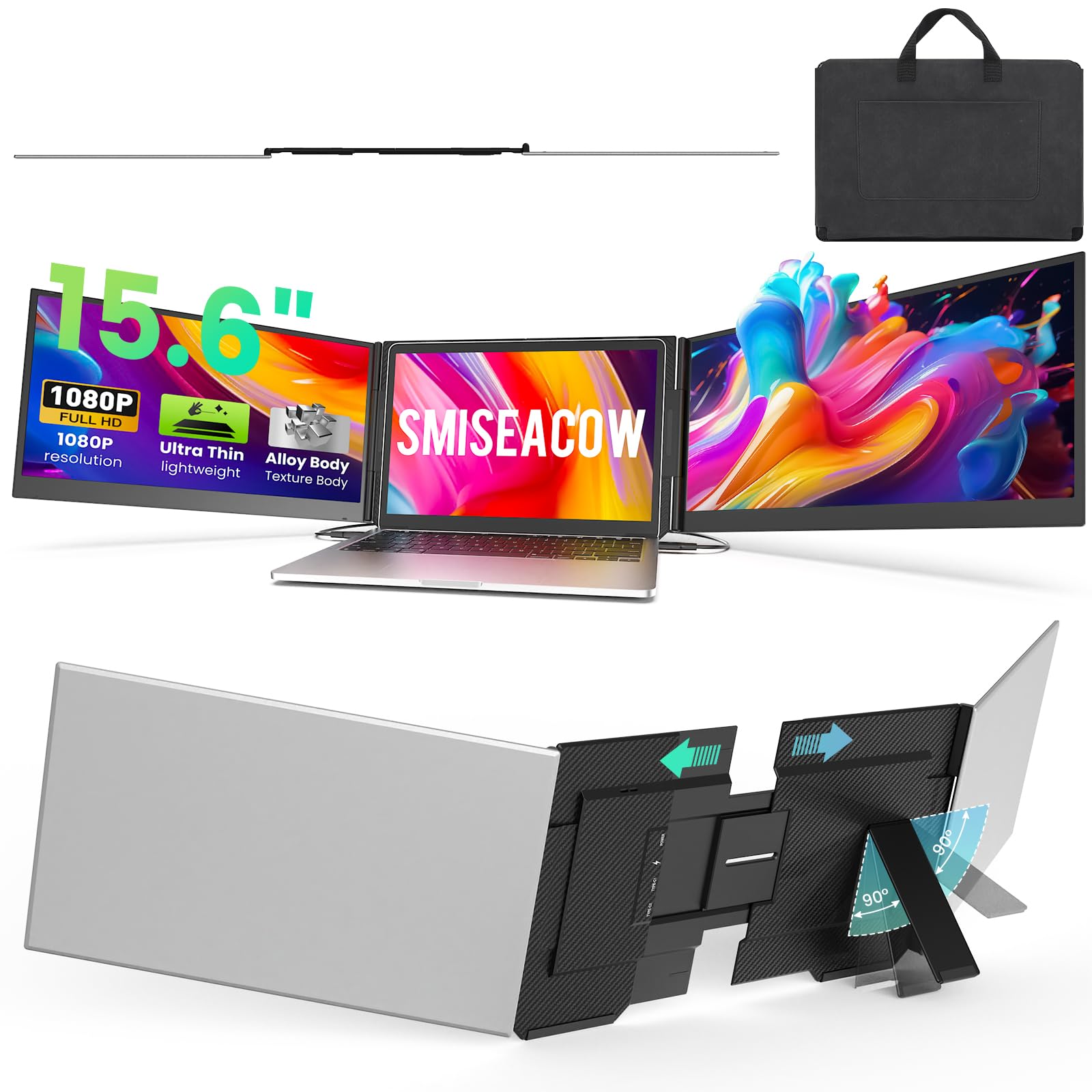
The SMISEACOW S8 Pro Max achieves something genuinely difficult in this category: a 15.6-inch triple-screen extender that measures just 0.18 inches thick and weighs 3.9 pounds. That makes it the slimmest full-size contender here and a legitimate one-bag travel companion for the 17.3-inch laptop owner who doesn’t want to check luggage. The aerospace-grade aluminum body doubles as a heat sink, which helps maintain stable panel performance during extended productivity sessions.
Image quality is solid for the class: 1920×1080 IPS panels with a 1000:1 contrast ratio and 300 nits brightness. The included low-blue-light mode is a genuine ergonomic benefit for users who spend 8+ hours staring at extended displays. Setup follows the dual-USB-C plug-and-play pattern—no drivers required if your laptop has two video-output ports. Users report that the panels work well with Samsung DeX, making this extender functional for Android phone-based desktop workflows in addition to laptop use.
The main catch is that MacBooks with M-series chips require a separate H5 cable (available from the manufacturer) to drive both screens, so Apple users should budget for that extra accessory. Some users also note that the included USB-A power cable can cause overheating under sustained load; switching to a USB-C-to-C connection solves the issue. The soft leather carry bag is a nice inclusion that keeps the extender scratch-free during transit.
Why it’s great
- Ultra-slim 0.18-inch profile for easy packing
- Aluminum chassis with efficient heat dissipation
- Low blue light mode reduces eye fatigue
Good to know
- Mac M-series needs separate H5 cable for dual screens
- USB-A power cable may overheat without replacing
- Requires two video-output ports for plug-and-play
4. domyfan P7 Triple 15.6″ Laptop Screen Extender
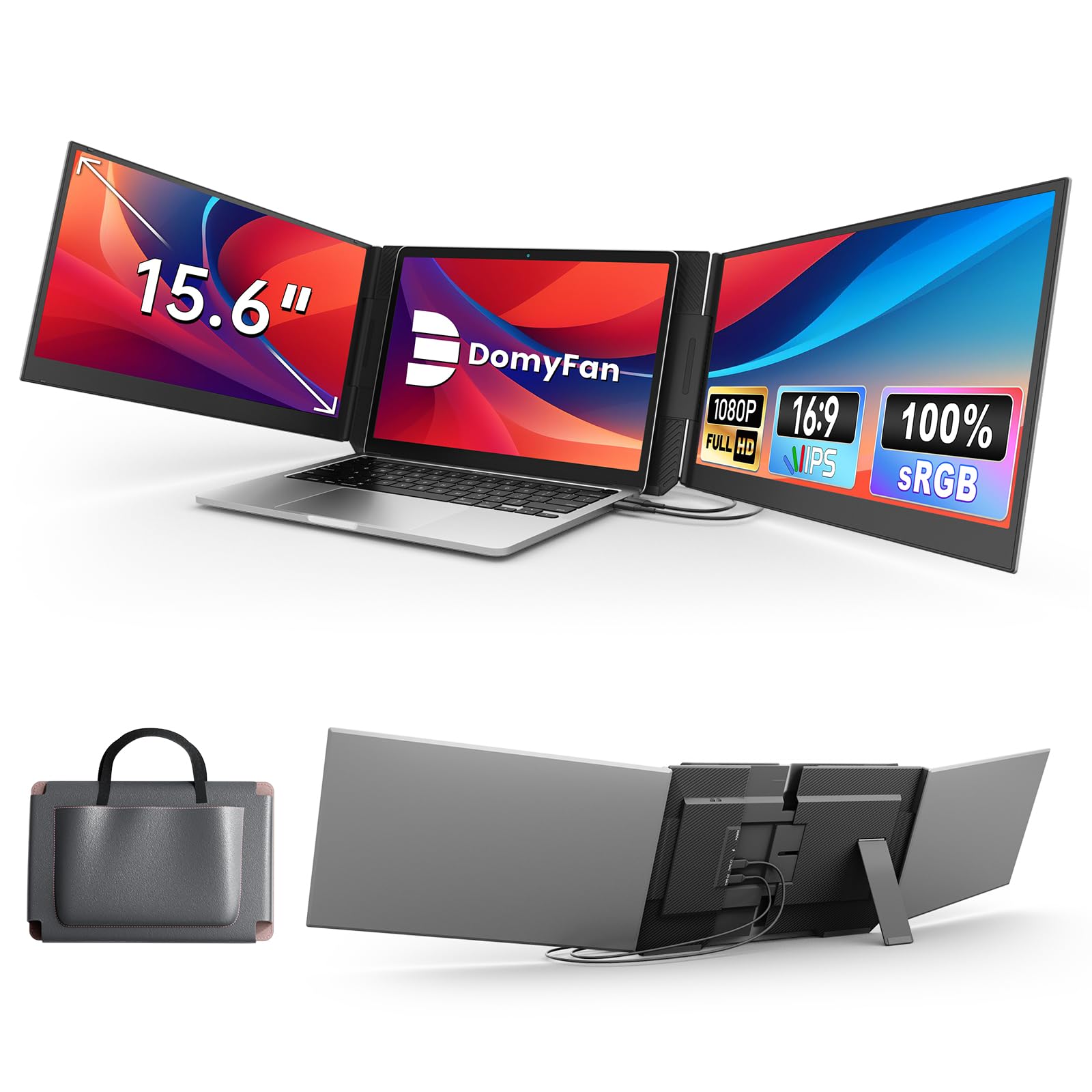
The domyfan P7 delivers the same 15.6-inch FHD IPS panel size as the premium contenders at a more accessible price point, making it a strong entry point for users who want maximum screen real estate without a premium-tier investment. The 3.9-pound weight and 0.16-inch profile are competitive with the SMISEACOW, and the travel sleeve keeps the extender protected during commutes. Brightness hits 280 cd/m², which is adequate for indoor use and dimly lit coffee shops.
The connection scheme is standard dual-cable: two USB-C cables or one HDMI plus one USB-C, depending on your laptop’s ports. Plug-and-play works without driver installation as long as your 17.3-inch laptop has two video-output-capable ports. Users appreciate the easy setup and the ability to switch between extended, mirrored, and second-screen modes. The package includes two USB-C-to-C cables, two HDMI-to-Type-C cables, one USB-A-to-C cable, and a power adapter—more than enough to cover most connectivity scenarios.
There are two notable caveats. First, this extender is not compatible with MacBooks using M1 through M4 chips at all—no H5 cable workaround is offered, which eliminates it for the entire modern MacBook lineup. Second, at least one long-term user report mentions the screen connection becoming intermittent after six months, possibly due to a loose cable. For Windows and Android users on a budget, however, the upfront value is hard to beat.
Why it’s great
- Affordable entry to 15.6-inch triple-screen setup
- Ultra-slim 0.16-inch profile
- Full cable kit included in box
Good to know
- Not compatible with Mac M1-M4 chips
- Some durability concerns with cable connection over time
- Glossy screen finish shows fingerprints
5. Vixtan 14″ Triple Laptop Screen Extender
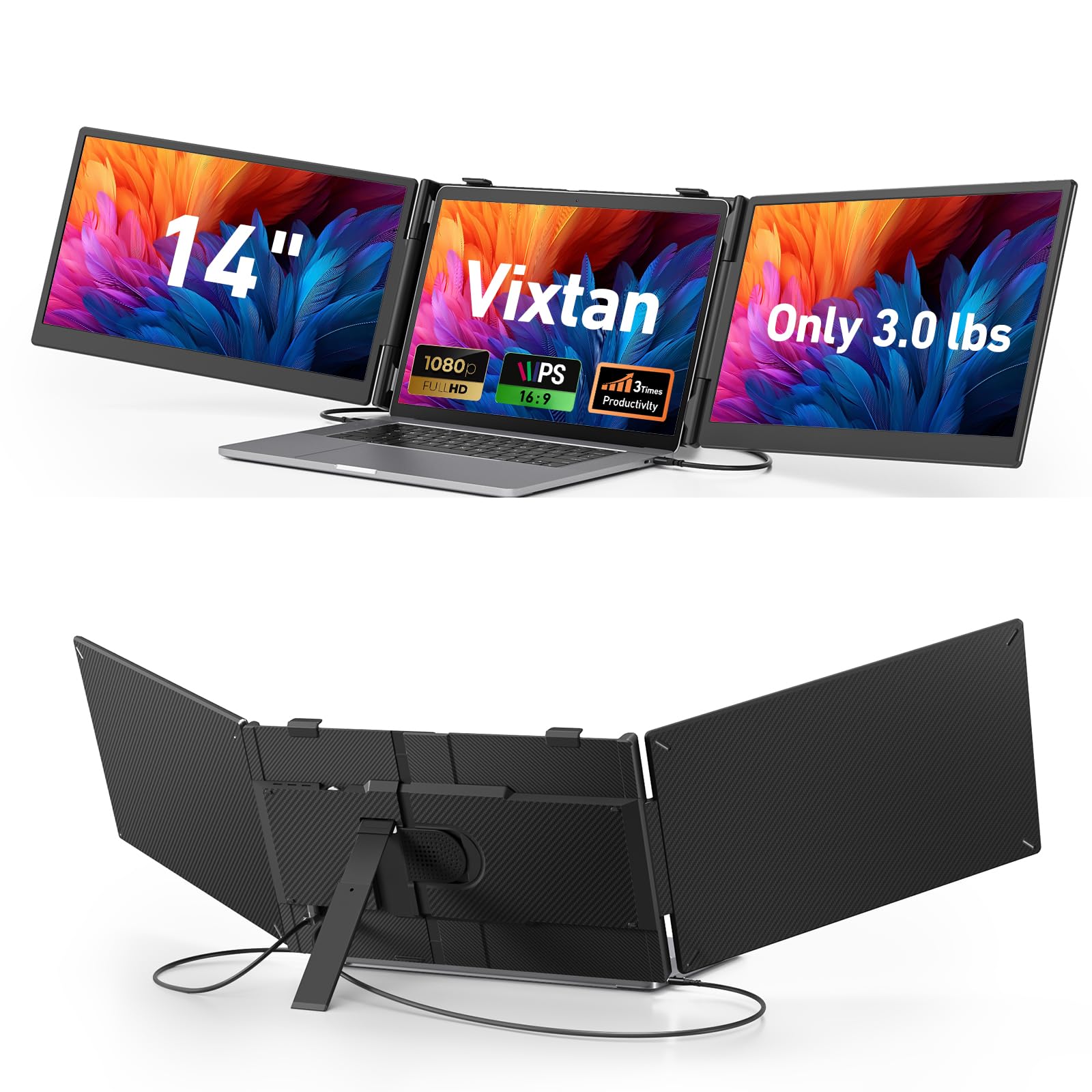
At just 3.0 pounds, the Vixtan 14-inch extender is the lightest unit in this entire roundup—a full pound lighter than the 15.6-inch models. If you’re already carrying a 5.5-pound 17.3-inch laptop, shaving that weight off your accessory bag makes a real difference during airport sprints or daily subway commutes. The 14-inch FHD IPS panels still deliver 1920×1080 resolution with 100% sRGB coverage and 300 nits brightness, which is actually higher color accuracy than some 15.6-inch competitors.
The stand design is the most thoughtful in this price tier: a reinforced plastic base with multi-level height adjustment and smooth 180-degree horizontal rotation. The rear kickstand prevents tipping, which is a legitimate concern when you attach a triple-screen setup to a large laptop. Non-slip pads keep everything planted on the desk surface. Users consistently highlight the “zero wobble” feel, which is rare for clip-on or folding stand designs in the sub-3.5-pound category.
MacBook M1/M2/M3 owners should note that this extender supports only single-screen output on those chips natively—dual-screen requires a separate DisplayLink adapter. The 14-inch panels are smaller than the 15.6-inch competition, so users who absolutely need every pixel for timeline-based workflows might feel cramped. But for traders, remote workers, and students who prioritize portability above raw screen area, the Vixtan’s weight advantage and color accuracy make it a compelling option.
Why it’s great
- Lightest triple extender at 3.0 lbs
- Stable zero-wobble stand with height adjustment
- 100% sRGB and anti-glare coating
Good to know
- M-series MacBooks need DisplayLink adapter for dual screens
- 14-inch panels smaller than some competitors
- Brightness may need external power adapter for peak output
6. AOKER Triple 14″ Laptop Screen Extender
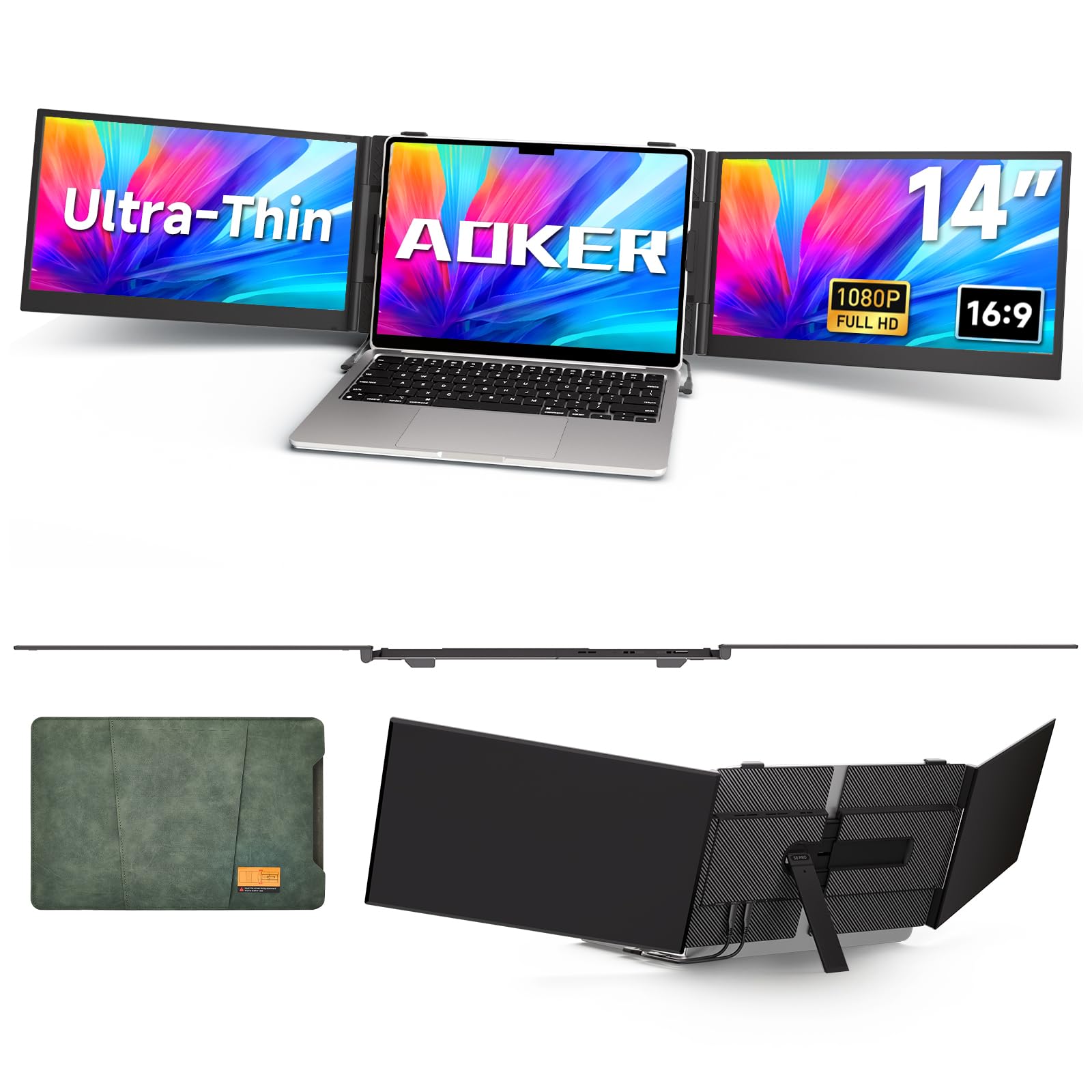
The AOKER triple-screen extender differentiates itself with a matte panel finish—the only model in this lineup to offer it. If you work in brightly lit offices, near windows, or outdoors under shade, the matte surface kills reflections and reduces eye strain far more effectively than any glossy counterpart. At just 4.5mm thick and 2.2 pounds, it’s also the slimmest and lightest unit here, making it the easiest to slide into a laptop bag alongside the 17.3-inch host machine.
The 14-inch FHD IPS panels deliver 300 nits brightness and a 1000:1 contrast ratio—plenty for indoor productivity. Setup follows the standard dual-USB-C plug-and-play model with no driver required, and the included travel cable kit covers USB-C-to-C, USB-A-to-C, and HDMI-to-C connections. Users report that the screens feel solid despite the thin profile, with no flex or creaking during angle adjustment. The panels support 0-180-degree rotation, which lets you position them for portrait-mode coding or landscape spreadsheet work.
The matte finish, while excellent for glare reduction, does wash out colors slightly compared to glossy panels—a trade-off that matters if color-critical work is your primary use case. Also, the extender’s default configuration places the screens on the right side of the laptop only, which may require rearranging your desk layout if you’re left-side dominant. The aluminum carrying case doubles as a stand, but some users find the included camera cover and screen wipes unnecessary extras that add packaging bulk.
Why it’s great
- Only matte-panel option kills glare effectively
- Ultralight 2.2 lbs and 4.5mm thin
- Solid build with 180-degree rotation
Good to know
- Matte finish slightly reduces color pop
- Screens only extend to the right side
- Requires HDMI to mini-HDMI for USB-C-to-A connections
7. FEZOBR Dual-Screen 14″ Laptop Screen Extender
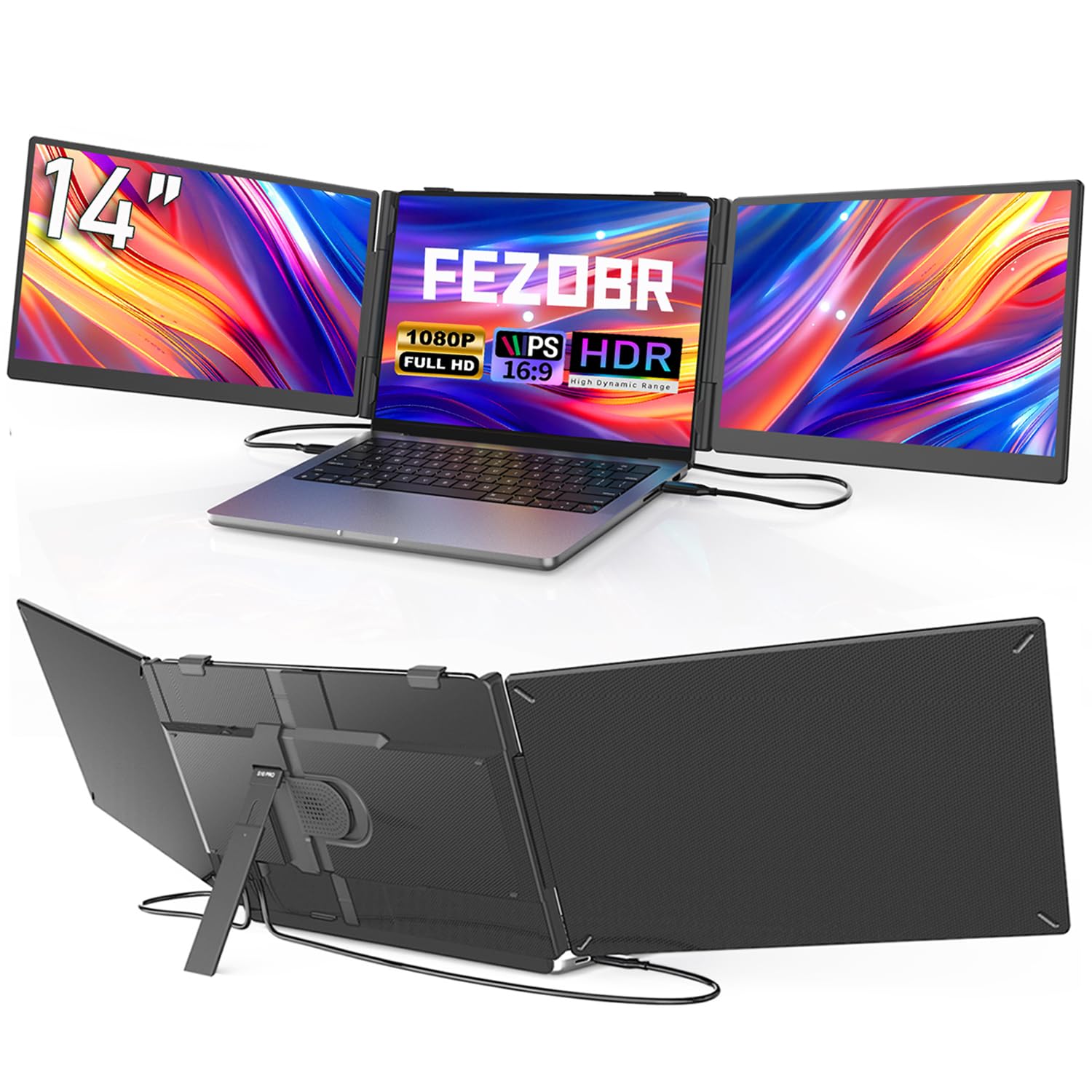
The FEZOBR 14-inch screen extender represents the most accessible entry point into the triple-screen ecosystem without sacrificing the core feature: a genuine 1080p IPS panel with 300 nits brightness and 178-degree viewing angles. At 3.3 pounds and 0.2 inches thick, it’s not the lightest option, but it’s still bag-friendly for the 17.3-inch laptop owner. The glossy IPS display delivers vibrant colors that look especially good for video streaming and casual creative work.
Setup follows the dual-cable plug-and-play model: two cables power and display both screens simultaneously with no driver installation required. Users on Linux report successful compatibility for 3D modeling workflows, which is a nice bonus for the open-source crowd. The extender supports extend, mirror, and portrait modes, and the included cables cover USB-C-to-C and HDMI scenarios. One practical highlight from user reports: the extender can charge the host laptop through the connection, eliminating the usual trade-off between screen power and battery top-up.
The main drawbacks are build and support-related. Several verified reviews mention that the included instructions are not entirely clear and that the travel sleeve is absent—you get a Velcro strap instead, which is less protective. There is also at least one report of a MacBook Pro being partially disabled after connection (the unit wouldn’t turn on), though this may be an isolated compatibility issue with specific macOS versions. For budget-conscious Windows and Linux users who can tolerate minimal packaging, the FEZOBR delivers acceptable panel quality at a friendly price point.
Why it’s great
- Lowest price point for entry to triple-screen workflow
- 300-nit 1080p IPS panel with wide viewing angles
- Can charge laptop through the extender connection
Good to know
- No protective sleeve included—only Velcro strap
- Mac compatibility may require H5-T adapter
- Instruction clarity and build quality feel budget-tier
FAQ
Will a 14-inch screen extender look small next to my 17.3-inch laptop?
Can I use a screen extender with a MacBook that has an M-series chip?
Does a screen extender put stress on my laptop hinge?
Final Thoughts: The Verdict
For most users, the best 17.3 inch laptop screen extender winner is the ZUMWALT P7 because it pairs the largest 15.6-inch panels with a laptop-hinge-friendly independent stand at a mid-range price point. If you want the cleanest single-cable desk setup with 100% sRGB accuracy, grab the Rizpak One Cable. And for travelers who need the lightest possible bag weight at 3.0 pounds, nothing beats the Vixtan 14-inch.