
Our readers keep the lights on and my morning glass full of iced black tea. As an Amazon Associate, I earn from qualifying purchases.
Specs are compiled from manufacturer listings and verified buyer reviews and can change over time — please confirm the key details on the product page before buying.
You want a 180° TV mount so you can pull the screen off the wall, swing it toward the kitchen counter, the dining table, or the patio door, and push it flat again when you are done. The best ones hold that big, heavy TV rock-steady at full extension without sag, and they do it with arms long enough to actually clear a corner or a deep media cabinet.
I’m Min — the founder and writer behind Gadgets Feed. This guide is built by comparing the manufacturers’ published specifications and the patterns across verified customer reviews, so you get each pick’s real strengths and trade-offs instead of marketing spin.
You will find the best 180° TV mount for your room size and screen weight, with honest notes on reach, tilt, and installation. 180° tv mount choices here range from compact corner savers to heavy-duty giants for 100-inch screens.
Our Picks at a Glance


How To Choose The Best 180° TV Mount
Before you pick a bracket, you need three numbers from your TV: its weight, its screen size, and its VESA pattern (the distance between the four screw holes on the back). A mount that cannot handle all three is a non-starter, no matter how smooth the arm feels.
Weight rating vs. screen size
A 65-inch TV can weigh anywhere from about 40 to over 80 pounds depending on the model. Ignore the “fits up to 75 inches” line and check the actual pounds — the mounts here are rated from 99 lbs up to 220 lbs, so match the number to your TV’s real weight, not its diagonal.
Extension length for corners
The arm’s reach in inches tells you how far the screen can pull away from the wall. Short arms around 15 inches suit a flat wall beside a cabinet, while corner mounts with 32 to 40 inches of extension let you swing a TV around a perpendicular wall or out of a deep niche.
Quick Comparison
| Model | Best For | Max Weight | Max Screen | Arm Extension | Amazon |
|---|---|---|---|---|---|
| USX Mount 42-90″★ Best Overall | Overall value & reach | 132 lbs | 90 inches | 16.49 inches | Amazon |
| MOUNTUP Corner 32″Corner Pick | Corner placement | 99 lbs | 75 inches | 32 inches | Amazon |
| Corner TV Mount Long ArmWide Fit | Wide VESA fit | 100 lbs | 84 inches | 32 inches | Amazon |
| USX Mount 37-84″ | Proven stability | 132 lbs | 86 inches | 15.02 inches | Amazon |
| ELIVED 32″ Corner | Smooth swivel range | 99 lbs | 75 inches | 32 inches | Amazon |
| FORGING MOUNT 30″ | Deep cabinets | 99 lbs | 75 inches | 30 inches | Amazon |
| ELIVED 37.9″ Corner | Maximum corner reach | 99 lbs | 75 inches | 37.9 inches | Amazon |
| BONTEC 40.9″ Corner | Extra-long extension | 132 lbs | 75 inches | 40.9 inches | Amazon |
| USX STAR 60-120″ | Giant screens | 220 lbs | 120 inches | 28 inches | Amazon |
In‑Depth Reviews
1. USX Mount Full Motion TV Wall Mount
Our pick — over 4.5★ from 50,000+ verified ratings; the strongest balance of quality and price.
The crowd-tested all-rounder that holds a big screen steady at full stretch.
This is the bracket that earns its place on the list through sheer owner confidence. It handles TVs from 42 up to 90 inches and carries up to 132 lbs, so a hefty 75-inch set sits on it without worry. The dual articulating arms pull out to 16.49 inches and retract to just 2.40 inches, which keeps the screen snug against the wall when you are not watching.
What wins people over is the installation experience — the hardware arrives in pre-labeled bags and every fastener is accounted for, which buyers describe as a genuinely pleasant change. The tilt range of +5°/-15° and a ±45° swivel cover most seating layouts, and the ±3° post-installation leveling lets you fix a crooked screen in seconds. Buyers report a 65-inch TV at 50 lbs hanging with the arm fully extended around the clock and never sagging.
The one mixed note is the tilt itself: a few owners find their screen drifts slightly and needs a re-tighten. This is a minor fit adjustment, not a flaw — it just means you should snug the tilt bolts well during setup. If your TV weighs more than 132 lbs, you will need one of the heavier-duty options further down this list.
Why owners stick with it
- Heavy 132-lb capacity covers most large TVs
- Pre-labeled hardware bags make install straightforward
- Retracts to 2.40 inches for a tidy flush look
The honest caveats
- Tilt can drift if bolts are not snugged tight
- Concrete anchors are not included in the box
- Arm reach is shorter than corner-style mounts
Reach for this if: you want a proven, well-reviewed bracket for a 42-90 inch TV up to 132 lbs without paying a premium.
Look elsewhere if: you need a 30-inch-plus arm to clear a corner or a deep cabinet.
2. MOUNTUP Corner TV Wall Mount with 32″ Extension
A single-stud corner bracket with a 32-inch arm that swings a 75-inch screen around a wall.
If your TV needs to live in a corner, this MOUNTUP is built exactly for that job. Its single-stud design (a mount that anchors to just one wall stud) lets the long arm fold and extend into tight corner spaces, and the 32-inch extension pulls the screen well away from the wall — a full 20% more reach than the USX Mount above’s 16.49-inch arm, though the MOUNTUP tops out at 75 inches and 99 lbs. Owners mention it holds a 55-inch TV with zero sag and extends a full 32 inches with a strong, secure hold.
The tilt goes up 5° and down 13°, with a 90° smooth swivel and ±3° leveling for fine-tuning after install. Assembly is manageable but not a solo job — several owners mention a second pair of hands makes the process far easier. The included paper mounting template is a real help for marking your drill holes accurately.
The trade-off is capacity: at 99 lbs, this is not the mount for an oversized 85-inch set. It is, however, backed by a 3-year warranty, which is longer than most brackets in this class offer. If your TV fits the 42-75 inch range, this corner specialist is tough to top for the price.
The standout: the 32-inch arm plus single-stud design is the most versatile corner solution here, and the 3-year warranty adds real confidence.
The catch: with a 99-lb limit and 75-inch max, it is strictly for mid-size TVs, and installation really does go smoother with two people.
3. Corner TV Wall Mount Long Arm for 37-84 Inch TVs
An 84-inch-capable arm with a tilt range that beats most of the competition.
This USX STAR bracket accepts screens from just 37 inches up to a large 84 inches, one of the widest spans in this lineup — its 37-inch minimum is 14% smaller than the MOUNTUP’s 42-inch floor, so it also suits slightly smaller TVs. It supports up to 100 lbs and delivers a 32-inch extension that retracts to a slim 2.52 inches. The tilt range of +5°/-15° is a full 15% steeper than the MOUNTUP’s 13-degree down tilt, which helps cut glare from overhead lights.
Owners highlight the ±90° swivel for turning the screen toward a dining table, and the built-in velcro cable management keeps wires tidy. The swing is smooth and the steel frame feels reassuringly solid. A ten-year product support promise backs the whole thing, and the pre-labeled hardware bags keep the install organized.
The catch is that concrete anchors are sent only on request, so if you are mounting to brick or concrete, plan ahead and ask for them. Also note the fit gets mixed feedback — most TVs are fine, but always double-check your VESA pattern, which spans 200x100mm up to 600x400mm, before buying.
Best for: buyers with a slightly smaller TV (down to 37 inches) who still want the long-arm corner flexibility and a steeper tilt.
Think twice if: you are mounting straight into concrete and do not want to request anchors separately.
4. USX MOUNT Full Motion TV Wall Mount 37-84″

A fortress-stable bracket that holds a 75-incher perfectly and moves without a wobble.
This is the bracket you choose when stability is the top priority. It shares the same 132-lb capacity as the Best Overall pick but supports up to 86-inch screens, and owners specifically praise how a 75-inch TV sits on it with no movement at all. The dual articulating arms extend to 15.02 inches and fold back to 2.62 inches — a slightly shorter reach than the leader, but the steel build feels denser and more planted.
The tilt spans +5°/-15° with a ±45° swivel and ±4° post-installation leveling, giving you fine control to dial in the perfect viewing angle. Installation uses just three steps, and the included template gets your holes right the first time. Buyers call the included hardware and clear instructions a genuine highlight.
The recurring note is on the tilt — some owners find it can drift and needs re-tightening, so treat the tilt bolts as a check after a few weeks. Concrete anchors are intentionally left from the start to stop people misusing them on drywall, but the US-based support team will send them free if you ask. The 10-year customer service promise is a strong safety net.
Grab it for: a rock-solid hold on larger TVs up to 86 inches where zero wobble matters most.
Consider another if: you need more than 15 inches of extension to clear a deep cabinet or corner.
5. ELIVED 32″ Long Arm TV Wall Mount

A 32-inch arm with the silkiest swivel in the lineup, plus a 10-year warranty.
ELIVED builds this corner bracket around a 32-inch extension that retracts to 3 inches, and the swivel is the defining feature — a full 90° left or right so you can watch from anywhere in the room. Owners describe the arm movement as smooth and the action as confidence-inspiring, with a 65-inch Sony fitting perfectly and holding strong. The tilt spans +5°/-13° with ±3° leveling.
Installation is a 15-minute job for most people, and the included bubble level, template, and mounting kit cover everything you need. One practical tip from owners: Samsung TV mounting holes sometimes sit lower than expected, so measure your TV’s hole positions before you drill. The 10-year warranty is a standout in this price class.
The honest limit is the 99-lb capacity and 75-inch maximum, which rules out the very largest screens. The black metal arms are also visible from behind the TV, and a couple of owners note the back view is not the prettiest — a minor point if the mount sits in a corner anyway.
What owners praise
- Buttery-smooth 90° swivel for multi-room viewing
- 15-minute install with clear, step-by-step instructions
- 10-year warranty adds long-term confidence
What to watch
- 99-lb limit means no oversized screens
- Back of the arm is visible and plain-looking
Pick this if: smooth, frequent swiveling is your priority and your TV is 75 inches or smaller.
Pass if: you need to haul a screen heavier than 99 lbs or want a flush, hidden look.
6. FORGING MOUNT Corner TV Wall Mount with 30″ Arm

A reinforced dual-arm design tested to 300 lbs, for TVs that sit inside a deep wall niche.
This FORGING MOUNT is for the person with a recessed wall cabinet who needs the TV to reach past the opening. The 30-inch extension clears a typical 28-inch cavity, and customers note mounting a 65-inch TV into an entertainment center with the arm reaching exactly where it needs to. The steel frame has passed weight tests up to 300 lbs, and it safely supports TVs up to 100 lbs — plenty for a 75-inch set.
The tilt is +5°/-15° with a smooth swivel, and the ±3° level adjustment helps you get a perfectly straight screen. It retracts to a slim 2.5 inches when folded, so the TV sits close to the wall when not in use. Owners praise the cable management and note the final mounted position ends up very close to the wall.
The main gripe is missing parts — a handful of boxes arrive short a screw or two, which is frustrating mid-install. The included concrete expansion anchors are a nice bonus for brick or concrete walls, but the mount should not go into drywall alone. If your TV is 37-75 inches and under 99 lbs, this is a strong, sturdy choice.
The edge: a 30-inch reach that clears deep entertainment centers, backed by a frame tested to 300 lbs.
The risk: an occasional missing part means checking your hardware bag before you start drilling.
7. ELIVED 37.9″ Long Arm TV Wall Mount
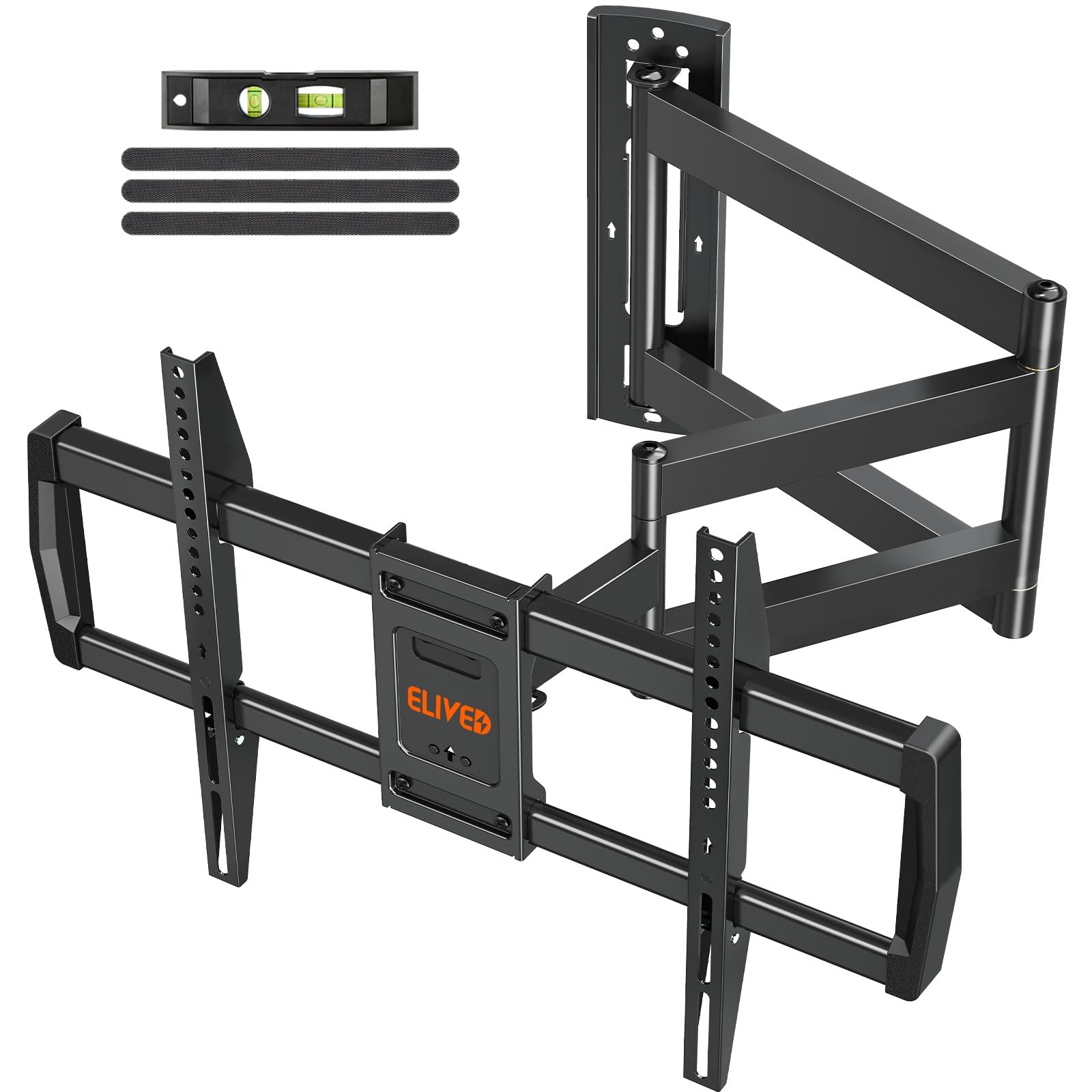
The longest single-stud arm in the core lineup, stretching 37.9 inches around a corner.
If you need the TV to swing around a corner or reach across a wide space, this ELIVED stretches further than almost anything here. It retracts to 3 inches when not in use.
Despite the long arm, it holds a 65-inch TV with no sagging, and the pivoting motion lets you swing it into any position with one hand. The tilt spans +5°/-10° and the swivel covers 90° each way, with ±3° leveling after install. Owners note the tilt adjustment needs a tool — you loosen and re-tighten bolts rather than push it by hand.
Capacity is the familiar 99 lbs at 75 inches max. One owner suggests swapping in longer 1/2-inch lag screws for extra security on a 75-inch TV, which is sound advice for any long-arm mount. The arm’s rear view is industrial rather than pretty, but for corner duty that rarely matters.
Choose this for: the longest practical corner reach on a 42-75 inch TV without stepping up to a heavier-duty bracket.
skip it if: you want tool-free tilt adjustments or a cleaner look from behind the screen.
8. BONTEC Corner TV Wall Mount with 40.9″ Arm
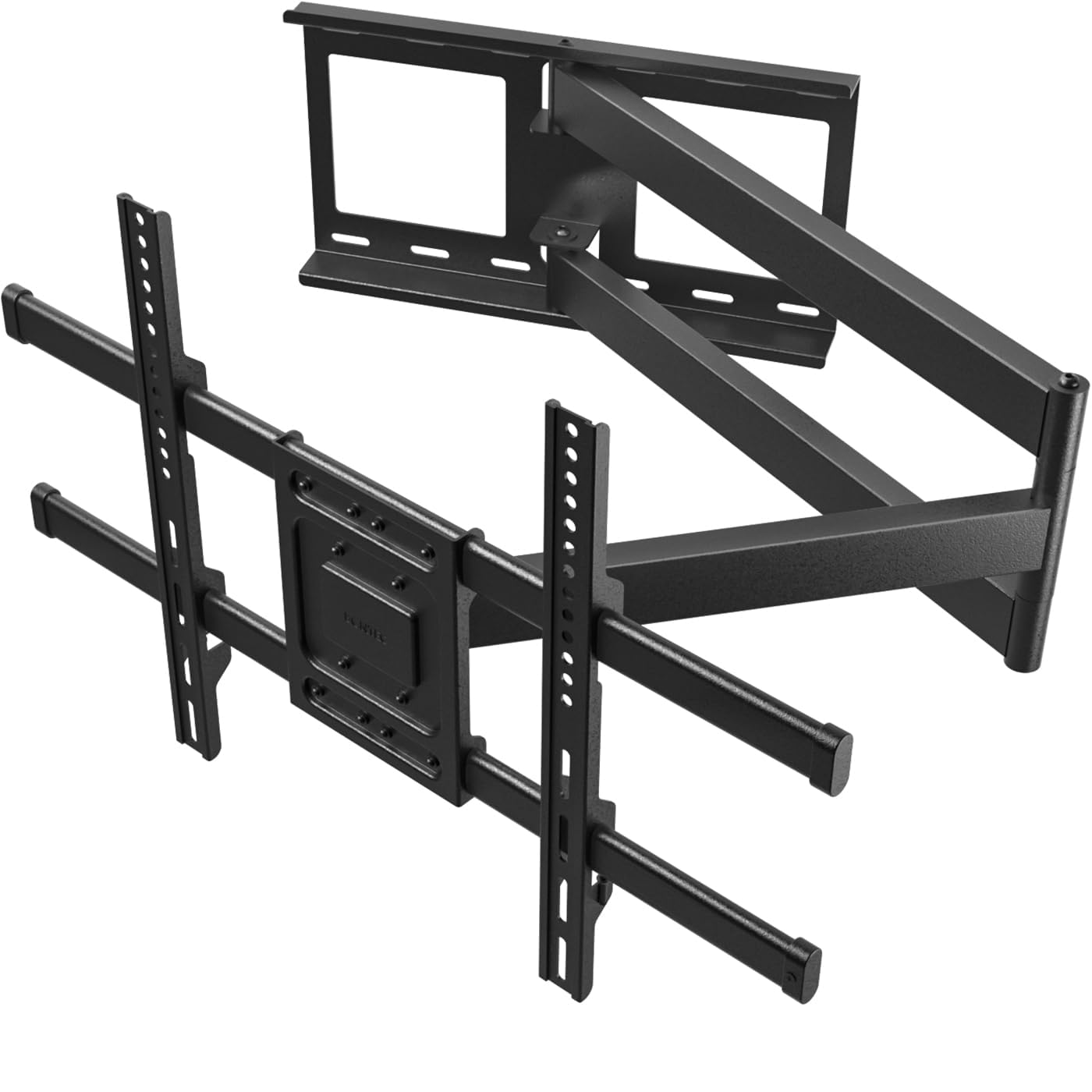
A heavy-duty 40.9-inch monster arm that pairs a 180° swivel with a 132-lb rating.
This BONTEC is the rare corner mount that combines extreme reach with serious capacity. The arm extends a full 40.9 inches — the longest in this lineup — while still carrying up to 132 lbs, so it handles large TVs that most long-arm brackets cannot. It supports screens from 32 to 75 inches with a 180° swivel, which is exactly the full-motion freedom this category is about. The 20.5-lb bracket itself tells you how much steel is in there.
Owners describe it as heavy-duty and wobble-free, with a 75-inch TV held firmly and an extension that goes well beyond the typical 28-inch reach of standard mounts. The tilt is a more conservative +/-8°, but the ±3° leveling and smooth swivel more than make up for it. The included HDMI cable is a welcome extra, and installation takes about 15 minutes with two people.
The mount is built from cold-rolled steel and works with wood studs, concrete, and brick — but not drywall alone. At this extension length, making sure you hit solid studs is absolutely critical. If you have a heavy 75-inch TV and a deep corner to clear, this is the best balance of reach and strength in the whole guide.
Why it leads on value
- 40.9-inch extension is the longest here
- 132-lb capacity with a 180° swivel
- Includes an HDMI cable and mounting template
Keep in mind
- 20.5-lb bracket is heavy to lift during install
- Tilt range is smaller at +/-8°
Reach for this if: you have a heavy 70-75 inch TV that must extend far from the wall — this is the only long-arm here that does both.
Look elsewhere if: your TV exceeds 132 lbs or your wall is drywall with no studs to anchor into.
9. USX STAR Heavy Duty Full Motion TV Wall Mount for 60-120″ TVs
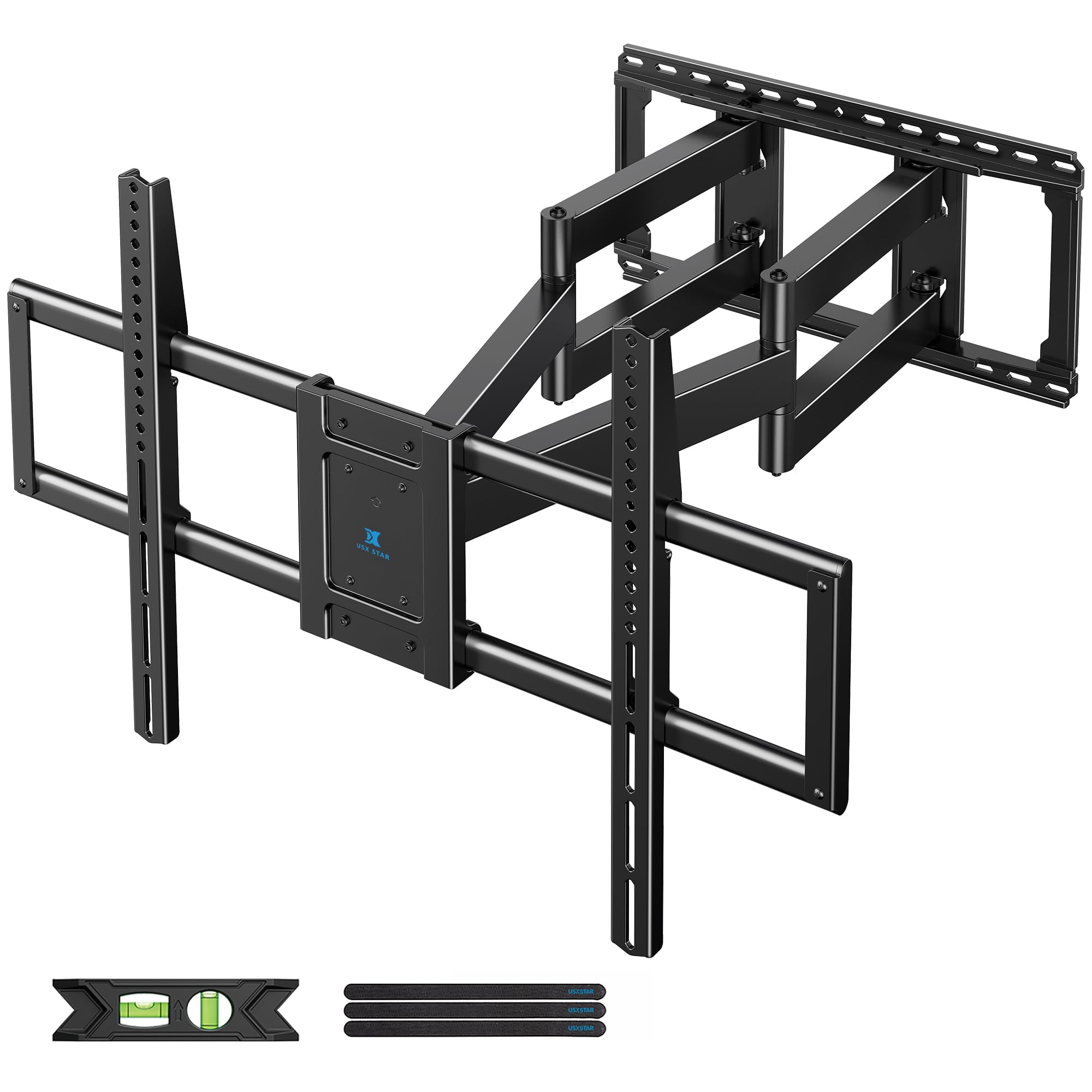
The only bracket here rated for 220 lbs and screens up to 120 inches — built for home theater giants.
When your TV is the size of a small wall, you need a mount that treats it like one. This USX STAR is rated for a staggering 220 lbs and screens from 60 up to 120 inches, with a thickened six-arm design that keeps an 85, 98, or even 100-inch panel rock steady. It fits stud spacings of 12″, 16″, 18″, and 24″, which covers nearly any wall framing you will encounter.
The 28-inch extension is shorter than the corner specialists because a screen this big does not need to swing around a corner — it needs to hold firm. The tilt spans +10°/-10° with a ±65° swivel and ±3° leveling. The preassembled panel installs in three steps, and the included drilling template and bubble level get you lined up fast. Reviewers point out a 100-inch TV mounting flush against the wall with no strain.
This is not a one-person job — owners consistently say a 100-inch screen requires three people to lift into place. The included level is also substandard, so bring your own, and the tilt feature gets mixed feedback. But for anyone with a truly giant TV, the 220-lb rating and 900x600mm VESA support put this in a class of its own.
The standout spec: 220 lbs of capacity and 900x600mm VESA support make this the only real option here for 98-120 inch home theater screens.
The reality check: plan for a three-person lift, bring your own level, and spring-loaded latches need a prop while you work behind the TV.
Understanding the Specs
VESA Pattern
This is the distance in millimeters between the four mounting holes on the back of your TV, written like 600x400mm. The mount’s VESA range must cover your TV’s pattern or the bracket simply will not bolt on. Most of these mounts accept from 200x100mm or 150x100mm up to a generous 600x400mm, which fits the vast majority of modern TVs.
Weight Rating vs. Extension
The weight rating tells you the maximum the arm can safely hold, usually between 99 lbs and 220 lbs here. Extension length works against weight — a longer arm creates more leverage, so a 40.9-inch arm cannot carry as much as a shorter, thicker bracket. Always match both numbers to your TV’s actual weight and your room’s reach needs.
FAQ
What does a 180° TV mount actually mean?
Will a full motion mount fit my TV?
Can I install a long-arm mount into drywall alone?
Is a longer extension arm always better?
How hard is it to install one of these mounts?
Will the TV sag over time on a full motion mount?
What is the difference between tilt, swivel, and leveling?
Do these mounts come with concrete anchors?
Final Thoughts: The Verdict
The 180° tv mount that most owners end up loving is the USX Mount — it pairs the crowd-favorite combination of a 132-lb capacity and a 90-inch screen range with an easy, well-packaged install. If your TV sits in a corner and needs a long reach, the BONTEC delivers the best balance of a 40.9-inch arm and a 132-lb rating. And for those with a true home-theater giant, the USX STAR is the only choice here that safely handles 220 lbs and screens up to 120 inches.
How We Picked
We do not accept paid placement. Every pick is matched to a real buyer and a real use-case; we do not hands-on test units.
Sources & Methodology
Specifications: manufacturer listings and product documentation. Review insights: verified customer reviews, as of August 2026. Pricing: not shown on this page (it changes often); check the current price via the retailer link.
As an Amazon Associate, Gadgets Feed earns from qualifying purchases. This does not affect which products we feature.