
A 19-inch computer monitor occupies a specific niche that larger screens simply can’t fill. Whether you are building a compact workstation, setting up a dedicated CCTV surveillance viewing station, or restoring a classic arcade cabinet, the sub-20-inch display market demands attention to panel technology, connectivity, and color accuracy that general monitor buying advice ignores entirely. A wrong choice here means text that is fuzzy, ports that don’t match your hardware, or a form factor that wastes your limited desk space.
I’m Min — the co-founder and writer behind Gadgets Feed. I’ve spent hundreds of hours analyzing technical specifications and combing through real-world user feedback across the small-format monitor market to find which models actually deliver sharp images, reliable connectivity, and durable construction for their specific use cases.
This guide compares seven distinct 19-inch display options—from office mainstays to touchscreen POS terminals to arcade-specific units—to help you find the best setup. After thorough research, find the 19 inch computer monitor that suits your exact project or workspace.
How To Choose The Best 19 Inch Computer Monitor
Selecting the right small-format display requires looking beyond resolution numbers. You must match the panel type, connectivity, and physical dimensions to your specific workflow—a point-of-sale terminal needs a touchscreen, a security setup requires BNC input, and an arcade restoration demands a precise 5:4 aspect ratio with VGA support.
Connectivity: The Hidden Dealbreaker
The ports on a 19-inch monitor often define its usefulness more than the resolution. Many budget and mid-range models still rely on VGA as their primary input, which is fine for legacy desktops and security DVRs but useless for modern laptops without an adapter. If you need touch functionality, the monitor must include a dedicated USB Type-B connection—HDMI alone will only deliver the video signal. For surveillance setups, look for a monitor with BNC input, which accepts direct composite video from CCTV cameras without an external converter.
Panel Technology and Viewing Angles
In this size class, you will mostly encounter TN and basic LED-backlit LCD panels. TN panels offer the fastest response times (often 5ms or less) and lower cost, but their viewing angles are narrow—colors shift dramatically if you are not looking straight on. For a monitor that will sit at a fixed position on a desk, a TN panel works fine. For a touchscreen kiosk or a POS terminal where users will interact from different angles, seek out a monitor with a wider viewing angle spec, ideally 170 degrees or more, to maintain image consistency.
Quick Comparison
On smaller screens, swipe sideways to see the full table.
| Model | Category | Best For | Key Spec | Amazon |
|---|---|---|---|---|
| Dell 20 E2020H | Office Monitor | Reliable daily workstation | 1600 x 900, 60Hz, 250 cd/m² | Amazon |
| Insykktrkig 19″ Touch | Touchscreen | Point-of-sale or interactive kiosk | 1440 x 900, 10-point touch, 300 cd/m² | Amazon |
| Thinlerain 19″ Touch | Touchscreen | Budget multi-user interactive screen | 1440 x 900, 10-point touch, 250 cd/m² | Amazon |
| Dell E1920H | Security Monitor | Dedicated CCTV viewing station | 1366 x 768, 60Hz, VGA/DisplayPort | Amazon |
| YOTETION 19″ | Budget Desktop | Basic home or office secondary display | 1440 x 900, 75Hz, HDMI/VGA | Amazon |
| Jexiop 19″ Security | Surveillance | Security camera and DVR monitoring | 1366 x 768, HDMI/VGA/BNC input | Amazon |
| RetroArcade.us 19″ Arcade | Specialty Arcade | MAME and cocktail cabinet restoration | 1280 x 1024, 5:4 aspect, VGA only | Amazon |
In‑Depth Reviews
1. Dell 20 E2020H 19.5-inch

The Dell E2020H delivers a 1600 x 900 resolution on a 19.5-inch screen, giving you noticeably more vertical pixels than the 1366 x 768 panels common at this size. This extra real estate lets you view more rows in a spreadsheet or see taller web pages without scrolling. The 250 cd/m² brightness and 1000:1 contrast ratio produce text that remains crisp and backgrounds that look properly black rather than washed-out gray, a meaningful advantage for all-day office work.
Dell equips this monitor with ComfortView, a low-blue-light mode that reduces eye strain during extended sessions, and the Easy Arrange feature within Dell Display Manager lets you snap application windows into predefined grid layouts. On the connectivity front, you get both DisplayPort and VGA inputs—no HDMI port is present, so modern laptops without VGA or DisplayPort will need an adapter. The absence of HDMI is the single biggest compatibility friction point for users connecting newer hardware.
Customer feedback consistently praises the build quality and image clarity, with several users noting it served reliably for years as a second monitor or a server-room display. The package includes the necessary video cables for the included ports, and the thin bezel design keeps the overall footprint small. For anyone seeking a straightforward, durable small monitor for a desktop or a dedicated server rack, this Dell option is the safe, proven choice.
Why it’s great
- Crisp 1600 x 900 resolution offers more desktop space than typical 1366 x 768 panels
- ComfortView low-blue-light mode reduces eye fatigue during long work sessions
- Thin profile and cable management keep the desk clean and uncluttered
Good to know
- No HDMI port requires an adapter for modern laptops and consoles
- TN panel has narrower viewing angles compared to IPS alternatives
2. Insykktrkig 19-inch Touchscreen Monitor
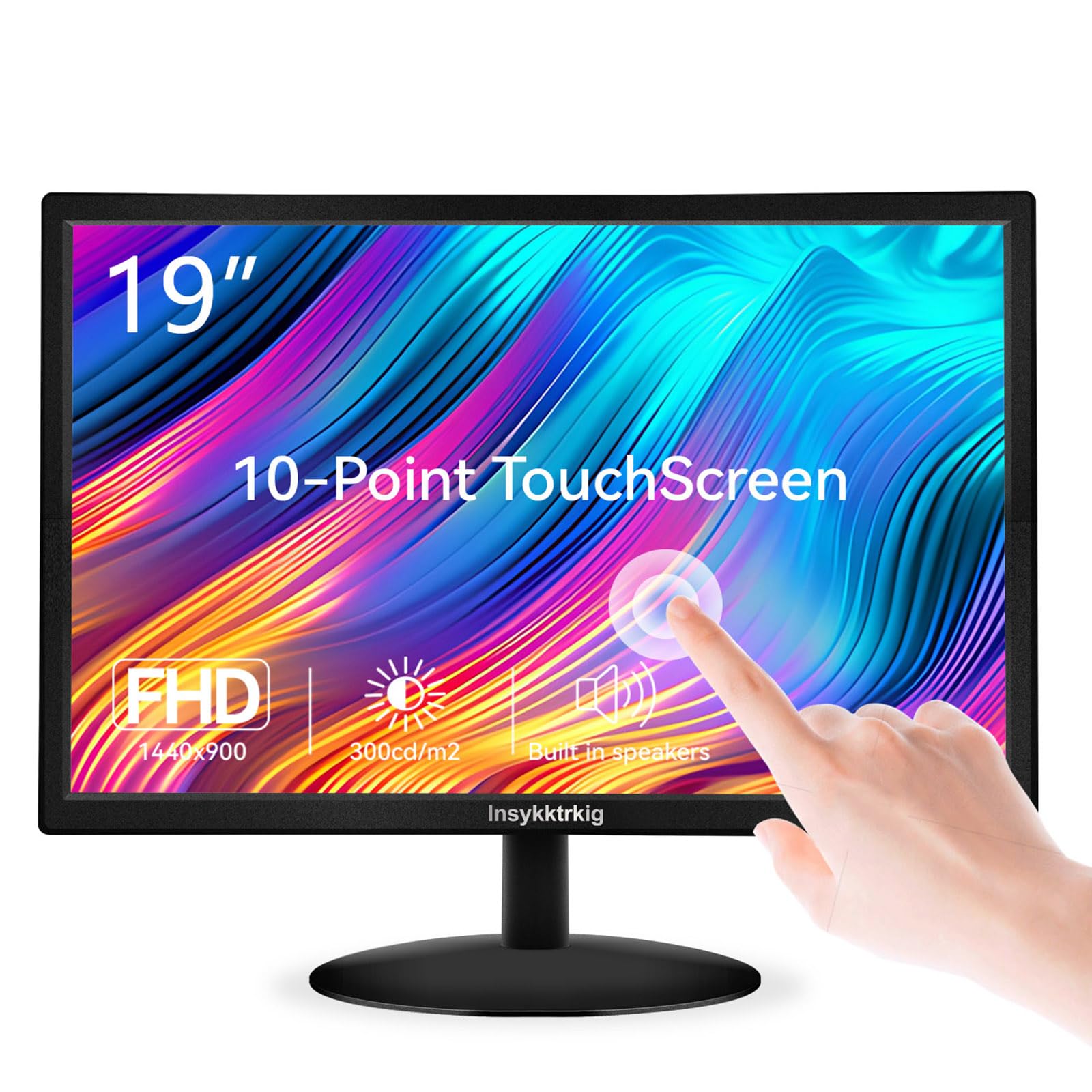
This 19-inch touchscreen monitor from Insykktrkig stands out for its 300 cd/m² brightness and a claimed 98% sRGB color gamut, figures that surpass most budget-level small monitors. The 1440 x 900 resolution combined with a 170-degree viewing angle makes it suitable for shared setups where multiple people need to see the screen simultaneously—a common requirement in retail point-of-sale environments and small office reception areas.
The 10-point capacitive touchscreen works without drivers on Windows 10 and 11, relying on a USB Type-B connection alongside the HDMI or VGA video input. The monitor includes built-in dual speakers, a 5ms response time, and a stand that tilts 5 degrees forward and 15 degrees backward. The VESA 75x75mm mount compatibility gives you the flexibility to attach it to a monitor arm or a wall mount, freeing up counter space in tight checkout areas.
User reviews confirm the touch responsiveness is accurate, and the included package arrives with an HDMI cable, a USB A-to-Type-B cable, and a power cord. Some customers noted the out-of-box manual references older operating systems, but the monitor itself functions correctly with modern computers once the USB touch cable is connected. For a small business or a home office looking to add interactive capability without paying premium prices, this model hits a strong value point.
Why it’s great
- High 300 cd/m² brightness and wide color gamut deliver vivid, clear visuals
- 10-point capacitive touch works seamlessly without separate drivers on Windows 10/11
- 170-degree viewing angle ensures the display looks good from multiple positions
Good to know
- Touch function requires a direct USB Type-B connection to the computer
- Included manual contains outdated references to older operating systems
3. Thinlerain 19-inch Touchscreen Monitor
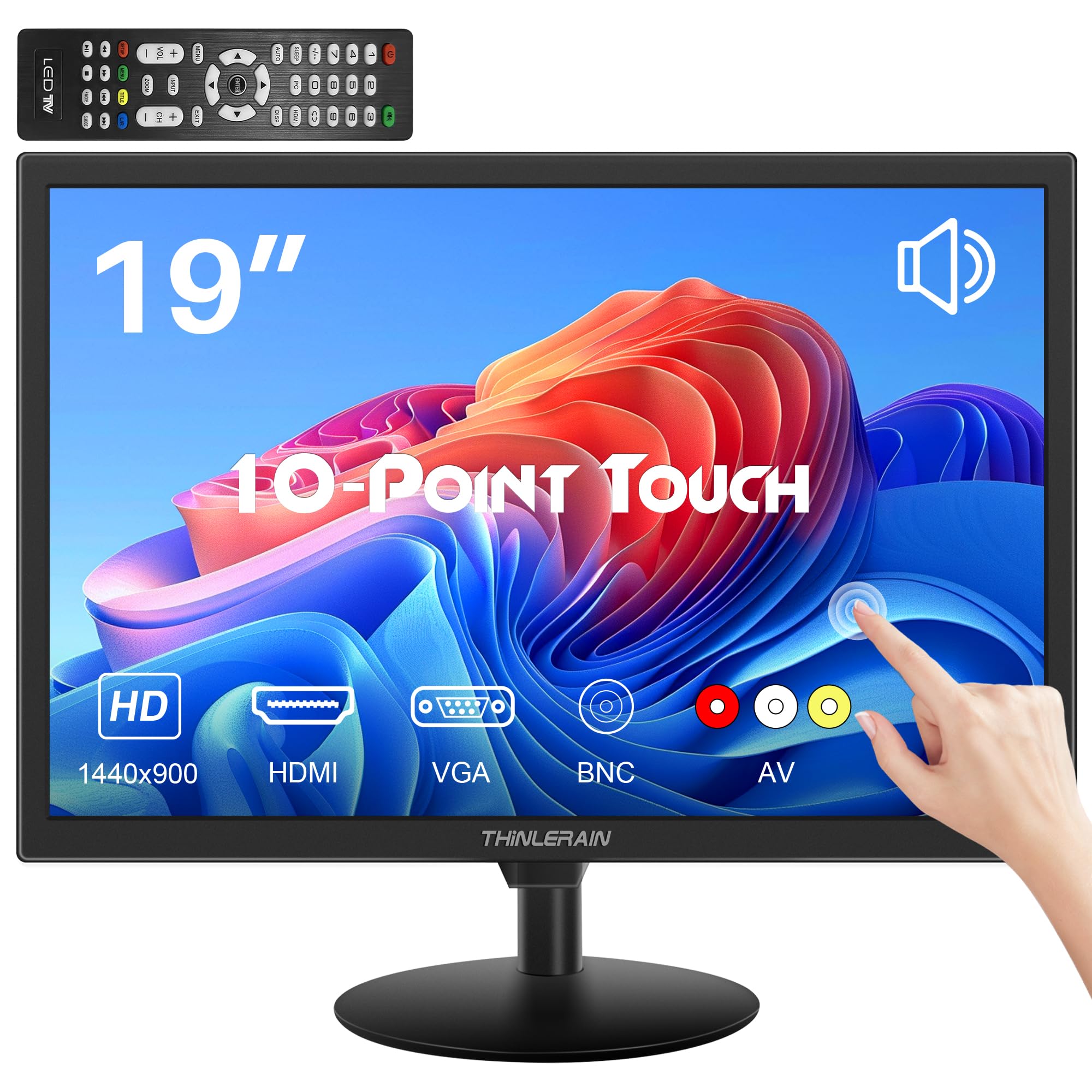
The Thinlerain 19-inch touchscreen monitor offers a 1440 x 900 resolution with a 16:10 aspect ratio, giving you slightly more vertical screen height than a standard 16:9 panel. This makes it a reasonable match for POS terminals where you need to see transaction histories or inventory lists without constantly scrolling. The 250 cd/m² brightness and 72% sRGB color gamut are adequate for indoor office and retail lighting conditions.
Port selection is generous for this price tier—you get HDMI, VGA, AV, and USB inputs, along with audio in and audio out jacks. The 10-point multi-touch function works with Windows 10 and 11 through the included USB cable, and the 5ms response time keeps the touch interaction feeling immediate. The stand offers a -5° to 15° tilt range, and the 75x75mm VESA mount compatibility allows for flexible positioning. A remote control is included in the box, an unusual addition for a monitor in this class.
Customer reviews highlight the touch feature works well for basic POS and kiosk applications, and the build quality matches the price point. A few users reported that the stand feels slightly unstable when tapping the screen, and at least one review noted the unit stopped receiving a signal after a few months of use. For a budget-conscious deployment where the monitor will not be heavily touched, this Thinlerain model provides the essential features at a low entry cost.
Why it’s great
- Affordable entry into 10-point touchscreen capability for POS and kiosk builds
- Versatile port selection includes HDMI, VGA, AV, and USB for broad compatibility
- Remote control offers convenient on-the-fly adjustments from a distance
Good to know
- Stand base can feel wobbly when using the touchscreen feature regularly
- Some units have shown reliability issues after a few months of use
4. Dell E1920H 19-inch XGA Wide

The Dell E1920H operates at a 1366 x 768 native resolution—a step down in pixel count from the 1600 x 900 panels but still perfectly adequate for its most common use case: a dedicated CCTV security viewing monitor. The 200 cd/m² brightness and 600:1 contrast ratio are modest, but for displaying live camera feeds where color accuracy is secondary to motion clarity and consistent uptime, these specs are sufficient.
Dell’s build quality and after-sales support are the main draws here. The monitor includes both VGA and DisplayPort inputs, uses a standard VESA mount pattern, and consumes very little power thanks to its LED backlight. The relatively low brightness is intentional—it reduces glare in dim surveillance rooms and extends the lifespan of the backlight, which matters for monitors that run 24/7. The 5ms gray-to-gray response time keeps fast-moving camera pans from smearing excessively.
Customer feedback reflects a pattern: this monitor is bought primarily for security DVR systems and as a secondary display for industrial PCs. Users consistently call out the picture quality as sharp for the resolution class and appreciate the straightforward plug-and-play setup. The main criticism is the lack of an HDMI port, which means connecting a modern NVR may require a DisplayPort-to-HDMI cable or an adapter. For a reliable, no-frills monitor for round-the-clock surveillance, the Dell E1920H delivers.
Why it’s great
- Proven Dell reliability ideal for 24/7 security DVR monitoring applications
- Low 200 cd/m² brightness reduces eye strain in dark surveillance rooms
- VGA and DisplayPort inputs work directly with most CCTV DVR equipment
Good to know
- No HDMI port requires an adapter for newer NVR units or media players
- 600:1 contrast ratio is lower than the typical 1000:1 found on office monitors
5. YOTETION 19-inch HD Monitor
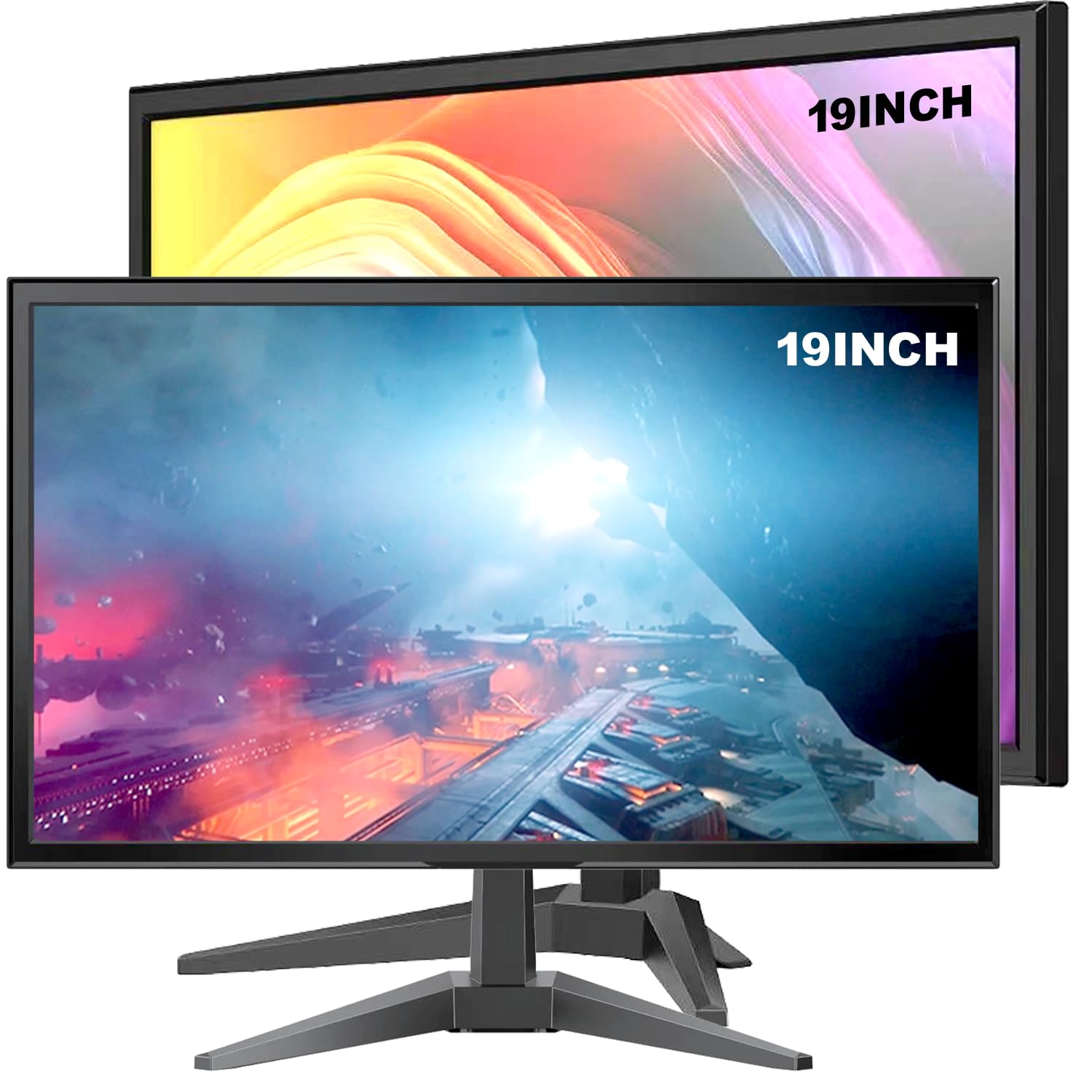
The YOTETION 19-inch monitor reaches a 1440 x 900 resolution and, notably, a 75Hz refresh rate rather than the standard 60Hz. The extra 15Hz makes general desktop navigation feel marginally smoother, particularly when scrolling through documents or dragging windows around the screen. The claimed 2000:1 contrast ratio is unusually high for this price segment, which should produce deeper blacks when viewing media content in a dimly lit environment.
Connectivity is limited to HDMI and VGA inputs, which covers the majority of modern desktops and laptops without requiring an adapter. The monitor also includes a low-blue-light and flicker-free mode designed to reduce eye fatigue during extended use. The physical dimensions are compact—just 2.4 inches deep and 17.1 inches wide—making it one of the slimmest options on this list for a tight desk corner or a monitor shelf.
Customer reviews on this model are sharply divided. Some users praise the easy setup and the value for money when buying two units as a matched pair. Others report severe pixelation, poor color quality, and units arriving with broken screens. The build quality appears inconsistent, which makes this monitor a gamble if you need guaranteed durability. For a basic secondary display on a strict budget, it can work, but consider stepping up to a more established brand if reliability is critical.
Why it’s great
- 75Hz refresh rate provides smoother scrolling and window movement than standard 60Hz panels
- Very slim chassis at 2.4 inches deep fits into tight desk spaces and monitor shelves
- Low-blue-light and flicker-free modes help reduce eye fatigue during long work sessions
Good to know
- Build quality and reliability have been inconsistent based on customer experiences
- Some units show poor color accuracy and pixelated text that cannot be fully corrected
6. Jexiop 19-inch Security Monitor

The Jexiop 19-inch security monitor is purpose-built for surveillance, offering HDMI, VGA, AV, and BNC inputs in a single unit. The BNC port is the key differentiator here—it accepts a direct composite video signal from analog CCTV cameras and DVRs without requiring an external converter, simplifying the wiring in a security setup. The monitor uses a 1366 x 768 resolution on a 4:3 aspect ratio, which is a native match for older security camera feeds.
The built-in speakers eliminate the need for separate audio output when monitoring camera feeds with audio, and the LED backlight provides consistent brightness for 24/7 operation. The contrast ratio is listed at approximately 300:1 to 500:1, which is low by desktop monitor standards, but for displaying security camera footage where absolute black levels are less critical than seeing motion clearly, it remains functional. The 3.11 kg weight gives it a solid feel that resists tipping on a shelf or desk.
User reviews strongly endorse this monitor for home and small-business security systems. Multiple buyers mention that it “just works” with their existing DVR and cameras, with no complicated setup required. The night-time visibility of security feeds is specifically praised. The primary limitation is the low contrast ratio and narrow color gamut (45%), but these are secondary concerns in a surveillance context where detecting motion and identifying visitors is the priority.
Why it’s great
- BNC input connects directly to analog CCTV cameras and DVRs without adapters
- Built-in speakers provide audio monitoring without external speakers
- Solid build and 4:3 aspect ratio are a natural fit for surveillance systems
Good to know
- Low contrast ratio and 45% color gamut produce washed-out colors on static images
- 1366 x 768 resolution is lower than the office-focused 1600 x 900 panels
7. RetroArcade.us 19-inch Arcade Game LED Monitor

The RetroArcade.us 19-inch monitor is purpose-designed for the arcade restoration community, offering a 1280 x 1024 resolution on a 5:4 aspect ratio that physically matches the dimensions of classic arcade CRT monitors. The 5:4 ratio is critical because a standard 16:9 widescreen monitor would leave black bars or distort the image when displaying 4:3 arcade games, whereas this panel fills the frame correctly for JAMMA, MAME, and cocktail table builds.
The monitor connects solely through VGA input, which matches the output from a JAMMA-to-VGA adapter or a MAME PC. It delivers 250 cd/m² brightness and a 450:1 contrast ratio, with flicker-free technology that avoids the visible scan lines of older CRTs. The physical dimensions are 17.25 inches wide and 12.88 inches tall with a depth of only 2 inches, making it slim enough to fit inside most standard arcade cabinets without modification.
Customer reviews from arcade builders confirm the monitor fits cocktail tables and upright cabinets well, and users praise the direct compatibility with the Arcade RGB to VGA adapters. The main drawbacks include limited viewing angles and the lack of any built-in image rotation feature, which means horizontal-only games will display in their native orientation without software adjustment. For anyone restoring a classic arcade cabinet with a 19-inch monitor frame, this is the correct physical and technical match.
Why it’s great
- 5:4 aspect ratio matches classic arcade cabinet dimensions without image distortion
- 1280 x 1024 resolution gives a crisp pixel grid for retro game graphics
- Slim 2-inch depth fits easily inside standard JAMMA and cocktail table cabinets
Good to know
- VGA-only input requires an adapter for HDMI-based game boards or modern PCs
- No built-in image rotation limits use to horizontal-native arcade games
FAQ
Can I use a 19-inch monitor as a primary display for daily office work?
What cable do I need to connect a modern laptop to a VGA-only monitor?
Why does my touchscreen monitor show video but not respond to touch?
Final Thoughts: The Verdict
For most users, the 19 inch computer monitor winner is the Dell 20 E2020H because its 1600 x 900 resolution, ComfortView eye-care feature, and reliable Dell build quality make it the most versatile choice for daily office work and secondary desktop setups. If you need a touchscreen for a point-of-sale system, grab the Insykktrkig 19-inch Touch for its high brightness and responsive 10-point touch. And for restoring a classic arcade cabinet, nothing beats the RetroArcade.us 19-inch Arcade Monitor whose 5:4 aspect ratio is the only correct fit for that specific project.