
Our readers keep the lights on and my morning glass full of iced black tea. As an Amazon Associate, I earn from qualifying purchases.
Specs are compiled from manufacturer listings and verified buyer reviews and can change over time — please confirm the key details on the product page before buying.
Buying a monitor that is 1920 x 1200 means you get extra vertical space — about 120 more pixels of height than the usual 1080p screen. That might sound small, but it means more spreadsheet rows, more code lines, and less frantic scrolling every single day. The best choice for most people is the Dell P2423, because it pairs a crisp IPS panel with a flexible stand and a rock-solid 3-year warranty at a reasonable price.
I’m Min — the founder and writer behind Gadgets Feed. This guide is built by comparing the manufacturers’ published specifications and the patterns across verified customer reviews, so you get each pick’s real strengths and trade-offs instead of marketing spin.
From portable gaming panels to color-accurate professional displays, the best 1920 x 1200 monitor depends on your work, your setup, and how much vertical space you truly need.
Our Picks at a Glance

How To Choose The Best 1920 X 1200 Monitor
Not all 1920 x 1200 monitors are the same. Some are built for quiet office work, others for gaming on the go, and a few for color-critical photo editing. Before you buy, think about what sits on your desk — or in your backpack — and what you will plug into it.
Decide Between Desktop and Portable
A traditional desktop monitor gives you a sturdy height-adjustable stand, a bigger screen, and multiple ports. A portable panel is thin and light, but it usually needs a separate power source and has a weaker built-in stand. If you work from one desk, pick a full-size model; if you travel, the portable route makes sense.
Match the Specs to Your Work
For office tasks, a 60Hz refresh rate and a 1000:1 contrast ratio are plenty. For gaming, you want a higher refresh rate like 165Hz to make fast motion feel smooth. For photo work, look for 100% sRGB coverage and factory color calibration so the colors you see match what prints.
Quick Comparison
| Model | Best For | Refresh Rate | Contrast Ratio | Brightness | Amazon |
|---|---|---|---|---|---|
| Dell P2423★ Best Overall | Office workhorse | 60Hz | 1000:1 | 200 cd/m² | Amazon |
| KPOCET 16″ PortableTop Performer | Console gaming on the go | 165Hz | 3000:1 | 450 cd/m² | Amazon |
| XBONFIRE 10.1″ TouchMaker’s Pick | Raspberry Pi projects | — | 2000:1 | 370 cd/m² | Amazon |
| Dell U2415 (Renewed) | Budget portrait coding | 60Hz | 1000:1 | — | Amazon |
| Samsung FT45 | Everyday value | 75Hz | 2000:1 | — | Amazon |
| ASUS ProArt PA248QFV | Photo editing | 100Hz | 3000:1 | — | Amazon |
| ASUS PA248Q | Legacy ProArt value | 60Hz | 80,000,000:1 or higher | 300cd/m2 | Amazon |
| Dell UltraSharp U2421E | Single-cable Mac setups | 60Hz | 1000:1 | — | Amazon |
| HP E24i G4 | Triple-monitor office setups | 60Hz | 1000:1 | — | Amazon |
In‑Depth Reviews
1. Dell P2423 24 Inch WUXGA Monitor
Our pick — over 4.5★ from 80+ verified ratings; the strongest balance of quality and price.
The full-featured office workhorse with a stand that adjusts every way.
This Dell is the pick for anyone who spends hours at a desk. It gives you the full 1920 x 1200 resolution on a 24-inch IPS panel, so text stays sharp and spreadsheet rows stack up nicely. The 16:10 aspect ratio open up that extra height, making it ideal for a vertical second monitor that shows more of a document or chat window at once.
Connectivity is where it shines. There is DisplayPort, HDMI, DVI, and VGA, which means it works with nearly any computer, old or new. It also has 5 USB ports built in, so you can plug in a keyboard, mouse, and webcam without hunting for a hub. The ergonomic stand offers height, swivel, and tilt adjustments, which protects your neck on long days.
You get a clear, versatile image that buyers call a “great monitor for the price.” If you do light gaming, the G-Sync Compatible adaptive sync (a feature that reduces screen tearing during fast motion) is a bonus, but this is a productivity screen at heart. With a 60Hz refresh rate and a 1000:1 contrast ratio, it handles office work without fuss.
What the crowd loves
- Every connection type you need, including VGA for legacy PCs
- Fully adjustable stand with height, swivel, and tilt
- G-Sync Compatible for smoother motion
Who should skip it
- 60Hz refresh is for work, not competitive gaming
- Lacks the ultra-thin bezels of premium models
Our verdict: Reach for this if you want one reliable monitor for office tasks, coding, and documents, backed by a 3-year warranty.
Think twice if: you need a fast 165Hz gaming panel — this Dell is built for productivity first.
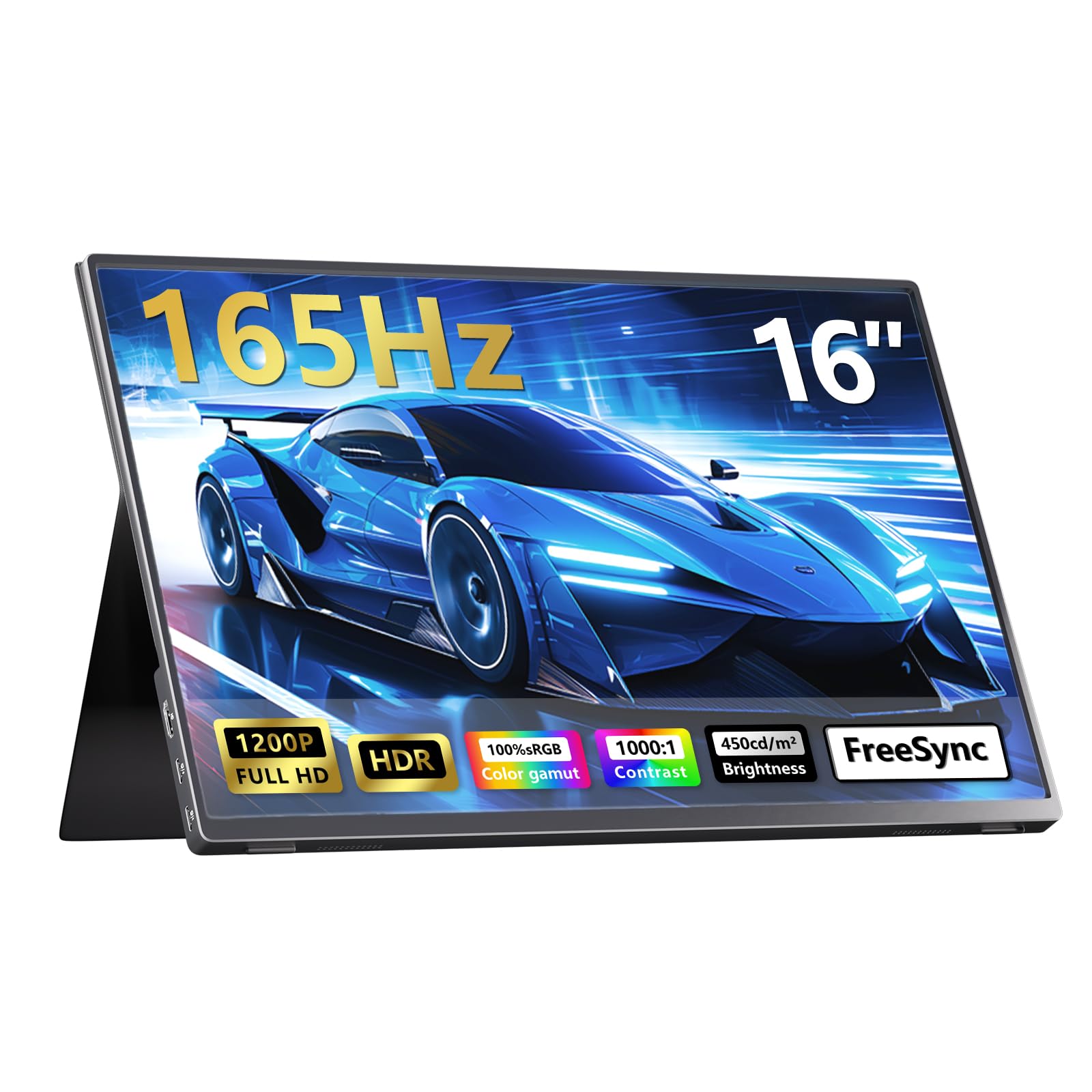
2. KPOCET 16″ 165Hz Portable Gaming Monitor
A 450-nit, 165Hz panel that turns any laptop or console into a gaming rig.
This portable panel is the answer for gamers who want a second screen without a second desk. It hits a true 165Hz refresh rate over both HDMI and USB-C, which is 2.8 times faster than the 60Hz of the Dell office monitor above. That speed, combined with FreeSync (a technology that stops screen tearing), makes fast racing and FPS games feel exceptionally smooth on a panel this portable.
The picture quality is a headline feature. It pushes 450 nits of brightness and covers 100% of the sRGB color space, so it is 22% brighter than typical 300-nit portable panels and 50% brighter than the common 300-nit crowd. Colors look vivid even in bright rooms near a window. The anti-glare matte finish and premium aluminum body keep it feeling solid at just 785g and 10mm thin.
Buyers report it works brilliantly with a Switch without a dock and powers via a power bank, though some note it needs a second USB power cable when connected to consoles. The weak magnetic stand is the main caveat — it only holds one angle. The 3000:1 contrast ratio (3 times the Dell’s 1000:1) gives deep blacks that make games and movies pop.
Best for travel: Slipping this into a backpack and gaming on a hotel desk feels surprisingly premium.
The catch: No internal battery, so it must stay plugged in — think of it as a stationary third office monitor or a travel screen with a power bank.
Reach for this if: you game on a console or laptop and want a compact 165Hz panel with rich colors.
Look elsewhere if: you need a sturdy adjustable stand — this one is magnetic and leans at one angle.
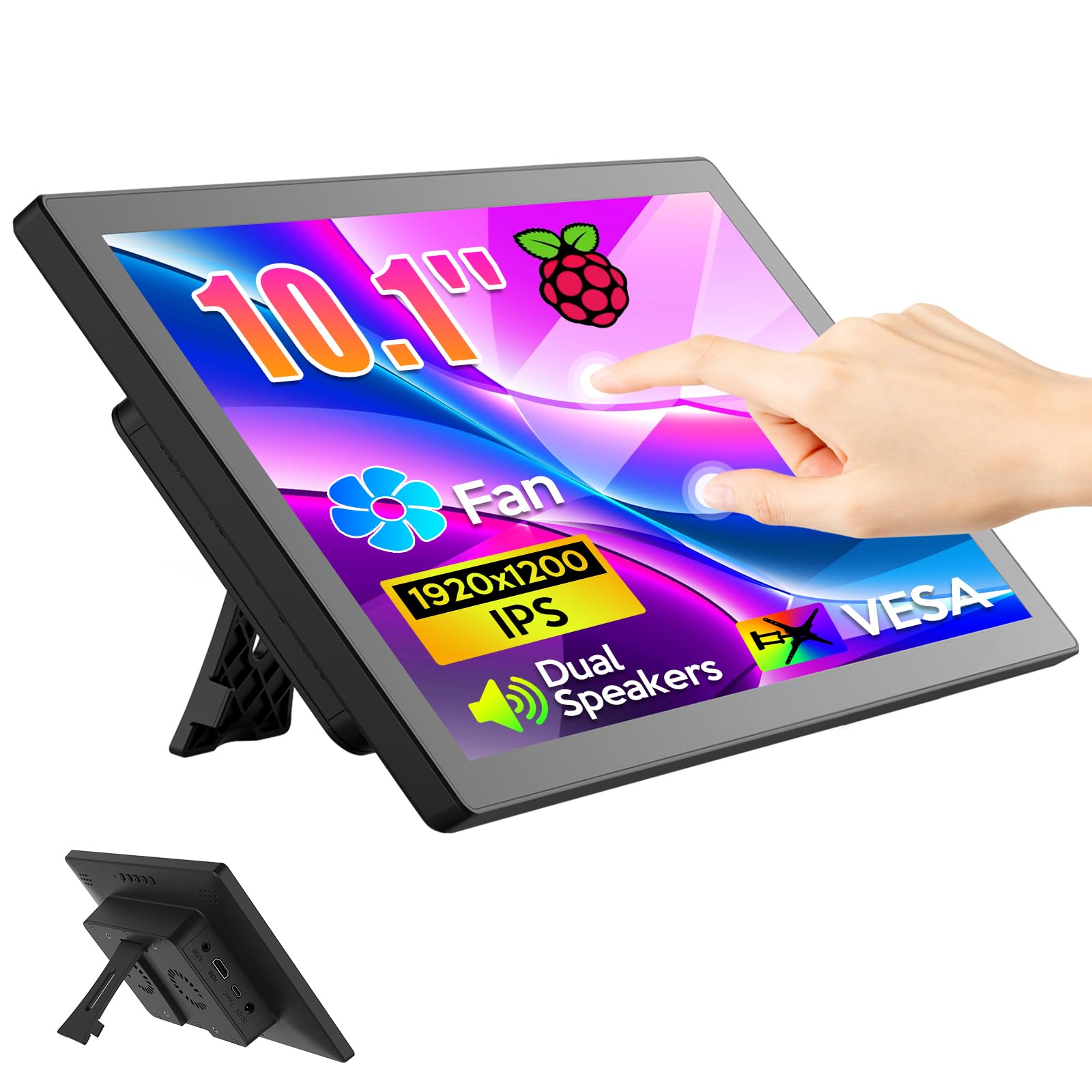
3. XBONFIRE 10.1 Inch Touchscreen Monitor
The tiny 10.1-inch touch panel that brings a Raspberry Pi to life.
This is not a monitor for your main desk — it is a display for a project. Built for Raspberry Pi enthusiasts, this 10.1-inch IPS screen supports 10-finger touch and runs at a crisp 1920 x 1200 resolution on a 16:10 panel. It connects over HDMI with a separate USB touch port, so no driver installation is needed on most systems. Owners mention it works great as a Pi 5 monitor from the start, with high resolution and responsive touch.
The glossy IPS panel offers a 178-degree viewing angle and reduces blue light, which helps when you stare at it for long coding sessions or as a dedicated status display. It is compact enough to fit into a tablet-style case, an infotainment dashboard, or an embedded project mounted on a wall via VESA. The included speaker, fan, and stand make it a complete little kit.
The honest caveat is power. Several owners found the internal supply underpowered for a Pi 5, especially during USB boot, and one needed a right-angle USB-C adapter to fix the fit. It also has no touch function when connected to an iPhone, iPad, or Mac. The 2000:1 contrast ratio and 370 cd/m² brightness are strong for such a small panel, but it is a fit-note, not a flaw — this screen is for makers, not everyday office work.
Ideal for: DIY build-your-own-tablet or home automation dashboards where a full-size monitor is overkill.
Mind the fit: Verify your Pi’s power needs and USB orientation before committing — the touch works flawlessly, but power delivery needs care.
Choose this if: you are a Raspberry Pi tinkerer who wants a vivid touchscreen for a custom project.
skip it if: you need plug-and-play power with a Pi 5 — it may require a workaround adapter.
4. Dell U2415 24-Inch LED Monitor (Renewed)

A renewed premium display that excels in portrait mode for coders.
This is the classic Dell UltraSharp, now sold as a renewed (refurbished) unit at a budget-friendly price. It delivers the same 1920 x 1200 resolution on a 24-inch anti-glare panel with a 1000:1 contrast ratio and 16.78 million colors. The standout feature is the full ergonomic stand — height-adjustable by 115mm, plus tilt, pivot, and swivel — which makes portrait mode for writing code or reading long documents genuinely comfortable.
Programmers who bought it report it feels better than a paired 27-inch HP for vertical text, thanks to the extra height of the 16:10 aspect. Connectivity includes HDMI, Mini DP, DP, and a USB 3.0 hub with an upstream port, so it slots into a modern or legacy setup with ease. The 6ms response time and 30-83 kHz horizontal refresh are fine for office work, though not for competitive gaming.
The main risk with any renewed monitor is condition. While some buyers received units looking pristine and working like new, a few reported defects like blown brightness in a corner or a scratched base. The screen condition is a real mixed bag — if you buy this, inspect it on arrival and use the return window wisely. It is a great value for coding, not for color-critical work.
Where it wins
- Fully adjustable stand perfect for vertical portrait mode
- USB 3.0 hub built in for peripherals
- Classic UltraSharp color quality
The renewed reality
- Condition varies — some units arrive with scratches or defects
- Not suited for gaming or color-accurate photo work
Best value if: you want a premium Dell stand and portrait coding experience for less money.
Proceed with care: the refurbished gamble means checking the panel for blemishes right after unboxing.
5. SAMSUNG FT45 Series 24-Inch WUXGA Monitor

A thin-bezel work screen that makes dual-monitor setups feel smooth.
If you want a modern-looking office monitor with minimal plastic around the picture, this Samsung is tough to beat. The FT45 uses an IPS panel with 178-degree viewing angles, so colors stay accurate even when you glance from an angle. It runs at 75Hz — slightly smoother than the standard 60Hz — and carries a 2000:1 contrast ratio, which is double the Dell P2423’s 1000:1 for noticeably deeper blacks.
The 3-sided bezel-less frame is the real selling point. Customers note that placing two of these side by side creates a nearly smooth dual-monitor wall, ideal for trading or multi-tasking. You also get a 2-port USB hub, two HDMI inputs, a DisplayPort, and DVI, so you can connect laptops and desktops easily. The stand swivels, tilts, pivots, and adjusts in height, and it is VESA mountable.
The recurring gripe is the built-in speakers — owners describe the sound as terrible, so plan on using headphones or external speakers. The Eye Saver Mode and Flicker Free technology are nice for long work hours, reducing blue light to ease eye strain. For the price, the crisp image quality and value are what win people over most.
Built for: business use and multi-monitor setups where the thin bezels and reliable IPS panel matter.
Ignore the speakers: they are a weak point, so factor in a headset or desktop speakers if you need sound.
Reach for this if: you want a clean, bezel-less dual-monitor setup with good value for daily office work.
Think twice if: audio from your monitor is essential — these built-in speakers disappoint.
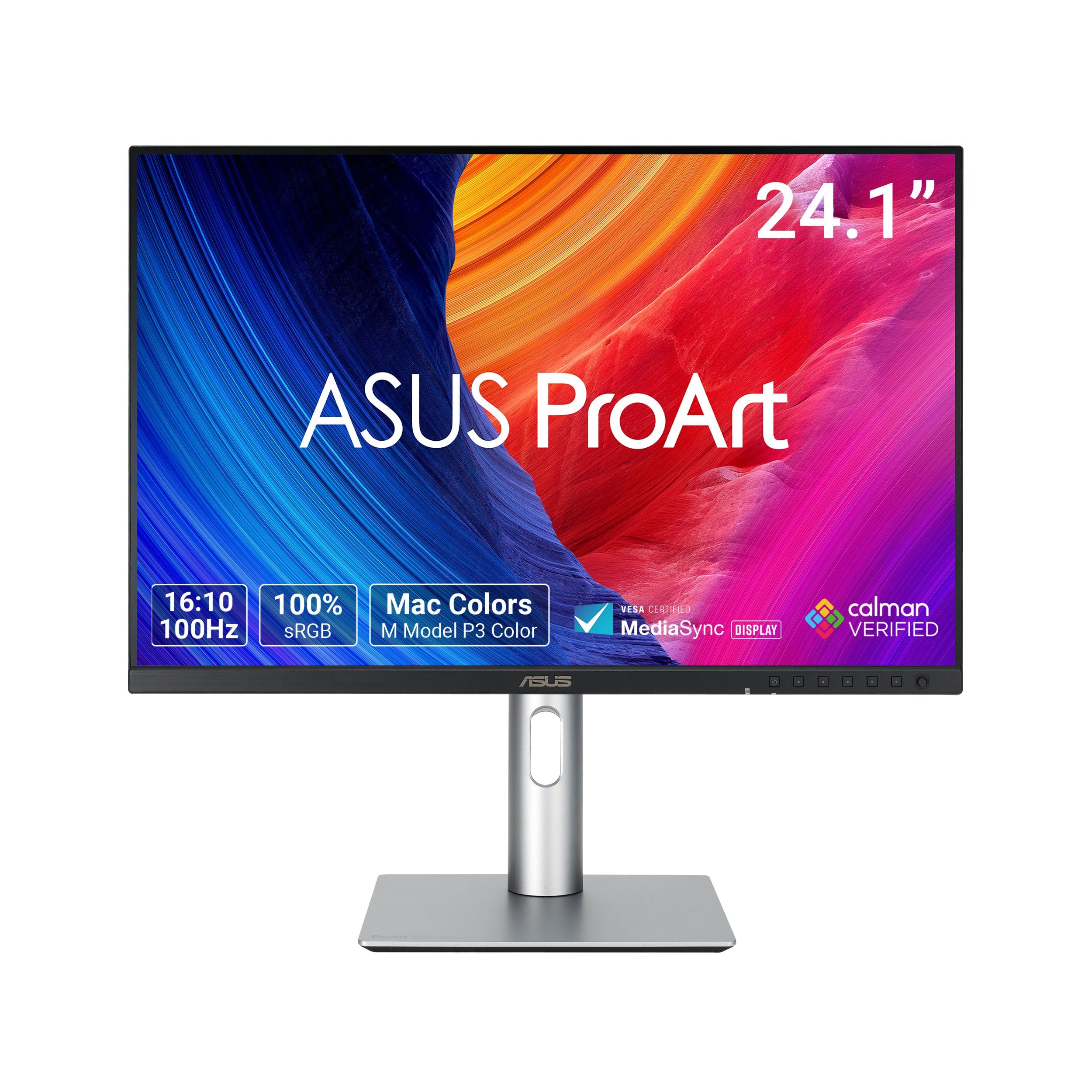
6. ASUS ProArt PA248QFV 24 Inch Professional Monitor
Factory-calibrated color accuracy for photo editors who refuse to guess.
This is the professional’s 1920 x 1200 monitor, designed for people who live in Photoshop and Lightroom. The ProArt PA248QFV covers 100% of both the sRGB and Rec. 709 color standards, and it is Calman Verified with a factory calibration that achieves a Delta E of less than 2. In plain terms, the colors you see on screen will match what comes out of your photo printer — a claim few monitors can make.
It steps up the speed too. The 100Hz variable refresh rate (VRR) makes panning through large images and scrubbing video timelines feel fluid, which is a real upgrade over the 60Hz Dell P2423. The 3000:1 contrast ratio matches the portable gaming monitor for deep blacks. An ambient light sensor automatically adjusts the color gamut based on your room’s lighting, so colors stay true whether your desk is dim or bright.
Buyers praise it as a reliable upgrade, with sharp text and excellent color for photo printing. The ergonomic stand tilts, swivels, pivots, and adjusts height by up to 130mm, alongside VESA mounting. It even includes a monitor hood and a free 3-month Adobe Creative Cloud subscription, plus a 5-year warranty with online registration. This is a complete professional package, built for serious visual work.
The ProArt edge
- Calman Verified with Delta E < 2 for print-accurate color
- 100Hz VRR smooths scrolling and timeline editing
- Includes monitor hood and 5-year warranty
Who it’s not for
- Overkill if you only check email and browse the web
- Premium price for features casual users will not use
Choose this if: color accuracy for photo or video work is non-negotiable and you want factory calibration from the start.
pass on it if: you just need a basic office screen — you would pay for accuracy you never use.
7. ASUS PA248Q 24″ ProArt Professional Monitor

The veteran ProArt that pioneered USB 3.0 hubs in a 1200p panel.
Before the newer PA248QFV, there was the PA248Q — and it is still a respected name for color-conscious buyers on a budget. It delivers professional-grade color on a 100% sRGB, 1920 x 1200 IPS panel that is pre-calibrated to a Delta E of less than 5. The 16:10 aspect ratio adds extra height for documents, while the 300cd/m2 brightness keeps text crisp in most lighting.
Its most famous feature is connectivity: this was the world’s first monitor with four USB 3.0 ports, giving 10x faster transfer than older USB 2.0. You also get HDMI, D-Sub, DisplayPort, and DVI-D, making it incredibly flexible for different computers. Long-term owners praise the near-perfect factory calibration and call it great value, noting that after years of use, the color accuracy still holds up for Photoshop work.
The honest caveat is age. The 60Hz refresh and dot-pitch (the physical spacing of pixels) feel less sharp than newer 1920 x 1080 monitors, and it is not ideal for fast-paced shooters. Some owners note the brightness is too high from the start and needs adjusting. Reviewers point out the sturdy stand and extra vertical height still make it a solid bargain for design and general use.
Built for: budget-conscious designers who want a proven 16:10 panel with a 4-port USB 3.0 hub.
The trade-off: older panel tech means a less crisp dot-pitch than modern screens — check your tolerance for visible pixels.
Reach for this if: you want a reliable, accurate ProArt at a value price and can live with 60Hz.
Look elsewhere if: pixel density or gaming speed is your priority — newer panels are sharper.
8. Dell UltraSharp U2421E 24.1-Inch Monitor

The elegant USB-C monitor that powers and connects your laptop with one cable.
This is the premium option for laptop users, especially MacBook owners, who want a clean desk. The UltraSharp U2421E features a USB-C connection that carries both video and power, delivering up to 90W of charging to your laptop. That single-cable setup means you plug in one cord and your screen lights up while your laptop charges — buyers describe it as simplifying their workspace entirely.
It is a 24.1-inch, 1920 x 1200 WUXGA panel with a 1000:1 contrast ratio, and the 16:10 aspect gives you the full 1200 pixels of vertical workspace. The design is sleek, with an adjustable stand that tilts, swivels, and adjusts height. It also acts as a hub with USB 3.0 Type A ports and Ethernet, so you can plug in peripherals and a wired network connection right into the monitor.
Owners praise the crisp image and neutral, well-calibrated colors straight from the start, noting it pairs beautifully with a MacBook’s display quality. One reviewer noted a quirk where audio is treated as an HDMI output, so volume control on a Mac requires a workaround. The sturdy stand and even backlighting make it a premium daily driver for professionals.
Why it’s premium
- Single USB-C cable delivers video and 90W laptop charging
- Built-in Ethernet and USB hub for a tidy desk
- Neutral, well-calibrated colors for creative work
The trade-off
- 60Hz refresh is productivity-focused, not for gaming
- Audio via HDMI can need a workaround on Macs
Choose this if: you want a clean single-cable setup for a Mac or USB-C laptop with power delivery built in.
it’s not for you if: you run a desktop PC without USB-C — you would not use its best feature.
9. HP E24i G4 24″ WUXGA Business Monitor

A quiet, dependable 1200p work screen that makes old monitors look soft.
This HP is the unsung hero for office work and triple-monitor setups. It is a 24-inch WUXGA display running at 1920 x 1200 with a 60Hz refresh and a 1000:1 static contrast ratio. The 16:10 aspect delivers the crucial extra vertical space for apps that need “a little extra resolution,” as one owner put it. The 3-sided micro-edge bezel keeps the frame minimal for clean multi-monitor walls.
Connectivity includes DisplayPort, HDMI, USB, and VGA, so it works with modern laptops and older desktops alike. The IPS panel offers wide viewing angles, and the Eye Ease feature reduces blue light to keep your eyes comfortable during long shifts. Shoppers say it is easy on the eyes and provides a true 16×10 dimension, with several purchasing additional units to refresh their full triple-monitor setup.
The catch is consistency in the box. While most buyers are thrilled, at least one reported the stand was missing from the package, which suggests occasional shipping or return issues. The height-adjustable stand and USB hub are solid when present. This is a straightforward, no-frills work monitor that does exactly what it promises, without gaming flair or color-critical calibration.
Best for: expanding a home office or refreshing a triple-monitor setup with a dependable, eye-friendly panel.
Check the box: the occasional missing-stand report means verifying all parts on arrival is worth the minute.
Reach for this if: you want a simple, reliable 1200p work monitor with VGA support for older machines.
Think twice if: you need built-in speakers or gaming-speed refresh — this is pure office utility.
Understanding the Specs
16:10 Aspect Ratio
This is the shape of the screen — wider than tall, but with more height than the common 16:9 widescreen. At 1920 x 1200, you get 120 extra vertical pixels compared to a 1080p screen. In real life, that means you see more spreadsheet rows, more lines of code, and less scrolling. It also makes portrait mode (turning the screen sideways) feel natural for reading documents.
Refresh Rate and Contrast
Refresh rate, measured in Hz, is how many times the screen redraws per second. A 60Hz panel is fine for office work, while 100Hz or 165Hz makes fast motion look smoother for gaming. Contrast ratio describes the difference between the darkest and brightest parts of the image — a 3000:1 ratio delivers deeper blacks than a 1000:1 one, which helps movies and games look more lifelike.
FAQ
What is the difference between a 1920 x 1200 and a 1920 x 1080 monitor?
Will a 1920 x 1200 monitor work with my MacBook?
Can I use a 1920 x 1200 monitor for gaming?
Is the extra vertical height worth the higher price?
What does 100% sRGB coverage mean for photo editing?
How do I connect a Raspberry Pi to a touchscreen monitor?
Is a renewed or refurbished monitor a good idea?
What is the benefit of a USB hub built into a monitor?
Final Thoughts: The Verdict
For most people, the 1920 x 1200 monitor winner is the Dell P2423 because it balances a sharp IPS panel, full connectivity, and a flexible stand with a 3-year warranty — and it is backed by the highest owner satisfaction in this roundup. If you want high-refresh gaming on the go, grab the KPOCET 16-inch portable. And for photo-accurate color, the ASUS ProArt PA248QFV is the one to reach for.
How We Picked
We do not accept paid placement. Every pick is matched to a real buyer and a real use-case; we do not hands-on test units.
Sources & Methodology
Specifications: manufacturer listings and product documentation. Review insights: verified customer reviews, as of August 2026. Pricing: not shown on this page (it changes often); check the current price via the retailer link.
As an Amazon Associate, Gadgets Feed earns from qualifying purchases. This does not affect which products we feature.