
Chasing down pixel-perfect motion clarity at 240 frames per second means your monitor panel choice dictates whether you see every enemy strafe or a blurry mess. At 1080p resolution, every millisecond of response time and every hertz of refresh rate directly translates to competitive advantage or visual disappointment.
I’m Min — the co-founder and writer behind Gadgets Feed. My deep market research and technical spec analysis for this guide focused entirely on identifying which 240Hz panel technologies deliver genuine motion clarity versus those that simply advertise the number.
Whether you are building a high-performance esports rig or upgrading from a standard 60Hz display, understanding the trade-offs between TN, IPS, and OLED panels is essential for choosing the right 1920×1080 240hz monitor.
How To Choose The Best 1920×1080 240Hz Monitor
Selecting a 240Hz monitor at 1080p requires balancing panel technology, response time, and adaptive sync support. The wrong choice can leave you with motion blur that defeats the purpose of a high refresh rate display.
Panel Technology: TN vs IPS vs OLED
TN panels offer the fastest pixel response times, making them the traditional choice for competitive gamers who prioritize motion clarity over color accuracy. The BenQ Zowie XL2540X+ uses a Fast TN panel that delivers sharper images during fast motion than most IPS alternatives. IPS panels provide better color reproduction and wider viewing angles, but can suffer from noticeable overshoot at high refresh rates. OLED panels deliver near-instantaneous 0.03ms response times with infinite contrast, but at 1080p they are rare and expensive.
Adaptive Sync Technology
G-Sync and FreeSync Premium prevent screen tearing by synchronizing the monitor’s refresh rate with your GPU’s frame output. For a 240Hz 1080p monitor, FreeSync Premium is more common and works with AMD GPUs, while G-Sync Compatibility offers the same benefit for NVIDIA cards. The Samsung Odyssey G4 supports both G-Sync Compatibility and FreeSync Premium, giving you flexibility across GPU brands.
Response Time and Motion Clarity
Response time measured in milliseconds GtG or MPRT indicates how quickly a pixel changes color. For 240Hz gaming, you need a response time of 4ms or lower to avoid noticeable ghosting. The BenQ XL2540X+ excels here with a Fast TN panel that reduces overshoot compared to older TN designs, while OLED panels like those in the Acer Predator X27U achieve 0.03ms for virtually zero motion blur.
Quick Comparison
On smaller screens, swipe sideways to see the full table.
| Model | Category | Best For | Key Spec | Amazon |
|---|---|---|---|---|
| ASUS ROG Swift PG27AQDM-R | Premium OLED | High-end gaming with HDR | 0.03ms GtG, 240Hz OLED | Amazon |
| LG 34GX900A-B | Premium Ultrawide OLED | Immersive ultrawide gaming | 800R curve, 0.03ms GtG | Amazon |
| LG 32GS95UE | Premium 4K OLED | Dual mode 4K/1080p | 480Hz at 1080p, 0.03ms | Amazon |
| Samsung Odyssey Neo G9 | Premium Super Ultrawide | Dual 4K productivity + gaming | 7680×2160, Mini-LED | Amazon |
| Acer Predator X27U | Mid-Range OLED | Budget-friendly OLED gaming | 2560×1440, QD-OLED | Amazon |
| AOC Agon PRO AG276QZD2 | Mid-Range OLED | QD-OLED with factory calibration | 240Hz, QHD OLED | Amazon |
| BenQ Zowie XL2540X+ | Mid-Range TN | Competitive esports motion clarity | 280Hz, Fast TN panel | Amazon |
| Samsung Odyssey G4 25” | Value IPS | Budget-friendly 240Hz IPS gaming | 240Hz, IPS, 1ms GtG | Amazon |
| Z-Edge UG32P | Value Curved | Large curved 240Hz entry | 32”, 1500R, 240Hz | Amazon |
In‑Depth Reviews
1. ASUS ROG Swift PG27AQDM-R

The ASUS ROG Swift PG27AQDM-R uses a 26.5-inch WOLED panel with a custom heatsink and intelligent voltage optimization to reduce burn-in risk while delivering 240Hz refresh rate and 0.03ms response time. The anti-glare micro-texture coating minimizes reflections, maintaining color accuracy even in bright rooms. G-Sync Compatibility ensures tear-free gameplay with NVIDIA GPUs.
Color performance reaches 99% DCI-P3 gamut with Delta E < 2 color difference, producing rich HDR visuals at 1000 nits peak brightness. The included monitor arm adds value by freeing desk space and providing flexible positioning. Uniform brightness setting keeps luminance consistent across the entire screen.
The built-in heatsink technology addresses the main concern of OLED longevity by managing heat more effectively than standard OLED monitors. The 3-year warranty includes burn-in coverage, giving long-term peace of mind. SDR brightness is excellent for daily use, though HDR peak brightness is only sustained at 3% screen area.
Why it’s great
- 0.03ms OLED response eliminates all motion blur in fast-paced games
- Included monitor arm adds ergonomic flexibility without extra cost
- Burn-in protection via custom heatsink and voltage optimization
Good to know
- Price places it in premium territory above most 1080p options
- HDR peak brightness limited to 3% screen area
- Some units may arrive with defects based on user reports
2. LG 34GX900A-B
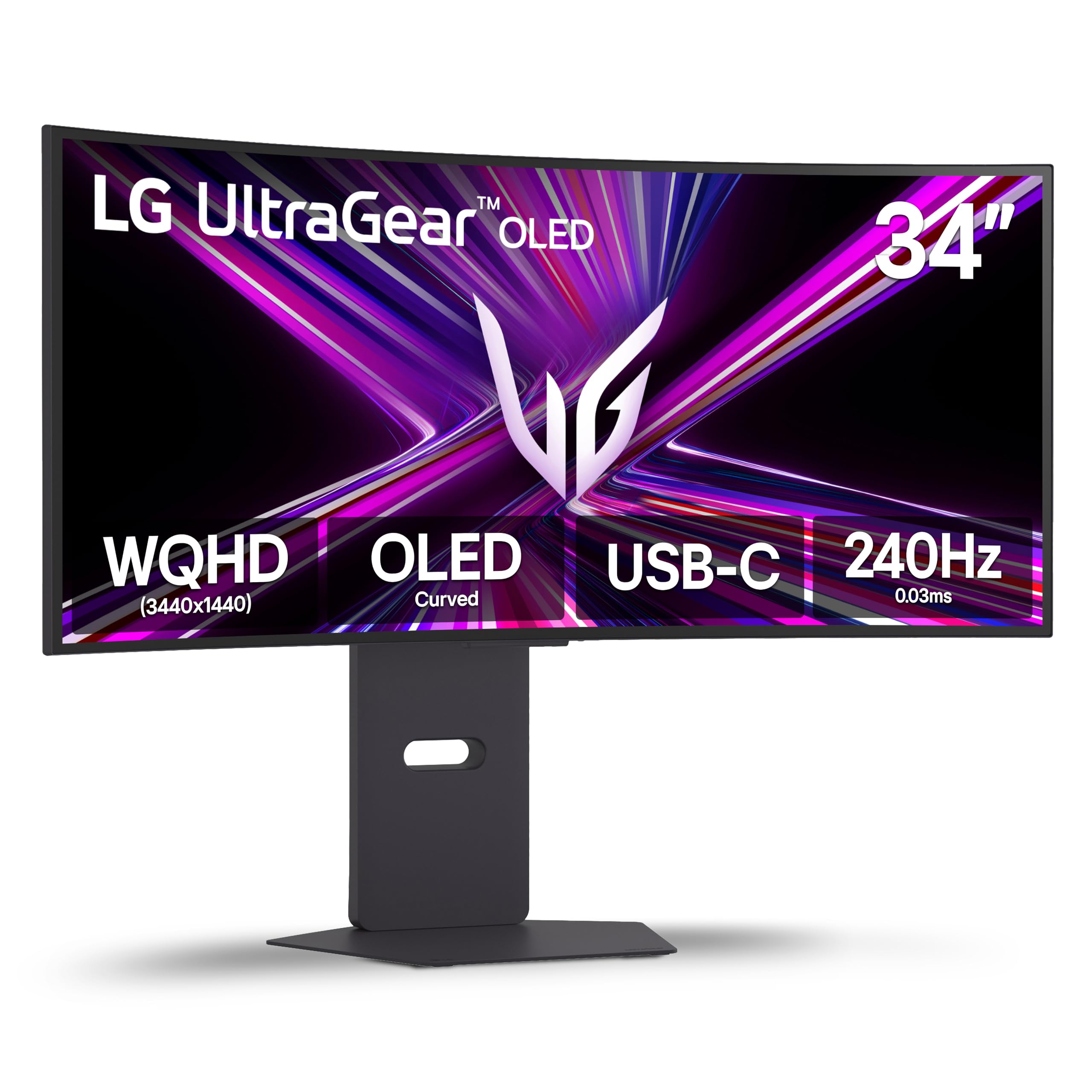
The LG 34GX900A-B pairs a 34-inch WQHD OLED panel with the steepest 800R curve currently available, wrapping the 3440×1440 resolution around your peripheral vision. The 240Hz refresh rate and 0.03ms response time deliver OLED motion clarity, while AMD FreeSync Premium Pro and NVIDIA G-Sync Compatibility ensure tear-free gameplay across both PC and console platforms.
DisplayHDR True Black 400 certification ensures deep blacks and 98.5% DCI-P3 color coverage, producing cinematic visuals. The USB Type-C port with 65W power delivery lets you charge a laptop while driving the display with a single cable. Dynamic Action Sync reduces input lag, and the Black Stabilizer reveals hidden enemies in dark scenes.
Pixel cleaning tools and a 2-year limited warranty cover the OLED panel against burn-in. The aggressive 800R curve requires adjustment if you also use the monitor for productivity, as straight lines may appear curved. The glossy coating reflects light in bright rooms, but anti-glare technology minimizes distractions.
Why it’s great
- 800R curve matches human eye curvature for deep immersion
- USB-C with 65W PD simplifies cable management for laptops
- OLED motion clarity with 0.03ms response time
Good to know
- Aggressive curve may cause distortion for spreadsheet work
- Glossy coating reflects ambient light in bright rooms
- Quality control can be inconsistent across units
3. LG 32GS95UE
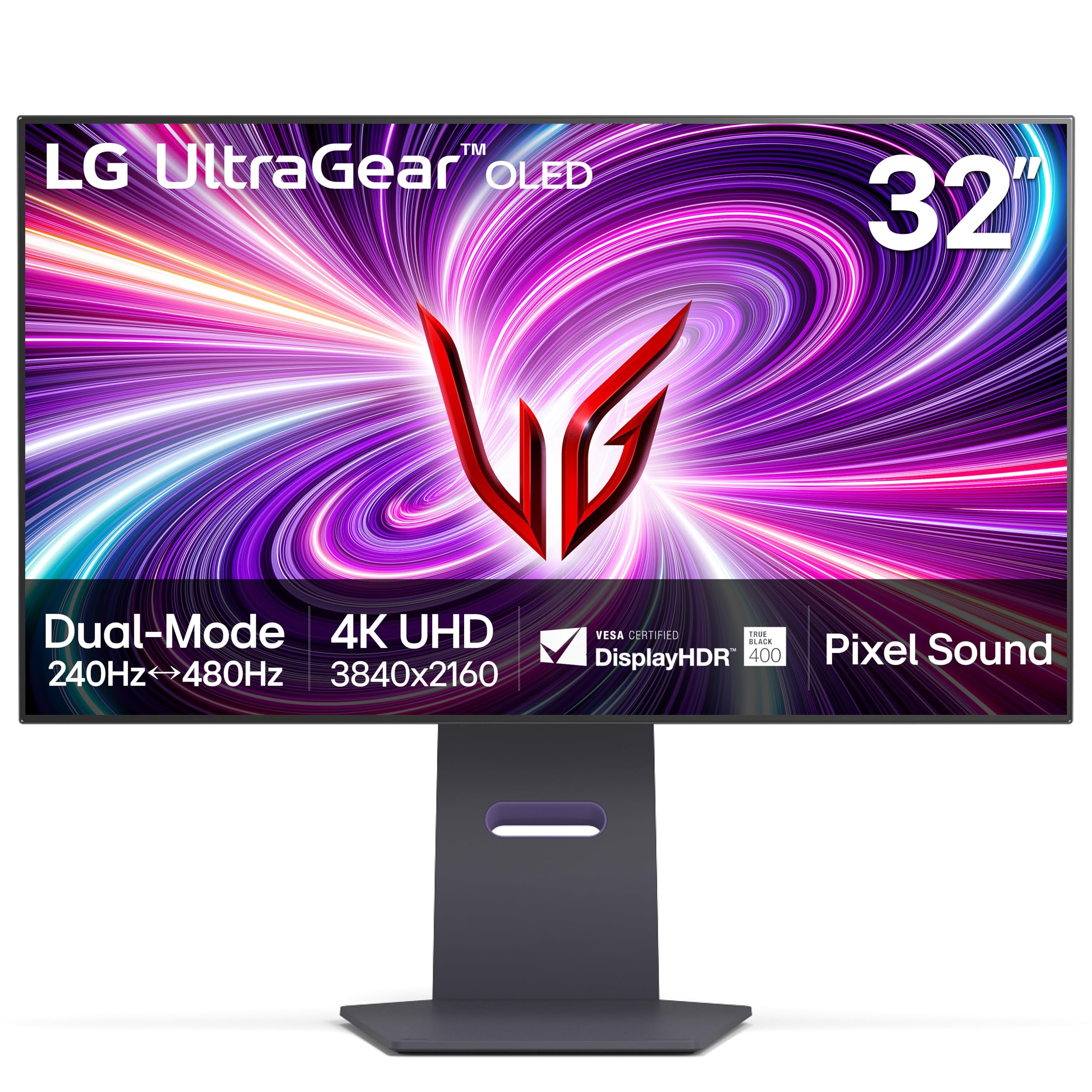
The LG 32GS95UE features the world’s first VESA Certified Dual Mode, allowing a single press to switch between native 4K UHD at 240Hz and Full HD 1080p at a blistering 480Hz. This flexibility lets you enjoy crisp 4K visuals for single-player titles and then switch to 480Hz for competitive esports where every frame matters. The 0.03ms OLED response time ensures zero ghosting in both modes.
DisplayHDR True Black 400 with a 1.5M:1 contrast ratio delivers infinite blacks and vivid highlights. AMD FreeSync Premium Pro and NVIDIA G-Sync Compatibility cover both GPU ecosystems. The Pixel Sound technology drives audio from behind the OLED panel, directing sound toward the user rather than firing downward from the bezel.
The anti-glare low reflection display minimizes distractions in well-lit rooms. HDMI 2.1 and DisplayPort 1.4 support full 240Hz at 4K without compression. The 2-year UltraGear OLED warranty covers the panel, and the pixel refresh tools maintain image quality over time. Text clarity can appear slightly smudged due to the WOLED sub-pixel layout, which may bother programmers.
Why it’s great
- Dual Mode lets you switch between 4K 240Hz and 1080p 480Hz instantly
- Pixel Sound delivers clear audio without external speakers
- Anti-glare coating reduces reflections in bright rooms
Good to know
- WOLED sub-pixel layout can cause text fringing at close distance
- Premium pricing places it above most dedicated 1080p monitors
- Brightness may feel insufficient in very well-lit rooms
4. Samsung Odyssey Neo G9 G95NC

The Samsung Odyssey Neo G9 G95NC is the world’s first Dual UHD monitor, combining two 4K displays into a single 57-inch super ultrawide with 7680×2160 resolution. The 1000R curvature matches the human eye for peripheral immersion, while Quantum Mini-LED technology with 2,392 local dimming zones delivers 1,000 nits peak brightness and a 1,000,000:1 contrast ratio.
DisplayPort 2.1 input supports the full DUHD resolution at 240Hz without compression, and AMD FreeSync Premium Pro ensures smooth variable refresh rates. The 1ms GtG response time on the VA panel keeps motion clear, though it cannot match the 0.03ms of OLED alternatives. Picture-by-Picture mode lets you view two sources simultaneously in native resolution.
The ergonomic stand offers height, swivel, and tilt adjustment, and VESA compatibility allows mounting. CoreSync and Core Lighting+ project on-screen colors onto your desk space. Some users report firmware issues with wake-from-sleep and auto source switching, and the sheer size demands a deep desk of at least 30 inches.
Why it’s great
- Dual UHD resolution replaces two 4K monitors seamlessly
- DisplayPort 2.1 enables full 240Hz at 7680×2160 without compression
- Quantum Mini-LED delivers high brightness and deep contrast
Good to know
- Requires a powerful GPU and a deep desk to accommodate the 57-inch width
- Firmware issues with wake-from-sleep reported by multiple users
- VA panel response time (1ms) is slower than OLED alternatives
5. Acer Predator X27U W1bmiipprx

The Acer Predator X27U brings QD-OLED technology into the mid-range segment with a 26.5-inch WQHD 2560×1440 panel operating at 240Hz with 0.03ms response time. The quantum dot layer enhances color volume beyond standard OLED, achieving 99% DCI-P3 gamut with true 10-bit color depth. Delta E < 2 ensures factory-calibrated accuracy for both gaming and creative work.
AMD FreeSync Premium synchronizes the display with GPU frames, eliminating tearing and stuttering. The ZeroFrame design maximizes the 26.5-inch viewing area without distracting bezels. Image retention refresh tools protect against burn-in during long gaming sessions.
HDR10 support adds cinematic contrast, though the brightness is dimmer than premium OLED models, requiring 100% setting in well-lit rooms. The menu system is complex and lacks dedicated sharpness or overdrive controls. The stand arrived cracked for one user, suggesting occasional quality control issues with packaging.
Why it’s great
- QD-OLED delivers richer colors than standard WOLED at this price tier
- 0.03ms response time eliminates ghosting in competitive shooters
- Factory calibration ensures accurate colors out of the box
Good to know
- Overall brightness is lower than premium OLED alternatives
- OSD menu complexity can frustrate quick adjustments
- Quality control issues reported with stand and packaging
6. AOC Agon PRO AG276QZD2

The AOC Agon PRO AG276QZD2 pairs a 27-inch QD-OLED panel with 2560×1440 resolution, delivering 240Hz refresh rate and 0.03ms GtG response time. The glossy screen finish enhances perceived contrast and color vibrancy, while the 1.07 billion color depth and 101% DCI-P3 coverage provide professional-grade color accuracy. The factory calibration report included with each unit confirms Delta E < 2.
G-Sync Compatibility and Adaptive Sync support ensure tear-free gameplay across NVIDIA and AMD GPUs. The AOC G Menu software simplifies OSD adjustments from Windows. The HDR400 True Black certification delivers deep blacks, though peak brightness in HDR mode reaches only around 240 nits, which is insufficient for true HDR impact.
Later revisions have increased the native refresh rate to 280Hz, improving motion clarity further. The stand is compact but wobbly during adjustments, and the built-in speakers are mediocre at best. Text fringing due to the QD-OLED sub-pixel layout is noticeable for productivity work, making this a dedicated gaming display.
Why it’s great
- Factory color calibration report ensures accurate out-of-box colors
- QD-OLED panel delivers vibrant colors and infinite contrast
- Later revisions offer native 280Hz refresh rate
Good to know
- HDR brightness is limited to ~240 nits peak
- Stand wobbles during tilt and height adjustments
- Text fringing makes it unsuitable for long reading sessions
7. BenQ Zowie XL2540X+
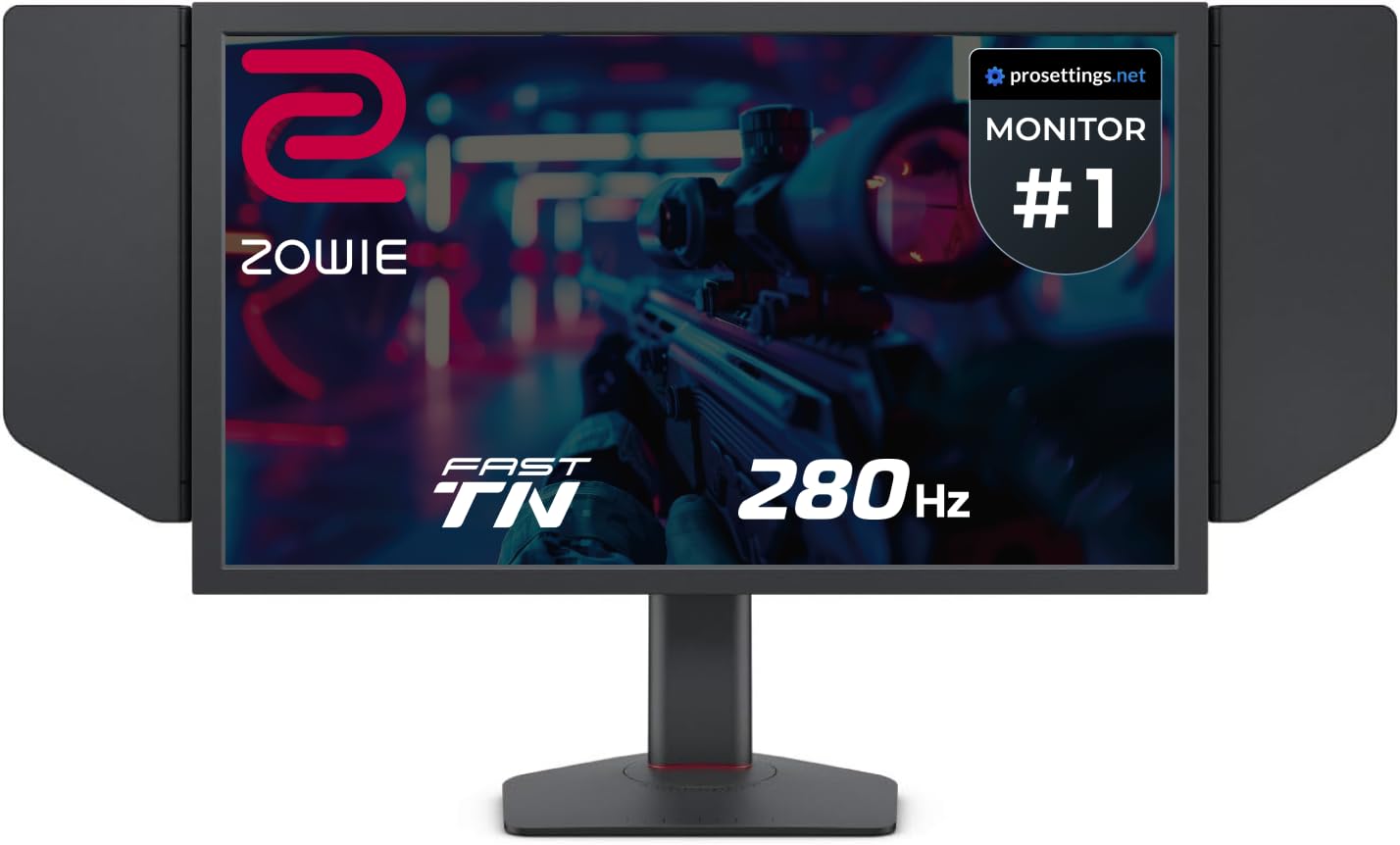
The BenQ Zowie XL2540X+ is built around a newly developed Fast TN panel that delivers 280Hz refresh rate through DisplayPort and 240Hz through HDMI, with motion clarity that outperforms Fast IPS panels. The native FHD 1080p resolution on a 24.1-inch screen provides higher pixel density than larger 1080p monitors, resulting in sharper image edges during competitive gameplay.
The industrial-grade bearing design makes height adjustment smooth and precise, while the S Switch controller allows quick switching between color profiles. The shielding hood eliminates ambient light reflections, maintaining consistent visibility during tournaments. Auto Game Mode automatically adjusts color settings based on the game being played.
Overshoot is effectively reduced compared to older TN panels thanks to improved electrical conductivity in the liquid crystal layer. The matte screen finish reduces glare without introducing graininess. This panel is designed exclusively for competitive gaming — color accuracy and viewing angles are secondary to motion clarity and response time.
Why it’s great
- Fast TN panel delivers superior motion clarity over IPS at high refresh rates
- Industrial-grade height adjustment is buttery smooth and precise
- Shielding hood eliminates glare for tournament-level consistency
Good to know
- TN panel color accuracy is inferior to IPS or OLED alternatives
- Viewing angles are narrow, making group viewing difficult
- Price is higher than budget 240Hz IPS options
8. Samsung Odyssey G4 25”

The Samsung Odyssey G4 25” pairs a 25-inch IPS panel with 1920×1080 resolution, 240Hz refresh rate, and 1ms GtG response time. The IPS technology delivers wide 178-degree viewing angles and vibrant color reproduction that outperforms TN panels at this price point. G-Sync Compatibility and AMD FreeSync Premium support ensure smooth variable refresh rate operation across GPU brands.
The Ultrawide Game View feature lets you adjust the screen to 21:9 aspect ratio for discovering hidden areas in games, and the ergonomic stand supports height, swivel, tilt, and pivot adjustments. Auto Source Switch+ automatically detects connected devices and switches input sources without manual intervention. The 400 cd/m² brightness is sufficient for most indoor environments.
Some users report that the HDMI notification keeps toggling when the monitor is connected to a laptop in sleep mode. The monitor lacks built-in speakers, though the 1/8-inch audio out port passes sound through. After two years of use, reviewers note that the monitor maintains consistent color accuracy and sharpness with zero jitter.
Why it’s great
- IPS panel delivers vibrant colors and wide viewing angles at a low price
- Dual adaptive sync support works with both NVIDIA and AMD GPUs
- Auto Source Switch+ simplifies multi-device setups
Good to know
- No built-in speakers; requires external audio solution
- HDMI notification may flicker with laptops in sleep mode
- 1080p resolution on 25-inch may feel small for immersive gaming
9. Z-Edge UG32P

The Z-Edge UG32P offers a 32-inch VA panel with FHD 1080P resolution, 240Hz refresh rate, and 1ms MPRT response time at a budget-friendly price point. The 1500R curvature wraps the large screen around your peripheral vision for enhanced immersion, and the 3000:1 contrast ratio produces deeper blacks than IPS panels at the same price tier. FreeSync support reduces screen tearing during gameplay.
Connectivity includes two HDMI inputs and one DisplayPort, supporting the full 240Hz refresh rate through the DP connection. The three-sided edge-to-edge design minimizes bezels for a clean look, and standard 75x75mm VESA mounting allows wall or arm installation. The matte screen finish reduces glare in bright rooms.
While the VA panel excels in contrast, its pixel response time is slower than IPS or TN alternatives, leading to noticeable ghosting in fast-paced scenes. The monitor lacks built-in speakers and includes only a basic stand with tilt adjustment — height and swivel are absent. Customer service is responsive, with one user reporting quick replacement of a faulty DP cable.
Why it’s great
- Large 32-inch curved display offers immersive gaming at a low price
- 3000:1 contrast ratio delivers deeper blacks than IPS competitors
- VESA mountable for flexible desk and wall setups
Good to know
- VA panel response time causes ghosting in fast-moving scenes
- Stand only offers tilt adjustment, no height or swivel
- No built-in speakers require external audio solution
FAQ
Is a 240Hz monitor worth it for competitive gaming at 1080p?
What is the difference between 1ms GtG and 1ms MPRT response times?
Can a 1080p 240Hz monitor run on a console?
Does DisplayPort or HDMI matter for 240Hz at 1080p?
Do I need G-Sync or FreeSync with a 240Hz monitor?
Final Thoughts: The Verdict
For most users, the 1920×1080 240hz monitor winner is the Samsung Odyssey G4 25” because it combines IPS color accuracy with 240Hz smoothness and dual adaptive sync support at a budget-friendly price. If you want the absolute fastest motion clarity for competitive esports, grab the BenQ Zowie XL2540X+ with its 280Hz Fast TN panel and tournament-grade build. And for immersive curved gaming on a large screen, nothing beats the Z-Edge UG32P with its 32-inch 1500R VA panel and 240Hz refresh rate at an entry-level price.