
A 1TB solid-state drive is the single most impactful upgrade you can make in a modern laptop — it eliminates the agonizing decision of which files to delete when your storage fills up mid-project. With a terabyte of fast NVMe storage, you can keep your entire game library, your photo catalog, your video editing cache, and your work documents all on the same machine without reaching for an external drive.
I’m Min — the co-founder and writer behind Gadgets Feed. For this guide, I spent hundreds of hours cross-referencing benchmark data, poring over component specifications, and analyzing verified buyer feedback across dozens of models to separate genuine 1TB laptop value from marketing noise.
Whether you need raw gaming horsepower, professional-grade build quality, or a reliable daily driver for school and work, this analysis of the best 1tb laptop computer options on the market will help you make an informed decision.
How To Choose The Best 1TB Laptop Computer
The term “1TB laptop computer” covers everything from ultraportable business machines to desktop-replacement gaming monsters. Understanding the key components that define performance in this storage tier is crucial to matching the right laptop to your specific needs.
Processor Architecture: U, P, or HX Series
Intel’s U-series chips (like the i5-1335U) are designed for battery efficiency and light productivity. P-series processors strike a balance between performance and power draw, while HX-series chips (like the i9-14900HX) are high-power desktop replacements built for sustained multi-core workloads. AMD’s Ryzen 7 5825U and Ryzen 7 6850U offer excellent multithreaded performance at lower power envelopes. Choose HX or H-series if you’re rendering 3D scenes or compiling code; choose U-series if you need all-day battery life for office tasks.
GPU: Integrated, Entry-Level Dedicated, or High-End
Integrated graphics like AMD Radeon 680M or Intel Iris Xe are sufficient for 4K video playback and light photo editing. An RTX 3050 (4GB) handles 1080p gaming at medium settings. An RTX 4050 or RTX 5050 unlocks DLSS 3.0 and handles QHD gaming at higher frame rates. The RTX 5070 in premium laptops pushes 1440p at high refresh rates with ray tracing enabled. If you only stream media and browse, integrated graphics save battery life and reduce fan noise.
Display: Resolution, Refresh Rate, and Panel Type
A standard 120Hz FHD (1920×1080) IPS panel is fine for office work and casual gaming. A 165Hz QHD (2560×1600) display is better for competitive gaming where motion clarity matters. IPS panels offer decent color accuracy, but if you edit photos or video professionally, look for 100% DCI-P3 coverage like the MSI Katana offers. Avoid 250-nit displays if you work near windows — 300 nits or higher is preferable for a comfortable viewing experience.
Memory and Storage Configurations
While the 1TB SSD is the headline feature, the type of SSD matters: PCIe Gen 4 NVMe SSDs offer sequential read speeds up to 7000MB/s, dramatically faster than PCIe Gen 3 or SATA SSDs. For RAM, 16GB is the minimum for smooth multitasking in 2025, while 32GB is recommended for running virtual machines, heavy Chrome tabs, or video editing. Some models allow user-upgradeable RAM slots, while others (like the MacBook Pro) use soldered unified memory.
Quick Comparison
On smaller screens, swipe sideways to see the full table.
| Model | Category | Best For | Key Spec | Amazon |
|---|---|---|---|---|
| Apple MacBook Pro 14 M4 Pro | Premium Ultrabook | Creative pros & developers | M4 Pro 14‑core CPU | Amazon |
| MSI Katana 15 HX | Gaming Flagship | Elite gaming at QHD | i9-14900HX + RTX 5070 | Amazon |
| Alienware 16 Aurora | Premium Gaming | High-refresh 16-inch gaming | WQXGA 120Hz display | Amazon |
| Acer Nitro V 15 | Mid-Range Gaming | 1080p gaming with DLSS 3 | i7-13620H + RTX 4050 | Amazon |
| HP Victus 15 | Budget Gaming | Entry-level 144Hz gaming | RTX 3050 + 32GB RAM | Amazon |
| Dell Inspiron 15 | Mid-Range Productivity | Office work with 120Hz display | i7-1255U + 32GB RAM | Amazon |
| Lenovo IdeaPad Business | Touchscreen Business | Productivity with Microsoft Office | i5-1335U + Touchscreen | Amazon |
| NIMO 15.6 Light Gaming | Value Light-Gaming | Content creation & light gaming | Ryzen 7 6850U + 32GB RAM | Amazon |
| NIAKUN Gaming Laptop | Value Performer | Budget i9-11900H performance | i9-11900H + 1TB SSD | Amazon |
| HP 255 G10 | Office Productivity | Budget-friendly work laptop | Ryzen 3 7330U + 16GB RAM | Amazon |
| KurieTim 15.6 | Entry-Level | Basic productivity & study | Ryzen 7 5825U + 16GB RAM | Amazon |
In‑Depth Reviews
1. Apple 2024 MacBook Pro Laptop with M4 Pro

The 14.2-inch Liquid Retina XDR display on this MacBook Pro hits 1600 nits peak brightness, making HDR content look stunning whether you’re grading video or editing photos. The M4 Pro chip delivers single-core and multi-core performance that rivals desktop workstations, while maintaining the same low power draw whether plugged in or on battery — a feat Intel and AMD chips still struggle to match.
With 24GB of unified memory, you can run multiple Docker containers, a full Adobe Creative Suite workflow, and dozens of Chrome tabs without hitting swap. The 1TB SSD on the M4 Pro uses Apple’s custom controller, achieving sequential read speeds exceeding 6000MB/s. The build quality is exceptional: a unibody aluminum chassis that feels rigid, a keyboard with 1mm of key travel that’s comfortable for long typing sessions, and the best haptic trackpad on any laptop.
Battery life is the standout feature here — expect 15-18 hours of mixed use, and the 140W MagSafe charger gets you back to 50% in about 30 minutes. The only downsides are the premium price and the fact that memory and storage are soldered and non-upgradeable, so you need to decide your configuration upfront. For creative professionals and developers who value reliability and performance, this is the 1TB laptop benchmark.
Why it’s great
- Industry-leading battery life (15-18 hours real-world)
- Stunning Liquid Retina XDR display with 1600 nits peak
- Silent and cool even under sustained load
Good to know
- Premium price point compared to Windows alternatives
- RAM and SSD are soldered — no future upgrades
- Software compatibility limitations for some legacy Windows apps
2. MSI Katana 15 HX Gaming Laptop

The MSI Katana 15 HX is a desktop replacement in a mid-tower chassis — the 24-core i9-14900HX paired with an RTX 5070 delivers frame rates that push its 165Hz QHD panel to the limit. In Cyberpunk 2077 with DLSS 4 enabled at 1440p, you’ll see consistent 90-110 FPS with ray tracing on. The Cooler Boost 5 system with five heat pipes keeps thermal throttling at bay during marathon sessions.
The 32GB of DDR5 RAM is generous for a gaming laptop at this price tier, and the 1TB NVMe SSD uses PCIe Gen 4 with sequential read speeds around 7000MB/s. The 4-zone RGB keyboard offers solid feedback with 1.7mm key travel, and the WASD keys are highlighted for gamers. Port selection is complete: USB-C Gen 2, HDMI 2.1 supporting 8K output, multiple USB-A ports, and Wi-Fi 6E.
The downsides are significant: battery life dips to under 2 hours under gaming load and only about 5 hours for light productivity. The power brick is large and gets hot. Some users report the fans are audible even on idle, and the webcam lacks Windows Hello support. If you primarily game plugged in and need raw power per dollar, this is hard to beat.
Why it’s great
- Beastly i9-14900HX + RTX 5070 combo for QHD gaming
- 165Hz QHD panel with 100% DCI-P3 color gamut
- 32GB DDR5 RAM and fast PCIe Gen 4 SSD
Good to know
- Very short battery life under load (~2 hours)
- Heavy chassis and bulky power adapter
- Fans run loud even at idle
3. Alienware 16 Aurora Gaming Laptop

The Alienware 16 Aurora stands out with its 16-inch WQXGA (2560×1600) 120Hz display, which offers significantly more screen real estate than a standard 15.6-inch panel while maintaining a 16:10 aspect ratio that’s better for productivity. The Cryo-Chamber cooling design uses vapor chamber technology to keep the Intel Core 7-240H and RTX 5050 running at peak boost clocks without thermal throttling.
The RTX 5050 with 8GB of VRAM is a notable step up from the 4GB RTX 3050, allowing higher texture quality settings at QHD resolution. The 16GB of DDR5 RAM is sufficient for most games, though power users might want 32GB for streaming while gaming. Dell includes 1-year onsite service, which means a technician comes to your location for hardware issues — a rare warranty perk in this segment.
The build is solid but heavy at over 6 pounds, which limits portability. The fans are audible under gaming load, and battery life for gaming is around 2-3 hours. The lack of a fingerprint reader is a minor omission at this price. If you want a large, premium-screen gaming laptop with excellent cooling and Dell’s support network, this is a strong contender.
Why it’s great
- Gorgeous 16-inch WQXGA 120Hz 16:10 display
- Excellent Cryo-Chamber cooling for sustained performance
- 1-year Dell Onsite Service included
Good to know
- Heavy chassis at over 6 pounds
- Only 16GB RAM in base config
- No fingerprint reader
4. Acer Nitro V 15 Gaming Laptop

The Acer Nitro V 15 packs an Intel i7-13620H and an RTX 4050 with 6GB VRAM into a chassis that costs significantly less than premium gaming laptops. The 165Hz FHD IPS display is fast enough for competitive shooters, and DLSS 3.0 support on the RTX 4050 means you can enable frame generation for smoother performance in titles like Cyberpunk 2077 or Hogwarts Legacy.
The 16GB of DDR5 RAM runs at 5200MHz, and the 1TB PCIe Gen 4 SSD has two M.2 slots for future expansion. The Thunderbolt 4 port is a welcome addition at this price, enabling fast data transfer and external GPU enclosures if you want more gaming power later. The dual-fan cooling system with quad exhaust vents keeps temperatures in check, though the fans do get loud under load.
The keyboard layout is a minor frustration — the shifted number pad can cause mistypes during spreadsheet work, and the backlight timeout is too short even when plugged in. The 720p webcam is mediocre, but Acer’s PurifiedVoice noise reduction helps with online calls. If you want RTX 4050 performance and a 165Hz screen without spending flagship money, this is the sweet spot.
Why it’s great
- RTX 4050 with DLSS 3 for smooth 1080p gaming
- Fast 165Hz IPS display in budget tier
- Thunderbolt 4 port and dual M.2 slots
Good to know
- Loud fans under load
- Keyboard backlight timeout is too short
- Only 16GB RAM in base configuration
5. HP Victus 15 Gaming Laptop

The HP Victus 15 offers an accessible entry point into 1TB gaming laptops with an Intel i5-12450H and RTX 3050 (4GB GDDR6), paired with a 144Hz FHD display that’s smooth enough for esports titles like Fortnite and Valorant. The 32GB of RAM is unusually generous at this price tier, allowing you to keep browser tabs, Discord, and streaming software open while gaming without slowdown.
The 1TB PCIe NVMe SSD provides fast boot times and ample space for a modern game library — you can fit around 15-20 AAA titles at once. The backlit keyboard is useful for dimly lit rooms, and the port selection includes HDMI 2.1, USB-C, and an SD card reader. The build uses plastic, which keeps weight reasonable at around 4.5 pounds, but it doesn’t feel as premium as metal-chassis alternatives.
Battery life is poor — expect about 2 hours of gaming and 5 hours of light use. The RTX 3050 with 4GB VRAM will struggle with modern AAA games at high settings, though it handles 1080p medium settings capably. Some users report that the included SSD can be unreliable; consider upgrading to a WD_Black or Samsung drive if longevity is a concern.
Why it’s great
- 32GB RAM at an entry-level gaming price
- 144Hz FHD display for smooth esports
- Backlit keyboard ideal for dim gaming rooms
Good to know
- RTX 3050 struggles with modern AAA at high settings
- Poor battery life — primarily a plug-in machine
- Included SSD reliability concerns reported
6. Dell Inspiron 15 Laptop

The Dell Inspiron 15 stands out in the productivity category with a 120Hz IPS display at the 15.6-inch FHD resolution — a refresh rate typically reserved for gaming laptops, which makes scrolling through documents and web pages noticeably smoother. The Intel i7-1255U with 10 cores provides responsive performance for office tasks, and the 32GB of RAM is overkill for most business users but future-proofs the machine for years to come.
The 1TB PCIe SSD ensures fast boot times, and the inclusion of a numeric keypad is appreciated by anyone who works with spreadsheets. The pre-installed Microsoft Office lifetime license adds genuine value if you need Word, Excel, and PowerPoint without a subscription. The build is typical Dell — functional plastic construction with a professional black finish that won’t draw attention in a boardroom.
The battery life is average at around 7-8 hours of office use, and the 250-nit brightness is adequate indoors but struggles in bright environments. The Wi-Fi 5 rather than Wi-Fi 6 is a dated connectivity choice. The lack of USB-C charging is a notable omission in 2025 — you’re stuck with the barrel charger. For a reliable productivity machine with a smooth display and generous RAM, it delivers solid value.
Why it’s great
- 120Hz IPS display makes everyday scrolling silky smooth
- 32GB RAM and lifetime Microsoft Office license included
- Full numeric keypad for spreadsheet work
Good to know
- No USB-C charging — barrel charger only
- 250-nit display is dim for outdoor use
- Wi-Fi 5 instead of Wi-Fi 6
7. Lenovo IdeaPad Business Laptop
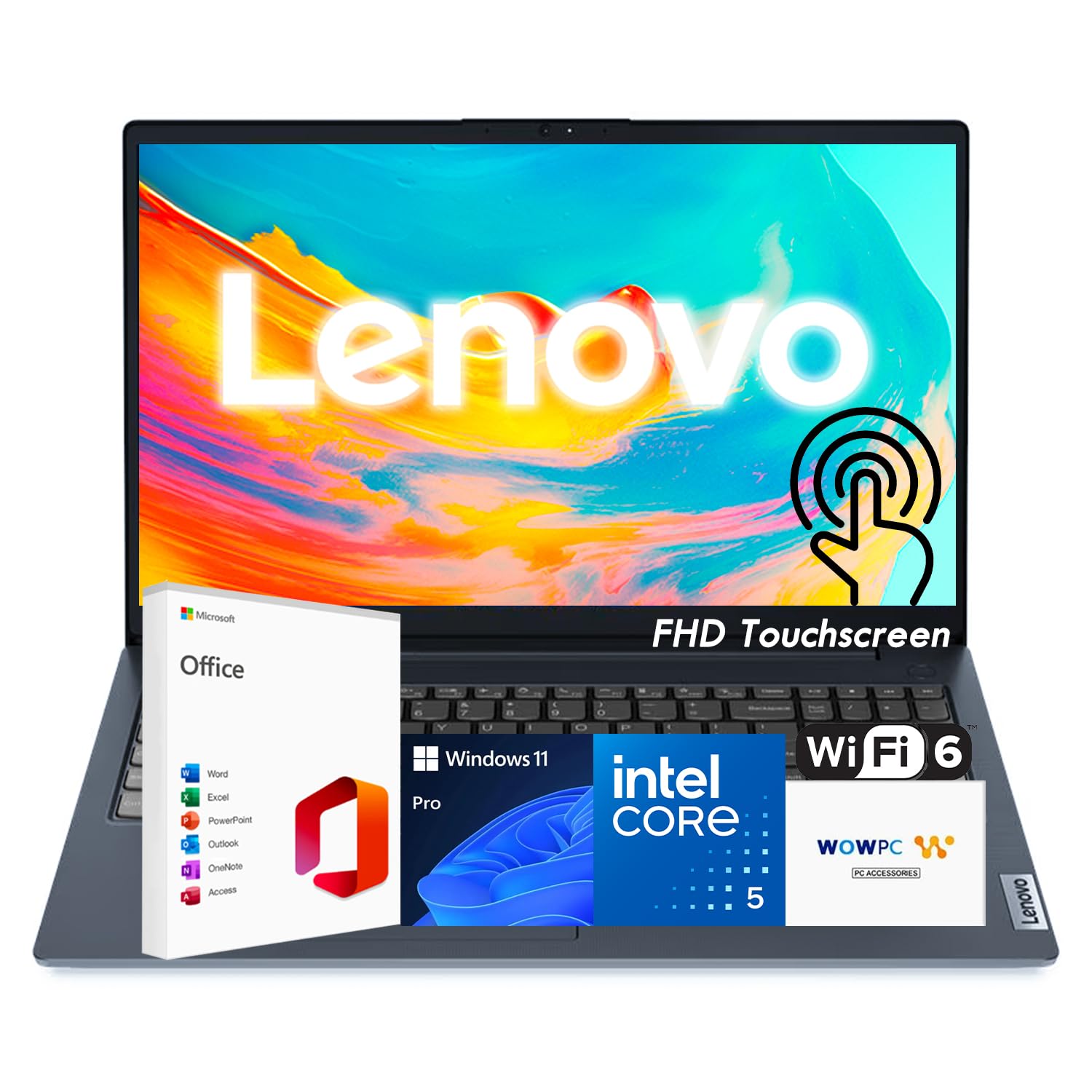
The Lenovo IdeaPad Business Laptop differentiates itself with a 15.6-inch FHD IPS touchscreen with anti-glare coating and 300 nits of brightness — bright enough for working near windows without reflections. The 13th-gen Intel i5-1335U with 10 cores handles productivity tasks efficiently, and the touchscreen works well for presentations, scrolling through documents, and navigating Windows 11.
With 16GB of RAM and a 1TB PCIe 4.0 SSD, this laptop boots in seconds and keeps apps responsive. The inclusion of Microsoft Office right out of the box is a significant time-saver for business users. At just 3.57 pounds, it’s one of the lightest laptops in this guide, making it ideal for commuting. Dolby Audio speakers provide decent sound for video calls and media playback.
The lack of USB-C charging is a drawback — you’ll need to carry the proprietary charger. The RAM is DDR4 rather than DDR5, which slightly reduces memory bandwidth. The build quality is good for the price point but uses more plastic than premium ThinkPad models. If you want a lightweight touchscreen laptop with pre-installed Office and ample storage, this is a compelling mid-range choice.
Why it’s great
- 300-nit touchscreen with anti-glare coating
- Lightweight at 3.57 pounds — great for travel
- Microsoft Office pre-installed
Good to know
- No USB-C charging
- DDR4 RAM rather than DDR5
- Plastic build, not as premium as ThinkPad line
8. NIMO 15.6 Light-Gaming Laptop

The NIMO 15.6 packs an impressive spec sheet for its category: an AMD Ryzen 7 PRO 6850U with Radeon 680M integrated graphics, 32GB of LPDDR5 RAM, and a 1TB PCIe 4.0 SSD. The Radeon 680M with RDNA 2 architecture is the most capable integrated GPU on the market, capable of running Sims 4 with all expansions, League of Legends, and older AAA titles at 1080p medium settings without a dedicated graphics card.
The 100W USB-C PD fast charging is a standout feature — the included adapter with a 2-meter detachable cable charges the laptop rapidly, and you can use the same charger for your phone and tablet. The port selection is generous with two USB-C ports (supporting PD, DisplayPort, and data), three USB-A ports, HDMI 2.0, and a microSD reader. The 175-degree lay-flat hinge is useful for presentations or sharing content.
The keyboard layout takes some adjustment — the period key is positioned above the 9 key on the numpad, and there’s no dedicated Enter key on the numpad. The webcam quality is basic, and while the 53.58Wh battery provides around 8-9 hours of light use, gaming drains it considerably. For the price, the build quality is decent, but it’s clearly a budget-focused chassis married to impressive internal specs.
Why it’s great
- 32GB LPDDR5 RAM and fast PCIe 4.0 SSD
- Excellent integrated Radeon 680M graphics
- 100W USB-C PD fast charging with long cable
Good to know
- Annoying numpad key layout
- Webcam quality is mediocre
- Gaming drains battery quickly
9. NIAKUN Gaming Laptop

The NIAKUN Gaming Laptop delivers an Intel i9-11900H — an 8-core, 16-thread processor from the 11th generation — at a price point that undercuts most competitors. With boost clocks up to 4.9GHz on single-core workloads, this CPU handles productivity tasks and older games with ease. The 16GB of RAM and 1TB SSD are standard for the mid-range, and the 15.6-inch FHD display at 1920×1080 provides adequate visuals.
The inclusion of Wi-Fi 6 and Bluetooth 5.2 ensures modern wireless connectivity, and the fingerprint reader paired with a physical webcam privacy shutter adds meaningful security features. The backlit keyboard with a numeric keypad is functional for both gaming and office work. Windows 11 Pro comes pre-installed, and the 2-year warranty provides peace of mind that many budget brands skip.
The integrated UHD graphics are the bottleneck here — this isn’t a gaming laptop in the traditional sense, as there’s no dedicated GPU. The 3.5-hour battery life at maximum brightness is below average, and some users report reliability issues over time. For basic productivity, web browsing, and media consumption, the i9 processor provides snappy performance, but anyone expecting gaming capability should look at models with dedicated RTX graphics.
Why it’s great
- i9-11900H processor at a budget price
- Fingerprint reader and webcam privacy shutter
- Wi-Fi 6 and Bluetooth 5.2 connectivity
Good to know
- Integrated graphics only — no dedicated GPU
- Below-average 3.5-hour battery life
- Reliability concerns reported by some users
10. HP 255 G10 Laptop

The HP 255 G10 is a straightforward business laptop focused on reliability and value. The AMD Ryzen 3 7330U with four cores provides sufficient performance for email, spreadsheets, web browsing, and video calls. The 16GB of RAM ensures you can keep multiple Office applications and browser tabs open without stuttering, and the 1TB SSD provides ample local storage for documents and media.
The 15.6-inch FHD display with AMD Radeon Graphics looks sharp for productivity tasks, and the 10-hour claimed battery life means you can get through a full workday on a single charge. The laptop is light at just over 3.5 pounds, making it easy to carry between meetings. Windows 11 Pro is pre-installed, offering business-friendly features like BitLocker encryption and remote desktop.
The port selection is adequate but basic — you get USB-C, HDMI, and USB-A ports, but there’s no Thunderbolt support. The 2.3GHz base clock (not reaching the advertised 4.5GHz boost in some units) means it won’t handle heavy multitasking as smoothly as higher-tier processors. The keyboard is not backlit, which may frustrate users working in dim environments. For a budget-friendly work laptop with plenty of storage, it gets the job done reliably.
Why it’s great
- Excellent battery life for all-day office use
- Lightweight and portable at under 4 pounds
- Windows 11 Pro with business security features
Good to know
- No backlit keyboard
- Processor may not reach advertised boost clocks
- Limited port selection without Thunderbolt
11. KurieTim 15.6 Inch Laptop
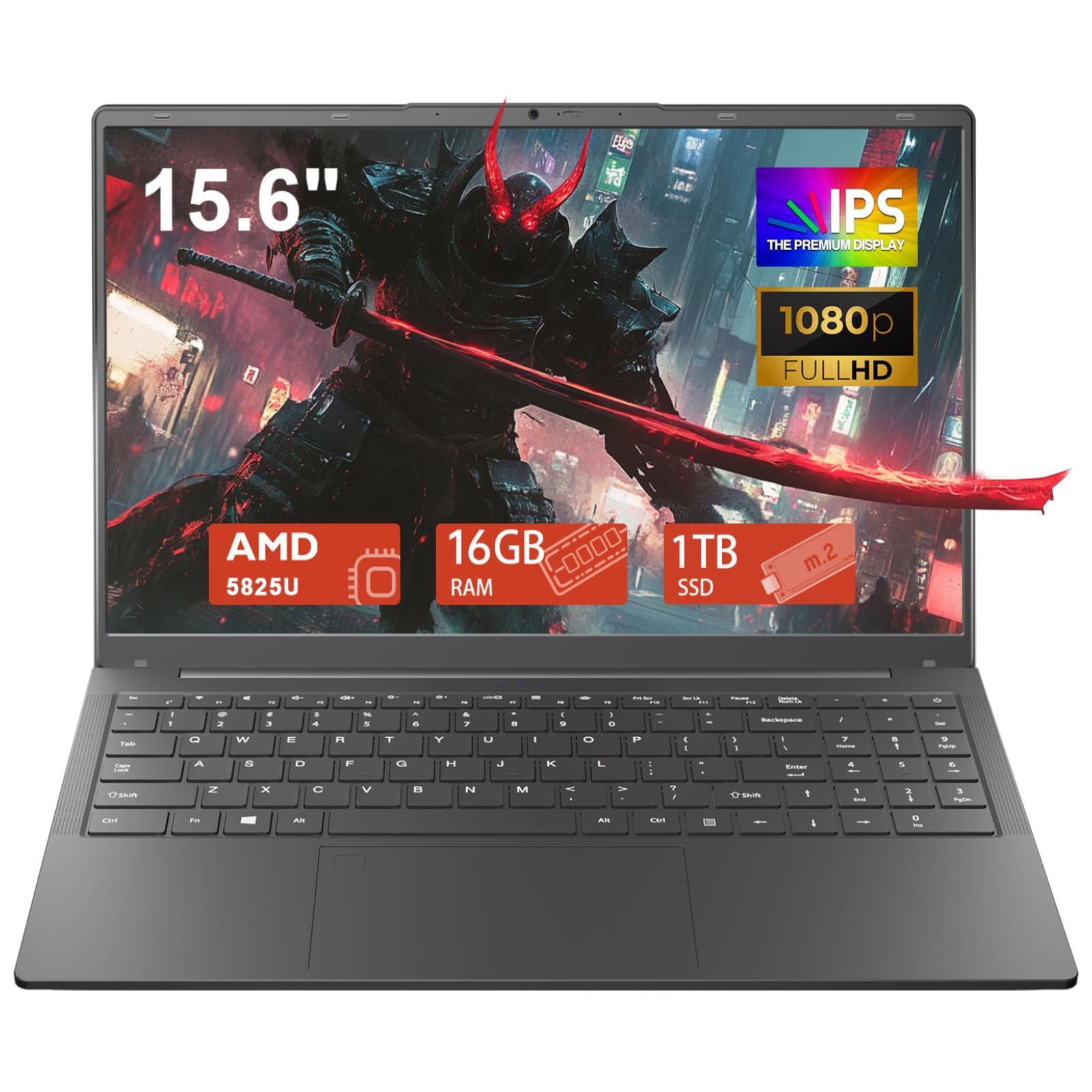
The KurieTim 15.6 Inch Laptop offers the most aggressive price point for a 1TB machine, pairing an AMD Ryzen 7 5825U (8 cores, up to 4.5GHz) with 16GB of RAM and a 1TB SSD. For basic productivity, web browsing, and media consumption, this processor provides more than enough power. The integrated AMD Radeon Graphics can handle light gaming and 4K video playback without stuttering.
The backlit keyboard with numeric keypad is a welcome feature at this price, and the biometric fingerprint reader provides quick, secure login via Windows Hello. The webcam privacy switch is a thoughtful security addition. The port array is complete: HDMI, Type-C (data, video, and power delivery), USB 3.0, and two USB 2.0 ports. Windows 11 Pro comes pre-installed.
The biggest concern is reliability — multiple verified reviews report the battery swelling and failing after about a year, and some units arrived with defective keyboard keys. The 3-hour battery life is poor by modern standards. This is a gamble: you get impressive specs for very little money, but long-term durability appears questionable. If your budget absolutely requires entry-level pricing and you need 1TB of storage, proceed with caution and consider an extended warranty.
Why it’s great
- Ryzen 7 5825U with 8 cores at entry-level pricing
- Backlit keyboard, fingerprint reader, and webcam shutter
- Full port selection including USB-C
Good to know
- Battery reliability issues reported after one year
- Only 3 hours of battery life
- Some units have keyboard defects out of the box
FAQ
Is 1TB of storage enough for gaming?
Should I choose Intel or AMD for a 1TB laptop?
Can I upgrade the RAM or SSD in a 1TB laptop later?
What is the difference between a U-series and HX-series processor?
Final Thoughts: The Verdict
For most users, the best 1tb laptop computer winner is the Apple MacBook Pro with M4 Pro because it delivers unmatched battery life, a world-class display, and silent performance that no Windows laptop can match. If you want dedicated gaming power with a high-refresh QHD panel, grab the MSI Katana 15 HX. And for budget-conscious gamers, nothing beats the value of the Acer Nitro V 15.