
A laptop’s storage drive is the single component that defines how snappy your system feels — every app launch, file transfer, and boot sequence is bottlenecked or freed by this one part. Choosing the wrong 1TB laptop hard drive means living with spinning-platter lag when a silent, responsive upgrade is within reach.
I’m Min — the co-founder and writer behind Gadgets Feed. I’ve spent countless hours poring over sequential read/write benchmarks, random IOPS figures, cache sizes, and form-factor compatibility tables to separate genuinely capable 1TB drives from the marketing fluff.
This guide zeroes in on the seven most compelling options available, from budget-friendly spinning drives to premium NVMe rockets, to help you confidently select the best 1tb laptop hard drive for your specific upgrade needs.
How To Choose The Best 1TB Laptop Hard Drive
The term “hard drive” now spans two fundamentally different technologies: traditional spinning hard disk drives (HDDs) and solid-state drives (SSDs). Your choice hinges on whether raw capacity per dollar or raw speed per second matters more for your workflow.
Form Factor First: 2.5-Inch vs M.2 2280
Older laptops and many consoles use a 2.5-inch bay (7mm or 9.5mm height) with a SATA connector. Ultra-thin modern laptops exclusively accept M.2 2280 sticks. Measure your bay or consult your laptop’s service manual before buying — a drive that doesn’t physically fit is useless regardless of its specs.
Interface Speed: SATA III vs PCIe Gen 4
SATA III caps out at 6 Gb/s (roughly 560 MB/s real-world), which is fine for a responsive OS drive but won’t move massive project files quickly. PCIe Gen 4 NVMe drives break past 7,000 MB/s — a 12x speed delta that dramatically changes editing 4K footage or loading sprawling game worlds. Backward compatibility is excellent, but a Gen 4 drive in a Gen 3 slot will run at Gen 3 speeds.
Cache Buffer and Rotational Speed
For traditional HDDs, a larger cache (128 MB vs 8 MB) allows the drive to buffer more read/write operations, smoothing out burst transfers. Rotational speed (5400 RPM vs 7200 RPM) governs sustained throughput — 7200 RPM drives hit roughly 140-160 MB/s versus 80-100 MB/s for 5400 RPM units. For SSDs, cache size (often DRAM on controller) dictates sustained write performance after the pseudo-SLC cache fills.
Quick Comparison
On smaller screens, swipe sideways to see the full table.
| Model | Category | Best For | Key Spec | Amazon |
|---|---|---|---|---|
| Toshiba MQ01ABD100 | 2.5″ HDD | Budget mass storage | 5400 RPM, 8 MB cache | Amazon |
| Seagate ST1000LM035 | 2.5″ HDD | Thin laptop HDD swap | 5400 RPM, 128 MB cache | Amazon |
| WD Blue WD10SPZX | 2.5″ HDD | Reliable everyday storage | 5400 RPM, 128 MB cache | Amazon |
| Kingston NV3 SNV3S/1000G | M.2 NVMe SSD | Budget Gen 4 speed | PCIe 4.0, 6,000 MB/s read | Amazon |
| Crucial BX500 CT1000BX500SSD1 | 2.5″ SATA SSD | OS drive upgrade for old laptops | SATA III, 540 MB/s read | Amazon |
| WD Blue SN5100 WDS100T5B0E | M.2 NVMe SSD | Creator workflow speed | PCIe 4.0, 7,100 MB/s read | Amazon |
| Samsung 870 EVO MZ-77E1T0B/AM | 2.5″ SATA SSD | Max reliability SATA upgrade | SATA III, 560 MB/s read, 600 TBW | Amazon |
In‑Depth Reviews
1. WD Blue SN5100 WDS100T5B0E
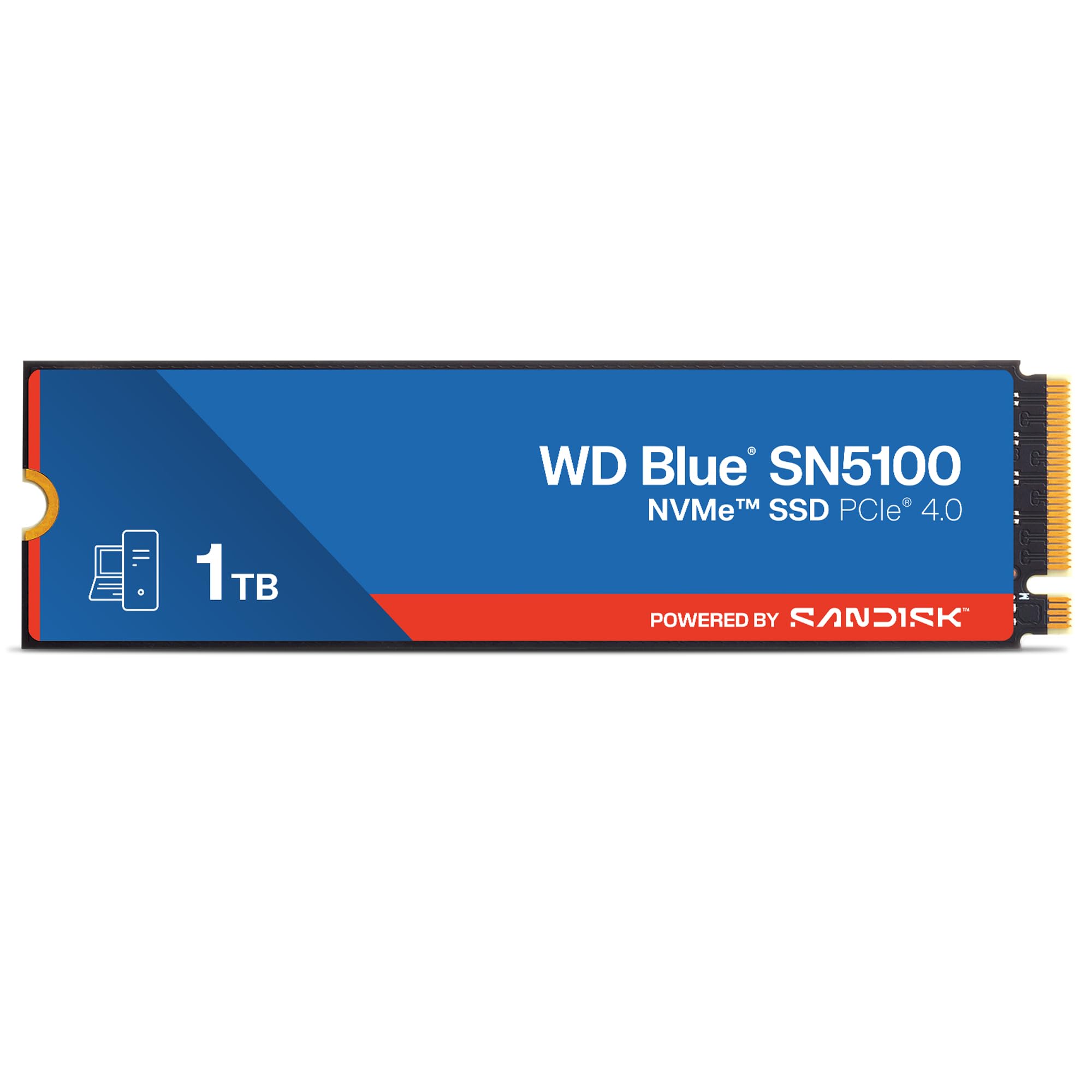
The WD Blue SN5100 leverages PCIe Gen 4.0 to deliver sequential reads up to 7,100 MB/s, making it one of the fastest single-sided M.2 2280 drives suitable for ultra-thin laptops. Sandisk nCache 4.0 technology accelerates burst writes, so copying a 20 GB project folder finishes in seconds rather than minutes.
Built on Sandisk 3D CBA NAND, this drive is backward compatible with Gen 3 slots (where it will run at roughly 3,500 MB/s), ensuring it won’t be obsolete when you upgrade your laptop down the line. The 5-year limited warranty and Acronis True Image migration software lower the barrier to upgrading.
Real-world benchmarks from verified buyers confirm sustained read speeds exceeding 6,800 MB/s on compatible Gen 4 systems, with no thermal throttling reported under normal workloads. If your laptop has an M.2 slot and you handle large assets — 4K footage, game libraries, or virtual machines — this is the fastest way to fill it.
Why it’s great
- Blazing 7,100 MB/s sequential reads for massive file transfers
- Backward compatible with PCIe Gen 3 laptops
- 5-year warranty includes data migration software
Good to know
- Requires an M.2 slot — not compatible with older SATA-only laptops
- Write speeds drop if the pseudo-SLC cache fills during sustained writes
2. Kingston NV3 SNV3S/1000G

The Kingston NV3 delivers genuine PCIe 4.0 x4 performance at a price that undercuts most competitors. Rated for up to 6,000 MB/s sequential reads and 4,000 MB/s writes, it transforms boot times from minutes to under ten seconds in modern laptops with an M.2 slot.
Reviewers report instant app loading, smooth file transfers, and stable thermals even during extended gaming sessions. While it uses DRAM-less HMB (Host Memory Buffer) architecture, the impact on real-world responsiveness for typical users is negligible compared to the massive leap over any SATA drive.
Capacities up to 4TB are available, but the 1TB version hits a sweet spot for both OS and game installs. If you are on a tight budget but still want NVMe-era speeds, the NV3 is the most cost-effective gateway into Gen 4 storage.
Why it’s great
- Exceptional price-to-performance ratio for Gen 4 NVMe
- Instant boot and snappy app loading verified by users
- Runs cool and stable without a dedicated heatsink
Good to know
- DRAM-less design may slow sustained writes past the SLC cache
- Best performance requires a PCIe 4.0 x4 slot
3. Samsung 870 EVO MZ-77E1T0B/AM

The Samsung 870 EVO consistently maxes out the SATA III interface at 560 MB/s sequential reads and 530 MB/s writes, making it the gold standard for any laptop with a 2.5-inch drive bay. Its in-house MLC V-NAND and DRAM cache deliver random IOPS well above competing SATA SSDs, which translates to snappy OS response even after the drive fills past 70% capacity.
Endurance is rated at 600 TBW for the 1TB model, backed by a 5-year warranty — figures that practically guarantee the drive outlasts the laptop it’s installed in. Samsung Magician software provides real-time health monitoring, firmware updates, and seamless migration from an old drive.
Users upgrading decade-old laptops report boot times dropping from 90+ seconds to under 15 seconds, with silent operation and significantly lower power draw. If your laptop only has a SATA port and you want maximum reliability, the 870 EVO remains the uncontested champion.
Why it’s great
- Peak SATA III performance with sustained speeds
- 600 TBW endurance rating for long-term reliability
- Includes Samsung Magician cloning and monitoring suite
Good to know
- Premium pricing compared to other SATA SSDs
- No performance benefit over NVMe for SATA-limited laptops
4. Crucial BX500 CT1000BX500SSD1

The Crucial BX500 is a DRAM-less SATA SSD that still hits up to 540 MB/s sequential reads, a 300% improvement over any 5400 RPM laptop hard drive. For users breathing life into an aging 2.5-inch laptop bay, this drive provides the most tangible speed uplift per dollar spent.
Micron’s 3D NAND technology underpins the drive, and Crucial backs it with a 3-year warranty. The drive’s energy efficiency — roughly 45x better than a spinning HDD — extends battery life noticeably, a frequent highlight in buyer reviews. Installation is straightforward: clone your old drive with the included Acronis software, swap the caddy, and reboot.
The trade-off for the lower price is sustained write performance: once the pseudo-SLC cache fills, write speeds drop to NAND-native levels. For typical OS boot, web browsing, and document work, this limitation rarely surfaces. It is a pragmatic choice for cost-conscious upgrades.
Why it’s great
- Dramatic speed improvement over any laptop HDD
- 45x more energy efficient, extending battery runtime
- Simple installation with included cloning software
Good to know
- DRAM-less design slows sustained writes after cache fills
- 3-year warranty is shorter than premium SSD competitors
5. WD Blue WD10SPZX

The WD Blue WD10SPZX is a 7mm-thick 5400 RPM hard drive with a generous 128 MB cache, making it one of the most balanced HDDs for secondary storage in laptops that lack an M.2 slot. Its NoTouch Ramp Load technology keeps the recording head off the platters when the drive is idle, improving shock resistance during transport.
WD’s exclusive noise-reducing technologies make this one of the quietest 2.5-inch drives on the market — a meaningful advantage in a thin laptop where acoustics travel through the chassis. The included Acronis True Image WD Edition software simplifies cloning or backing up your existing OS.
Buyers consistently highlight its reliability over multi-year use, whether as a bulk storage drive in a laptop or as a swap-in for an original Xbox or PS3. At its price point, it offers the best capacity-per-dollar for non-OS storage where speed is secondary to volume.
Why it’s great
- 128 MB cache improves burst transfer performance
- Extremely quiet operation for an HDD
- Free Acronis cloning software included
Good to know
- 5400 RPM spindle limits sustained reads to ~100 MB/s
- Not ideal as a primary OS drive
6. Seagate ST1000LM035

The Seagate ST1000LM035 is designed specifically for thin-and-light laptops with its 7mm z-height, fitting into ultrabooks that cannot accommodate a standard 9.5mm drive. Despite the slim profile, it packs 1TB of storage using a single platter, keeping weight low and vibration minimal.
The 128 MB cache buffer is generous for a 5400 RPM HDD and helps maintain smoother performance during multi-tasking scenarios. Like the WD Blue, it is best deployed as a secondary data drive for photos, music, and document archives rather than as a boot drive.
Buyer reports confirm reliable performance when used as a replacement drive in gaming consoles like the Xbox One and PS4, where its 6 Gb/s SATA interface integrates seamlessly. The open-box condition of many listings can save money, but ensure the seller packs the drive in a rigid box — some users reported thin padded envelopes that risk shipping damage.
Why it’s great
- Ultra-slim 7mm profile fits thin laptops
- 128 MB cache smooths burst performance, single-platter design keeps weight low
- Great for console upgrades
Good to know
- Not suitable as an OS drive due to 5400 RPM speeds
- Open-box units may have minimal protective packaging
7. Toshiba MQ01ABD100

The Toshiba MQ01ABD100 is a straightforward 5400 RPM 2.5-inch SATA drive with an 8 MB cache, targeting the absolute floor of 1TB storage cost. Its Ramp Load technology prevents the recording head from contacting the platter during movement, lending it reasonable durability for a spinning drive.
Power consumption is impressively low — 4.5 watts at spin-up and 0.18 watts in standby — making it a candidate for portable external enclosures where USB bus power is limited. The drive’s advanced servo techniques keep acoustic noise minimal, a trait often noted by buyers using it in quiet environments.
User reports confirm it works well for infrequently accessed file archives and as a PS3 upgrade drive (5400 RPM avoids the heat issues of 7200 RPM drives). It is not intended for OS duty — its 8 MB cache and slow spindle will bottleneck modern operating systems. For the lowest entry price to 1TB storage, it delivers what it promises.
Why it’s great
- Most affordable entry to 1TB laptop storage
- Very low power draw in standby (0.18W)
- Ramp Load technology improves physical shock protection
Good to know
- Only 8 MB cache — noticeable slowdown vs 128 MB HDDs
- Incompatible with Windows XP due to advanced format 4K sector alignment
FAQ
Can I install a 1TB NVMe drive in a laptop that only has a SATA M.2 slot?
Why does my 5400 RPM 1TB drive show as only 931 GB in Windows?
Final Thoughts: The Verdict
For most users, the best 1tb laptop hard drive winner is the WD Blue SN5100 because its PCIe Gen 4 performance handles everything from OS boots to content creation without compromise. If your laptop only has a 2.5-inch SATA bay and you need maximum reliability, grab the Samsung 870 EVO. And for sheer storage volume on a budget where speed is secondary, nothing beats the WD Blue 1TB HDD for capacity per dollar.