
Our readers keep the lights on and my morning glass full of iced black tea. As an Amazon Associate, I earn from qualifying purchases.
A sluggish boot time and waiting for files to transfer are the clearest signs your current drive is a bottleneck. Replacing it with a fast, high-capacity SSD is the single most impactful upgrade you can make to any notebook, eliminating the mechanical drag of aging hardware and opening up room for your largest projects. The market has converged on the 1TB capacity as the new standard, balancing ample space with cost, but the interface choice — SATA or NVMe — and the PCIe generation make a massive difference in real-world feel.
I’m Min — the co-founder and writer behind Gadgets Feed. I’ve spent hundreds of hours analyzing the raw specifications, real customer feedback, and controller technology driving the latest solid-state drives to separate genuine performance gains from marketing speeds. This guide focuses exclusively on what actually matters when buying a replacement or upgrade drive for your notebook.
After comparing sequential read speeds, endurance ratings in TBW, and interface compatibility across seven leading models, I’ve identified the options that deliver the most tangible speed improvement for your specific device and workload, making this the definitive resource for choosing the best 1tb notebook ssd.
How To Choose The Best 1TB Notebook SSD
The right 1TB notebook SSD delivers faster boot times, quicker application launches, and more responsive file transfers. But selecting the wrong interface or ignoring your system’s limitations can result in wasted money or a drive that doesn’t fit. Here are the key factors to consider before buying.
Interface: SATA vs. NVMe
Your notebook’s motherboard determines which interface it supports. SATA III drives, like the Crucial BX500, cap out at around 540 MB/s and are ideal for older notebooks with a 2.5-inch drive bay. NVMe drives, especially those using the M.2 slot, communicate over the PCIe bus and can reach speeds over 7000 MB/s. If your notebook has an M.2 slot, always choose an NVMe drive for a noticeable speed increase. If it only supports SATA, a 2.5-inch SATA SSD is your only upgrade path.
PCIe Generation: Gen 3 vs. Gen 4
Not all NVMe drives are created equal. A PCIe Gen 4 drive can deliver sequential reads of 7000+ MB/s, while a Gen 3 drive tops out around 3500 MB/s. Your notebook must have a Gen 4-capable chipset and BIOS to utilize these higher speeds; installing a Gen 4 drive in a Gen 3 slot will work but will run at Gen 3 speeds. For most users, a high-quality Gen 3 drive is more than sufficient for gaming and general productivity, but content creators working with large video files will benefit from the extra bandwidth of Gen 4.
Endurance and TBW Rating
TeraBytes Written, or TBW, is a warranty-backed metric that indicates how much total data can be written to the drive before it is likely to fail. A drive with a 300 TBW rating can handle roughly 300 full drive writes over its lifespan, which for most users equates to many years of normal use. Higher TBW ratings generally indicate better NAND flash quality and are a sign of a more durable drive, especially for write-intensive workloads like video editing or running virtual machines.
Quick Comparison
On smaller screens, swipe sideways to see the full table.
| Model | Category | Best For | Key Spec | Amazon |
|---|---|---|---|---|
| WD Blue SN5100 | NVMe Gen 4 | Content creators & AI workflows | 7,100 MB/s read | $183.99Amazon |
| Acer Predator GM7 | NVMe Gen 4 | Gamers & PS5 expansion | 7,400 MB/s read | $184.99Amazon |
| Fikwot FX910 | NVMe Gen 4 | PS5 & high-performance gaming | 7,300 MB/s read | $179.99Amazon |
| Kingston NV3 | NVMe Gen 4 | Value-oriented Gen 4 upgrade | 6,000 MB/s read | $163.99Amazon |
| Patriot P400 Lite | NVMe Gen 4 | Budget Gen 4 performance | 3,500 MB/s read | $149.99Amazon |
| Fanxiang S501Q | NVMe Gen 3 | Older notebooks with M.2 slot | 3,200 MB/s read | $149.99Amazon |
| Crucial BX500 | SATA III | 2.5-inch drive bay upgrades | 540 MB/s read | from $72.97Amazon |
In‑Depth Reviews
1. WD Blue SN5100 1TB
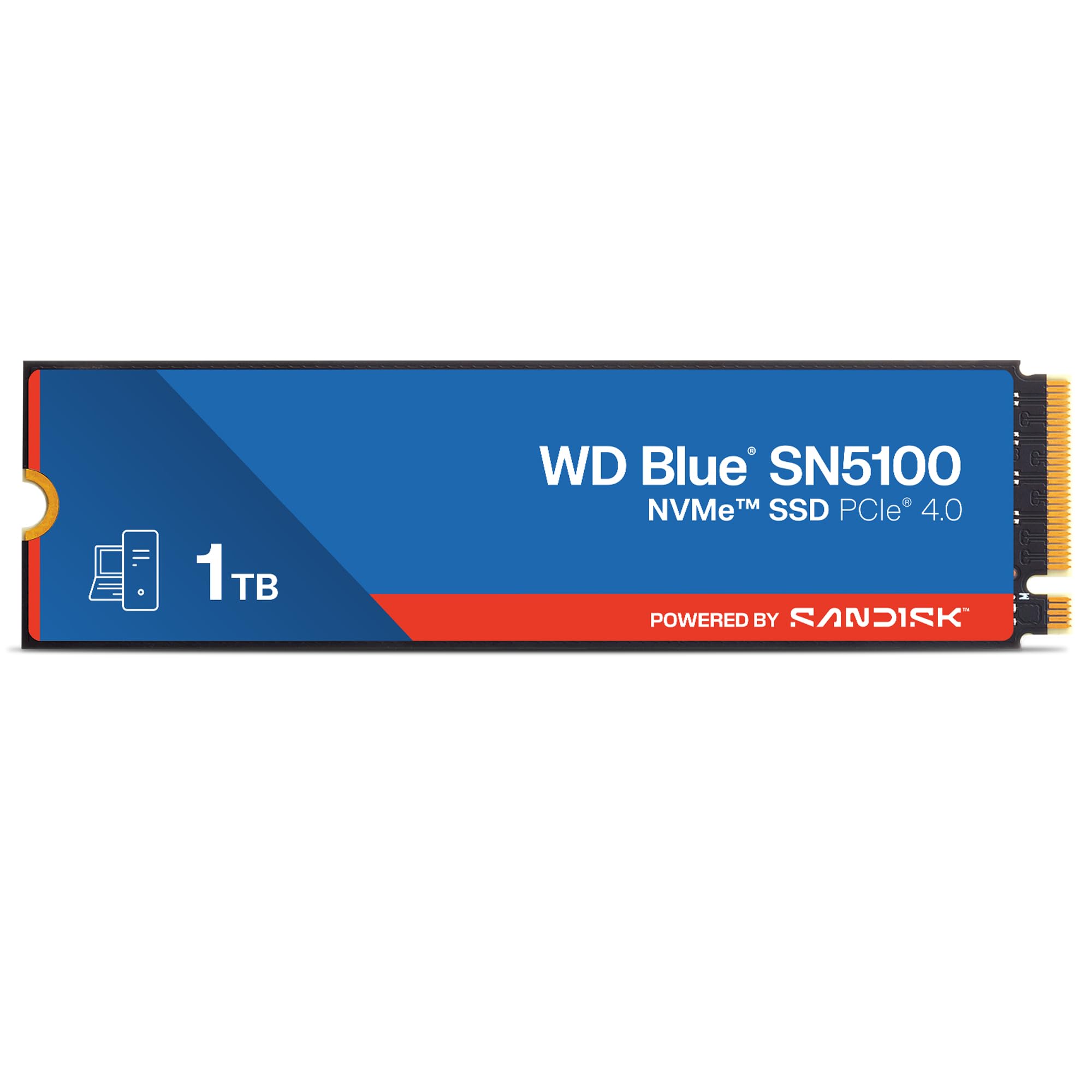
The WD Blue SN5100 brings Sandisk’s 3D CBA NAND technology and nCache 4.0 to the notebook market, offering sequential read speeds up to 7,100 MB/s on the Gen 4 interface. This drive is specifically tuned for AI-enabled workflows, making it more than just a fast game loader — it handles large project folders and massive file transfers with astonishing consistency thanks to its intelligent caching layer.
Installation is a standard M.2 2280 affair, and Sandisk backs it with a five-year limited warranty, instilling confidence for long-term use. The Acronis True Image software included simplifies data migration, which is critical for users upgrading their primary OS drive without wanting to reinstall their entire system. It also runs cool under sustained load, a key consideration for cramped notebook chassis.
For the creator or professional who needs a reliable, ultra-fast boot drive that handles everything from compiling code to editing 4K video, the SN5100 delivers premium performance without the premium price tag of some prosumer brands. It represents the best balance of raw speed, endurance, and value in the current Gen 4 landscape.
Why it’s great
- Blazing Gen 4 speeds up to 7,100 MB/s read
- nCache 4.0 technology for consistent large-file transfers
- Five-year limited warranty provides peace of mind
Good to know
- Requires a PCIe Gen 4 M.2 slot to reach full potential
- Mounting screws may need to be purchased separately
2. Acer Predator GM7 1TB

The Acer Predator GM7 is a monster for its price bracket, delivering sequential reads up to 7,400 MB/s and writes up to 6,500 MB/s over the PCIe Gen 4 x4 interface. It leverages an HMB (Host Memory Buffer) and SLC cache to accelerate game loading and file transmission, making it a formidable option for both PC gaming rigs and the PlayStation 5, where it fits perfectly as a storage expansion.
Thermal management is handled through Thermal Throttling and Power Management, keeping the drive stable even during marathon gaming sessions. The included Biwin Intelligence software adds a layer of utility, offering performance monitoring and data migration tools directly from the manufacturer. Installation is plug-and-play, and the drive is recognized immediately by both Windows and PS5 without additional driver fuss.
The performance-to-cost ratio here is exceptional, especially given its peak speeds that rival drives costing significantly more. For a gamer upgrading a notebook or a PS5, the Predator GM7 provides top-tier Gen 4 performance that ensures your next game loads before your opponent’s.
Why it’s great
- Rapid sequential read speeds up to 7,400 MB/s
- HMB + SLC cache for faster game loads
- Fully compatible with PS5 and desktop gaming systems
Good to know
- Requires a capable Gen 4 chipset for peak performance
- Installation may require a screwdriver and some care
3. Fikwot FX910 1TB

The Fikwot FX910 is purpose-built for the PS5 and high-performance desktop gaming, delivering read speeds up to 7,300 MB/s and writes up to 6,200 MB/s over a PCIe Gen 4 interface. Its built-in graphite heatsink is a standout feature, providing effective thermal management without adding the bulk of some third-party solutions, ensuring consistent sustained performance during extended gaming sessions.
Installation is truly tool-free for the PS5 — the drive comes with a small screwdriver and is a perfect fit for the console’s expansion bay. User reports confirm it is recognized immediately, and games run flawlessly from the drive without any degradation in load times. For desktop users, it also works seamlessly with any M.2 Gen 4 slot.
The five-year guarantee from Fikwot adds a layer of trust to this value proposition, which competes directly with much more expensive options. If your primary use case is expanding your PS5 storage or building a fast gaming rig without breaking the bank, the FX910 is a compelling and thoroughly tested choice.
Why it’s great
- Excellent sequential speeds (7,300 MB/s read)
- Pre-installed graphite heatsink for cool operation
- Plug-and-play compatibility with PS5
Good to know
- Plastic enclosure may feel less premium than metal
- Instructions are minimal, a quick video guide helps
4. Kingston NV3 1TB

The Kingston NV3 strikes a remarkable balance between Gen 4 performance and affordability, offering up to 6,000 MB/s sequential reads in a low-power package. It’s not the absolute fastest Gen 4 drive on the market, but for the vast majority of notebook users, the real-world difference between 6,000 MB/s and 7,400 MB/s is negligible for boot times and application loading, while the price difference is significant.
Kingston’s reputation for reliability is well-earned, and the NV3 runs cool and stable in thin notebooks where thermal dissipation is limited. It is an ideal drop-in upgrade for any M.2 Gen 3 or Gen 4 slot, offering an immediate speed boost over any SATA or older NVMe drive without breaking the bank. The drive also comes in capacities up to 4TB for those needing more space later.
Customer feedback consistently highlights its snappy performance and ease of installation, with multiple verified purchasers noting it transformed older laptops. For the user who wants a genuine Gen 4 upgrade that is fast, trustworthy, and budget-conscious, the Kingston NV3 is the default recommendation.
Why it’s great
- Strong Gen 4 speeds at very approachable pricing
- Low power consumption ideal for laptops
- Reliable Kingston build and brand support
Good to know
- Not the peak Gen 4 performer
- Can slow down under sustained heavy write loads
5. Patriot Memory P400 Lite 1TB

The Patriot P400 Lite is a Gen 4 drive that operates at a more conservative 3,500 MB/s read and 2,700 MB/s write, effectively placing it in the same league as high-end Gen 3 drives. Its graphene heatshield is a thoughtful addition for notebook thermals, and it includes end-to-end data path protection for enhanced data integrity. This is a DRAM-less design, which keeps costs low but can impact random write performance in heavy multitasking scenarios.
User experiences are overwhelmingly positive, with many noting it outperforms its rated specs in real-world use, especially when used as a secondary data drive or game library drive. One user even compared it favorably to a Samsung 980 Pro in sequential reads, highlighting the value here is substantial for the price point. It works well in both Windows and Linux systems.
For anyone on a strict budget who still wants access to a Gen 4 slot, the P400 Lite provides an excellent upgrade path. It is particularly well-suited for users who need a fast, reliable secondary drive for game storage or media files where peak sequential write speeds are not a daily concern.
Why it’s great
- Excellent value in the entry-level Gen 4 space
- Graphene heatshield for thermal management
- End-to-end data path protection
Good to know
- DRAM-less design can affect sustained writes
- Speeds are closer to high-end Gen 3 than Gen 4
6. Fanxiang S501Q 1TB

The Fanxiang S501Q is a Gen 3 x4 NVMe drive that delivers up to 3,200 MB/s read speeds, ideal for notebooks with older chipsets that lack Gen 4 support. It utilizes 3D NAND flash and intelligent SLC caching to provide a responsive experience for booting, loading applications, and everyday file transfers. The included graphene heat dissipation sticker is a welcome addition to prevent thermal throttling in tight spaces.
Compatibility is broad — it works with Windows and MacOS systems from Windows 7 onward, and the package even includes installation screws and a screwdriver. With a TBW rating of 320, it offers decent endurance for a budget drive, and the three-year service promise covers you for the typical upgrade cycle. Customers upgrading from HDDs or small-capacity SSDs report transformative improvements in system responsiveness.
If your notebook is stuck with a PCIe Gen 3 M.2 slot, there is no benefit to buying a faster Gen 4 drive. The S501Q fills that niche perfectly, offering the maximum speed your system can use at a price that undercuts most competition. It is a smart, cost-conscious choice for breathing new life into an older laptop.
Why it’s great
- Full Gen 3 speeds for older system compatibility
- Includes mounting hardware and tools
- Graphene heat sticker helps with cooling
Good to know
- Does not support PCIe Gen 4 speeds
- 320 TBW is lower than some competitors
7. Crucial BX500 1TB

The Crucial BX500 is a 2.5-inch SATA III SSD that is the definitive upgrade for older notebooks with a traditional hard drive bay. It offers read speeds up to 540 MB/s and writes up to 500 MB/s, which is roughly 300% faster than a typical mechanical hard drive, cutting boot times from minutes to mere seconds. It is also 45 times more energy efficient, meaning a modest improvement in battery life for older laptops.
This drive uses Micron 3D NAND, which brings the reliability of a 40-year memory manufacturer. The 1TB capacity provides ample room for an operating system, applications, and a large game library. Installation is straightforward for any user with a 2.5-inch bay and a SATA cable. While its speeds cannot match NVMe, for notebooks without an M.2 slot, this is the only real upgrade path, and it is a fantastic one.
Customer feedback consistently mentions the transformative improvement in snappiness. One user described it as giving their 2018 laptop “main character energy.” For anyone with a SATA-only notebook who wants a massive, reliable speed boost without any compatibility worries, the Crucial BX500 remains the trusted standard.
Why it’s great
- Plug-and-play SATA III upgrade for old laptops
- Dramatically reduces boot times from HDDs
- Backed by Crucial’s 3-year warranty
Good to know
- Speeds are limited by the SATA III interface
- Runs slightly warm under heavy sustained load
FAQ
Can I install a PCIe Gen 4 SSD in a Gen 3 notebook slot?
What is the difference between DRAM and DRAM-less SSD controllers?
How do I check if my notebook supports an M.2 SATA or M.2 NVMe SSD?
Final Thoughts: The Verdict
For most users, the best 1tb notebook ssd winner is the WD Blue SN5100 because it offers top-tier Gen 4 performance, a five-year warranty, and class-leading consistency for content creation and general use. If you want a drive optimized for gaming and PS5 expansion, grab the Acer Predator GM7. And for a budget-conscious Gen 4 upgrade that covers all the basics without breaking the bank, nothing beats the Kingston NV3.
Product prices and availability are accurate as of the date/time indicated and are subject to change. Any price and availability information displayed on Amazon at the time of purchase will apply to the purchase of this product. As an Amazon Associate I earn from qualifying purchases.
CERTAIN CONTENT THAT APPEARS ON THIS SITE COMES FROM AMAZON. THIS CONTENT IS PROVIDED "AS IS" AND IS SUBJECT TO CHANGE OR REMOVAL AT ANY TIME.
Amazon and the Amazon logo are trademarks of Amazon.com, Inc. or its affiliates.