
Our readers keep the lights on and my morning glass full of iced black tea. As an Amazon Associate, I earn from qualifying purchases.
Specs are compiled from manufacturer listings and verified buyer reviews and can change over time — please confirm the key details on the product page before buying.
Upgrading to a solid state drive (SSD, a storage chip with no moving parts) is often the single biggest speed boost an older computer can get, and a 1TB capacity is the balance for most games, photo libraries, and operating systems. The choice that actually matters is not just capacity — it is whether your motherboard accepts a small M.2 stick (a tiny card that plugs directly into the board) or a traditional 2.5-inch drive (a larger, boxier unit that fits a standard bay), and how fast you need your files to move.
I’m Min — the founder and writer behind Gadgets Feed. This guide is built by comparing the manufacturers’ published specifications and the patterns across verified customer reviews, so you get each pick’s real strengths and trade-offs instead of marketing spin.
You will learn how to match a drive to your slot and workload, and which 1TB solid state drive earns its place in your machine.
Our Picks at a Glance


How To Choose The Best 1TB Solid State Drive
Choosing a 1TB SSD starts with one simple question: does your computer have an M.2 slot, or does it only accept a 2.5-inch drive? The answer separates everything else, because an M.2 NVMe drive can transfer data at several thousand MB/s, while a 2.5-inch SATA drive is capped near the SATA interface limit.
Match the drive to your slot
Open your laptop or desktop case and check. A 2.5-inch drive screws into a drive bay and connects with a SATA cable. An M.2 2280 drive is a bare circuit board about the width of a stick of gum that lies flat on the motherboard. If your machine was made in the last several years, there is a good chance it has an M.2 slot.
Read speed vs. the rest of your system
Read speed is the number printed on the box, but your real-world experience depends on the whole chain. An NVMe drive rated at 5,000 MB/s will saturate far faster than a SATA drive at 550 MB/s, but an older machine with a slower M.2 slot might only tap a fraction of that peak. A SATA drive still transforms an old hard-drive laptop into a snappy machine.
Don’t ignore endurance and cooling
Every SSD has a Terabytes Written (TBW) rating — the amount of data you can write to it before it wears out. A higher TBW number is a longer design life. Fast NVMe drives generate heat under load; a built-in heatsink or good airflow keeps speeds steady, while a hot drive can slow itself down to cool off.
Quick Comparison
| Model | Best For | Form Factor | Read Speed | Write Speed | Amazon |
|---|---|---|---|---|---|
| Samsung 870 EVO★ Best Overall | Reliable SATA upgrade | 2.5-inch | 560 MB/s | 530 MB/s | Amazon |
| TEAMGROUP Vulcan ZBudget SATA Pick | Budget SATA capacity | 2.5-inch | 550 MB/s | 470 MB/s | Amazon |
| WD Green SN3000Entry NVMe | Entry-level NVMe speed | M.2 2280 | 5,000 MB/s | — | Amazon |
| Kingston NV3 | Fast, low-power NVMe | M.2 2280 | 6,000 MB/s | 4,000 MB/s | Amazon |
| Crucial P310 | Excellent Gen4 value | M.2 2280 | 7,100 MB/s | 6,000 MB/s | Amazon |
| Crucial P510 | Top-tier Gen5 speed | M.2 2280 | 11,000 MB/s | 8,500 MB/s | Amazon |
| TEAMGROUP MP44L | Reliable budget NVMe | M.2 2280 | 5,000 MB/s | 4,500 MB/s | Amazon |
| SanDisk SSD Plus | Drop-resistant SATA | 2.5-inch | 545 MB/s | 515 MB/s | Amazon |
| WD_BLACK SN850X | Gaming performance | M.2 2280 | 7,300 MB/s | 6,300 MB/s | Amazon |
In-Depth Reviews
1. Samsung SSD 870 EVO SATA III 2.5” 1TB
Our pick — over 4.5★ from 45,500+ verified ratings; the strongest balance of quality and price.
The 2.5-inch drive that made SATA legendary, with a track record owners trust across years of use.
This is the drive to buy when your laptop or desktop only takes a 2.5-inch SATA drive and you want the most dependable option in that shape. It pushes sequential read speeds up to 560 MB/s and writes up to 530 MB/s, which is about as fast as the SATA interface allows — so it effectively maxes out your older machine’s potential. Owners describe a real-world result: writes around 540 MB/s compared to a mechanical hard drive’s 160 MB/s, running 15°C cooler and sipping 55-80% less power.
Longevity is the reason this one is the crowd favorite — 4.8 stars across more than 45,000 owners. Samsung backs it with up to 600 TBW (the total terabytes you can write before wear) under a 5-year limited warranty, and the support software, Samsung Magician 6, lets you monitor drive health and apply updates. It is compatibility-tested for major host systems, chipsets, motherboards, NAS, and video recording devices, and its AES 256-bit encryption keeps data locked down.
The honest trade-off is that SATA speed has a ceiling, so this will not touch the multi-thousand MB/s numbers of an NVMe drive. It is priced at the premium end for a SATA SSD. But buyers report a telling scene: multiple drives, multiple years, zero failures — one owner is “5-star after 2 yrs” with several internal and external units still running. For an old laptop or a media server, that reliability is the whole game.
Why owners stay loyal
- Maxes out SATA speeds at 560 MB/s read
- Up to 600 TBW endurance under 5-year warranty
- Runs cooler and quieter than a hard drive
Know before you buy
- SATA ceiling means slower than any NVMe
- Premium price for a SATA-class drive
The pick for SATA slots: If your machine has a 2.5-inch bay, this is the safest long-term buy for the money.
Think twice if: you have an M.2 slot ready — an NVMe drive will leave this speed in the dust.
2. TEAMGROUP T-Force Vulcan Z 1TB SATA III
A wallet-friendly 2.5-inch drive that breathes new life into aging desktops and laptops.
This is the entry-level SATA option that makes an old computer feel new again without a big spend. It reaches read speeds up to 550 MB/s and writes up to 470 MB/s, which is a 13% faster write speed than some rivals — a modest but real edge for everyday file saves. The 1TB capacity gives you breathing room for a large game library, movies, and system backups without juggling drives.
Owners are won over by the value, with many buying multiple units that run for years. Owners mention one setup of four drives totaling 16 terabytes, all “still running strong” after around three years and “still plenty of room for all my movies and tv shows.” It is dust-resistant, uses the SATA-600 interface (a standard connection that tops out around 600 MB/s), and fits any standard 2.5-inch bay in a desktop, laptop, or gaming console. The price-to-capacity math is what makes it so popular for bulk storage.
The catch is that reliability gets mixed owner feedback — the most-discussed aspect is the durability question, not a praise point. Some report it lasting well over a year, while others have seen failures sooner, and data loss is the recurring concern. One owner’s advice is telling: for a modern desktop with an M.2 slot, go NVMe instead. This drive is best understood as a budget SATA workhorse, not a forever drive.
Smart budget move: A fast, cheap SATA drive that fits any old machine and holds a ton of media.
The honest limit: Durability reviews are split, so treat it as a value pick, not a lifetime drive.
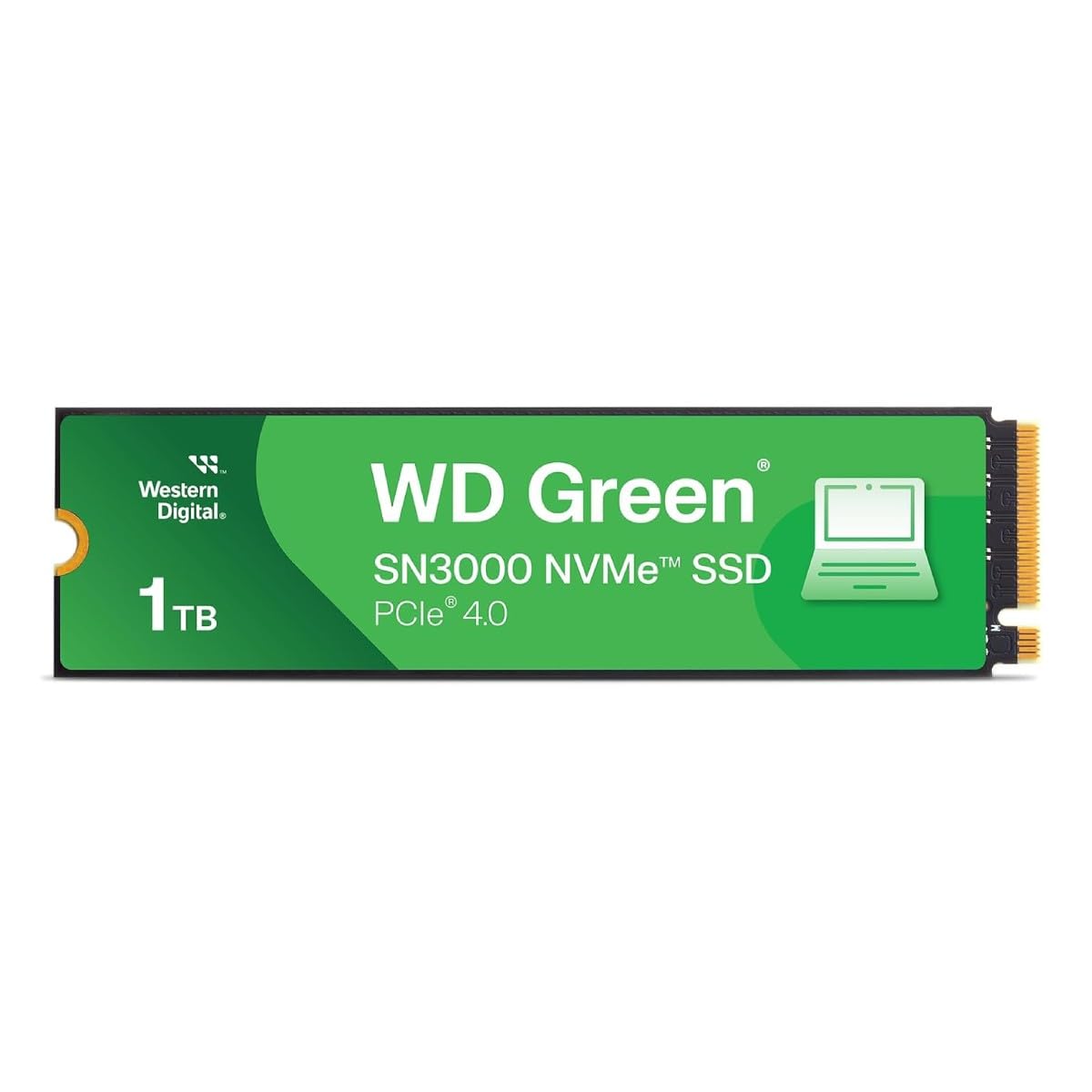
3. Western Digital 1TB WD Green SN3000 NVMe
The slimmest path into NVMe speed, slotting into thin laptops and small builds with ease.
This is the drive for anyone who wants NVMe speed without the complexity or the price of flagship models. It hits read speeds up to 5,000 MB/s over PCIe Gen4 — a 9.1x gap over a 550 MB/s SATA drive — which means boot times and app launches go from slow to near-instant. The single-sided M.2 2280 design is thin enough for tight laptops and compact PCs, and it is backwards compatible with many systems.
Setup is genuinely plug-and-play. Customers note sliding it into a laptop and doing a clean Linux install with zero fuss, or dropping it into a second slot on a Dell G3 for plenty of extra space. Western Digital includes free downloadable Acronis True Image for Western Digital data migration, so moving your old system over is straightforward. It is backed by a 3-year EU spare part availability duration.
Owners praise its out-of-the-box reliability and Western Digital’s trusted build quality. It is not the fastest Gen4 drive on the shelf, and it is not aimed at heavy creative workloads, but for everyday computing and booting an OS it is plenty. The build quality gives you confidence without spending flagship money.
Right-sized NVMe: The most approachable way to jump from a hard drive to multi-thousand MB/s speeds.
Not for max load: If you edit 8K video daily, a higher-tier drive with a heatsink suits you better.
4. Kingston NV3 1TB M.2 2280 NVMe SSD

The fast, low-power NVMe that owners describe as the no-nonsense pick for almost any machine.
This M.2 drive balances speed and efficiency for everyday users who want serious performance without chasing the top number. It delivers read speeds up to 6,000 MB/s and writes up to 4,000 MB/s over PCIe 4.0 Gen 4×4, which is fast enough for instant app launches and quick game loads. It is also built for low power draw, making it a smart choice for laptops where battery life matters.
Compatibility is a strong suit. Reviewers point out it working in a Mac Studio through a hub with no heat issues, and one owner installed it in a Dell Inspiron 3670 that was spec’d to 512GB max — the 1TB drive was accepted without any BIOS changes and booted fine after cloning. It is backward compatible with older systems, includes Acronis cloning software (which copies your old drive to the new one), and comes with a 5-year limited warranty.
Owners highlight its performance and value, noting it “lands on a good spot on the price/performance/capacity graph.” One owner reports a transfer rate reaching up to 17 Gigabytes per second (GB/s, meaning billions of bytes per second) in the right setup. The main note of caution is compatibility — a minority of owners hit issues with particular boards — so a quick check of your motherboard’s M.2 support before buying is wise.
Best all-round NVMe: Fast, cool, and compatible with a wide range of new and older systems.
One check first: Confirm your motherboard’s M.2 slot supports Gen4 to get the full 6,000 MB/s.
5. Crucial P310 1TB Gen4 NVMe

Blistering Gen4 speed that owners say launches apps in the blink of an eye, at a price that makes sense.
This is the Gen4 drive (the fourth generation of PCIe, the high-speed connection standard) for gamers and home users who want top-tier speed without stepping up to Gen5. It hits read speeds up to 7,100 MB/s and writes up to 6,000 MB/s, which is about 2x faster than the previous Gen3 generation — meaning Windows boots faster, game levels load quicker, and heavy apps like Photoshop feel snappy. It works in laptops, desktops, and select handheld consoles like the ROG Ally X, Lenovo Legion Go, and AYANEO Kun.
Owners keep returning for the value. One sums up the sentiment: “Works great for the price when I got it.” It is built on Micron’s G8 NAND (a type of flash memory chip) with thermal control for sustained Gen4 performance, and the M.2 2280 form factor (a standard 22mm-wide, 80mm-long card) makes installation a clean, straightforward job. It is also backward compatible with PCIe Gen3 systems, so it can upgrade an older machine today and keep its full speed for a future build.
Real-world results back the spec sheet: shoppers say adding it to a GMKtec mini PC and a PS5 setup, enjoying fast booting and near-instant file transfers, and adding 50% more capacity to their systems. The reliability feedback is mostly positive, with a small mixed group noting some durability uncertainty, but the dominant experience is a stable, fast, high-value drive.
The value front-runner
- Up to 7,100 MB/s read for flagship-level speed
- Works in laptops, desktops, and handheld consoles
- Backward compatible with Gen3 systems
Worth noting
- Gen5 drives are faster if your board supports them
- Price has climbed with memory market demand
Reach for this if: you want the best real-world speed per dollar in a Gen4 M.2 drive.
Look elsewhere if: your motherboard only has a SATA port — this M.2 stick won’t fit.
6. Crucial P510 PCIe Gen5 NVMe 1TB

The fastest class of consumer storage, turning a seven-year-old computer into a rocket.
This is the drive for gamers and creatives who want the absolute ceiling of consumer SSD speed. It delivers read speeds up to 11,000 MB/s and writes up to 8,500 MB/s over PCIe 5.0 (the newest, fastest connection standard), with TLC NAND (a flash memory type that stores three bits per cell, balancing speed and endurance) — a step that makes game load times and big file transfers feel instant. One owner reports it turning a 7-year-old computer into a rocket.
It is built for demanding work: the G8 NAND with thermal control keeps Gen5 performance reliable, and it comes with Acronis cloning software plus a one-month Adobe Creative Cloud All-Apps subscription for creative projects. It is backward compatible with Gen4 systems, so you can install it in a slightly older machine and carry the full speed forward when you upgrade the rest of your build. It fits any M.2 2280 slot in laptops and desktops.
Buyers report it is stable and fast with no errors even a year into use, and it works great for gaming. The catch is reality check: you need a Gen5-capable motherboard to open up that 11,000 MB/s — on a Gen4 slot it will run at Gen4 speeds. It is also a premium-tier purchase, and fast Gen5 drives can run warm, so good airflow or a motherboard heatsink helps keep sustained speeds steady.
For the speed-hungry: If your board has Gen5, this is near the top of what you can bolt into a PC today.
The setup caveat: On a Gen4-only board, the extra speed is capped — make sure your system can use it.
7. TEAMGROUP MP44L 1TB NVMe PCIe Gen 4×4

A graphene-coated, budget-priced NVMe that punches well above its weight for everyday builds.
This is the drive that brings Gen4 NVMe speed to budget-conscious builders without cutting corners on reliability. It reaches read speeds up to 5,000 MB/s and writes up to 4,500 MB/s, more than double what the previous Gen3 interface could manage — so boot times and program loads get dramatically faster. One owner reports moving a 50GB game in about 10 seconds, which tells you the real-world pace.
The design detail that separates it is the conductive graphene coating (an ultra-thin carbon layer that spreads heat) on an aluminum foil label, less than 1mm thick, paired with an onboard M.2 heatsink (a metal fin that pulls heat away). That combination doubles heat dissipation, which matters for sustained transfers. It is a standard M.2 2280 that supports the next-generation platforms from Intel and AMD, fits both desktops and notebooks, and handles heavy gaming data and graphics workloads comfortably. It carries a 5-year or TBW (terabytes written, a measure of endurance) limited warranty.
Owners find it easy to install and worth the price, with one noting it runs cool and uses quality memory chips. Feedback on heat is mixed — some report temperatures staying below 55°C while others say it runs hot — so a heatsink-equipped motherboard is a smart pairing. The main requirement is confirming your motherboard, CPU, and BIOS support the SSD before you buy, which the maker explicitly advises.
Budget with brains: A cheap entry into Gen4 speed with thoughtful cooling design.
Check your board: Confirm BIOS and M.2 support first; a heatsink helps keep it cool.
8. SANDISK SSD Plus 1TB SATA III

A shock-resistant SATA drive that is a proven drop-in replacement for slow hard drives.
This is the dependable 2.5-inch upgrade for anyone with a SATA bay and a hard drive that is dragging the whole system down. It delivers read speeds up to 545 MB/s and writes up to 515 MB/s, which makes booting and launching apps noticeably quicker. The 1TB capacity (from the 1-2TB model range) gives generous room for applications and large media files.
What makes it stand out in the SATA crowd (the older, slower connection type) is the shock resistance — it is built to survive a drop of your computer, which is a real advantage for laptops that travel. Owners mention big performance improvements at a relatively low price, with one noting many SanDisk SSDs have “always worked from the start.” It is also an easy install that is recognized instantly in everything from a modded retro console like a PS2 to a security camera system.
Owners most praise its build quality. It is quiet, cool-running, and solidly built, and buyers describe it as fast and excellent for storage expansion or drive replacement. The recurring note is that a SATA drive has a speed ceiling — this caps around 545 MB/s whereas an NVMe (a faster protocol that uses the PCIe bus) can go thousands higher — so it is best for older machines and secondary storage, not for squeezing peak performance out of a modern gaming PC.
Why it is an easy yes
- Shock-resistant build survives laptop drops
- Runs quiet and cool in any SATA bay
- Instant recognition in most devices
Keep perspective
- SATA speed ceiling of 545 MB/s
- NVMe drives leave it far behind on paper
Best for old machines: A reliable, durable SATA upgrade for laptops and desktops without M.2 slots.
skip it if: you have a free M.2 slot and want multi-thousand MB/s speeds.
9. WD_BLACK SN850X 1TB NVMe SSD

The gaming-standard Gen4 drive known for ridiculously short load times in demanding titles.
This is the drive gamers reach for when load times are the bottleneck. It hits read speeds up to 7,300 MB/s and writes up to 6,300 MB/s, with sustained performance under load that owners measure at 6,500 MB/s read and 3,600 MB/s write. It is built with TLC 3D NAND and tune for the PS5 and high-end gaming PCs, keeping more games at the ready and getting you into the action faster.
The WD_BLACK Dashboard software adds a Gaming Mode and make monitoring simple, and customers note temperatures staying at or below 35°C when gaming in 4K. One buyer described installing all their Epic, Xbox, and Steam games on it with no issues at all. It also works well in external enclosures for heavy transfers and Time Machine backups, and one owner measured it at 7,133 MB/s read in real use. The premium build and 5-year warranty back the flagship price.
Owners praise its sustained, non-throttling performance, calling it lightning-fast and reliable. The trade-offs are clear: it wants a Gen4 slot with good airflow, and it runs warm without a heatsink, so pairing it with a motherboard heatsink is a smart move. It is a premium purchase, and one owner admits it is overkill for budget users — but for a serious gaming rig, this is the performance benchmark.
The gaming benchmark: If your build deserves flagship speed and you play big, demanding titles, this is the one.
The cost of speed: Premium price and it runs warm without a heatsink — plan your install accordingly.
Understanding the Specs
Form Factor: M.2 vs 2.5-inch
The shape of the drive decides whether it fits your machine at all. A 2.5-inch drive is a small metal box that connects via a SATA cable and fits in dedicated drive bays — the standard for older laptops and desktops. An M.2 2280 is a bare circuit board about 22mm wide and 80mm long that lies flat on the motherboard. If your motherboard has an M.2 slot, an NVMe drive there will be dramatically faster than any 2.5-inch SATA drive, so the slot you have is the first filter on your choice.
Interface: SATA vs NVMe Read Speeds
The interface is the data highway between the drive and your computer. SATA drives top out around 550-560 MB/s because that is the limit of the SATA III connection. NVMe drives use the PCIe bus, which is far wider, so a Gen4 NVMe drive can hit 5,000 to 7,100 MB/s and a Gen5 drive can reach 11,000 MB/s. In practice, a SATA drive transforms an old hard-drive computer, while an NVMe drive makes boot and load times feel nearly instant — the right choice depends on your slot and how much speed you actually need.
FAQ
Will a 1TB M.2 drive fit in any laptop or desktop?
Can I use a Gen4 or Gen5 NVMe drive in an older motherboard?
How do I know if my laptop uses SATA or NVMe?
What does the TBW rating on a 1TB SSD mean for how long it lasts?
Do I need a heatsink on my NVMe SSD?
Can I clone my old hard drive onto a new SSD instead of reinstalling Windows?
Is a 1TB SSD enough for gaming?
What is the difference between TLC and QLC NAND flash?
Is it worth upgrading an old computer with a 1TB SSD?
How do I know my computer will accept a 1TB drive if it only lists 512GB max?
Final Thoughts: The Verdict
For the majority of shoppers, the 1tb solid state drive winner is the Samsung 870 EVO because it pairs maxed-out SATA speed with a proven multi-year reliability record and a 5-year warranty. If you have an M.2 slot and want the best speed for the money, grab the Crucial P310. And for a no-compromise gaming build, the WD_BLACK SN850X is the performance benchmark worth reaching for.
How We Picked
We do not accept paid placement. Every pick is matched to a real buyer and a real use-case; we do not hands-on test units.
Sources & Methodology
Specifications: manufacturer listings and product documentation. Review insights: verified customer reviews, as of August 2026. Pricing: not shown on this page (it changes often); check the current price via the retailer link.
As an Amazon Associate, Gadgets Feed earns from qualifying purchases. This does not affect which products we feature.