
Our readers keep the lights on and my morning glass full of iced black tea. As an Amazon Associate, I earn from qualifying purchases.
Specs are compiled from manufacturer listings and verified buyer reviews and can change over time — please confirm the key details on the product page before buying.
Adding a 1TB solid-state drive to your PC is the single biggest speed upgrade you can make. But with four different SSD technologies on the market—SATA (the old cable-based standard), PCIe 3.0, PCIe 4.0, and the new PCIe 5.0 (a faster connection standard for the motherboard)—the wrong choice can leave performance on the table or empty your wallet. This guide cuts through the clutter to match you with the exact 1TB SSD that fits your PC, your workload, and your budget.
I’m Min — the founder and writer behind Gadgets Feed. This guide is built by comparing the manufacturers’ published specifications and the patterns across verified customer reviews, so you get each pick’s real strengths and trade-offs instead of marketing spin.
Whether you are resurrecting an old laptop or building a bleeding-edge gaming rig, this is the only breakdown you need to find the best 1tb ssd for pc.
Quick Picks
- Crucial P510 PCIe Gen5 NVMe 1TB SSD — Top Performer
- Acer Predator GM7 1TB SSD — Gaming Ready
- WD Blue SN5100 1TB NVMe SSD — Best Value
- SIX NVMe X7400 1TB SSD — Console Ready
- Kingston NV3 1TB M.2 2280 NVMe SSD — Value Gen4
- Vansuny 1TB SATA III SSD — Old PC Saver
How To Choose The Best 1TB SSD For PC
Picking the right SSD means matching three things: your computer’s available slot, the speed you actually need, and your budget. A PCIe 5.0 drive is incredible, but it is useless in a motherboard that only supports SATA. Here is what to check first.
Form Factor and Interface Match
The physical shape of the drive determines if it will even fit. A 2.5-inch SATA drive works in any desktop or laptop with a SATA cable or bay. An M.2 2280 drive (the standard stick-of-gum size) needs an M.2 slot on your motherboard. If your PC is more than five years old, it likely only supports SATA—saving money by buying a fast NVMe drive you cannot plug in is a common and expensive mistake.
Speed Tier: From 500MB/s to 11,000MB/s
Data transfer rate is the headline number. A SATA III drive like the Vansuny tops out at 500MB/s, which is still roughly four times faster than a traditional hard drive. PCIe 4.0 drives run from 6,000MB/s to over 7,300MB/s—great for gamers and content creators. PCIe 5.0 drives, like the Crucial P510, hit up to 11,000MB/s, which is ideal for professional video editors and anyone who moves massive files daily. Your motherboard must have a matching Gen4 or Gen5 slot to reach those speeds.
NAND Flash Type and Endurance
Most modern SSDs use TLC NAND (Triple-Level Cell) flash memory, which offers a good balance of speed, price, and lifespan. Budget drives may use QLC NAND, which is slower when writing large files. The P510 uses TLC NAND, which helps maintain its high performance under sustained loads. Most 1TB SSDs are rated for 600TBW (terabytes written) or more—enough for years of typical use.
Quick Comparison
| Model | Best For | Data Transfer Rate | Form Factor | Interface | Amazon |
|---|---|---|---|---|---|
| Crucial P510 Gen5 | Ultra-fast performance | 11,000 MB/s | M.2 2280 | PCIe Gen 5 | $170.95Amazon |
| Acer Predator GM7 | High-end gaming | 7,200 MB/s | M.2 2280 | PCIe Gen 4 | $184.99Amazon |
| WD Blue SN5100 | Reliable daily driver | 7,100 MB/s | M.2 2280 | PCIe Gen 4 | $188.99Amazon |
| SIX NVMe X7400 | PS5 / Gaming console | 7,350 MB/s | M.2 2280 | PCIe Gen 4 | $169.99Amazon |
| Kingston NV3 | Value Gen4 upgrade | 6,000 MB/s | M.2 2280 | PCIe Gen 4 | $163.99Amazon |
| Vansuny 2.5″ SATA | Old PC revival | 500 MB/s | 2.5-inch | SATA III | $119.25$133.99Amazon |
In‑Depth Reviews
1. Crucial P510 PCIe Gen5 NVMe 1TB SSD

The drive that hits 11,000 MB/s reads without breaking a sweat—if your motherboard is Gen5-ready.
This is the fastest SSD in the roundup by a wide margin. The Crucial P510 delivers read speeds up to 11,000 MB/s and write speeds up to 8,500 MB/s, which makes it the clear choice if you edit 4K video or move giant project files for a living. Those numbers are 11,000 MB/s versus 7,400 MB/s for the fastest Gen4 drive here, and buyers report it is “easy installation, fast performance, flawless after 1 month.” It uses TLC NAND (a type of flash memory that balances speed and endurance well) and comes with a one-month Adobe Creative Cloud All-Apps subscription plus Acronis True Image cloning software for transferring your old data.
The catch is that you need a Gen5 motherboard to see those blistering speeds—it works in Gen4 or Gen3 slots but at those slower rates. The P510 also runs hot under heavy loads, so a proper heatsink (the built-in thermal control helps, but an aftermarket heatsink is better for sustained writes) is recommended. Despite that, for anyone building a future-proofed rig today, nothing in this list matches its raw throughput.
Buyers who replaced an older OS drive report it restored from backup in about 25 minutes, and one reviewer noted it works great as a backwards-compatible Gen3 drive for older Dell towers. At this speed-to-value ratio, it is tough to beat for a premium build.
What you get
- Blazing 11,000 MB/s sequential reads versus 500 MB/s for a SATA drive.
- Uses durable TLC NAND for consistent performance.
- Includes Acronis cloning software and a one-month Adobe CC subscription.
- Backward compatible with Gen4 and Gen3 motherboards.
What to know
- Needs a Gen5 motherboard to reach full speed.
- Runs hot; a quality heatsink is nearly mandatory.
- Premium pricing reflects the Gen5 performance tier.
Who it fits: The creative pro or enthusiast who moves huge files daily and wants the fastest load times on a new Gen5 build.
The main limit: Without a Gen5 slot, you are paying extra for speed you cannot use—stick to Gen4 if your motherboard is older.
2. Acer Predator GM7 1TB SSD

Gen4 speeds that squeeze every drop of performance out of a PCIe 4.0 slot—while staying affordable.
The Predator GM7 hits read speeds up to 7,400 MB/s and write speeds up to 6,500 MB/s using the PCIe 4.0 interface and NVMe 2.0 (a modern protocol that lets the drive talk to your CPU quickly). That puts it among the fastest Gen4 drives available, and it is a direct competitor to the SIX X7400 and WD SN5100. It uses HMB (Host Memory Buffer) technology, which borrows a small amount of your system RAM to speed up data lookups, and an SLC Cache (a fast temporary storage area) to keep game loads snappy. Owners mention it “makes games load way quicker and everything feels smoother.”
Acer includes Biwin Intelligence management software for performance testing, data migration, and drive cloning, which is a nice bonus you do not get with every SSD at this tier. The drive also adopts Thermal Throttling and Power Management to keep temperatures in check even under heavy workloads, so you are less likely to see slowdowns during long gaming sessions compared to some competitors.
One reviewer used it for a son’s PC build and said it works great and was easy to install. However, it runs slightly behind the SIX X7400 on raw read speed (7,400 vs 7,350—close enough to be a wash in real-world use) and does not include a heatsink in the box like the SIX does.
Best for gamers: Matches the fastest Gen4 drives on the market and includes useful management software—a strong value for a high-end gaming PC or PS5.
The missing piece: You will need to buy a separate heatsink if your motherboard lacks one pre-installed.
Reach for this if: You want top-tier Gen4 speeds without the Gen5 premium, and you value the extra software for managing your drive.
Look elsewhere if: You need an included heatsink or if your build is Gen5-ready—the Crucial P510 will outperform it significantly.
3. WD Blue SN5100 1TB NVMe SSD
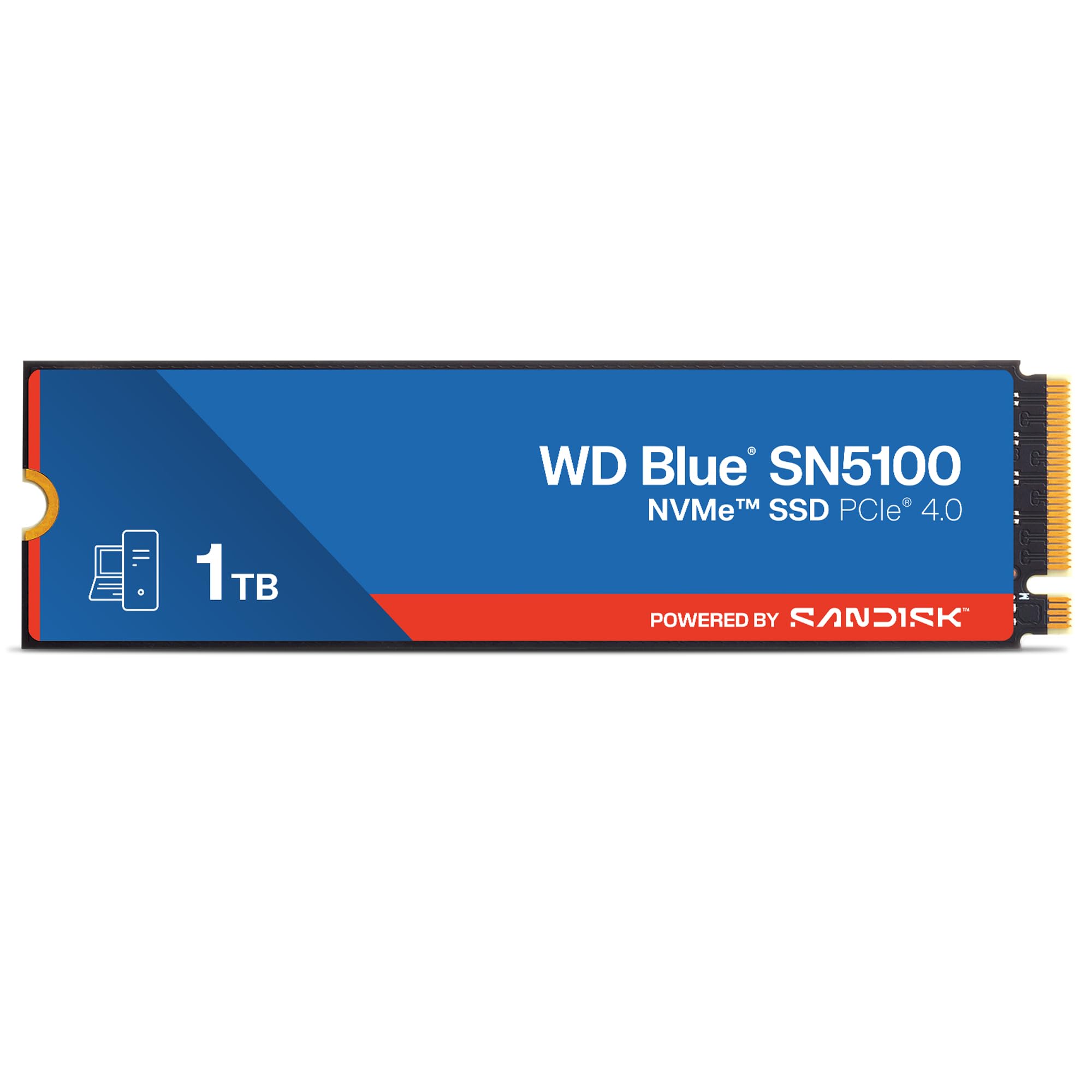
A reliable Gen4 workhorse with Sandisk’s solid warranty and a proven track record.
The WD Blue SN5100 is set apart by its blend of everyday performance and long-term trust. It reads at up to 7,100 MB/s. It uses Sandisk’s nCache 4.0 technology to speed up large file transfers, and it comes with a 5-year limited warranty from Sandisk (the parent brand behind WD’s SSD line). Customers note it “sped up my 4 year old computer and it is super fast,” and the drive includes a download for Acronis True Image for Sandisk data migration software straight in the box.
The SN5100 lags slightly behind the Acer Predator GM7 and SIX X7400 on peak read speed (7,100 MB/s vs 7,400 and 7,350 MB/s), but in real-world boot times and game loading, that difference is barely noticeable. Its strength is consistency and brand trust—WD Blue drives are among the most widely used in pre-built PCs. Buyers also mention using two in a RAID setup for a new build without issues.
One thing to note: the enclosure material is not listed in the specs, so heat dissipation may not be as aggressive as some gaming-focused drives. For a general-use PC or a work laptop, however, this is an excellent, no-nonsense choice.
Strengths
- Solid 7,100 MB/s Gen4 read speed.
- 5-year limited warranty from Sandisk adds confidence.
- Acronis cloning software included for easy migration.
- Proven reliability for daily PC upgrades.
Weaknesses
- Slightly slower than top-tier Gen4 competition.
- No heatsink included.
- Enclosure material not specified—thermal performance is unclear.
Who it fits: The everyday PC user who wants a safe, fast, well-warranted upgrade without fussing over peak numbers.
Who should skip: Gamers who want the absolute fastest Gen4 loads or need a bundled heatsink.
4. SIX NVMe X7400 1TB SSD
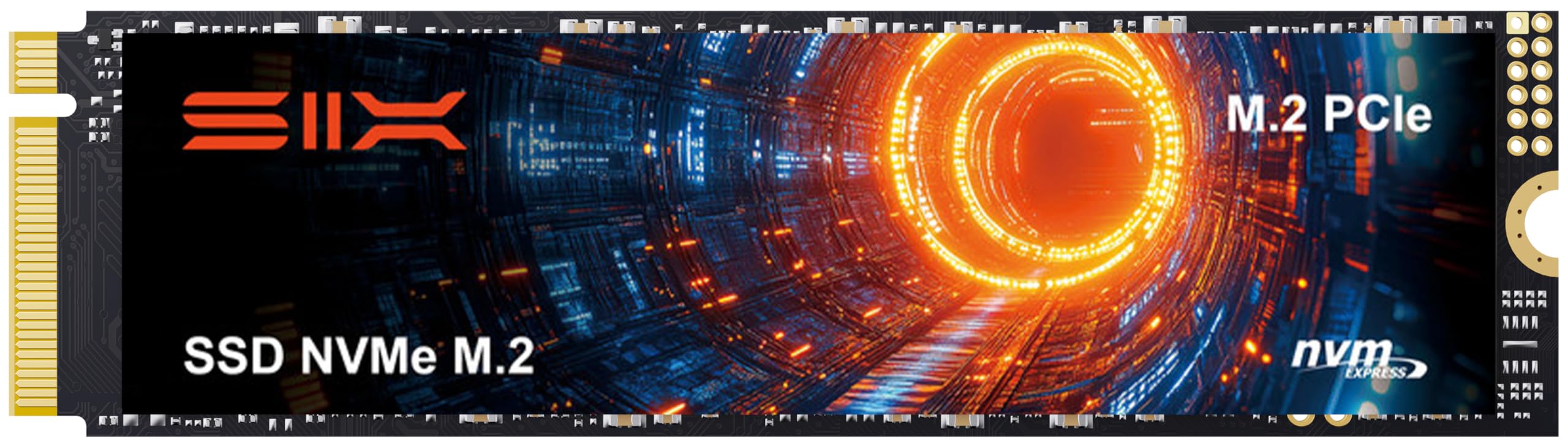
The Gen4 speed demon that comes with a heatsink and a screwdriver right in the box.
The SIX X7400 reads at up to 7,350 MB/s and is specifically marketed for both PC and PS5 storage expansion—it is compatible with the Sony PlayStation 5, which requires a Gen4 NVMe drive with a heatsink. That is the big differentiator here: SIX includes a low-profile heatsink, thermal tape, screws, a cleaning cloth, and even a screwdriver in the package. Reviewers point out it is a “fast PS5 install, recognized immediately” and that “games run smoothly” with good clearance under the GPU. It uses a PCIe Gen 4×4 interface, so it will work in any modern PC with an M.2 2280 slot.
The X7400 also promises strong performance for heavy-duty applications like data analytics and content creation compared to standard Gen3 drives. Shoppers say it is “noticeably faster load times and file transfers” even on a Lenovo gaming laptop. The included heatsink means you do not have to worry about thermal throttling from the start—one less part to buy and install.
The only trade-off is that the brand is less established than Crucial, Kingston, or WD, so long-term support is less proven. But for the price, you get a fully kitted-out upgrade that is essentially plug-and-play for a PS5 or a PC gamer who wants no fuss.
Complete kit: Heatsink, screwdriver, and all mounting hardware included—ideal for PS5 owners who want a single-box solution.
Brand risk: SIX is newer to the market; its warranty service and long-term reliability are less documented than the big names.
Reach for this if: You are upgrading a PS5 or a PC and want a complete kit with no extra purchases.
Look elsewhere if: Brand track record and long warranty support matter more to you than immediate convenience—stick with Crucial or WD.
5. Kingston NV3 1TB M.2 2280 NVMe SSD

The budget-friendly Gen4 upgrade that gets you into NVMe territory without the premium price tag.
Kingston’s NV3 is the entry point for Gen4 NVMe, offering read speeds up to 6,000 MB/s. That is 6,000 MB/s versus the Vansuny’s 500 MB/s and fast enough for instant boot times and smooth file transfers. Buyers report it is an “excellent PCIe 4.0 upgrade; 6000 MB/s, instant boot, smooth file transfers, easy install, runs cool, reliable 1TB capacity, great value.” It uses standard M.2 2280 form factor and PCIe 4.0 Gen 4×4 interface, so it works in any modern motherboard with a Gen4 M.2 slot (and is backwards compatible with Gen3 slots, though at lower speeds).
Where the NV3 falls short of the Acer, SIX, and WD drives is peak speed—6,000 MB/s versus the high 7,000s. For most people loading Windows, launching games, or copying files, that difference is rarely noticeable. One buyer mentioned it ran over 1,300 MB/s read on an old laptop through a USB hub, proving its versatility. Kingston also backs it with a decent warranty, and the drive is listed as shock resistant, which adds a layer of durability for laptops on the move.
The construction uses NAND flash and the enclosure material is listed as Nand Flash, which is a standard build. No heatsink is included, so adding one may help if you push sustained writes.
The good
- 6,000 MB/s Gen4 speed at a budget-friendly price.
- Shock resistant for portable builds.
- Runs cool per buyer reports.
- Simple, no-nonsense installation.
The trade-off
- Read speed is 6,000 MB/s versus 7,100 to 7,400 MB/s for the faster Gen4 drives here.
- No heatsink included in the box.
- Not ideal for PS5 expansion (lacks bundled heatsink and peak speed).
Who it fits: The budget-conscious builder or laptop user who wants a real speed boost from SATA or HDD without paying for premium Gen4 performance.
Who it doesn’t: Gamers who want the fastest possible load times or PS5 owners who need a full kit with a heatsink.
6. Vansuny 1TB SATA III SSD

The last best hope for an old laptop or desktop that only has a SATA port.
If your PC predates M.2 slots, the Vansuny SATA III SSD is your only real upgrade path. It delivers read speeds up to 500 MB/s and write speeds up to 450 MB/s, which is much faster than a traditional mechanical hard drive. Owners mention it is “reliable; running for a year in a gaming PC” and that it is “much faster than a spinny disk.” It uses advanced 3D NAND flash technology and comes in a standard 2.5-inch form factor that fits most desktops and older laptops with a SATA bay. It also uses less power than a hard drive, so you get longer battery life in a laptop.
The catch is that 500 MB/s is a fraction of what any NVMe drive delivers. Compared to the Crucial P510’s 11,000 MB/s, this drive reaches 500 MB/s. But if your only options are a mechanical drive or this SSD, the choice is clear—the Vansuny will make an old computer feel new again for everyday tasks like web browsing, office work, and light gaming. It is not for transferring massive 4K video files, but it is perfectly fine as a boot drive for an older system.
One reviewer used it as a main OS drive and said it is “good for daily use, not gaming (fills fast).” The plastic enclosure is less premium than metal-case SSDs, but at this price point it delivers exactly what it promises: a fast, reliable SATA upgrade.
Why you want it
- 500 MB/s reads transform an old HDD-powered PC.
- Low power draw extends laptop battery life.
- Plug-and-play compatibility with any SATA port.
- Great value for breathing life into older hardware.
Why you might not
- 500 MB/s versus 11,000 MB/s for the Gen5 Crucial P510.
- Plastic casing feels less durable than metal alternatives.
- Not suitable for heavy gaming or creative workloads.
Ideal for: Reviving an old laptop or desktop that has no M.2 slot—you will see the biggest speed jump of any upgrade.
skip it if: Your motherboard has an M.2 slot; any NVMe drive will be dramatically faster for a modest price increase.
Understanding the Specs
Data Transfer Rate (Read Speed)
This is the headline number that tells you how fast the drive can read large files in sequence. It is measured in MB/s (megabytes per second). A SATA drive hits around 500 MB/s, Gen4 NVMe drives range from 6,000 to 7,400 MB/s, and Gen5 drives like the Crucial P510 can reach 11,000 MB/s. Higher numbers mean faster boot times, quicker game loads, and snappier file transfers. For most people, anything over 6,000 MB/s feels instant. For professionals moving multi-gigabyte video files, the jump to 11,000 MB/s cuts minutes off each transfer.
Form Factor: M.2 2280 vs 2.5-inch
The form factor dictates where the drive physically fits. A 2.5-inch SATA drive is the size of a small wallet and connects via a SATA data and power cable—it is the old standard and works in almost any desktop or older laptop. An M.2 2280 drive is shaped like a stick of gum (22mm wide, 80mm long) and plugs directly into a slot on the motherboard. M.2 drives are smaller, require no cables, and support both SATA and NVMe protocols, but your motherboard must have an M.2 slot to use them.
FAQ
Can I use a PCIe 5.0 SSD like the Crucial P510 in a Gen4 slot?
Does a 1TB SSD for PC need a heatsink?
What is the difference between SATA and NVMe for a 1TB SSD?
Will any 1TB M.2 SSD fit in my PC?
How long does a 1TB SSD last for PC use?
Is a 1TB SSD enough for gaming on PC?
Can I clone my old HDD to a new 1TB SSD?
Which SSD is best for a PS5: SIX X7400 or Acer Predator GM7?
Can I use a 1TB SSD as an external drive?
Does a 1TB SSD use less power than a 1TB hard drive?
Final Thoughts: The Verdict
For the majority of shoppers, the 1tb ssd for pc winner is the Crucial P510 because it delivers the fastest Gen5 performance at a price that undercuts other premium drives while including useful software. If you want a reliable Gen4 speed upgrade without the Gen5 price, grab the WD Blue SN5100. And for reviving an old PC that only has SATA ports, the standout is the Vansuny 2.5-inch SATA SSD.
How We Picked
We do not accept paid placement. Every pick is matched to a real buyer and a real use-case; we do not hands-on test units.
Sources & Methodology
Specifications: manufacturer listings and product documentation. Review insights: verified customer reviews, as of July 2026. Pricing: not shown on this page (it changes often); check the current price via the retailer link.
As an Amazon Associate, Gadgets Feed earns from qualifying purchases. This does not affect which products we feature.
Product prices and availability are accurate as of the date/time indicated and are subject to change. Any price and availability information displayed on Amazon at the time of purchase will apply to the purchase of this product. As an Amazon Associate I earn from qualifying purchases.
CERTAIN CONTENT THAT APPEARS ON THIS SITE COMES FROM AMAZON. THIS CONTENT IS PROVIDED "AS IS" AND IS SUBJECT TO CHANGE OR REMOVAL AT ANY TIME.
Amazon and the Amazon logo are trademarks of Amazon.com, Inc. or its affiliates.