
Our readers keep the lights on and my morning glass full of iced black tea. As an Amazon Associate, I earn from qualifying purchases.
Specs are compiled from manufacturer listings and verified buyer reviews and can change over time — please confirm the key details on the product page before buying.
The single biggest speed upgrade for an old laptop or desktop is swapping its spinning hard drive for a 2.5 inch SATA SSD. These drives share one form factor, so the real choices come down to capacity, read and write speeds, and how long the drive will last under your specific workload.
I’m Min — the founder and writer behind Gadgets Feed. This guide is built by comparing the manufacturers’ published specifications and the patterns across verified customer reviews, so you get each pick’s real strengths and trade-offs instead of marketing spin.
The best 2.5 SSD Drive balances speed, storage space, and budget, whether reviving an old notebook or building a fresh desktop.
Our Picks at a Glance


How To Choose The Best 2.5 SSD Drive
Before buying, note that most 2.5 inch SATA SSDs are limited by the SATA III connection, topping out near 550 MB/s. That means almost any modern SSD feels dramatically faster than the mechanical drive it replaces, so focus on capacity, endurance, and brand reliability.
Capacity First
Your operating system, applications, and games dictate how much space you need. A 480GB or 512GB drive is a solid starting point for a boot drive with a few games, while 1TB models give you room for large media libraries without worrying about running out. If you are cloning a nearly full hard drive, match or exceed its current capacity so the clone fits comfortably.
Endurance and Warranty
Every SSD has a finite amount of data it can write over its life, measured in Terabytes Written (TBW). A drive rated for 480TBW is built for heavy, sustained write operations, while a cheaper entry-level model may only handle a fraction of that. Check the warranty length too — a 3-year or 5-year limited warranty signals the maker stands behind the drive’s longevity.
Quick Comparison
| Model | Best For | Capacity | Read Speed | Write Speed | Amazon |
|---|---|---|---|---|---|
| Kingston A400★ Best Overall | Reliable everyday boot drives | 480 GB | 500 MB/s | 450 MB/s | Amazon |
| TEAMGROUP Vulcan ZBest Value | PS4 upgrades and value | 512 GB | 530 MB/s | 470 MB/s | Amazon |
| Silicon Power A55Slim Fit | Ultra-slim laptops | 512 GB | 500 MB/s | — | Amazon |
| TEAMGROUP Vulcan Z 1TB | Large gaming libraries | 1 TB | 550 MB/s | 470 MB/s | Amazon |
| Lexar NS100 | Long-term reliability | 1 TB | 550 MB/s | — | Amazon |
| Crucial BX500 | Value upgrades with great backing | 1 TB | 540 MB/s | — | Amazon |
| SanDisk SSD Plus | Drop-proof daily drivers | 1 TB | 545 MB/s | 515 MB/s | Amazon |
| Samsung 870 EVO | Professional-grade performance | 500 GB | 560 MB/s | 530 MB/s | Amazon |
In-Depth Reviews
1. Kingston 480GB A400
Our pick — over 4.5★ from 205,000+ verified ratings; the strongest balance of quality and price.
The crowd favorite that turns an aging desktop into a snappy daily driver.
You get 480GB of space with sequential speeds up to 500 MB/s reading and 450 MB/s writing, which is plenty to make Windows boot and programs launch without the long waits of a mechanical drive. Its 7mm form factor is the standard thickness, so it slides into slimmer notebooks where space is tight, and it also fits standard desktop bays with a simple bracket.
The A400 is rugged too — it is shock and vibration resistant with no moving parts, so it shrugs off the bumps a laptop endures in a bag. Owner feedback is overwhelmingly positive on performance and reliability, which is why this drive holds the highest average rating in this lineup. It runs reliably even after a year of daily use, and the long-term endurance rating is best suited to read-heavy tasks rather than constant, massive writes.
If you are replacing a hard drive in an older system, this is the safest bet on the list because it pairs proven reliability with a price that makes sense for a budget-conscious upgrade. The only real caveat is that write speeds can dip during mixed workloads, so it is not the top choice for video editing or heavy file transfers, but it is a strong pick for everyday computing.
What owners love
- Performance is the most-praised trait — over 1,900 buyers single it out
- Reliability is a close second, with more than 1,700 owners endorsing it
- Installation is simple and works with most 2.5 inch bays and caddies
What to know
- Write speeds drop to 280-350 MB/s during mixed read/write tasks
- Entry-level DRAMless design means it is not built for write-heavy workloads
Reach for this if: you want a proven, affordable boot drive for a desktop or laptop that only does everyday tasks.
Think twice if: your work involves constant large file writes, like 4K video editing, where a drive with a DRAM cache would hold up better.
2. TEAMGROUP T-Force Vulcan Z 512GB
A speed-focused 512GB drive that wakes up PlayStation 4 load times.
You get smooth cutscenes and quick level loads because this drive reads up to 530 MB/s and writes up to 470 MB/s — a common pick for PS4 upgrades. The 3D NAND flash (a type of memory that stores data in layers) and SLC cache (a fast buffer for incoming data) work together to keep transfer speeds consistent, so you are not stuck with a burst of speed that drops off under sustained load.
The reliability rating is the top praised aspect among owners, with the drive working right from the start and being recognized immediately upon installation. TEAMGROUP backs it with a 3-year limited warranty, which is a solid commitment for a mid-range drive. Its shock-resistant and vibration-resistant construction also makes it a safe fit for laptops that move around.
There is a durability concern note, as some units have failed within 6 months, and compatibility draws mixed feedback. For general gaming and daily tasks at this price, owners still call it a very good value, but it is a bit of a lottery on long-term endurance compared to pricier options like the Kingston above.
Why it stands out
- Quality and reliability are key strengths — hundreds of owners praise both
- Great performance per dollar for gaming and storage
- Heat spreader helps keep temperatures low during use
The catch
- Some drives have failed within 6 months of ownership
- Mixed performance in heavy mixed read/write scenarios
Pick it if: you are upgrading a PS4 or building a budget gaming PC and want fast load times without spending premium money.
skip it if: you need maximum long-term reliability for irreplaceable data — a drive with a stronger endurance rating is worth the extra cost.
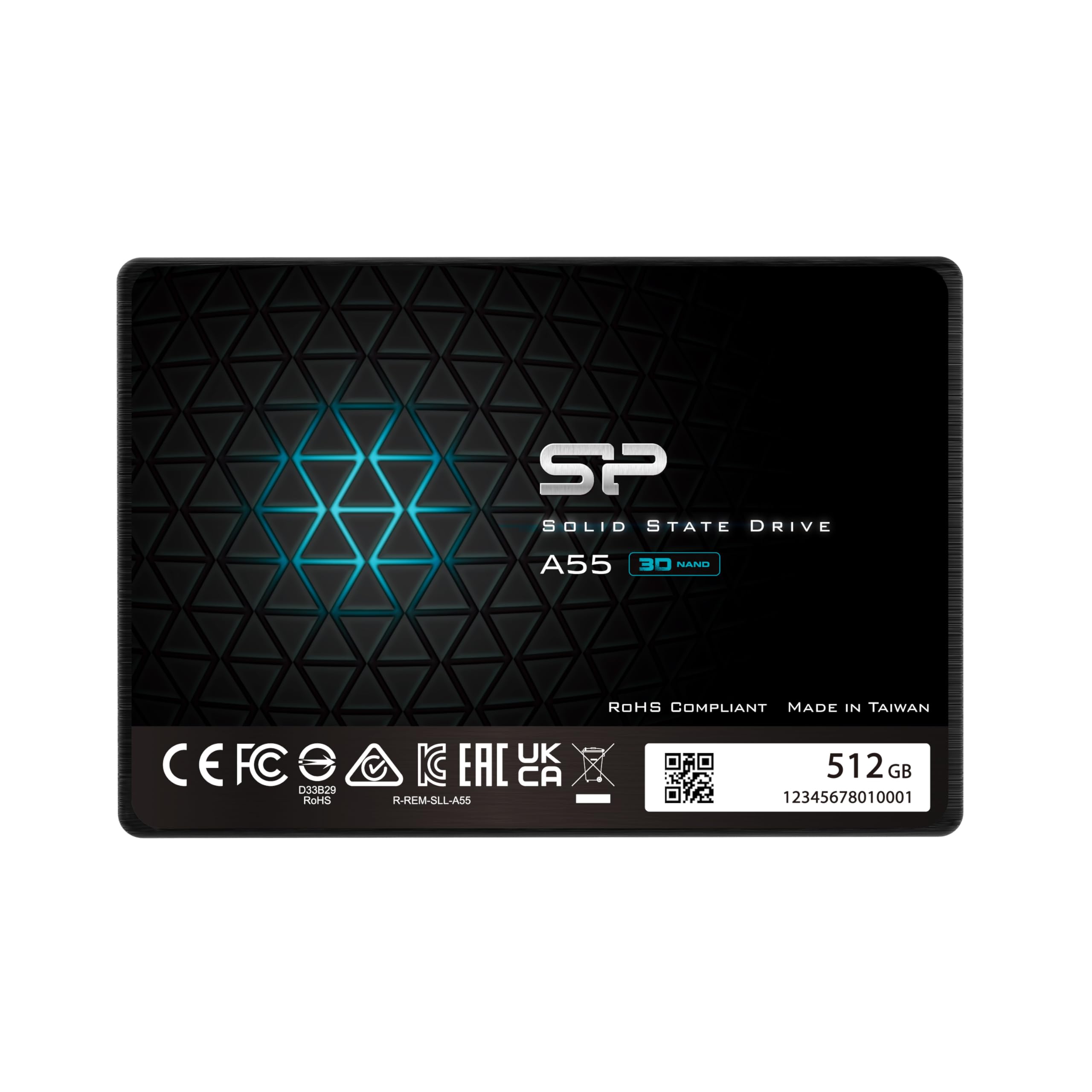
3. Silicon Power A55 512GB
The 7mm-thin drive made for Ultrabooks and tight notebook bays.
This 512GB SSD is only 0.28 inches thick, which is the defining trait here — it is specifically designed for Ultrabooks and ultra-slim notebooks where a standard 9.5mm drive simply will not fit. It uses 3D NAND flash and SLC cache technology to deliver transfer speeds up to 500 MB/s, which translates to faster boot-ups and a snappier overall system.
Owner feedback is centered on performance, with the drive “boots up my old laptop better than my old HDD. From a minute to mere seconds!” being a common experience. The performance aspect is the most mentioned positive, with over 40 buyers praising it, and transfer speed (11 mentions) and boot time (6 mentions) round out the strengths. It is shock resistant too, and the 3-year warranty offers a reasonable safety net if you register the product.
Compared to the Kingston above, this is a slightly more compact option that trades a little bit of proven track record for a slimmer profile, making it the right call when space is the limiting factor. The trade-off is that it is a lesser-known brand with a smaller owner base, so long-term data on endurance is thinner.
Slim and quick: The 0.28-inch thickness is the standout feature — it fits slim notebooks without needing a spacer, and still delivers 500 MB/s read speeds.
Small sample size: With fewer reviews behind it than other picks, the long-term picture is less established, making it a slightly riskier bet for critical data.
Best for: anyone with an ultra-slim laptop that needs a capacity upgrade and cannot fit a standard-thickness drive.
Who should pass: buyers who prefer a more established reputation for their primary boot drive and do not need the ultra-thin profile.
4. TEAMGROUP T-Force Vulcan Z 1TB

Terabyte-scale room for game libraries that still loads levels fast.
This 1TB version of the Vulcan Z is aimed squarely at gamers who need space — it is described as performance enhanced fourfold and is ready to start a game anytime. It delivers read speeds up to 550 MB/s, and with a full terabyte of QLC 3D NAND storage, you can install a large library of modern titles without juggling what to uninstall.
Owners praise the capacity and the ease of installation, and it is often used as a C drive that stays “Still fast, no issues” after a year of use. The drive is dust resistant and comes with intelligent health monitoring, which helps track its condition over time. It works with desktops, gaming consoles, and laptops, so it is versatile across your hardware without needing adapters for a standard 2.5 inch bay.
However, the reliability picture is more mixed than the smaller Vulcan Z — some buyers report it fails within 6 months, while others have four units running for 3 years with 16 total terabytes of storage. The value for money also draws mixed feedback, so it is worth weighing the price against the capacity you actually need.
Capacity strengths
- 1TB of storage is praised for gaming and media libraries
- Installation is rated as easy by owners
- Works in desktops, laptops, and consoles
Reliability caution
- Mixed long-term reliability — some units failed within 6 months
- Write speeds slow down when grouped or under sustained load
Grab it if: you need a full terabyte for games on a budget and can tolerate some variance in long-term reliability.
Look elsewhere if: your data is irreplaceable — the reliability track record makes it a riskier choice for backups or critical work files.
5. Lexar NS100 1TB

An aluminum-shelled 1TB drive rated for heavy writes over years of use.
You get a drive that lasts for years because the Lexar NS100’s 1TB model carries a 480TBW endurance rating — it is rated to write 480 terabytes of data over its lifetime, a solid number for a SATA drive. It reads sequentially up to 550 MB/s, and its aluminum enclosure helps dissipate heat while staying shock and vibration resistant.
Owner experiences highlight its reliability, with one running for 3 years of heavy use with zero data loss, and the performance aspect is the most praised trait with over 210 buyers mentioning it. It is a common choice for resurrecting older laptops — cloning the old hard drive over and swapping it in — and it works with Windows, macOS, and Linux systems without compatibility headaches. The drive’s ability to stay cool and quiet adds to its appeal for daily use.
The main drawback is the lack of a bundled cloning utility, which forces you to source free software like AOMEI or DiskGenius yourself. Compared to the Crucial below, the Lexar offers a similar 550 MB/s class of performance but with a higher endurance rating, making it the better fit for write-heavy users who will hammer the drive with constant data transfers.
Built to last
- 480TBW endurance rating supports years of heavy writes
- Aluminum shell and shock resistance protect against drops
- Performance is the top-praised aspect, with 210+ mentions
Setup friction
- No free cloning software included with the box
- Needs a bit of technical expertise to migrate your OS
Choose this for: heavy daily writes or a long-term boot drive where durability outweighs every other factor.
Pass if: you want a zero-friction, out-of-the-box cloning experience for an OS migration — you will need to handle that software step yourself.
6. Crucial BX500 1TB

A 1TB drive from a memory giant that revives tired laptops fast.
You can resurrect an older Dell, Lenovo, or HP laptop because the Crucial BX500 is a 1TB SATA drive with read speeds up to 540 MB/s, backed by Micron’s 3D NAND technology — Micron has been making memory for 40 years, a pedigree budget brands cannot match. It boots systems in seconds and cuts loading times by at least 30%, per customer consensus.
Owners praise reliability, with one describing how it gave a “new life feeling to my 5 years old (then sluggish) laptop.” This drive is 45x more energy efficient than a typical hard drive, extending battery life on notebooks., and it fits desktops and laptops that accept standard 2.5 inch 7mm SATA drives, plus PlayStation 4 Pro consoles. Crucial also includes a free data recovery service offer and a 3-year limited warranty, which is extra confidence for a boot drive.
Compared to the Samsung 870 EVO below, the BX500 is the value pick — it offers nearly identical real-world boot speeds for everyday use at a lower cost. The trade-off is that it lacks some of the premium endurance and management software of the Samsung drive, so if you need maximum write endurance or advanced health monitoring, the EVO is the better choice.
Why it wins fans
- Reliability is the top-praised trait with 639 mentions
- 45x more energy efficient than a hard drive, extending laptop battery life
- Includes data recovery service and 3-year warranty
Know the limits
- No advanced SSD management software like Samsung Magician
- Entry-level endurance is not ideal for constant heavy writes
Best for: reviving an older laptop or desktop with a proven, reliable drive from a top-tier memory maker.
Not ideal if: you need the highest write endurance or advanced drive health monitoring — the Samsung 870 EVO handles that better.
7. SanDisk SSD Plus 1TB

A rugged 1TB SATA drive that survives drops and speeds up boot times.
The SanDisk SSD Plus offers sequential read speeds up to 545 MB/s and write speeds up to 515 MB/s, placing it among the faster SATA drives in this lineup. Its defining feature is shock resistance — SanDisk explicitly markets it as durable even if you drop your computer, which matters for anyone with a laptop that moves between desks, classrooms, or coffee shops.
Owners call it a great replacement for HDDs, noting it “always worked from the start.” It is also a frequent pick for unconventional upgrades like modded retro consoles and security camera systems, showing versatility beyond standard PC builds. High capacities make it useful for large media files and application libraries.
The trade-off compared to the Crucial above is that SanDisk does not bundle the same level of free data recovery service, and the long-term endurance on this model is less clearly specified. For everyday boot drives and storage expansion, it performs admirably, but if you need a drive for heavy sustained writes, the Samsung or Lexar options are more transparent about their endurance ratings.
Quality focus: Owners rate the build quality as the standout trait — 24 of them mention it positively, and it keeps performing reliably even after years.
Versatile use: From desktop upgrades to security camera storage, this drive proves flexible across very different setups.
Reach for it if: you want a shock-resistant drive for a laptop that travels, or a simple, reliable storage expansion for a desktop.
Consider another if: you need clear, high endurance ratings for constant heavy writes — others in this list are more explicit about TBW.
8. Samsung 870 EVO 500GB

The professional-grade SATA drive that pushes the interface to its absolute limit.
You get the fastest SATA speeds possible because the Samsung 870 EVO reads sequentially up to 560 MB/s and writes up to 530 MB/s — the maximum the SATA interface allows. It is built for IT pros, creators, and everyday users who need reliable speed, and it is backed by an industry-defining endurance rating of up to 600 TBW under a 5-year limited warranty, the strongest endurance figure in this entire lineup.
The drive excels at heavy tasks like 8K video processing and runs cool — Owners mention it runs 15°C cooler and uses 55-80% less power than comparable drives.. The Samsung Magician 6 software is a standout feature, letting you monitor drive health, update firmware, and even enhance performance, which no other drive in this list offers. The performance aspect is the top-praised trait with 2,000 mentions, and functionality follows close behind with 1,400, cementing its reputation as a drive that just works.
It is compatibility tested across major chipsets, motherboards, NAS, and video recording devices, so it slots into a wide range of setups without surprises. The only real downside is the price — it commands a premium over comparable-capacity drives, and the 500GB capacity is smaller than the 1TB options at similar price points. If you need maximum reliability and speed for critical work, the EVO justifies its cost; if you just want a basic boot drive, you are paying for performance you may not fully use.
The performance standard
- 560/530 MB/s sequential speeds max out SATA III
- 600 TBW endurance with a 5-year warranty — class-leading
- Samsung Magician software for health monitoring and updates
The premium cost
- Commands a higher price than comparable 500GB drives
- Smaller capacity than 1TB rivals at similar price points
- Performance headroom is wasted on basic web browsing and office work
Pick this if: you are a professional, creator, or simply want the absolute best SATA drive money can buy for critical work or heavy file operations.
Look elsewhere if: you just need a budget boot drive — the Kingston or Crucial will serve you fine for a fraction of the cost.
Understanding the Specs
Read and Write Speeds
These numbers tell you how fast the drive can pull data (read) and save data (write). SATA III tops out around 550-560 MB/s, so any drive near that mark is effectively at the interface’s limit. A faster read speed means quicker boot times and faster app launches, while write speed matters more when copying large files or saving video projects.
Endurance (TBW)
Terabytes Written (TBW) is the total amount of data a drive can write before it is expected to wear out. A 480TBW rating means you can write 480 terabytes over the drive’s life, which suits heavy use like video editing or constant file transfers. For a basic boot drive with everyday tasks, a lower TBW is usually fine — you will likely upgrade the whole computer before the drive dies.
FAQ
Will a 2.5 inch SATA SSD fit in my laptop?
What is the difference between SATA and M.2 drives?
How long does a 2.5 inch SSD last?
Do I need a 1TB drive or is 512GB enough?
Is a 2.5 inch SSD good for gaming?
What does it mean to clone a hard drive?
Will an SSD improve my laptop’s battery life?
Should I upgrade to a 2.5 inch SSD or just buy a new computer?
Final Thoughts: The Verdict
Across the board, the 2.5 ssd drive winner is the Kingston A400 because it pairs proven reliability with an attractive price for everyday performance. If you want the absolute maximum SATA speed and professional-grade endurance, grab the Samsung 870 EVO. And for a budget-friendly terabyte of storage on a tight budget, the Crucial BX500 is the one to reach for.
How We Picked
We do not accept paid placement. Every pick is matched to a real buyer and a real use-case; we do not hands-on test units.
Sources & Methodology
Specifications: manufacturer listings and product documentation. Review insights: verified customer reviews, as of August 2026. Pricing: not shown on this page (it changes often); check the current price via the retailer link.
As an Amazon Associate, Gadgets Feed earns from qualifying purchases. This does not affect which products we feature.