
Moving from single-color to dual-color printing changes everything about how you design and produce parts. Instead of post-processing with paint or trying to assemble separate pieces, a 2-color 3D printer handles material transitions automatically, delivering finished models with integrated color breaks, soluble supports, or multi-material properties right off the build plate. The jump in capability is substantial, but the market now offers a wide spread of approaches—from budget-friendly IDEX systems to premium multi-filament towers—and picking the wrong architecture can leave you fighting calibration issues or wasting material on purge towers for months.
I’m Min — the co-founder and writer behind Gadgets Feed. I’ve analyzed hundreds of product specifications, cross-referenced real owner experiences, and compared extrusion systems, motion platforms, and material compatibility to separate the designs that genuinely deliver reliable multi-color output from those that just add complexity without payoff.
Whether you need vivid signage, engineering-grade dual-material parts, or large-format models without layer seams, the right 2-color 3d printer must balance purge waste, tool-changing speed, and material versatility against your specific workflow demands.
How To Choose The Best 2-Color 3D Printer
Dual-color printing adds a layer of complexity that doesn’t exist in single-material machines. The way a printer handles filament switching—whether through independent extruders, a single nozzle fed by multiple filaments, or separate tool heads—determines everything from waste volume to layer adhesion. Understanding these differences prevents the common frustration of buying a machine that promises multi-color but delivers unreliable purges or oozing artifacts.
Tool-Head Architecture: IDEX, Dual Extruder, or Single-Nozzle Multi-Filament
Independent Dual Extruder (IDEX) systems use two physically separate print heads that can work independently or in mirror/duplicate mode. This design eliminates cross-contamination between materials and reduces waste because the secondary tool head parks instead of purging. Single-nozzle multi-filament systems feed multiple materials through one hot end, which simplifies calibration but generates a purge block each time you switch colors. Dual-extruder setups with two fixed nozzles are the rarest today—they require perfect nozzle height alignment and tend to suffer oozing on the idle nozzle. For most users, IDEX offers the best balance of print quality and waste efficiency.
Purge Waste: The Hidden Cost of Multi-Color Printing
Every color transition in a single-nozzle system forces the hot end to purge the previous material before the new one flows cleanly. That purged plastic becomes a wipe tower or prime pillar—material you cannot use for the model itself. Some printers manage this more efficiently by minimizing travel distance between the purge bucket and the print, or by using a two-nozzle design that switches without flushing. Before buying, check real owner reports on purge volume for a typical two-color print. Machines that burn through 30% or more of a spool in purge waste can make multi-color economically painful over time.
Heated Chamber and Material Compatibility
Printing two materials in the same job—like PLA for aesthetics and PETG for strength—requires a stable thermal environment. Machines with actively heated chambers (60°C or higher) prevent warping in high-temperature filaments and improve layer adhesion between dissimilar materials. If your dual-color projects will ever combine a rigid plastic with a flexible one, or a filled composite with a standard filament, chamber temperature control becomes a deciding factor. Unenclosed printers can handle PLA/PLA color swaps but struggle when temperatures or shrinkage rates diverge.
Quick Comparison
On smaller screens, swipe sideways to see the full table.
| Model | Category | Best For | Key Spec | Amazon |
|---|---|---|---|---|
| Anycubic Kobra S1 Combo | Mid-Range | Balanced speed and feature set | 600mm/s, 250x250x250mm, 4-color, ACE Pro dryer | Amazon |
| FLASHFORGE AD5X | Mid-Range | Budget multi-color entry | 600mm/s, 220x220x220mm, 4-color, 300°C nozzle | Amazon |
| ELEGOO Centauri Carbon 2 | Mid-Range | Enclosed multi-color with CANVAS system | 500mm/s, 256x256x256mm, 350°C nozzle, camera | Amazon |
| Creality K2 SE Combo | Mid-Range | Expandable up to 16 colors on a budget | 500mm/s, 220x215x245mm, CFS, auto leveling | Amazon |
| ANYCUBIC Photon P1 | Premium Resin | High-resolution dual-material resin printing | 14K LCD, ball screw Z, dual vats, 8000cps | Amazon |
| QIDI Q2 Combo | Premium | Open Klipper, 65°C chamber, engineering materials | 600mm/s, 270x270x256mm, 370°C nozzle, HEPA | Amazon |
| Creality K2 Pro Combo | Premium | Heated chamber, dual AI cameras, up to 16 colors | 600mm/s, 300x300x300mm, step-servo motors | Amazon |
| Creality K2 Plus Combo | Premium Large Format | Large 350mm³ volume, high-flow hotend | 600mm/s, 350x350x350mm, 30,000mm/s² accel | Amazon |
| QIDI Max4 Combo | Industrial Grade | Ultra-large 390mm³, 800mm/s speed | 800mm/s, 390x390x340mm, 65°C chamber, 16-color | Amazon |
| Snapmaker Artisan | Multi-Function | 3-in-1: 3D print, laser, CNC | 400x400x400mm, dual extrusion, 7″ touchscreen | Amazon |
| Original Prusa XL | Professional | Industrial reliability, open ecosystem | CoreXY, 2-toolhead, segmented bed, 360x360x360mm | Amazon |
In‑Depth Reviews
1. Anycubic Kobra S1 Combo

The Kobra S1 Combo delivers what most mid-range multi-color printers only promise: genuine 4-color output through the ACE Pro filament system without excessive purge waste. The dual PTC heating module and 360° hot air circulation keep filaments dry during long prints, which directly prevents the stringing and jams that plague wet materials. Early units had sensor and clog issues, but the revised version with metal sensor tabs and a PTFE-free hot end has resolved those complaints, making this a far more reliable choice than its launch reputation suggests.
At 600mm/s with 20,000mm/s² acceleration, the CoreXY motion system handles rapid color swaps without introducing ringing or layer shifts. The 250x250x250mm build volume is generous for a desktop machine, and users report strong first-layer adhesion from the auto-bed leveling system. The main trade-off is that the ACE Pro system can struggle with cardboard spools, and filament changes are slower than IDEC designs because each swap requires a purge cycle.
For someone who wants a single machine that can print vivid multi-color parts, dry hygroscopic filaments automatically, and connect to an app for remote monitoring, the Kobra S1 Combo is the most well-rounded option at its tier. The slicer is excellent for color work, and the flow compensation produces consistently smooth surfaces with minimal virtual waste.
Why it’s great
- Integrated ACE Pro filament dryer prevents moisture-related failures
- Revised hardware fixes early reliability issues
- Excellent print quality with flow compensation and 600mm/s speed
Good to know
- Cardboard spools may not feed cleanly through the ACE system
- Filament changes are slower than independent dual extruders
2. FLASHFORGE AD5X

The AD5X is a fast CoreXY machine that supports up to 4 colors through a single-nozzle multi-filament system, but it’s the 300°C direct-drive extruder and vibration compensation that set it apart for users focused on dimensional accuracy. The 1-click auto leveling and dual-channel cooling fan produce consistent first layers even at high speed, and the 220x220x220mm build volume is compact enough for any desk. Owners report excellent print quality comparable to much more expensive Bambu Lab units, particularly with PLA and PLA Plus.
Where the AD5X falls short is the software ecosystem. The Orcaslicer fork shipped with the machine doesn’t pull IFS colors correctly, so multicolor workflow requires a third-party slicer or manual configuration. Some users experience filament jams at the 4-in-1 connector, and the touchscreen has been reported to develop unresponsive zones over time. The machine is also noticeably louder than enclosed competitors during multi-color printing due to the purge and wipe motions.
If you’re comfortable with a hands-on software setup and you primarily print PLA-based dual-color parts, the AD5X offers speed and quality at a moderate cost. The hardware is solid—PEI bed adhesion is excellent and no clogs appear within the first hundred hours for most users—but the software gap makes it more suitable for experienced makers than absolute beginners.
Why it’s great
- Print quality rivals premium machines at a lower price point
- Fast 600mm/s with stable CoreXY platform
- PEI bed adhesion is excellent right out of the box
Good to know
- Stock slicer has poor multi-color profile support
- Reported jams at the 4-in-1 filament connector
3. ELEGOO Centauri Carbon 2 Combo

The Centauri Carbon 2 is an enclosed CoreXY printer with a 350°C nozzle, which means it can handle not just PLA/PETG color swaps but also engineering-grade filaments like PA-CF and ASA. The CANVAS system handles smart filament detection, auto refill, and tangle detection, making this one of the most automated multi-color experiences in its segment. The 256x256x256mm build volume is slightly larger than the FLASHFORGE AD5X, and the integrated camera adds remote monitoring that the AD5X lacks.
Reliability is mixed based on early owner reports. Some units work flawlessly for weeks, while others suffer camera failures mid-print, bed adhesion issues, or software lockups after firmware updates. The closed ecosystem means you’re dependent on ELEGOO’s slicer and firmware updates, which have been slow to address known bugs. There’s no Klipper or Orca support, and the lack of cross-subnet connectivity limits network monitoring options.
For makers who want a fully enclosed multi-color machine that can print high-temperature materials without a separate enclosure, the Centauri Carbon 2 delivers impressive material versatility. The auto-leveling is genuinely set-and-forget, and the print quality from the 350°C hot end is smooth and precise. Just be prepared for potential early-stage quirks and a dependency on the manufacturer’s software pipeline.
Why it’s great
- 350°C nozzle unlocks engineering-grade filaments
- Fully enclosed with smart filament management
- Set-and-forget auto leveling and calibration
Good to know
- Closed ecosystem with no Klipper/Orca support
- Reported firmware and camera reliability issues
4. Creality K2 SE Combo
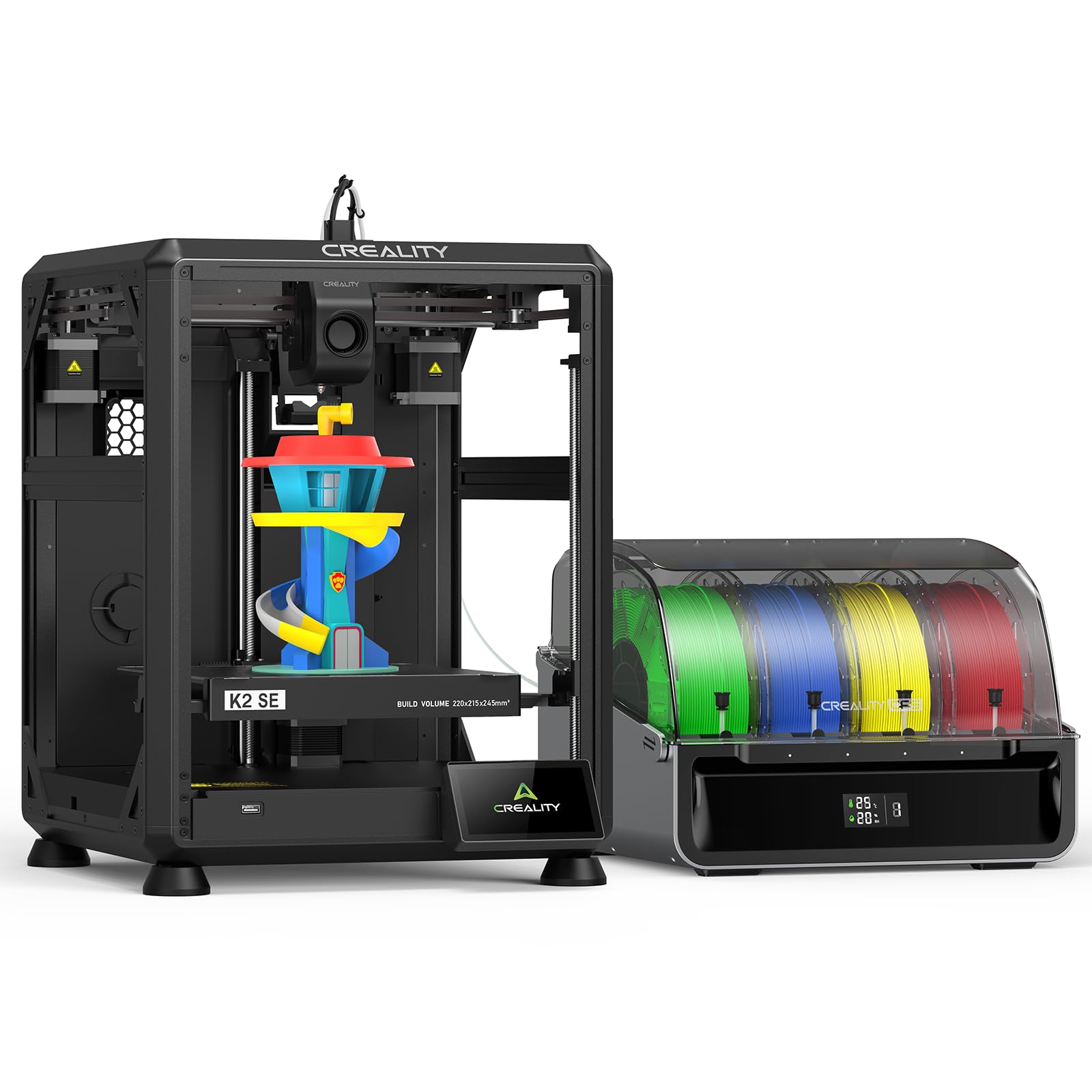
The K2 SE Combo brings Creality’s Color Filament System (CFS) to a compact 220x215x245mm frame, supporting up to 16 colors when four CFS units are connected. The aerospace-grade aluminum alloy frame with reinforced gussets minimizes vibration, and the smart auto leveling probes only the active print area, which speeds up the calibration routine. The direct-drive extruder with quick-swap nozzle and automatic magnetic cutter ensures clean filament transitions during multi-color prints.
Early user feedback reveals significant reliability concerns. Reports of nozzle dragging after extended calibration, failed AI nozzle recommendations, and defective filament cutters are common. Creality’s warranty support has been described as unresponsive, with some users left outside return windows with bricked units. The camera compatibility is limited, and the included profiles require tuning to produce consistent first layers.
If you’re willing to invest time in troubleshooting and tuning, the K2 SE can produce decent multi-color parts at a relatively low price, especially if you plan to expand to many colors. But for anyone who values out-of-box reliability, the owner feedback strongly suggests looking at alternatives with more mature software and support networks.
Why it’s great
- Up to 16-color expandability with multiple CFS units
- Aerospace aluminum frame reduces vibration artifacts
- Quick-swap nozzle and magnetic cutter for clean transitions
Good to know
- High rate of defective units and warranty support issues
- Requires significant tuning for reliable multi-color output
5. ANYCUBIC Photon P1 Resin 3D Printer
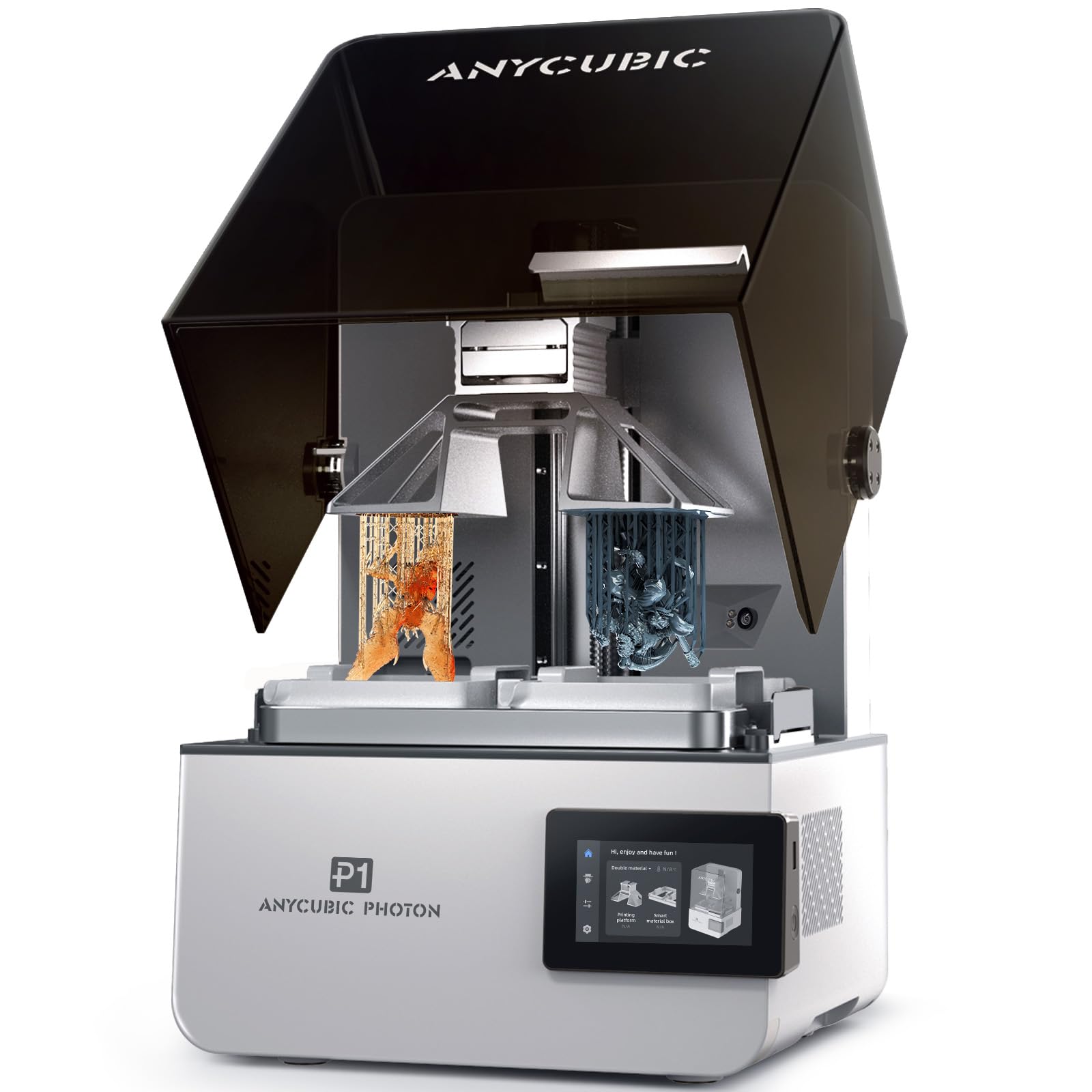
Resin printers rarely do dual-material, but the Photon P1 achieves it through a dual-vat system that lets you switch between two resins—different colors or different material properties—without swapping tanks mid-build. The 14K LCD (16.8×24.8µm XY resolution) produces exceptionally smooth surfaces, and the industrial ball screw Z-axis with dual linear rails eliminates the wobble common to lead screw designs. Wave Release technology reduces peel force by 60%, which dramatically lowers failure rates on complex dual-material models.
The heated vat (20-40°C) handles ultra-high viscosity resins up to 8,000 cps, making this the only printer in this roundup that can print flexible and rigid materials together. AI-powered inspection double-verifies build plate installation and bottom layer separation, catching errors before they waste material. The trade-off is speed: 25-35mm/h is slow compared to FDM, and the dual-vat kit is sold separately. The slicer crashes on complex models, and Wi-Fi range is limited.
For dental labs, jewelry designers, or anyone producing small dual-material parts that demand surface finish, the Photon P1 is a specialized tool that delivers pro results. The learning curve for dual-resin printing is steeper than FDM, and PPE/ventilation are non-negotiable, but the output quality justifies the investment in setup time.
Why it’s great
- 14K resolution produces invisible layer lines on dual-color parts
- Heated vat handles high-viscosity engineering-grade resins
- Wave Release reduces peel force for reliable complex prints
Good to know
- Dual-vat kit is not included
- Slow print speeds (25-35mm/h) compared to FDM
6. QIDI Q2 Combo

The Q2 Combo stands out because it runs open Klipper firmware, giving you full control over motion parameters, filament profiles, and network integrations rather than being stuck in a proprietary slicer. The 65°C active heated chamber is rare at this price—it enables reliable ABS, PA-CF, and PC printing without warping, and the 1.5GT synchronous belt reduces vibration frequency artifacts for smoother surfaces. The QIDI BOX supports up to 16-color multi-material printing with integrated drying, keeping filaments at optimal humidity during long builds.
Build quality is a genuine step up from budget machines: the all-metal CoreXY structure with linear rails produces consistent first layers, and the nozzle-as-leveling-sensor eliminates the calibration drift common with inductive probes. Triple filtration (G3 + H12 HEPA + activated carbon) makes indoor use tolerable. The catch is that the setup requires more hands-on attention than a fully integrated system—the quick start guide is vague about the combo box, and some users report connection issues that require firmware updates to resolve.
If you want a multi-color printer that doesn’t lock you into a closed ecosystem and can handle real engineering materials, the Q2 Combo is the best open alternative to the Prusa XL. The heated chamber, high-flow hotend (40mm³/s), and repairable design make it a long-term investment for serious makers.
Why it’s great
- Open Klipper firmware for full customization
- 65°C heated chamber enables engineering-grade materials
- Triple filtration system for safer indoor printing
Good to know
- Setup requires firmware updates and troubleshooting
- Initial instructions are sparse about combo box configuration
7. Creality K2 Pro Combo
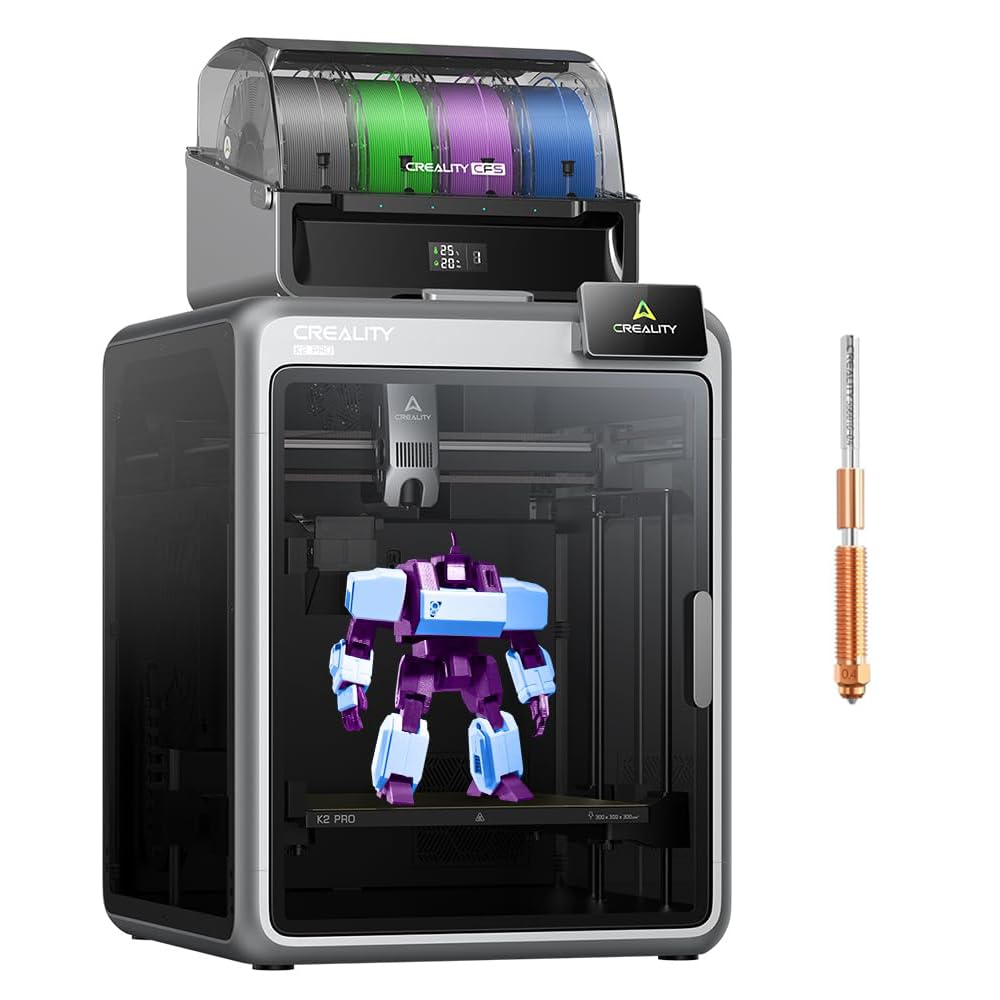
The K2 Pro Combo pairs a K2 Pro printer with a CFS unit for up to 16-color multi-material printing, and the step-servo motor system on the extruder and X/Y axes delivers exceptional extrusion consistency. The actively heated chamber maintains up to 60°C, preventing warping in large ABS or ASA prints, and the hardened steel nozzle (300°C, upgradable to 350°C) handles abrasive carbon-fiber composites without wear. Dual AI cameras monitor both nozzle flow and chamber conditions, alerting you to spaghetti failures or bed adhesion issues in real time.
Assembly is straightforward at roughly one hour, but the test print file is oversized—11.5 hours and half a spool—which is frustrating on a premium machine. Some users report bed warping that requires replacement, and the support experience is inconsistent. The magnetic bed works well for standard prints, but switching to a glass bed resolved warping for one reviewer. The included Cura profile works, but the manual is outdated for wiring connections.
For teams or individuals who need reliable multi-color output from a heated chamber and want the diagnostics of dual AI cameras, the K2 Pro is a strong contender. Just be prepared to handle potential quality control issues with Creality’s support channels and budget for the time required to dial in profiles for new materials.
Why it’s great
- Step-servo motors deliver exceptional extrusion consistency
- Active chamber heating prevents warping in high-temp materials
- Dual AI cameras for real-time failure detection
Good to know
- Oversized test print wastes significant material
- Quality control issues reported with bed flatness
8. Creality K2 Plus Combo

The K2 Plus is Creality’s flagship large-format multi-color printer with a 350x350x350mm build volume and 30,000mm/s² acceleration—one of the highest acceleration rates in this roundup. The step-servo motor system with a 40mm³/s high-flow hotend means even large multi-color parts print quickly without sacrificing layer quality. The dual Z-axis with four linear rods eliminates layer shift on tall prints, and the anti-tilt auto leveling ensures the massive bed stays trammed across its full surface.
Owners praise the CFS system for keeping filament dry and enabling seamless multi-filament printing, but note that the machine is heavy (requires two people to unbox) and loud during operation. Assembly instructions are vague, and some shipping screws are extremely tight. One user reported a DOA unit with Y-axis and E-axis communication failures that required replacing the extruder and stepper motor before printing—Creality sent warranty parts slowly, forcing the user to buy replacements independently.
If you need a large build volume for multi-color prototypes, cosplay props, or batch production, the K2 Plus offers the speed and size at a price well below industrial competitors. The hardware quality is generally solid, but the inconsistency in quality control and support means you should buy from a vendor with a generous return policy.
Why it’s great
- Massive 350mm³ build volume for large multi-color parts
- 30,000mm/s² acceleration for rapid production cycles
- Step-servo motors provide precise extrusion control
Good to know
- Heavy (27.5 lbs) and loud during operation
- Quality control issues reported; support response varies
9. QIDI Max4 Combo

The Max4 Combo is a true production-scale printer with a 390x390x340mm build volume—55% larger than its predecessor—and a maximum speed of 800mm/s with 30,000mm/s² acceleration. Closed-loop motors on the X/Y axes prevent missed steps on long runs, and the 2mm lead screw with anti-backlash nut on Z eliminates layer lines. The 65°C active heated chamber and Polar Cooler system (sold separately) create ideal conditions for printing high-temperature composites like PPS-CF and ABS-CF.
Print quality is outstanding with sharp details and fast speed, according to owners who moved from smaller QIDI machines. The QIDI BOX enables up to 16-color multi-material printing with intelligent filament management. However, the machine comes with caveats: it weighs 120 pounds, requires substantial desk space (28x28x30 inches), and consumes high initial power to heat the chamber. Some users received warped beds (replaced quickly under warranty), and the toolhead sensor is sensitive to position—tilting the machine back prevents false triggers.
For industrial users, production studios, or serious hobbyists who need to print large multi-color parts in engineering-grade materials, the Max4 Combo delivers performance and build volume that nothing else at this tier can match. The open-source approach and excellent right-to-repair support make it a long-term asset rather than a disposable appliance.
Why it’s great
- Ultra-large 390mm³ build volume for industrial production
- 800mm/s speed with closed-loop motor reliability
- Excellent right-to-repair support from QIDI
Good to know
- 120-pound weight requires permanent workspace dedication
- High initial power draw for chamber heating
10. Snapmaker Artisan 3D Printer

The Artisan is not just a 3D printer—it’s a triple-function tool that also laser engraves and CNC carves, and the dual-extrusion 3D printing module uses a 7:5:1 planetary gear system for consistent filament feed across both nozzles. The 400x400x400mm build volume is the largest in this roundup among non-industrial machines, and the industrial-grade steel guide rails machined to micron precision ensure rigidity even during high-speed dual-material prints. The modular quick-swap design lets you switch functions in under five minutes.
Print quality is reliable but not exceptional for dual-color work—the machine prioritizes versatility over raw speed or surface finish. Some users report defects after several months, including the right extruder stringing and blobbing, and the auto-calibration system failed to resolve head collisions for one reviewer. The software crashes with Chinese error messages, and setup requires referencing YouTube guides because the included instructions are minimal.
If you need a single machine that can print dual-color parts, laser etch wood, and CNC machine aluminum, the Artisan is the only option that does all three competently. But if your primary focus is high-quality 2-color 3D printing, dedicated machines at half the price will outperform it. Buy this for the versatility, not the print fidelity.
Why it’s great
- Three fabrication methods in one modular system
- 400mm³ build volume for large multi-function projects
- Industrial-grade linear rails provide rigidity
Good to know
- Dual-color print quality is average compared to dedicated printers
- Software reliability issues and poor documentation
11. Original Prusa XL Assembled 2-Toolhead

The Prusa XL is the reference standard for dual-toolhead printing, using an IDEX-like system with two independent tool heads that can print two materials simultaneously or use one for soluble supports. The segmented heated bed only heats the zones where you’re printing, reducing energy consumption and warping on large multi-material parts. The CoreXY motion system with PrusaSlicer integration ensures that color and material transitions happen with minimal purge waste—intelligent tool switching reduces material loss compared to single-nozzle multi-filament systems.
Reliability is the XL’s strongest argument. Prusa’s open ecosystem, lifetime technical support, and 24-hour customer service mean you’re not dependent on forum troubleshooting. However, the “assembled” label is misleading—you still need to install the LCD, extruder assembly, Wi-Fi antenna, and spool holder, which takes several hours. Some units arrived with broken plastic parts from shipping, requiring replacement prints from another printer. The user interface is functional but visually dated compared to modern competitors.
For professional studios, engineering teams, and advanced makers who need guaranteed multi-material output and are willing to pay for proven reliability and ecosystem support, the Prusa XL is the clear choice. It’s a tool built for production, not tinkering—but the entry price and assembly effort mean it’s not for casual users.
Why it’s great
- Independent dual tool heads eliminate cross-contamination
- Segmented heated bed reduces warping and energy waste
- Lifetime technical support and open ecosystem
Good to know
- “Assembled” still requires several hours of installation
- Some shipping damage reported with broken plastic parts
FAQ
How much more material does a 2-color print use compared to single-color?
Can I print two different materials (like PLA and TPU) in the same job?
What causes oozing between color changes and how do I prevent it?
Final Thoughts: The Verdict
For most users, the 2-color 3d printer winner is the Anycubic Kobra S1 Combo because it integrates a reliable 4-color filament dryer, fast 600mm/s CoreXY motion, and revised hardware that addresses early reliability concerns at a mid-range price. If you need open firmware and engineering-grade materials, grab the QIDI Q2 Combo. And for professional multi-material output with independent tool heads and lifetime support, nothing beats the Original Prusa XL.