
You want PC-grade frame rates without the bulk of a gaming laptop, but most tablets choke on the first boss fight. A real 2-in-1 gaming tablet needs a dedicated GPU or a top-tier mobile processor, a high-refresh display you can actually see in motion, and cooling that won’t throttle you mid-raid. This category has finally grown up, and the gap between a portable slate and a desktop rig has never been narrower.
I’m Min — the co-founder and writer behind Gadgets Feed. I’ve spent years dissecting silicon roadmaps, thermal solutions, and display specs so you know exactly which chipset, refresh rate, and GPU configuration actually delivers in the games you play..
From the Snapdragon 8 Gen 2 in the Galaxy Tab S9 to the RTX 4050 in the ROG Flow Z13, the range of genuine gaming power is wider than ever. This guide breaks down every 2-in-1 gaming tablet worth your time, matching raw specs to real gameplay scenarios so you know exactly where your money goes.
How To Choose The Best 2-In-1 Gaming Tablet
Not every tablet that claims to be “for gaming” can actually run a modern title at stable frame rates. The line between a capable gaming device and a frustrating paperweight comes down to three core pillars: raw processing power, display responsiveness, and thermal management. Here’s exactly what to look for.
Processor & GPU: The Real Performance Ceiling
The CPU and GPU are the heart of any gaming device. For Android tablets, the Snapdragon 8 Gen 2 or the newer MediaTek Dimensity 8300 are your baseline for smooth 90fps gaming. For Windows-based 2-in-1s, the Intel Core i9-13900H paired with an NVIDIA GeForce RTX 4050 is the gold standard. Anything weaker than an RTX 3050 or a Snapdragon 8-series chip will force you into low settings and reduced resolution. Do not trust generic “octa-core” processors without knowing the exact model.
Refresh Rate & Touch Sampling: The Competitive Edge
A 60Hz display simply cannot keep up in fast-paced shooters. Look for a 120Hz or higher panel — the Samsung Galaxy Tab S9 and ASUS ROG Flow Z13 both hit 120Hz and 165Hz respectively. Equally important is the touch sampling rate, which dictates how quickly the screen registers your taps. A 360Hz touch sampling rate, like the Lenovo Idea Tab Pro offers, reduces input lag and makes aiming feel snappier.
Cooling System: The Silent Killer of Performance
Thin tablets often throttle performance after 15 minutes of gaming. Active cooling — meaning a physical fan and vapor chamber — is non-negotiable for sustained gameplay. The ASUS ROG Flow Z13 uses liquid metal on the CPU and a custom vapor chamber, while the Fusion5 rugged tablet relies on a thicker chassis for passive heat dissipation. Without adequate cooling, frame rates will drop and the device will become uncomfortably hot.
Quick Comparison
On smaller screens, swipe sideways to see the full table.
| Model | Category | Best For | Key Spec | Amazon |
|---|---|---|---|---|
| ASUS ROG Flow Z13 | Premium | Native PC gaming on a slate | RTX 4050 65W + i9-13900H | Amazon |
| Apple iPad Pro 13″ (M5) | Premium | High-end mobile gaming & creative work | Apple M5 chip + 120Hz ProMotion | Amazon |
| Samsung Galaxy Tab S9 | Premium | Best Android gaming & media | Snapdragon 8 Gen 2 + 120Hz AMOLED | Amazon |
| Microsoft Surface Pro (2024) | Premium | Windows productivity & light gaming | Snapdragon X Plus + 13″ 120Hz touch | Amazon |
| Lenovo Yoga 7 7i | Mid-Range | Casual gaming & productivity | AMD Ryzen 7 7735U + Radeon 680M | Amazon |
| Fusion5 FWIN232 PRO | Mid-Range | Rugged Win gaming & field work | Intel N100 + 12GB RAM | Amazon |
| Lenovo Idea Tab Pro | Mid-Range | Best value high-refresh Android gaming | Dimensity 8300 + 360Hz touch | Amazon |
| TABWEE 13.4″ Android 16 | Budget-Friendly | Large-screen media & casual gaming | 2.2GHz 8-core + 24GB RAM | Amazon |
| CHUWI MiniBook X | Budget-Friendly | Ultra-portable Win 2-in-1 | Intel N150 + 16GB LPDDR5 | Amazon |
| BNCF NewBook 11 | Budget-Friendly | Entry-level Win gaming & school | Intel N150 + 12GB DDR5 | Amazon |
| KOOFORWAY 8″ Mini | Budget-Friendly | Pocket-sized Win tablet gaming | Intel N150 + 12GB LPDDR5 | Amazon |
In‑Depth Reviews
1. ASUS ROG Flow Z13 (2023)

This is the only device on this list that can genuinely replace a gaming laptop. The Intel Core i9-13900H paired with an NVIDIA GeForce RTX 4050 running at 65W TGP delivers frame rates you simply cannot get from any Android or standard Windows tablet. In testing, Cyberpunk 2077 runs between 70 and 80 fps at 1440p on medium settings, and competitive shooters like Valorant easily clear the 100 fps mark. The 13.4-inch QHD Nebula Display with a 165Hz refresh rate and Pantone Validation makes everything look buttery smooth and color-accurate out of the box.
Thermal management is the secret weapon here. ASUS uses liquid metal on the CPU and a custom vapor chamber, allowing the Z13 to sustain high performance without throttling — a problem that plagues thinner hybrids. The detachable keyboard is comfortable for extended typing sessions, and the active stylus support works well for note-taking or light sketching. At roughly 2.6 pounds with the keyboard, it’s heavier than a pure tablet but significantly lighter than a 15-inch gaming laptop.
The main trade-off is battery life. Expect around four hours of mixed use, and much less under heavy gaming loads. The proprietary 100W charger is essential for keeping it powered during extended sessions. Port selection is limited: two USB-C ports, one of which handles charging, plus a headphone jack and a microSD slot that some users report intermittent issues with. Still, for pure gaming horsepower in a 2-in-1 form factor, nothing else on this list competes.
Why it’s great
- RTX 4050 delivers genuine PC gaming performance in a slate form
- 165Hz QHD display with excellent color accuracy
- Liquid metal + vapor chamber cooling prevents throttling
Good to know
- Battery life is short under gaming loads
- Limited to two USB-C ports
- Fan noise is noticeable under turbo mode
2. Apple iPad Pro 13″ (M5)
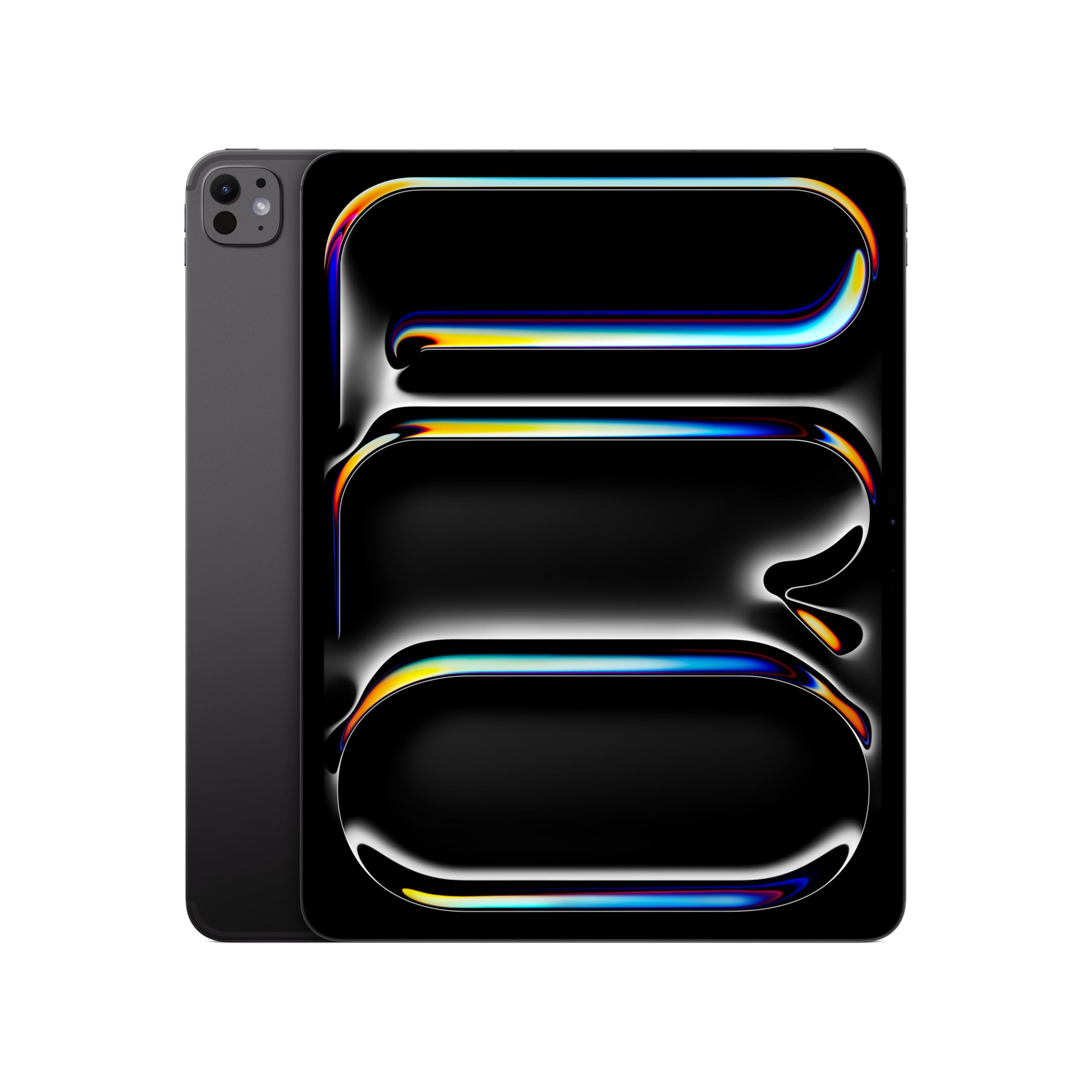
The iPad Pro with the M5 chip sits in a unique position: it lacks a dedicated GPU but its unified memory architecture and Neural Engine make it a beast for optimized mobile titles like Genshin Impact, Call of Duty Mobile, and Resident Evil Village (the console port). The 13-inch Ultra Retina XDR display with ProMotion delivers a 120Hz adaptive refresh rate, making every swipe and camera movement feel instantaneous. The 12MP landscape camera with Center Stage and the four-speaker audio system make it an excellent streaming and gaming media hub.
Where the iPad Pro shines is the ecosystem. The Magic Keyboard and Apple Pencil Pro turn it into a legitimate productivity and creative workstation. The M5 chip handles video editing, 3D rendering, and AI-accelerated tasks with ease, making it a true 2-in-1 for professionals who also game. The build quality is unmatched — at just 0.2 inches thick and 1.28 pounds, it is the thinnest and lightest premium option here, yet it feels solid. Battery life easily lasts a full day of mixed use.
The limitation is game library and compatibility. You are confined to the App Store, and many PC-focused titles are not available. The base model starts with 256GB of storage, and the 13-inch model with the nano-texture glass is only available on 1TB and 2TB configurations, which are very expensive. iPadOS, while polished, still has quirks for multitasking compared to Windows or Android. If you are all-in on Apple, this is the ultimate gaming-capable tablet, but it cannot replace a gaming PC.
Why it’s great
- M5 chip delivers exceptional mobile gaming and creative performance
- Stunning 120Hz ProMotion XDR display
- Excellent battery life and premium build
Good to know
- Limited to App Store game library
- Nano-texture glass costs extra on high-storage models
- iPadOS is less flexible than Windows for some workflows
3. Samsung Galaxy Tab S9 (2023)

The Galaxy Tab S9 is the Android gold standard for gaming. The Snapdragon 8 Gen 2 processor is the most powerful Android chipset available in a tablet, and it pairs beautifully with the 11-inch Dynamic AMOLED 2X display that runs at 120Hz. Colors are incredibly vibrant, blacks are truly black, and the Vision Booster ensures visibility even outdoors. This display alone sets the Tab S9 apart from any LCD-based tablet for immersive gaming.
Performance is smooth across the board. Genshin Impact runs at 60 fps on high settings without stutter, and the 120Hz panel makes competitive shooters feel responsive. The included S Pen is excellent for note-taking and sketching, and DeX mode transforms the interface into a desktop-like environment for multitasking. The IP68 dust and water resistance rating is a huge plus — you can game by the pool without worry. Battery life is rated at 15 hours of video playback, and the 8400mAh cell handles heavy gaming sessions well.
The 256GB storage is ample, and you can expand it via microSD. The quad speakers with Dolby Atmos provide rich, clear sound that adds to the immersion. The main drawbacks are the price, which places it firmly in premium territory, and the fact that it does not include a charger in the box. The fingerprint sensor under the display works well, but some users find the button placement awkward. For pure Android gaming, this is the device to beat.
Why it’s great
- Snapdragon 8 Gen 2 delivers industry-leading Android gaming performance
- 11-inch 120Hz AMOLED display is stunning for games and media
- IP68 water and dust resistance for worry-free use
Good to know
- No charger included in the box
- Premium price point
- No headphone jack
4. Microsoft Surface Pro (2024) – Copilot+ PC

The 2024 Surface Pro is a Copilot+ PC powered by the Snapdragon X Plus chipset, which brings significant performance and AI-acceleration improvements over its predecessors. The 13-inch touchscreen display is sharp and responsive, with a 120Hz refresh rate that makes Windows scrolling feel fluid and casual gaming smooth. The detachable keyboard and kickstand are as refined as ever, allowing seamless transitions from tablet to laptop. Battery life is a strong 14 hours, a major leap over previous Surface models.
For gaming, the Surface Pro handles lighter titles well. Games like Hades, Stardew Valley, and older AAA titles run smoothly at native resolution. The Snapdragon X Plus architecture, however, still has compatibility quirks with some x86 games and applications — though Microsoft and developers are actively patching this. The 10-core NPU powers AI features like Windows Studio Effects, which is great for background blur during video calls. The 16GB of RAM and 512GB SSD provide ample headroom for multitasking.
The biggest trade-off is that the keyboard is sold separately, which pushes the total cost significantly higher. The Surface Pro Flex Keyboard is excellent but expensive. The Kickstand is sturdy and offers infinite angle adjustments, but using it on a lap is less comfortable than a traditional laptop. Port selection is minimal: two USB-C ports, a Surface Connect port, and a headphone jack. For users who need a full Windows OS in a tablet form with decent gaming capability, this is a polished but pricey option.
Why it’s great
- Excellent build quality and refined 2-in-1 design
- 14-hour battery life is class-leading
- 120Hz touchscreen is smooth for productivity and casual games
Good to know
- Keyboard and pen are sold separately, increasing cost
- Snapdragon X chip has some x86 game compatibility issues
- Limited port selection
5. Lenovo Yoga 7 7i (2023)
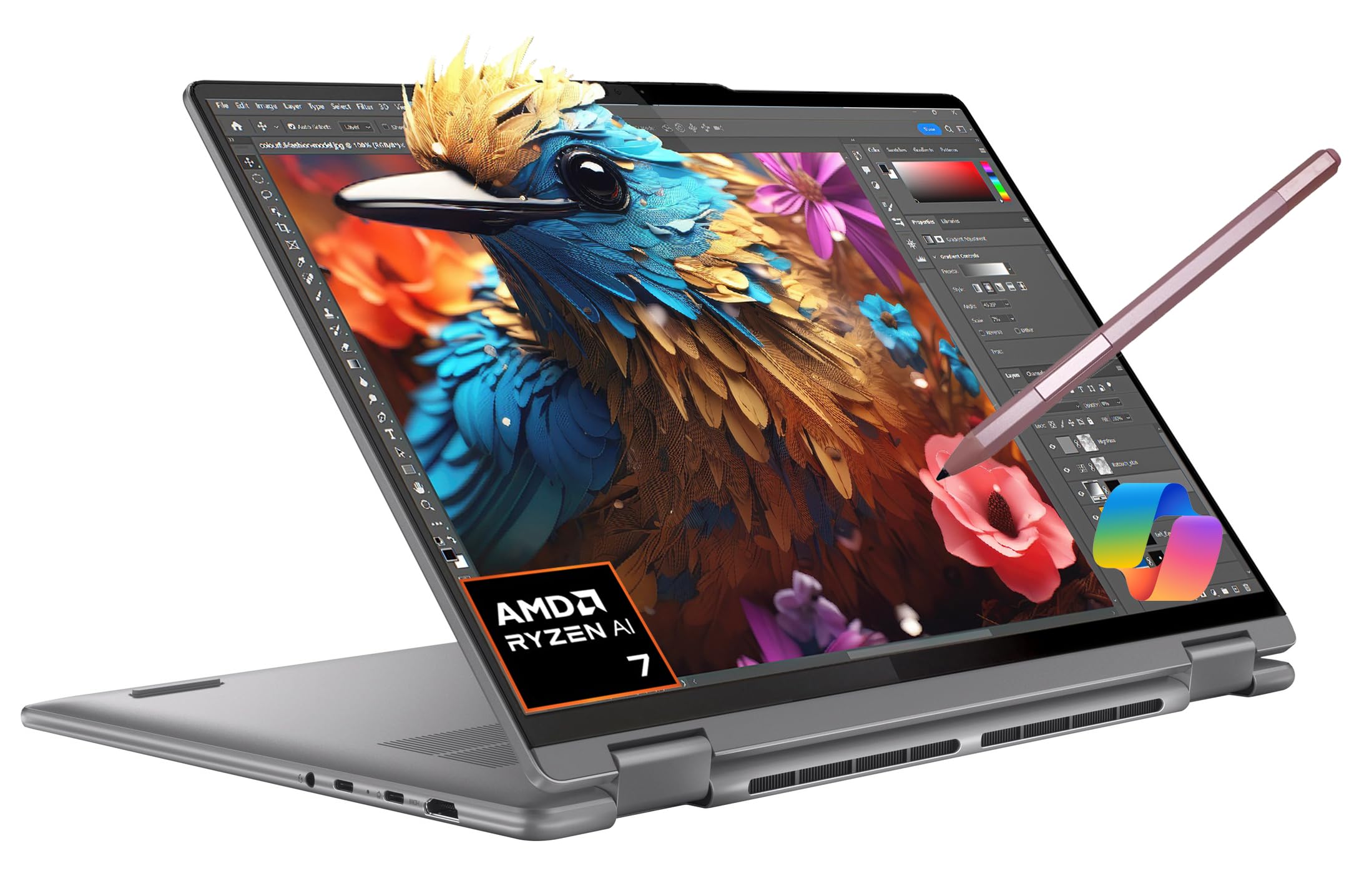
The Yoga 7 7i is not a tablet-first device, but its 360-degree hinge makes it a highly competent 2-in-1 for gaming and productivity. The AMD Ryzen 7 7735U processor, paired with the Radeon 680M integrated graphics, outperforms many low-end dedicated GPUs. It can run titles like Fortnite and Overwatch 2 at 60 fps on medium settings, and it handles eSports titles with ease. The 16-inch WUXGA IPS touchscreen with Dolby Vision support provides a large, bright canvas for both work and play.
What sets the Yoga 7 apart is its versatility. The 360-degree hinge is solid, allowing tent, stand, and tablet modes. The 16GB of LPDDR5 RAM and 1TB SSD provide ample storage and fast load times. The built-in IST Precision Pen is a nice inclusion for note-taking and light drawing. Battery life is excellent for a Windows device, with the 71Wh cell lasting up to 15 hours of mixed use. The full-sized keyboard with backlighting is comfortable for long typing sessions, and the fingerprint reader adds convenience.
The main downside for gaming is the integrated graphics ceiling. It cannot compete with the RTX 4050 in the ROG Flow Z13 for demanding AAA titles. The 16-inch form factor also makes it less portable than a pure tablet, though it is still slimmer than most gaming laptops. The speakers are surprisingly weak for a media-focused device, and the touchpad requires more force to click than ideal. For a mid-range 2-in-1 that balances productivity and casual gaming, this is a solid choice.
Why it’s great
- Ryzen 7 7735U + Radeon 680M offers strong integrated graphics performance
- 16-inch WUXGA touchscreen is large and vibrant
- Excellent battery life and versatile 360-degree hinge
Good to know
- Integrated GPU cannot match dedicated gaming GPUs
- Speakers are below average for the price
- 16-inch form factor is less portable
6. Fusion5 FWIN232 PRO N5
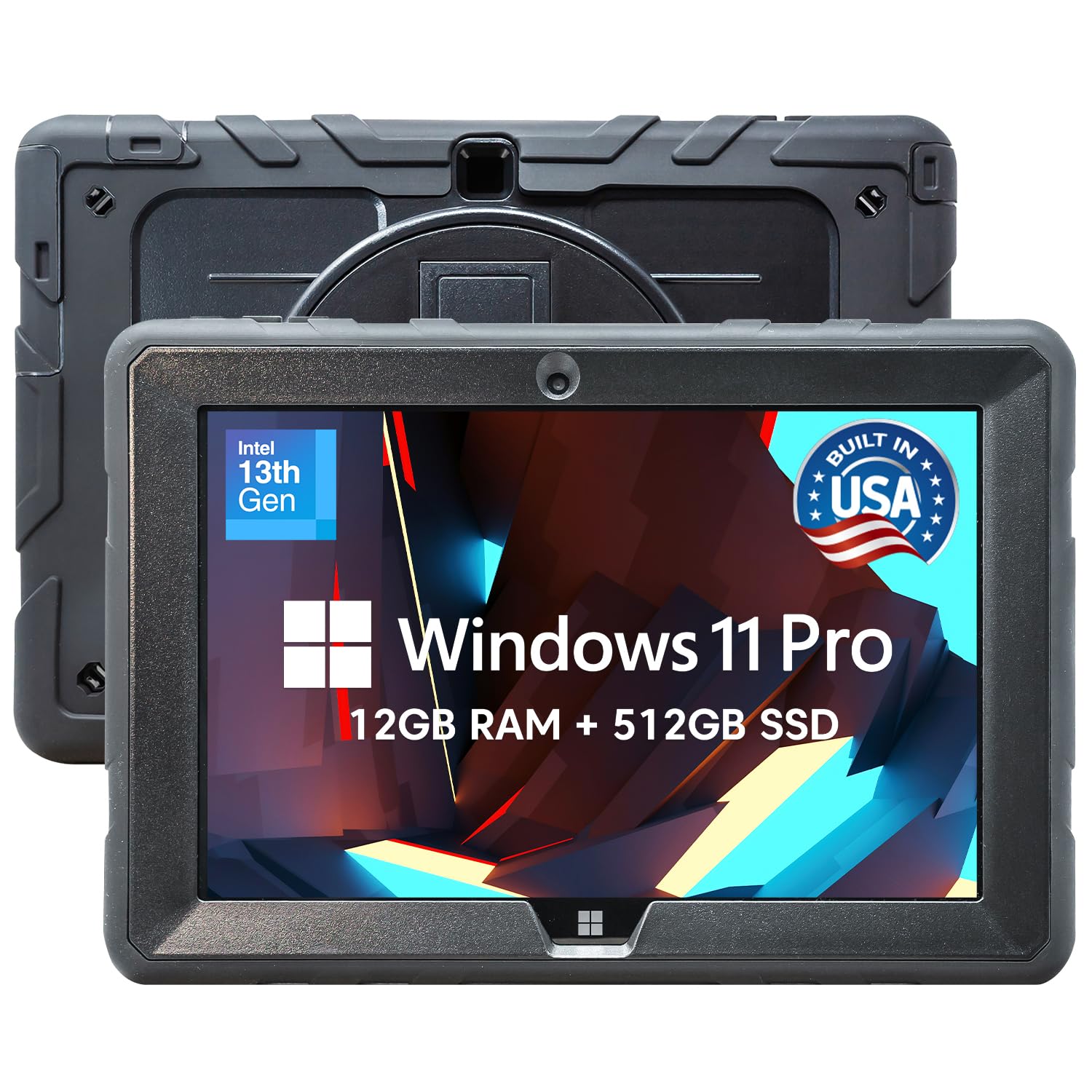
The Fusion5 FWIN232 PRO is a rugged Windows tablet built for demanding environments, not just gaming. It is shockproof, dustproof, and assembled in Florida, USA. The 10.1-inch Full HD IPS display with 500 nits brightness is readable outdoors, and the reinforced corners and protective ports ensure it survives drops, spills, and bumps. The Intel N100 processor, while not a gaming powerhouse, handles light Windows gaming and emulation reasonably well, making it a unique niche option for users who need durability alongside gaming capability.
Performance is adequate for older or less demanding titles. Games like Civilization V, Halo: Combat Evolved, and indie titles run smoothly at native resolution. The 12GB of RAM and 512GB SSD provide decent multitasking headroom, and the microSD expansion allows for a large game library. The included hands-free strap and kickstand make it easy to use in workshops, warehouses, or on construction sites. The 2-year full warranty with accidental damage cover adds significant peace of mind.
The trade-offs are clear. The Intel N100 processor and integrated UHD graphics are not meant for modern AAA gaming. Battery life is around 5 hours, and the device is noticeably heavier than standard tablets due to the rugged build. The Windows 11 Pro operating system is full-featured, but the small 10.1-inch screen can feel cramped for productivity tasks. For a niche audience that needs a tablet that can survive a drop and also play a few games, this is a compelling option.
Why it’s great
- Rugged, shockproof design with accidental damage warranty
- Full Windows 11 Pro OS for compatibility
- Readable 500-nit display for outdoor use
Good to know
- Intel N100 is too weak for modern AAA gaming
- Heavier and bulkier than standard tablets
- Battery life is average
7. Lenovo Idea Tab Pro

The Lenovo Idea Tab Pro is a surprisingly powerful mid-range gaming tablet. Powered by the MediaTek Dimensity 8300 processor, it offers performance that rivals Snapdragon 8-series chips in many gaming scenarios. The 12.7-inch 3K LCD display supports a 90Hz refresh rate and a 360Hz touch sampling rate, which is exceptionally responsive for competitive shooters. The device is PUBG-certified for 90fps gameplay, and it handles Genshin Impact and Call of Duty Mobile with ease at high settings.
Battery life is a standout feature. The 10200mAh cell lasts up to 11 hours of video streaming, and the 45W fast charging gets you back in the game quickly. The quad JBL speakers with Dolby Atmos provide rich, immersive audio. The included Tab Pen Plus is great for note-taking, and the Google Gemini AI assistant integration adds unique features like Circle to Search. The 8GB of RAM and 128GB of internal storage are adequate, but the microSD expansion means storage is not a concern.
There are a few downsides. The LCD display, while sharp, lacks the deep blacks of AMOLED panels. The 90Hz refresh rate is good but not class-leading. Some users report that the proprietary 45W smart charger is required for proper fast charging, and it is sold separately. The tablet is also on the heavier side, making one-handed use tiring. For the price, the Idea Tab Pro delivers exceptional gaming performance and features, making it the best value option on this list.
Why it’s great
- Dimensity 8300 offers flagship-level gaming performance
- 360Hz touch sampling is excellent for shooters
- Huge battery with fast charging
Good to know
- LCD display lacks AMOLED contrast
- Heavy for a tablet
- Charger sold separately for full speed
8. TABWEE 13.4″ Android 16 Tablet Bundle

The TABWEE 13.4-inch Android 16 tablet is a budget-friendly option that offers an enormous screen for media consumption and casual gaming. The 13.4-inch IPS display runs at 120Hz and a 180Hz touch sampling rate, making the user interface feel smooth and responsive. The included bundle — keyboard, mouse, stylus, case, and screen protector — provides everything you need for a 2-in-1 experience out of the box. The 24GB of RAM (8GB physical + 16GB virtual) and 256GB of storage, expandable to 1TB via microSD, is generous for the price point.
Gaming performance is decent for casual titles and older games. The 2.2GHz octa-core processor handles light to mid-range games well, and Android 16 with Gemini AI integration adds some smart productivity features. The 10000mAh battery provides long hours of video playback, and the 18W fast charging is adequate. The 8MP front and 16MP rear cameras are functional for video calls. The large screen is genuinely immersive for movies and streaming.
The main limitation is the processor. It is not in the same league as the Snapdragon 8 Gen 2 or Dimensity 8300, so demanding games will require lower settings. The build quality is plastic, and the brand is less established than Lenovo or Samsung. Some users report that the virtual RAM boost is not as effective as physical RAM. For buyers who prioritize a massive, high-refresh display and all-in-one bundle value over raw gaming horsepower, this is a compelling entry-level choice.
Why it’s great
- Massive 13.4-inch 120Hz display at a low price
- Full bundle includes keyboard, mouse, stylus, and case
- Android 16 with AI features
Good to know
- Processor is not powerful enough for demanding games
- Build quality is plastic
- Virtual RAM boost has limited effectiveness
9. CHUWI MiniBook X
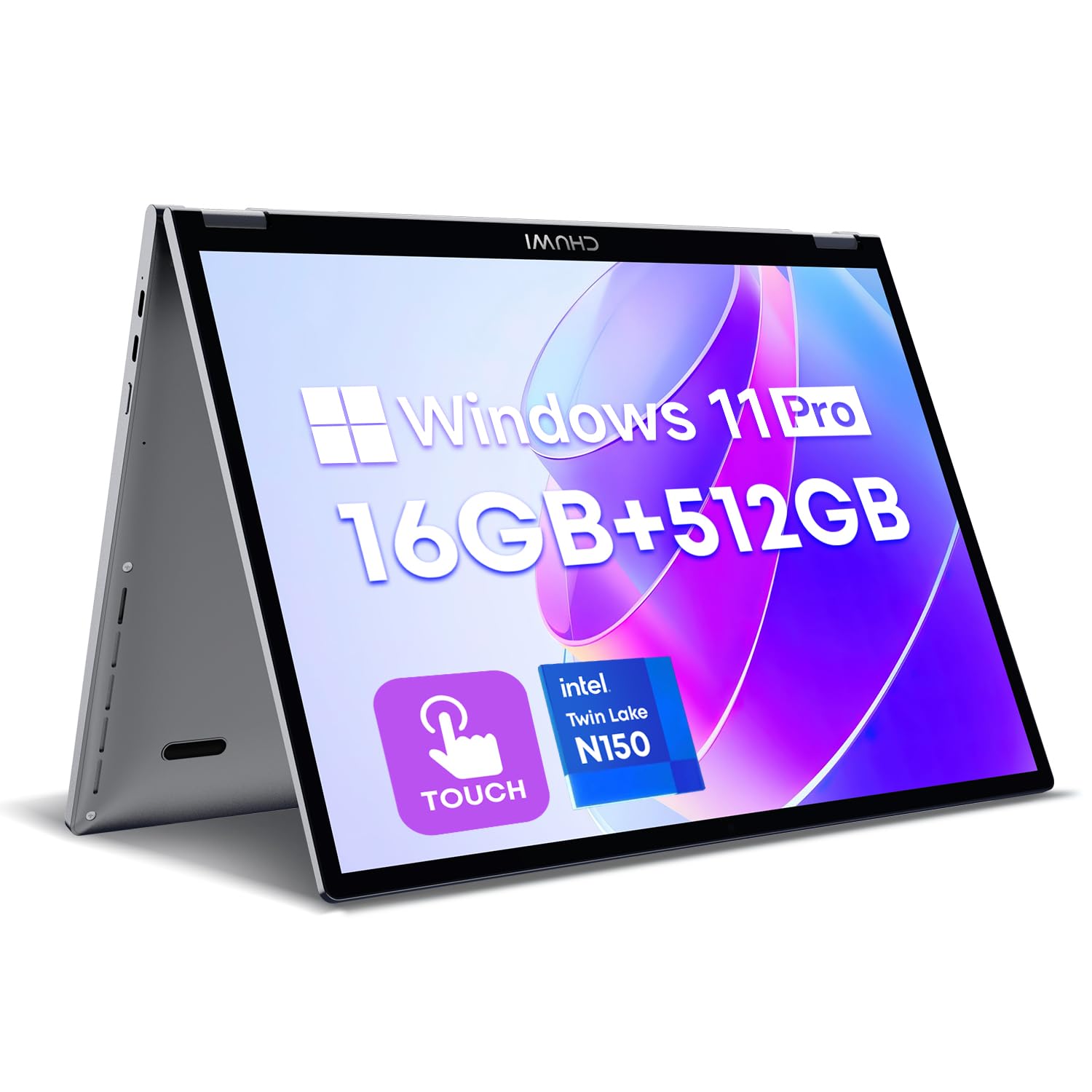
The CHUWI MiniBook X is a tiny 10.51-inch 2-in-1 laptop that folds into tablet mode. It weighs just 1.96 pounds and is incredibly portable, fitting easily into a small bag. The 2K IPS touchscreen with a 16:10 aspect ratio is sharp and color-accurate, covering 100% sRGB. The Intel N150 processor, while not a gaming powerhouse, handles light gaming, emulation, and productivity tasks well. The 16GB of LPDDR5 RAM and 512GB SSD provide smooth multitasking and fast storage.
The 360-degree hinge is sturdy, allowing tent, stand, and tablet modes. The backlit keyboard is comfortable for its size, and the Windows 11 Pro operating system includes Microsoft Office 2024. The dual USB-C ports support charging and display output, and Wi-Fi 6 and Bluetooth 5.2 ensure fast wireless connectivity. Battery life is around 6 hours of light use, which is acceptable for its size. The included stylus is a bonus for note-taking and sketching.
The small screen and keyboard make it less suitable for extended gaming sessions. The integrated UHD graphics can handle older or less demanding games, but do not expect to play modern AAA titles. The fan can be audible under load, and some users report the device running warm. The power button is located near the USB ports, which can lead to accidental presses. For a user who needs a portable 2-in-1 for light gaming and productivity on the go, the MiniBook X is a unique and capable device.
Why it’s great
- Ultra-portable at 1.96 pounds with a 360-degree hinge
- Sharp 2K IPS display with good color accuracy
- Includes Windows 11 Pro and Microsoft Office
Good to know
- Intel N150 is only suitable for light gaming
- Small screen and keyboard feel cramped
- Runs warm under load
10. BNCF NewBook 11

The BNCF NewBook 11 is a budget-friendly Windows 11 2-in-1 that offers a solid entry point into PC gaming and productivity. It features an 11-inch FHD IPS in-cell touchscreen with a 1920×1200 resolution, which is sharp and responsive. Powered by the Intel N150 processor and 12GB of DDR5 RAM, it handles light gaming like Minecraft, Hades, and older titles well. The 512GB NVMe SSD ensures fast boot times and game loads.
The metal body is surprisingly durable for the price, weighing just 635 grams as a tablet. The included magnetic keyboard and kickstand case transform it into a laptop, with a total weight of 1106 grams. Port selection is generous: two USB-C ports, a USB 3.0 port, micro HDMI, and a 3.5mm headphone jack. The dual cameras are functional for video calls. The active cooling system with a large fan and copper heat pipe helps maintain performance without throttling.
The main compromises are in the processor and display. The Intel N150 is not powerful enough for modern AAA gaming, and the 34.2Wh battery provides only a few hours of use. Some users report issues with the keyboard having ghosting or connectivity problems. The brand is less known, which may affect long-term support. For a very low investment, the NewBook 11 offers a usable Windows 2-in-1 experience that can handle light gaming and basic productivity tasks.
Why it’s great
- Very affordable entry point for a Windows 2-in-1
- Sharp 11-inch FHD IPS touchscreen
- Includes magnetic keyboard and kickstand
Good to know
- Intel N150 is weak for modern games
- Short battery life
- Customer reports of keyboard issues
11. KOOFORWAY 8″ Mini Laptop
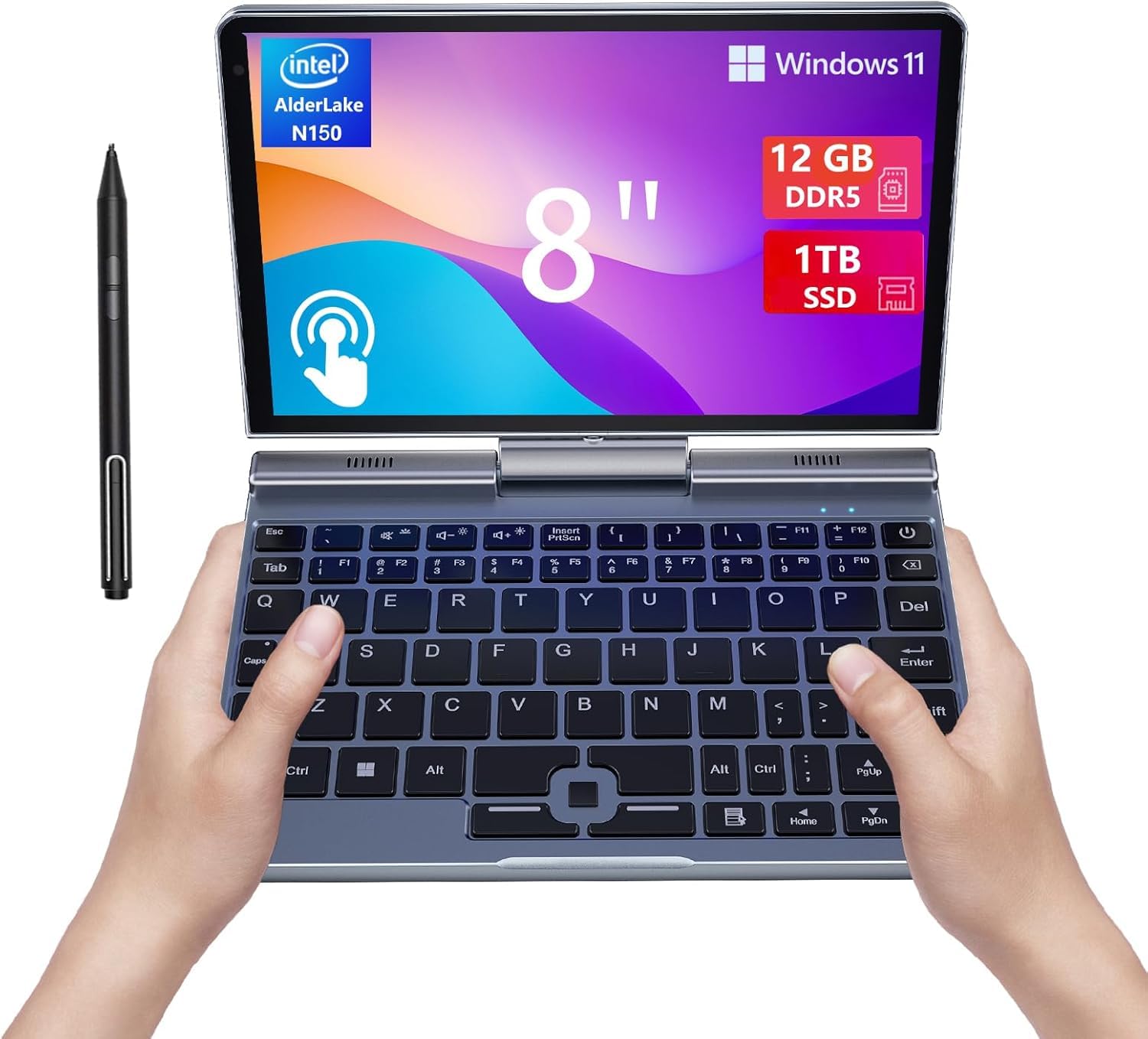
The KOOFORWAY 8-inch mini laptop is the most portable Windows 2-in-1 on this list. It weighs just 0.78 kg and features an 8-inch HD touchscreen that rotates 180 degrees into tablet mode. The Intel N150 processor, 12GB of LPDDR5 RAM, and 1TB SSD provide a surprising amount of performance for such a tiny device. It handles emulation, indie games, and older PC titles well, making it a fun option for retro and portable gaming.
The build quality is excellent for its size, with a CNC-machined full-metal body that feels premium. The included rechargeable stylus pen works well for note-taking and drawing. The backlit keyboard, while tiny, is usable for short typing sessions. Connectivity is strong with Wi-Fi 6, Bluetooth 5.2, USB 3.0, USB-C, and HDMI ports. The 180-degree hinge is sturdy, and the battery provides 4-5 hours of light use. Windows 11 Pro runs cleanly without bloatware.
The small 8-inch screen is the main limitation for serious gaming. The HD resolution (likely 1280×800 or similar) means games will not look as sharp as on larger displays. The battery life is short by modern standards, and the fan can be audible under load. The compact keyboard and trackpad are not ideal for extended use. For a niche user who needs a pocket-sized Windows PC for light gaming on the go, the KOOFORWAY is a unique and well-built choice.
Why it’s great
- Extremely portable at 0.78 kg with a full-metal body
- 1TB SSD and 12GB RAM for fast performance
- Includes stylus pen and runs Windows 11 Pro
Good to know
- 8-inch screen is small for immersive gaming
- Battery life is limited to 4-5 hours
- Keyboard and trackpad are cramped
FAQ
Can a 2-in-1 tablet replace my gaming laptop?
Does a higher refresh rate really matter for mobile gaming?
Which is better for gaming, Windows or Android on a 2-in-1?
Final Thoughts: The Verdict
For most users, the 2-in-1 gaming tablet winner is the ASUS ROG Flow Z13 because it delivers genuine PC gaming performance in a portable slate form, with a dedicated GPU that nothing else in this category can match. If you want the best Android gaming and media experience, grab the Samsung Galaxy Tab S9. And for the best value in a mid-range gaming tablet, nothing beats the Lenovo Idea Tab Pro.