
Our readers keep the lights on and my morning glass full of iced black tea. As an Amazon Associate, I earn from qualifying purchases.
Specs are compiled from manufacturer listings and verified buyer reviews and can change over time — please confirm the key details on the product page before buying.
Sticking a clean, readable label on a jar, cable, or shipping box sounds simple — until you print one that smudges a week later. The challenge is finding a 2″ label maker that prints sharply, withstands daily use, and keeps refill costs low. This guide breaks down the best options, focusing on print technology, app quality, and battery life so you pick the right one the first time.
I’m Min — the founder and writer behind Gadgets Feed. This guide is built by comparing the manufacturers’ published specifications and the patterns across verified customer reviews, so you get each pick’s real strengths and trade-offs instead of marketing spin.
Whether you’re organizing a pantry or running a small business, the right 2″ label maker saves you hours and keeps your space tidy without constant reprints.
Our Picks at a Glance


How To Choose The Best 2″ Label Maker
Small specs like print technology and battery life significantly affect real-world usability. You need to think about how the printer creates text, how you connect to it, and whether the battery can keep up with your projects.
Decide between direct thermal and thermal transfer
Printing technology—direct thermal vs. thermal transfer—is the key decision. Direct thermal printers use heat on special paper, so you never buy ink. Thermal transfer printers use a ribbon and create labels that resist fading and water for years — better for tools or outdoor gear. If you need labels to last a decade outside, thermal transfer wins; for pantry jars, direct thermal is cheaper.
Check the app and its template library
The companion app determines how easily you design and print labels. Look for apps with barcode or QR code support, and a decent library of fonts and icons. Some apps charge for premium icons, while others give you everything free. Since you’ll design labels on your phone, a user-friendly app is worth more than a fancy printer body.
Measure your real label width needs
Most portable label makers print labels from about half an inch up to 2 inches wide. If you need to print large shipping labels or cable wraps, confirm the maximum width before buying. A 2-inch printer handles most home and small business tasks, but check the minimum width too — small cable labels need narrow formats.
Quick Comparison
| Model | Best For | Print Width | Connection | Battery | Amazon |
|---|---|---|---|---|---|
| SUPVAN T50M Pro★ Best Overall | Versatile home and business printing | 3/4″ – 2″ | Bluetooth + USB-C | 1-month battery | Amazon |
| NIIMBOT B1Budget Champion | Budget-friendly portable labeling | 20–50mm (2″) | Bluetooth | 1500 mAh | Amazon |
| Nelko PM220Teacher’s Pick | Classroom and school organization | 23–54mm | Bluetooth | Built-in | Amazon |
| Phomemo M108 | Ultra-light everyday carrying | 3/4″ – 2″ (20–50mm) | Bluetooth + USB | 1200 mAh | Amazon |
| TYPONOS PM240 | Small business with RFID auto-detect | 1″ – 2″ | Bluetooth + USB-C | 1500 mAh | Amazon |
| CLABEL 221D | Desktop barcode printing | 20–50mm | Bluetooth | Desk powered | Amazon |
| MUNBYN FM226 | Dual-color accent printing | 2″ | Bluetooth + Web | Built-in | Amazon |
| NIIMBOT B21 | Cute, palm-sized everyday use | 0.8″ – 2″ | Bluetooth | 4 hours working | Amazon |
| Makeid EP53 | Industrial, fade-resistant labels | 0.4″ – 2″ | Bluetooth + USB-C | 2600 mAh | Amazon |
In‑Depth Reviews
1. SUPVAN T50M Pro
Our pick — over 4★ from 7,500+ verified ratings; the strongest balance of quality and price.
The crowd-pleasing all-rounder that handles everything from spice jars to barcode labels.
The T50M Pro is the most versatile pick here because it prints labels from 3/4-inch up to 2 inches wide, covering storage bins, address labels, and QR codes for a small business. The companion app is completely free, requires no registration, and gives you 30+ fonts, 50+ frames, and 660+ icons to design with. Owners consistently rave about how easy it is to set up and use, with the app earning the most praise of any feature.
Battery life is a standout for a portable printer — a single charge lasts about one month, so you aren’t hunting for a cable every week. It connects via Bluetooth for your phone and USB-C for your laptop, and it prints fast enough that a quick job takes seconds. The print quality is consistently sharp with no smudging, which is exactly what you want when you’re printing 20 labels in a row.
There are two honest caveats to know. The app requires your phone to be fairly close to the printer, and it doesn’t edit well on non-standard wide screens like the Galaxy Z Fold. Also, it works best with the brand’s own tape, though that’s true for most label makers and the payoff is reliable alignment every time.
What wins people over
- The most-praised ease of use, with a quick, easy setup and free app
- One-month battery life means fewer charging stops
- Prints QR codes, barcodes, and logos for home or business
Know before you buy
- Stick to SUPVAN label tape for reliable size detection
- Phone must stay close during printing
Reach for this if: you want one label maker that does jars, cables, addresses, and product barcodes without a steep learning curve.
Look elsewhere if: you need to edit labels on a foldable or unusually shaped phone screen, since that’s the app’s weak spot.
2. NIIMBOT B1
A featherlight pocket printer that solves the hand-addressed mail problem completely.
The NIIMBOT B1 is the top value pick because it delivers solid quality at a very accessible price point. At just 293g, it slips into a pocket, and the built-in 1500 mAh battery delivers up to 100 days of standby time, so it’s ready when you need it. The quality is the thing owners praise most, with the app also earning strong marks for being easy to learn.
You never buy ink or toner for this printer — it uses direct thermal technology (heat prints on the label), so you only need new label rolls. The app gives you 10+ fonts, 100+ borders, plus barcodes and QR codes (scannable squares), covering most home and small business needs. One owner said it “solves that problem COMPLETELY” for mailing addresses, because the labels fit letters perfectly and stay legible.
The main trade-off is batch printing. A few buyers report that printing more than one label at a time misaligns after the first one, so this is more of a single-label-at-a-time tool. Off-brand labels may also not be recognized, so you’ll want to use NIIMBOT’s own tape for clean results.
Bottom line: If your labeling is mostly one-off tasks — a canning jar here, an envelope there — this budget-friendly option does the job well. The quality and ease of use are proven strengths, but don’t rely on it for high-volume batch runs.
Grab it for: anyone who wants a cheap, reliable pocket label maker for occasional home labeling.
Pass if: you plan to print dozens of labels in one go, because the alignment issue makes that frustrating.
3. Nelko PM220
The school-supply specialist with AI tricks and an impressively fast connection.
The Nelko PM220 is the one to grab for classroom and teacher use because the app leans into creativity with 90+ fonts and 14+ languages. It also adds AI-powered features you won’t find on most rivals, like text-to-image, one-click background removal, and OCR text recognition that pulls text from a photo. Buyers single out its performance as the top reason to buy, with ease of use close behind.
Setup is genuinely quick — the printer connects to your smartphone in about 5 seconds, and one owner noted it takes less than 5 minutes to create their first labels. The print width runs from 23mm to 54mm (about 0.91″ to 2.12″), so it covers name tags, folder labels, and bin stickers. An owner using it for oil change reminders found the labels hold up well in the sun and aren’t a pain to remove months later, with excellent battery life.
The catch here is that the print quality gets mixed feedback, so some users find it slightly less sharp than pricier units. It also uses a tight AAA battery compartment, and it’s limited to black-on-white tape, so don’t expect color variety. There’s no charging adapter included, and it’s not meant for fast-charging adapters.
Why owners like it
- Fast 5-second Bluetooth connection
- AI features like text-to-image and OCR for creative labels
- Compact size perfect for kids’ stickers and name tags
The honest limits
- Mixed feedback on print sharpness
- No color options, black-on-white tape only
- Charging adapter not included
Best for: teachers and parents who want creative label designs, fast setup, and AI tools for making custom stickers.
skip it if: you need the absolute sharpest print quality for professional product labels, since that’s not its strong suit.
4. Phomemo M108
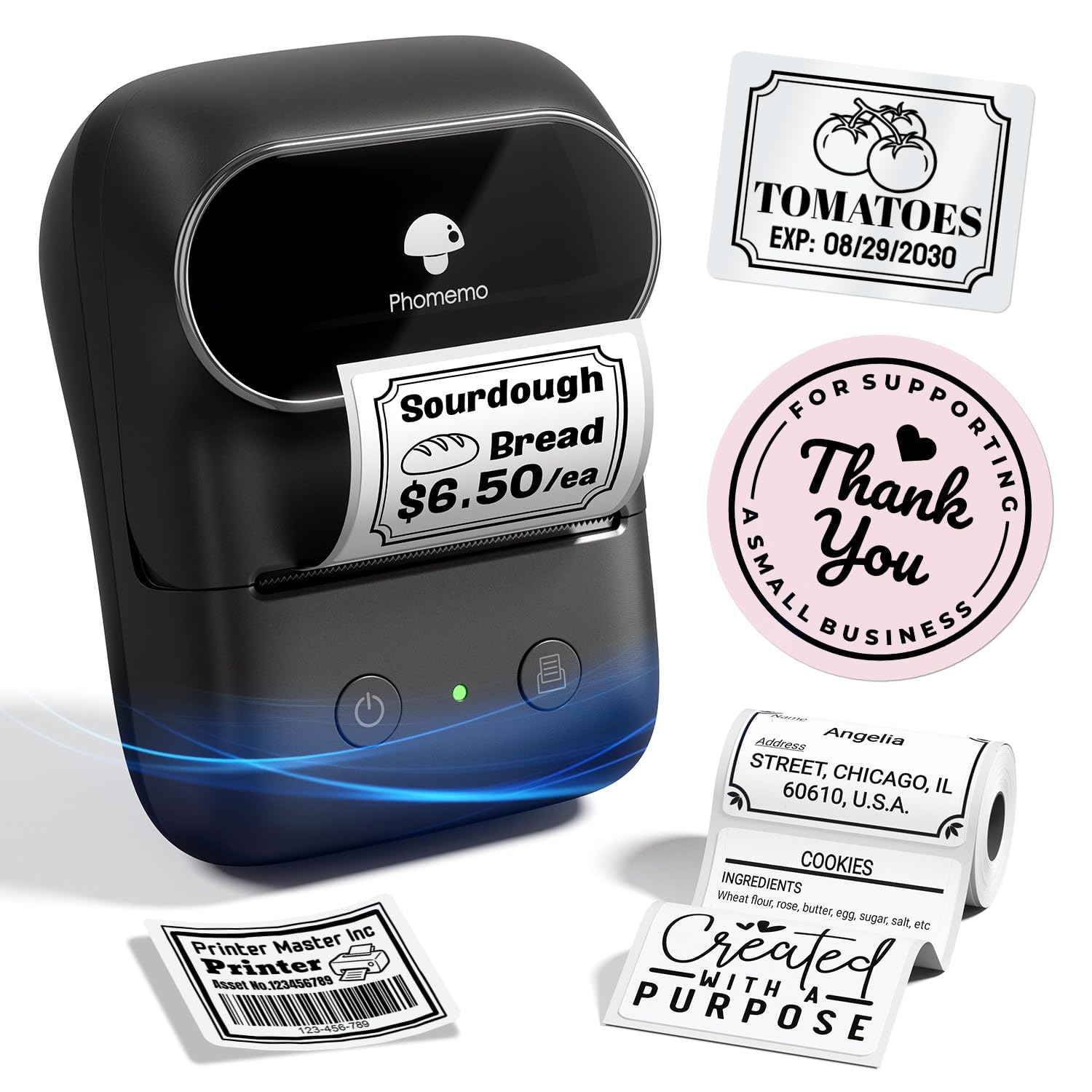
The lightest device here, built for 3D printing nerds and on-the-go organizers.
The Phomemo M108 is the featherweight champion at just 184g, yet it still prints labels up to 2 inches wide — a larger print width than some bigger mini models. The 1200 mAh rechargeable battery delivers up to 6,000 prints per charge, which is enough for serious labeling marathons. Owners highlight its excellent value for money as the top reason to buy, with print quality coming in second.
The “Print Master” app is the real draw, packing 1900+ templates, 7900+ icons, and 550+ fonts. It also has smart OCR that recognizes text from images in 4 seconds, and voice input so you can create labels hands-free. One owner found it perfect for 3D filament swatch labels, and another praised the YouTube tutorials that make learning the app painless.
The honest downside: the included labels are quite small, and larger label rolls may not fit because they lack a spool. Some owners also find labels fade in heat and sun, and the app prompts you to subscribe at times. It connects via Bluetooth 4.0 with a range up to 33 feet, which is solid for most rooms.
The read: For the price, you get an absurd amount of design power in a tiny body. It’s ideal for hobbyists, makers, and anyone who labels constantly and wants the biggest template library available.
Reach for it when: you want the lightest 2″ label maker with a massive template library and voice input.
Think twice if: you plan to print large shipping labels, since the bigger rolls don’t fit without a spool.
5. TYPONOS PM240
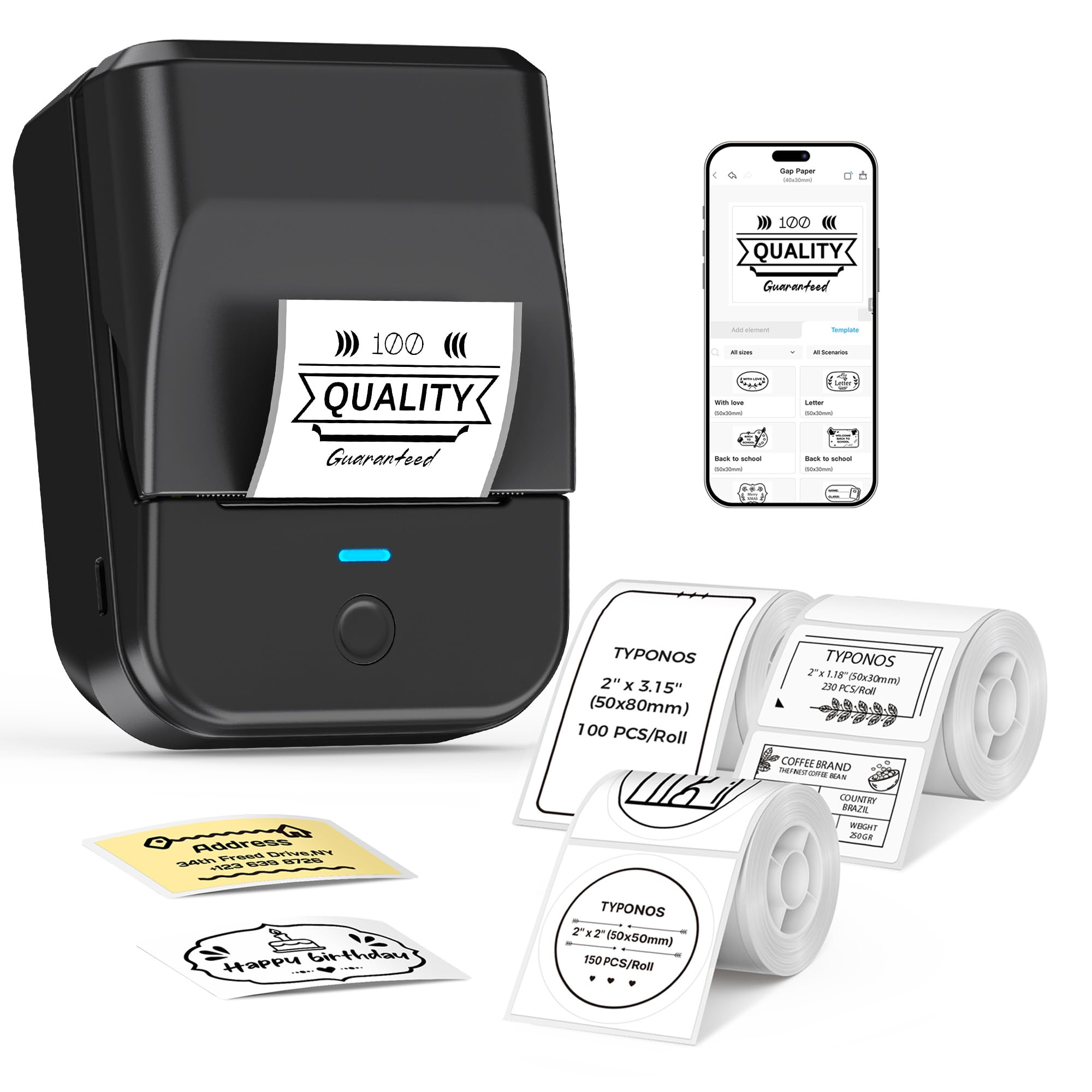
A three-in-one starter kit with RFID chips that auto-detect your label size.
The TYPONOS PM240 ships with 3 label rolls — a 40 x 30mm white, a 50 x 80mm white, and a 50 x 50mm round white — so you can start labeling right from the start. Each label has a built-in RFID chip (a tiny radio tag), so the app detects the size automatically, no manual setup. Buyers rate print quality as the top positive, with ease of use close behind.
Printing is crisp at 203 DPI, and the Labelnize app packs 2500+ icons, 3800+ templates, and 430 fonts. It supports Excel import for batch printing, AI text-to-image, and OCR text recognition, making it a strong pick for small businesses that need price tags and barcodes. Owners describe it as compact, fast, and easy to set up via Bluetooth, with several specifically praising the included spare rolls.
There’s a specific quirk to know: you must not remove the green liner sticker from the label roll, as that can cause printing errors. Also, the device automatically powers off after 30 minutes of inactivity by default, which disconnects Bluetooth — you can adjust that via the app. It weighs just 207g and has a 1500 mAh battery with up to 100 days standby, so it’s definitely portable.
What makes it special
- Comes with 3 label rolls, including round labels
- RFID chips auto-detect label size, no manual setup
- Excel import and batch printing for business use
Watch out for
- Auto power-off after 30 minutes disconnects Bluetooth
- Don’t remove the green liner sticker on labels
Choose it for: a small business owner who wants RFID auto-detection, batch printing, and enough tape to start immediately.
Not for: anyone who wants to leave the printer connected and idle for long stretches without touching the app settings.
6. CLABEL 221D
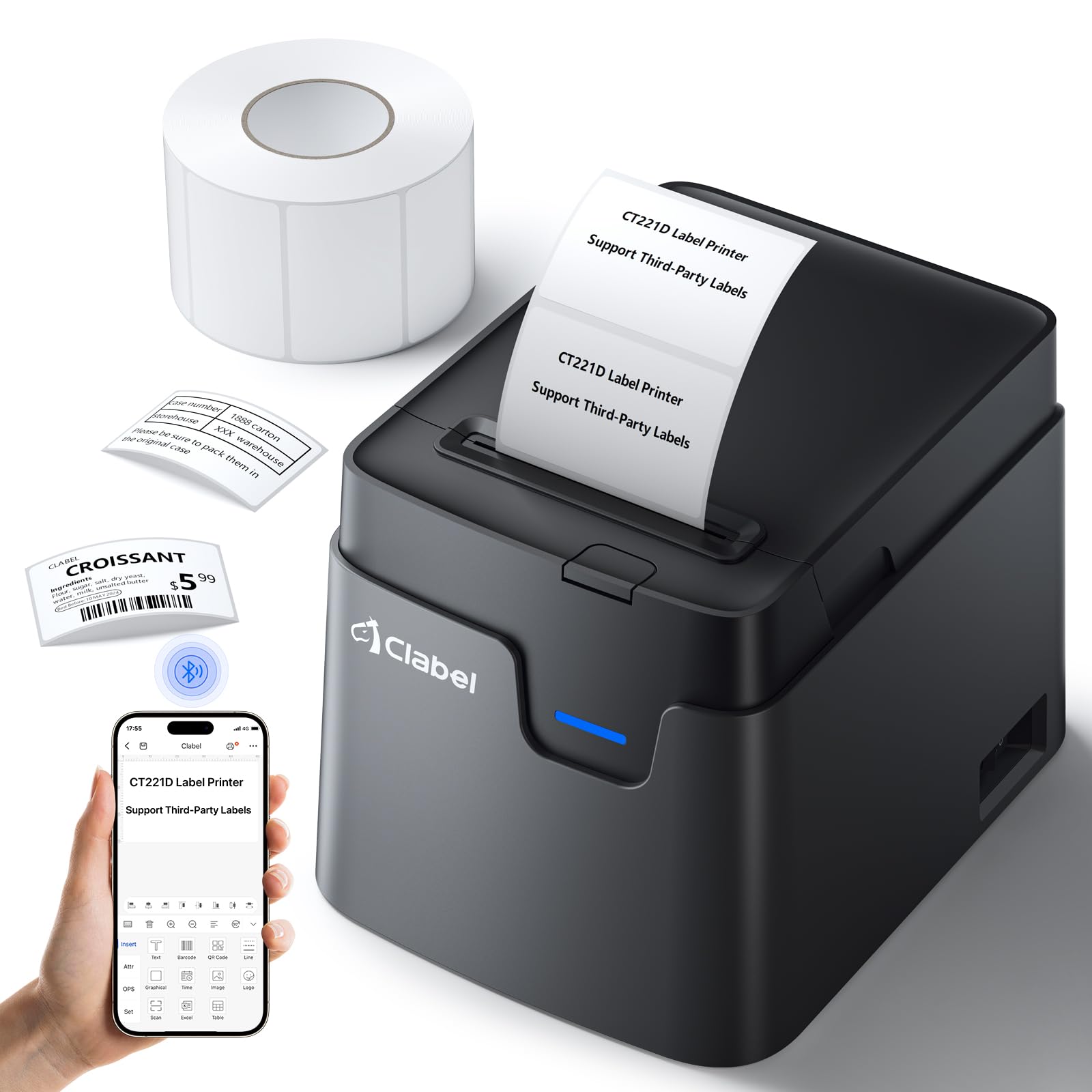
A desktop workhorse that prints barcodes and reuses the label rolls you already own.
The CLABEL 221D takes a different approach: it’s a desktop printer rather than a pocket gadget, and its whole pitch is cost-saving flexibility. It prints self-adhesive labels 20–50mm wide and 15–150mm high, and critically, it lets you use label paper from any brand — no locked-in consumables. Setup takes less than 5 minutes, and the compact, lightweight body lifts with one hand to move around your desk.
The “clabel trade” app includes a powerful scan function, 11 font styles, 58 multi-templates, and over 300 icons, with support for barcodes, QR codes, and Excel printing. The maker claims no registration is required, and the R&D team updates the software regularly. One owner praised the excellent print quality for the price, tested it with Windows 11, and confirmed it prints directly from the web.
Honesty requires noting that this one has the most divided reviews on this list. The app’s user-friendliness gets mixed feedback, and reliability is a recurring concern — some owners mention an “out of paper” error despite a full roll, or crooked labels. It’s also important to know one buyer found the initial unit didn’t fit 2-inch labels, only 48mm, though a replacement worked perfectly, so quality control varies between units.
Who it’s for: someone who wants a fixed desktop printer for barcode-heavy work and wants to save on label costs by using generic rolls. Be prepared for a possible learning curve with the app.
Best if: you run a small operation and want a barcode printer that accepts any brand of label roll.
Think twice if: you expect a plug-and-play experience, since setup and reliability are the biggest complaints.
7. MUNBYN FM226
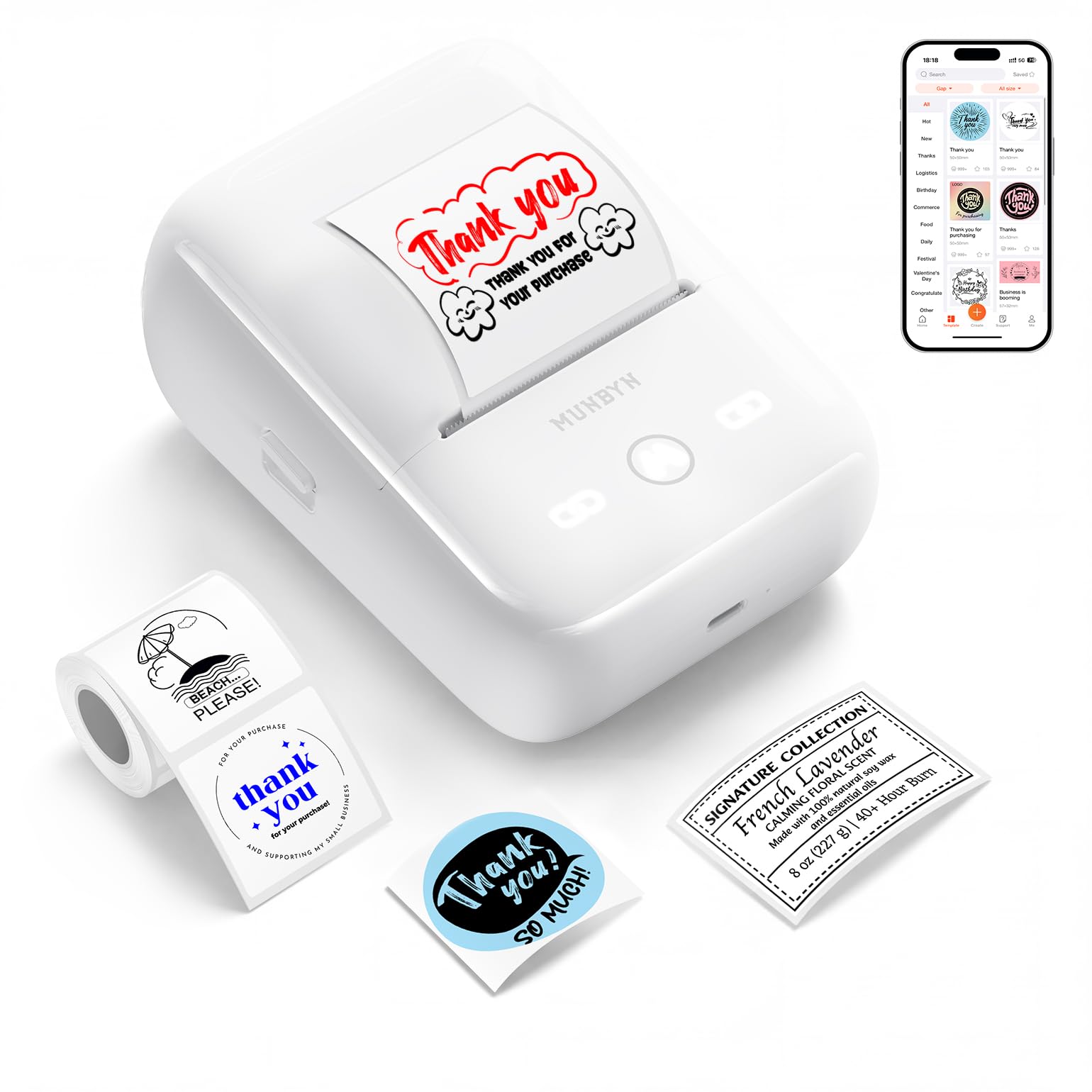
The rare compact printer that adds a red accent color to your labels.
The MUNBYN FM226 is the most distinctive pick on this list because it supports red/black and blue/black two-color printing. That’s a real advantage for expiration date labels, warning icons, or shipping labels that need an accent color to stand out. Print quality is the most-praised feature, with owners calling it top-notch, and the app interface is easy to use.
The no-hidden-fees approach is refreshing: the app gives you free access to 1000+ templates, 3500+ icons, and 80+ fonts with zero subscription required. It also connects via Web Bluetooth for Windows or Mac computers, meaning driver-free printing directly in your browser. One owner famously printed 120 labels in no time, and another says it prints reliably from 20 feet away with long battery life.
The key limitation is that dual-color mode only works with official MUNBYN dual-color thermal labels; standard labels print in monochrome black. A few owners note the print quality isn’t razor-sharp around edges, so it’s fine for family use but may fall short for professional projects. Text centering is also a known minor complaint.
Standout strengths
- Dual-color printing for red/black or blue/black labels
- Zero subscription, all templates and fonts free
- Driver-free Web Bluetooth for Windows and Mac
Keep in mind
- Dual-color mode needs official MUNBYN two-color labels
- Edge sharpness is decent but not professional-grade
- Text centering can be slightly off
Pick it for: small business owners who want eye-catching accent colors on shipping labels without paying subscription fees.
pass on it if: you need photo-sharp print quality for professional project labels, since this leans more toward practical family use.
8. NIIMBOT B21

A vintage-styled cutie that fits in a palm and prints labels for every holiday.
The NIIMBOT B21 is the style pick of the group, with owners describing its appearance as cute and vintage-looking — one even bought it for a teacher niece who loves it. It supports label widths from 0.8 inches up to 2 inches, and the app quality is overwhelmingly the most-praised feature, with 20+ fonts and 1000+ image materials. Owners say it connects to phones in seconds and prints fast.
Battery life is rated at 4 hours of continuous working time, with an auto-shutdown after 15 minutes of pause to save power. Thermal printing eliminates ink and toner purchases, cutting printing costs by up to 70%. The app includes image recognition and Excel batch printing, plus the ability to scan and identify 1D and 2D codes, converting text in photos directly into editable text.
The catch is that some owners find the lettering occasionally unclear or off-center due to paper misalignment, and the labels aren’t waterproof or alcohol-proof — they last best on dry surfaces. Also, the cuter borders and icons require a paid VIP upgrade, which is a common gripe. It weighs just 9.6 ounces, so it’s genuinely palm-sized for on-the-go labeling.
The verdict: If you want a charming, compact printer for scrapbooking, party labels, and classroom use, this is a delight. Just know the fancier designs cost extra and the labels prefer dry environments.
Reach for it if: you want a cute, palm-sized label maker for crafts, gifts, and creative projects where the app’s free designs are enough.
Look elsewhere if: you need waterproof labels or want all borders and icons without any paid VIP access.
9. Makeid EP53
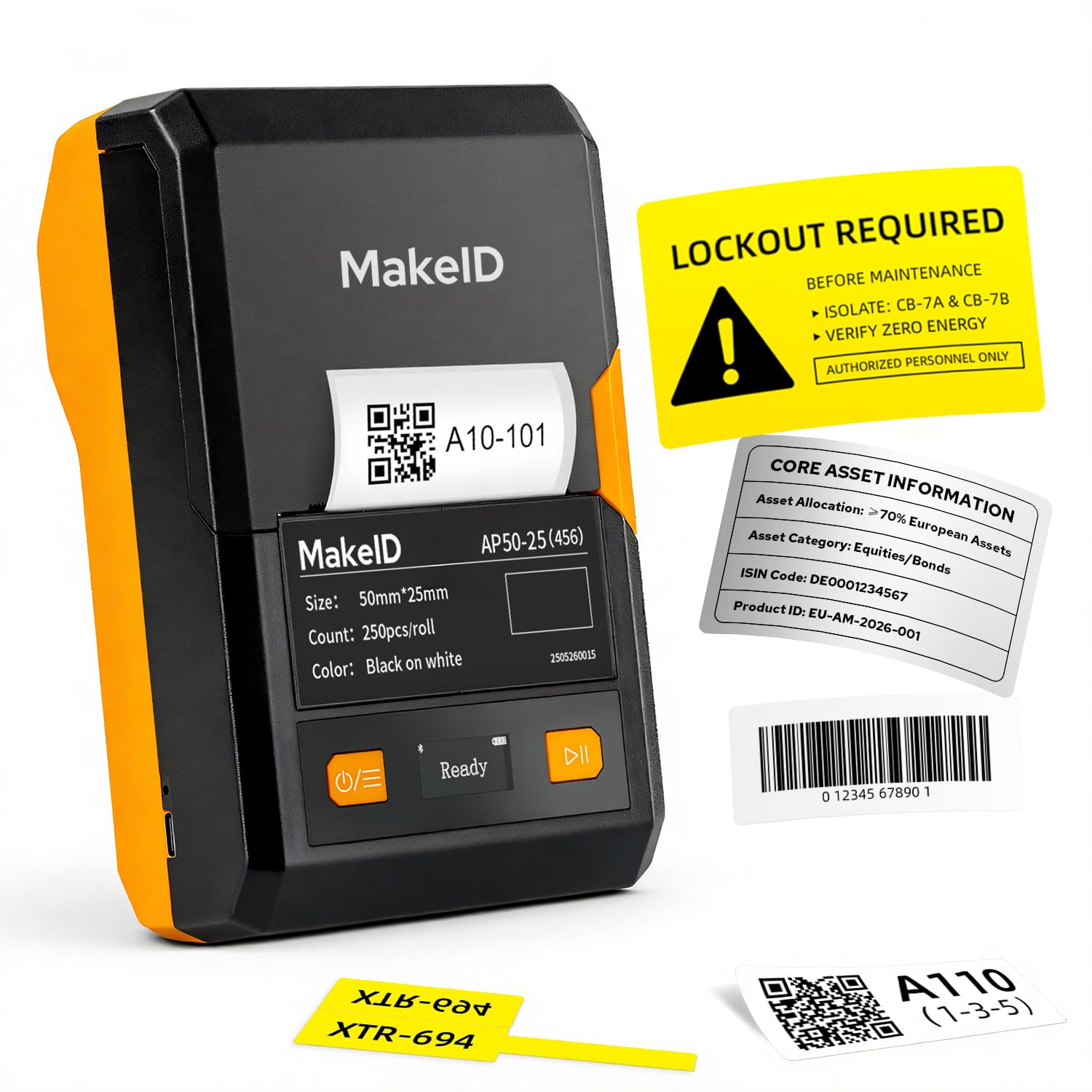
The sharpest printhead in the lineup, built for labels that must survive for a decade.
The Makeid EP53 is the premium powerhouse here, and its defining spec is the 300 DPI print resolution — noticeably sharper than the 203 DPI on most rivals, so tiny barcodes and text stay readable. It uses thermal transfer technology, which produces 10-year fade-resistant, water-resistant labels, perfect for kitchen storage, cables, tools, and equipment used indoors and outdoors. It’s the only pick here that supports PET, nylon, self-laminating, and flag labels.
The built-in 2600 mAh battery is the largest on this list, providing up to 90 days of standby, and the integrated cartridge system makes swapping labels quick. It prints labels from 0.4 to 2 inches wide, which covers very narrow cable labels up to standard shipping tags. Owners praise the print quality as exceptionally clear with no smudging, and one uses it to create QR codes for WiFi hotspots.
The honest caveat is use-case fit. One owner notes the labels aren’t the best quality for heavy industrial work, describing them as good for temporary tasks. It’s also the most expensive option here, so it’s only worth it if you actually need fade-resistant, weather-proof labels. The app includes 48 templates, 200+ icons, and 20+ fonts, with bulk data import for batch labeling.
Why it earns the premium
- 300 DPI for the sharpest text and barcodes
- Thermal transfer labels resist fading and water for up to 10 years.
- Largest 2600 mAh battery with 90 days standby
The trade-off
- Highest price in this lineup
- Labels better for temporary tasks than heavy industrial use
Go for it if: you label equipment, cables, or outdoor tools and need crisp, weather-resistant text that won’t fade.
Not for you if: you’re just organizing pantry jars at home, since the premium features would go unused.
Understanding the Specs
Direct Thermal vs. Thermal Transfer
Direct thermal printers use heat to darken special paper, so they need no ink or toner — that’s the cheapest way to label jars, folders, and bins. Thermal transfer printers use a ribbon that melts onto the label, creating text that resists fading and water far longer. If your labels face sun, moisture, or years of handling, thermal transfer like the Makeid EP53 is the durable choice.
DPI: Print Sharpness Explained
DPI means dots per inch, or how many tiny dots the printer packs into every inch of a label. Most portable label makers print at 203 DPI, which is perfectly readable for most tasks. A 300 DPI printer like the Makeid EP53 packs more dots, so very small text and barcodes come out noticeably crisper — worth it if you print tiny cable labels or detailed codes.
mAh: Battery Life in Real Terms
mAh stands for milliamp-hours, a measure of how much energy a battery stores. A higher number, like 2600 mAh on the Makeid EP53, generally means longer use between charges. But the actual printing time depends on how much you print — the NIIMBOT B21 rates its battery at 4 hours of continuous work, while others give standby estimates like 90 or 100 days.
Proprietary Tape: The Hidden Cost
Many label makers require a specific brand of label tape to work reliably. The NIIMBOT B1 explicitly supports only its own thermal paper, and the SUPVAN works best with its branded tape. Some printers like the CLABEL 221D accept any brand, which can save money. Check the tape requirement before buying so you know your long-term refill costs.
FAQ
Will a 2 inch label maker work with my phone?
Do thermal label makers need ink or toner?
How long does the battery last on a portable label maker?
What’s the difference between 203 DPI and 300 DPI print quality?
Can I use off-brand label tape with these printers?
Are the labels waterproof and durable?
Which label maker is best for a small business?
How wide can these label makers actually print?
Can I print barcodes and QR codes with these printers?
Final Thoughts: The Verdict
For most people, the 2″ label maker winner is the SUPVAN T50M Pro because it balances a one-month battery, a completely free app, and reliable prints across home and business tasks. If you want durable, fade-resistant labels for tools and cables, grab the Makeid EP53 for its 300 DPI sharpness. And for a budget-friendly pocket option, the NIIMBOT B1 is the one to reach for when price matters most.
How We Picked
We do not accept paid placement. Every pick is matched to a real buyer and a real use-case; we do not hands-on test units.
Sources & Methodology
Specifications: manufacturer listings and product documentation. Review insights: verified customer reviews, as of August 2026. Pricing: not shown on this page (it changes often); check the current price via the retailer link.
As an Amazon Associate, Gadgets Feed earns from qualifying purchases. This does not affect which products we feature.