
Our readers keep the lights on and my morning glass full of iced black tea. As an Amazon Associate, I earn from qualifying purchases.
Specs are compiled from manufacturer listings and verified buyer reviews and can change over time — please confirm the key details on the product page before buying.
An external hard drive is the one place you trust with everything — photos, work files, game libraries, years of memories. But the difference between a drive that quietly fails in six months and one that lasts for years depends on a few concrete specs buried in the product description. This guide breaks down exactly what matters for a 2 tb external hard drive, comparing real transfer speeds, shock protection ratings, and software features so you can pick the right one without the guesswork.
I’m Min — the founder and writer behind Gadgets Feed. This guide is built by comparing the manufacturers’ published specifications and the patterns across verified customer reviews, so you get each pick’s real strengths and trade-offs instead of marketing spin.
if you need a rugged travel companion for field work or a simple plug-and-play backup drive for your desk, knowing the difference between a 90 Megabits Per Second transfer rate and a 5 Gigabits Per Second connection is the key to buying the right 2 tb external hard drive for your setup.
Our Picks at a Glance


How To Choose The Best 2 TB External Hard Drive
Not all 2 TB external drives are built the same. Some are designed to sit on a desk and transfer files slowly but reliably, while others are built to survive a drop onto concrete and move data at hundreds of megabytes per second. Here are the three specs that separate a good buy from a regret.
Transfer Speed: The Real Bottleneck
The data transfer rate tells you how fast you can copy a movie or a folder of photos. Look at the raw number — a drive with a fast USB 3.1 interface can transfer a 10 GB file in about 17 seconds, while one rated at 90 Megabits Per Second will take over 15 minutes. The difference between Megabits (Mb) and Megabytes (MB) is huge: 8 Megabits equals 1 Megabyte. A drive with a 5 Gigabits Per Second connection can handle large video files or game installs without forcing you to wait.
Durability Ratings: What “Rugged” Actually Means
If you travel with your drive or toss it in a bag, look for an IP rating (a standard that measures how well the drive resists dust and water) and a military-grade shock resistance standard like MIL-STD-810G. IP68 means the drive is completely dust-tight and can survive being submerged in over a meter of water for 30 minutes. A drive without these ratings will not survive a spill or a drop from a table.
Software and Security: More Than Just Storage
Some drives are pure plug-and-play — you connect them and drag files over. Others include backup software with ransomware defense (a tool that detects and blocks software that tries to encrypt your files for ransom), password protection, and hardware encryption (built-in scrambling that makes your data unreadable without the correct password, even if the drive is stolen). If you store sensitive documents or want automated backups, the extra software makes a real difference.
Quick Comparison
| Model | Best For | Data Transfer Rate | Durability | Cache Memory | Amazon |
|---|---|---|---|---|---|
| Seagate Portable★ Best Overall | Simple plug-and-play with Rescue Service | 130 Megabytes Per Second | Standard portable design | 2 | $149.99Amazon |
| SP Silicon Power Armor A60Top Performer | Rugged high-speed use | USB 3.0 | Military-grade shockproof, IPX4 | 2 | $145.97Amazon |
| Transcend StoreJet 25M3S | Fast backups with one-touch button | USB 3.1 | Three-stage shock protection | 2 | $133.99Amazon |
| WD My Passport | Security and backup software | 5 Gigabits Per Second (USB 3.1) | Slim durable design | 2 | $144.32Amazon |
| WD Elements | Budget-friendly plug-and-play | 5 Gigabits Per Second | Compact and lightweight | 1 | $143.16$164.99Amazon |
| ADATA HD710 Pro | Extreme outdoor durability | 90 Megabits Per Second | IP68, MIL-STD-810G | 2 | $109.99$125.00Amazon |
| Toshiba Canvio Basics | No-fuss desktop storage | 5 Gigabits Per Second | Sleek, smudge-resistant finish | 2 | $189.90Amazon |
In‑Depth Reviews
1. Seagate Portable 2TB External Hard Drive HDD — USB 3.0 (STGX2000400)
Our pick — over 4.5★ from 271,500+ verified ratings; the strongest balance of quality and price.
The straightforward plug-and-play drive that needs zero setup and includes data rescue coverage.
With over 271,000 ratings and a 4.6 out of 5 star average, the Seagate Portable is the most popular drive on this list by a wide margin. The data transfer rate is 130 Megabytes Per Second — noticeably slower than the 600 Megabytes Per Second Transcend StoreJet, but perfectly adequate for backing up documents, photos, and occasional movie transfers. For most daily use, the difference is a matter of seconds per file rather than minutes.
The drive is compatible with Windows, Mac, PlayStation 5, and Xbox consoles right from the start. You connect the included 18-inch USB 3.0 cable and the computer recognizes it automatically — no software installation, no formatting required. Unlike the SP Silicon Power Armor A60 which needs a reformat for Mac users, the Seagate works immediately with both operating systems. The included 1-Year Rescue Service is a standout feature: if the drive fails and you cannot access your files, Seagate attempts data recovery for you. The cache memory installed size is 2, matching the Toshiba Canvio Basics and the WD My Passport, but the WD Elements only has a cache of 1.
Owners mention the drive runs a bit warm during extended transfers and the plastic shell feels basic compared to the aluminum WD My Passport. But for someone who wants the widest device compatibility and a safety net if things go wrong, this is the easiest recommendation.
Ease of Use
- True plug-and-play with Windows, Mac, PS5, and Xbox — no setup needed
- 1-Year Rescue Service for data recovery if the drive fails
- Highest review count (271,680 ratings) on the list with a 4.6 average
Speed Trade-Off
- 130 Megabytes Per Second is slower than the Transcend and SP Silicon Power drives
- Plastic build feels less sturdy than the aluminum WD My Passport
Best for non-technical users and multi-platform setups: If you want a drive that works on any computer or console without thinking about file systems, this is the most low-maintenance option.
Not for speed-dependent tasks: Frequent large file transfers or game installs will feel noticeably slower than the SP Silicon Power Armor A60.
2. SP Silicon Power 2TB Rugged Portable External Hard Drive Armor A60
The fastest rugged drive on this list, built to survive drops without sacrificing speed.
If you need to move large game installs or video files quickly, the data transfer rate here is 5000 Megabits Per Second — that is a 55.6x gap over the ADATA HD710 Pro which tops out at 90 Megabits Per Second. For a 50 GB game folder, the Armor A60 will finish the transfer in under two minutes while the ADATA drive would take well over an hour. This drive is compatible with Xbox One, Xbox Series X/S, PS4, and PS5 consoles, making it a direct fit for gamers who want external storage that keeps up with modern load times.
The rugged build includes military-grade shockproof protection and an IPX4 water-resistant rating (meaning it can handle splashes from any direction, though it is not designed for submersion). The cable-carry design tucks the USB cable right into the drive body, so you never show up to a friend’s house without the cord. Buyers report the drive survives being dropped from desk height onto hard floors without data loss, which matches the MIL-STD-grade claim.
One thing to know: for Mac users, the drive ships formatted as NTFS (a Windows-native file system), so you will need to reformat it before it works with macOS. That is a quick one-time step, but it is worth flagging if you are strictly in an Apple ecosystem.
Speed Meets Durability
- Fast USB 3.0 transfer speeds
- Military-grade shockproof and IPX4 water-resistant
- Built-in cable management — no separate cord to lose
One Setup Catch
- Needs reformatting for Mac users from the start
- Plastic/rubber enclosure may feel less premium than aluminum drives
Best for gamers and creators: If you regularly move large files between consoles or PCs and want a drive that can handle a few bumps, this is the fastest option available.
Not ideal for Mac-only users: You will need to spend a few minutes reformatting before first use, which adds a minor setup step.
3. Transcend StoreJet 2TB Rugged External Hard Drive, USB3.1(5Gbps) Portable HDD (TS2TSJ25M3S)

A fast, shock-protected drive with a dedicated button for one-touch backups.
The data transfer rate here is 600 Megabytes Per Second — that is a 4.6x gap over the Seagate Portable which delivers 130 Megabytes Per Second. For a 10 GB project folder, the StoreJet finishes in about 17 seconds versus roughly 77 seconds on the Seagate. The USB 3.1 Gen 1 interface (a version of USB that supports up to 5 Gbps, enough for fast file transfers on modern computers) ensures the drive does not become a bottleneck during daily backups.
The three-stage shock protection system uses a combination of a rubber outer casing, internal suspension dampers, and a rigid frame to absorb impact. Unlike the SP Silicon Power Armor A60 which prioritizes raw speed above all, the StoreJet adds a physical one-touch auto-backup button on the drive itself — press it once and the included Transcend Elite software (the brand’s data management tool) starts copying your designated folders. It also comes with RecoveRx, a data recovery utility that can help retrieve accidentally deleted files.
Buyers mention the rubberized surface gives a secure grip and the drive feels solid in hand, though the plastic-and-rubber enclosure is not as premium-feeling as the aluminum-shelled WD My Passport. The StoreJet is an excellent middle ground for users who want fast transfer speeds plus automated backup without installing third-party software.
Smart Backup Features
- Fast USB 3.1 transfers
- One-touch backup button with included software
- Three-stage shock protection system for drops
Build Feel
- Plastic/rubber enclosure is less premium than metal drives
- No IP water-resistance rating for submersion protection
Reach for this if you value speed plus automation: The combination of 600 MB/s transfers and a dedicated backup button makes this ideal for users who want fast, scheduled backups without remembering to do it manually.
Look elsewhere if you need waterproofing: Unlike the ADATA HD710 Pro, this drive lacks an IP68 rating and should not be used near water.
4. WD 2TB My Passport, Portable External Hard Drive, Black (WDBYVG0020BBK-WESN)

A slim aluminum drive with built-in ransomware defense and hardware encryption for sensitive files.
While the SP Silicon Power Armor A60 leads on raw speed, the WD My Passport is the better choice if data security is your priority. The included device management software comes with defense against ransomware (a type of malicious software that encrypts your files and demands payment) and password protection backed by hardware encryption (built-in scrambling that renders data unreadable without the password, even if the drive is physically removed). This is not the same as simple software password locks — hardware encryption means the data stays encrypted at rest regardless of the computer it is plugged into.
The USB 3.1 connection supports transfers up to 5 Gigabits Per Second, keeping file copies reasonably fast for a standard portable drive. The slim enclosure is made of aluminum, which gives it a more premium feel compared to the plastic-and-rubber designs of the Transcend StoreJet or the SP Silicon Power Armor A60. The drive comes with a 3-year limited warranty, matching the Transcend’s EU spare part availability duration of 3 Years and outpacing the Seagate’s 1-Year Rescue Service.
Buyers consistently report the drive is whisper-quiet during operation and runs cool even after hours of continuous file transfer. The main trade-off: unlike the ADATA HD710 Pro, the My Passport has no IP68 waterproofing or MIL-STD-810G drop rating, so it is best kept on a desk or in a padded bag compartment rather than tossed loose into a backpack.
Security-First Design
- Hardware encryption and password protection for sensitive data
- Backup software with ransomware defense built in
- Slim aluminum enclosure with 3-year warranty
Vulnerable to Rough Handling
- No waterproofing or military-grade shock resistance
- Slower raw transfer speed than the SP Silicon Power Armor A60
Ideal for professionals handling confidential files: The hardware encryption and ransomware defense make this the go-to drive for documents that should not fall into the wrong hands.
Not for outdoor or heavy travel use: skip it if you need a drive that can survive being dropped or exposed to water.
5. WD 2TB Elements Portable External Hard Drive for Windows, USB 3.2 Gen 1 (WDBU6Y0020BBK-WESN)

An entry-level drive that delivers a USB 3.2 Gen 1 connection at a budget-friendly price point.
The WD Elements is the stripped-down sibling of the My Passport — it keeps the SuperSpeed USB 3.2 Gen 1 (5Gbps) connection but drops the backup software, password protection, and hardware encryption. The data transfer rate of 5 Gigabits Per Second matches the Toshiba Canvio Basics and is much faster than the Seagate Portable’s 130 Megabytes Per Second, but it has a cache memory installed size of 1 compared to the cache of 2 found on most other drives here. For sequential file transfers (copying one large file at a time), the cache difference is negligible, but during heavy multitasking the smaller cache can cause slightly slower performance when writing many small files.
The drive is designed for Windows from the start, though it can be reformatted for Mac. The compact plastic enclosure is lightweight and small enough to slip into a pocket or laptop bag — a contrast to the chunkier rubber-armored SP Silicon Power Armor A60. The 2-year warranty is standard for this tier, and the drive has racked up over 164,789 ratings with a 4.7 out of 5 average, making it among the most trusted entry-level picks.
Customers note it runs cool and silent during normal use. The catch is the lack of any data recovery service, which the Seagate Portable includes with its 1-Year Rescue Service — if this drive fails, recovery is on you.
Reliable and Affordable
- Fast 5 Gigabits Per Second USB 3.2 Gen 1 connection
- Compact and lightweight plastic enclosure for easy portability
- Over 164,000 ratings with a 4.7 average — strong user trust
No Extra Features
- No backup software, password protection, or hardware encryption
- No data recovery service — unlike the Seagate’s 1-Year Rescue
For budget-focused buyers who need basic storage: If you just want a fast, reliable drive for files without paying for software or encryption you will not use, the Elements is the value pick.
Pass if you want security features: The My Passport costs more but adds hardware encryption and ransomware defense that this drive lacks.
6. ADATA HD710 Pro – 2 TB External Hard Drive – Shockproof, Waterproof & Dustproof (AHD710P-2TU31-CBK)
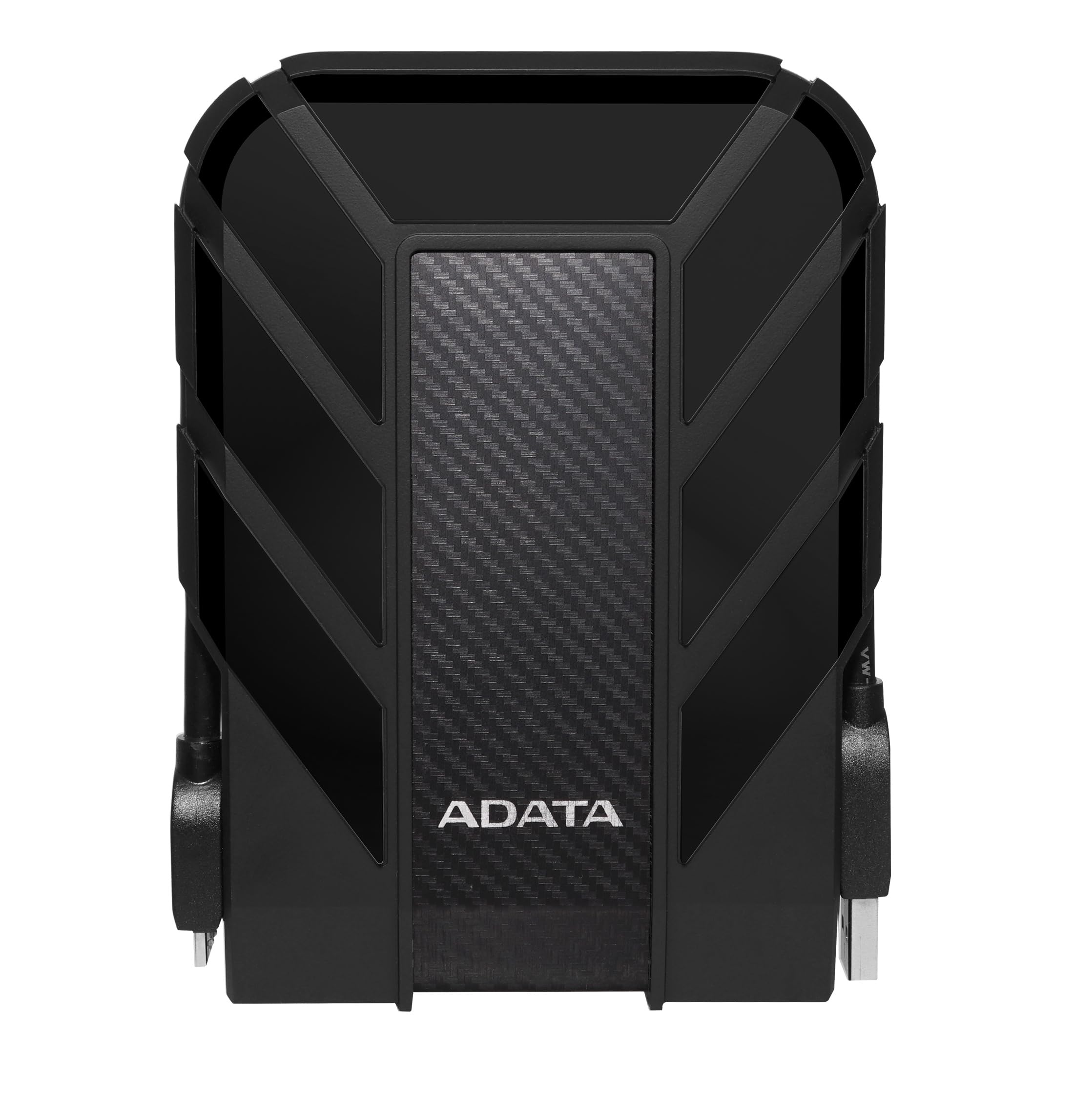
The most physically protected drive here, with IP68 waterproofing and military-grade shock resistance.
If your external hard drive spends time in a tool bag, a boat, or a job site, the ADATA HD710 Pro is built for those conditions. It carries an IP68 waterproof and IP6X dustproof rating (meaning it is fully sealed against dust and can survive being submerged in over 1 meter of water for 30 minutes) plus MIL-STD-810G 516.6 shock resistance (a military standard that tests survival after 26 drops from 4 feet onto plywood over concrete). The triple-layered construction uses an aluminum and glass enclosure wrapped in a thick rubber bumper. This is a noticeably tougher build than the plastic WD Elements or the slim aluminum My Passport.
The trade-off for that extreme durability is speed. The data transfer rate is 90 Megabits Per Second — compared to the SP Silicon Power Armor A60’s fast USB 3.0 interface. A 10 GB file transfer that takes the Armor A60 roughly 16 seconds will take the ADATA about 15 minutes. This drive is designed for one job: keeping your data alive in harsh environments. It is not designed for fast daily file shuffling. The USB 3.1 interface supports compatibility with Windows, Mac, and Linux, and the neat cable management system keeps the USB cord wrapped around the drive body.
Buyers who take this on camping trips and construction sites confirm the drive survives being knocked off tailgates and left in dusty truck beds. The cache memory installed size is 2, matching most other drives here. Just do not expect to move large video projects quickly — this drive prioritizes survival over speed.
Extreme Durability
- IP68 waterproof (submersible) and IP6X dustproof
- MIL-STD-810G 516.6 military-grade shock resistance
- Triple-layered aluminum, glass, and rubber construction
Very Slow Transfer Speed
- 90 Megabits Per Second — 55.6x slower than the SP Silicon Power Armor A60
- Not suitable for frequent large file transfers or gaming
Ideal for outdoor workers, travelers, and harsh environments: If your drive will be exposed to dust, water, or regular drops, this is the only choice on the list that will keep your data safe.
Not for anyone who values speed: The transfer rate of 90 Megabits Per Second makes it frustrating for everyday file management — pick the Transcend StoreJet or SP Silicon Power Armor A60 for speed.
7. Toshiba Canvio Basics 2TB Portable External Hard Drive USB 3.0, Black (HDTB420XK3AA)

A minimalist desktop drive with a smudge-resistant matte finish and true plug-and-play setup.
The Toshiba Canvio Basics is the most subdued drive in this lineup—no rubber bumpers, no encryption software, no backup buttons. It is a straightforward black rectangle with a matte, smudge-resistant finish that stays clean even after sliding in and out of a laptop bag. The USB 3.0 interface delivers a data transfer rate of 5 Gigabits Per Second, matching the WD Elements and outpacing the Seagate Portable’s 130 Megabytes Per Second. The cache memory installed size is 2, which matches the cache of 2 on most other drives here and is double the cache of 1 on the WD Elements.
Setup is as simple as it gets: plug the included USB 3.0 cable into a PC and the drive appears immediately as a new storage volume. There is no software to install, no account to create, and no formatting required for Windows users. Mac users will need to reformat the drive before first use, similar to the SP Silicon Power Armor A60. The drive works with USB 2.0 ports as well, so you can use it with older computers at reduced speeds. The compact 2.5-inch form factor and portable design mean it slides easily into a desk drawer or travel case.
Buyers with over 72,000 ratings give it a 4.7 out of 5 average, noting it runs quietly and stays cool even during long transfer sessions. The main difference between this and the WD Elements: the Canvio Basics has a 2 cache versus the Elements’ 1 cache, which can help slightly during multitasking. Both drives are basic storage without extras, but the Toshiba’s smudge-resistant matte finish is a small but nice touch for keeping the drive looking clean.
No-Fuss Storage
- True plug-and-play — no software installation required
- Matte smudge-resistant finish keeps the drive looking clean
- 5 Gigabits Per Second transfer speed with 2 cache memory
Bare Minimum
- No backup software, password protection, or data recovery service
- Requires reformatting for Mac users before first use
Choose this for a clean, no-nonsense desktop drive: If you just want reliable 2 TB storage that looks good and works immediately on Windows, the Canvio Basics delivers without any clutter.
Look elsewhere if you need extras: No included software, no encryption, and no data rescue — the Seagate Portable offers a better safety net for a similar price point.
Understanding the Specs
Data Transfer Rate: Megabits vs Megabytes
This is the single most important spec for real-world performance. A data transfer rate of 5000 Megabits Per Second (Mbps) is not the same as 5000 Megabytes Per Second (MB/s) — 8 Megabits equals 1 Megabyte. So a drive rated at 5000 Megabits Per Second moves data at about 625 Megabytes Per Second. When you see 90 Megabits Per Second like the ADATA HD710 Pro, that is roughly 11 Megabytes Per Second — fine for occasional document backups, but painfully slow for large video files or game installs. Always check whether the spec uses Megabits (Mb) or Megabytes (MB) to avoid disappointment.
IP Ratings and Military-Grade Protection
The IP (Ingress Protection) rating tells you how well a drive resists dust and water. IP6X means the drive is completely dust-tight. IP68 means it is dust-tight AND can survive being submerged in over 1 meter of water for 30 minutes. MIL-STD-810G is a US military standard that includes drop tests from 4 feet onto plywood over concrete. A drive like the ADATA HD710 Pro with both IP68 and MIL-STD-810G is built for job sites and outdoor use. A drive like the WD My Passport with neither rating is best kept on a desk or in a padded bag.
FAQ
What is the difference between a 2 TB external hard drive and a 2 TB SSD?
Can I use a 2 TB external hard drive with my PlayStation 5 or Xbox Series X?
How long does a 2 TB external hard drive last?
Do I need to reformat a new 2 TB external hard drive for Mac?
What does cache memory do in an external hard drive?
Is 130 Megabytes Per Second fast enough for a 2 TB external hard drive?
What is the difference between USB 3.0, USB 3.1, and USB 3.2?
Can I use a 2 TB external hard drive with a Chromebook or tablet?
How do I keep my 2 TB external hard drive safe from data loss?
What is the Seagate Rescue Service and is it worth it?
Final Thoughts: The Verdict
If you want one dependable pick, the best 2 tb external hard drive winner is the SP Silicon Power Armor A60 because it combines the fast USB 3.0 transfer speeds with military-grade shockproof protection and a built-in cable design for a price that undercuts the premium options. If you want automated backups with a one-touch button and a fast 600 Megabytes Per Second transfer rate, grab the Transcend StoreJet 25M3S. And for harsh outdoor conditions where dust and water are real threats, the standout is the ADATA HD710 Pro with its IP68 waterproof and MIL-STD-810G shock resistance.
How We Picked
We do not accept paid placement. Every pick is matched to a real buyer and a real use-case; we do not hands-on test units.
Sources & Methodology
Specifications: manufacturer listings and product documentation. Review insights: verified customer reviews, as of July 2026. Pricing: not shown on this page (it changes often); check the current price via the retailer link.
As an Amazon Associate, Gadgets Feed earns from qualifying purchases. This does not affect which products we feature.
Related Guides
Product prices and availability are accurate as of the date/time indicated and are subject to change. Any price and availability information displayed on Amazon at the time of purchase will apply to the purchase of this product. As an Amazon Associate I earn from qualifying purchases.
CERTAIN CONTENT THAT APPEARS ON THIS SITE COMES FROM AMAZON. THIS CONTENT IS PROVIDED "AS IS" AND IS SUBJECT TO CHANGE OR REMOVAL AT ANY TIME.
Amazon and the Amazon logo are trademarks of Amazon.com, Inc. or its affiliates.