
Our readers keep the lights on and my morning glass full of iced black tea. As an Amazon Associate, I earn from qualifying purchases.
Finding a laptop with 2 TB of native solid-state storage is no longer just about hoarding files — it dictates how fast your applications load, how smooth your video timelines scrub, and whether you can keep your entire game library installed without juggling an external drive. The desktop-replacement era meant lugging a heavy brick; today, the best 2 TB laptops balance generous capacity with portability, display quality, and the processor to drive it all without bottlenecking.
I’m Min — the co-founder and writer behind Gadgets Feed. I’ve spent countless hours dissecting spec sheets, reading verified buyer experiences, and cross-referencing SSD types, thermal designs, and real-world battery performance to find which 2 TB laptops actually deliver on their promises without hidden compromises.
Whether you need a thin-and-light for creative work, a gaming powerhouse with a high-refresh display, or a machine that can handle both without complaint, this guide will help you navigate the critical differences between the best 2 tb laptop options available right now.
How To Choose The Best 2 TB Laptop
A 2 TB laptop sits at the intersection of high capacity and high performance, but the experience varies wildly depending on the SSD generation, RAM configuration, and processor architecture. Understanding these three pillars will keep you from overspending on raw storage while neglecting the components that feed it.
SSD Generation: PCIe Gen 3 vs Gen 4 vs Gen 5
Not all 2 TB SSDs perform equally. PCIe Gen 4 drives, found in most recent mid-range and premium laptops, offer sequential read speeds around 5,000–7,500 MB/s — roughly double a Gen 3 drive. For video editing, large database queries, or loading massive game assets, Gen 4 reduces wait times significantly. Gen 5 SSDs exist in some 2025 flagship gaming laptops but produce more heat; a well-cooled Gen 4 drive is often the smarter balance for sustained performance.
CPU + GPU Pairing: Matching Capacity to Compute
A 2 TB laptop with a weak processor is a contradiction — you’ll fill the drive long before you can use it efficiently. Look for Intel Core Ultra 7 or 9 (Meteor Lake or Arrow Lake), AMD Ryzen AI 9 HX 370, or Apple M5 Pro/Max chips. For GPU-accelerated work, an NVIDIA RTX 4050 or higher (or Apple M5 Max’s integrated GPU) ensures you can actually render, encode, or game at the speed the SSD delivers data.
RAM Capacity: Avoiding the Memory Wall
32 GB of RAM is the baseline for multitasking across large media files, light virtual machines, or modern game engines. Jumping to 48 GB or 64 GB (available on many 2 TB laptops) unlocks heavy database work, 4K/8K video editing, and running multiple containers without hitting swap. Soldered vs replaceable RAM matters — if the memory is soldered, choose your capacity at purchase because you cannot upgrade later.
Quick Comparison
On smaller screens, swipe sideways to see the full table.
| Model | Category | Best For | Key Spec | Amazon |
|---|---|---|---|---|
| GEEKOM GeekBook X16 Pro | Ultrabook | Creative professionals who need portability | Ultra 9 185H, 32 GB LPDDR5x, 2.8 lbs | Amazon |
| Dell 16 Plus DB16250 | Workstation Lite | Office productivity and light AI workloads | Ultra 9 288V, 32 GB LPDDR5X, 2.5K 16:10 | $1,589.00Amazon |
| HP 17 Touchscreen | Desktop Replacement | Heavy multitasking with 64 GB RAM | i7-1255U, 64 GB DDR4, 17.3″ HD+ touch | $1,299.99$2,499.99Limited time dealAmazon |
| NIMO 17.3″ AI Laptop | Value Powerhouse | Gamers and creators on a budget | Ryzen AI 9 HX 370, 64 GB DDR5, 144 Hz | $1,699.99$2,899.99Limited time dealAmazon |
| ASUS ROG Strix G16 | Gaming Flagship | High-refresh competitive gaming | RTX 5070, 32 GB DDR5, 240 Hz OLED | $2,179.00$2,399.99Amazon |
| Lenovo Legion Pro 7i Gen 10 | Performance Beast | AAA gaming + content creation | RTX 5080 16 GB, 64 GB DDR5, 240 Hz OLED | Amazon |
| LG gram Pro 17 | Ultraportable | Travel-heavy professional workflows | Ultra 9 285H, RTX 5050, 3.3 lbs, 25h battery | from $1,599.99Amazon |
| Apple MacBook Pro 16 M5 Max | Creator Workstation | Pro video/photo/AI development | M5 Max 40-core GPU, 48 GB unified, 16.2″ XDR | Amazon |
In‑Depth Reviews
1. GEEKOM GeekBook X16 Pro

The GeekBook X16 Pro hits a rare sweet spot: a 2 TB PCIe Gen 4 SSD inside a 2.8-pound magnesium-alloy chassis with a 16-inch 2.5K IPS display that spans 120 Hz. The Core Ultra 9 185H (14th Gen, 16 cores, 5.1 GHz) paired with 32 GB of LPDDR5x at 7500 MHz creates a fluid multitasking experience — switching between large photo libraries, browser tabs, and video calls feels instant. Its IceBlade 2.0 dual-fan cooling keeps the chassis cool during sustained loads, and the 77 Wh battery delivers nearly a full day of mixed use, with the included 65 W GaN charger hitting 80% in about one hour.
Creators will appreciate the 100% sRGB color coverage and the 16:10 aspect ratio, which offers extra vertical space for timelines and toolbars. The USB4 port with 40 Gbps throughput supports dual 4K displays at 60 Hz, and the microSD slot is a welcome addition for photographers who shoot on dedicated cameras. The keyboard is responsive with decent travel, and the fingerprint reader embedded in the power button works reliably. Verified buyers report excellent out-of-box experience with zero bloatware beyond the GEEKOM PC Manager utility.
Where the X16 Pro falls short is the soldered RAM — the 32 GB is generous but cannot be expanded later. The touchpad clicks only at the far corners, which some users found frustrating. A small number of reviews mention occasional fan noise under sustained CPU load, though the cooling is otherwise effective. For a sub-3-pound ultrabook with a true 2 TB Gen 4 SSD and a high-resolution fast-refresh display, this remains the most balanced pick for professionals who need storage and mobility in equal measure.
Why it’s great
- Aerospace-grade magnesium alloy at 2.8 lbs with a 16″ 2.5K 120 Hz display
- 32 GB LPDDR5x 7500 MHz plus 2 TB Gen 4 SSD handles heavy multitasking
- USB4 with 40 Gbps, HDMI 2.1, and dual 4K display support
Good to know
- RAM is soldered and non-upgradable after purchase
- Touchpad only physically clicks at its far corners
- Fan can become audible under sustained heavy load
2. Dell 16 Plus DB16250

The Dell 16 Plus DB16250 brings Intel’s latest Core Ultra 9 288V processor (13th Gen, 5.1 GHz turbo) into a slim aluminum chassis with a 16.0-inch 2.5K (2560×1600) 16:10 display. The 32 GB of LPDDR5X memory and 2 TB PCIe Gen 4 SSD deliver snappy performance for spreadsheet-heavy workflows, light video editing, and running multiple virtual desktops. Dell’s rigorous military-grade testing means the hinge mechanism and chassis feel notably sturdier than earlier Plus-series models, and the FHD+ webcam with Windows Hello support provides clear video calls with quick face-recognition login.
The display is the standout feature here: a 16:10 ratio with 2.5K resolution gives you significantly more vertical pixels than a standard 16:9 panel, reducing scrolling in documents and web pages. The Ice Blue aluminum finish looks professional, and the backlit keyboard — while using the Copilot key — offers a comfortable typing experience with decent keycap spacing. The 65 W Type-C adapter keeps charging compact, and the included 1-year onsite service adds peace of mind for business users who cannot afford downtime.
The biggest limitation, echoed across multiple verified reviews, is the lack of a built-in SD card reader; you will need an external USB adapter. The single USB-A port (with two USB-C ports, one used for charging) can feel restrictive for peripheral-heavy setups. The bottom-left area runs slightly warm during prolonged use, and the auto-dimming backlit keyboard may require a tap to relight — a minor annoyance in dark rooms. Despite these quirks, the Dell 16 Plus offers a polished display and reliable build quality for professional environments.
Why it’s great
- 2.5K 16:10 display with excellent vertical real estate for productivity
- Military-grade tested build quality with sturdy hinge design
- Ultra 9 288V with 32 GB LPDDR5X handles AI workloads efficiently
Good to know
- No built-in SD card reader — external adapter required
- Only one USB-A port; limited peripheral connectivity
- Soldered RAM cannot be upgraded
3. NIMO 17.3″ AI Laptop
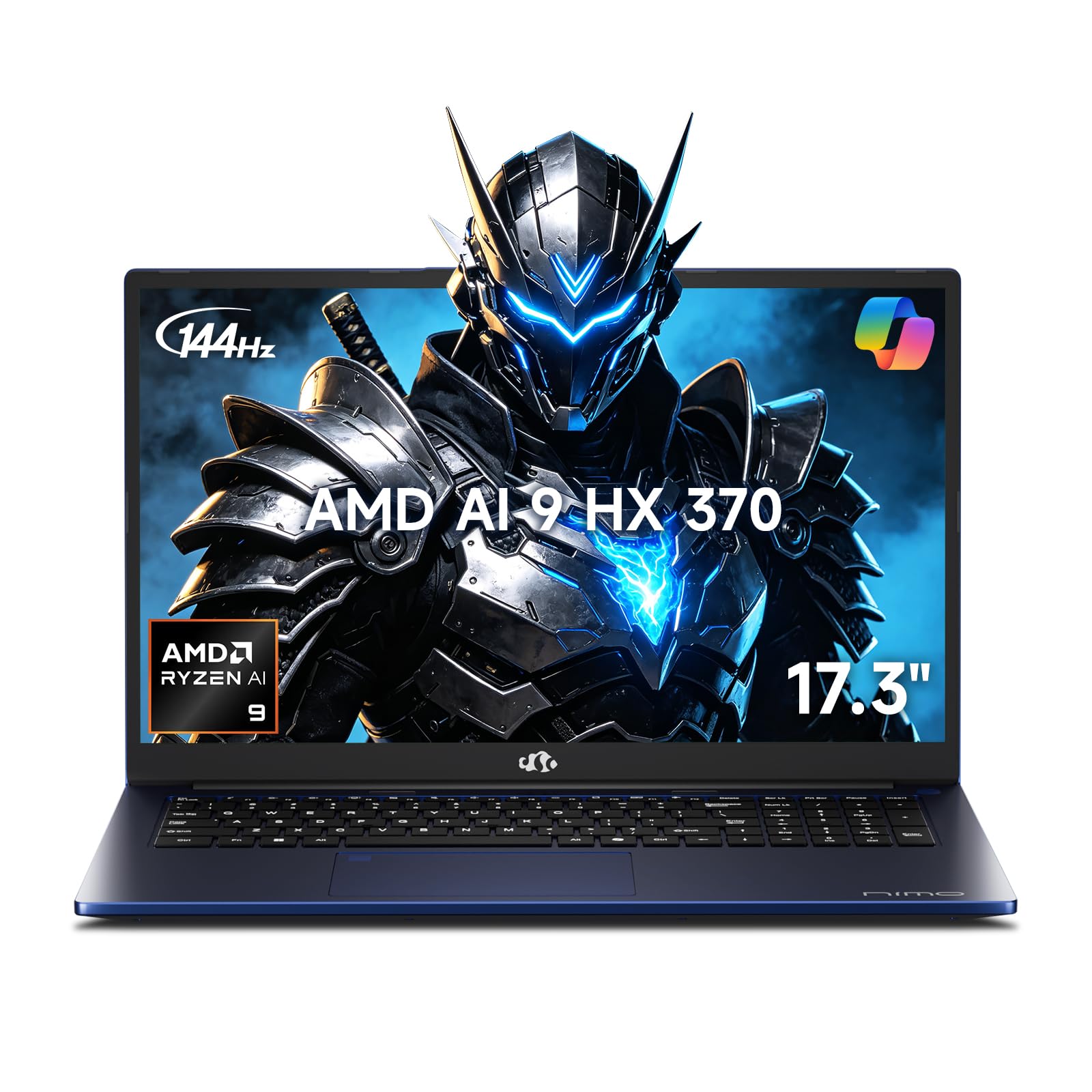
The NIMO 17.3-inch AI Laptop packs an AMD Ryzen AI 9 HX 370 processor (12 cores, 5.1 GHz) and Radeon 890M graphics into a package with 64 GB of DDR5 RAM and a 2 TB PCIe 4.0 SSD. The 144 Hz FHD display makes scrolling and light gaming smooth, while the 75 Wh battery with 100 W USB-C PD charging supports a quick 15-minute charge for 2 hours of use. Partial U.S. assembly and a 2-year manufacturer warranty add confidence, and the included 100 W PD charger can also power phones and tablets — reducing the number of adapters you carry.
Verified reviewers highlight the comfortable backlit keyboard with a full numeric keypad, which excels for data entry and spreadsheet work. The integrated fingerprint reader in the touchpad works reliably, and the 17.3-inch screen folds flat to 180 degrees, making it kid-safe and easy to share presentations. For creators, the large FHD panel provides an immersive workspace, though the 1920×1080 resolution means less pixel density than 2.5K competitors at this screen size. The laptop supports USB 4.0 with 40 Gbps throughput and can drive dual 8K external displays.
The primary compromise is the display: the FHD resolution on a 17.3-inch panel results in a lower pixel-per-inch count than smaller high-res screens, making text slightly less crisp for long reading sessions. Some verified reviews mention minor software quirks with certain productivity apps, although a workaround or driver update typically resolves them. The Radeon 890M integrated graphics are capable for esports titles at medium settings but will struggle with AAA ray-traced games. For the combination of 64 GB RAM, 2 TB SSD, and a 144 Hz display at this price point, the NIMO represents the strongest value in the mid-range.
Why it’s great
- 64 GB DDR5 + 2 TB Gen 4 SSD for massive multitasking capacity
- 144 Hz FHD display with full numeric keypad for productivity
- 2-year warranty with 90-day hassle-free returns
Good to know
- FHD resolution on 17.3″ results in lower pixel density than 2.5K rivals
- Radeon 890M handles light gaming but not heavy AAA titles
- Some software compatibility quirks reported
4. LG gram Pro 17

The LG gram Pro 17 redefines what a large-screen 2 TB laptop can weigh: at just 3.3 pounds and 0.6 inches thick, it is among the lightest 17-inch chassis on the market. Powered by an Intel Core Ultra 9 285H (2nd Gen) and an NVIDIA RTX 5050 GPU, it balances raw throughput with sustained battery life — LG rates it at up to 25 hours of video playback thanks to its 90 Wh battery and AI Smart Assistant that optimizes power draw. The 17-inch 144 Hz IPS display with variable refresh rate (31 Hz to 144 Hz) keeps visuals smooth during scrolling while saving battery during static tasks.
LG gram Link lets you connect with up to 10 devices across Android and iOS for file sharing and screen mirroring, and the internal dual cooling system keeps performance stable without excessive fan noise. The chassis meets seven MIL-STD-810G military-grade standards, so it can handle drops, vibration, and temperature extremes better than most ultraportables. Verified buyers note the one-hand-open lid, full numeric keyboard with good key travel, and rock-solid build with zero chassis flex — impressive for a laptop this light.
The premium price tag reflects the engineering necessary to fit a 2 TB SSD, RTX 5050, and 90 Wh battery into a sub-3.5-pound frame, and the lack of an Ethernet port may frustrate users who need wired networking. The soldered 32 GB DDR5 RAM cannot be expanded, and while the RTX 5050 delivers solid 1080p gaming performance, it is not a desktop-class replacement for heavy 4K rendering. If long battery life and extreme portability are your priorities, the LG gram Pro 17 sits in a class of its own.
Why it’s great
- 3.3 lbs with a 17″ 144 Hz display — unmatched portability
- 90 Wh battery delivers up to 25 hours of video playback
- MIL-STD-810G certified chassis with premium fit and finish
Good to know
- 32 GB RAM is soldered and non-upgradable
- No Ethernet port available
- Premium price reflects high-end engineering
5. ASUS ROG Strix G16 (2025)

The ASUS ROG Strix G16 pairs Intel’s Core Ultra 9 275HX (24 cores, 5.4 GHz) with NVIDIA’s RTX 5070 laptop GPU (Blackwell architecture, DLSS 4, Max-Q) to create a 2 TB gaming machine built for high-refresh esports and modern AAA titles. The 16-inch ROG Nebula OLED display runs at 240 Hz with a 3 ms response time, 2.5K (2560×1600) resolution, and Dolby Vision HDR — colors are vibrant, blacks are absolute, and motion clarity is exceptional. The 32 GB of DDR5-5600 MHz memory and PCIe Gen 4 SSD ensure zero stutter during texture streaming and level loads.
ROG’s Intelligent Cooling system uses an end-to-end vapor chamber and tri-fan technology, which keeps the CPU and GPU running well below throttle thresholds even during extended gaming sessions. The per-key RGB keyboard and full-surround RGB lightbar offer customization through ASUS Aura Sync, and Stealth Mode disables all lighting for professional environments. Verified reviews consistently praise the cooling performance, noting that the laptop runs cool and quiet under load — a testament to the vapor chamber design.
A small number of technical reviewers noted that the second drive bay requires a specific thermal pad and graphite tape, which ASUS does not include in the box; if you plan to add your own SSD later, buy those parts separately. Some users reported initial driver quirks that required updating graphics drivers from NVIDIA’s site rather than Windows Update. The battery life under gaming load is typical for a high-performance system — around 2–3 hours — but the 240 Hz OLED display makes this one of the best visual experiences available in a 2 TB laptop today.
Why it’s great
- 240 Hz 2.5K OLED Nebula display with Dolby Vision and 3 ms response
- RTX 5070 with DLSS 4 and vapor chamber cooling for sustained performance
- 36 MB cache and 24-core CPU for CPU-bound workloads
Good to know
- Second SSD bay requires separate thermal pad/graphite tape purchase
- Game-level battery life is short (2–3 hours)
- Initial driver updates may be needed for optimal performance
6. Lenovo Legion Pro 7i Gen 10

The Lenovo Legion Pro 7i Gen 10 is built for absolute performance: the Intel Core Ultra 9 275HX with 24 cores is paired with an NVIDIA RTX 5080 16 GB GDDR7 GPU (175 W TGP, 1334 AI TOPS), 64 GB of DDR5-6400 MHz RAM, and a 2 TB SSD configured as two 1 TB PCIe Gen 4 drives in RAID. The 16-inch WQXGA OLED display delivers 2560×1600 resolution at 240 Hz with 500 nits brightness, 100% DCI-P3 coverage, DisplayHDR True Black 1000, Dolby Vision, and G-SYNC — arguably the most capable screen in its class for both gaming and color-critical content creation.
Verified reviews highlight that the RTX 5080 in this chassis outperforms some desktop RTX 5090-level configurations in ray-traced titles, thanks to the high TGP and efficient vapor chamber cooling. The laptop runs remarkably quiet and cool under load, with the fans kicking in only during extended sessions. The per-key RGB backlit keyboard with dedicated media controls, plus the full-size arrow keys and numeric pad, make it comfortable for both gaming and productivity. The 400 W slim-tip power supply keeps the system fed during peak loads.
The downsides are few but worth noting: the touchpad quality has been described as mediocre compared to the rest of the build, and Windows Hello is absent — you get a fingerprint reader instead. Some units shipped with the second 1 TB SSD unformatted and requiring disk management setup, and initial WiFi driver updates were needed for stable connectivity. The Lenovo Vantage software includes some bloatware that you may want to remove. For users who want the absolute highest frame rates and ray-traced fidelity in a 2 TB laptop, the Legion Pro 7i is the uncontested flagship.
Why it’s great
- RTX 5080 16 GB GDDR7 at 175 W TGP — class-leading GPU performance
- 64 GB DDR5-6400 MHz plus 2 TB (1+1) Gen 4 SSD in RAID
- 240 Hz OLED with HDR True Black 1000 and G-SYNC
Good to know
- Touchpad quality is below par for the price point
- Second SSD may arrive unformatted; driver updates needed
- No Windows Hello face recognition
7. HP 17 Touchscreen

The HP 17-inch Touchscreen Laptop provides a massive 64 GB of DDR4 RAM alongside a 2 TB PCIe NVMe SSD, all powered by a 12th Gen Intel Core i7-1255U (10 cores, up to 4.7 GHz). The 17.3-inch HD+ (1600×900) BrightView touch display with narrow bezels makes it ideal for presentations, classroom use, and family sharing where a responsive touch interface adds convenience. The SuperSpeed USB Type-C and Type-A ports plus HDMI 1.4b give it solid connectivity, and the Wi-Fi 6 and Bluetooth combo keep wireless modern and fast.
Users who rely on multiple virtual machines or heavy spreadsheet workloads will appreciate the 64 GB RAM ceiling — the i7-1255U’s 12 threads handle four concurrent VMs without major slowdown, as verified in customer feedback. The backlit keyboard and large 17.3-inch chassis make long typing sessions comfortable. The Silver finish and relatively slim profile for a 17-inch model keep it looking professional on a desk. HP’s setup process is straightforward, and Windows 11 Home runs smoothly out of the box.
The display resolution is the most significant compromise: 1600×900 pixels on a 17.3-inch panel results in lower sharpness than full HD (1920×1080) rivals, making text slightly less crisp for prolonged reading. Battery life is short — verified reviews indicate 2.5 to 3 hours of mixed use — and the touchpad is described as overly sensitive by some users. The camera quality is mediocre, and the lack of an SD card slot means you will need a USB reader. This laptop prioritizes raw memory capacity and a large touchscreen over display resolution and portability.
Why it’s great
- 64 GB DDR4 RAM handles heavy virtualization and multitasking
- 17.3-inch touch display with narrow bezels for interactive use
- Plenty of USB-A and USB-C ports for peripheral connectivity
Good to know
- 1600×900 resolution is noticeably less sharp than 1080p screens
- Battery lasts only 2.5-3 hours under normal load
- No SD card slot; camera quality is mediocre
8. Apple MacBook Pro 16 M5 Max
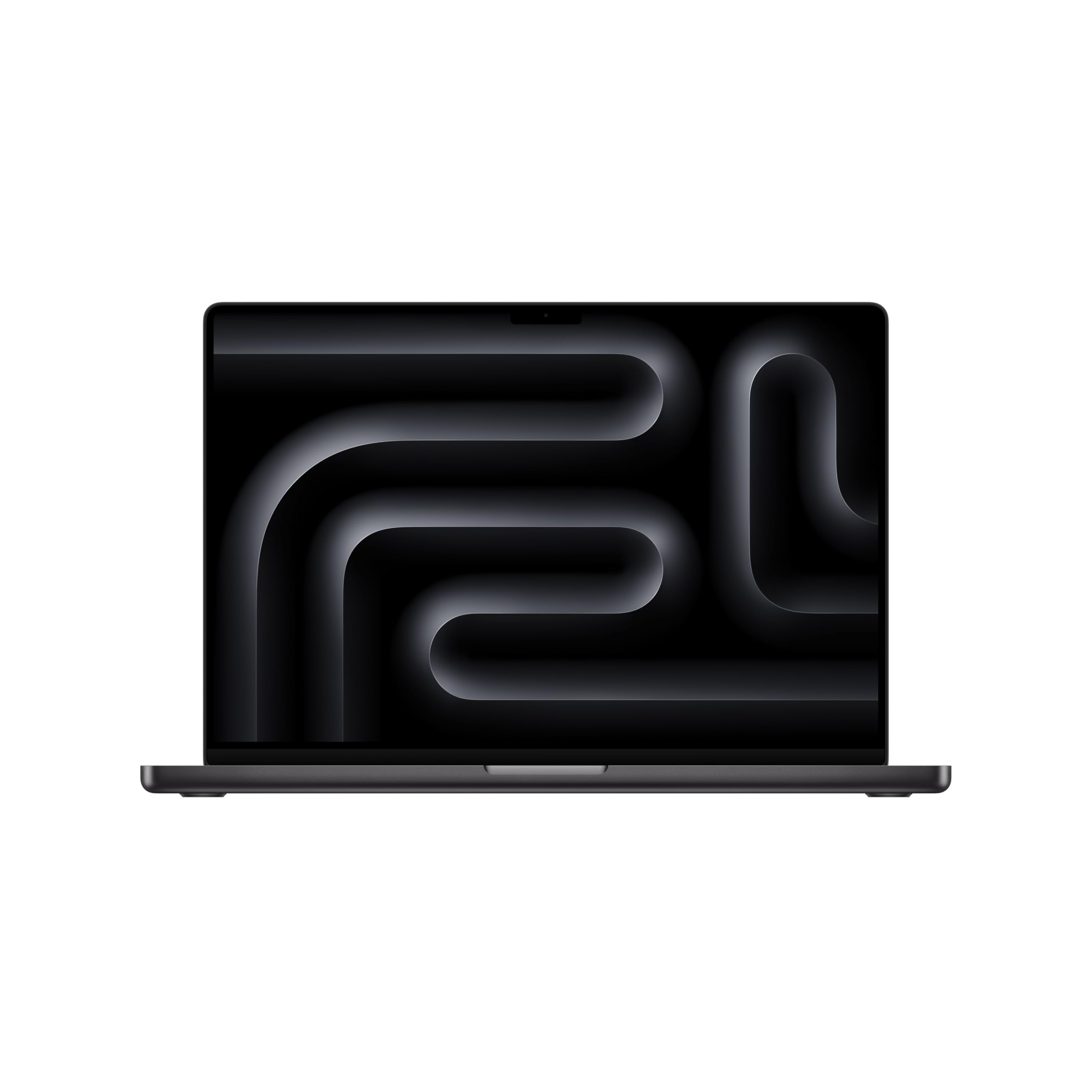
The Apple MacBook Pro 16 with the M5 Max chip represents a paradigm shift for creators who need a 2 TB laptop: the 18-core CPU and 40-core GPU combine with 48 GB of unified memory to deliver performance that rivals desktop workstations, while the fanless-capable thermal design keeps it silent under most loads. The 16.2-inch Liquid Retina XDR display with 1600 nits peak brightness, 1000 nits sustained, and 1,000,000:1 contrast ratio is the gold standard for HDR color grading, and the six-speaker system with Spatial Audio makes on-the-go editing a genuine pleasure.
Apple’s M5 Max architecture includes dedicated Neural Engine cores and AV1 decode, making local AI model inference and 8K video rendering dramatically faster than previous generations. Verified reviews confirm rendering times dropped from overnight to 30 minutes for video editors migrating from Intel Macs. The three Thunderbolt 5 ports (up to 80 Gbps each) plus MagSafe 3, HDMI, an SDXC card slot, and a headphone jack give it the broadest native I/O of any MacBook Pro. The battery life is class-leading: the M5 Max sips power even under heavy GPU load, easily lasting a full workday.
The price is substantial, reflecting the M5 Max’s industry-leading performance-per-watt and the premium unified memory architecture. All RAM is soldered within the SoC — the 48 GB configuration you choose at purchase is permanent. The 2 TB SSD is also soldered and cannot be upgraded later, though it offers the fastest storage performance of any laptop in this comparison thanks to Apple’s custom controller. macOS Sequoia’s on-device AI features (Apple Intelligence) work only with M-series silicon, making this the best choice for users deeply embedded in the Apple ecosystem who need uncompromising creative performance.
Why it’s great
- M5 Max with 40-core GPU delivers workstation-class rendering and AI performance
- 16.2-inch XDR display with 1600 nits peak — unbeatable for HDR work
- All-day battery life with silent cooling under most workloads
Good to know
- Very high price point; RAM and SSD are permanently soldered
- Not suitable for traditional PC gaming — limited native library
- Windows compatibility requires virtualization or dual-boot via Parallels
FAQ
Can I upgrade the SSD in a 2 TB laptop later?
Is a 2 TB SSD better than a 1 TB SSD plus external storage?
Does a 2 TB laptop consume more battery than a 512 GB version?
Why do some 2 TB laptops cost more than others with similar specs?
Final Thoughts: The Verdict
For most users, the best 2 tb laptop winner is the GEEKOM GeekBook X16 Pro because it combines a lightweight 2.8-pound magnesium chassis, a 16-inch 2.5K 120 Hz display, and a 2 TB Gen 4 SSD with 32 GB of fast LPDDR5x — all at a mid-range price that neither sacrifices storage speed nor portability. If you want raw gaming horsepower with a 240 Hz OLED display and desktop-class GPU, grab the Lenovo Legion Pro 7i Gen 10. And for uncompromising creative performance in the Apple ecosystem with silent cooling, nothing beats the Apple MacBook Pro 16 M5 Max.
Product prices and availability are accurate as of the date/time indicated and are subject to change. Any price and availability information displayed on Amazon at the time of purchase will apply to the purchase of this product. As an Amazon Associate I earn from qualifying purchases.
CERTAIN CONTENT THAT APPEARS ON THIS SITE COMES FROM AMAZON. THIS CONTENT IS PROVIDED "AS IS" AND IS SUBJECT TO CHANGE OR REMOVAL AT ANY TIME.
Amazon and the Amazon logo are trademarks of Amazon.com, Inc. or its affiliates.