
Our readers keep the lights on and my morning glass full of iced black tea. As an Amazon Associate, I earn from qualifying purchases.
Specs are compiled from manufacturer listings and verified buyer reviews and can change over time — please confirm the key details on the product page before buying.
You want the same picture on two screens at once, but cheap splitters often fail to deliver that identical signal. This list focuses on units that hold a steady signal, handle mismatched TVs properly, and won’t leave you staring at a black screen mid-movie. One quick note: this guide uses flexible matching for exactly 2 outputs (1 input to 2 outputs, rejecting 3-way and 4-way boxes), so not every pick is the exact model you searched for — the nearest same-type unit does the same job.
I’m Min — the founder and writer behind Gadgets Feed. This guide is built by comparing the manufacturers’ published specifications and the patterns across verified customer reviews, so you get each pick’s real strengths and trade-offs instead of marketing spin.
Most buyers only need a splitter to duplicate one signal to two displays, so the real test is signal stability, downscaling, and HDCP handling. Here’s how to pick the right 2 way hdmi splitter without wasting cash on the wrong box.
Our Picks at a Glance

How To Choose The Best 2 Way HDMI Splitter
You want two screens to show the same thing at the same time — one box, one input, two outputs. The confusion starts the moment you realize splitters are not interchangeable, and the specs that matter are easy to miss.
Mirror versus extend — know the difference before you buy
A 2 way HDMI splitter duplicates one input signal to two displays. It cannot turn your laptop into a two-screen desktop, because that requires a graphics card feature or a separate adapter. If you see a listing promising two different windows on two monitors, that is a different product class entirely.
Resolution matching and downscaling
When one TV is 4K and the other is an older 1080P panel, a plain splitter locks both to the lowest common resolution — so your good TV drops to 1080P. A splitter with built-in downscaling sends the full 4K signal to the good screen while converting a matching 1080P version to the older one.
HDCP, bandwidth, and the streaming catch
Protected streaming services like Netflix and Hulu require HDCP compliance, a copy-protection handshake between the source and the screen. Some splitters also strip or downgrade HDCP to bridge older gear, which is how people get a 4K source onto an HDCP 1.4 projector. Bandwidth matters too — 18Gbps supports 4K@60Hz, while older 10.2Gbps chipsets top out lower.
Quick Comparison
| Model | Best For | Max Resolution | Downscaling | Ports | Amazon |
|---|---|---|---|---|---|
| avedio links 4K@60Hz Splitter 1 in 2 Out for TV & Soundbar★ Best Overall | TV plus soundbar setups | 4K@60Hz / 1080P@120Hz | Yes — 4K OUT 1, 1080P OUT 2 | 3 | Amazon |
| J-Tech Digital JTECH-4KSP2 1×2 MRO SplitterBest for Mixed Displays | Mixed-resolution home theater | 4K@60Hz 4:4:4 | Yes — 4K to 1080P only | 2 | Amazon |
| EZCOO SP12H2 4K HDMI SplitterBest for Gaming | PS5 / Xbox with AVR audio | 4K@60Hz 4:4:4 HDR | Yes — per-output scaler | 3 | Amazon |
| J-Tech Digital JTECH-SP12M18G 1×2 HDMI 2.0 Hub | Premium cabinet installs | 4K@60Hz 4:4:4 | Yes — 4K to 1080P, no 720P | 3 | Amazon |
| OREI UHDS-102C 4K HDMI Splitter | HDCP downgrade bridging | 4K@60Hz 4:4:4 8-bit | Yes — auto downscaling | 3 | Amazon |
| Amazon Basics HDMI Splitter 1 in 2 Out | Simple desk mirroring | 4K@60Hz | No | 3 | Amazon |
| AUKOKIOULA HS-002-US 4K Splitter | Karaoke and 1080P projects | 4K@60Hz | Yes — 4K in to dual screens | 3 | Amazon |
| avedio links 1×2 HDMI Splitter (Mirror Only) | Entry-level 4K@30Hz mirroring | 4K@30Hz | No | 3 | Amazon |
In‑Depth Reviews
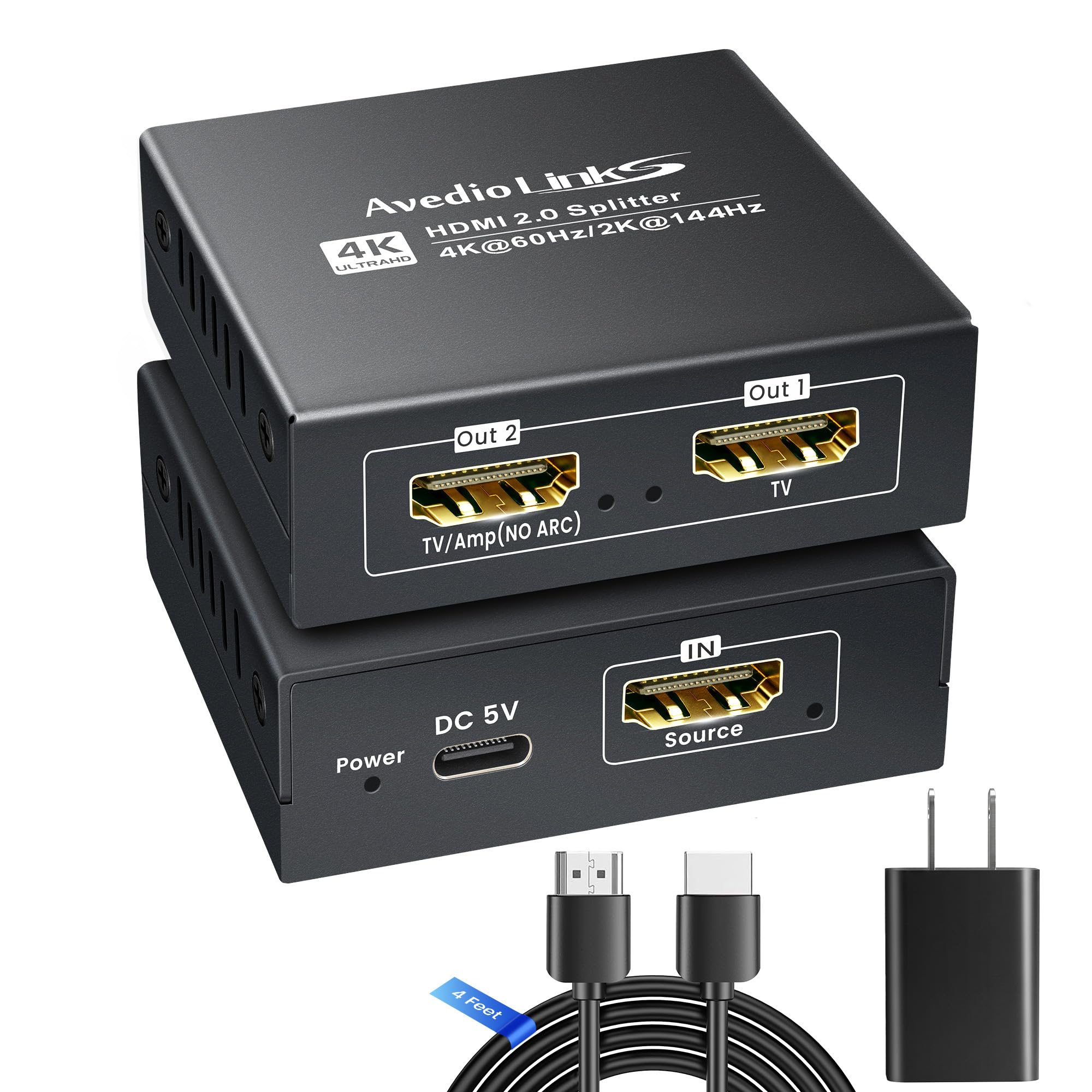
1. avedio links 4K@60Hz HDMI Splitter 1 in 2 Out for TV & Soundbar
Our pick — over 4★ from 500+ verified ratings; the strongest balance of quality and price.
Splits video to your TV and Atmos audio to the soundbar from one box
This is the pick for anyone running a modern 4K TV plus a soundbar and tired of juggling cables. Its defining trick is a two-purpose output layout: OUT 1 feeds a straight HDMI display device, while OUT 2 accepts a soundbar or AV receiver with an HDMI-IN port. You get synchronized 4K HDR video and Dolby Atmos audio leaving a single source device.
Resolution support reaches up to 4K@60Hz, with 2K@75/120/144Hz and 1080P@60/120/240Hz on tap for gaming and high-refresh monitors. It handles HDR10, Dolby Vision, Dolby Digital 7.1, DTS, True HD, and LPCM 2.1/5.1/7.1 across one ≤18Gbps pipe. It comes with a 4-foot HDMI cable and a 5V 1A power adapter, so there is nothing extra to buy.
The 516 owners rate it 4.3 stars: it works for most TV-plus-soundbar setups, but some units stop cold. Functionality draws the most discussion overall, and it is mixed rather than glowing: some units hum along for months while others stop cold. A recurring setup note is worth knowing before you plug anything in: until you attach the DC power cable the manual specifies, it may not fire up on HDMI bus power alone.
What you are paying for
- Dedicated soundbar output that carries Atmos and 7.1 audio separately from your display signal
- Auto downscaling on OUT 2 lets a 1080P screen share the same source without EDID switch fiddling
- Ships with a 4-foot HDMI 2.0 cable and a UL-certified 5V 1A adapter
Where it needs care
- Not a desktop extender — it mirrors one signal, so PC users wanting two different windows need a different class of device
- Streaming overlays like Netflix and Prime can refuse to play if the HDCP handshake is not met
- Mobile phones are not supported on this unit
Grab this if: you run one 4K TV plus a soundbar and want both fed without a second source box.
Think twice if: you need a PC desktop extended across two separate workspaces — this mirrors only.
2. J-Tech Digital JTECH-4KSP2 1×2 MRO Splitter
Multi-Resolution Output sends 4K to one screen and 1080P to the other at the same time
If you own a 4K OLED and an older 1080P panel and want both fed from one Roku, cable box, or Switch, this is the box built for that exact headache. Its Multi-Resolution Output (MRO) feature lets you send a compatible HDMI signal to two displays running different resolutions — something a plain splitter cannot do, because basic units drop both screens to the lowest common denominator.
You are working with full HDMI 2.0 at 18Gbps and resolutions up to 4K@60Hz 4:4:4, with HDR10 and Dolby Vision support. Audio handles PCM, Dolby Digital, Dolby True HD, Dolby Atmos, DTS, DTS HD, DTS:X, and Dolby Digital Plus through both outputs. EDID Copy priority follows Output 1 first, then Output 2. The box includes the splitter, power adapter, and manual; note the physical port list reads two HDMI ports, not three like most rivals.
Its 459 owners average 4.2 stars, with durability the recurring complaint — multiple long-term buyers report units dying around the three-month mark. Picture quality also comes up mixed, with a handful of setups failing to carry every 4K feature through to the newer display. If your two screens are matched and modern, you might not need MRO at all — the avedio links above does the same job for less fuss on matched displays.
Dark cloud to watch: the recurring story is a unit that works happily for months, then one day the display starts flashing black. For a critical always-on install, plan for a replacement cycle.
The reason to pick it anyway: nothing else on this list pairs a true 4K screen with a true 1080P screen and keeps both running native. Buy it for the mismatch, not the longevity.
Reach for this if: the two screens you want to feed are different resolutions and both need to look their best.
Look elsewhere if: both your displays are the same resolution — a simpler mirror-only unit will do the same job.
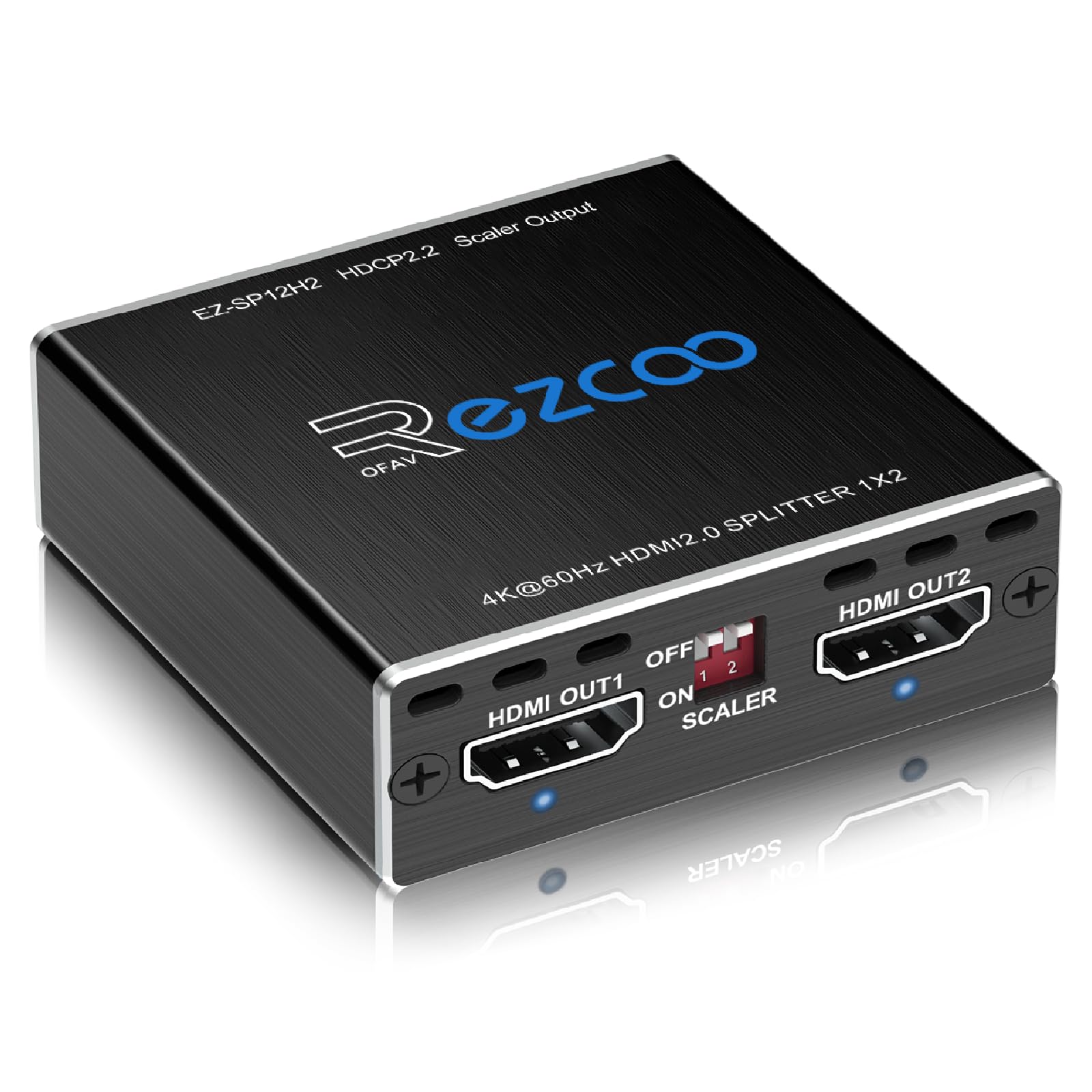
3. EZCOO SP12H2 4K HDMI Splitter
Split your PS5 signal to the TV in 4K HDR and full surround audio to the receiver
For gaming rigs, this compact unit does a trick most splitters cannot: it sends 4K@60Hz HDR video (sharp, smooth 4K at 60 frames per second with high dynamic range) to your TV on Output 1 while sending a full 7.1 HD audio stream (surround sound with seven main speakers and a subwoofer) to your AV receiver on Output 2. That means you get the whole PS5 picture plus real surround sound without an AVR passthrough chain. It holds 4.1 stars across 900+ owners, with audio dropouts on some 4K sources the top complaint.
Under the hood you get HDMI 2.0, HDCP 2.2, 18Gbps bandwidth, and up to 4K@60Hz 4:4:4 at 8-bit color. Dolby Digital 7.1CH, Dolby Atmos, DTS:X, Dolby TrueHD, DTS-HD Master, and LPCM 2.1/5.1/7.1 all pass through. Each output downscales 4K to 1080P independently, which is how a Fire TV Stick can think it is feeding a 4K display while your older 1080P TV quietly receives a matching signal. The unit runs on USB power and comes with a cable tie. Note it can only downscale — there is no upscaling, no ARC or eARC, and no VRR on the base firmware.
Owners mention that the EDID Copy (a setting that tells your source what your TV can display) works right from the start: on streaming apps, it pushes a Fire TV Stick or Google TV into sending 4K Dolby to both screens. One caveat: if you use a non-Dolby-Vision TV, sending Dolby Vision to that screen sometimes looks washed out, and the fix is falling back to normal HDR. The downscaling feature and reliability are well-loved; audio dropouts on some 4K sources are the most common complaint.
Why gamers pick this one in particular
- Per-output downscaling lets you push 4K to one screen and 1080P to another without settings gymnastics
- EDID Copy mode handles the classic mismatch where two screens at different resolutions confuse the source
- Sends full 7.1 surround sound over HDMI to an AVR while keeping 4K HDR on the TV
Honest limits before you click
- Downscale only — no upscaling, no ARC, no eARC, and no VRR on base firmware (a firmware upgrade can help)
- Does not pass Dolby Digital Plus cleanly on every source, which some Sonos owners have hit
- A subset of units show intermittent black-screen flickers with certain source devices
Land here first if: you are running a PS5 or Xbox into a 4K TV and want true 7.1 surround your AVR can decode.
Pass it by if: your setup needs ARC or eARC — this splitter does neither.
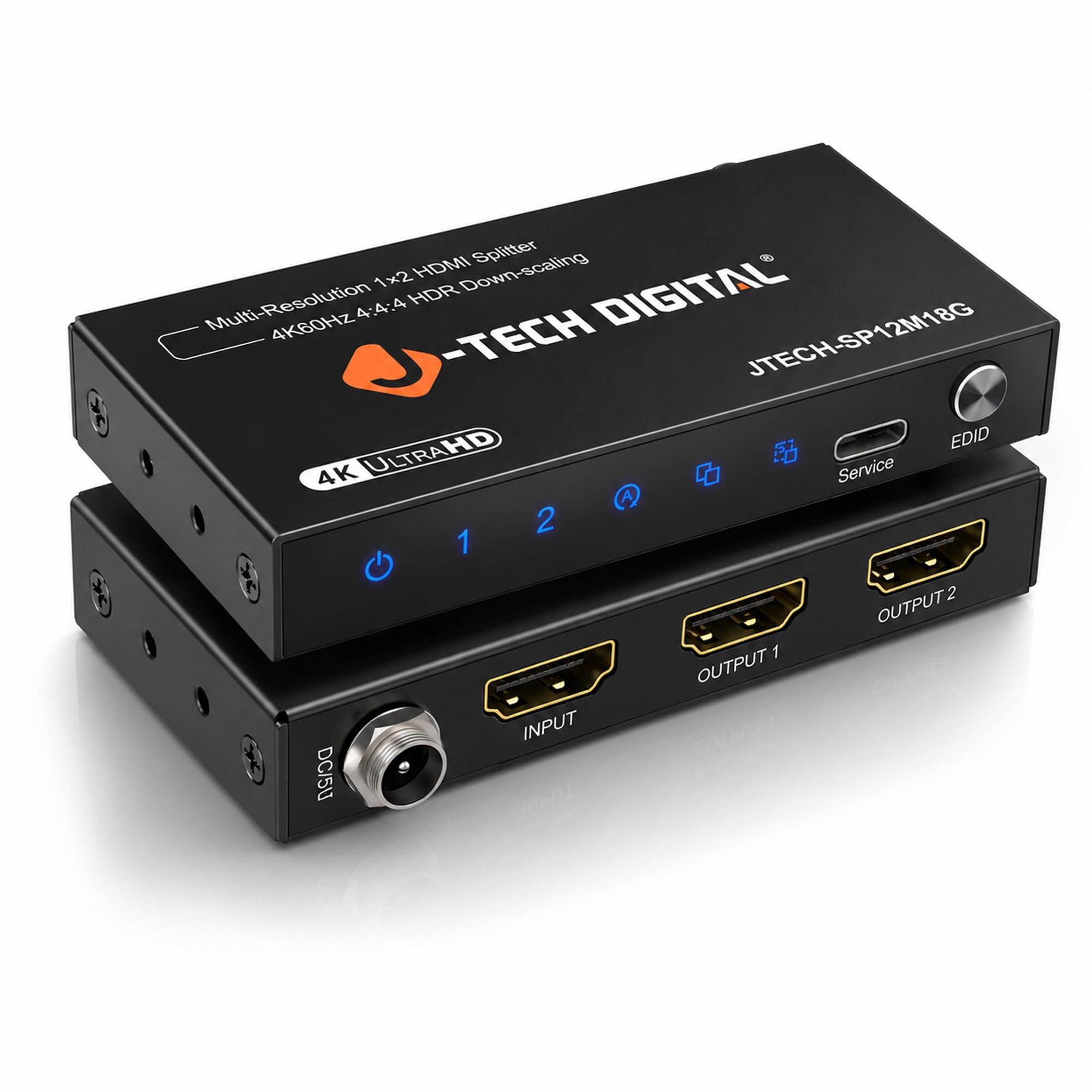
4. J-Tech Digital JTECH-SP12M18G 1×2 HDMI 2.0 Hub
A tidy 1×2 premium splitter with three EDID settings and downscaling built in
This is the small-box option for installers and home theater owners who want the picture to just stay put. It supports up to 4K@60Hz 4:4:4 over HDMI 2.0 at 18Gbps, with HDCP 2.2 and backward compatibility down to 1080P FHD. The 3-setting EDID control — Auto, Copy, and Downscaling — gives you a dial for the source-display handshake instead of hoping a single fixed mode agrees with your setup.
The downscaling function sends full 4K to your 4K screen while feeding a 1080P version to a secondary older display. Two limits worth knowing: it does not downscale to 720P, and it does not downscale HDR metadata — so HDR does not carry when the older screen cannot show it. It also cannot extend a PC desktop, only mirror one signal. The unit ships with a 1-year manufacturer warranty and free lifetime technical support from J-Tech in Stafford, TX.
The 258 ratings average 4.3 stars, and the solid build suits ceiling and cabinet installs. Durability is the trade-off, though: at least one church user reports going through three units over six years, so the practical lifespan in a 24/7 environment is around two years of active service. If you only need it for a single living-room TV and a monitor, cheaper mirror-only boxes are plenty.
What earns it premium: 3 EDID modes plus 4K to 1080P downscaling and a proper 1-year warranty — it is set-and-forget for the consumer who wants a pick they trust.
Fixer upper tip: if you hit an EDID mismatch, cycle through Auto, Copy, and Downscaling — one of the three almost always locks the handshake in.
Buy it for: clean cabinet installs where you want 4K to a modern screen and 1080P to an older one, with three EDID modes to smooth handshake hiccups.
Skip it for: a PC user who needs dual-monitor extension — this unit mirrors only.
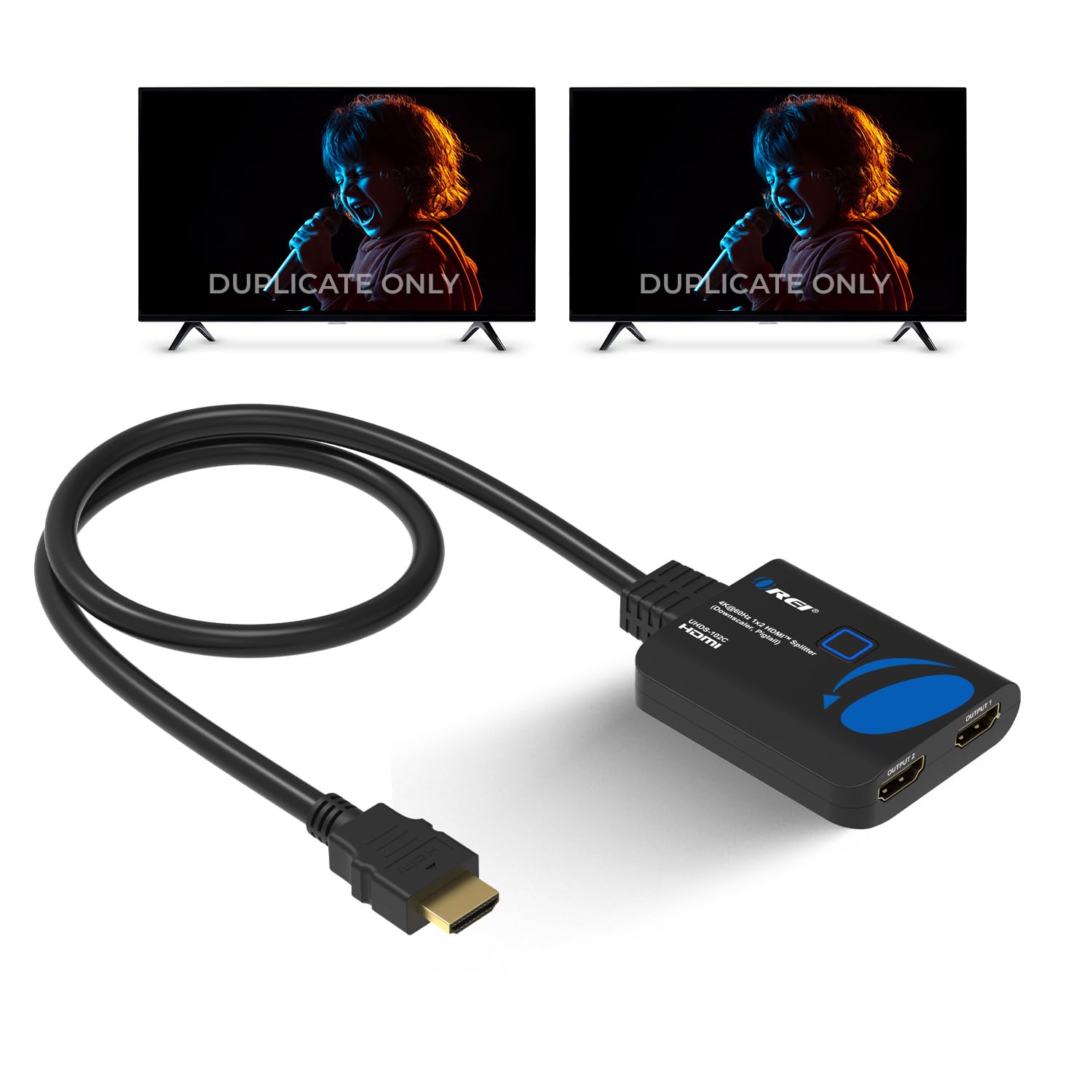
5. OREI UHDS-102C 4K HDMI Splitter
Bridges an old HDCP 1.4 projector to a 4K source without complaint
There is one job this splitter does better than almost anything else on the list: rescuing HDMI signals your gear cannot agree on. It supports HDCP 2.2 and 18Gbps at 4K@60Hz 4:4:4 8-bit, and its auto-downscaling will happily deliver full-resolution 4K to a modern TV while feeding a 1080P version to an older screen. Where OREI earns its reputation is HDCP compatibility — the UHDS-102C frequently downgrades HDCP 2.2 content to 1.4 so a legacy HDCP 1.4 projector suddenly sees a picture it previously refused.
Audio is supported through LPCM, Dolby-AC3, DTS 7.1, and DSD/Dolby/DTS-HD Master — essentially the full spread. It also works with HDMI versions 1.3 and 1.4 as well as 2.0, so the wide range of source devices rarely trips it up. Power comes via Micro USB, though the power brick is not included. Cables up to 30 feet are the recommended ceiling.
The 449 owners land at 4.2 stars, with audio the split point: clean on most setups, but stutters or skips on certain source devices. That is a compatibility carve-out, not a universal failure — clean 4K@60Hz video over long runs is what most of the base is doing with it. If you need audio pass-through to a capture card in the chain, this device is not the best fit.
Why installers keep it in the van: HDCP auto-downgrade is a specific problem solver, and the UHDS-102C is one of the go-to units for bridging a modern 4K source to an older HDCP 1.4 screen.
One honest catch: pairing with a capture card in the chain sometimes triggers audio dropouts every few seconds because the EDID handshake gets confused. Route audio around the capture card and the problem vanishes.
This is your best bet when: you need to send modern HDMI into an older HDCP 1.4 screen and the rest of your chain is HDMI 1.3 or above.
Better to keep looking if: you run capture cards in the loop — the audio path can get jittery.
6. Amazon Basics HDMI Splitter 1 in 2 Out for Dual Monitors

The no-nonsense mirror splitter for one desk and one wall display
For the simplest possible job — send the same picture to two screens and forget about it — this compact unit delivers. It sends 1 source to 2 displays simultaneously, supports HDMI resolution up to 4K@60Hz, and ships with a 3.3-foot USB-A to Micro USB power cable. No power adapter is included, so you will need a USB charging block or powered USB port on hand.
Compatibility covers PC desktops, laptops, DVD players, Xbox, Roku, and Chromecast — basically anything with a standard HDMI output. At 2.93 ounces the unit is small enough to sit behind a monitor without a shelf. There is no downscaling and no HDCP bypass — this is a straightforward mirror box for matched displays.
Rated 4.0 stars by 263 owners, it does plain 4K@60Hz mirroring with no downscaling or HDCP bypass. The best-loved detail is the physical build: it is well-sealed and one user even reports it surviving Burning Man conditions. The recurring downside is a unit arriving dead on arrival, or a single output dropping audio; exchanges for a working unit resolve it. If you want a barebones mirror splitter and are not pushing 4K HDR, this does the job.
Understated strength: 2.93 ounces, a 3.3-foot cable, and up to 4K@60Hz passthrough — quiet, no-configuration mirroring you can tuck behind a screen.
Heads-up before buying: no HDCP bypass and no downscaling, so any mismatch between your two displays gets passed straight through.
Perfectly suited to: desk setups where a laptop and a wall monitor show exactly the same thing.
Leave it on the shelf if: you need downscaling or streaming service HDCP tricks — this pick does neither.
7. AUKOKIOULA HS-002-US 4K HDMI Splitter 1 in 2 Out
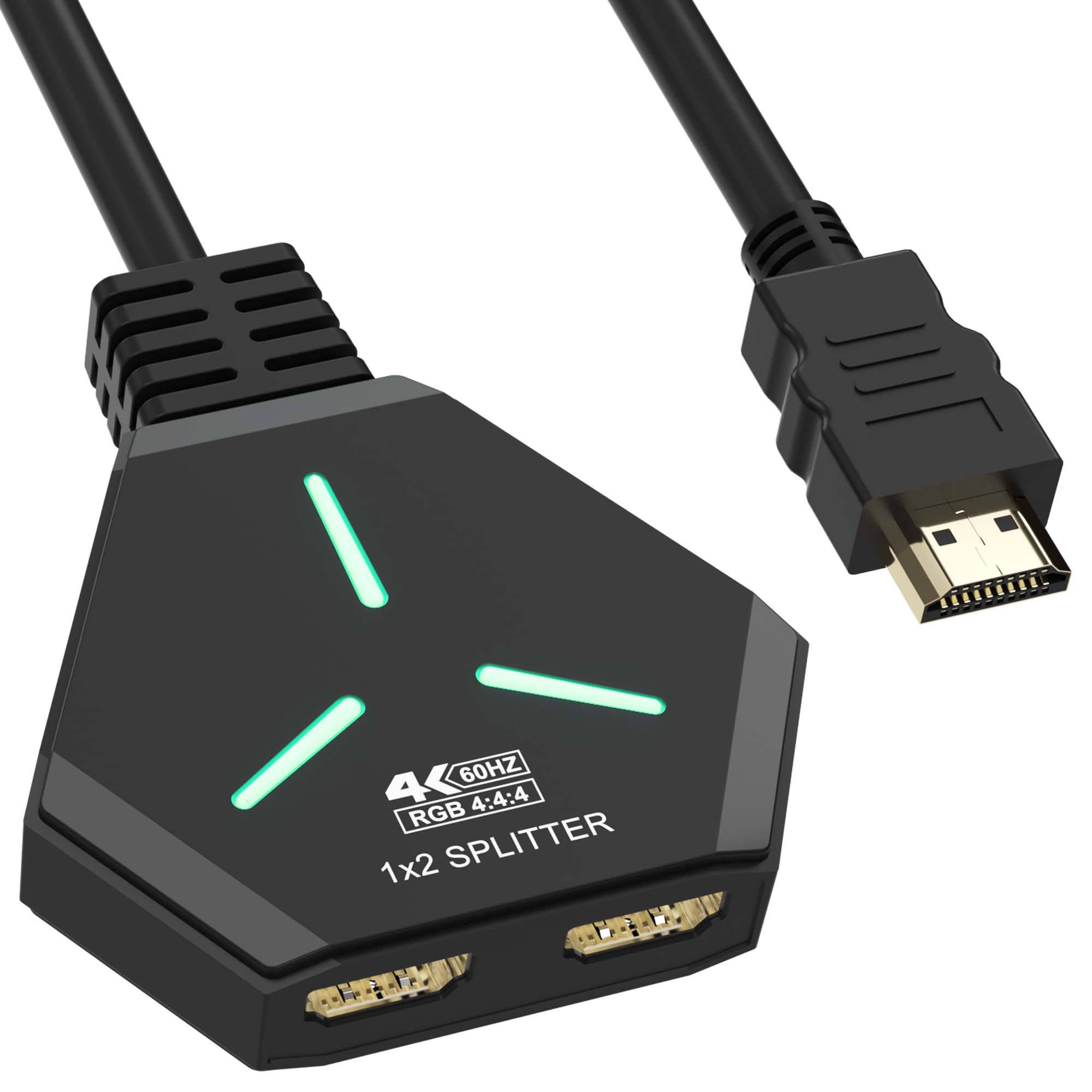
Reliable mirroring with per-port LEDs that show exactly when each screen connects
This is the pick for events and installations where you need to prove the signal is live — a wedding karaoke rig, a classroom projector, a multi-project setup. It distributes one HDMI signal to two HDMI screens with per-port LEDs, and it handles 4K@60Hz with backwards compatibility to 4K@30Hz, 2K, 1080P@60Hz, 3840x2160p, and 720p. HDCP 1.4 and 2.2 both work, so protected sources generally behave.
A rare feature for the price: this splitter can convert a 4K input down to 1080P for one output while sending true 4K to the other, so a 1080P TV and a 4K display can share a single source. It even includes a built-in HDMI input cord, which cuts down on extra cables in tight setups. Standard HDMI cables up to 10 meters are recommended for both runs.
The 37 early ratings average 4.6 stars, from a mix of home theater and professional users. One caveat crops up on surveillance gear: two NVR users had to power cycle it daily. Everywhere else it just works. There is no audio pass-through on the output ports, so route sound elsewhere if you need it.
Why project users pick it: per-port LEDs and a built-in input cable mean you can wire it blind, glance at the indicators, and know instantly which screen failed to connect.
Surveillance caveat: some NVR customers note needing a daily reset. If you plan to feed security monitors, plan for a power switch in the loop.
You’ll like this if: you want reliable mirroring with source-side downscaling, quick visual diagnostics, and a 12-month manufacturer warranty backing it.
You’d do better elsewhere if: you need dedicated audio output on the splitter — this device does not pass audio through the outputs.
8. avedio links 1×2 HDMI Splitter (Mirror Only)

A low-cost workhorse for mirroring a PC, cable box, or game console to two screens
This is the entry point for anyone who just wants the same HDMI picture on two screens. It duplicates one input to two displays simultaneously, no driver install needed, and works with HDTVs, monitors, projectors, Blu-ray players, and gaming consoles. It supports HDMI v1.3 and v1.4 with HDCP 1.4, deep color up to 12 or 16 bit, and audio formats including DTS-HD, Dolby-true HD, LPCM 7.1, DTS, Dolby-AC3, and DSD.
Where it differs from the more expensive picks: it tops out at 4K@30Hz, with backward compatibility to 1080P@60Hz and below. It will not extend a desktop, will not switch two inputs to one screen, and will not act as an audio extractor — it mirrors only. The box measures 2.48 x 2.05 x 0.51 inches, small enough to tuck behind a screen. A 4-foot HDMI cable is included, but the power adapter is not, and a 5V 1A USB supply is required for stable performance.
The most-cited win is simply that it feels well made and installs in seconds — quality and ease of use dominate the feedback. Honest trade-offs exist: a few owners get sporadic blackouts at 1080P@60Hz or higher, and durability is a real issue with some units failing over time. For a low-demand mirror job, though, this represents outstanding value.
The reason it stays cheap: 4K@30Hz rather than 4K@60Hz, no downscaling, no HDCP 2.2. If your screens and sources are 1080P, none of those limits even show up.
One real inconsistency: a small minority of units develop flicker or dropouts, especially at higher refresh rates. At this tier that follows a specific pattern rather than reflecting the whole line.
Reach for this if: you need basic mirroring on a budget and your setup runs 1080P or 4K@30Hz.
Look past it if: you need HDCP 2.2 support for modern streaming services or plan to push 4K@60Hz.
Understanding the Specs
Mirror versus Extend
Every 2 way HDMI splitter in this guide mirrors one input signal to two screens at the same time — it duplicates the picture, it does not split a desktop across two monitors. If you want two separate Windows workspaces, you need a graphics-card setup or an MST hub (a device that splits one DisplayPort signal into multiple independent streams), not a splitter. This is the biggest confusion in the category, so confirm before you buy. Some units explicitly note they cannot send 2 different outputs, so check the wording carefully.
HDCP 2.2 vs HDCP 1.4
HDCP is a copy-protection handshake between source and display. Modern streaming boxes and 4K Blu-ray players require HDCP 2.2 to play protected content; older gear often only supports HDCP 1.4. A splitter with HDCP 2.2 keeps you compatible with modern sources. Some OREI-class units can auto-downgrade 2.2 traffic to 1.4 so an older projector will accept a 4K source — a specific problem solver when you hit an HDCP error.
Bandwidth and 18Gbps
Bandwidth is how much data the HDMI pipe can carry per second. 18Gbps is the ceiling for a full 4K@60Hz 4:4:4 signal with HDR; older 10.2Gbps chipsets top out lower. If your splitter is rated for 18Gbps, both outputs can carry the full signal when the source provides it. Cables shorter than 16 feet for 4K and 32.8 feet for 1080P minimize dropouts.
Downscaling and EDID
EDID is the identity handshake a display sends back to the source. When two displays have different capabilities, EDID mismatches confuse the source. Auto, Copy, and Downscaling modes let the splitter work around this — delivering 4K to a modern screen while sending 1080P to an older one. Without downscaling, both screens drop to the least capable resolution, which is how your nice 4K TV ends up looking 1080P.
FAQ
Can a 2 way HDMI splitter extend my desktop across two monitors?
Will a splitter let me skip paying for a second Netflix stream?
Do I need power for a 2 way HDMI splitter to work?
Why does one TV show 1080P when the other is 4K?
What is the difference between HDMI 2.0 and HDMI 1.4 on a splitter?
Can I use a splitter for a karaoke or church setup with many screens?
Will a 2 way splitter work with a camera or DVR source?
Do these splitters pass Dolby Atmos and DTS audio to a soundbar?
What cable length should I use with a 2 way HDMI splitter?
Will an HDMI splitter introduce lag or reduce picture quality?
Final Thoughts: The Verdict
For most people who just want a steady picture, the avedio links 4K@60Hz Splitter is the best balance — 4K@60Hz video, a dedicated Atmos-capable soundbar output, a UL-certified adapter in the box, and a 4.3-star rating backed by 500+ owners. If your two screens run different resolutions, the J-Tech Digital JTECH-4KSP2 earns its place with true Multi-Resolution Output — but plan for roughly a two-year replacement cycle at 4.2 stars. For a PS5 or Xbox rig where you want 7.1 surround to the receiver alongside 4K on the TV, the EZCOO SP12H2 is the gaming-first pick. For a budget channel that only has to push 1080P or 4K@30Hz, the avedio links 1×2 Mirror-Only Splitter is the value champion — its 37,000+ owner base at 4.1 stars means it has quietly become the splitter most people own without thinking about it.
How We Picked
We do not accept paid placement. Every pick is matched to a real buyer and a real use-case; we do not hands-on test units.
Sources & Methodology
Specifications: manufacturer listings and product documentation. Review insights: verified customer reviews, as of September 2026. Pricing: not shown on this page (it changes often); check the current price via the retailer link.
As an Amazon Associate, Gadgets Feed earns from qualifying purchases. This does not affect which products we feature.