
A 20-inch digital picture frame is a statement piece — it commands a wall, anchors a living room, and turns your photo library into a permanent art installation. Unlike smaller desktop frames that get lost in a bookshelf, this size demands attention, making every pixel count at 1920×1080 resolution on a canvas that rivals a small TV. But bigger screen real estate also exposes flaws: low-resolution images look blocky, dim panels wash out in daylight, and clunky apps turn gifting into a tech support nightmare.
I’m Min — the co-founder and writer behind Gadgets Feed. I’ve spent countless hours analyzing IPS panels, touch responsiveness, app ecosystems, and storage configurations across dozens of large-format frames to separate the ones that genuinely enhance your decor from those that just take up wall space.
Whether you are buying for a tech-savvy relative or outfitting a commercial lobby, this buyer’s guide cuts through the noise to help you find the very best 20 inch digital picture frame that delivers vivid color and effortless sharing without the frustration.
How To Choose The Best 20 Inch Digital Picture Frame
A 20-inch frame is a significant home investment, not a desk toy. Getting it wrong means staring at a washed-out, pixelated screen every day. Here is what separates the winners from the wall clutter.
Panel Quality and Resolution
At 20 inches, every resolution shortcoming is magnified. You need a true 1920×1080 IPS panel — anything less looks fuzzy from a normal viewing distance. IPS technology ensures the image stays vibrant and color-accurate when viewed from the side, which matters when the frame is mounted on a wall and seen from across the room. Avoid TN panels entirely; they shift colors drastically at off-angles.
App Ecosystem and Sharing Flexibility
Check whether the frame uses an open platform like Frameo or a proprietary app. The best frames let multiple family members send photos directly without creating accounts or paying subscriptions. Look for apps that support batch uploads (preferably 50+ photos at once) and 2.4GHz/5GHz dual-band Wi-Fi for faster transfers. A remote control is a massive plus for elderly users who struggle with touchscreens.
Storage Capacity and Expansion
Internal storage of 32GB holds roughly 40,000 photos at typical smartphone resolution — enough for a moderate library. But if you plan to load 100,000+ images or full HD videos, target 64GB internal storage combined with USB and SD card slots that support up to 128GB external. The ability to import directly from a USB drive also sidesteps app limitations for bulk transfers.
Mounting and Orientation Flexibility
A 20-inch frame needs solid mounting options. The best models include VESA-compatible wall mounts that support both portrait and landscape orientations, plus a sturdy detachable stand for tabletop use. Auto-rotate is non-negotiable — it automatically flips the image when you physically rotate the frame, so you don’t have to manually crop or reorient every photo.
Quick Comparison
On smaller screens, swipe sideways to see the full table.
| Model | Category | Best For | Key Spec | Amazon |
|---|---|---|---|---|
| NexFoto 21.5″ Touchscreen | Touchscreen | Google Photos integration | Full HD IPS Touch | Amazon |
| BIGASUO 21.5″ Touchscreen 64GB | Touchscreen | Frameo app reliability | Full HD IPS Touch / 64GB | Amazon |
| FANGOR 21.5″ 64GB | Remote Control | Budget-friendly 64GB option | Full HD IPS / 64GB | Amazon |
| FULLJA 21.5″ 64GB | Remote Control | VPhoto multi-source upload | Full HD IPS / 64GB | Amazon |
| FRAMEO Arktronic 21.5″ Touchscreen | Touchscreen | Family multi-user sharing | Full HD IPS Touch / 64GB | Amazon |
| akimart 21.5″ Touchscreen | Touchscreen | Touch navigation for seniors | Full HD IPS Touch / 32GB | Amazon |
| Dragon Touch 21.5″ Classic | Remote Control | Affordable Vphoto setup | Full HD IPS / 32GB | Amazon |
| Cozyla 17″ Touchscreen | Touchscreen | No subscription, long videos | QXGA IPS Touch / 1TB Cloud | Amazon |
| Arktronic 24″ Non-Touch | Remote Control | Extra-large commercial display | Full HD IPS / 32GB | Amazon |
In‑Depth Reviews
1. NexFoto 21.5 Inch Touchscreen Large Digital Picture Frame 64GB
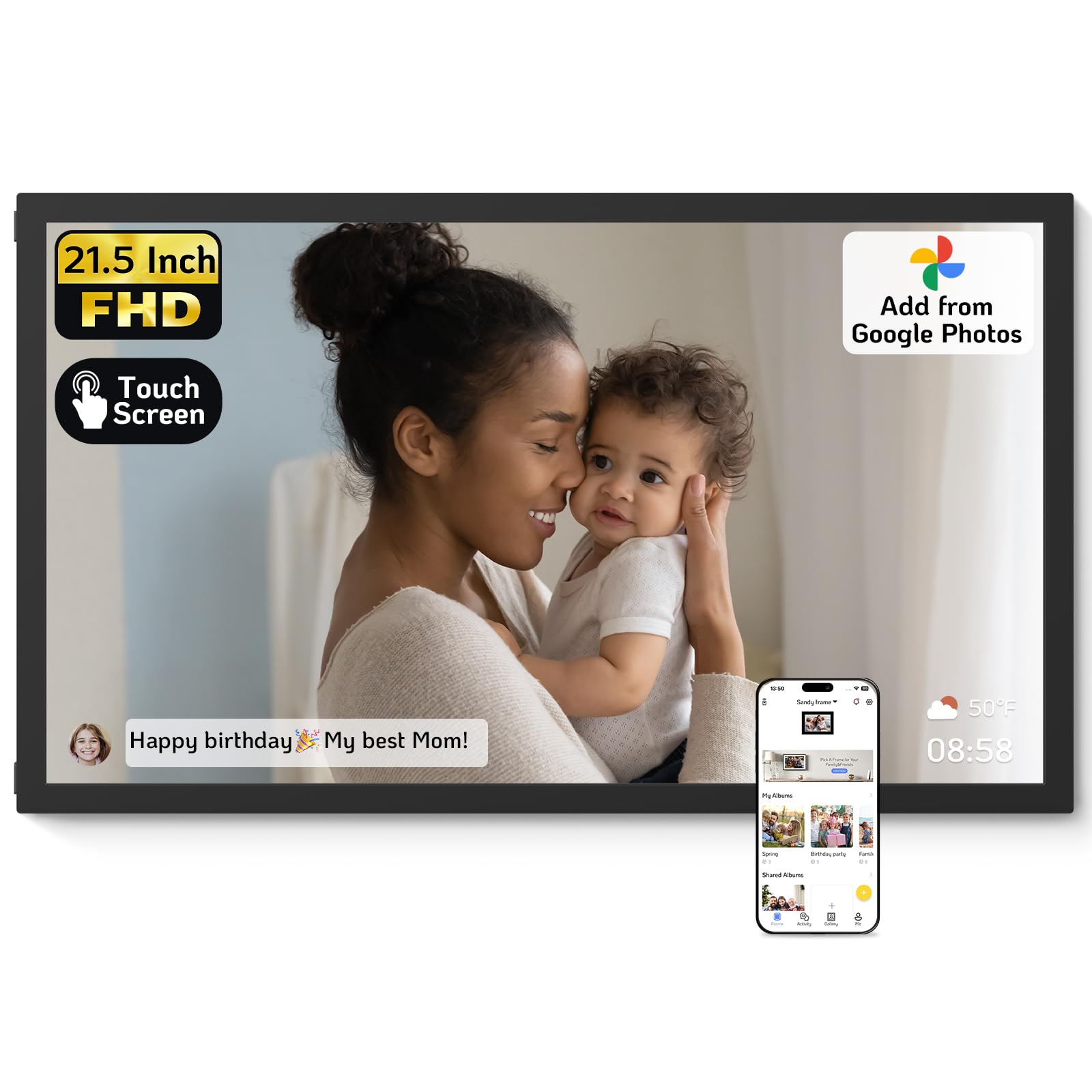
The NexFoto stands out because it directly integrates with Google Photos, letting you pull entire albums from your existing cloud library without manual uploads — a feature almost no competitor offers at this scale. Its 21.5-inch glossy IPS touchscreen delivers the sharpest 1920×1080 resolution in this roundup, and the swivel wall mount makes switching between portrait and landscape effortless without re-drilling holes.
With 64GB of internal memory, it holds roughly 80,000 photos, and you can expand further via microSD (up to 64GB). The built-in photo editor in the NexFoto app lets you crop and adjust images before they hit the frame, saving you from ugly formatting mismatches. The touch response is snappy, though a few users note a slight double-press delay that a firmware update could fix.
At the premium end of the market, this frame justifies its position with a mature app experience, support for Google Photos, and the ability to send timed blessings or captions directly to the screen. It is the best pick for anyone who already lives inside Google’s ecosystem and wants a true wall-mounted gallery.
Why it’s great
- Native Google Photos upload — skip the extra app step
- Glossy IPS panel with vibrant color and wide viewing angles
- Swivel wall mount for easy portrait/landscape switching
Good to know
- Touchscreen has occasional double-press delay
- App lacks photo index for duplicate management
2. BIGASUO 21.5″ Large Digital Picture Frame 64GB
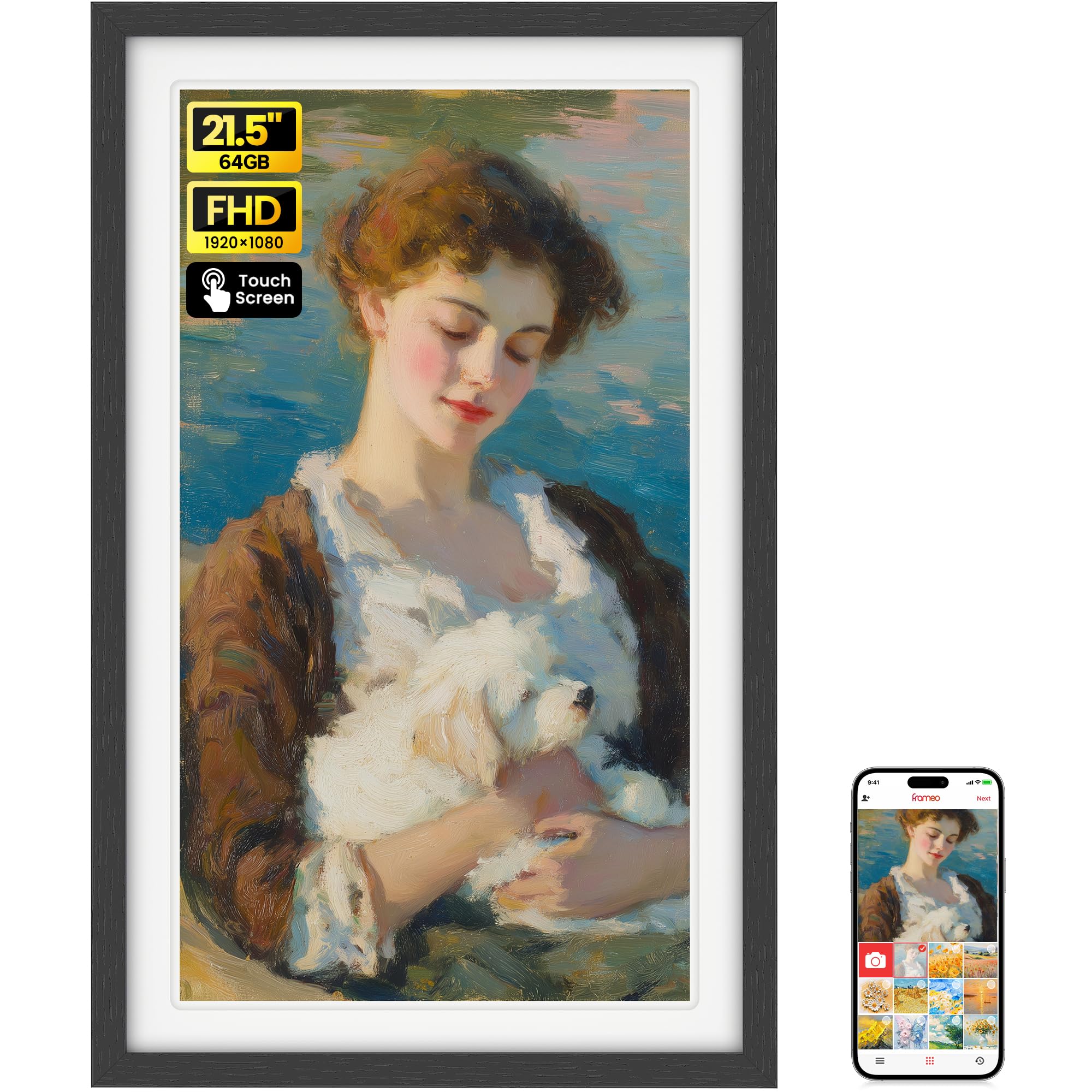
BIGASUO uses the widely trusted Frameo app, which is known for its straightforward invite-code system that lets unlimited family members send photos from anywhere without creating separate accounts. The 21.5-inch IPS touchscreen delivers crisp 1920×1080 resolution, and the 64GB internal storage gives you room for over 100,000 photos right out of the box — no SD card needed on day one.
Setup takes under five minutes: plug in, connect to dual-band Wi-Fi, and scan the QR code on screen. The touch interface is intuitive enough for grandparents, and the auto-rotate feature seamlessly adjusts images when you flip the frame between portrait and landscape. The included remote is handy, though the touchscreen makes it mostly redundant for everyday use.
This frame hits the sweet spot of premium features at a mid-range price. It lacks the Google Photos integration of the NexFoto, but for most families the Frameo app is more than sufficient. The one-year warranty and responsive customer support add peace of mind for a gift purchase.
Why it’s great
- Frameo app with unlimited multi-user sharing
- 64GB internal storage — no expansion needed initially
- Quick QR code setup and responsive touchscreen
Good to know
- Initial bulk photo upload can be slow
- Frameo restricts video uploads to 2 minutes via app
3. FRAMEO Arktronic 21.5 Inch Touchscreen Digital Photo Frame 64GB
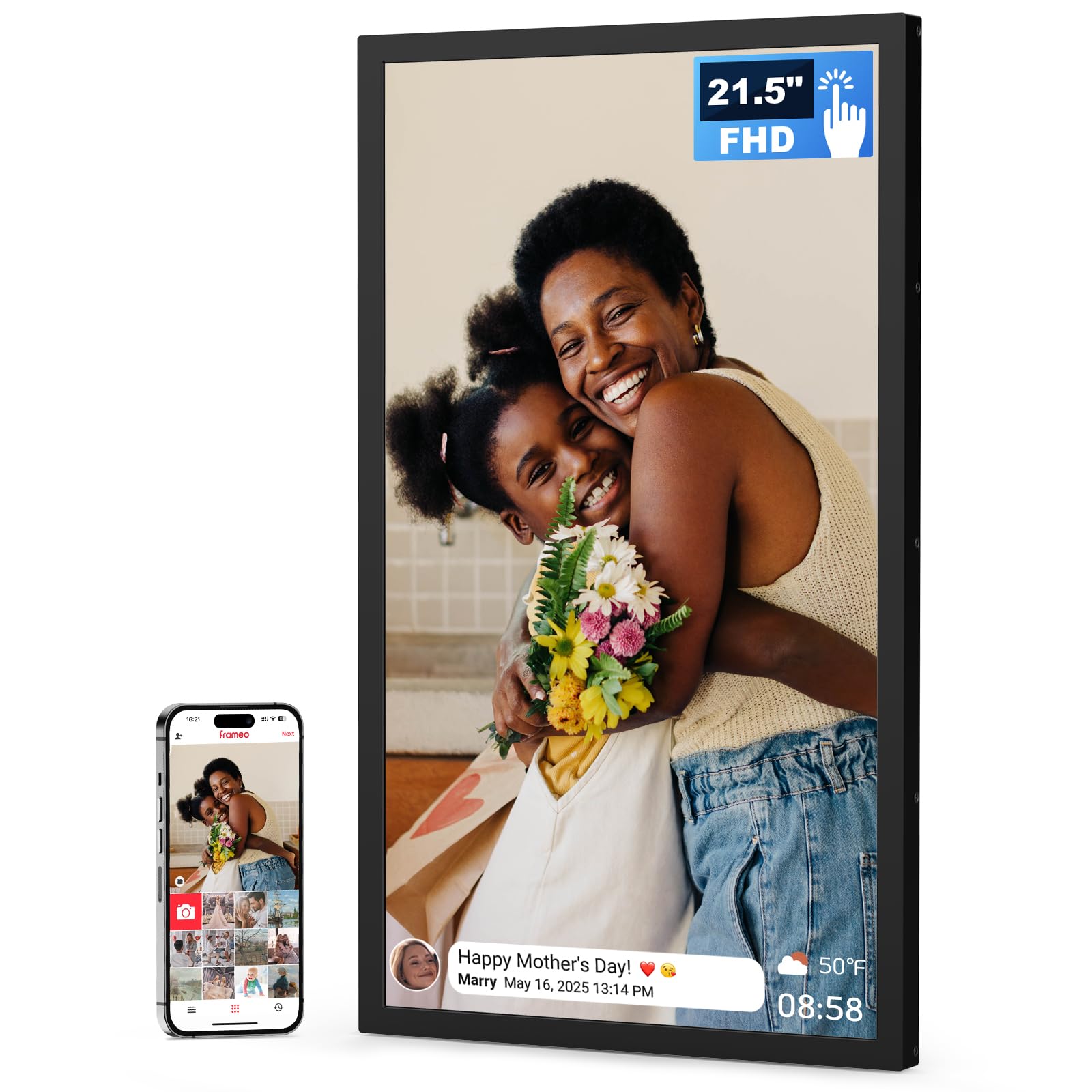
The Arktronic-branded Frameo implementation is the smoothest software experience in this category. Users consistently report that it is the easiest frame for multiple family members to use simultaneously, thanks to the clean invite-code system and the ability for up to 20 people to send photos without any subscription. The 21.5-inch 1920×1080 IPS touchscreen is bright enough for well-lit living rooms, and the 64GB internal memory stores around 80,000 images.
What sets this apart is the build quality — the black frame has a solid feel with minimal flex, and the two-way wall mount holds firmly in both orientations. The touchscreen responds accurately to swipes and taps, making album navigation feel natural. Captions display cleanly at the bottom of each photo, and the weather/clock overlay adds utility without being intrusive.
For buyers who prioritize an effortless multi-user experience, this is the frame to beat. It lacks the advanced Google Photos integration of the NexFoto, but the pure Frameo experience here is the most polished available at this size. The one-year warranty and lifetime support add confidence for long-term use.
Why it’s great
- Polished Frameo app with unlimited family sharing
- Solid build with stable two-way wall mount
- Bright IPS screen with responsive touch controls
Good to know
- Picture adjustment limited to vertical movement only
- No Google Photos or email-to-frame support
4. FANGOR 21.5″ Large Digital Picture Frame 64GB

FANGOR packs 64GB of internal storage into a mid-range price bracket, making it the best option for photo hoarders who don’t want to manage external drives or SD cards. The 21.5-inch 1920×1080 IPS panel covers a wide 178-degree viewing angle, so the image stays accurate whether you are sitting directly in front or walking past the frame in a hallway.
The Uhale app is free for life and supports 2.4GHz/5GHz dual-band Wi-Fi for transferring 100 photos at once. A remote control is included for navigating the menu, which is a thoughtful inclusion for elderly users who prefer physical buttons over touchscreens. The auto-rotate function works reliably when you flip the frame between vertical and horizontal mounting positions.
At this price point, the lack of a touchscreen is a reasonable trade-off for the massive 64GB capacity. The frame can also play video with sound from USB or SD card, though the Uhale app limits video uploads to 2 minutes. For pure photo display with minimal fuss, this is a compelling value proposition.
Why it’s great
- 64GB internal storage holds 100,000+ photos out of box
- Remote control for easy navigation
- Wide 178-degree viewing angle on IPS panel
Good to know
- No touchscreen — remote or app only
- Uhale app video upload capped at 2 minutes
5. FULLJA 21.5″ Large Digital Picture Frame 64GB
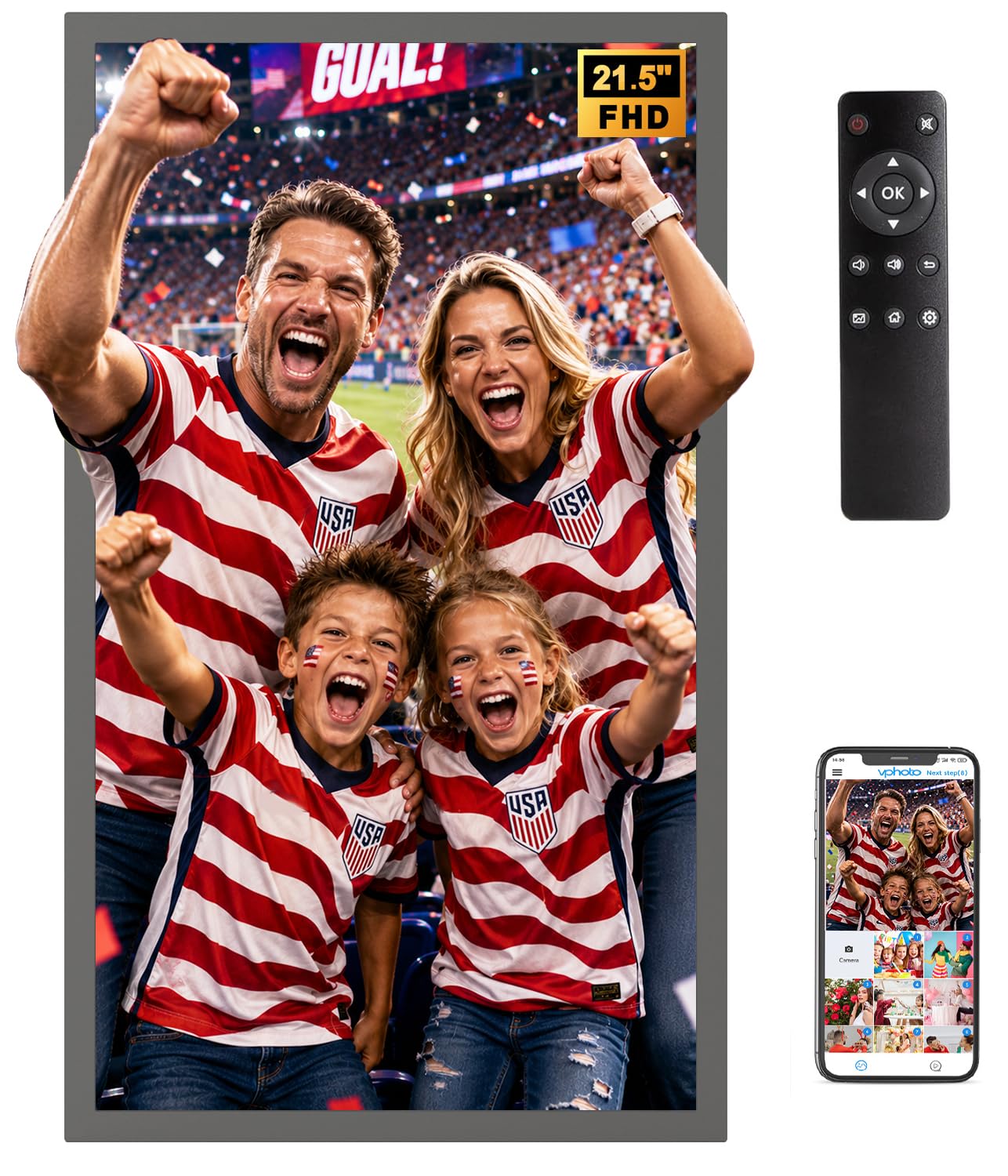
The FULLJA frame elevates the viewing experience with support for 2K video playback alongside the standard 1920×1080 still image display. The 21.5-inch IPS panel reproduces colors accurately, and the 64GB internal storage provides generous space for both photos and short films. The VPhoto app allows bulk transfers of 50+ photos at once, and the built-in music slideshow feature adds an emotional layer to memory display.
This frame excels in versatility: it supports split-screen modes for displaying multiple photos simultaneously, adaptive brightness that adjusts to ambient light, and a sleep timer for automatic power management. The remote control works reliably even from across the room, and the bidirection wall mount supports both portrait and landscape orientations without additional hardware.
The main drawback is the absence of a touchscreen, meaning all navigation goes through the remote or the app. Some users also report that the VPhoto app feels less polished than Frameo. However, for those who want video-heavy slideshows and a bright, sharp panel, the FULLJA delivers the most multimedia flexibility in this middle tier.
Why it’s great
- 2K video support for higher resolution playback
- Adaptive brightness and sleep timer for power efficiency
- Split-screen mode for multi-photo display
Good to know
- No touchscreen — remote control only
- VPhoto app interface less intuitive than Frameo
6. akimart 21.5″ FRAMEO Digital Photo Frame
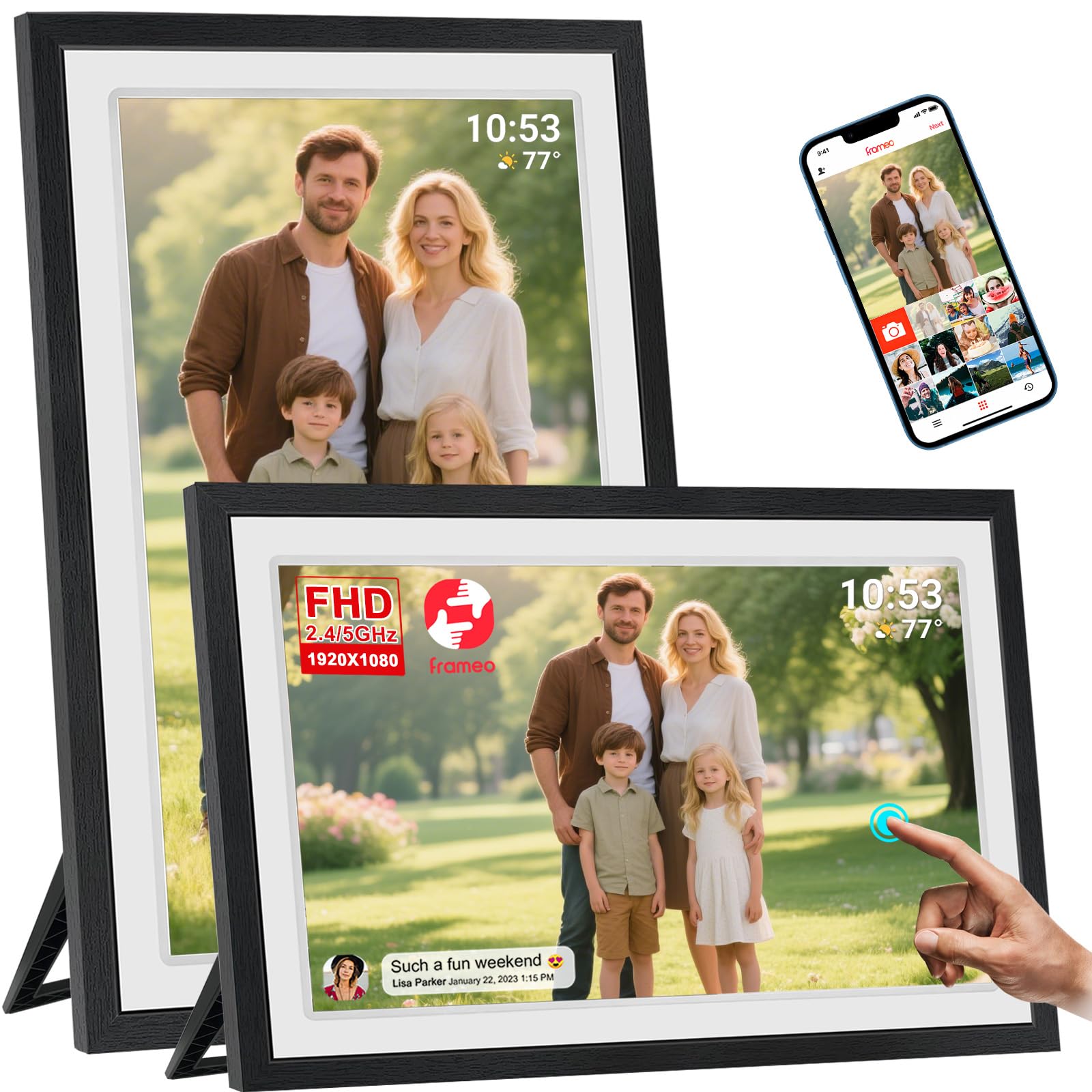
The akimart frame brings reliable FRAMEO touchscreen navigation to a 21.5-inch IPS panel, making it especially easy for non-tech-savvy users to swipe through albums, zoom into details, and adjust settings directly on the screen. The 1920×1080 resolution ensures sharp image quality, and the 16:10 aspect ratio provides a slightly taller viewing area than standard 16:9 frames, reducing letterboxing on portrait-oriented photos.
Built-in 32GB storage holds around 40,000 photos, and you can expand via USB or SD card up to 128GB. The detachable stand works well for tabletop use, while the VESA-compatible mount allows secure wall installation. The Frameo app supports 15-second video clips and batch transfers of 10 photos per free upload — acceptable for casual sharing, though heavy users may want the Frameo+ subscription that lifts limits to 100 photos and 2-minute videos.
User feedback highlights excellent image quality at this price point, but there are two notable concerns: the frame can get stuck on a welcome screen after a power outage, and the USB port placement is inconveniently close to the power cable. For stable power environments, however, the touchscreen responsiveness and FRAMEO ecosystem make this a solid mid-range pick.
Why it’s great
- Responsive Frameo touchscreen for all ages
- 16:10 aspect ratio reduces portrait cropping
- VESA mount included for secure wall setup
Good to know
- Can freeze on welcome screen after power cuts
- USB port placement is cramped near power plug
7. Dragon Touch 21.5″ Large Digital Picture Frame

Dragon Touch delivers a competent 21.5-inch entry-level frame that keeps costs down without cutting the most essential feature: a true 1920×1080 IPS display. The Vphoto app is free for life and allows 50-photo batch transfers over dual-band Wi-Fi. The walnut-colored frame adds a warm, furniture-grade aesthetic that blends into traditional home decor better than most black plastic alternatives.
Built-in 32GB memory stores roughly 40,000 photos, with support for TF cards up to 64GB and USB drives. The auto-rotate and ambient light sensor automate the two biggest annoyances of digital frames — manually flipping orientation and adjusting brightness throughout the day. The remote control is the primary interface since this model lacks a touchscreen, which works fine for slideshow control but makes album management less intuitive.
Customer reviews praise the clear picture quality and simple setup process. The main criticism is that the Vphoto app requires refreshing the access code roughly every 12 hours to maintain transmission — a minor annoyance that prevents completely seamless remote sharing. For budget-conscious buyers who want a large HD display, this is the most affordable door into the 20-inch category.
Why it’s great
- Affordable entry price for a 21.5-inch IPS panel
- Walnut frame looks like real furniture, not tech
- Auto-rotate and ambient brightness sensor included
Good to know
- No touchscreen — remote control only
- Vphoto app requires access code refresh every 12 hours
8. Cozyla 17″ WiFi Digital Picture Frame
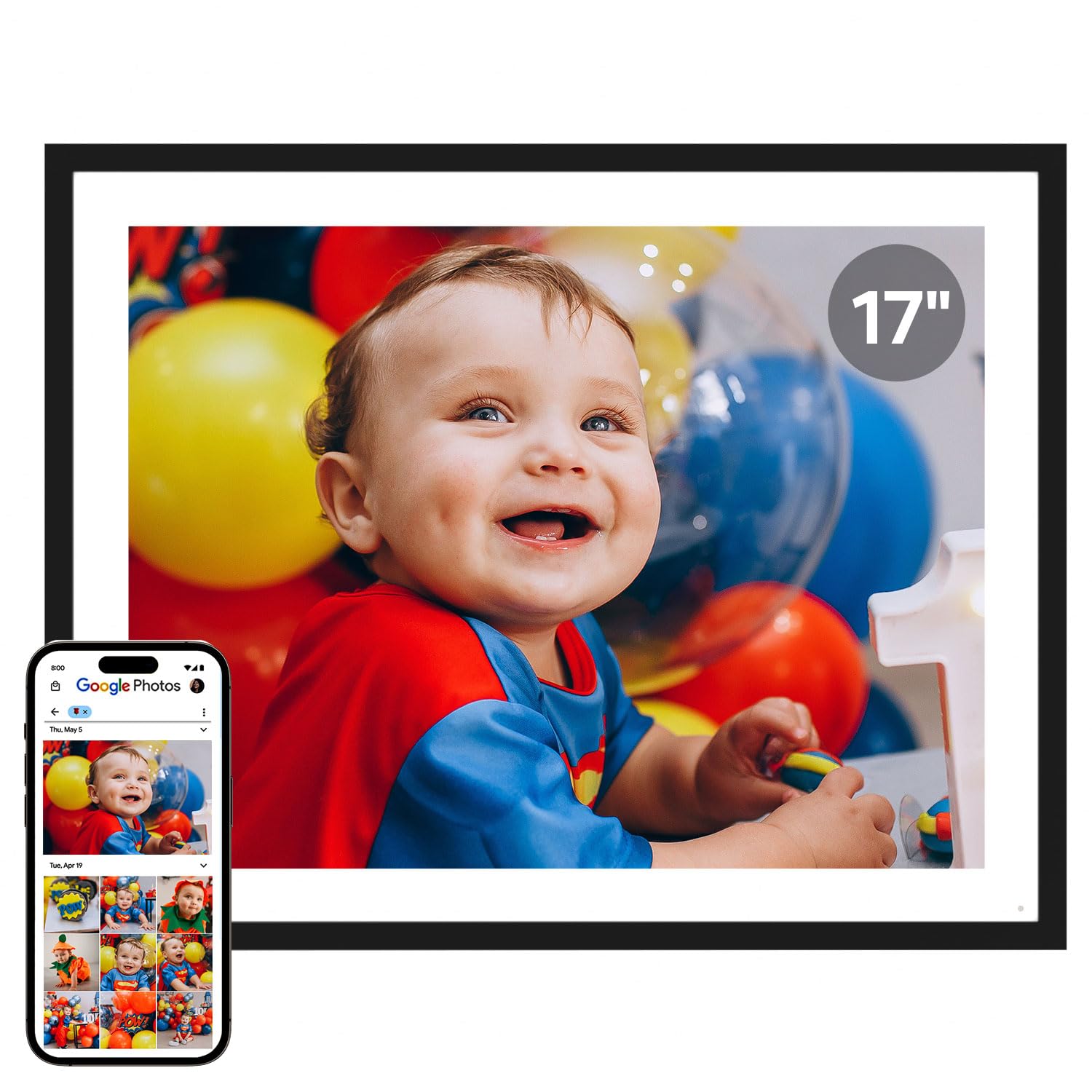
Cozyla breaks from the 16:9 crowd with a 4:3 aspect ratio that mirrors classic photo prints, meaning your images display almost exactly as they were captured without significant cropping. The 17-inch QXGA IPS panel has a higher pixel density than standard 1080p frames, producing noticeably sharper text and finer detail. The unlimited cloud storage is genuinely free — no subscription fees ever — and uses AWS encryption for privacy.
The app supports uploading from Google Photos, email, and web directly, and the long video feature lets you play full graduation speeches or baby-first-step videos without the 2-minute cap found on most competitors. AI restoration can intelligently sharpen old, blurry photos, and the voice memo feature attaches audio to images, creating a richer storytelling experience. The touchscreen is responsive and the auto-rotate works in both orientations.
At 17 inches, this is slightly smaller than the 21.5-inch competitors, but the 4:3 panel makes better use of its area for standard photos. The higher price reflects the premium cloud infrastructure and the polished app experience. If you value uncropped photo display and unlimited storage over raw diagonal inches, the Cozyla is the most thoughtfully designed frame in this lineup.
Why it’s great
- No subscription unlimited cloud storage for life
- 4:3 aspect ratio matches standard photo prints without cropping
- AI photo restoration and voice memo attachment
Good to know
- 17-inch diagonal is smaller than the 21.5-inch standard
- Google Photos upload support removed in recent updates
9. Arktronic 24″ Large Digital Picture Frame
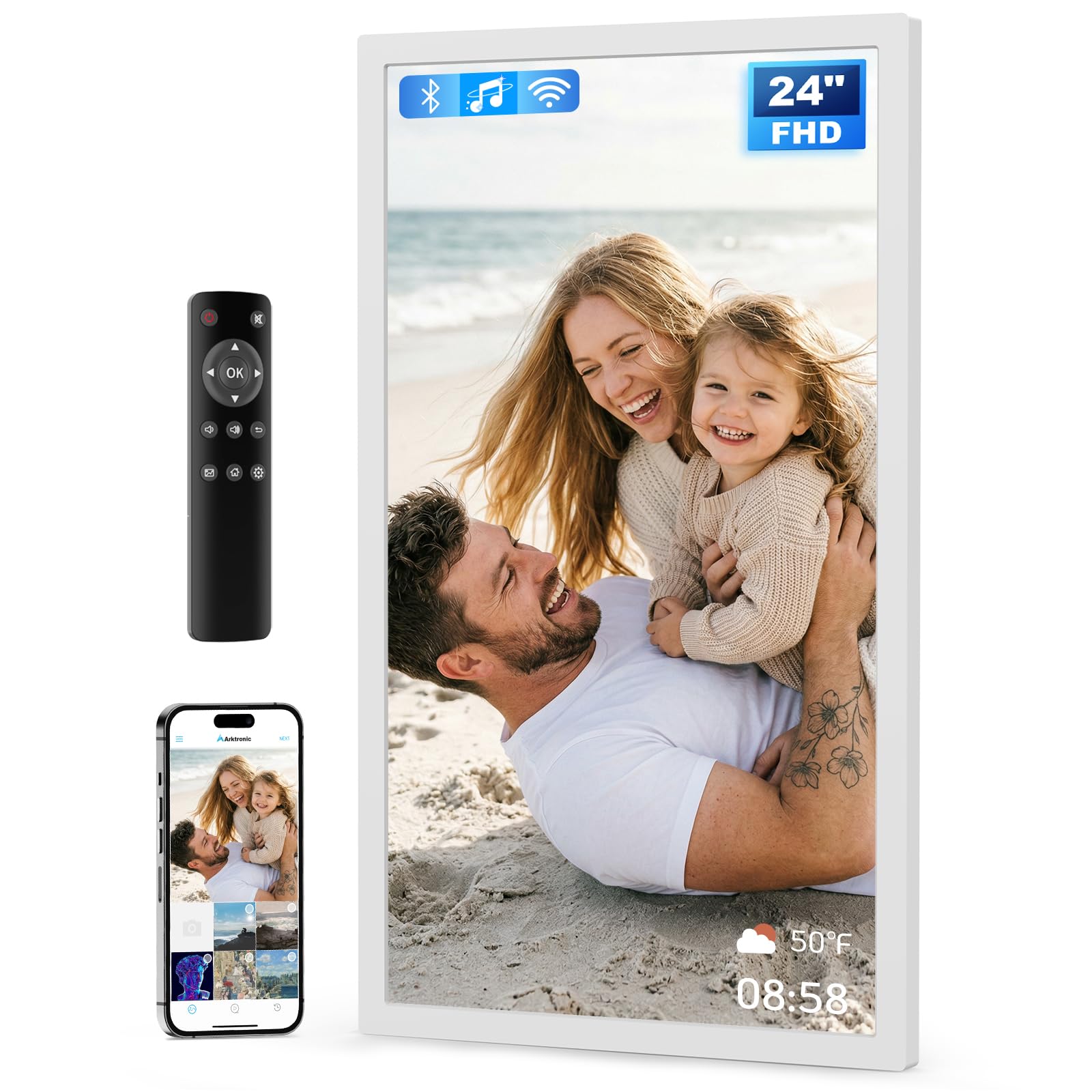
The Arktronic 24-inch frame is the largest option in this guide, offering a truly cinematic display that dominates a wall. The anti-glare coating on the IPS panel is a practical advantage for bright living rooms and commercial settings where direct sunlight would wash out a standard glossy screen. The 1920×1080 resolution at this size has a lower pixel density than the 21.5-inch models, but the anti-glare treatment preserves visibility from any angle.
The VPhoto app and email-to-frame system let you upload photos remotely, and the included remote control makes navigation simple for elderly users. The 32GB internal storage holds around 40,000 photos, and you can expand via USB or microSD. The white frame color is a refreshing alternative to the black-and-walnut standard, blending into modern kitchens and retail spaces more naturally.
This frame is ideal for commercial menus, trade show displays, or as a gift for someone who struggles with small screens. However, reliability is a concern — some users report freezing and screen fading issues that require multiple restarts. The 30-day money-back guarantee and one-year warranty provide a safety net, but this frame demands a higher tolerance for potential software hiccups given its extra-large screen size.
Why it’s great
- Anti-glare coating for bright rooms and commercial use
- 24-inch diagonal provides the largest viewing canvas
- White frame color suits modern and commercial decor
Good to know
- Some units experience freezing and screen fading
- 32GB storage is limited compared to 64GB peers
FAQ
Can I display portrait-oriented photos on a 20-inch frame without cropping?
How much storage do I need for a 20-inch picture frame?
What is the best app for sharing photos on a large digital frame?
Can I mount a 20-inch digital picture frame on the wall?
Why does my digital frame look washed out in a bright room?
Final Thoughts: The Verdict
For most users, the 20 inch digital picture frame winner is the NexFoto 21.5″ Touchscreen because it combines the most seamless Google Photos integration, a sharp glossy IPS panel, and a flexible swivel mount that makes wall installation foolproof. If you want the best value with zero subscription worries and true 4:3 uncropped photo display, grab the Cozyla 17″. And for the largest viewing canvas with anti-glare protection ideal for commercial spaces, nothing beats the Arktronic 24″.