
Our readers keep the lights on and my morning glass full of iced black tea. As an Amazon Associate, I earn from qualifying purchases.
Specs are compiled from manufacturer listings and verified buyer reviews and can change over time — please confirm the key details on the product page before buying.
Hunting for a small-screen gaming monitor that actually keeps up with fast motion without making your eyes ache is tougher than it sounds. Most compact displays stop at a standard 75Hz refresh rate, leaving on-screen action looking choppy. The picks here focus on the real numbers that matter: refresh rate, resolution, and color coverage, all wrapped in a screen that fits a modest desk.
I’m Min — the founder and writer behind Gadgets Feed. This guide is built by comparing the manufacturers’ published specifications and the patterns across verified customer reviews, so you get each pick’s real strengths and trade-offs instead of marketing spin.
If you want a fast, compact screen for gaming and daily work, this rundown of the best 20 inch gaming monitor choices weighs smooth motion against budget so you can upgrade with confidence.
Our Picks at a Glance
How To Choose The Best 20 Inch Gaming Monitor
This list uses flexible matching — since a true 20-inch gaming panel is rare, these picks are the nearest sizes sold (like 21.5-inch screens) that serve the same purpose without jumping up to 24 inches. Focus on what each spec does for your actual gameplay rather than the exact diagonal number.
Refresh Rate Is Your First Filter
The refresh rate, measured in hertz (Hz), is how many times the screen redraws the image each second. A standard office monitor sits at 60Hz, which can look stuttery in fast games. A 100Hz or 120Hz panel makes mouse movement and scrolling feel dramatically smoother, so prioritize this number first for gaming.
Resolution Determines Sharpness
For a 20-inch screen, Full HD (1920 x 1080) resolution keeps text and game detail sharp, not fuzzy. Some older budget monitors still use 1600 x 900, which is noticeably softer for reading text and spotting enemies in the distance. Check the resolution before you buy, not just the screen size.
Panel Type and Eye Comfort
VA panels deliver deeper blacks and higher contrast for darker games, while IPS panels offer wider viewing angles and better color accuracy. Look for flicker-free and low blue light features (often TÜV-certified) if you play in long sessions, and confirm the inputs match your PC or console before checkout.
Quick Comparison
In‑Depth Reviews
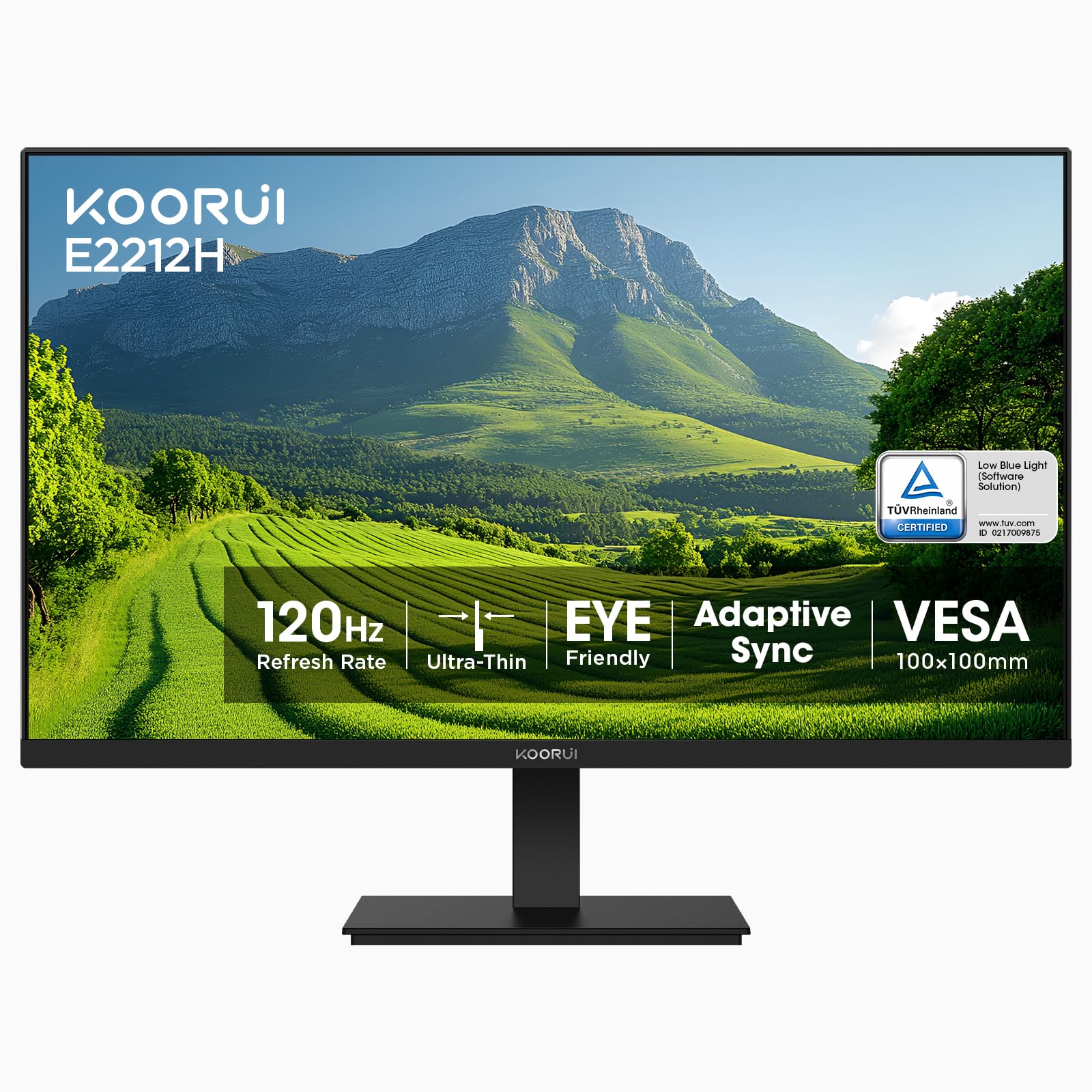
1. KOORUI 22 Inch Computer Monitor FHD 120Hz VA VESA Low Blue Light, E2212H
Our pick — 4.5★ from 15,000+ verified ratings; the strongest balance of quality and price.
The budget king that doubles your refresh rate for silky-smooth motion.
This is the crowd favorite for a reason: it delivers a 120Hz refresh rate (how many times the screen updates per second) — 20% faster than the ASUS pick’s 100Hz below — which makes scrolling, window switching, and light gaming feel dramatically more fluid than a standard 75Hz display. The 21.5-inch viewable screen runs at a full 1920 x 1080 resolution, so text stays crisp and game detail is sharp, not fuzzy.
What wins people over is the value: quality and value for money are the two things owners praise most, and the numbers back it up — this screen holds a 4000:1 contrast ratio, which is four times the depth of the Dell’s 1000:1, giving you much richer blacks in darker scenes. The VA panel (a type of screen that offers deep blacks and wide viewing angles) also covers 99% sRGB and 16.7 million colors, plus Adaptive-Sync (compatible with both FreeSync and G-Sync) to cut screen tearing during play.
Long sessions are kind to your eyes, thanks to TÜV Rheinland-certified low blue light and flicker-free tech, and the anti-glare surface helps in bright rooms. The slim bezel saves desk space, and the stand tilts from -5° to 15° with VESA 100 x 100mm mounting for wall or arm setups. One honest catch: it only supports HDMI and VGA inputs, so if your GPU needs DisplayPort or USB-C, you’ll need an adapter (not included). As owners put it: “I have a 16 year old PC and the plug and play still worked.”
Why It Wins
- 120Hz refresh makes motion visibly smoother than 75Hz displays
- 4.0x richer contrast than the Dell (4000:1 vs 1000:1) for deep blacks
- Adaptive-Sync works with FreeSync and G-Sync to reduce tearing
Know Before You Buy
- No DisplayPort or USB-C — HDMI and VGA only, adapter needed for modern GPUs
- VA panel means colors look a bit muted for color-critical work
Reach for this if: you want the smoothest, most affordable gaming upgrade on a small desk and don’t need DisplayPort.
Look elsewhere if: you do color-accurate photo or design work where wide viewing angles matter more than speed.
2. Dell E Series 20-inch Widescreen Flat Panel Monitor w/Led Technology

A dependable workhorse that prioritizes build quality over gaming speed.
If your priority is a rock-solid daily driver rather than high-octane gaming, this Dell is the sensible choice. It runs at a 1600 x 900 resolution — 20% fewer pixels than the 1920 x 1080 Full HD of the KOORUI and ASUS — which is perfectly fine for email, spreadsheets, and web work, though slightly softer for gaming detail. The 20-inch screen keeps your desk footprint tiny.
The build quality earns consistent praise, with buyers calling it great compared to other brands and noting the easy adjustable stand and superb color quality. Its 1000:1 contrast ratio is standard for an LED panel, and the anti-glare coating does a solid job cutting reflections — the worst you’ll see is a white halo that never hides the image. It weighs 8.8 pounds, so it’s not the lightest, but it feels solid on a desk.
The catch is connectivity: this monitor uses VGA only, with no HDMI port at all. That’s fine for older desktops and legacy office setups, but a modern laptop or GPU will need a VGA adapter. It also tops out at a 60Hz refresh rate, so fast-paced gaming will look stuttery compared to the 120Hz KOORUI. As one buyer put it: “I’ve been using this Dell monitor for over 3 months and it’s been great.”
Best for: office productivity, legacy PCs with VGA output, and buyers who value durable build quality over gaming specs.
Not for: modern gaming rigs that need HDMI or DisplayPort, or anyone chasing smooth high-Hz motion.
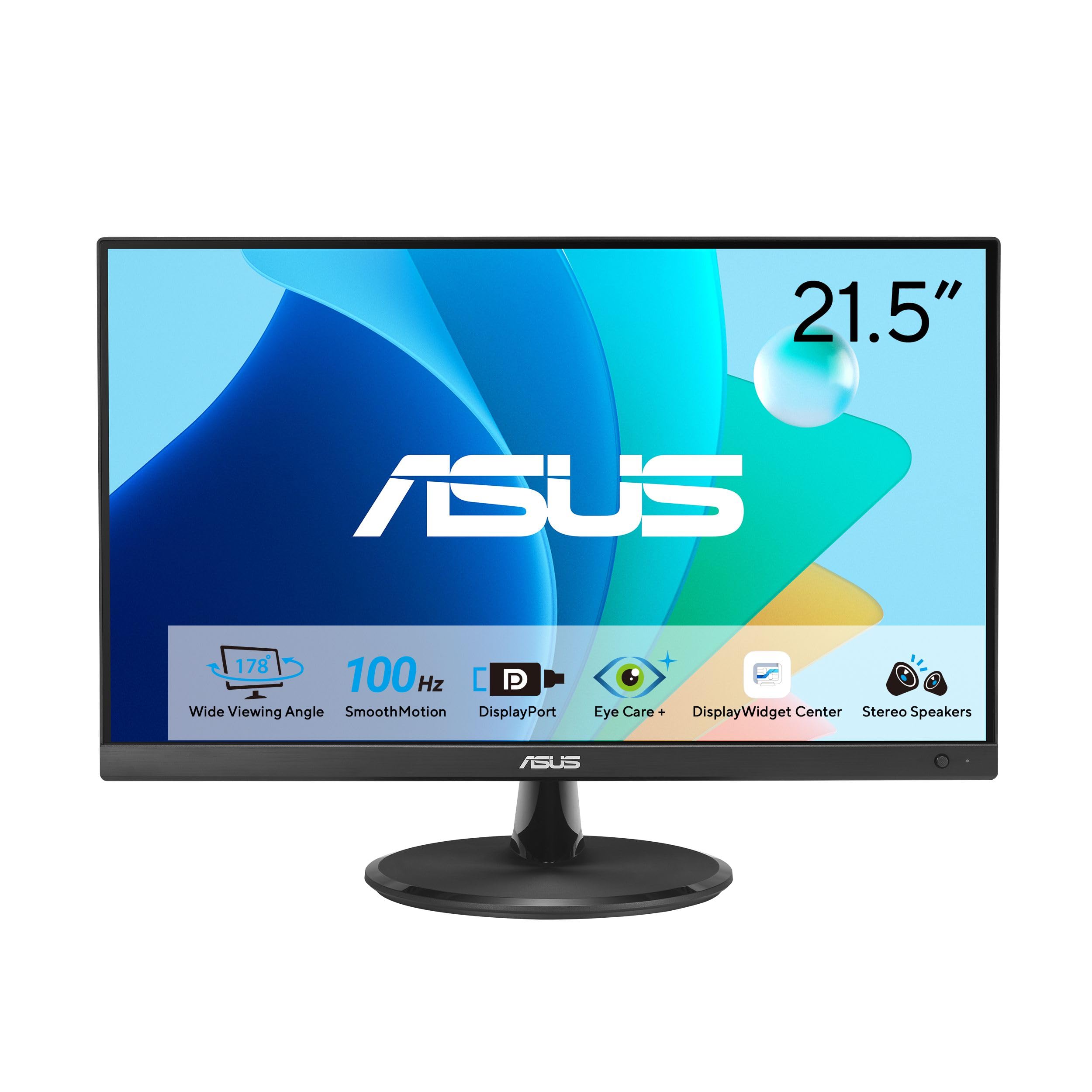
3. ASUS VP229QF 22 Inch 1080P 100Hz Eye Care Gaming Monitor, HDMI, DisplayPort
The color-accurate IPS option that brings DisplayPort to the compact table.
This ASUS stands apart from the KOORUI with its IPS panel, which delivers 178-degree wide viewing angles — so colors stay accurate even when you’re not sitting dead-center. It’s the pick for anyone who wants both gaming speed and decent color for creative work, thanks to 99% sRGB coverage that makes games and photos look vibrant. At 100Hz, it’s 20% faster than a standard 75Hz panel, giving you smooth motion for most titles.
The connectivity is the real differentiator here: unlike the KOORUI’s HDMI-and-VGA-only setup, this monitor offers HDMI, DisplayPort, and VGA. That DisplayPort input is exactly what one buyer needed: “This replaces an old monitor that only had DVI-D and VGA inputs, and I needed a Display port input for my new video card.” For modern GPUs (graphics cards), that’s a huge convenience — no adapter required. It also supports FreeSync for tear-free gameplay.
Eye comfort is well covered with TÜV Rheinland-certified flicker-free and low blue light tech, and the frameless design keeps the external width smaller than the screen size suggests. A handy bonus is the ASUS DisplayWidget Center app, which lets you tweak settings with a mouse instead of fiddling with buttons, and it’s VESA wall-mountable. The 3-year warranty includes advanced replacement — a nice safety net. The trade-off: its 1000:1 contrast ratio is far below the KOORUI’s 4000:1, so blacks aren’t as deep in dark scenes.
Color-focused pick: the IPS panel and 99% sRGB make this the best choice for gamers who also edit photos or watch media from odd angles.
The honest catch: shallow contrast (1000:1) means horror games and dark movies won’t have the punchy blacks the KOORUI delivers at 4000:1.
Choose this if: your GPU has DisplayPort and you want accurate colors with a thin bezel and app-based controls.
Think twice if: deep blacks in dark games matter more to you than wide viewing angles — the VA panel alternative wins there.
Understanding the Specs
Refresh Rate (Hz)
This is how many times per second your screen redraws the image. A 60Hz monitor updates 60 times a second, which is fine for office work but can look stuttery in fast games. Jumping to 100Hz or 120Hz makes camera pans and scrolling feel dramatically smoother, so it’s the single most important spec for a gaming monitor.
Contrast Ratio
This measures the difference between the brightest white and the darkest black a screen can show. A higher ratio like 4000:1 makes dark scenes in games and movies look deeper and more detailed, while a lower 1000:1 ratio can look a bit washed out in shadowy areas. VA panels usually beat IPS panels on this number.
FAQ
Is a 120Hz refresh rate worth it on a budget 20-inch monitor?
What is the difference between 1600 x 900 and 1920 x 1080 resolution?
Will a 20-inch or 21.5-inch monitor fit on a small desk?
Can I connect a modern GPU with DisplayPort to these monitors?
Is a VA panel or an IPS panel better for gaming?
What does Adaptive-Sync or FreeSync do for gaming?
How long will a budget gaming monitor last?
Is eye care technology like low blue light actually useful?
Can I use a 20-inch gaming monitor for work from home too?
What cables come in the box with these monitors?
Final Thoughts: The Verdict
For most people, the 20 inch gaming monitor winner is the KOORUI E2212H because its 120Hz refresh rate and 4000:1 contrast deliver the smoothest, richest gaming experience per dollar. If you need DisplayPort for a modern GPU plus accurate IPS colors, grab the ASUS VP229QF. And for a dependable office screen with proven build quality, the Dell E Series is the one to reach for.
How We Picked
We do not accept paid placement. Every pick is matched to a real buyer and a real use-case; we do not hands-on test units.
Sources & Methodology
Specifications: manufacturer listings and product documentation. Review insights: verified customer reviews, as of August 2026. Pricing: not shown on this page (it changes often); check the current price via the retailer link.
As an Amazon Associate, Gadgets Feed earns from qualifying purchases. This does not affect which products we feature.