
The gap between a cramped 15.6-inch display and a spacious 17.3-inch panel is more than just two inches of diagonal real estate — it’s the difference between constantly scrolling through spreadsheets and seeing the full picture, between squinting at timelines and actually editing video. A true 20 inch laptop doesn’t exist as a standard consumer form factor, so the best options in this category are the premium 17.3-inch and 18-inch monsters that deliver the maximum usable screen area. These machines are built for professionals, creators, and power users who need every pixel of workspace without resorting to an external monitor.
I’m Min — the co-founder and writer behind Gadgets Feed. I’ve spent hundreds of hours analyzing display specs, processor benchmarks, and real-world performance data across the entire large-screen laptop market to separate the true workstation replacements from the oversized netbooks with weak hinges.
Whether you are editing 4K timelines, running multiple virtual machines, or managing complex financial models side-by-side, this guide digs deep into the processors, RAM configurations, panel quality, and thermal designs that define the best 20 inch laptop options available today. The landscape is dominated by powerful 17.3-inch and 18-inch machines because the true 20-inch form factor remains a niche workstation category.
How To Choose The Best Large-Screen Laptop
A 17.3-inch or 18-inch laptop represents a significant investment. Unlike smaller portables, these machines are typically used as desktop replacements, so every component choice carries more weight. The right purchase balances raw power, panel quality, portability, and thermal performance based on your specific workflow.
Panel Resolution and Color Accuracy
A large screen is only useful if the resolution matches the task. A 1600×900 HD+ panel on a 17.3-inch laptop creates noticeable pixelation when viewing spreadsheets or reading text, while a 1920×1080 FHD panel is the baseline for acceptable clarity. For creative work, a 2560×1600 WQXGA display with 100% DCI-P3 color gamut is the gold standard. The 16:10 aspect ratio is particularly valuable on large laptops because it adds vertical space for timelines, documents, and code without increasing the chassis width. Pay attention to nits — a 400-nit display is usable in bright offices, while a 500-nit HDR panel is essential for HDR video editing.
Processor and Thermal Design
The CPU choice directly impacts how long the laptop can sustain peak performance. Intel Core i7-1355U and AMD Ryzen 5 7430U are efficient for business multitasking, but they throttle under sustained loads like video encoding. For heavy workloads, the Intel Core Ultra 9 185H/285H or AMD Ryzen 9 9955HX with dedicated fan solutions is required. Apple’s M5 chip offers exceptional performance-per-watt, staying cool and quiet under load. The cooling system — dual fans vs. tri-fan, liquid metal vs. standard paste, and heat pipe configuration — determines whether the laptop maintains boost clocks or drops to base speeds within minutes. Always check reviews mentioning sustained thermal performance.
RAM, Storage, and Upgradeability
For a large-screen laptop, 16GB is the absolute minimum for professional work; 32GB is the practical sweet spot, and 64GB is necessary for virtual machines, large datasets, or heavy video editing. Pay attention to whether the RAM is soldered (non-upgradeable, as in the Dell 16 Plus or GEEKOM X16 Pro) or uses SO-DIMM slots (upgradeable, as in many HP models). For storage, PCIe Gen 4 NVMe SSDs with 1TB or 2TB are standard, but having an extra M.2 slot for future expansion is a major advantage. A laptop with a single non-upgradeable SSD limits your future-proofing significantly.
Keyboard and Port Selection
The primary advantage of a 17.3-inch or larger laptop is the full-size keyboard with a dedicated numeric keypad. Check for key travel (1.5mm minimum), backlighting (often missing on budget-tier models), and layout. For ports, a Thunderbolt 4 or USB4 port with Power Delivery is essential for future docking, while HDMI 2.1 supports external 4K monitors at 60Hz. The LG gram 17 and ASUS ROG Strix G18 offer excellent port selection, while some HP models sacrifice USB-A ports and backlighting. The absence of a backlit keyboard is a common complaint in the mid-range tier.
Quick Comparison
On smaller screens, swipe sideways to see the full table.
| Model | Category | Best For | Key Spec | Amazon |
|---|---|---|---|---|
| LG gram Pro 17 | Premium Ultrabook | Portable powerhouse | 17″ WQXGA, 3.3 lbs, RTX 5050 | Amazon |
| LG gram 17 Touch | Premium Ultrabook | All-day battery + touch | 17″ WQXGA Touch, 23.5 hr battery | Amazon |
| ASUS Zenbook Duo | Dual-Screen | Multitasking productivity | Dual 14″ OLED 3K 120Hz | Amazon |
| ASUS ROG Strix G18 | Gaming | High-refresh gaming | 18″ FHD+ 144Hz, RTX 5060 | Amazon |
| Apple MacBook Pro M5 | Pro Workstation | Creative pro workflows | 14.2″ Liquid Retina XDR, M5 | Amazon |
| Microsoft Surface Laptop 15″ | Copilot+ PC | ARM efficiency + AI | 15″ Touch, Snapdragon X Elite | Amazon |
| Dell 16 Plus | Pro Ultrabook | AI-ready compact pro | 16″ 2.5K, Core Ultra 9 288V | Amazon |
| GEEKOM GeekBook X16 Pro | Ultrabook | Featherlight + fast | 16″ 2.5K 120Hz, 2.8 lbs | Amazon |
| HP Business Laptop 17.3″ | Business | Value-packed business | 17.3″ FHD, Ryzen 5, 32GB RAM | Amazon |
| HP 17 Touchscreen | Touch Laptop | Touch + numeric keypad | 17.3″ HD+ Touch, Ryzen 5, 64GB | Amazon |
| HP 17 with i7 | Performance | High RAM for VMs | 17.3″ HD+ Touch, i7-1255U, 64GB | Amazon |
| HP Essential 17t | Performance | High RAM + fingerprint | 17.3″ HD+ Touch, i7-1355U, 64GB | Amazon |
| HP Business Laptop i5 | Value Business | Budget-friendly storage | 17.3″ HD+, i5, 64GB + 2TB | Amazon |
In‑Depth Reviews
1. LG gram Pro 17

The LG gram Pro 17 is the ultimate expression of a desktop-replacement ultrabook. Weighing just 3.3 pounds with a 17-inch WQXGA 2560×1600 display, it achieves a portability-to-screen-size ratio that no other laptop in this class matches. The Intel Core Ultra 9 285H processor with a dedicated NPU handles AI tasks locally, while the NVIDIA RTX 5050 GPU enables light gaming, video rendering, and CAD work without needing a separate workstation. The 90Wh battery delivers up to 25 hours of video playback, making this the longest-lasting large-screen laptop on the market.
Build quality is exceptional — the chassis passes seven MIL-STD-810 durability standards, and the 0.6-inch-thin profile means it slides into bags designed for smaller laptops. The 32GB of DDR5 RAM and 2TB PCIe Gen 4 SSD provide ample headroom for multitasking, and the dual cooling system with Smart AMP keeps thermals in check under sustained load. The 144Hz variable refresh rate display is a bonus for fluid scrolling and occasional gaming.
The primary drawback is the premium price point, which puts it firmly in investment territory. Some users report occasional coil whine under heavy GPU load, and the lack of an Ethernet port may require a USB-C dongle for wired networking. For professionals who need a 17-inch workstation that actually feels portable, this is the benchmark.
Why it’s great
- Unmatched 3.3 lbs weight for a 17-inch laptop with discrete GPU
- Superb WQXGA 144Hz display with 100% DCI-P3 color gamut
- 90Wh battery delivers real all-day productivity (12+ hours real-world)
- Full numeric keypad and excellent port selection including dual Thunderbolt 4
Good to know
- Premium pricing places it at the high end of the category
- No Ethernet port; requires dongle for wired networking
- Soldered RAM — no future upgrade beyond 32GB
2. LG gram 17 Touch

The LG gram 17 Touch takes the ultra-light formula and adds a responsive 17-inch WQXGA touchscreen with anti-glare coating. Powered by the Intel Core Ultra 9 288V processor with a 47 TOPS NPU, this Copilot+ PC handles on-device AI tasks like real-time transcription and image generation efficiently. The 77Wh battery is rated for up to 23.5 hours of video playback, making it the longest-lasting option for professionals who work away from power outlets all day.
The display covers 99% DCI-P3, which is essential for photo and video color grading. Wi-Fi 7 and dual Thunderbolt 4 ports provide future-proof connectivity. The chassis weighs only 3.2 pounds and is 0.74 inches thin, passing MIL-STD-810 durability tests. The anti-glare touchscreen is a rare combination — most touch panels are glossy, but LG’s implementation reduces reflections significantly in bright environments.
Some users note that the actual battery life under mixed productivity workloads is closer to 11-12 hours rather than the advertised 23.5 hours, which is typical for the video-playback rating. The chassis construction uses a lightweight magnesium alloy that feels less rigid than the all-aluminum LG gram Pro. If you need a massive screen with all-day battery and touch input, this is the pick.
Why it’s great
- Outstanding 23.5-hour video playback battery rating
- 17-inch WQXGA anti-glare touchscreen with 99% DCI-P3
- Ultra-light 3.2 lbs chassis with MIL-STD-810 durability
- Wi-Fi 7 and dual Thunderbolt 4 for future-proof connectivity
Good to know
- Real-world battery under mixed use is ~11 hours, not 23.5
- Magnesium alloy chassis feels less premium than aluminum alternatives
- RAM is soldered; no upgrade path
3. ASUS Zenbook Duo

The ASUS Zenbook Duo fundamentally reimagines what a large-screen laptop can be. Instead of a single 17-inch panel, it offers two 14-inch 3K OLED touchscreens with 120Hz refresh rates that can be used stacked, side-by-side, or with the detachable Bluetooth keyboard over the bottom screen. This provides effectively more than 28 inches of diagonal screen real estate without the bulk of a traditional 17.3-inch clamshell. The Intel Core Ultra 9 285H processor with Intel Arc Graphics handles creative workloads and light gaming.
The dual 16:10 OLED panels cover 100% DCI-P3 with 500-nit HDR peak brightness, making them reference-grade for video editing. The built-in kickstand allows the laptop to stand upright in Dual Screen mode, and the included ASUS Pen 2.0 supports MPP 2.0. The 75Wh battery provides up to 12 hours of video playback in laptop mode and 9 hours in dual-screen mode. The I/O includes two Thunderbolt 4 ports, USB 3.2 Gen 1 Type-A, and HDMI 2.1.
The Zenbook Duo runs warm under sustained load — the Core Ultra 9 285H generates significant heat, and the dual-screen design limits airflow compared to traditional clamshells. The speakers lack bass depth, which is disappointing at this price point. For multitaskers who need to reference documents, code, or timelines while working, the dual-screen flexibility is unmatched. This is not a laptop for gaming or battery endurance — it’s a productivity specialist.
Why it’s great
- Dual 14-inch 3K OLED 120Hz touchscreens provide unmatched screen real estate
- Detachable Bluetooth keyboard and built-in kickstand enable four distinct usage modes
- Excellent color accuracy with Pantone validation and 100% DCI-P3
- Includes ASUS Pen 2.0 and protective sleeve
Good to know
- Runs warm; thermal design struggles under sustained CPU load
- Speakers lack bass and sound flat compared to MacBook Pro
- Battery life in dual-screen mode is limited to ~9 hours
4. ASUS ROG Strix G18
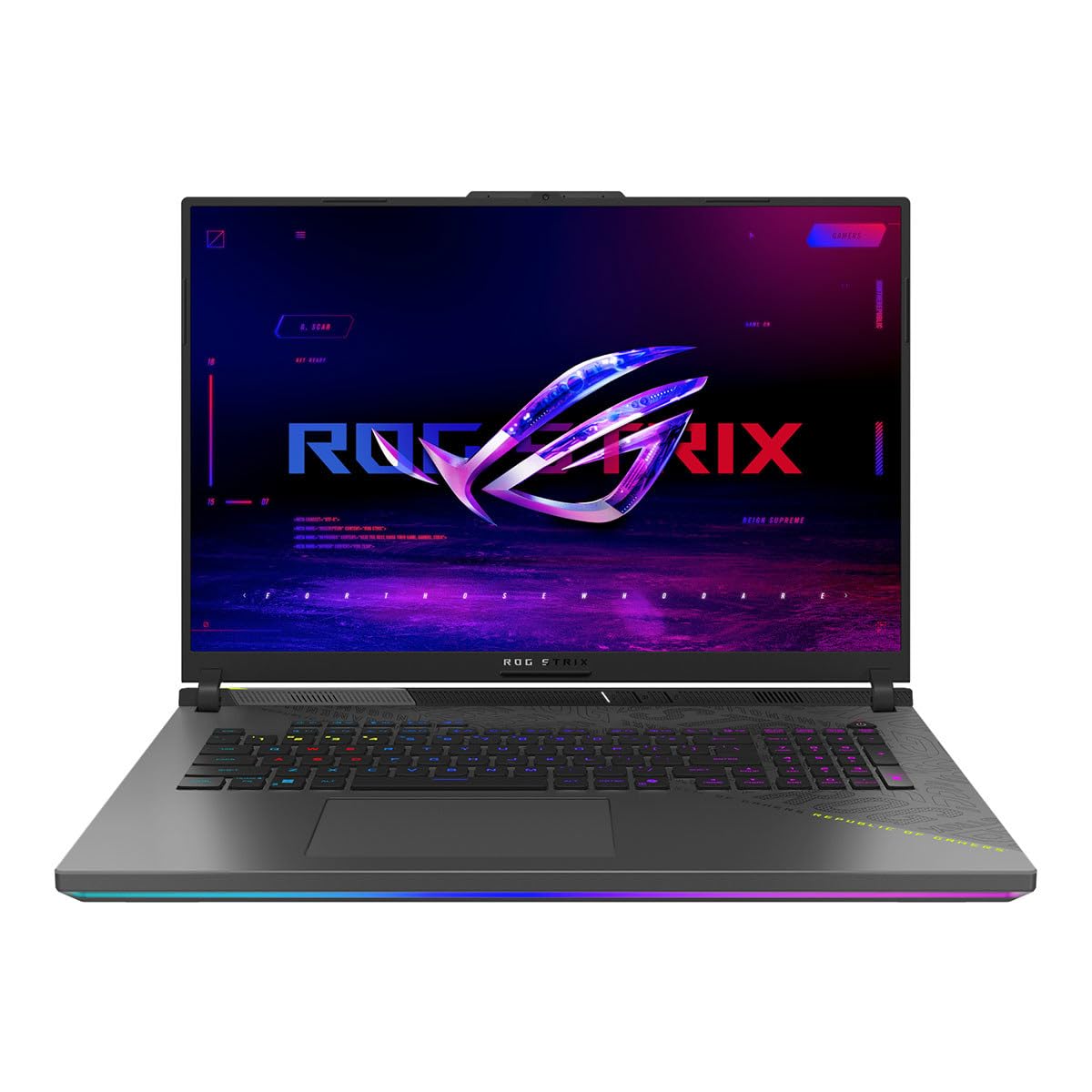
The ASUS ROG Strix G18 is the closest you can get to a true 20-inch gaming experience without going to a desktop. The 18-inch FHD+ 1920×1200 display with a 144Hz refresh rate and 3ms response time provides a smooth, immersive gaming canvas. The AMD Ryzen 9 9955HX processor (16 cores, up to 5.4GHz) paired with the NVIDIA GeForce RTX 5060 laptop GPU delivers high frame rates in titles like Cyberpunk 2077 and Call of Duty at high settings. The tri-fan cooling system with Conductonaut Extreme liquid metal on the CPU keeps thermals manageable during extended gaming sessions.
The 2TB PCIe Gen 4 SSD provides ample storage for a large game library, and the 16GB of DDR5-5600 RAM is sufficient for gaming, though power users may want more for multitasking. The full-size keyboard includes a numpad, and the customizable RGB light bar adds aesthetic flair. The Nebula display features a new ACR film that enhances contrast and reduces glare, making the screen usable in brighter rooms.
Battery life is limited — expect 3-4 hours of light use and less than 2 hours while gaming. The 18-inch chassis is large and heavy at over 6 pounds, making it a true desktop replacement rather than a portable. Some users report needing a BIOS update to resolve initial audio driver issues. For gamers who prioritize screen size and raw performance over portability, the ROG Strix G18 is the top pick.
Why it’s great
- Massive 18-inch 144Hz display with excellent contrast and low response time
- Top-tier AMD Ryzen 9 9955HX + RTX 5060 combination
- Effective tri-fan cooling with liquid metal sustains high frame rates
- Full keyboard with numpad and customizable RGB lighting
Good to know
- Limited battery life (2-4 hours depending on usage)
- Heavy and bulky at over 6 pounds
- Initial audio driver issues reported; requires BIOS update
5. Apple MacBook Pro M5

The Apple 2025 MacBook Pro with the M5 chip represents the pinnacle of efficient performance. While the 14.2-inch Liquid Retina XDR display is smaller than the 17.3-inch alternatives, it delivers 1600 nits peak brightness, 1,000,000:1 contrast ratio, and reference-grade color accuracy that surpasses most larger panels. The M5 chip with a 10-core CPU and 10-core GPU provides exceptional single-threaded and multi-threaded performance, running cool and silent even under heavy loads like 4K video editing in Final Cut Pro or running AI models locally.
The 24GB of unified memory and 1TB SSD provide fast access to large files. The build quality is industry-leading with a precision-milled aluminum unibody, and the six-speaker array with Spatial Audio and Dolby Atmos is the best laptop audio system on the market. The 12MP Center Stage camera with studio-quality mics makes video calls professional-grade. The MacBook Pro supports up to two external displays via three Thunderbolt 4 ports, HDMI, and an SDXC card slot.
The primary limitation is the 14.2-inch screen — for users who need a 17-inch or larger canvas for side-by-side windows, this will feel cramped. macOS is not suitable for all enterprise software or gaming. The price is premium, and the 24GB RAM configuration may be limiting for users running multiple virtual machines or large language models. For creative professionals who prioritize performance per watt and display quality over sheer screen size, the M5 MacBook Pro is unmatched.
Why it’s great
- M5 chip delivers exceptional performance with near-silent, cool operation
- Liquid Retina XDR display with 1600 nits peak and reference color accuracy
- Industry-leading build quality and best-in-class laptop speakers
- All-day battery life (10-12 hours real-world mixed use)
Good to know
- 14.2-inch screen is smaller than 17.3-inch alternatives
- macOS limits software compatibility for some enterprise and gaming applications
- 24GB unified memory is non-upgradeable and may be limiting for heavy VM users
6. Microsoft Surface Laptop 15″

The Microsoft Surface Laptop (2024) with Snapdragon X Elite marks a shift to ARM architecture for Windows laptops. This 15-inch Copilot+ PC delivers exceptional battery life — up to 20 hours of video playback — and runs cool and quiet thanks to the efficient 12-core Snapdragon processor. The 15-inch PixelSense touchscreen display with Bright HDR technology is bright and vibrant, with thin bezels that maximize the screen-to-body ratio. The build quality is premium, rivaling the MacBook Air in fit and finish.
Performance for productivity tasks like Office, web browsing, and light coding is outstanding, with the NPU enabling real-time AI features in Windows 11. The keyboard and trackpad are best-in-class for a Windows laptop, with comfortable key travel and a large haptic touchpad. At just 3.5 pounds, it is highly portable for a 15-inch laptop. The Dolby Atmos omnisonic speakers are among the best in any Windows laptop.
The ARM architecture remains the biggest compromise. Many applications — particularly professional creative tools like Adobe Premiere Pro, CAD software, and some games — lack native ARM64 builds and require emulation, which impacts performance and battery life. Users report issues with Docker Desktop and virtual machines. For users who primarily use web apps, Office, and ARM-native software, the Surface Laptop is excellent. For anyone needing x64 compatibility, an Intel or AMD alternative is safer.
Why it’s great
- Outstanding battery life (up to 20 hours video playback)
- Premium build quality with excellent keyboard and haptic trackpad
- Runs cool, quiet, and fanless for most productivity tasks
- Brilliant 15-inch touchscreen with thin bezels
Good to know
- ARM architecture limits software compatibility (no x64 emulation for many pro apps)
- Not suitable for gaming or GPU-accelerated creative workloads
- No fingerprint reader; relies on face recognition only
7. Dell 16 Plus

The Dell 16 Plus DB16250 is a sleek AI-ready ultrabook built around the Intel Core Ultra 9 288V processor with a dedicated NPU. The 16-inch 2.5K (2560×1600) 16:10 display provides excellent vertical workspace for productivity, and the 32GB of LPDDR5X memory ensures smooth multitasking. At just over 3.5 pounds, it is significantly lighter than traditional 17.3-inch laptops while offering a comparable viewing area thanks to the taller 16:10 aspect ratio.
The all-aluminum chassis feels premium and passes military-grade durability testing. The FHD+ webcam with Windows Hello support enables quick login, and the backlit Copilot key provides one-touch access to AI features. The port selection includes two Thunderbolt 4 ports (one used for charging), one USB-A, and HDMI 2.1, though some users note the limited number of USB-A ports. The integrated Intel Arc Graphics handles light creative work and casual gaming.
The primary drawback is the soldered RAM — the 32GB configuration cannot be upgraded, which limits future-proofing. Some users report McAfee software being deeply embedded in the system, requiring effort to fully remove. The speakers are adequate but lack bass compared to the MacBook Pro. The Dell 16 Plus is a strong choice for professionals who want a large 16:10 display in a lightweight, AI-capable package without the bulk of a 17-inch machine.
Why it’s great
- Excellent 16-inch 2.5K 16:10 display with great resolution for productivity
- Intel Core Ultra 9 288V with NPU for on-device AI tasks
- Premium aluminum build with military-grade durability certification
- Lightweight and portable at ~3.5 pounds
Good to know
- Soldered RAM — 32GB is not upgradeable
- Limited to one USB-A port; may require hub for peripherals
- Embedded McAfee software can be difficult to fully remove
8. GEEKOM GeekBook X16 Pro

The GEEKOM GeekBook X16 Pro challenges the notion that a large-screen laptop must be heavy. At just 2.8 pounds with a 16-inch IPS display, it is the lightest laptop in this comparison. The 2.5K (2560×1600) 16:10 panel with a 120Hz refresh rate and 100% sRGB coverage provides a smooth, color-accurate workspace. The Intel Core Ultra 9 185H processor with Intel Arc Graphics handles demanding workloads, and the 32GB of LPDDR5x RAM at 7500MHz ensures rapid data access.
The aerospace-grade magnesium alloy chassis with a precision CNC unibody design feels solid and resists fingerprints. The 77Wh battery provides up to 17 hours of video playback, and the 65W GaN charger is compact. The port selection is generous for an ultrabook: one USB4 40Gbps port with DisplayPort 2.1, a USB 3.2 Type-C port, HDMI 2.1, two USB-A ports, and a microSD slot. The IceBlade 2.0 dual-fan cooling system keeps temperatures manageable.
Some users report the fans running audibly even during light tasks, and the touchpad requires precise corner clicks rather than offering a uniform click surface. The 32GB RAM is soldered and non-upgradeable, which limits future-proofing. The GEEKOM brand lacks the service network of Dell or HP, so warranty support may be slower. For users who need the lightest possible large-screen laptop with excellent display specs, the X16 Pro is a compelling option.
Why it’s great
- Incredibly light at 2.8 lbs for a 16-inch laptop
- Excellent 2.5K 120Hz display with 100% sRGB coverage
- Fast LPDDR5x 7500MHz RAM and PCIe Gen 4 SSD
- Good port selection including USB4 and HDMI 2.1
Good to know
- Fans can be audible during light tasks
- Touchpad click mechanism is inconsistent
- Soldered 32GB RAM and smaller support network compared to major brands
9. HP Business Laptop 17.3″ with Ryzen 5
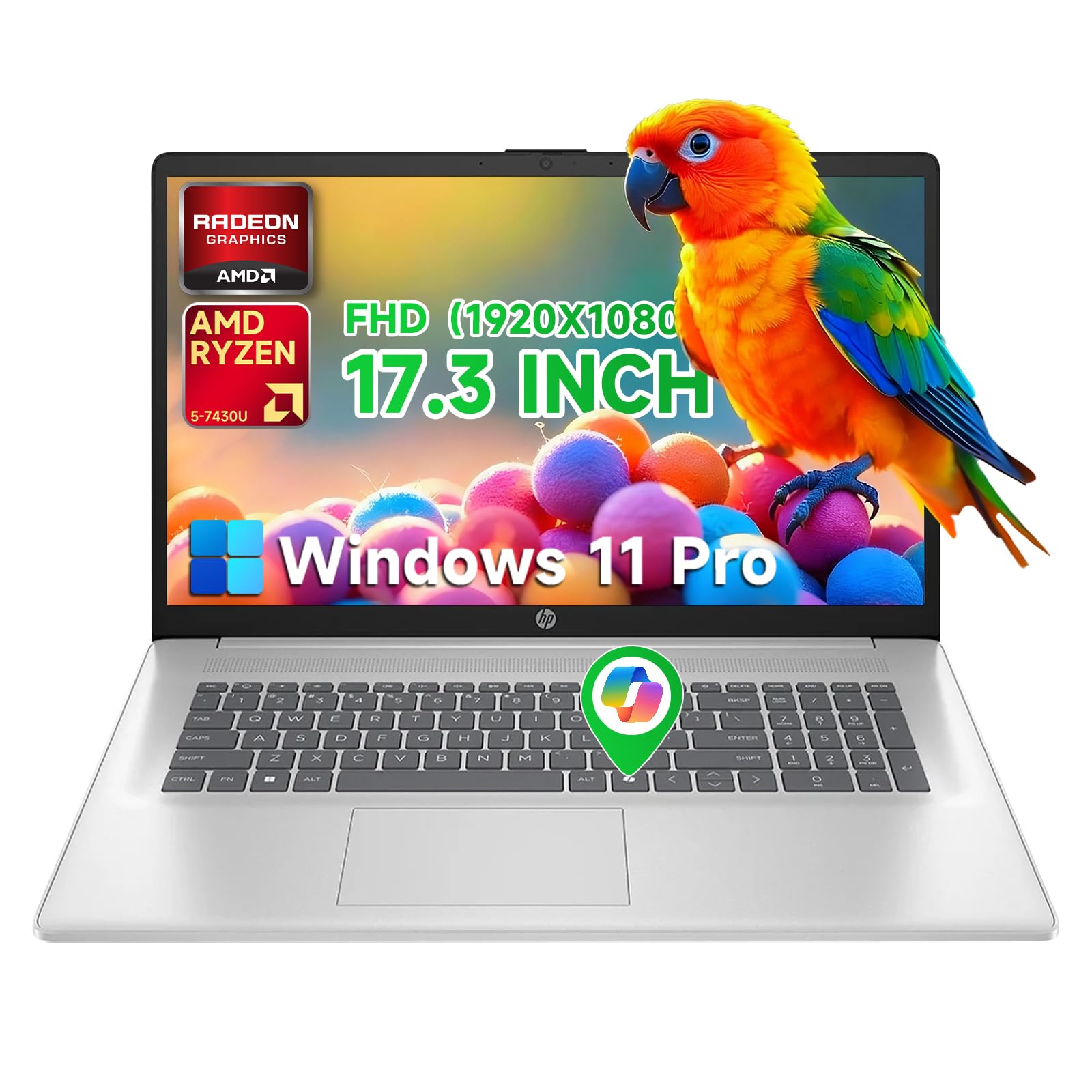
The HP Flagship 17 Business Laptop delivers excellent value for users who need a large 17.3-inch FHD anti-glare IPS display without breaking the budget. The AMD Ryzen 5 7430U processor with 6 cores and up to 4.3GHz boost provides responsive performance for business applications, web browsing, and office productivity. The 32GB of RAM and 1TB SSD provide ample storage and smooth multitasking for most professional workflows.
Connectivity is solid for a budget-tier machine, with HDMI, USB-A, USB-C, Wi-Fi 6, and Bluetooth. The HP Fast Charge technology refuels to 50% in 30 minutes, and the battery is rated for up to 9 hours. Windows 11 Pro with a free Office 365 for the web license adds business value. The 17.3-inch FHD display is sharp enough for spreadsheet work and content consumption.
The primary limitation is the 1600×900 effective resolution on some configurations — ensure you are getting the 1920×1080 FHD panel. The build quality is typical HP plastic construction, which feels less premium than aluminum alternatives. The integrated Radeon Graphics are not suitable for gaming. For budget-conscious professionals and students who need a big screen for basic productivity, this HP is a reliable workhorse.
Why it’s great
- Excellent value for a 17.3-inch FHD laptop with 32GB RAM and 1TB SSD
- Decent Ryzen 5 7430U performance for business and productivity tasks
- HP Fast Charge technology for quick battery top-ups
- Windows 11 Pro with Office 365 for the web included
Good to know
- Plastic chassis feels less premium than metal alternatives
- Integrated graphics not suitable for gaming or creative workloads
- Display brightness is modest; not ideal for bright outdoor use
10. HP 17 Touchscreen with Ryzen 5
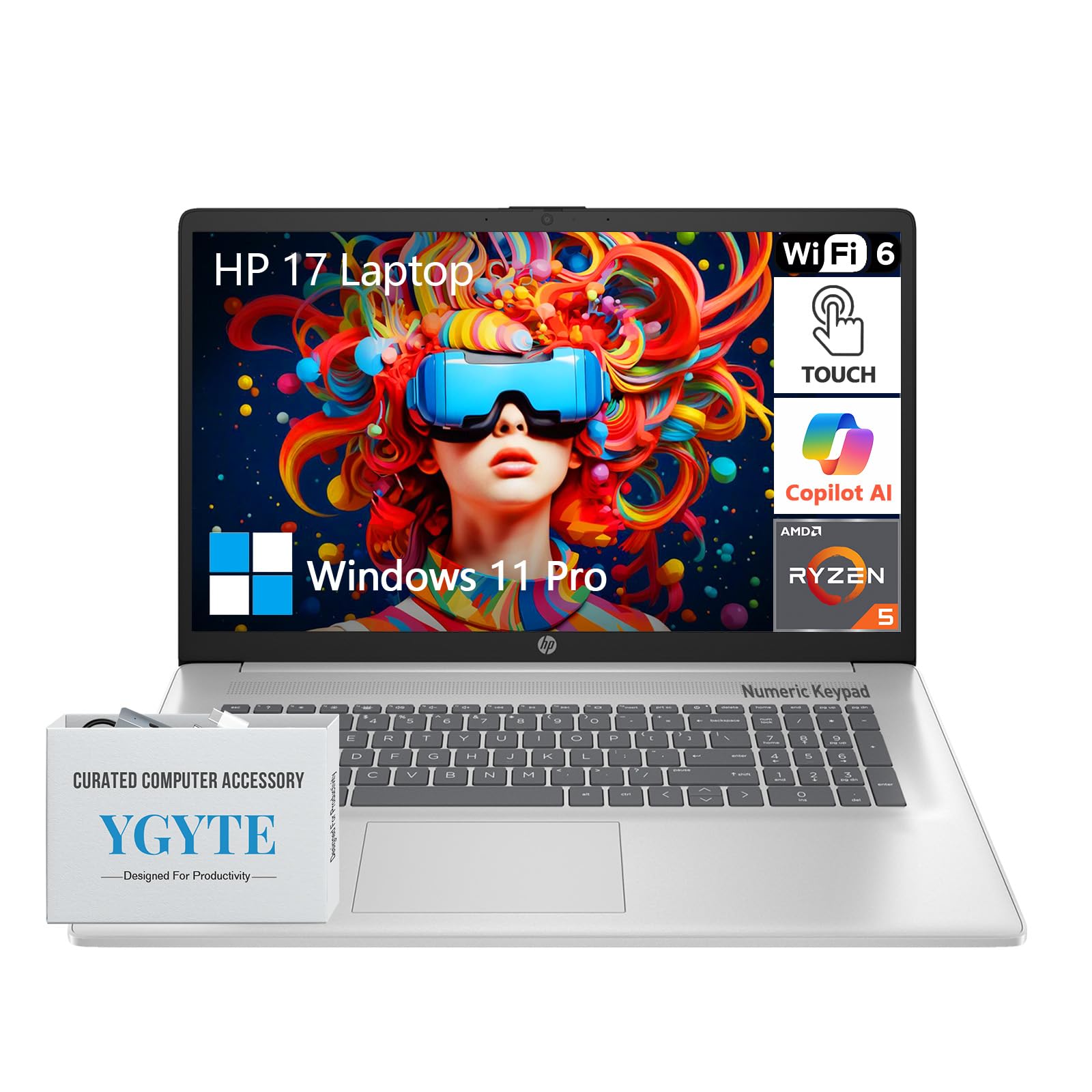
The HP 17.3-inch Touchscreen Laptop combines a large HD+ touch display with robust specifications for business and creative tasks. The AMD Ryzen 5 processor with 6 cores delivers reliable performance, and the 64GB of DDR4 RAM with a 2TB PCIe SSD provides massive storage and memory headroom for multitasking, running multiple virtual machines, or working with large datasets. The full-size keyboard includes a dedicated 10-key numeric keypad, which is essential for data entry work.
The HD+ (1600×900) touchscreen with BrightView technology responds well to touch input, and the 720p HD camera with dual-array microphones ensures clear video calls. Wi-Fi 6 and Bluetooth 5 provide modern connectivity. Windows 11 Pro with Copilot AI features enhances productivity. The HP Fast Charge technology maintains battery longevity.
The HD+ resolution is a significant compromise — at 17.3 inches, 1600×900 is pixelated compared to FHD or higher resolution panels. Some users report overheating issues under sustained load, and the keyboard is not backlit, which is a common complaint. The laptop runs warm during extended use. The 64GB RAM and 2TB SSD are excellent for power users who need memory and storage but can accept a lower-resolution touchscreen.
Why it’s great
- Massive 64GB RAM and 2TB SSD for heavy multitasking and storage
- Full-size keyboard with dedicated numeric keypad for data entry
- Touchscreen adds flexibility for presentations and creative work
- Windows 11 Pro with Copilot AI features
Good to know
- 1600×900 resolution is pixelated on a 17.3-inch display
- Keyboard is not backlit; a common omission at this tier
- Some users report overheating issues under sustained load
11. HP 17 with Intel Core i7-1255U

The HP 17 Laptop with the 12th Gen Intel Core i7-1255U processor provides strong CPU performance for demanding multitasking scenarios. The 64GB of high-bandwidth DDR4 RAM and 2TB PCIe NVMe SSD make this an excellent choice for running multiple virtual machines, large-scale data analysis, or digital audio production in Pro Tools. The 17.3-inch HD+ touchscreen with BrightView technology supports touch input for navigation and creative software like guitar rig controllers.
The SuperSpeed USB-C and USB-A ports with HDMI 1.4b provide decent connectivity, and Wi-Fi 6 ensures fast wireless networking. The backlit keyboard is a welcome feature at this tier. Some users report that the 64GB RAM and 2TB SSD combination handles 4 simultaneous VMs without breaking a sweat.
The HD+ 1600×900 resolution is the weakest link — text and images appear soft compared to FHD or higher resolution panels. Battery life is limited to 2.5-3 hours under real-world use, and the laptop lacks USB-C charging. The screen angle causes some edge darkening, and the touchpad is reported as overly sensitive. The third-party warranty support for upgraded components can be problematic, with some users experiencing denied claims.
Why it’s great
- Exceptional 64GB RAM and 2TB SSD for intensive multitasking and VMs
- 12th Gen Core i7-1255U provides strong multi-threaded CPU performance
- Touchscreen adds versatility for creative and professional applications
- Backlit keyboard is included
Good to know
- 1600×900 resolution is low for a 17.3-inch screen
- Poor battery life (2.5-3 hours real-world)
- No USB-C charging; uses barrel connector
- Warranty support can be problematic for upgraded units
12. HP Essential 17t

The HP Essential 17t upgrades the processor to the 13th Gen Intel Core i7-1355U, offering slightly better efficiency and higher boost clocks (up to 5.0GHz) than the 12th Gen i7. Combined with 64GB of DDR4 RAM and a 2TB PCIe NVMe SSD, this laptop is built for professionals who need to run memory-intensive applications like development environments, audio production suites, or large spreadsheets. The fingerprint reader adds biometric security for quick login.
The 17.3-inch HD+ touchscreen with BrightView display is touch-enabled, and the 720p HD camera with integrated dual-array microphones handles video conferencing. Professional upgrades to RAM and SSD are performed by a third-party, which may open the manufacturer’s seal. The laptop includes Wi-Fi 6 and Bluetooth 5.0 for wireless connectivity.
The HD+ resolution is the same 1600×900 limitation as other HP 17-inch budget-tier models — text appears soft. Some users report that the keyboard lacks a backlight, which is a notable omission. The third-party warranty structure can be confusing, with some users experiencing issues with HP denying warranty claims due to the aftermarket upgrades. For users who prioritize RAM and storage capacity over display resolution, this is a functional workhorse.
Why it’s great
- Powerful 13th Gen i7-1355U with 64GB RAM and 2TB SSD
- Fingerprint reader for secure and fast login
- Touchscreen for versatile input
- Wi-Fi 6 and Bluetooth 5.0 for modern wireless connectivity
Good to know
- 1600×900 resolution is low for a 17.3-inch display
- Keyboard lacks backlighting
- Warranty complexity with third-party upgrades may cause support issues
13. HP Business Laptop with Intel Core i5

The HP 17.3-inch Business Laptop with Intel Core i5 (13th Gen, 10 cores, up to 4.6GHz) offers a budget-friendly entry point into the large-screen category without sacrificing storage or memory. The 64GB of DDR4 RAM and 2TB PCIe SSD provide massive capacity for data-intensive workflows, and the included 256GB docking station adds extra storage and port expansion. Windows 11 Pro with a lifetime Microsoft Office license adds significant software value for business users.
The 1600×900 resolution display is adequate for basic productivity, and the LED screen provides decent clarity for text and images. The connectivity suite includes USB-C, USB-A, HDMI, and headphone jack, with Wi-Fi and Bluetooth for wireless peripherals. The ultra-thin design and lightweight chassis make it portable for a 17-inch laptop. The included PLUSERA earphones are a minor bonus.
The 1600×900 resolution is a notable compromise for a 17.3-inch screen, and some users report overheating issues that cause shutdowns under routine use — this is a risk with budget-tier thermal designs. The keyboard lacks backlighting, and there is only one USB port, requiring a hub for multiple peripherals. For budget-conscious users who need maximum RAM and storage at the lowest cost, this HP delivers value but requires careful consideration of thermal and display quality.
Why it’s great
- Massive 64GB RAM and 2TB SSD at an entry-level price point
- Windows 11 Pro with lifetime Microsoft Office license included
- Includes 256GB docking station for extra storage and ports
- Lightweight and portable for a 17-inch laptop
Good to know
- 1600×900 display resolution is low for a large screen
- Potential overheating issues causing shutdowns under routine use
- Keyboard is not backlit and only one USB port provided
FAQ
Does a true 20-inch laptop exist for consumers?
Is 1600×900 resolution acceptable for a 17.3-inch laptop?
Why do some 17-inch laptops have poor battery life?
Final Thoughts: The Verdict
For most users seeking the maximum usable screen in a portable device, the winner in the 20 inch laptop category is the LG gram Pro 17 because it combines a true 17-inch WQXGA display with a ridiculously light 3.3-pound chassis, powerful Intel Core Ultra 9 performance, and a discrete RTX 5050 GPU — all while maintaining exceptional battery life. If you need the absolute longest battery life with a touchscreen, grab the LG gram 17 Touch. For gamers who want maximum screen real estate and fluid high-refresh-rate gameplay, nothing beats the ASUS ROG Strix G18. And for multitaskers who need unparalleled screen real estate for productivity, the dual-screen ASUS Zenbook Duo offers a unique advantage that no single-panel laptop can match.