
A true 20-inch tablet replaces the cramped feel of a small slate with a spacious canvas that lets you run two apps side by side, review full-page documents without zooming, and make digital art or multi-track edits with genuine spatial freedom. But this category carries specific trade-offs: screen resolution, battery life on mobile units, and portability all scale differently at this diagonal.
I’m Min — the co-founder and writer behind Gadgets Feed. I’ve spent countless hours analyzing the raw specifications, real-world user reviews, and technical trade-offs across every major 20-inch tablet offering to separate genuine performance from marketing claims.
This guide takes a hard look at the strongest contenders, from premium drawing displays to portable Android smart TVs, to help you make an informed choice for your specific workflow. These are the models that earn a spot on the shortlist for the best 20 inch tablet.
How To Choose The Best 20 Inch Tablet
Choosing a 20-inch tablet means deciding between fundamentally different product categories that happen to share the same diagonal: a dedicated pen display for artists, a portable touch monitor with HDMI input, or a standalone Android smart TV on a rolling stand. Your choice hinges on how you intend to use the screen area and whether you need a self-contained computer or a secondary display.
Native Resolution and Pixel Density
On a 20-inch panel, 1920 x 1080 (Full HD) yields a pixel density of roughly 110 PPI — adequate for general use and drawing but noticeably softer than the 264 PPI of a 12.9-inch iPad Pro. If you work with fine typography, 4K photo editing, or detailed vector art, prioritize a model offering 2560 x 1440 or true 4K (3840 x 2160) to keep individual pixels invisible at normal viewing distance.
Connectivity and Standalone Capability
Determine whether the device must run independently or function as a monitor. Standalone Android tablets at this size come with built-in processors, RAM, and battery, while pen displays and portable monitors require an external computer via HDMI, USB-C, or DisplayPort. If you want a single device that works without a laptop, look for a model with an integrated OS and at least 6GB of RAM.
Touch Technology and Pen Support
Not all touchscreens are equal. Capacitive 10-point touch is standard for general navigation, but for digital art, a pen display with electromagnetic resonance (EMR) technology — offering 8192 levels of pressure sensitivity and tilt recognition — provides the fine stroke control that capacitive styluses cannot match. Battery-free pens (EMR) eliminate the need to charge the stylus.
Quick Comparison
On smaller screens, swipe sideways to see the full table.
| Model | Category | Best For | Key Spec | Amazon |
|---|---|---|---|---|
| Wacom Cintiq Pro 22 | Pen Display | Professional digital art | 4K (3840×2160) / 120Hz / 10-bit | Amazon |
| Wacom Cintiq 22 | Pen Display | Enthusiast drawing | Full HD / Pro Pen 2 / 8192 pressure | Amazon |
| XPPen Artist 22 2nd | Pen Display | Value-focused digital art | 122% sRGB / 8192 tilt / USB-C | Amazon |
| Samsung Galaxy Tab S8 Ultra (Renewed) | Android Tablet | Mobile productivity | 14.6″ AMOLED / 11200mAh / S Pen | Amazon |
| cooboom 22″ Rolling TV | Smart TV | Room-to-room portability | Android 15 / 6+128GB / 6-8h battery | Amazon |
| OFD P02 21.5″ Portable TV | Portable TV | Camping and travel | Android 15 / 99.9Wh battery / carry case | Amazon |
| Elo 2002L 20″ | Touch Monitor | Commercial / POS use | PCAP 10-touch / VESA / anti-glare | Amazon |
| Samsung Galaxy Tab S10+ (Renewed) | Android Tablet | Galaxy AI and note-taking | 12.4″ AMOLED 2X / 10090mAh / S Pen | Amazon |
| UPERFECT 21.5″ 120Hz | Portable Monitor | Gaming and dual-screen | 120Hz / 350 nits / HDMI + USB-C | Amazon |
In‑Depth Reviews
1. Wacom Cintiq Pro 22

The Cintiq Pro 22 is the gold standard for creative professionals who demand a true 4K canvas at this size. Its 3840 x 2160 resolution on a 21.5-inch panel delivers 204 PPI — sharp enough for detailed photo retouching and intricate vector work without visible pixelation. The 120Hz refresh rate and 10-bit color (1.07 billion colors) ensure fluid brush strokes and smooth gradient transitions that lower-refresh drawing tablets simply cannot match.
Wacom includes the Pro Pen 3 with 8192 pressure levels, three customizable side switches, and adjustable weight and center of balance — a level of ergonomic tailoring absent from most competitors. The etched glass surface provides a subtle paper-like drag without the sparkle effect that plagues some matte screens. Connectivity is generous with USB-C (DP Alt Mode), HDMI, Mini DisplayPort, and USB-A, making it compatible with Windows, Mac, and Linux out of the box.
Professional-grade quality carries a premium price, and the stand is sold separately. The 11-pound weight demands a sturdy desk arm or the optional Easy Stand for proper ergonomics. Fan noise is minimal, and the 8 ExpressKeys provide useful shortcuts, though the pen holder placement can interfere with button access on the left side. For serious illustration and design work, this is the most capable 20-inch panel available.
Why it’s great
- True 4K UHD resolution with 120Hz refresh for zero-lag drawing
- Industry-leading pen feel with adjustable weight and balance
- Versatile connectivity including USB-C with DP Alt Mode
Good to know
- Stand must be purchased separately, adding to overall cost
- Pen holder placement can interfere with ExpressKey access
2. Wacom Cintiq 22
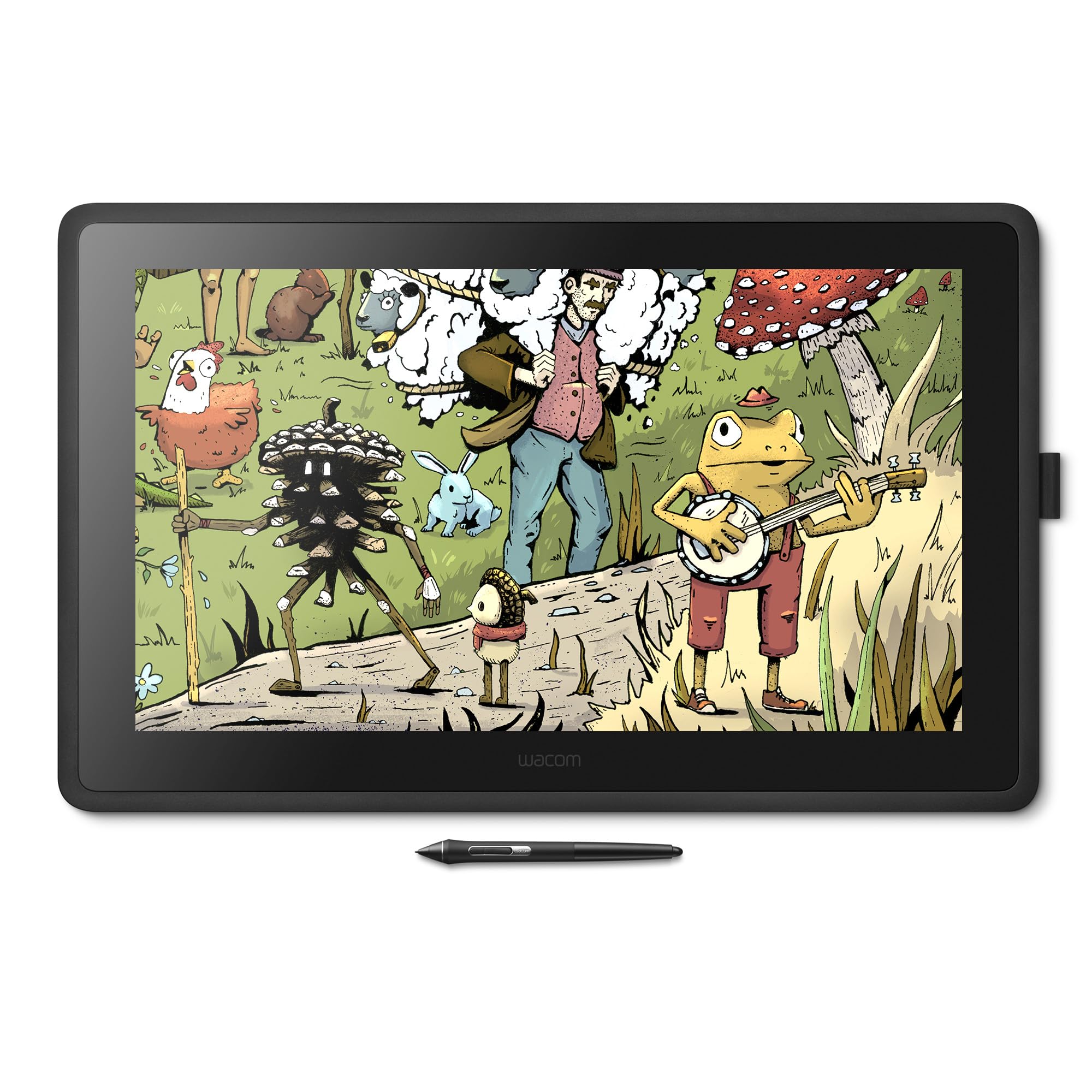
The non-Pro Wacom Cintiq 22 offers the same 21.5-inch diagonal and the same Pro Pen 2 with 8192 pressure levels and tilt recognition, but at a Full HD (1920 x 1080) resolution and a 60Hz refresh rate. This makes it an excellent choice for artists and students who want Wacom’s renowned pen feel and driver stability without the 4K price premium. The included adjustable stand — notably absent on the Pro model — delivers ergonomic flexibility straight out of the box.
Color coverage sits at 72% Adobe RGB, which is adequate for most illustration work and general photo editing but noticeably narrower than the Pro’s wide gamut. The anti-glare glass reduces reflections effectively without the sparkle artifact that some users find distracting on competitor panels. Parallax between the pen tip and the LCD layer is minimal, and the 18.74 x 10.55-inch active area provides generous room for sweeping arm motions and keyboard shortcuts placed beside the display.
The 3-in-1 connectivity cable (HDMI, USB, power) keeps desk clutter low but does require a USB-A port for pen data. Setup is straightforward on both Mac and PC, and the Cintiq functions as a standard monitor when the pen is not in use. The bezels are thicker than modern competitors, and the lack of shortcut buttons on the display itself means you will rely on keyboard shortcuts or a separate remote. For a tried-and-true drawing experience at a lower entry point, this is a solid investment.
Why it’s great
- Wacom’s industry-standard pen technology with 8192 pressure levels
- Adjustable stand included for ergonomic drawing angles
- Reliable driver support across Windows and macOS
Good to know
- Full HD resolution at 21.5 inches appears softer than 4K alternatives
- No built-in shortcut buttons on the display bezel
3. XPPen Artist 22 2nd

The XPPen Artist 22 (2nd Generation) delivers a vibrant 21.5-inch drawing surface with a color gamut that exceeds the standard Wacom Cintiq 22: 122% sRGB and 86% NTSC coverage produce punchy, saturated colors that make digital painting and photo editing more vivid. The battery-free PA6 stylus supports 8192 pressure levels and 60 degrees of tilt, enabling natural brush tapering and shading without the need to charge the pen.
Connectivity is a strong point — USB-C to USB-C support (cable sold separately) allows direct connection to modern MacBooks and Windows laptops without an adapter, while the included USB-A, HDMI, and power adapter provide full backward compatibility. The adjustable stand offers a 16-to-90-degree tilt range, and the detachable back cover with a cable slot keeps the desk tidy. The 476 x 267 mm active area gives plenty of room for broad gestures.
Some users report the matte screen layer reduces glare slightly but can create a subtle grainy texture over bright areas. The drivers are straightforward to install, and compatibility with Photoshop, Illustrator, Clip Studio Paint, Krita, and Blender is broad. The pen holder comes with eight nibs and a glove — a generous accessory set. For budget-conscious creatives who want rich colors and a large canvas, this is the strongest value option.
Why it’s great
- Wide 122% sRGB color gamut for vibrant digital painting
- USB-C connectivity works with modern laptops directly
- Battery-free stylus with 8192 pressure and tilt support
Good to know
- Matte screen coating can introduce slight graininess
- USB-C to USB-C cable must be purchased separately
4. Samsung Galaxy Tab S8 Ultra (Renewed)

At 14.6 inches, the Galaxy Tab S8 Ultra is the closest thing to a 20-inch tablet that runs a full mobile OS. Its AMOLED display delivers perfect blacks, vibrant colors, and a 16:10 aspect ratio that suits both productivity and media consumption. The Snapdragon 8 Gen 1 processor paired with 12GB of RAM and 256GB of storage handles multitasking, video editing, and running multiple apps in split-screen without hesitation.
The 11200mAh battery is a standout feature — real-world usage easily exceeds 12 hours of mixed work and video playback, and the included S Pen (with 4096 pressure levels and low latency) makes note-taking and sketching genuinely useful. DeX mode transforms the interface into a desktop-like environment when paired with a keyboard cover, narrowing the gap between tablet and laptop functionality. The 13MP front-facing camera with ultra-wide lens supports auto-framing for video calls.
As a renewed unit, condition can vary — some units arrive with minor screen scratches or dents even when rated “like new.” The sheer size makes one-handed use impossible, and the wide 14.6-inch footprint does not fit standard tablet mounts. For users who need a self-contained, battery-powered large-screen tablet with access to the full Google Play ecosystem and Samsung’s polished software, the Tab S8 Ultra remains a compelling choice.
Why it’s great
- Stunning 14.6-inch AMOLED display with deep blacks and high brightness
- Massive 11200mAh battery easily lasts a full day of use
- S Pen included with low latency for notes and drawing
Good to know
- Renewed condition varies; inspect carefully upon arrival
- Large size limits one-handed operation and standard mounting
5. cooboom 22″ Portable TV on Wheels
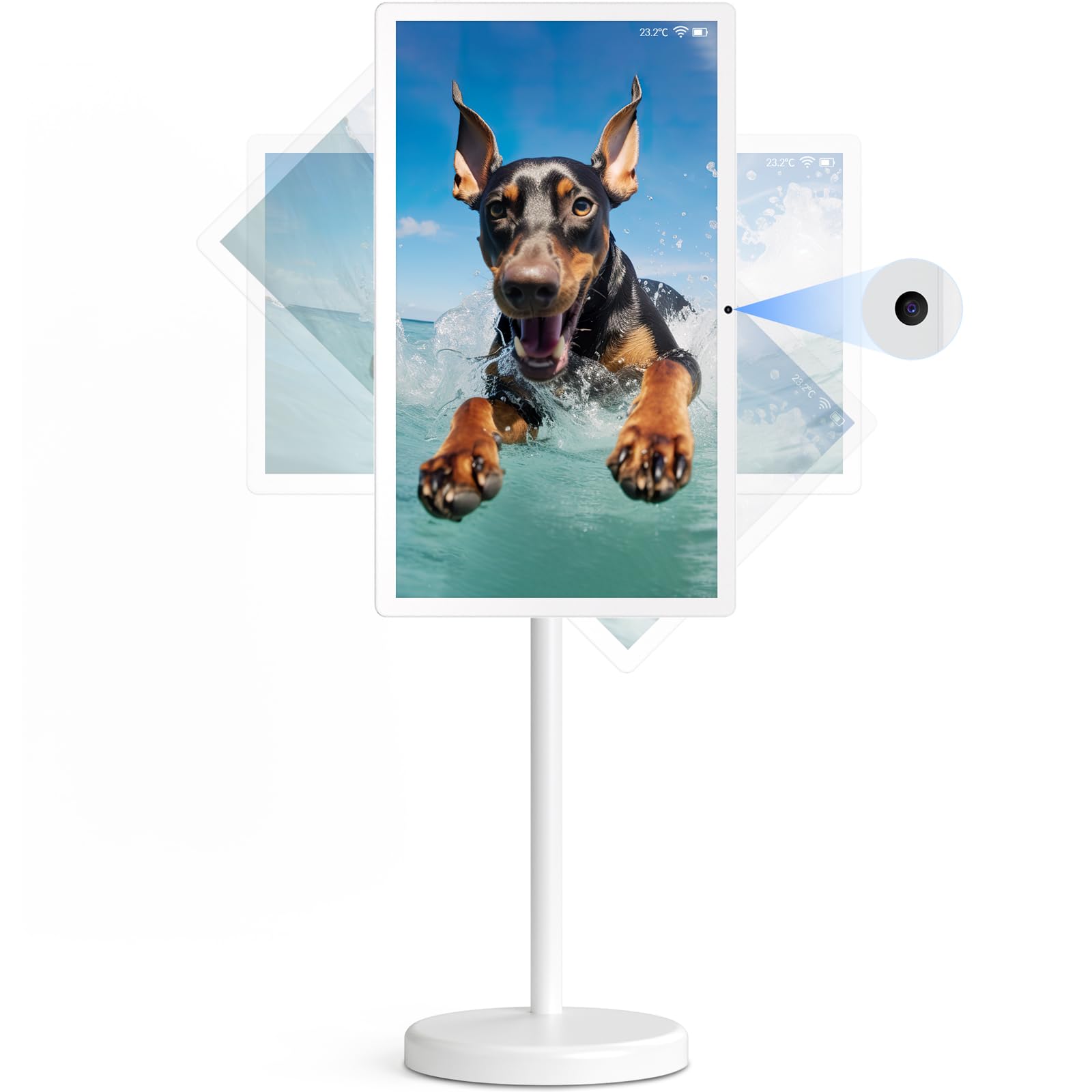
The cooboom 22-inch Portable TV on Wheels is a unique hybrid: a 1920 x 1080 touchscreen built into a rolling stand with a built-in 13MP camera and a rechargeable battery rated for 6-8 hours. It runs Android 15 and is EDLA-certified, meaning full access to the Google Play Store and seamless app installation without sideloading. With 6GB of RAM and 128GB of internal storage, it runs streaming apps, casual games, and productivity tools smoothly.
The full-swivel rotation and tilt adjustment let you switch between horizontal and vertical orientations instantly — useful for displaying portrait-oriented documents, TikTok feeds, or digital signage. The five-wheel base rolls smoothly across hardwood and tile but can feel slightly unstable on carpet or when bumped from the side. The In-Cell 10-point capacitive touchscreen responds accurately to taps and gestures, and the display brightness is adequate for indoor use.
Wireless screen mirroring works with both iOS and Android devices, although some users report the HDMI input requires manual app switching to activate. The built-in battery allows untethered use for presentations or kitchen counter entertainment, and the remote control adds convenience for media playback. The base is large and takes up significant floor space. For someone who needs a moving, touch-enabled Android screen for room-to-room use, this is a creative and functional solution.
Why it’s great
- Full Android 15 with Google Play access and EDLA certification
- Rolling stand with swivel rotation for flexible positioning
- Built-in 6-8 hour battery allows cable-free operation
Good to know
- Base can feel unstable on uneven flooring
- HDMI input requires manual app launch each time
6. OFD P02 21.5″ Portable TV
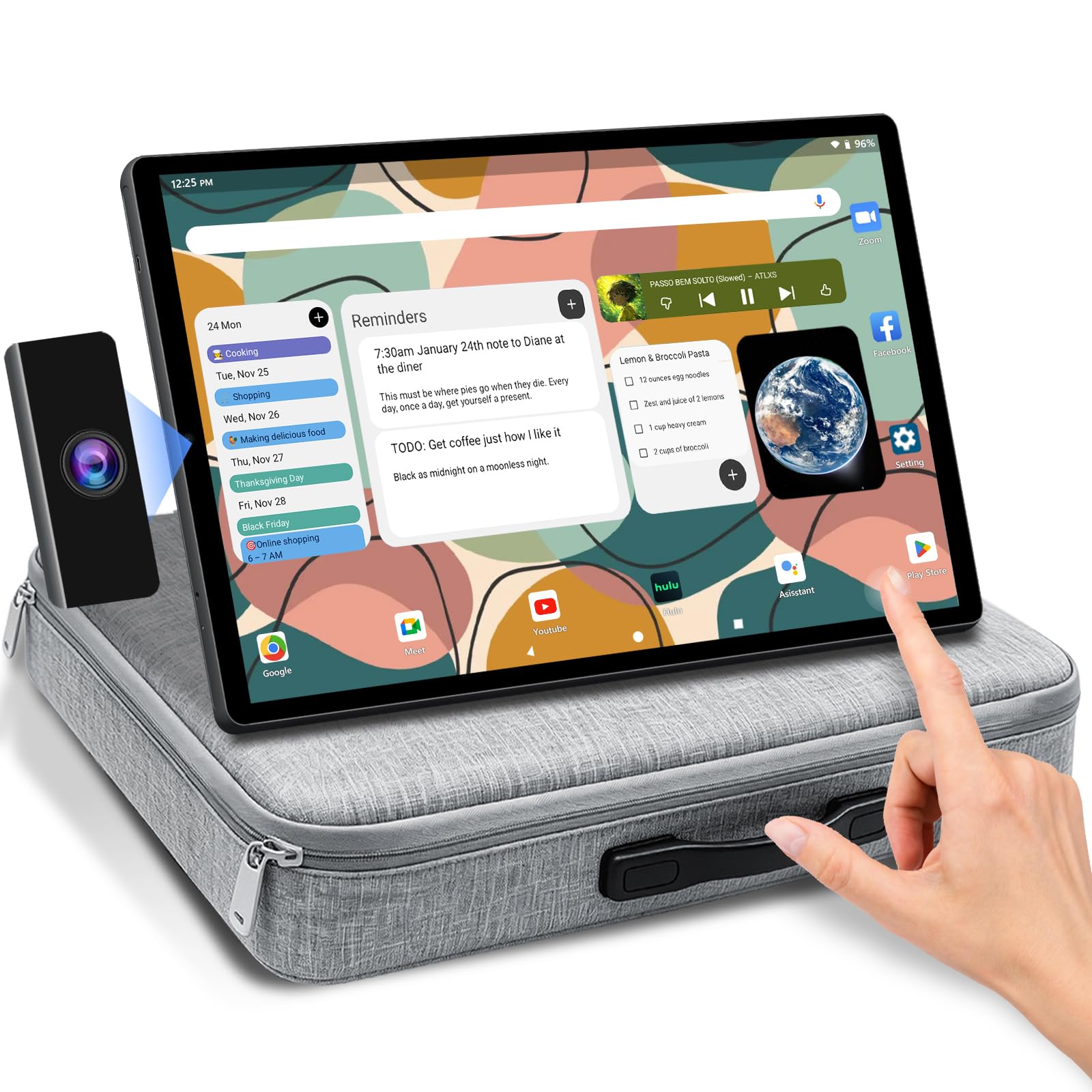
The OFD P02 is purpose-built for outdoor entertainment and RV travel. Its 21.5-inch 1080p IPS panel (250 cd/m² brightness, 1000:1 contrast) delivers acceptable picture quality for camping and road trips, and the integrated Android 15 OS (EDLA-certified) provides direct access to Netflix, YouTube, and other streaming services without needing an external source. The 99.9Wh battery (three-series, two-parallel 11.1V 9000mAh configuration) supports up to 5 hours of playback on a single charge.
The inclusion of a padded carry case makes transport practical, and the adjustable stand rotates 270 degrees for flexible viewing angles. The 13MP front-facing webcam with dual 5W speakers and a noise-canceling microphone is a nice bonus for video calls, though audio quality is acceptable rather than impressive. Wireless screen mirroring via the TranScreen app works with Android, iPhone, Windows, and Mac devices, and Chromecast built-in offers an alternative casting route.
Build quality reports are mixed — some units exhibit stability issues with the stand and occasional power-on faults, though the majority of users report reliable performance over several months. The remote control is not included, so navigation relies entirely on the 10-point touchscreen. The 6.8kg (15-pound) total weight with the carry case is manageable but not ultralight. For campers and RV owners who want a self-contained large-screen tablet, the OFD P02 fills a specific niche.
Why it’s great
- Large 99.9Wh battery provides 5 hours of off-grid playback
- Dedicated carry case makes transport and storage easy
- Android 15 with Google Play for out-of-the-box streaming
Good to know
- Remote control not included; touchscreen-only navigation
- Some units reported stability issues with the stand
7. Elo 2002L 20″ Touch Monitor

The Elo 2002L is a commercial-grade 20-inch touch monitor built for high-usage environments like retail point-of-sale, hospitality check-in, and industrial kiosks. Its Projected Capacitive (PCAP) 10-point touch technology delivers accurate, responsive input even when wet or through a protective overlay. The Full HD 1920 x 1080 edge-to-edge glass display with anti-glare coating ensures readability under bright retail lighting.
Brightness is rated at 250 nits and the contrast ratio reaches 3000:1 for deep blacks, making it suitable for environments where screen clarity is critical for customer interaction. VESA mount compatibility (100x100mm) allows flush integration into custom fixtures, and the monitor ships with HDMI, VGA, USB, and audio cables plus international power clips. The 7.25-pound weight is heavier than consumer touch monitors, reflecting the all-metal construction and protective glass.
This is strictly a monitor — there is no built-in OS, battery, or processor. It requires an external computer or thin client to drive the display and touch data. The bezel is utilitarian rather than sleek, and the on-screen display controls are minimal. Elo’s reputation for reliability in public-facing deployments is well-earned. For a touch monitor that will be touched thousands of times daily in a commercial setting, the 2002L is a durable choice.
Why it’s great
- Commercial-grade PCAP touch survives heavy daily use
- Anti-glare glass maintains readability in bright environments
- VESA mount compatible for flexible integration
Good to know
- Requires an external computer; no standalone OS
- Heavier and bulkier than consumer touch monitors
8. Samsung Galaxy Tab S10+ (Renewed)

The Galaxy Tab S10+ delivers a 12.4-inch Dynamic AMOLED 2X display that, while not a true 20-inch, offers the best pixel density (266 PPI) and color accuracy in this roundup for its size. Powered by the MediaTek Dimensity 9300+ processor and paired with 12GB of RAM, it handles demanding apps and Galaxy AI tools like Sketch to Image, Note Assist, and Circle to Search with Google without lag. The 10090mAh battery provides 8-10 hours of real-world use.
Samsung’s S Pen is included and latches magnetically to the back for charging and storage. The Note Assist feature automatically transcribes and summarizes lectures or meetings — a genuinely useful AI tool that justifies the tablet’s premium positioning. The 13MP rear camera and 12MP ultra-wide front camera support 4K video recording, making it a viable tool for content creators who need a large viewfinder.
As a renewed device, packaging and physical condition can vary. The tablet is primarily a consumption and note-taking device rather than a precision art tool — the S Pen’s 4096 pressure levels are sufficient for notes and sketches but trail the 8192 levels of dedicated pen displays. The 12.4-inch screen is significantly smaller than the 20-inch+ models in this guide. For users who prioritize portability and Samsung’s software ecosystem above sheer screen real estate, the Tab S10+ is a refined choice.
Why it’s great
- Gorgeous 12.4-inch AMOLED 2X display with excellent color and contrast
- Galaxy AI features like Note Assist and Sketch to Image are genuinely useful
- Fast MediaTek Dimensity 9300+ processor handles multitasking smoothly
Good to know
- Renewed condition varies; inspect packaging upon delivery
- 12.4-inch screen is noticeably smaller than dedicated 20-inch models
9. UPERFECT 21.5″ 120Hz Portable Monitor

The UPERFECT 21.5-inch portable monitor delivers a 120Hz refresh rate with FreeSync support, making it an excellent secondary display for gaming laptops, Steam Deck, and consoles. The 1920 x 1080 IPS panel reaches 350 nits of brightness and a 1500:1 contrast ratio, producing vibrant colors and decent black levels for fast-paced gaming sessions. The 10-point capacitive touchscreen adds an extra layer of interaction for Windows gestures and casual navigation.
At 2.9 pounds, it is genuinely portable for a display this size. The built-in stand is sturdy and offers tilt adjustment, while VESA compatibility (M4 x 5mm) allows mounting on an arm. Dual USB-C ports with power pass-through enable single-cable connectivity to compatible laptops — the monitor receives both video and power over one cable, reducing desk clutter. An additional HDMI port provides universal compatibility with consoles and PCs.
Some users report that the advertised FreeSync implementation and peak brightness (claimed 500 nits) are not fully achieved in practice — measurements show around 379 nits and non-functional FreeSync on some units. The glossy screen finish limits visibility in bright ambient light, and the built-in speakers are weak, making external audio necessary for gaming or movies. For the price, the 120Hz touch experience and large size make it a compelling portable gaming companion.
Why it’s great
- 120Hz refresh rate with FreeSync for smooth gaming motion
- Lightweight 2.9-pound design with VESA mount flexibility
- Single-cable USB-C power pass-through simplifies setup
Good to know
- Advertised FreeSync and peak brightness may not match real-world performance
- Glossy screen finish causes significant glare in bright rooms
FAQ
Can a 20-inch tablet replace my laptop for work?
Is 1920 x 1080 resolution enough for digital art on a 20-inch canvas?
What is the difference between a pen display and a portable touch monitor?
Final Thoughts: The Verdict
For most users, the best 20 inch tablet winner is the Wacom Cintiq Pro 22 because it delivers professional-grade 4K resolution, 120Hz fluidity, and the most refined pen experience for serious creative work. If you want a dedicated drawing tablet at a lower cost, grab the XPPen Artist 22 2nd for its rich color gamut and USB-C connectivity. And for a self-contained, battery-powered Android screen that moves room to room, nothing beats the cooboom 22″ Portable TV on Wheels.