
Our readers keep the lights on and my morning glass full of iced black tea. As an Amazon Associate, I earn from qualifying purchases.
Specs are compiled from manufacturer listings and verified buyer reviews and can change over time — please confirm the key details on the product page before buying.
Choosing a 20-watt laser engraver depends on matching the machine’s work area, speed, and safety features to your specific projects—whether you’re etching tumblers for a side hustle or cutting precise acrylic prototypes. This guide uses flexible, human-like matching for the 20-watt power spec, so some picks deliver the exact 20W optical power while a few very close models serve the same purpose; we’ll be clear about which is which. We focus on the real-world numbers that matter—engraving speed in mm/min, working area, and cutting depth—so you can confidently pick the right tool for your workshop.
I’m Min — the founder and writer behind Gadgets Feed. This guide is built by comparing the manufacturers’ published specifications and the patterns across verified customer reviews, so you get each pick’s real strengths and trade-offs instead of marketing spin.
The modern 20 watt laser engraver balances power, speed, and safety to transform your creative projects into professional-grade results.
Our Picks at a Glance

How To Choose The Best 20 Watt Laser Engraver
Picking the right 20W laser engraver means weighing a few key specs that directly impact how you work. The biggest decisions revolve around the size of objects you’ll process, how fast you need jobs to finish, and the safety setup you’re comfortable with. A 20W output cuts wood and acrylic faster and deeper than 10W models, making it ideal for hobbyists and small businesses without industrial costs.
Match the Working Area to Your Projects
The working area defines the maximum size of material you can engrave or cut in one go. A machine with a 600x600mm bed lets you process oversized signs or multiple items in a single batch, while a more compact 400x365mm area is perfect for tumblers, coasters, and smaller crafts. Measure your typical projects first—if you plan to make large wall art or bulk batches, a bigger bed saves you from constantly repositioning material; if space is tight or you only do small items, a smaller machine is easier to store.
Prioritize Speed and Cutting Depth Together
Engraving speed, measured in mm/min, tells you how fast the laser head moves across the material. Higher speeds like 24,000 to 40,000 mm/min significantly cut down job times when producing multiple items. However, speed is only part of the equation—check the max cutting depth for materials like wood and acrylic. A powerful 20W laser should cut through 8mm to 15mm of pine or acrylic in a single pass, with multiple passes handling thicker stock. More speed and deeper cuts mean less waiting and more versatility, but only if the machine’s frame stays rigid.
Check Safety Features and Enclosures
A 20W blue diode laser produces enough energy to cause serious eye damage, so safety design is not optional. Look for features like lid-opening sensors that halt the laser immediately, emergency stop buttons, and enclosures that filter laser light. Some machines are Class 1 certified, meaning the protective housing makes them safe to operate without goggles. Others are open-frame designs that require you to wear the included safety glasses and ensure the workspace is clear. Consider if you want a fully-enclosed unit for confidence or an open system for a larger work area, and factor in how you’ll handle smoke and fumes.
Evaluate Software Compatibility and Ease of Use
The software controls your designs and machine settings, so compatibility matters. Most quality 20W engravers work with LightBurn, the industry standard for laser control, and LaserGRBL. If you prefer a streamlined experience, some brands offer their own apps with built-in design libraries. Consider your comfort level—features like auto-focus, a built-in camera for positioning, and a touch screen can make the machine much easier to use for beginners, but they add cost. If you’re okay with a steeper learning curve, an open-frame machine with standard software is more budget-friendly.
Quick Comparison
| Model | Best For | Working Area | Max Engraving Speed | Cutting Depth (Pine) | Amazon |
|---|---|---|---|---|---|
| Twotrees TTS-20 Max★ Best Overall | Large Signs & Bulk Batches | 600x600mm | 30000mm/min | — | Amazon |
| Longer RAY5 (New Upgrade)Top Performer | Cutting Pine & Acrylic | 15.75″x14.37″ | 24000 mm/min | 0.59″ (15mm) | Amazon |
| ATOMSTACK A20 Pro V2Precision Pick | Precision Engraving on Metal | — | 400mm/s | — | Amazon |
| Longer RAY5 20W | Versatile 4-Mode Connectivity | 400x365mm | 10000mm/min | 25mm (multi-pass) | Amazon |
| Genmitsu L8 | Plug-and-Play Safety | — | 40000mm/min | 12mm (one pass) | Amazon |
| Creality Falcon A1 Pro | Premium Auto-Focus Workflow | 460×346mm | 600 mm/s | 10mm (basswood) | Amazon |
| WECREAT Vision 20W | Batch Production & Rotary | — | 600mm/s | 10mm (one pass) | Amazon |
| WECREAT Vision w/ Camera | Auto-Lift & Camera Precision | — | 600mm/s | — | Amazon |
| LaserPecker LP5 | Portable Dual-Laser Metal Work | — | 10,000mm/s | 20mm wood | Amazon |
In‑Depth Reviews
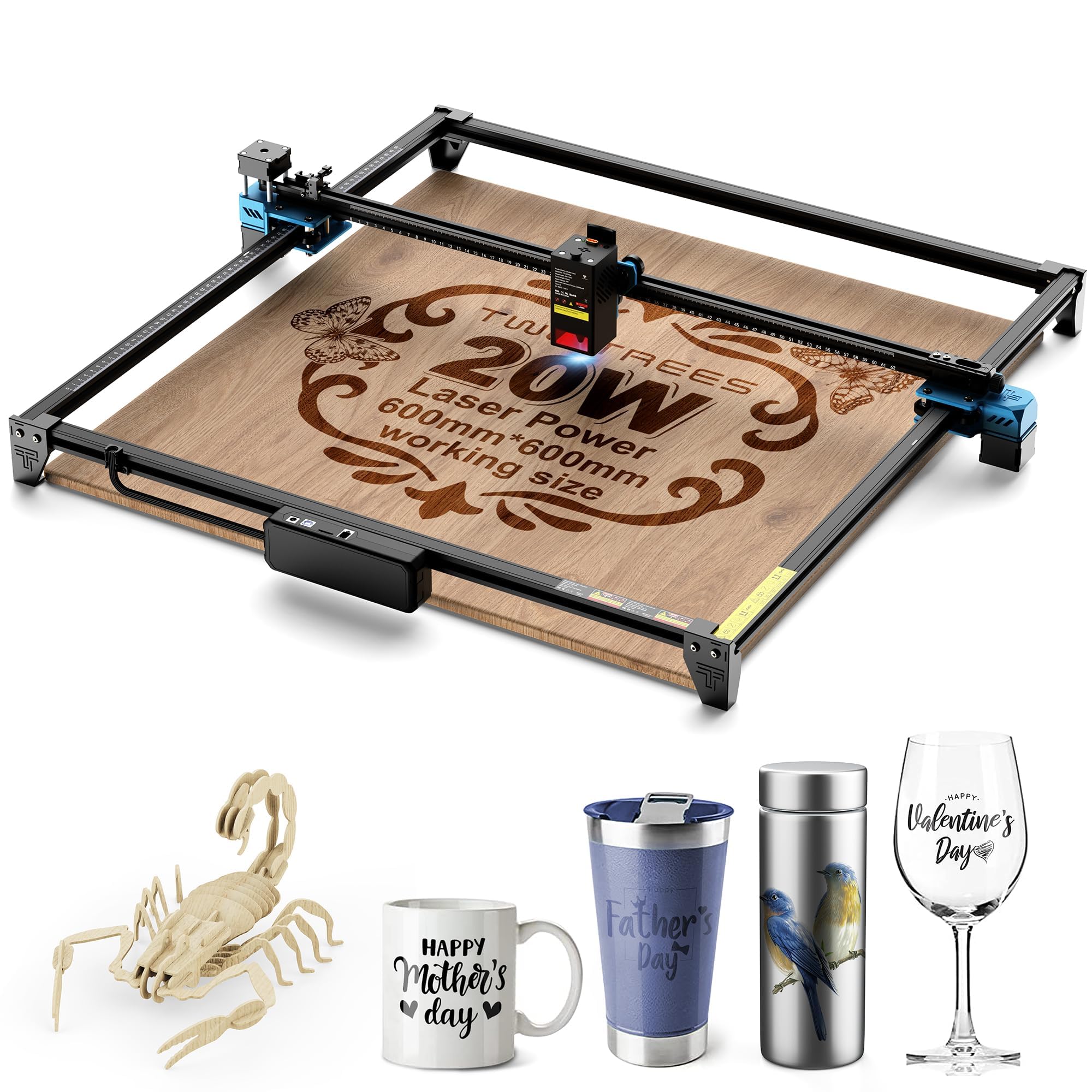
1. Twotrees TTS-20 Max 20000mW Laser Engraver and Cutter Machine
Our pick — over 4★ from 450+ verified ratings; the strongest balance of quality and price.
The extra-large bed champion that turns bulk batch work into a single continuous job.
The 600x600mm bed handles oversized signs, wall art, or full batches of coasters in one pass. Its X/Y dual limit homing auto-calibrates the origin before each job, ensuring consistent mass production. The sturdy aluminum alloy frame and GT2 silent synchronous belt keep things running smoothly as it reaches a max engraving speed of 30000mm/min with 0.1mm positioning accuracy.
It connects via Wi-Fi, USB, or the included 4GB TF card for offline carving. After each task, the laser head automatically returns to origin, which is convenient for repeated DIY jobs and prototype making. It’s fully compatible with mainstream LightBurn and LaserGRBL software, runs on Windows, MacOS, and Linux, and offers multi-language UI support.
What wins people over is the build quality, backed by 17 positive mentions, and its functionality. Buyers report: “Great Product, the sellers are also very helpful if you were to have an issue. 100% would recommend, it is a very easy to use handy engraver!” The item weighs 11.77 pounds, making it manageable to move, and its dimensions are 30.98 x 30.16 x 4.88 inches. The catch is that initial setup can be challenging—some owners found they had to disassemble it multiple times before getting it right, so patience is required if you’re a beginner.
Batch-Friendly Features
- Massive 600x600mm bed handles large jobs in one pass
- Triple connection modes, including 4GB TF card offline carving
- Auto-return-to-origin after every finished task
Setup Hurdles
- Initial assembly is detailed and may require multiple attempts
- Lacks a built-in enclosure, so smoke management is on you
Your best match: Reach for this if you need a large work area for signs, bulk crafting, or a small business that values consistency and multiple connection options.
Look elsewhere if: The 600x600mm footprint demands desk space, and you may find the detailed assembly more than a total beginner wants to tackle.
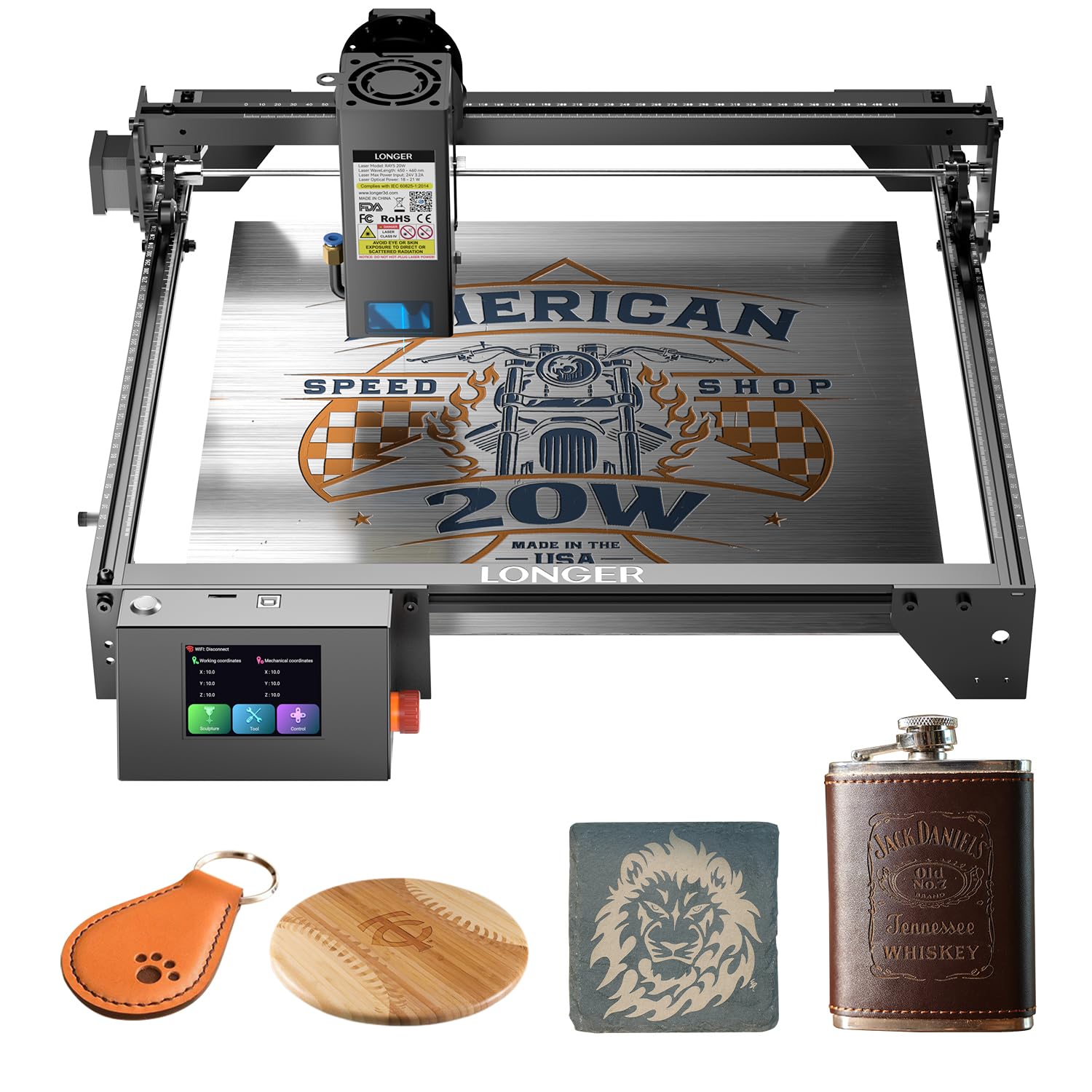
2. Longer New Upgrade RAY5 Laser Engraver Cutter
A cutting-focused 20W workhorse that slices thick pine and acrylic with surprising ease.
If your priority is cutting material rather than just surface engraving, this Longer RAY5 delivers serious capability with its 20W optical output and advanced laser enhancement technology. It can cut 0.59″ (15mm) pine wood and 0.31″ (8mm) acrylic in a single pass, and up to 25mm wood and 35mm acrylic with multiple passes. Using dual-beam technology, it achieves a fast engraving speed of 24,000 mm/min, which is 25% faster than some comparable models—ideal for moving through projects quickly.
The machine is built around a Long-Developed 32-bit chipset motherboard for smoother operation, and it features an advanced built-in 256-bit color scale with a 0.08 * 0.1mm ultra-fine laser focus area for higher contrast results. An air-assisted interface is reserved, making it easy to match with various air pumps for cleaner surfaces. Owners find it an amazing starter unit that’s easy to put together and offers good value for money, with quality being the most-praised aspect and assembly coming second.
Safety is a strong point here—it includes protective glasses, a move protection design, thermal protection, and an Emergency Stop Device that automatically shuts the machine down in abnormal situations. Owners mention: “Had some patrolling issues, Longer was very responsive thru email. They asked for videos to help trouble shoot the issue and it was quickly resolved (to my satisfaction). The unit is working great now. Highly recommend the Longer Ray 5 10w.” The instructions do receive mixed feedback—some find them clear, others don’t—so expect a small learning curve with the software settings.
Cutting cred: The stand-out reason to pick this one is the genuine cutting power—15mm pine in a single pass is impressive for a desktop diode, and the multi-pass capability extends to 25mm wood.
Reach for this if: You want a capable cutter for thicker wood and acrylic without stepping up to a premium price tier.
Think twice if: You prefer plug-and-play setups—this one rewards owners willing to tune the settings and follow troubleshooting steps.
3. ATOMSTACK 20W Laser Engraver, A20 PRO V2
A precision-focused 20W with dot compression tech for crisp, detailed engravings every time.
The ATOMSTACK A20 Pro V2 stands out with its unique dot compression technology that delivers 0.08 x 0.1mm dots, which translates to sharp, precise engraving for detailed graphics, business cards, and personalized gifts. Its independently developed motherboard boosts power and intelligence, and the engraving speed reaches up to 400mm/s (which converts to about 24,000mm/min) to reduce processing times significantly across wood, acrylic, and metal. For accuracy, built-in limit switches and a cross-line light ensure 0.01mm engraving accuracy.
Assembly is one of its strongest points—the integrated linear guide motion structure makes quick setup possible, with owners mentioning it takes about 20 minutes to put together. The aluminum alloy frame and modular design extend the machine’s lifespan, and a removable magnetic protective cover, safety glasses, and a tilt angle safety beep (>15°) add layers of protection. It supports Type-C or USB stick connections and is compatible with the ATOMSTACK App/PC software, Lightburn, and LaserGRBL.
Ease of use is the most-praised aspect here, followed closely by quality. The machine is described as “easy to setup, easy to use,” with one owner noting, “I use lightburn with it and it’s a piece of cake.” However, functionality and value for money receive mixed reviews—some owners love the price and performance, while others struggle with unclear instructions. One honest limitation: it’s belt-driven, so it’s “not extremely accurate on larger items,” but “good enough for most applications.” The 13.42-pound weight gives it a solid, durable feel.
Ease-of-Use Wins
- Fast 20-minute assembly with linear guide structure
- 0.01mm engraving accuracy for fine details
- Backed by 24/7 customer service and lifetime tech support
Accuracy Caveats
- Belt-driven design limits precision on very large items
- Instructions can be unclear, especially for total beginners
Best for: Hobbyists and small business owners who prioritize quick assembly and crisp engraving detail on medium-sized items.
Not ideal for: Users who need pinpoint accuracy on oversized jobs or those who dislike figuring out material settings through trial and error.
4. Longer RAY5 20W Laser Engraver, High Power Laser Cutter

A self-contained 20W with a built-in touch screen and four ways to connect your projects.
This version of the Longer RAY5 brings a 3.5-inch color touch screen right on the machine, letting you monitor engraving progress, adjust speed, and execute operations without needing a computer nearby. It offers four connection modes—USB, TF card, WiFi, and APP—giving you flexibility whether you’re at a desk or working away from your main setup. The high-precision compressed beam laser head (0.08×0.1mm) rides on precise rails for a max processing speed of 10000mm/min, which is more modest than others here but still delivers intricate, precise effects.
It’s a versatile cutter capable of handling 25mm wood and 35mm acrylic with multiple passes, cutting 0.002″/0.05mm stainless steel, as well as leather, paper, glass, and plastics. The 10.68-pound weight keeps it manageable, and the all-included tools and guides make installation straightforward. Quality is the most-praised aspect, with ease of use following closely behind—owners describe it as “very capable” and “so versatile and easy to use.”
Support earns consistent praise, with one owner noting, “Support has been very quick to assist with any help I have needed.” The general consensus is that it delivers excellent results across multiple surfaces, with the 20W power allowing for deeper, faster cuts. The durability aspect receives mixed feedback, and crafting enthusiasts recommend pairing it with an air assist (a device that blows air to prevent charring) and a honeycomb bed for the cleanest cuts—these are add-ons to budget for.
Standout trait: The onboard touch screen separates it from most open-frame competitors, making it easier to run jobs without constantly checking a laptop.
Your pick if: You want convenient on-machine controls and the flexibility of WiFi, app, USB, and TF card connections.
Consider alternatives if: You need very high engraving speeds—at 10000mm/min, it’s slower than several other 20W models on this list.
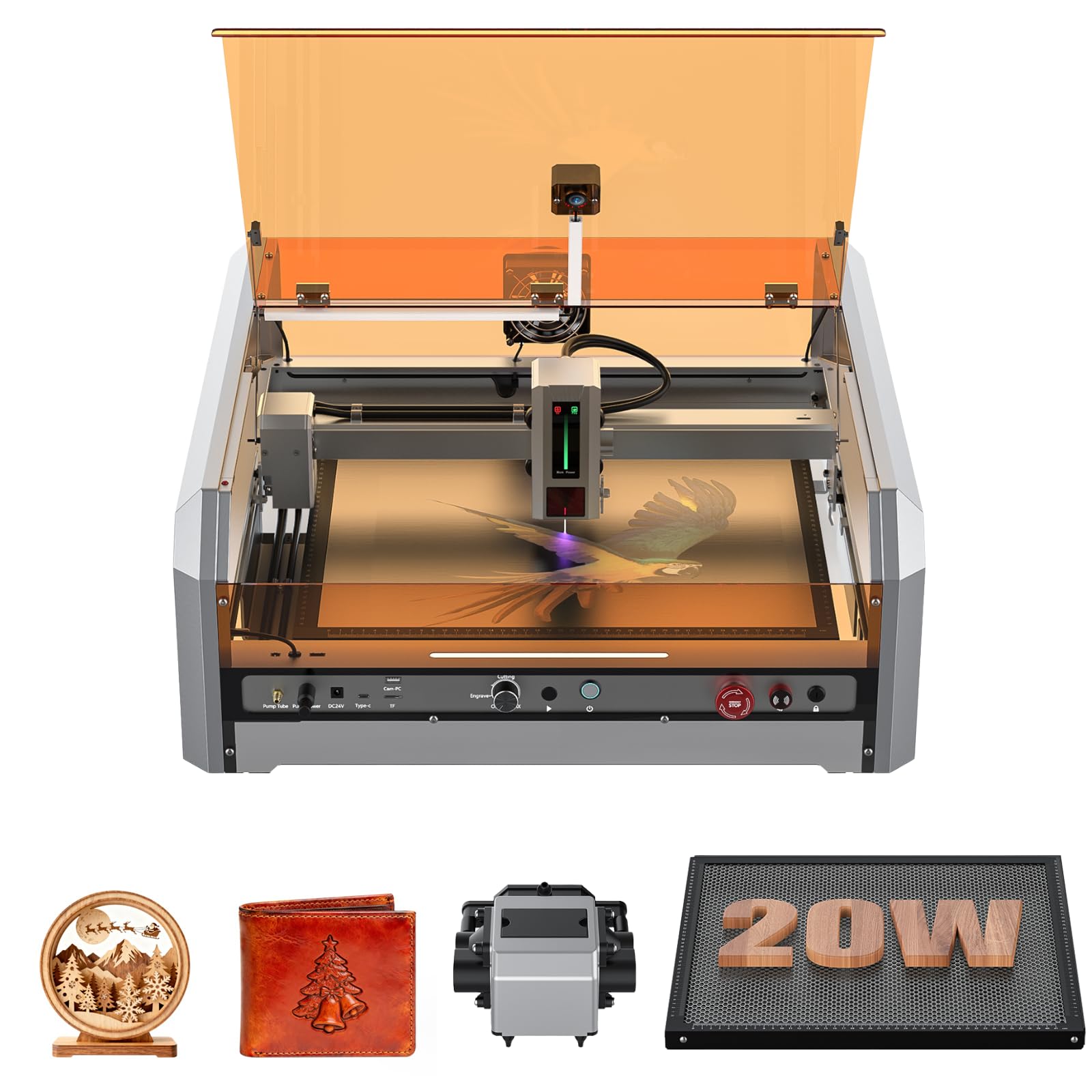
5. Genmitsu L8 Laser Engraver, 20W with Acrylic Enclosure
The speed demon with a fully enclosed, certified-safe design that’s ready to run from the start.
The Genmitsu L8 is the fastest engraver on this shortlist, hitting a remarkable 40000mm/min maximum engraving speed—outpacing other desktop diode lasers by up to 33%, according to the maker. It backs that speed with over 20W optical power, cutting through 12mm pinewood, 8mm black acrylic, and even 0.05mm stainless steel in a single pass. It arrives fully assembled and calibrated, so you can unbox it and start creating immediately, unlike most competitors that require significant setup.
The fully enclosed acrylic shield is a big selling point, providing a 360° visual angle exhaust laser shield and earning Laser Safety Class 1 certification. This means the machine incorporates a door sensor that halts operation when the cover is open, plus a tilted automatic stop, an active flame monitor buzzer, limit switches, emergency stop, and a child safety lock. The included 30L/min smart air assist pump and built-in large honeycomb work together for efficient, clear cuts, and a LightBurn-compatible camera makes positioning your project a breeze.
Quality control is the most-praised aspect, and cutting performance earns strong feedback—customers note it cuts cleanly through 5mm plywood. The pro-con verdict is clear: while some owners say it works right from the start, others hit issues, and the instructions are described as simplistic. There have been occasional quality control complaints, like a loose screw or an unreadable USB drive, but the responsive support team resolves most issues quickly. At 11.77 pounds it’s not the lightest, but the enclosed design eliminates the need for a separate smoke enclosure.
Plug-and-Play Safety
- Fully assembled and calibrated—minimal setup required
- Class 1 certified enclosure with door sensor and emergency stop
- LightBurn-compatible camera for precise positioning
Out-of-Box Risks
- Occasional quality control issues like loose or missing parts
- Instructions lack detail on focus, power, and line interval settings
Reach for this if: You want a safe, enclosed machine that’s fast and ready to use immediately, with minimal assembly fuss.
Look elsewhere if: You’re on a tighter budget or you need thorough documentation—the simplistic instructions may frustrate detail-oriented users.
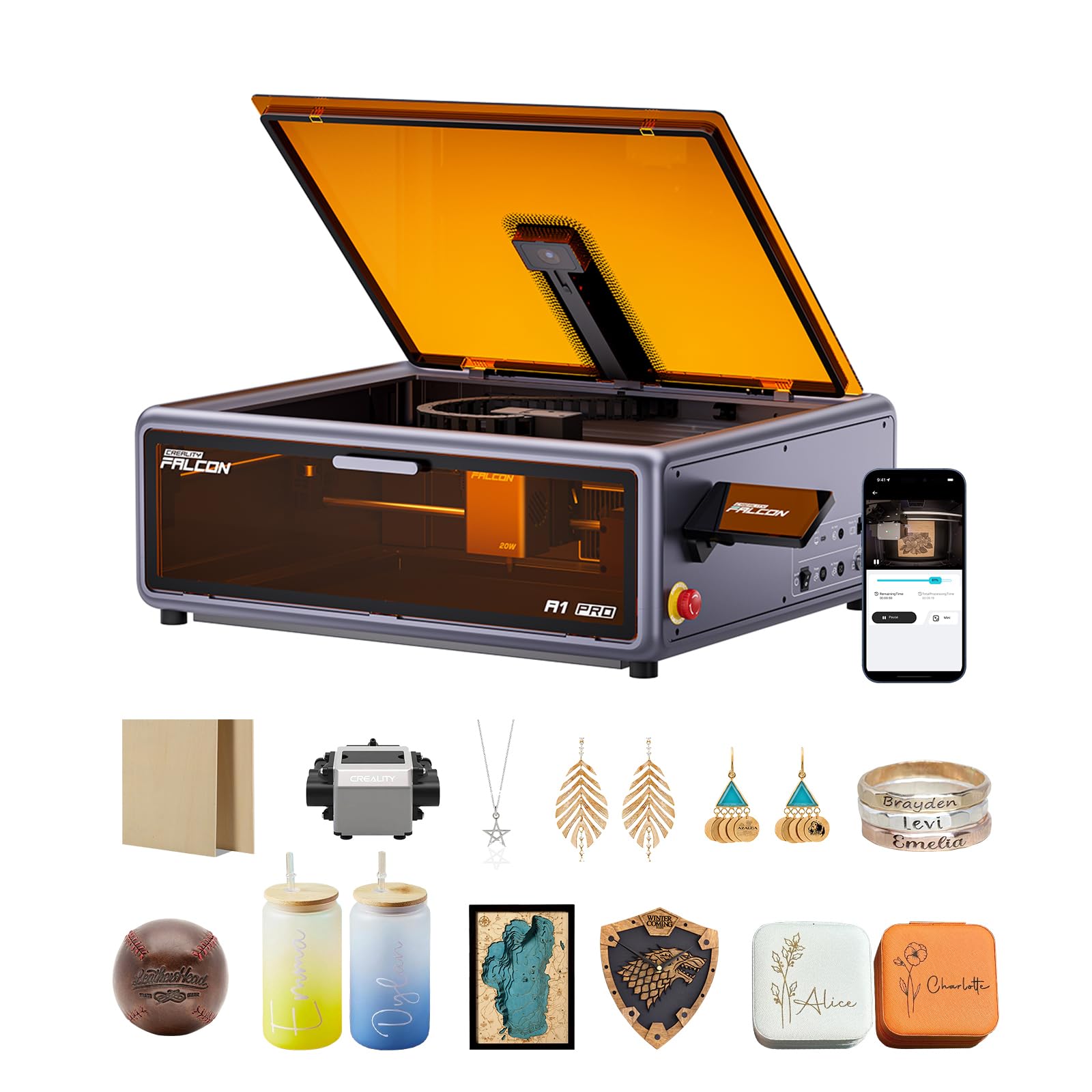
6. Creality Falcon A1 Pro 20W Laser Engraver
A top-tier enclosed system with lightning autofocus and a smartphone-style touchscreen for easy control.
The Creality Falcon A1 Pro represents the premium end of the 20W spectrum, combining a sleek, smartphone-style touchscreen with intelligent app control for real-time monitoring from anywhere. Its standout feature is the Z-axis auto-lift and AI vision system that deliver automatic focusing in just 3 seconds, achieving measurement accuracy within 0.012 inches—so you get perfect results from the very first cut. This 37.4-pound machine is solid and sturdy, offering speeds up to 600 mm/s, which the maker claims is three times faster than peers.
It’s an enclosed design with dual protective covers that filter 99% of light, letting you work without goggles while the internal fan speeds smoke removal. The 20W blue laser cuts through 10mm basswood and 8mm black acrylic at top speed, and there’s an optional 2W infrared (IR) module (purchased separately) that harnesses 1064 nm technology with a 0.03mm ultra-fine laser spot for photograph engraving on metal and plastic. The HD camera previews the entire workspace for precise object positioning.
Functionality is the most-praised aspect, followed by quality—owners call it “hands down the best machine I’ve purchased” and note “it’s paid for itself all over again with what I can do with it.” It arrives 80% pre-assembled, requiring only minimal setup. The main complaints center on smoke control and noise—the air assist is weak, and the exhaust fan isn’t the strongest—so be prepared to manage fumes if you’re cutting dense materials. The Z-range is limited to roughly 3/8″ with the honeycomb, and the orange doors can cause eye strain without laser glasses.
Autofocus advantage: The 3-second auto-focus and camera positioning make this the easiest premium machine to get consistent, accurate results—ideal for batch production where every piece must match.
Your ideal choice: A small business or serious hobbyist who wants a refined, enclosed workflow and is willing to invest for autofocus plus app control.
Think twice if: Smoke management is critical for your space—this unit’s air assist and exhaust are its weakest links, and you’ll likely need an external solution.
7. WECREAT Laser Engraver and Cutter, 20W 4-in-1
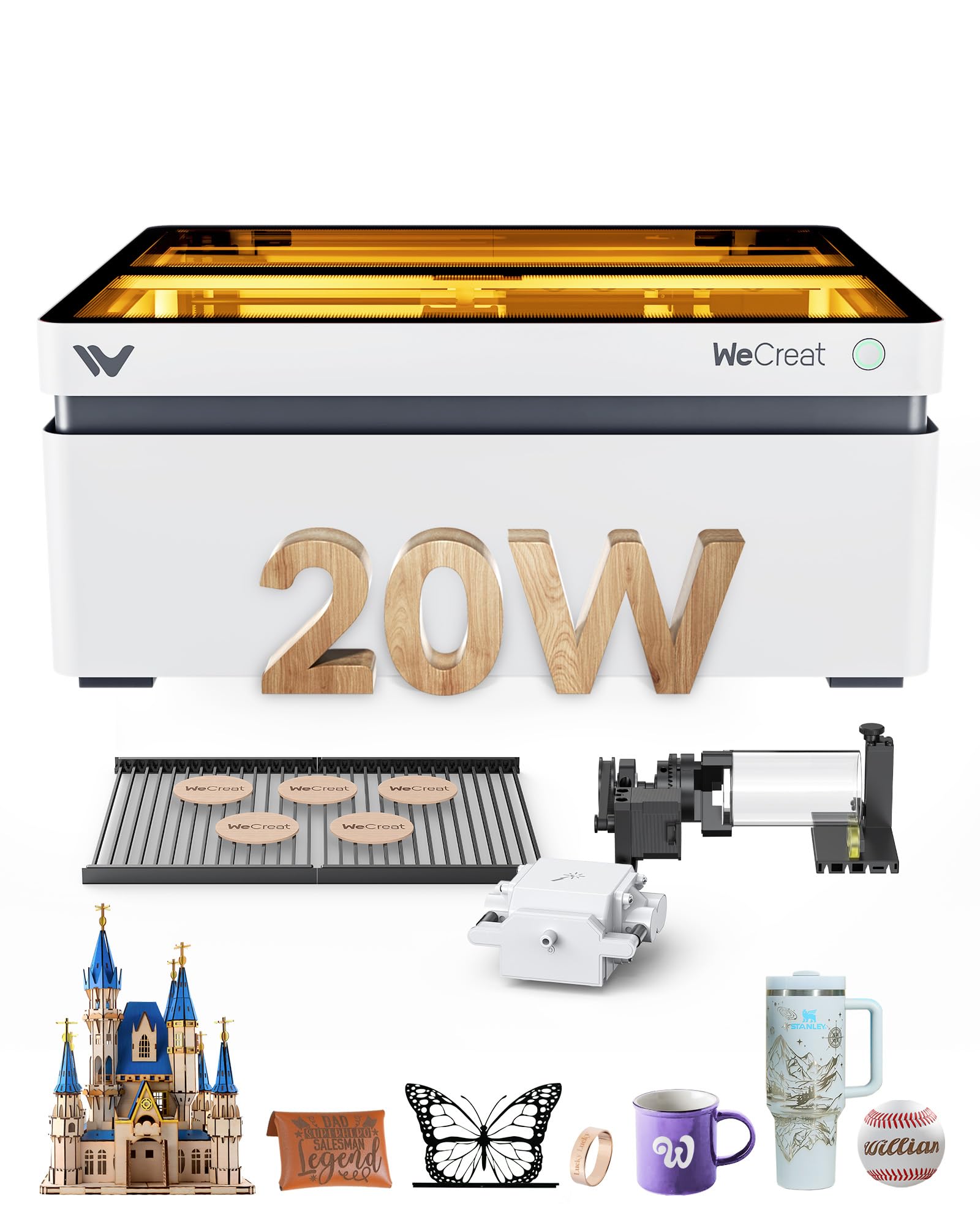
The world’s first auto-lifting 20W with a rotary kit, perfect for tumblers and rounded gifts.
This WeCreat Vision 20W engraver is engineered for batch production and cylindrical items, featuring the world’s first 0-140mm automatic lift adjustment so you can work with materials of various heights without a separate riser base. The included rotary kit handles tumblers, mugs, roller, chuck, sphere, and ring engraving, while Smart Air Assist provides automatic airflow up to 30L/min for a cleaner surface. It cuts through 10mm wood or 8mm opaque black acrylic in one pass at speeds up to 600mm/s, with a 0.06*0.08mm laser spot for flawless detail.
The fully enclosed design is FDA Class 1 certified, with an auto-stop when the lid opens and an eye-protection cover that filters 99% of laser light, so there’s no need for extra enclosures or goggles. The built-in HD camera enables automatic precise positioning, and the quick view matrix provides settings for over 1,000 materials. The 3D Preview function makes what-you-see-is-what-you-get design easy. It’s compatible with both WeCreat’s MakeIt software and LightBurn, giving you flexibility.
Ease of use is the most-praised aspect, with owners noting it’s fantastic even for first-timers: “I am not good with using computers, but the software is easy to use.” Hardware quality also earns high marks, with one owner saying it surpasses the X-Tool. However, laser accuracy receives mixed reviews—while many praise its precision, a few owners experienced calibration issues where the engraving was off by several millimeters. Auto-focus has been a known trouble spot, with customer service acknowledging the issue, so some owners manually enter measurements to get perfect results. At 66.9 pounds, this is a substantial machine that stays put.
Versatile Workflow
- Built-in rotary kit for tumblers, mugs, and rings
- 0-140mm auto-lift handles tall items without risers
- Enclosed, pre-assembled design with Class 1 safety
Calibration Gripes
- Auto-focus feature has been unreliable for some owners
- Value for money is debated—some find it overpriced
Best for: Home businesses focused on personalized cylindrical gifts—tumblers, mugs, and jewelry—where the rotary and auto-lift save hours of setup.
Not for: Budget-conscious buyers or those who need flawless auto-focus from the start; expect to troubleshoot the focus occasionally.
8. WECREAT Vision 20W Laser Engraver with Auto-Lifting & HD Camera
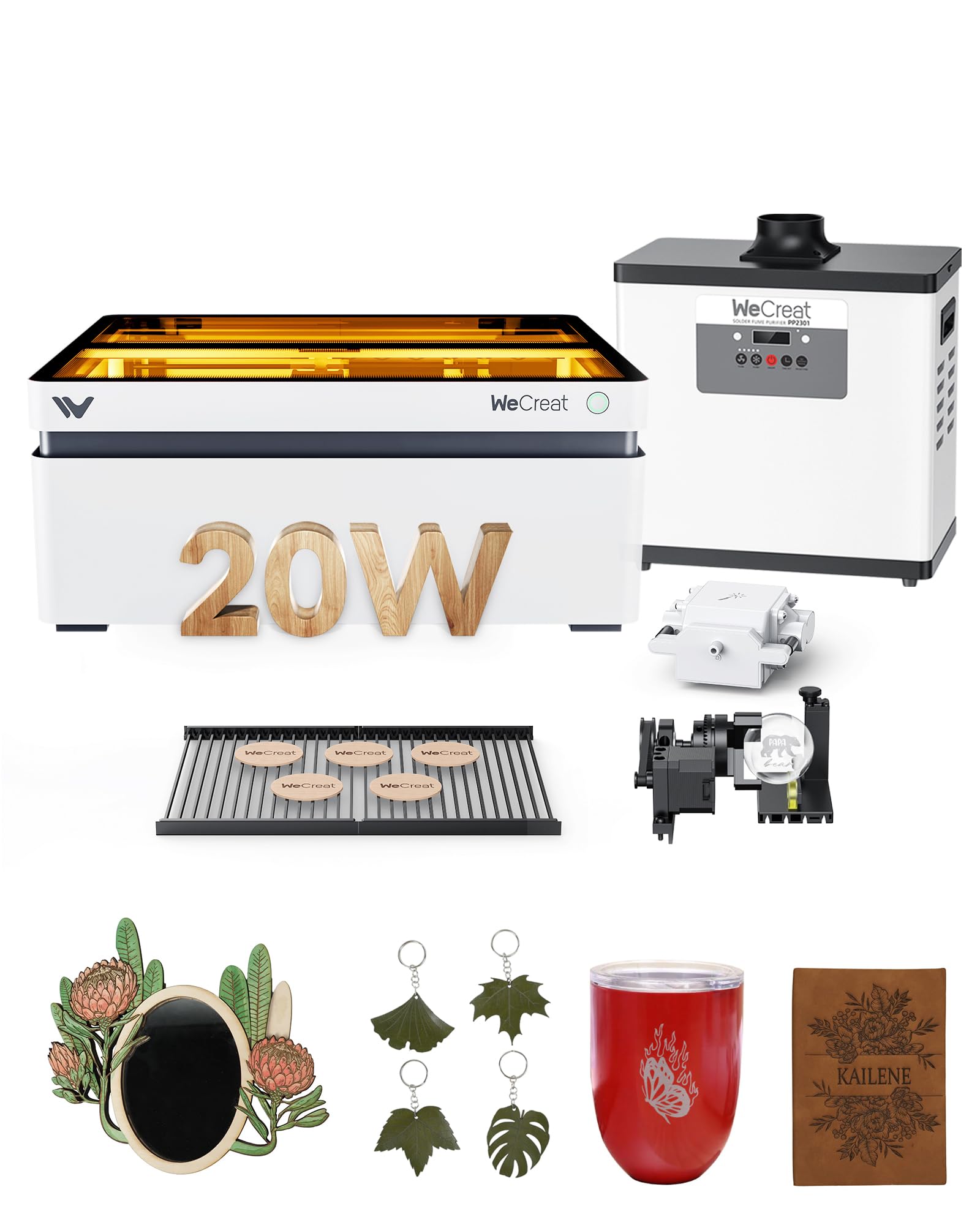
An all-in-one premium package with a built-in camera and auto-lifting that handles tall materials easily.
This top-tier WECREAT Vision 20W machine takes the all-in-one concept further, bundling a full enclosure, smart camera, rotary set, air assist, fume extractor, laser bed, and debris tray into a single 4-in-1 package. Its visual calibration algorithm ensures camera precision of less than 1mm, so what-you-see-is-what-you-get operation means cutting and engraving without guesswork. The auto-focus uses a laser radar on the laser head for greater accuracy than needle-based methods, and the auto-lifting enclosure works with materials from 0-140mm (5.51″) without a riser base.
It offers a maximum engraving speed of 600mm/s with 0.01mm precision, and the rotary capability handles full wrap (360°-1080°) engravings on mugs, tumblers, vases, stainless steel bracelets, and rings. As a Class 1 certified machine with a fire-resistant metal enclosure and auto-stop function, it operates safely without protective glasses. The strong air quality management system creates a clean working environment, and the integrated tray design makes cleanup easier than other closed laser engravers.
Quality is the most-praised aspect here, with owners describing the results as “incredible for the money” and the machine itself as “well thought out.” A small business owner notes, “I run a small business local and make custom products! This thing is incredible for the money! Super easy to use and the quality is outstanding!” However, ease of use receives mixed feedback—while some find it super easy, others hit issues like a power switch that failed after several uses, requiring the machine to be unplugged. The standalone filter is loud, so venting outdoors is recommended for a quieter workspace.
All-in-one appeal: The bundled camera, rotary, fume extractor, and auto-lift mean you won’t need to buy separate accessories—this is a true plug-and-play production station.
Reach for this if: You run a small business and want a complete, high-quality system with minimal add-on purchases and professional-grade results.
Consider other options if: You’re a beginner on a budget—the premium price and occasional reliability quirks make it a serious commitment.
9. LaserPecker LP5 20W Fiber & Diode Dual Laser Engraver

A portable dual-laser powerhouse that engraves metal in seconds—perfect for on-the-spot store customization.
The LaserPecker LP5 is a unique hybrid that combines a 20W diode laser and a fiber laser in one portable unit, giving you the ability to cut and engrave both metals (gold, steel, brass, titanium) and non-metals (wood, leather) at an incredible 10,000mm/s. Its standout claim is 10X speed with 0.0027mm precision, achieving 8K details with 2x higher accuracy than similar engravers. At just 6.02kg, it’s half the weight of similar machines, making it ideal for mobile services, craft fairs, and mall kiosks where you can engrave custom keychains or phone cases during customer wait times.
The dual-laser system is its defining strength: the 20W diode cuts 20mm wood and 15mm acrylic, while the fiber laser slices 0.5mm brass or titanium—making it the only dual-laser system on this list that handles both thick crafts and jewelry metals. The LDS (Laser Depth System) creates depth-controlled coins and relief art with a 3D grayscale function, and the Material Test Array reduces test runs by 80%. Owners find the Design Space software intuitive, though the Android app lacks some material profiles.
Owners say it’s “worth it for anyone with a side business,” with deep engraving on coins, leather, wood, and metal in fast single passes of 20-30 seconds. The blue laser project outline eliminates guesswork, and one long-time user notes it’s roughly “~500x faster than other lasers” for certain tasks. The cons are practical: loud fans, messy workspace, short cables, and a learning curve with the mobile app. One owner experienced Bluetooth connection issues from the start, though once working, the products are described as excellent.
Portable Metal Magic
- Dual laser (diode + fiber) handles wood, leather, and hard metals
- Ultra-compact 6.02kg design fits in car trunks
- 10,000mm/s speed with 0.0027mm precision
Trade-Offs
- Loud fans and short cables need workarounds
- Bluetooth connectivity bugs have been reported on some units
- Beveled cuts can be off-center for some projects
Best for: Mobile engravers, side-business owners, and anyone who needs to engrave metal without pre-treatment and wants to pack up fast.
Not ideal for: Users who need a large fixed work area or quiet operation—this is a compact, action-oriented machine, not a silent workshop centerpiece.
Understanding the Specs
Optical Power (20W)
The wattage of a laser engraver refers to the optical power output of the laser module—in this case, 20,000mW (or 20W). More power cuts thicker materials in fewer passes and engraves faster with better quality. A 20W diode laser typically cuts 8-15mm of wood or acrylic in a single pass, while a 10W model would need multiple passes for the same depth. For metal engraving, 20W diode lasers can mark coated or painted metal, but for bare metal like stainless steel or brass, you’d need a fiber laser (like the LaserPecker LP5 offers) or a very high-power diode.
Engraving Speed (mm/min)
Engraving speed measures how fast the laser head moves across the material, typically expressed in mm/min (millimeters per minute) or mm/s (millimeters per second). A speed of 24,000mm/min is 400mm/s—they’re the same number, just different units. Higher speeds are crucial for batch production and large designs, as they dramatically reduce job time. However, faster speeds require a rigid frame to maintain accuracy; if the frame flexes, you lose precision. The Genmitsu L8 leads the pack at 40,000mm/min, while the Longer RAY5 20W is more conservative at 10,000mm/min.
FAQ
What materials can a 20W laser engraver cut and engrave?
Is a 20W laser engraver strong enough to cut wood?
What is the difference between a diode laser and a fiber laser?
Do I need an air assist for my 20W laser engraver?
Is a 20W laser engraver safe to use indoors?
How long does a 20W laser engraver last?
Can a 20W laser engrave metal?
What is the working area and why does it matter?
Which software should I use with a 20W laser engraver?
How long does it take to assemble a 20W laser engraver?
Is a 20W laser engraver worth it for a small business?
Final Thoughts: The Verdict
For most people, the best 20 watt laser engraver winner is the Twotrees TTS-20 Max because its massive 600x600mm bed, triple connection modes, and 30000mm/min speed make it the most versatile all-rounder at a mid-range price. If you want heavy-duty cutting with the deepest single-pass wood capability, grab the Longer RAY5 New Upgrade—it cuts 15mm pine easily. And for portability and metal engraving on the go, the LaserPecker LP5 is the one to reach for, combining diode and fiber lasers in a compact 6.02kg frame that fits in a car trunk.
How We Picked
We do not accept paid placement. Every pick is matched to a real buyer and a real use-case; we do not hands-on test units.
Sources & Methodology
Specifications: manufacturer listings and product documentation. Review insights: verified customer reviews, as of September 2026. Pricing: not shown on this page (it changes often); check the current price via the retailer link.
As an Amazon Associate, Gadgets Feed earns from qualifying purchases. This does not affect which products we feature.