
Our readers keep the lights on and my morning glass full of iced black tea. As an Amazon Associate, I earn from qualifying purchases.
Specs are compiled from manufacturer listings and verified buyer reviews and can change over time — please confirm the key details on the product page before buying.
The 21:9 monitor stretches your view far beyond a standard screen, wrapping you in your games and letting two documents sit side-by-side without a bezel between them. Picking one, though, means weighing a fast refresh rate against richer colors, and a big curve against the desk space it eats. The right monitor matches your gaming habits and productivity needs.
I’m Min — the founder and writer behind Gadgets Feed. This guide is built by comparing the manufacturers’ published specifications and the patterns across verified customer reviews, so you get each pick’s real strengths and trade-offs instead of marketing spin.
This is your plain-English rundown of the best 21:9 gaming monitor options across every budget, with the real owner feedback folded in so you know what you’re actually getting before you buy.
Our Picks at a Glance

How To Choose The Best 21:9 Gaming Monitor
A 21:9 screen offers about 33% more horizontal space than a standard 16:9 display. This extra width enhances gaming immersion and multitasking, provided the specs fit your setup. Here are the key specs to compare before buying.
Refresh Rate and Response Time
The refresh rate measures how many times per second the screen updates the image. A 60Hz monitor shows 60 frames per second, while a 240Hz display quadruples that, making fast motion look dramatically smoother. For quick, competitive shooters, a higher refresh rate gives you a real edge, but it demands a powerful graphics card. Response time, measured in milliseconds, is how fast a pixel changes color, and a lower number (like 0.5ms) means less blurring on fast-moving objects.
Panel Type: VA vs. IPS vs. OLED
Panel type sets the maximum picture quality you can expect. VA panels typically offer the highest contrast, with deep blacks, but can show a bit of smearing on fast motion. IPS panels deliver the best color accuracy and viewing angles, making them great for work as well as play. OLED is the premium choice — each pixel lights up individually, producing perfect blacks and infinite contrast, but they cost more. Your budget and preference for color depth versus speed will guide your panel choice.
Resolution and Graphics Card Power
For most 21:9 monitors, the balance is 3440×1440 (also called WQHD or UWQHD). You get crisp, sharp text and plenty of screen room, but it demands more from your graphics card. To hit high framerates at this resolution, you’ll need a capable GPU — think an RTX 3060 Ti or better. Check what your current setup can handle before you commit.
Quick Comparison
| Model | Best For | Refresh Rate | Contrast Ratio | Panel Type | Amazon |
|---|---|---|---|---|---|
| Alienware AW3425DWM★ Best Overall | Overall value + productivity | 180Hz | 3,000:1 | VA | Amazon |
| KTC H34S5Best Value | Budget ultrawide gaming | 180Hz | 4000:1 | HVA | Amazon |
| Acer XZ340CUR X0Top Performer | Ultra-high 200Hz refresh | 200Hz | 100,000,000:1 | VA | Amazon |
| ASUS TUF VG34VQ3B | Console and PC play | 180Hz | 4,000:1 | VA | Amazon |
| ASUS TUF 250Hz | Competitive-speed gaming | 250Hz | — | FastIPS | Amazon |
| INNOCN 40C1R | Mac + productivity | 144Hz | 1200:1 | IPS | Amazon |
| Z-Edge UG40S | Large-screen budget | 144Hz | 1200:1 | IPS | Amazon |
| AOC AG346UCD | Entry-level OLED | 175Hz | 1500000 | QD-OLED | Amazon |
| Alienware AW3423DWF | Premium gaming + creating | 165Hz | 1M:1 | QD-OLED | Amazon |
| LG 34GS95QE | Sheer speed + immersion | 240Hz | 1.5M:1 | OLED | Amazon |
| LG 34GN850-B | Color-critical work | 144Hz | 1000:1 | Nano IPS | Amazon |
In‑Depth Reviews
1. Alienware 34 Curved Gaming Monitor – AW3425DWM
Our pick — over 4.5★ from 600+ verified ratings; the strongest balance of quality and price.
The all-rounder that feels at home in a shooter and on a spreadsheet.
This Alienware balances gaming speed with sharp, workable text better than most. Its 180Hz refresh rate (with a 1ms gray-to-gray response time) makes gameplay feel fluid, while the 3440×1440 resolution at 21:9 gives you room to lay two full-width documents side-by-side — a favorite trick for home-office users running Word and Excel without a bezel dividing them.
The 1500R curve wraps the 34-inch display around you for a more rich feel in games. Colors are a treat: the DCI-P3 95% color coverage and VESA DisplayHDR 400 certification deliver vibrant, punchy visuals. During long sessions, its hardware-based low blue light solution helps reduce eye strain without dulling colors, and a dedicated console mode keeps things smooth if you plug in a game system.
The tool-less height-adjustable stand is a practical win, and the panel cancels out a lot of the smearing you might expect from VA tech. It’s a VA panel, so don’t expect the pixel-perfect response of an OLED, and there are no built-in speakers — you’ll want a headset or external audio. The contrast here hits 3,000:1, which is solid, but the Acer Nitro below claims a far higher 100,000,000:1 ratio.
What wins people over
- Tool-less, height-adjustable ergonomic stand
- Sharp 3440×1440 text with crisp image quality
- Vibrant colors with DCI-P3 95% coverage
- Great value in the ultrawide category
Trade-offs to know
- No built-in speakers
- VA panel shows some ghosting in fast motion
- USB ports are Type-A only
The balanced pick: Ideal if you split your day between competitive gaming and serious productivity.
One note: That 3440×1440 resolution will pull hard on your graphics card, so plan accordingly.
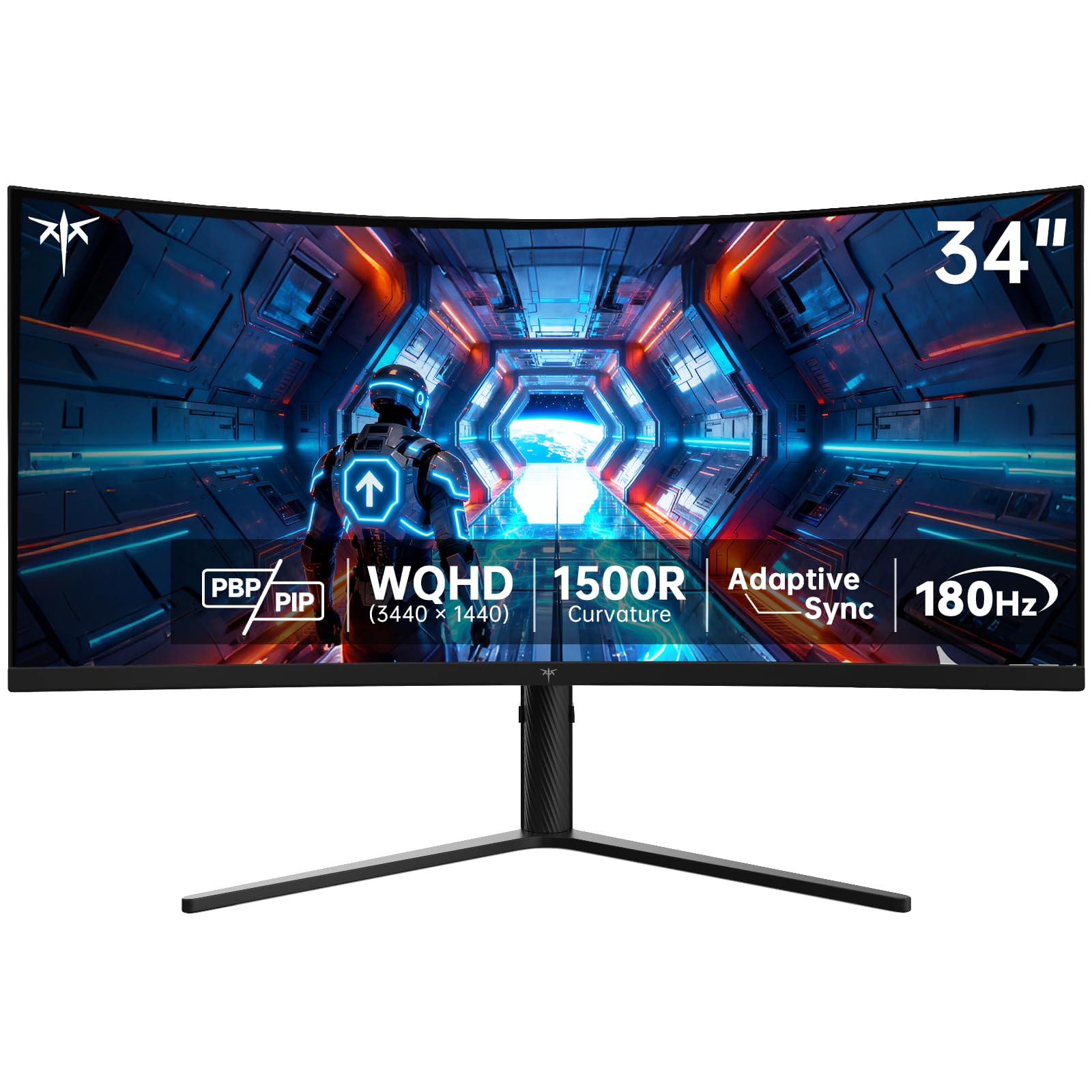
2. KTC 34 Inch Ultrawide Curved Gaming Monitor, H34S5
A budget ultrawide that punches far above its price class.
If you’re watching every dollar but still want a genuine 21:9 gaming experience, the KTC H34S5 stands out. It matches the Alienware’s 180Hz refresh rate (delivered over DisplayPort 1.4), so you get the same fluid motion, and it builds on a 3440×1440 panel with a 1500R curve for that wrapped-in feel. The HVA panel here pushes contrast to 4000:1 and delivers a richer 125% sRGB color gamut, making games look lively and deep.
Buyers consistently report a “denser PPI, cleaner text” experience than their old screens. It’s one of the few ultrawides at this level with a fully ergonomic stand — tilt of -5° to 20°, swivel of ±45°, pivot, and height adjustment up to 110mm — so you can dial in your perfect view. It also supports both FreeSync and G-Sync, covering both major graphics card camps.
The included cables are a bit short and the stand isn’t height-adjustable, so you’ll likely want a VESA mount (it’s 100mm x 100mm compatible). The color temperature also runs cool from the start, but a quick picture setting tweak fixes that. With a three-year warranty from KTC and a 12-hour response window, you’re covered.
Performance for the price: The KTC offers a premium set of features at an entry-level price point.
Who it’s for: Anyone building a first-time ultrawide setup on a budget.
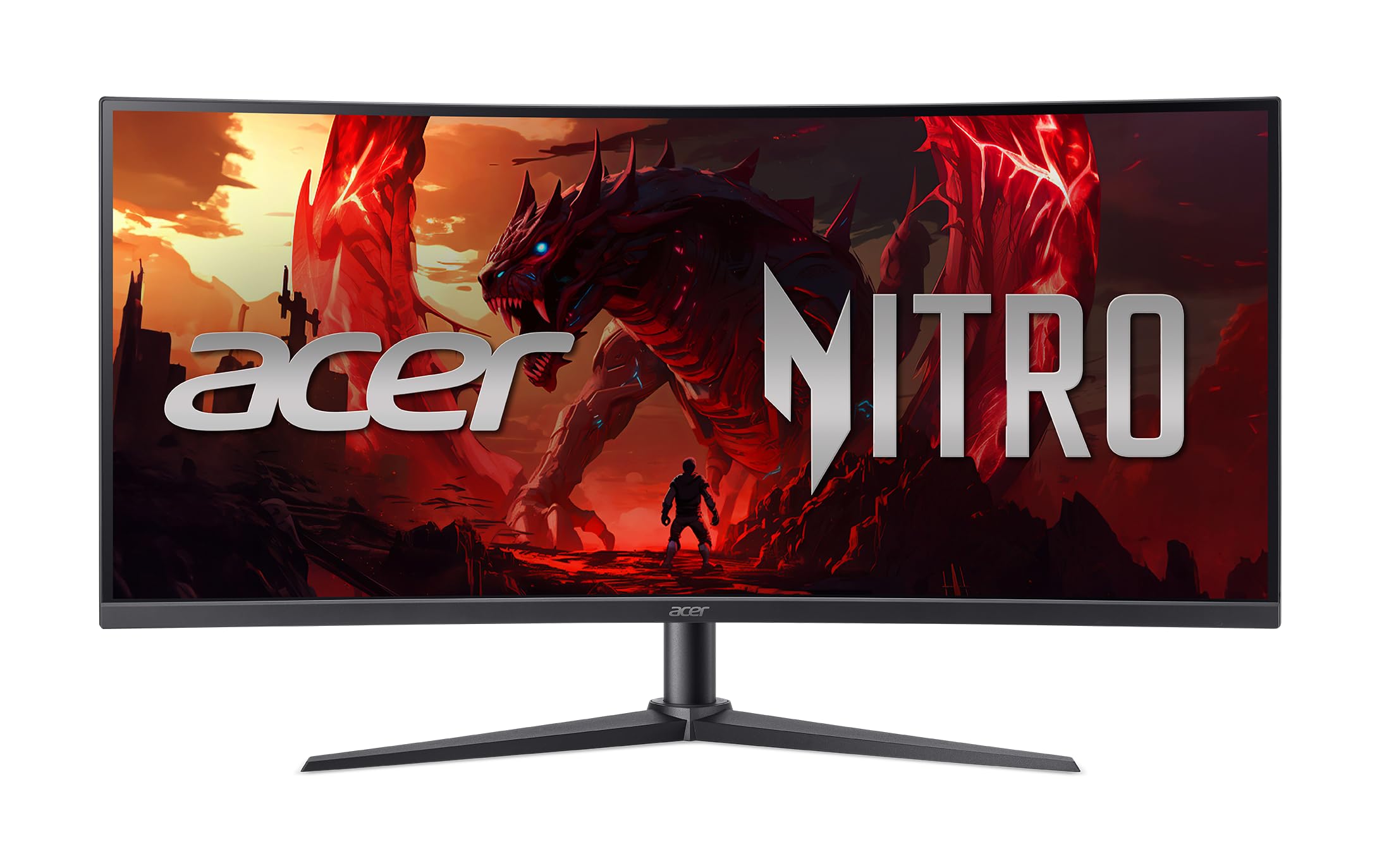
3. Acer Nitro 34in WQHD Curved 200Hz Gaming Monitor XZ340CUR X0
The refresh rate leader that gives you a real edge in fast games.
Speed is the name of the game here. The Acer Nitro XZ340CUR X0 pushes a 200Hz refresh rate — beating the 180Hz of the Alienware and KTC — which translates to even smoother motion and lower input lag in competitive shooters. This comes with a 1ms response time (the data says 0.5ms in the title, so let’s call it quick) to keep fast-moving action sharp without ghosting.
Its 3440×1440 resolution and 1500R curve widen your view, while the slim bezel boost screen area. Acer claims a stunning 100,000,000:1 contrast ratio, which dwarfs the Alienware’s 3,000:1 on paper, promising deep blacks if you enable HDR content. It also includes built-in speakers and an ergonomic stand with height and tilt adjustment, so it’s a complete package.
There are some reports of flickering with this model, which is worth noting. Buyers have flagged that it performs best with an AMD graphics card (it’s FreeSync Premium certified), and some suggest the issues stem from using HDMI or consoles. The 200Hz will also demand serious GPU power to push those frames at this resolution.
The speed king: If you’re chasing maximum smoothness in fast-paced esports titles, this is the one.
A word of caution: The intermittent flicker reports are worth being aware of before you commit.
4. ASUS TUF Gaming 34” Ultra-Wide Curved Monitor (VG34VQ3B)

A rock-solid ultrawide that looks stunning from any angle you sit.
The ASUS TUF VG34VQ3B delivers a polished 21:9 experience, combining a 180Hz refresh rate and 1ms MPRT response time for very smooth gameplay. Its key trick is ASUS Extreme Low Motion Blur (ELMB) SYNC technology, which works alongside FreeSync Premium to cut down ghosting and screen tearing, keeping fast-moving objects sharp. The 3440×1440 QHD resolution and 1500R curve make games feel expansive and rich.
Owners say the picture is vibrant with good contrast. The 4,000:1 static contrast ratio and 90% DCI-P3 color coverage give it a rich, colorful image, and the built-in speakers are a useful bonus for a tidy desk. It’s also a great choice for hybrid use; buyers report it works well for both Xbox Series X gaming and productivity, with the DisplayWidget Center letting you adjust settings with your mouse.
It’s not a perfect package. The height-adjustable stand is a plus, but the swivel is limited, and the built-in speakers are a bit tinny, so you’ll want external audio for serious listening. The contrast is a match for the KTC, but it falls well short of the Acer’s ludicrous 100,000,000:1 figure.
Solid and versatile: A dependable all-rounder that’s great for both consoles and desktop work.
Keep in mind: The speakers are functional, but not great — plan for a headset.
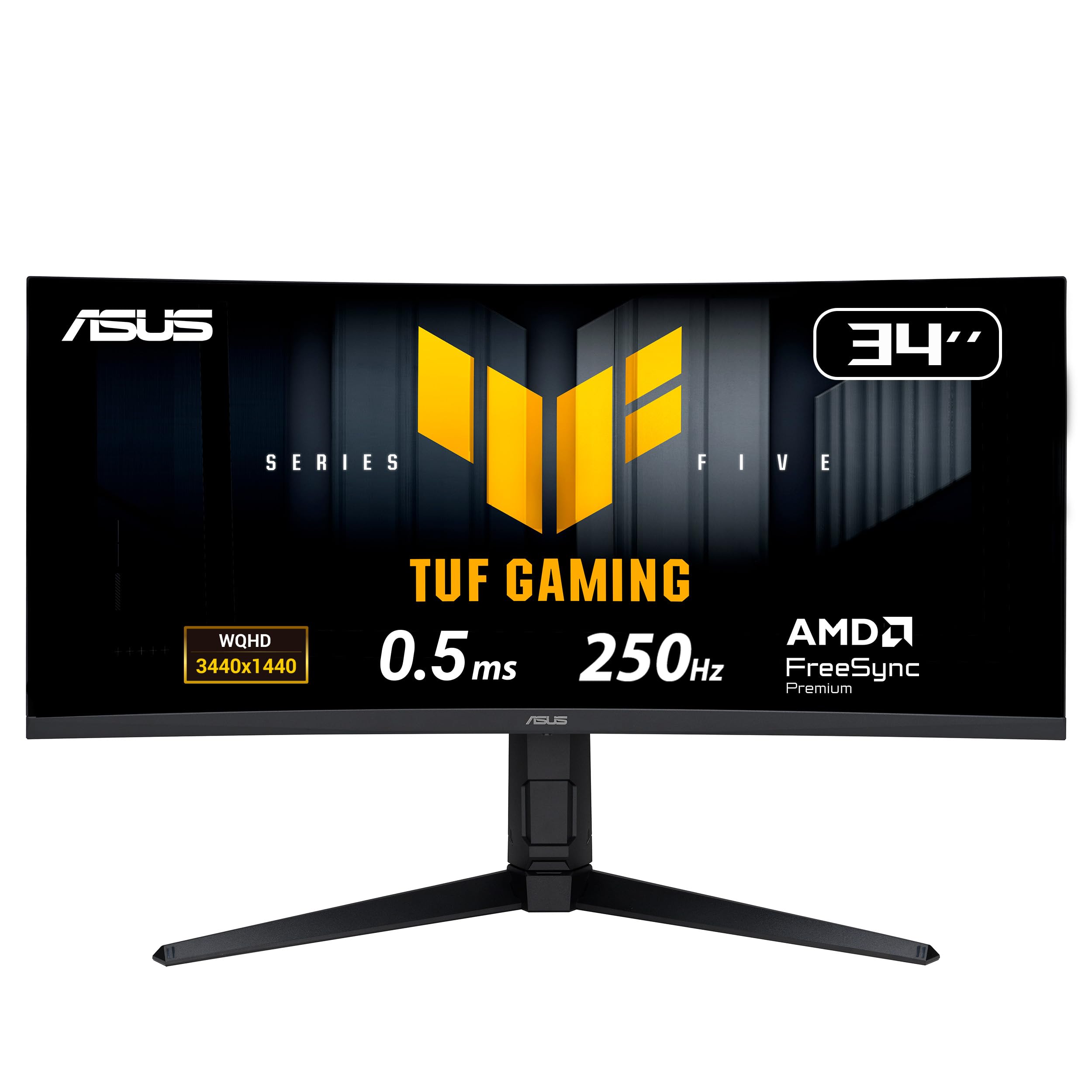
5. ASUS TUF Gaming 34” 1440P Ultrawide Curved Monitor
Pushes more frames than your eye can follow for the sharpest motion yet.
For the pure speed chasers, this ASUS TUF monitor is the one to beat. It overclocks to a blistering 250Hz refresh rate, making it the fastest screen in this lineup — a significant step above the 200Hz Acer and a full 70Hz ahead of the 180Hz competition. The 0.5ms response time and FastIPS panel ensure near-instantaneous pixel transitions, so there’s virtually no motion blur. This speed advantage is critical for competitive esports.
Despite the speed, it keeps a broad appeal. The 3440×1440 resolution and 1500R curve offer the rich ultrawide experience, and the 130% sRGB color gamut (with DisplayHDR 400) keeps colors looking rich, not washed out. The ergonomic stand is excellent, offering height adjustment up to 130mm, tilt, and swivel, and the built-in speakers are a handy convenience. Owners mention the stand feels high quality and the colors are good from the start.
The trade-off is the panel tech. While the FastIPS delivers superb motion handling, it comes with a lower 1000:1-ish contrast ratio compared to the deep blacks of the VA panels (like the KTC’s 4000:1) or the perfect blacks of OLED. It’s also a fairly new model, so the user base is smaller. But for fast, fluid, tear-free gaming, it’s a powerhouse.
Built for speed
- Class-leading 250Hz overclocked refresh
- 0.5ms response time for minimal blur
- Highly adjustable ergonomic stand
- Excellent motion handling in tests
Things to weigh
- Lower contrast than VA or OLED panels
- Built-in speakers are basic
- Newer model, fewer owner reports
Speed enthusiast’s choice: If you have the GPU to feed its 250Hz appetite, you’ll see motion like never before.
The catch: You’ll sacrifice some contrast for that speed.
6. INNOCN 40″ WQHD 3440x1440P 144Hz Ultrawide Monitor

The productivity powerhouse that charges your laptop while you play.
This INNOCN is a different kind of gaming monitor — one that’s equally obsessed with work. It packs a massive 40-inch screen with a 3440×1440 resolution and 144Hz refresh rate, but its secret weapon is the USB-C port that delivers 90W of power. This single cable carries video, data, and charges your laptop, making it a dream for MacBook users who want a clean, one-cable desktop setup.
The IPS panel with 95% DCI-P3 color gamut and 500 nits of brightness delivers accurate, true-to-life colors, making it great for photo editing and design work as well as gaming. Buyers praise its compatibility with both Mac and Windows systems and love the crisp text. The stand offers height and tilt adjustment, and it’s VESA mountable, giving you flexible placement options.
It’s not the cheapest option, and at 40 inches, it will dominate your desk. The 144Hz refresh is a little lower than the 180Hz+ options from Alienware or KTC, and some buyers have found the color quality and reliability to be a bit mixed. But for a single-screen solution that excels at both work and play, it’s a compelling choice.
The laptop’s best friend: A 90W USB-C port turns this into a docking station and monitor in one.
One consideration: The 40-inch size is a big footprint — measure your desk first.
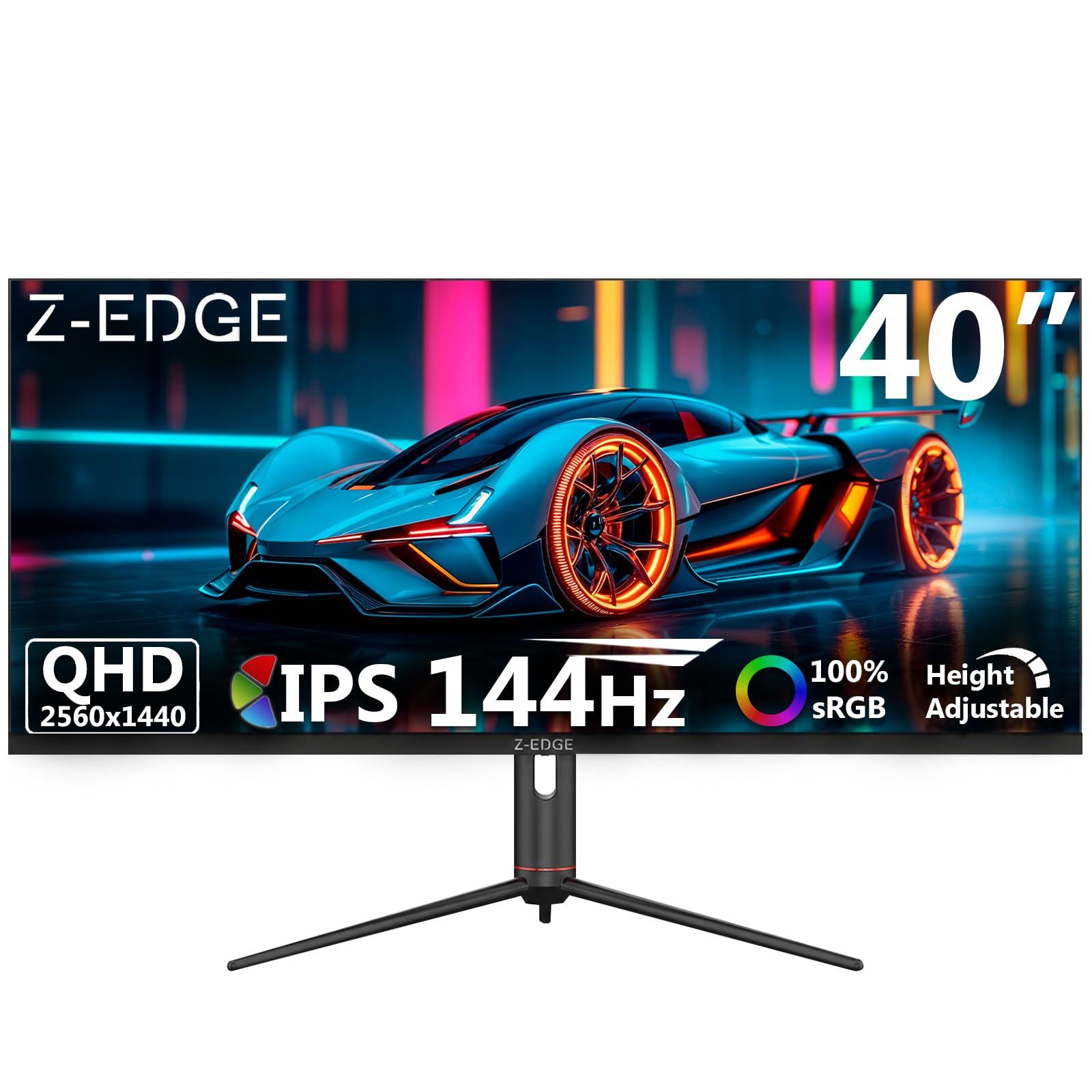
7. Z-Edge 40 inch Ultrawide Gaming Monitor, UG40S
A giant 40-inch canvas that gives you serious space without the premium price.
If your priority is sheer screen size and value, the Z-Edge UG40S delivers a 40-inch 3440×1440 ultrawide IPS panel that makes multitasking a joy. It hits a 144Hz refresh rate (via DisplayPort), which is great for most gamers, and the 100% sRGB coverage and 16.7M colors ensure a vibrant, colorful picture. The 178° viewing angles of the IPS panel mean colors stay consistent even when you’re not sitting dead center.
It comes with a fully adjustable stand (height, tilt, swivel), built-in speakers, and a very useful PIP/PBP mode that lets you view two different input sources side-by-side — perfect for keeping a console and PC running, or a work laptop and home PC. Owners find the quality surprising for the price, with crisp images and vivid colors that perform well in games and even Photoshop.
Some buyers have reported dead pixels on arrival, a reminder that budget panels sometimes have looser quality control. The built-in stand is also a bit flimsy. If you get a good unit, the size and value are impressive, but it’s a bit of a lottery compared to the more reliable Alienware or KTC.
Maximum screen per dollar: This is the way to get a huge ultrawide experience without emptying your wallet.
Worth noting: Packing the QC lottery; check your panel for dead pixels right away.
8. AOC Agon Pro 34″ Curved Gaming Monitor QD OLED 175Hz AG346UCD

Your welcome mat into the world of perfect blacks and OLED magic.
The AOC Agon Pro AG346UCD is your ticket to the premium OLED experience without the absolute top-tier price. It uses a QD-OLED panel that delivers the signature OLED benefits: true, inky blacks, an infinite contrast ratio (quoted as 1500000:1), and stunning, vibrant colors that make games look cinematic. The 175Hz refresh rate and remarkable 0.03ms response time ensure motion is incredibly smooth and sharp.
Owners are blown away by the picture, noting the deep blacks are “truly black” and the colors are “beautiful.” It’s G-Sync compatible, so it works smoothly with NVIDIA graphics cards to eliminate screen tearing. The stand offers height, tilt, and swivel adjustment, and it includes built-in speakers. AOC backs it with a reassuring 4-year warranty.
The price is still a significant step up from the VA and IPS options. The biggest gripe, however, is the factory-installed screen protector, which owners describe as very hard to remove and can leave sticky residue behind. Some have also reported the screen occasionally going black for a couple of seconds. Still, the image quality is a transformative upgrade.
OLED comes home
- 1500000:1 contrast for perfect blacks
- 0.03ms response, 175Hz refresh
- Cinematic color quality and contrast
- 4-year warranty for confidence
OLED gotchas
- Tricky screen protector removal
- Reports of occasional brief blackouts
- Premium price point
If you crave OLED: This is a great gateway into the technology’s incredible picture quality.
Patience required: Be gentle removing that screen protector, and allow for some warm-up quirks.
9. Alienware AW3423DWF Curved QD-OLED Gaming Monitor

A legendary panel that makes every game feel like a new generation.
The Alienware AW3423DWF is a legend in the ultrawide community, and for good reason. Its QD-OLED panel delivers a picture that owners describe as “spoiling” them for everything else. The quantum dot layer enhances color performance, and with a 99.3% DCI-P3 color gamut, you get a wider, more vibrant range of colors than on the standard Alienware VA panel. The infinite contrast ratio (1M:1) and true blacks make dark scenes in games look incredible.
It’s not just a looker — it’s fast. The 165Hz refresh rate (with 0.1ms response) and AMD FreeSync Premium Pro make gameplay silky smooth and tear-free. For content creators, the dedicated Creator Mode lets you switch between DCI-P3 and sRGB color spaces, ensuring accurate colors for editing. The 1800R curve is a subtle, comfortable wrap that enhances immersion without distorting text.
Alienware backs this with a 3-year premium warranty that includes coverage for OLED burn-in, which addresses the biggest fear with this technology. The reliability does get mixed feedback, with some buyers reporting failures after a few months. The forced 4-hour pixel refresh cycle can also be disruptive in a work environment, as it shuts the screen down for maintenance.
The Halo product: One of the best-looking monitors you can buy, period.
Life with OLED: Plan for the pixel refresh cycles, and treat the panel with care.
10. LG 34GS95QE 34-inch Ultragear OLED Curved Gaming Monitor

The 240Hz OLED that pulls you into the action and refuses to let go.
The LG 34GS95QE takes the stunning picture quality of OLED and cranks the speed dial up to 11. It’s the only monitor in this list that combines OLED’s perfect per-pixel lighting with a blazing 240Hz refresh rate. This makes it the ultimate choice for competitive gamers who want both breathtaking visuals and a lightning-fast, responsive image. The 0.03ms response time means virtually zero ghosting, and the 1.5M:1 contrast ratio delivers those signature deep blacks.
Its signature feature is the dramatic 800R curvature, which is much steeper than the typical 1500R or 1800R. This wraps the screen around your field of view for maximum immersion, and some buyers find it helps with aiming in FPS games by narrowing focus. It’s G-Sync Compatible and has FreeSync Premium Pro, so it works flawlessly with Nvidia and AMD GPUs, and it includes HDMI 2.1 for the latest consoles.
There are a couple of honest warnings. The steep 800R curve, while rich, can reduce the effect for some who prefer a subtler curve like the 1800R on the Alienware. OLED text clarity is also a known weak point here, making it slightly less ideal for heavy word processing, and the peak brightness of 275 cd is not the brightest. But for pure, rich gaming, it is a top-tier experience.
Gaming nirvana
- Blazing 240Hz refresh on an OLED panel
- 1.5M:1 contrast for perfect blacks
- rich steep 800R curve
- Works with both G-Sync and FreeSync
Know the limits
- OLED text clarity is a weak point
- 800R curve is not for everyone
- Premium, high price
For the dedicated gamer: If pure speed and immersion are your top priorities, this is a masterpiece.
Think twice if: You spend more time in Word documents than in game worlds.
11. LG 34GN850-B 34 Inch Ultragear Curved QHD Nano IPS Gaming Monitor

The colorist’s favorite that still knows how to party with a 144Hz refresh.
The LG 34GN850-B has been a staple for gamers who also care deeply about color accuracy. It uses a Nano IPS panel which is a master of color. With a 98% DCI-P3 color gamut, it displays a wider and more accurate range of colors than the budget IPS panels, making it ideal for photo or video editing where color fidelity is critical. This is its edge over the ASUS TUF’s 90% DCI-P3 coverage.
It’s still very much a gaming monitor. The 3440×1440 resolution, 144Hz refresh rate (overclockable to 160Hz), and 1ms response time deliver smooth, responsive gameplay. It’s G-Sync Compatible, so it pairs smoothly with NVIDIA graphics cards. Owners praise the “no compromise ultrawide” experience, noting it handles high frame rates well and looks fantastic in modern titles like Doom Eternal.
The price is the biggest hurdle here. It’s the most expensive monitor on this list, even more so than the OLED options, which makes it a tough sell in today’s market. Buyers also note the black levels are mediocre compared to OLED, and the 1000:1 contrast ratio is on the lower side. There is also a concern about backlight bleed, where light leaks from the edges of the screen, and buyers have mentioned dead pixel issues. The fixed stand is another point to consider.
The artist’s choice: Color-critical work and high-refresh gaming in one premium IPS package.
A big “but”: Its price is hard to justify when OLED options deliver better contrast for less.
Understanding the Specs
Refresh Rate (Hz)
This is how many times a second your monitor redraws the image. A higher number, like 180Hz or 240Hz, makes motion look smoother and reduces eye strain during fast action. For an esports advantage, prioritize this; for slower, cinematic games, 144Hz is plenty.
Contrast Ratio
This measures the difference between the darkest black and the brightest white a monitor can produce. A higher ratio, like 1,000,000:1 (common with OLED), means deeper blacks and more lifelike images. On the spec sheet, the Acer’s 100,000,000:1 figure looks incredible, but real-world performance can vary.
FAQ
Is a 21:9 monitor worth it for gaming?
Will a 21:9 monitor work with my console?
What resolution is best for a 21:9 monitor?
Can my graphics card run a 3440×1440 ultrawide monitor?
What is the difference between VA, IPS, and OLED panels?
Is a curved monitor better for gaming?
What is G-Sync and FreeSync?
How long does an OLED gaming monitor last?
Final Thoughts: The Verdict
The winner for most people seeking a 21:9 gaming monitor is the Alienware AW3425DWM — it nails the balance of price, speed, and ergonomics, and it’s a crowd favorite with a 4.6 rating. If your budget is tighter, the KTC H34S5 offers an incredible feature set for the money. And if you want the absolute best picture quality with perfect blacks, step up to an OLED like the AOC AG346UCD, but be ready for a bigger investment.
How We Picked
We do not accept paid placement. Every pick is matched to a real buyer and a real use-case; we do not hands-on test units.
Sources & Methodology
Specifications: manufacturer listings and product documentation. Review insights: verified customer reviews, as of August 2026. Pricing: not shown on this page (it changes often); check the current price via the retailer link.
As an Amazon Associate, Gadgets Feed earns from qualifying purchases. This does not affect which products we feature.