
Our readers keep the lights on and my morning glass full of iced black tea. As an Amazon Associate, I earn from qualifying purchases.
Specs are compiled from manufacturer listings and verified buyer reviews and can change over time — please confirm the key details on the product page before buying.
You can get crisp Full HD (1920 x 1080) sharpness without the extra desk space and cost of a 24-inch model. A 21.5-inch monitor delivers the same resolution, fits smaller desks, and usually costs less. Since brands measure diagonals slightly differently, every pick here is a true 21.5-inch panel — the closest size to the exact “21 inch” search — so you know exactly what you are buying.
I’m Min — the founder and writer behind Gadgets Feed. This guide is built by comparing the manufacturers’ published specifications and the patterns across verified customer reviews, so you get each pick’s real strengths and trade-offs instead of marketing spin.
From the fastest 1ms gaming panels to eye-care office workhorses, these are the models worth your money if you want a reliable 21 inch monitor that pairs cleanly with a laptop, a desktop, or a multi-screen setup.
Our Picks at a Glance


How To Choose The Best 21 Inch Monitor
For home offices and dorm rooms, a 21.5-inch screen gives you sharp 1920 x 1080 detail without taking over your desk. The real decision is matching the panel type and ports to your daily tasks, not just the price tag.
Panel Type: IPS vs VA vs TN
The panel decides how the screen looks from different angles and how fast it reacts. IPS (In-Plane Switching) keeps colors accurate when you view from the side, which is ideal if you share your screen or move around. VA (Vertical Alignment) offers deeper blacks and higher contrast for movies, but colors can shift slightly off-angle. TN (Twisted Nematic) is the oldest tech, prized for super-fast response times but with the narrowest viewing angles of the three.
Refresh Rate and Response Time
Refresh rate is how many times per second the screen redraws the image, measured in Hertz (Hz). A 100Hz panel feels visibly smoother than a standard 60Hz one when you scroll long documents or move windows around. Response time is how quickly a pixel changes color, measured in milliseconds (ms) — a lower number means less blur in fast action, which is why gamers look for 1ms or 4ms panels.
Connectivity and Ergonomics
Check the ports on the back before you buy. HDMI is the modern standard for laptops, while VGA is an older legacy port for very old computers. A few models add DisplayPort, which is common on desktop graphics cards. Also consider the stand — a tilt adjustment lets you set the perfect angle, and a height-adjustable stand is a real comfort win if you sit at your desk for hours.
Quick Comparison
| Model | Best For | Panel Type | Refresh Rate | Brightness | Amazon |
|---|---|---|---|---|---|
| HP V22 FHD★ Best Overall | Reliable multi-monitor setups | TN | — | 200 nits | Amazon |
| Acer KB220Q H2biBest Value | Budget gaming and value | VA | 100Hz | 250 nits | Amazon |
| Lenovo L22-4e | Color-accurate office work | IPS | 100Hz | 250 nits | Amazon |
| Dell SE2225HM | Deep contrast for media | VA | 100Hz | 250 cd/m² | Amazon |
| ASUS VP229QF | Eye-care comfort with DisplayPort | IPS | 100Hz | — | Amazon |
| Samsung S40GD | Adjustable ergonomics and ports | IPS | 100Hz | 250 cd/m² | Amazon |
| ASUS VT229H | Touchscreen interaction | IPS | — | 250 cd/m² | Amazon |
In‑Depth Reviews
1. HP V22 FHD Monitor
Our pick — over 4.5★ from 600+ verified ratings; the strongest balance of quality and price.
The dependable workhorse that powers multi-screen desks without breaking a sweat.
If your priority is a monitor that just works with your laptop from the moment you plug it in, this HP is the safe bet. The 21.5-inch diagonal screen delivers crisp Full HD (1920 x 1080) detail, and the TN panel keeps response times snappy for everyday use. It also ships with an HDMI cable in the box, so you can be up and running in minutes — a detail the review pages say people genuinely appreciate.
The real story here is multi-monitor setups. Buyers report: “I ordered a total of 4 of these monitors.” They run them off a single dock with 20-30 web applications open at once, and the screens keep up flawlessly. At just 6.3 pounds, it is light enough to move around, and the tilt range of 5° forward to 20° backward lets you find a comfortable angle for long sessions.
Honest trade-off: brightness sits at 200 nits, which is dimmer than the Acer below at 250 nits — a 25% gap that you will notice if you sit near a bright window. The stand also has a little play in it, though it is only an issue if you are constantly nudging the screen. For a dependable, low-stress office panel, this is the crowd favorite — strong ratings across 600+ owners.
Why Owners Stick With It
- Plug-and-play reliability with laptops, especially HP models
- Great graphics and easy-to-read text for everyday apps
- Light 6.3-pound build with HDMI and VGA ports
- Low Blue Light mode warms colors to ease eye strain
The Trade-Offs
- 200 nits is on the dim side for very bright rooms
- TN panel means colors shift when viewed from the side
- Limited stand adjustment range
Reach for this if: you want a no-fuss monitor for a multi-screen office setup that connects straight to your laptop.
Think twice if: you need wide viewing angles for sharing your screen — an IPS model suits that better.
2. Acer KB220Q H2bi
A featherweight price tag hiding a silky-smooth 100Hz VA panel.
This Acer is the pick for anyone who wants gaming-smooth motion without paying a gaming price. The 100Hz refresh rate makes scrolling and fast-paced scenes feel dramatically fluid, and the 1ms (VRB) response time is the fastest on this list, compared with the Lenovo L22-4e’s 4ms response time below. That combination means fast action renders without the smearing or ghosting you see on slower panels.
Movies and games look rich and true-to-life thanks to the VA panel (a type of LCD that offers deep blacks and wide viewing angles) with a 1000:1 contrast ratio and 99% sRGB color coverage. At 250 nits (a measure of brightness), it is brighter than the HP V22’s 200 nits, so you can see it clearly in a sunny room. The zero-frame design hides the bezels, so two side-by-side screens look almost like one continuous display.
What wins people over is the sheer value — plug it in, and it works right away with an HDMI cable included. Owners mention: “Easy setup, HP laptop compatible, 8.6lb, good value.” The one honest caveat is there is no built-in sound, so you will need external speakers or headphones for audio.
What Makes It a Steal
- 100Hz refresh rate for visibly smoother everyday motion
- 1ms response time crushes motion blur in fast scenes
- Zero-frame design for near-smooth multi-monitor walls
- 250 nits brightness with 99% sRGB color coverage
What to Expect
- No built-in speakers, so plan for external audio
- VA panel can shift colors slightly off-angle
Best for: budget buyers who want fast, smooth motion for both work and occasional gaming.
Not for: anyone who needs speakers built into the monitor.
3. Lenovo L22-4e
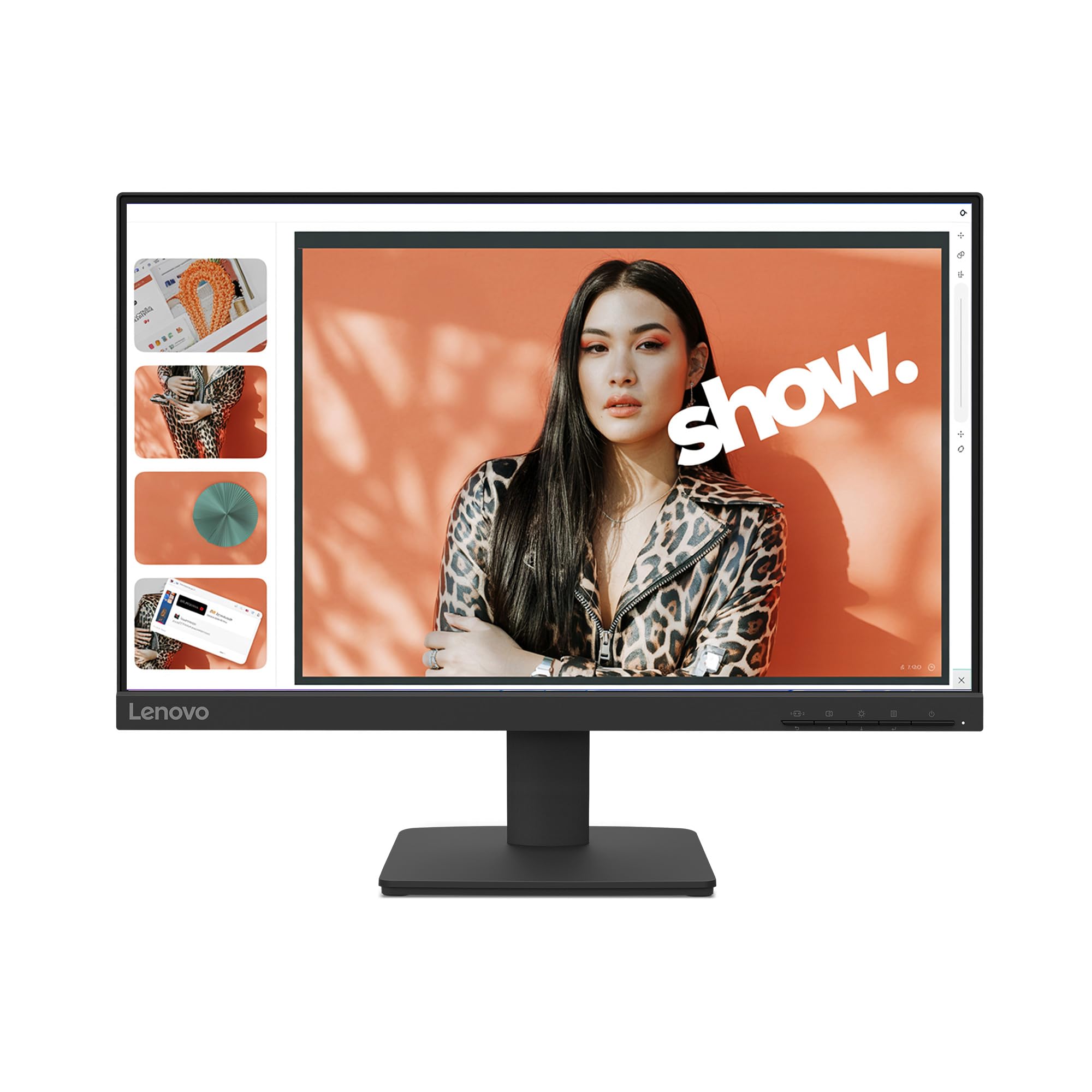
The IPS panel that keeps colors true from any seat in the room.
Lenovo’s L22-4e is the choice for anyone who cares about color fidelity, thanks to its IPS (In-Plane Switching) panel and 99% sRGB color gamut. IPS technology means the 178° viewing angle keeps colors consistent whether you are sitting dead-center or off to the side — a real advantage when a colleague leans over to look at your screen. The 1300:1 contrast ratio also helps your favorite media load crisply and distortion-free.
It matches the Acer’s 100Hz refresh rate for smooth motion, though its response time is 4ms in extreme mode while the Acer’s is 1ms. The 3-sided borderless design gives it a modern, clean look on your desk. For long workdays, the panel reduces blue light emissions without washing out colors, so your eyes stay fresher during a movie marathon or an 8-hour shift.
The multi-tasking chops are real — customers note: “Purchased 3 monitors and connected to a display link hooked to a laptop.” All three functioned flawlessly after a simple power-on. MacBook owners have also connected it easily with an adapter and stopped squinting at a small laptop screen. It even ships in 100% paper boxes to minimize plastic waste.
Standout trait: the IPS panel’s wide viewing angles and 99% sRGB coverage make this the color-accurate pick.
Note: response time is 4ms while the Acer’s is 1ms, so pure gamers should lean toward the Acer.
Choose this if: you edit photos, watch media, or want consistent colors from any angle.
Look elsewhere if: competitive gaming speed is your top priority.
4. Dell SE2225HM
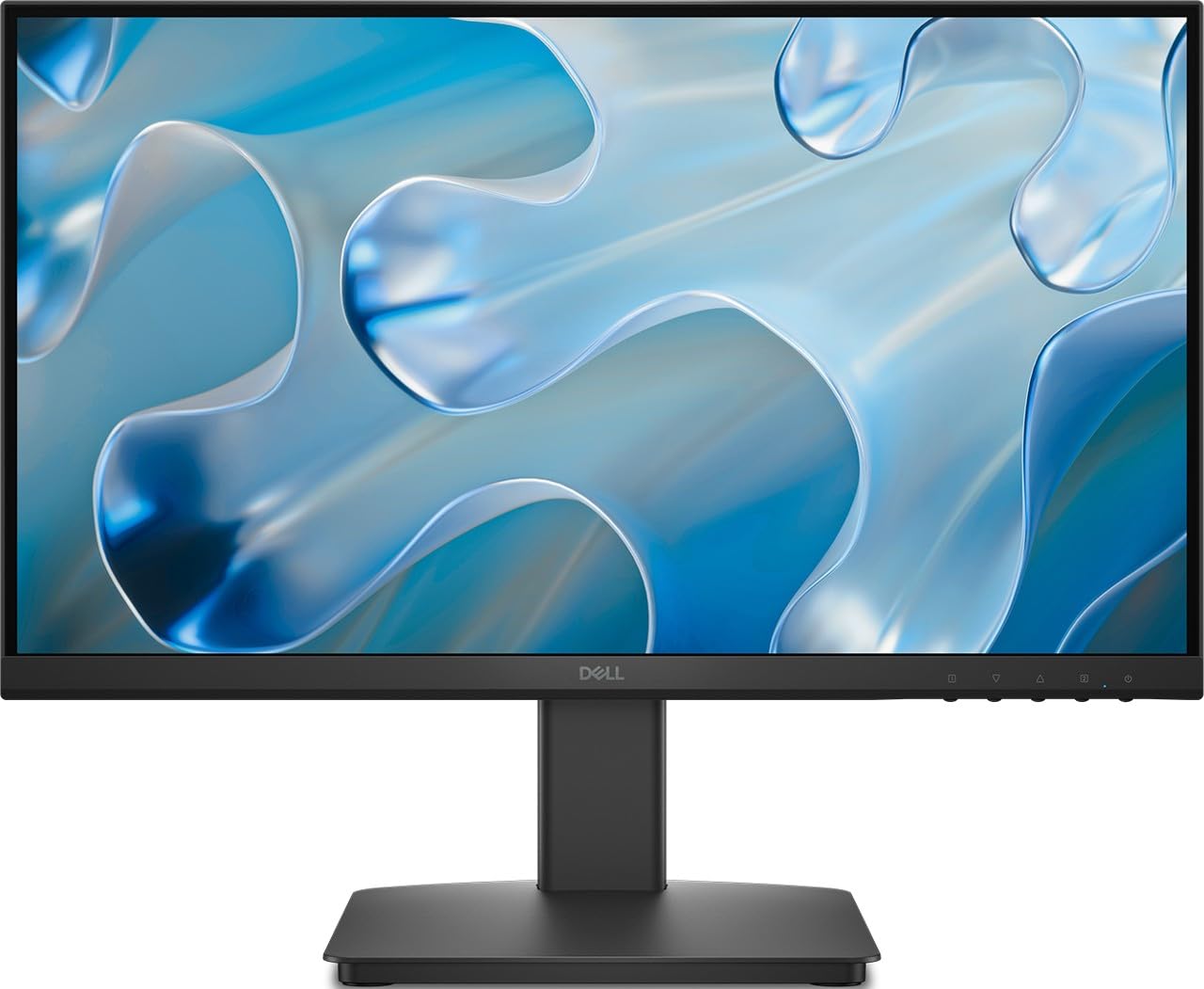
A 3000:1 contrast ratio that makes blacks look genuinely black.
If your evenings are spent streaming shows or movies on your PC, the Dell SE2225HM is built for you. Its VA panel technology and 3000:1 contrast ratio deliver deep blacks and rich colors that IPS panels struggle to match, making dark scenes in films look far more cinematic. The 250 cd/m² brightness (the “cd/m²” rating is simply how bright the screen gets) keeps everything clearly visible in normal room lighting.
Work and play both benefit from the 100Hz refresh rate and 5ms response time, which keep motion fluid and reduce blur. Ultra-thin bezels boost the viewing area, and the adjustable tilt stand lets you angle the screen for comfort. For long sessions, the TÜV Rheinland 3-Star certified display is designed to reduce eye strain, a certification that means an independent German lab verified its low-flicker performance.
The one thing to double-check before ordering: the description mentions DisplayPort, but reviewers point out the unit actually ships with only HDMI and VGA ports. If you specifically need a DisplayPort connection, this may not be the right fit. For everyone else, it is an affordable work monitor that does exactly what it needs to.
Best feature: the 3000:1 contrast ratio makes it the standout choice for movie watchers.
Heads-up: confirm your cable needs — the unit has HDMI and VGA, not a DisplayPort port as some listings suggest.
Reach for it if: deep blacks and rich contrast for media matter more than anything else.
skip it if: you absolutely need a DisplayPort input for your graphics card.
5. ASUS VP229QF
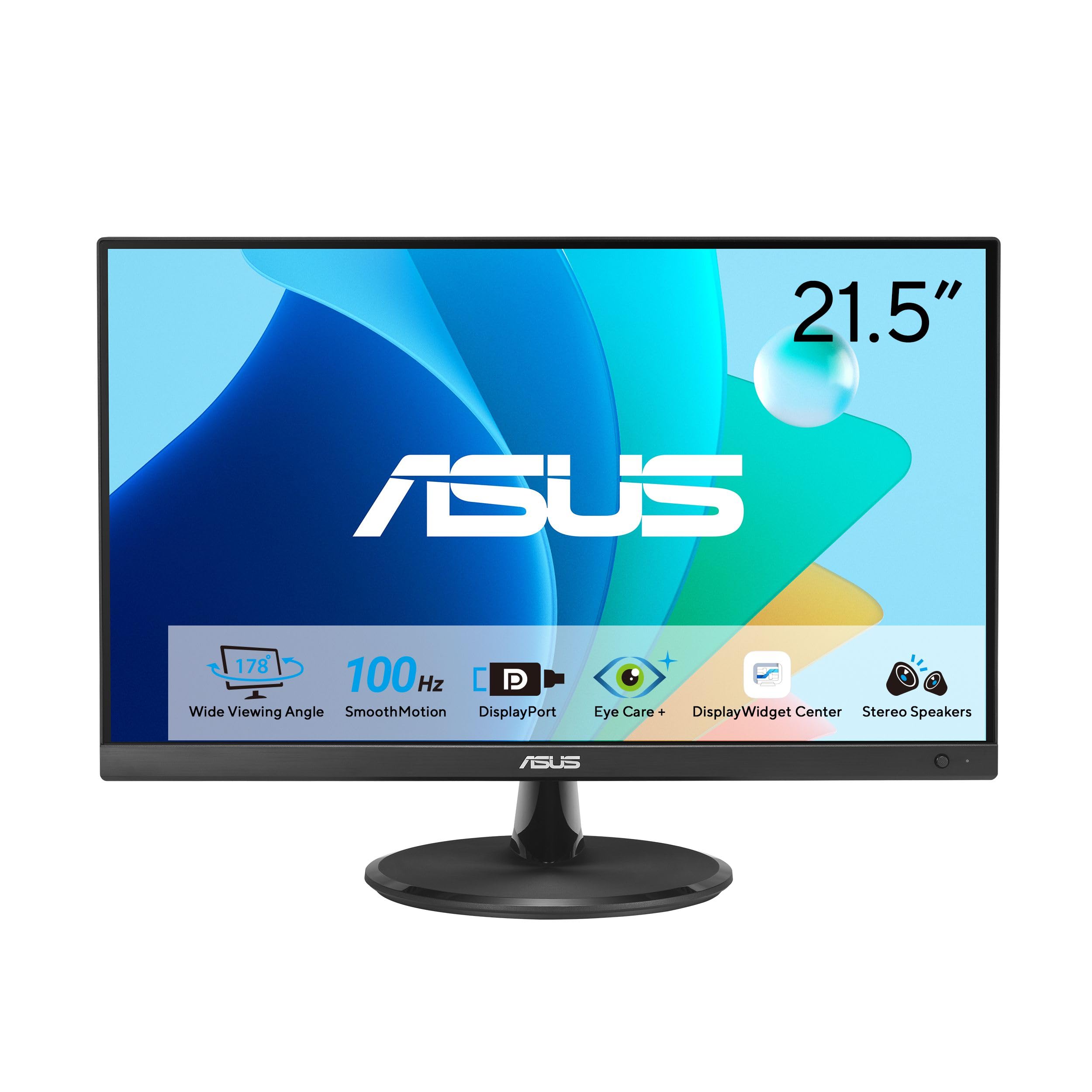
The frameless IPS panel that pairs old-school VGA and modern DisplayPort.
The ASUS VP229QF is the thoughtful choice for home offices where eye comfort comes first. Its 21.5-inch IPS panel with a 178° wide viewing angle keeps colors and contrast stable from the side, while the 100Hz refresh rate enables variable refresh rate (VRR) for tear-free visuals. ASUS Eye Care technology includes TÜV Rheinland-certified Flicker-free and Low Blue Light modes, so you can work long hours with less eye fatigue.
Connectivity is a genuine highlight here. It has DisplayPort, HDMI, and VGA — a rare triple that covers modern graphics cards, laptops, and very old computers all at once. That is exactly what one reviewer needed when replacing an old DVI-D and VGA monitor to connect a new video card. The frameless design also means the external width is slightly smaller than older panels of the same screen size, so it fits tighter spaces.
Setup is also unusually pleasant thanks to the 5-way navigator joystick on the front, which lets you tweak settings without fumbling with tiny buttons. The box includes an HDMI cable, power cord, and even an L-shaped screwdriver for assembly. The main frustration noted was slow delivery, not the monitor itself.
What Stands Out
- DisplayPort, HDMI, and VGA all in one compact panel
- TÜV Rheinland-certified Flicker-free and Low Blue Light tech
- Frameless IPS design with 178° viewing angle
- Easy 5-way joystick control on the front
What to Watch
- Delivery times have been slow for some orders
- Contrast ratio is a standard 1000:1, not as deep as VA panels
Great for: long office hours where reduced flicker and blue light keep your eyes comfortable.
Not ideal if: deep cinematic contrast is your main priority — a VA panel serves that better.
6. Samsung S40GD
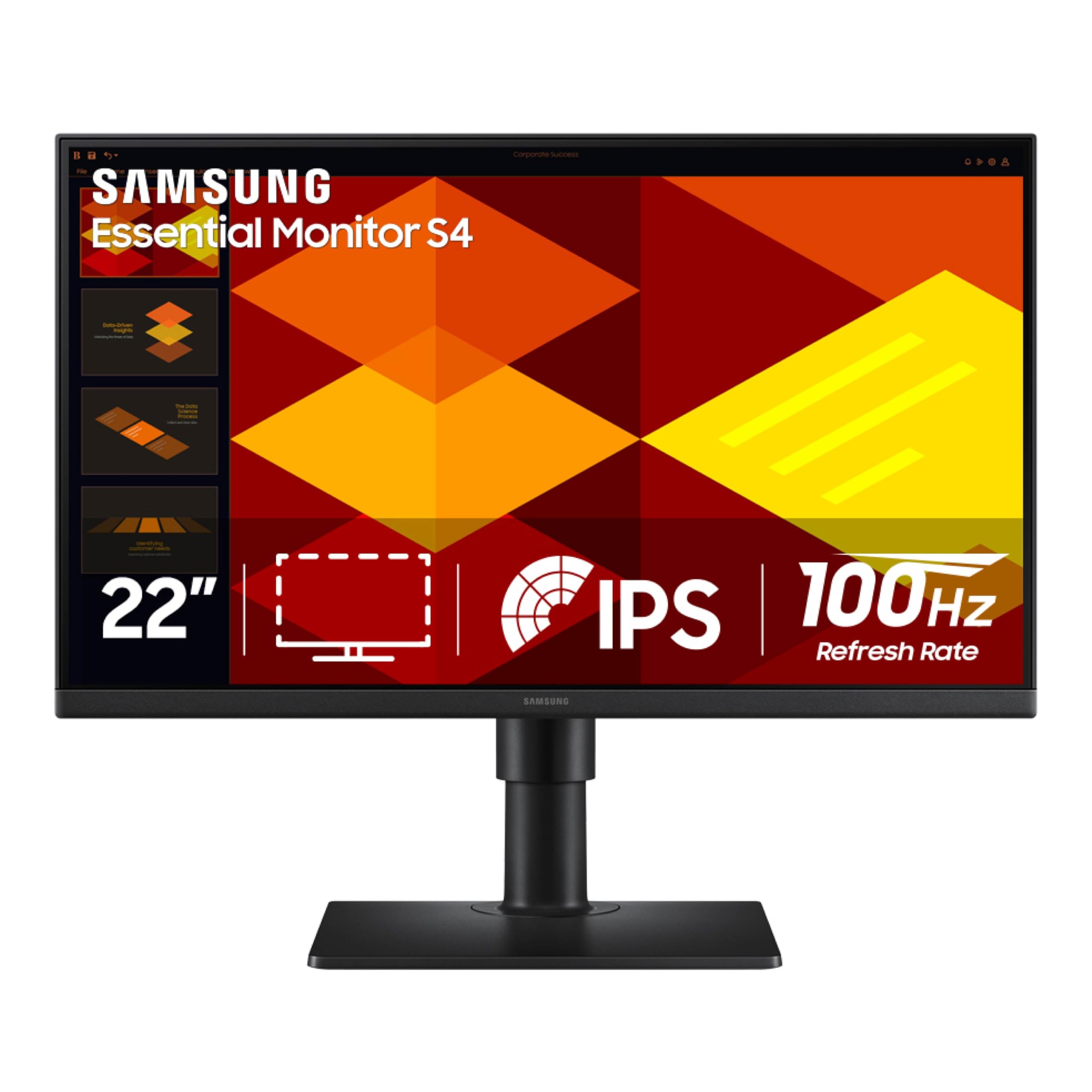
The most adjustable stand in this lineup, right down to a vertical pivot.
The Samsung S40GD is for anyone who has ever propped a monitor up on books to fix their neck angle. Its IPS panel keeps colors bright and consistent across the whole screen, and the genuinely adjustable stand is the star — you can change the height, tilt, and even rotate the screen into a vertical portrait view. That rotation is a rare feature at this size, and owners use it for coding and document work.
Performance matches the rest of the pack with a 100Hz refresh rate that reduces lag and motion blur. Gamers get a Game Picture Mode that adjusts any title to fill the screen, and the Eye Saver Mode cuts blue light and flicker for long sessions. Connectivity is generous: you get DisplayPort, HDMI, and a USB hub, plus a headphone out — a port selection that owners note is rare at this price.
Brightness is a solid 250 cd/m² across the board, and the ultra-thin border bezels boost screen space. The honest quirks: the on-screen menu is controlled by a joystick on the power button, and the included manual is not very clear. One owner also noted a minor QA issue with the lens at the top of the panel, fixable with a light press.
Why It Wins
- Height-adjustable stand that pivots to portrait mode
- DisplayPort, HDMI, and a USB hub for flexible connectivity
- 100Hz refresh rate with Game Picture Mode
- Thin bezels and lightweight build
The Quirks
- Menu joystick can be confusing without a clear manual
- USB and headphone ports are tucked away and hard to reach
Ideal for: desk setups where adjustable height and portrait rotation genuinely improve your posture.
Consider others if: you dislike joystick menus or need easy access to rear ports.
7. ASUS VT229H

Turn your desk into a giant tablet with 10-point multi-touch on an IPS panel.
The ASUS VT229H is the outlier in the best way — a 21.5-inch Full HD touchscreen that turns your monitor into an interactive display. It supports 10-point multi-touch, which means it recognizes ten fingers at once, perfect for virtual keyboards, pinch-to-zoom, or any app that benefits from direct screen interaction. The IPS panel delivers a stunningly wide 178° viewing angle with vivid, colorful displays.
This monitor suits front-desk or point-of-sale stations, clinic check-ins, or creative work where touch beats a mouse. Shoppers say using it as a plug-and-play big tablet with Windows 11, and it doubles as a touch second screen for development on both Windows and Mac. The frameless design lets you line up multiple units almost smoothly, and ASUS Eye Care tech cuts flicker and blue light to reduce eye strain during long shifts.
Connectivity covers HDMI and VGA for flexible device pairing. The one thing to know about touchscreens: if you use this as a secondary monitor, the touch input maps to the primary display unless you set the VT229H as the primary screen. And the touch sensitivity has drawn mixed feedback from owners, so it is best for light interaction rather than precise stylus work.
The Touch Advantage
- True 10-point multi-touch for interactive applications
- IPS panel with 178° viewing angles and vivid color
- Frameless design with flicker-free Eye Care tech
- Plug-and-play with Windows and Mac
Touch Trade-Offs
- Must be set as the primary monitor for touch to map correctly
- Touch sensitivity gets mixed feedback — better for light taps than fine stylus work
Reach for it if: your work involves interactive kiosks, clinic stations, or touch-based creative apps.
Pass on it if: you just need a standard display and do not want to pay the touchscreen premium.
Understanding the Specs
IPS vs VA vs TN Panels
Think of the panel as the personality of the screen. IPS (In-Plane Switching) is the all-rounder — colors stay true and consistent even when you view from a sharp angle, which makes it great for shared desks and photo work. VA (Vertical Alignment) gives you the deepest blacks and highest contrast, so movies look richer, but colors can shift if you move off-center. TN (Twisted Nematic) is the speed specialist with the fastest response times, at the cost of the narrowest viewing angles. For most home-office buyers, IPS is the safe default; for movie lovers, VA is worth a look.
Refresh Rate and Response Time
These two numbers define how smooth your screen feels. Refresh rate, measured in Hertz (Hz), is how many times per second the image redraws — a 100Hz screen updates 100 times a second, which makes scrolling and moving windows feel noticeably more fluid than a standard 60Hz. Response time, measured in milliseconds (ms), is how fast a pixel changes color; a lower number means less blur during fast motion, which is why gamers chase 1ms panels. A 100Hz refresh rate and a low response time together mean everyday work feels snappier and fast-paced video looks cleaner.
FAQ
Is a 21.5-inch monitor actually a 21-inch monitor?
Will a 21.5-inch monitor work with my laptop?
Is 100Hz refresh rate worth it on a small monitor?
What is the difference between IPS and VA panels?
Can I mount a 21.5-inch monitor on a wall or arm?
Do I need a monitor with built-in speakers?
How does a touchscreen monitor like the ASUS VT229H work with Windows or Mac?
Is a 21.5-inch monitor good for gaming?
Final Thoughts: The Verdict
The winner for most buyers is the HP V22 — it is the dependable, plug-and-play screen for multi-monitor office setups, backed by strong ratings from a large pool of owners. If you want the smoothest motion for the least money, grab the Acer KB220Q with its 100Hz refresh and 1ms response time. And for the best color accuracy and wide viewing angles in an office panel, the Lenovo L22-4e is the one to reach for. Every pick here delivers genuine Full HD sharpness at a size that keeps your desk light and your wallet happy.
How We Picked
We do not accept paid placement. Every pick is matched to a real buyer and a real use-case; we do not hands-on test units.
Sources & Methodology
Specifications: manufacturer listings and product documentation. Review insights: verified customer reviews, as of July 2026. Pricing: not shown on this page (it changes often); check the current price via the retailer link.
As an Amazon Associate, Gadgets Feed earns from qualifying purchases. This does not affect which products we feature.