
Our readers keep the lights on and my morning glass full of iced black tea. As an Amazon Associate, I earn from qualifying purchases.
Specs are compiled from manufacturer listings and verified buyer reviews and can change over time — please confirm the key details on the product page before buying.
If your older laptop or desktop feels sluggish, adding 2133 MHz RAM can make it feel responsive again without chasing raw speed. The key is choosing the right physical format — a slim SODIMM (small outline dual in-line memory module) for laptops versus a full-size UDIMM (unbuffered dual in-line memory module) for desktops — and matching the voltage and latency so your system recognizes the new stick on the first boot.
I’m Min — the founder and writer behind Gadgets Feed. This guide is built by comparing the manufacturers’ published specifications and the patterns across verified customer reviews, so you get each pick’s real strengths and trade-offs instead of marketing spin.
Upgrading with the best 2133 MHz RAM options below means choosing between laptop-sized and desktop-sized modules that are proven to work, with honest notes on where each excels. 2133 mhz ram is 2133 MHz RAM is the last great performance boost for a generation of capable but aging machines that still deserve a second life..
Our Picks at a Glance

How To Choose The Best 2133 MHz RAM
Before you click buy, you need to know your machine’s memory type. 2133 MHz RAM is exclusively DDR4, but DDR4 comes in two physically different shapes that are not interchangeable.
Match the Form Factor First
Laptops, mini PCs, and all-in-one computers use a compact 260-pin SO-DIMM module. Desktop towers use a longer 288-pin UDIMM. If you order the wrong one, it physically will not fit in the slot — no amount of force will make it work.
Check Your Slots and Capacity Limit
Your motherboard has a maximum amount of RAM it can address. Adding an 8GB stick to a 4GB machine gives you 12GB total, which is a massive upgrade for web browsing and office work. Just confirm you have a free slot or are willing to replace an existing smaller stick.
Why 2133 MHz Still Matters
Newer RAM runs at 2400 or 3200 MHz, but a system designed for 2133 MHz often won’t boot with faster modules, or it will downclock them anyway. Sticking with 2133 MHz guarantees smooth operation and keeps the system stable at its intended speed.
Quick Comparison
| Model | Best For | Capacity | Form Factor | Latency | Amazon |
|---|---|---|---|---|---|
| Transcend HMA41GS6AFR8N-TF★ Best Overall | Reliable Laptop Upgrade | 8GB | SO-DIMM | CL15 | Amazon |
| Crucial CT8G4DFD8213Desktop Champ | Desktop Towers | 8GB | UDIMM | CL15 | Amazon |
| Timetec 8GB SODIMMBest Value | Budget Laptops | 8GB | SO-DIMM | CL15 | Amazon |
| A-Tech 8GB SODIMM | Laptop & Mini PC | 8GB | SO-DIMM | CL15 | Amazon |
| A-Tech 8GB UDIMM | Workstation Desktops | 8GB | UDIMM | CL15 | Amazon |
| Crucial CT8G4SFD8213 | Laptop Multitasking | 8GB | SO-DIMM | CL15 | Amazon |
| Samsung M471A1K43BB0-CPB | OEM Laptop Match | 8GB | SO-DIMM | CL15 | Amazon |
| SK hynix HMA41GS6AFR8N-TF | Dual-Channel Match | 8GB | SO-DIMM | CL15 | Amazon |
| Samsung 16GB SO-DIMM | Maxing Out Laptop RAM | 16GB | SO-DIMM | CL15 | Amazon |
In‑Depth Reviews
1. Transcend 8GB DDR4 2133MHz SO-DIMM
Our pick — over 4.5★ from 200+ verified ratings; the strongest balance of quality and price.
A laptop memory stick that boots right up, matches OEM chips, and costs less than brand-name alternatives
This is the crowd favorite for laptops — carrying a 4.8-star average from over 200 owners — and the reason is simple: it works the first time, every time. The SK Hynix chip inside runs at 2133 MHz with a CL15 latency, which is exactly what older Dell Latitude E7470 and HP Omen laptops expect, so the system recognizes it instantly without any BIOS fiddling.
That matters when you are maxing out a laptop’s memory for heavy software work rather than gaming — the people who bought it mention it handles everything they throw at it without a single restart issue.
The green PCB is plain and unassuming, and it is not the fastest RAM you could buy — but at 2133 MHz, speed was never the point. Reliability and value are its core strengths, extending the useful life of laptops that would otherwise be sluggish..
What Owners Love
- Boots straight into dual-channel mode without setup
- Identical timing specs to common stock laptop RAM
- Recognized flawlessly in HP and Dell business laptops
The Trade-Off
- Arrives in a padded envelope, which feels risky for delicate parts
- No heatsink or fancy design — purely functional
Reach for it if: you want a dependable 8GB boost for a laptop with a free slot, especially an older HP or Dell.
Look elsewhere if: your laptop only has one slot and you need to replace a smaller stick — check it uses 2133 MHz SO-DIMM first.
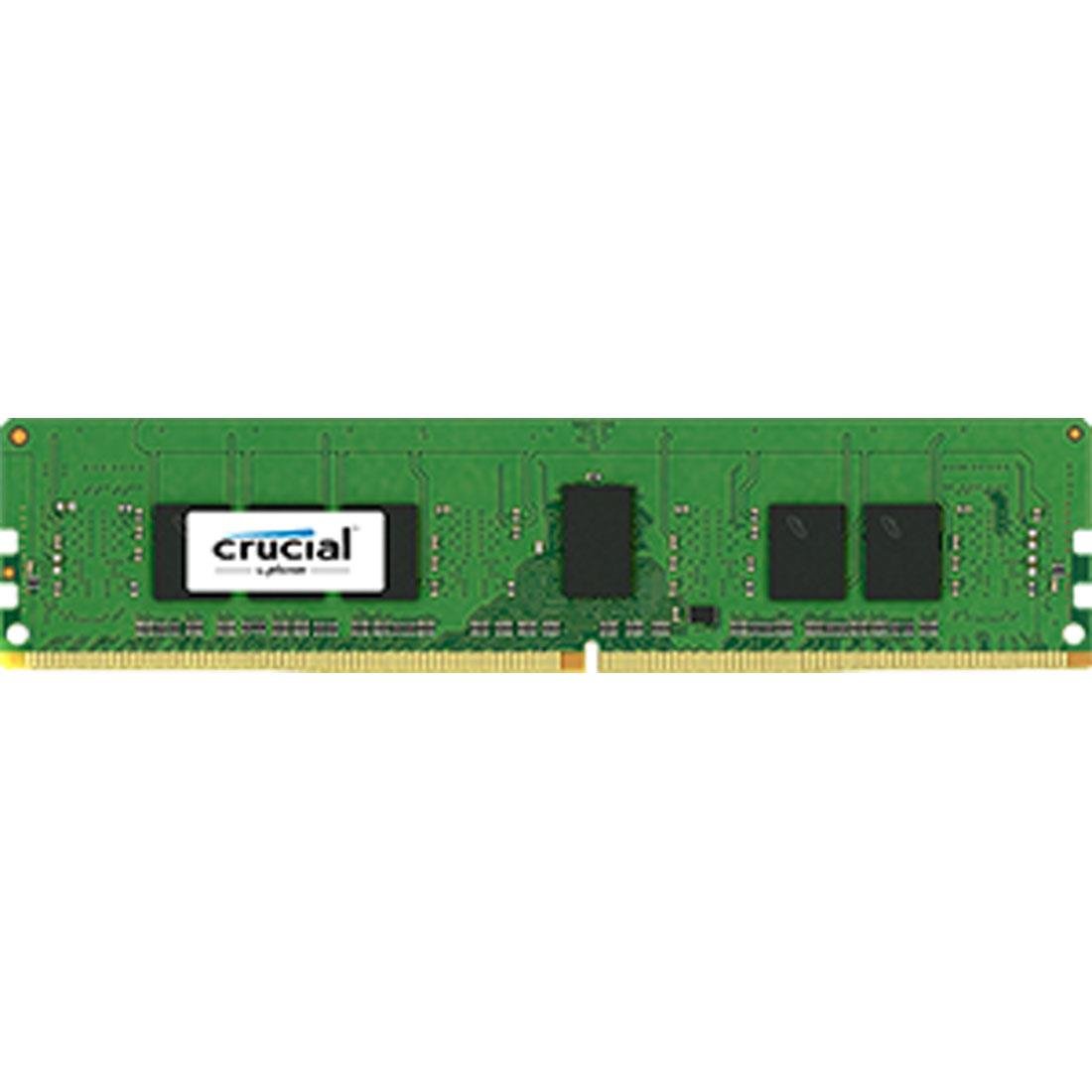
2. Crucial 8GB DDR4 2133 UDIMM
The no-frills desktop stick that gamers and office PCs agree on, with a plain look and rock-solid function
This is the UDIMM — a full-size 288-pin module for desktop towers — and it stands out because it is the cheaper, more reliable alternative to buying directly from Dell or HP. It runs at 2133 MT/s with a CL15 latency and is dual-ranked, which means it slots into machines like a Dell XPS 8900 and matches the stock timing of 15-15-15-36 perfectly.
Buyers report it works flawlessly for gaming and everyday use, with one experienced owner sharing a tip: after installing, remove the motherboard battery for 60 seconds to clear the memory addressing if the PC refuses to boot. That minor step solves the one recurring confusion people hit.
The stick is plain and unattractive — nobody buys RAM for looks — but performance is what wins here. It is the definition of a dependable desktop upgrade, and owners frequently say they plan to buy a second stick to reach 16GB for even smoother multitasking.
Real-world verdict: a functional, budget-friendly desktop upgrade with one caveat — occasionally a second stick arrives faulty, so test both immediately if you buy a pair.
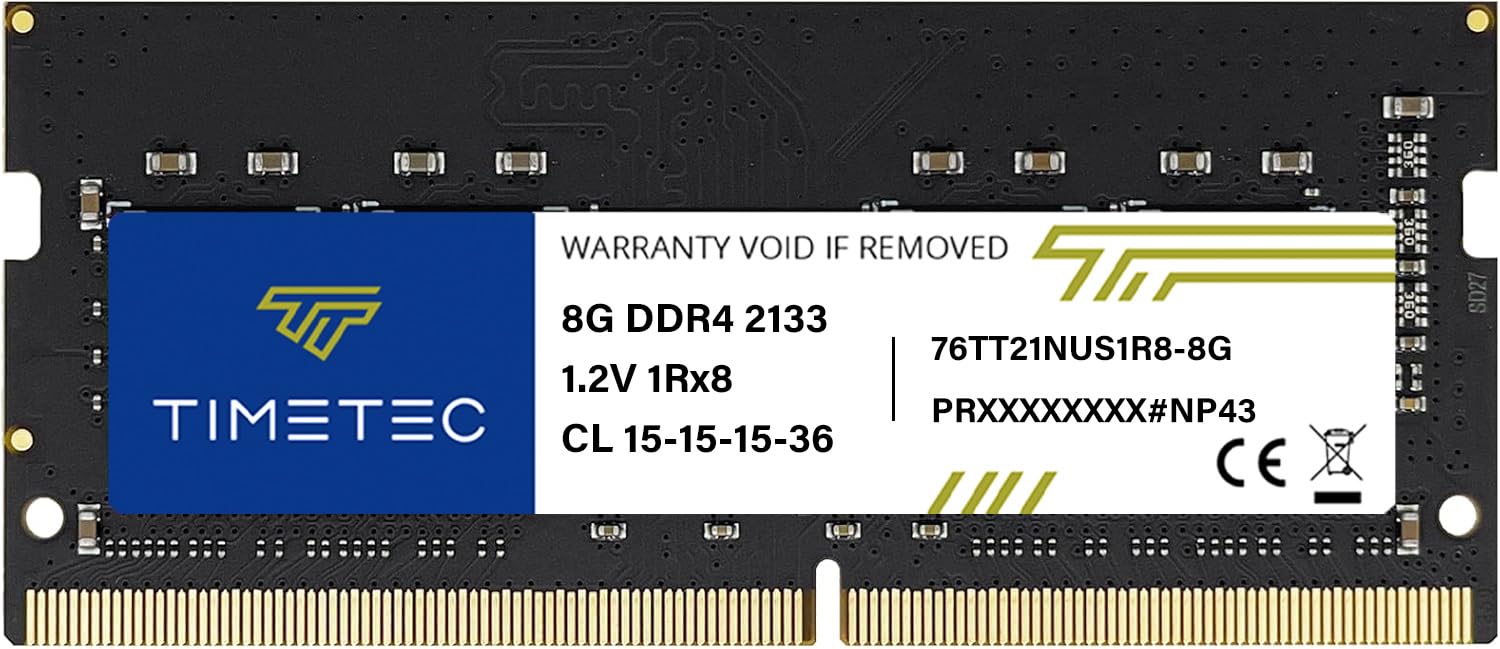
3. Timetec 8GB DDR4 2133 SODIMM
A 4GB-to-12GB jump that owners say made their old laptops feel brand new, backed by a lifetime warranty
This Timetec module is the entry-level value pick that punches well above its price. It is a 260-pin SO-DIMM running at 2133 MHz with 1.2V power draw — the JEDEC standard — which keeps older laptops cool while breathing new life into them. One buyer’s experience sums it up perfectly: “Upgraded from 4gb to 12 gb, my laptop is very fast now.”
The company backs it with a Limited Lifetime Warranty and US-based technical support, which is rare at this price point. Installation is genuinely plug-and-play — owners describe it as extremely easy, with one noting the module registers as exactly 8 GB in the system once seated.
The honest caveat is compatibility: while it works in most DDR4 laptops, a few owners mention issues with specific models like the HP ProBook 650 G2.: while it works in most DDR4 laptops, a few customers note issues with specific models like the HP ProBook 650 G2. The advice from the review pages is to know your memory type and slot layout before ordering, and if the laptop does not boot after install, try switching the sticks around.
Why It Wins
- Lifetime warranty at an entry-level price
- Plug-and-play install with zero expertise needed
- 1.2V keeps thermals and battery draw low
Who It’s Not For
- Specific OEM laptops like the HP ProBook 650 G2 report mixed results
- PCB color varies by production batch
Buy it for: a cheap, safe 8GB or 16GB boost in a standard DDR4 laptop that you plan to keep for a few more years.
Think twice if: your laptop is a niche OEM model — check owner forums for that exact machine first.
4. A-Tech 8GB DDR4 2133 SODIMM

The 260-pin module that flexes beyond laptops, working in mini PCs and NAS boxes with equal ease
Most SO-DIMMs are laptop-only, but this A-Tech module also lists network attached storage (NAS) devices and mini PCs as compatible — making it the most versatile stick in this guide. It runs at 2133 MHz with CL15 latency (the delay between requests and data delivery) and 1.2V, and owners confirm it works flawlessly in a Lenovo 110-15isk running Linux Ubuntu, even pairing it across a Windows 10 virtual machine.
The build quality earns repeated praise, with owners noting the sturdy reusable plastic container and flawless operation in a Lenovo 110-15isk running Linux Ubuntu.. It ships in a sturdy reusable plastic container rather than a flimsy bag, and one owner who had to replace a warranty-mishandled stick said it made the laptop run “like it is brand new.”
Before buying, check the notch position. A-Tech uses a centered notch at the card base, unlike the offset notches on some other brands’ memory — so if you are replacing an existing stick, remove it first and compare the notch alignment to the picture to ensure it will snap onto your motherboard.
Bottom line: superb value across multiple device types, with the smoothest install experience reported in this comparison — just verify your motherboard’s notch layout first.
5. A-Tech 8GB DDR4 2133 UDIMM

The desktop twin that takes a 16GB Dell XPS 8900 to 32GB with zero BIOS drama
This is the full-size 288-pin counterpart to the SODIMM above, built for desktop towers and workstations. Reviewers point out it doubles RAM in an HP EliteDesk 800 G2 and handles 40 browser tabs plus video editing and streaming without breaking a sweat — exactly the kind of heavy multitasking that chokes a 16GB machine.
The standout real-world test came from an owner who upgraded a 2017 Dell XPS 8900 from 16GB to 32GB using two of these sticks. The PC recognized the memory instantly on boot, and the owner clarified the specs for fellow buyers: UDIMM means unregistered DIMM, and PC4-17000 is simply the 2133 MHz speed rating.
It is not flashy — no RGB lighting, which one owner explicitly said they did not need without a glass panel case — but it works great for a mid-level gaming PC. Compatibility is solid across HP, Dell, and Lenovo desktops, and the lifetime warranty adds confidence.
What you get: instant recognition, dual-screen stability, and the cheapest reliable path to 32GB on a compatible desktop tower.
6. Crucial 8GB DDR4 2133 SODIMM

The laptop stick that turns a 2012 MacBook Pro or a Lenovo Y700 into a Photoshop-capable multitasker
This is the laptop version of the Crucial UDIMM reviewed above, and it brings the same reliability in a 260-pin SO-DIMM package. Owners confirm it works in everything from a 2012 MacBook Pro to an Acer Aspire E 15, and one completed the entire install in about 15 minutes on an HP 15-ay013nr.
The performance story is convincing: one owner ran a Lenovo Y700 with 16GB across Photoshop, Premiere, and GTA V simultaneously without stability issues.. One owner ran a Lenovo Y700 with 16GB across Photoshop, Premiere, and GTA V at the same time without stability issues — a workload that would have been impossible on the stock 8GB. It is dual-ranked and runs at the JEDEC-standard 1.2V, which the maker says extends battery life while boosting bandwidth by up to 30%..
The niggles are minor: shipping can be slow, and the packaging is simple. But the Crucial brand also offers helpful setup videos and support, which one owner said made the process far easier than mixing brands.
Why Owners Choose It
- Proven compatibility across a huge range of laptops
- 15-minute install even for first-timers
- Handles creative software and gaming simultaneously
The Minor Gripes
- Shipping speed varies depending on the seller
- Basic packaging without frills
Grab it for: a reliable, brand-name boost in almost any DDR4 laptop — from Apple to Acer to Lenovo.
Pass if: you need the cheapest possible stick and are willing to risk an off-brand module.
7. Samsung 8GB DDR4 2133 SO-DIMM

The exact OEM-grade Samsung stick that keeps HP ProBooks alive for a sixth year and beyond
If you want the same memory your laptop shipped with, this Samsung module is it. It is the M471A1K43BB0-CPB — a single-rank 260-pin SO-DIMM running at 2133 MHz with CL15 latency and 1.2V — and owners describe it as top-notch quality that fits perfectly and works plug-and-play.
Reliability is the headline here, with buyers reporting zero stability issues after install., with buyers reporting zero stability issues after install. One owner used two of these sticks to take HP ProBooks to 16GB each with Windows 10 Pro, extending the life of six-year-old PCs. Another runs CAD, 3D design, and spreadsheets simultaneously after a 50% RAM increase, with no errors.
Because Samsung makes the memory inside most major laptop brands, this stick is the safest bet for matching existing RAM timings exactly. The only honest note is packaging — one owner mentioned the anti-static bags were unsealed and the SODIMM slid out when shaken, so inspect it on arrival.
Best for: anyone who values OEM-grade reliability and perfect timing matches over a slightly cheaper alternative — the brand-name confidence is worth it.
8. SK hynix 8GB DDR4 2133 SO-DIMM

The dual-ranked hynix stick that owners call an exact match for factory Dell Latitude memory
This SK hynix module earns its spot because it is the go-to for people adding a second stick to a laptop that shipped with hynix memory. It is a 2Rx8 dual-ranked 260-pin SO-DIMM at 2133 MHz with CL15 latency, and owners repeatedly call it an exact match to their existing stick — one upgraded a Dell E7470 from 8GB to 16GB and confirmed every timing was identical.
Compatibility is the core strength, with owners reporting flawless operation in Dell Latitude E7470s and an HP Pavilion all-in-one.. Shoppers say it works flawlessly in Dell Latitude E7470s and an HP Pavilion all-in-one, where one noted the system hit its max 16GB after install. Because it matches the voltage and specs of common factory RAM, there are no recognition issues when adding it alongside the original stick.
The one piece of advice from the review pages is to match the rank: most systems use single-rank (1Rx8), but some HP models require dual-rank (2Rx8) — this is the 2Rx8 version, so check what your machine needs before ordering.
Perfect if: you are adding a second stick to a laptop with existing hynix memory — the dual-channel performance boost is immediate and error-free.
9. Samsung 16GB DDR4 2133 SO-DIMM

The single-stick 16GB upgrade that maxes out a slot — and passes two days of stress testing
Sometimes you do not want two 8GB sticks; you want one 16GB module that maxes out a single slot. This Samsung M471A2K43BB1-CPB delivers exactly that, running at 2133 MHz with CL15 latency in a 260-pin SO-DIMM package, and it is the priciest pick here for a reason — it is the highest-capacity single stick in this guide.
Serious buyers put it through the wringer. One owner stress-tested it for two days across Dell diagnostics, MemTest86, and heavy applications like AutoCAD, Inventor, and Adobe rendering — all stable. That same owner noted the stick came from the same Samsung Philippines factory as the original Dell XPS 9550 RAM, which is why it pairs so cleanly for dual-channel performance.
It is not just for power users. An HP Pavilion owner upgraded one of two 4GB chips to this 16GB module and noticed a clear difference for everyday writing and web browsing. The module snapped into place easily and the computer read it without issue. The honest downside is price — it costs more than two 8GB sticks, but when you only have one free slot, it is the only way to get the capacity you need.
The Big Win
- Single 16GB stick for laptops with one free slot
- OEM-level Samsung quality that passes memory tests
- Exact part-number match for dual-channel setups
The Cost
- Premium price for the capacity — two 8GB sticks are cheaper if you have two slots
- Overkill for light web browsing only
Choose it for: a Lenovo P50, Dell XPS 9550, or any laptop where you need maximum capacity in a single occupied slot.
skip it if: you have two free slots and want to save money with a matched pair of 8GB sticks.
Understanding the Specs
SO-DIMM vs UDIMM
These are the two physical sizes of DDR4 RAM, and they fit entirely different machines. SO-DIMM (260-pin) is the compact size for laptops, mini PCs, and all-in-ones. UDIMM (288-pin) is the full-length size for desktop towers. They are not interchangeable, so check your machine’s slot type before anything else.
CL15 Latency
Latency measures how quickly the RAM responds to a request from the processor. CL15 is the standard timing for 2133 MHz DDR4 — it is not the fastest possible, but it is exactly what most OEM laptops and desktops were designed to run, ensuring stable operation and instant recognition on boot.
FAQ
Will 2133 MHz RAM work if my laptop came with faster memory?
What is the difference between SO-DIMM and UDIMM?
How do I know if my laptop has a free RAM slot?
Can I mix a 2133 MHz stick with a 2400 MHz stick?
What does CL15 mean and does it matter?
Is 8GB or 16GB the better upgrade for an old laptop?
Why does my laptop not boot after installing new RAM?
What is the difference between single-rank and dual-rank RAM?
Does replacing RAM void my laptop warranty?
Final Thoughts: The Verdict
For most buyers, the 2133 mhz ram winner is the Transcend 8GB SO-DIMM because it combines a flawless boot experience with timing that exactly matches OEM laptop memory. If you are upgrading a desktop tower, the Crucial UDIMM is the dependable choice for a fraction of the cost of brand-name alternatives. And for laptops with a single free slot that need maximum capacity, the Samsung 16GB module is the one to reach for.
How We Picked
We do not accept paid placement. Every pick is matched to a real buyer and a real use-case; we do not hands-on test units.
Sources & Methodology
Specifications: manufacturer listings and product documentation. Review insights: verified customer reviews, as of August 2026. Pricing: not shown on this page (it changes often); check the current price via the retailer link.
As an Amazon Associate, Gadgets Feed earns from qualifying purchases. This does not affect which products we feature.