
Our readers keep the lights on and my morning glass full of iced black tea. As an Amazon Associate, I earn from qualifying purchases.
Specs are compiled from manufacturer listings and verified buyer reviews and can change over time — please confirm the key details on the product page before buying.
Buying a 4K monitor means deciding how many pixels, how many frames per second, and how much color accuracy you actually need before you spend a cent. Today’s 4K monitors span a wide price range, so you can find genuine 3840 x 2160 resolution at nearly any budget.
I’m Min — the founder and writer behind Gadgets Feed. This guide is built by comparing the manufacturers’ published specifications and the patterns across verified customer reviews, so you get each pick’s real strengths and trade-offs instead of marketing spin.
Every monitor below delivers native 4K UHD clarity, but they split sharply on refresh rate, ergonomics, and color coverage, and the 2160p pc monitor that wins for one person can be the wrong one for another.
Our Picks at a Glance



How To Choose The Best 2160P PC Monitor
Your ideal monitor depends on one question: what you do most. A 60Hz screen handles spreadsheets and video calls beautifully, while a 160Hz panel turns fast games into something you can actually track with your eyes.
Refresh Rate and Response Time
Refresh rate is how many times per second the screen redraws the image, measured in hertz (Hz). A 60Hz monitor updates 60 times a second, which feels fine for typing but can look blurry in fast action. Competitive players want 120Hz or higher, while the response time (in milliseconds) tells you how quickly pixels change color — lower means less ghosting behind moving objects.
Color Gamut and Brightness
Color gamut is the range of colors a monitor can show, often written as a percentage of a standard like sRGB or DCI-P3. A higher percentage means richer, more accurate colors for photo editing. Brightness, measured in nits or cd/m², determines how well the screen fights glare and how punchy HDR content looks.
Connectivity and Ergonomics
Check which ports the monitor has before you buy. HDMI and DisplayPort are standard, but USB-C with power delivery lets you charge a laptop through the same cable that carries the video signal. A stand that tilts, swivels, and adjusts height saves your neck during long sessions, and VESA mounting holes let you attach the screen to an arm.
Quick Comparison
| Model | Best For | Refresh Rate | Contrast Ratio | Color Gamut | Amazon |
|---|---|---|---|---|---|
| LG 27UP650K-W★ Best Overall | Office clarity | 60Hz | 1200:1 | 95% DCI-P3 | Amazon |
| LG 27US500-WBest Value | Budget 4K | 60Hz | 1000:1 | 90% DCI-P3 | Amazon |
| KTC 27 Inch 160HzTop Performer | High-refresh gaming | 160Hz | 1000:1 | 140% sRGB | Amazon |
| KTC H27P6 Dual Mode | Laptop users | 160Hz / 320Hz | 1000:1 | 125% sRGB | Amazon |
| INNOCN 27C1U-D | MacBook setups | 60Hz | 1000:1 | 1.07B colors | Amazon |
| Dell S2725QS | Productivity | 120Hz | 1500:1 | 99% sRGB | Amazon |
| Dell S2725QC | USB-C desk setups | 120Hz | 1500:1 | 99% sRGB | Amazon |
| Pixio PX27U Wave Pink | Style + speed | 160Hz | 1000:1 | 121.76% sRGB | Amazon |
| ASUS ProArt PA279CRV | Photo editing | 60Hz | 3000:1 | 99% DCI-P3 | Amazon |
| Samsung Odyssey G7 37″ | rich curved play | 165Hz | 3000:1 | 99% sRGB | Amazon |
| ASUS ROG PG32UCDP | Elite OLED gaming | 240Hz | High | 99% DCI-P3 | Amazon |
In‑Depth Reviews
1. LG 27UP650K-W 27″ Ultrafine 4K
Our pick — over 4.5★ from 300+ verified ratings; the strongest balance of quality and price.
The office all-rounder that makes small text look printed, not pixelated.
This LG monitor is the one owners describe as a genuine upgrade over cheaper screens — the kind of clarity that makes you return a lesser display and never look back. At 27 inches with a 3840 x 2160 IPS panel and 95% DCI-P3 color gamut, it renders text so crisp that reading spreadsheets and code for hours feels easy.
The 1200:1 contrast ratio is the best among the value 60Hz models here, beating the LG 27US500-W’s 1000:1 for deeper blacks in dark scenes. HDR content gets a boost from VESA DisplayHDR 400 certification, and the 400 cd brightness keeps the screen readable even with overhead lights on — owners specifically praise the matte finish for killing glare.
The stand offers full height, tilt, and pivot adjustment, letting you flip the screen vertical for documents or lower it to eye level. The built-in Switch app splits the display into up to 6 sections for multitasking. FreeSync and Dynamic Action Sync keep motion smooth, though at 60Hz this is a work-first panel, not a competitive gaming weapon.
Owner consensus: Monitor quality leads owner praise with 60 mentions, with picture quality close behind. Owners call the text “1000x better” than cheaper alternatives.
Reach for this if: you want a sharp, adjustable 4K screen for work, streaming, and light gaming, with the best contrast in this price tier.
Look elsewhere if: you need USB-C charging or a refresh rate above 60Hz — this model sticks to HDMI and DisplayPort.
2. LG 27US500-W Ultrafine Monitor
A borderless 4K panel that proves budget doesn’t have to mean blurry.
If you are moving up from a 1080p screen, this LG is the lowest-friction way to double your desktop space. The 27-inch 3840 x 2160 IPS panel delivers 90% DCI-P3 color gamut and a 1000:1 contrast ratio, and buyers report seeing noticeably more visual detail than at 1920 x 1080 resolution.
You get a premium look without the premium price: the borderless design and thin bezels make it appear far more costly than it is, which is why appearance earns so many positive mentions. Setup is genuinely tool-light — one owner notes you just need a screwdriver for assembly — and it works with both MacBooks and PCs over HDMI or DisplayPort, though MacBook Air users need their own HDMI-to-USB-C cable since one isn’t included.
The honest trade-off is the stand. It tilts, but owners describe it as wobbly and mixed on stability, so if a rock-solid base matters to you, plan on using the VESA mount instead. At 27 inches, buyers who worried about desk space found it fits perfectly — as one owner put it, “at 27″ I was afraid it would be too large for my desk but that wasn’t the case.”
Why it wins on paper: Overall quality leads owner praise with 86 mentions, with picture quality second. Value for money ranks third among owner strengths.
Grab this if: you want maximum 4K clarity for the smallest outlay and don’t mind a tilt-only stand.
Think twice if: you need a fully adjustable arm or height control from the start — that’s where this one cuts corners.
3. KTC 27 Inch 4K 160Hz Fast IPS
The 160Hz speedster that makes 4K gaming feel like a cheat code.
This KTC is the pick for anyone who wants gaming smoothness without sacrificing sharpness. It runs a 3840 x 2160 Fast IPS panel at 160Hz — a 2.7x jump over the 60Hz LG models above — so racing and action games stay fluid while text stays crisp for work.
Color is the other headline: 140% sRGB gamut and 1.07 billion colors with ΔE<2 accuracy, meaning what you see is close to what the creator intended. HDR400 support and a 400 cd brightness keep highlights punchy, and both FreeSync and G-Sync Compatible work to kill screen tearing.
Connectivity is unusually generous for this tier: two HDMI 2.1 ports, two DisplayPort 1.4 ports, and a USB 2.0 port, so you can run a PC and a console at full 4K 160Hz simultaneously. The carbon fiber backplate keeps it light, and the stand adjusts height, tilt, and swivel with a 75x75mm VESA mount as an option. Owners find the joystick menu intuitive and the picture clear, praising how easy it is to rotate between horizontal and vertical.
Owners keep praising
- Crisp, vibrant picture at a sharp price
- Smooth 160Hz with adaptive sync
- Rich port selection for multi-device setups
Reality check
- Built-in speakers are basic — plan for headphones
- G-Sync may need manual enabling after setup
Best for: gamers and hybrid workers who want one monitor that handles both high-refresh play and sharp desktop text.
Not for: color-critical photo editors — the 140% sRGB is vivid but not factory-calibrated like professional panels.
4. KTC H27P6 Dual Mode 4K Monitor
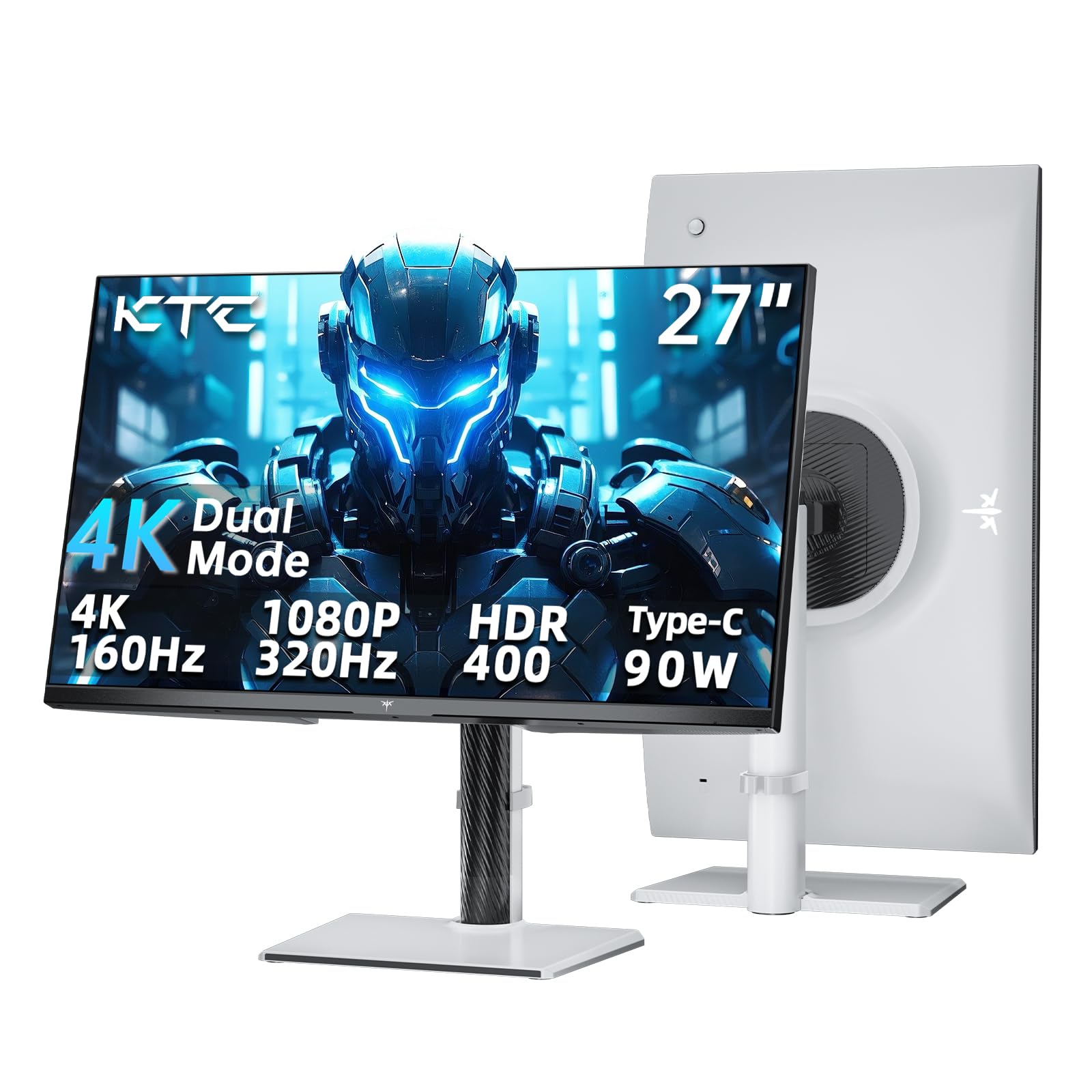
One cable charges your laptop while this dual-mode panel shifts gears for esports.
This KTC is the ultimate multi-tasker because of its PD 90W Type-C port — plug in a single USB-C cable and you get video, audio, and full-speed laptop charging at once. That makes it the easiest pick here for MacBook or ultrabook owners who hate cable clutter, and it freed up owners to connect a desktop and console through the HDMI 2.1 and DisplayPort 1.4 ports.
The dual-mode headline is real: run native 4K at 160Hz for rich games, or flip to 1080p at 320Hz for the fastest competitive titles. A 1ms (MPRT) response time (a measure of how quickly pixels change, reducing motion blur) and adaptive sync (FreeSync and G-Sync, which prevent screen tearing) keep motion clean, while the 125% sRGB gamut and HDR400 deliver rich, life-like color with 400 cd/m² brightness.
Ergonomics get a full pass — height, tilt, swivel, and pivot adjustments plus a flicker-free backlight and low blue light mode for long sessions. The LCD panel’s 1000:1 contrast ratio is solid, and KTC backs it with a three-year warranty with 12-hour support response. Owners note the VESA screws run long and need spacers, and colors may need a quick calibration from the start, but the value is hard to argue with.
Why owners love it: Several people run two of these side by side, and one calls it better than panels they paid three times as much for — the brightness and smooth refresh are the standout traits.
Choose this if: you want laptop charging, console compatibility, and a competitive 320Hz mode in one monitor.
skip it if: you need out-of-the-box color accuracy — the factory tone needs a little tuning for serious editing.
5. INNOCN 27″ 4K USB-C Monitor

A plug-and-play 4K panel pre-tuned to make Mac colors look right.
This INNOCN is built for Apple users who want a one-cable setup. The USB-C port delivers 65W of power to a laptop while carrying the video signal, so MacBook owners get juice and display through a single connection — owners with M2 MacBook Airs report it charges via USB-C and auto-turns on with the laptop.
The 27-inch 3840 x 2160 IPS screen covers 1.07 billion colors (8-bit plus FRC) with DeltaE<2 accuracy and HDR400 support at 400 nits brightness. Owners praise the deep blacks and accurate RGB rendition, noting the panel is pre-calibrated for Macs so no tweaking is needed. The 178° viewing angle keeps colors consistent even off to the side.
Adjustability is a real strength: the stand pivots ±90°, tilts up 20° and back 5°, and moves forward 5°, with left-right swivel at 45°. It is also VESA 75×75 wall-mountable. The bundled ports run one DisplayPort, one USB-C, one HDMI, and a 3.5mm audio jack. The main grumbles are the confusing menu buttons and weak built-in speakers, so budget for a soundbar or headphones.
What wins people over: Monitor quality leads with 78 positive mentions, and owners specifically love that one cable handles both power and display — setup takes minutes with no tools.
Ideal for: MacBook or Mac mini owners who want accurate colors and 65W charging without a dock.
Trade-off: a few MacBooks need a reconnect after waking from sleep, and the speakers are forgettable.
6. Dell 27 Monitor S2725QS

The productivity king that makes 60Hz feel like a thing of the past.
This Dell is what owners mean when they say they can’t go back to 60Hz. It runs a 27-inch 3840 x 2160 IPS panel at up to 120Hz with FreeSync Premium, so scrolling documents, dragging windows, and even casual games feel dramatically smoother than standard office screens.
The contrast ratio here is a standout 1500:1 — deeper than the 1000:1 on both the LG value models — which owners say delivers excellent depth and detail in both dark and bright scenes. The 99% sRGB coverage and HDR readiness handle color work well, and the 350 nits brightness works with a matte finish to cut glare in bright rooms.
ComfortView Plus is the hidden gem: it cuts harmful blue light emissions to 35% or less without washing out colors, so all-day work sessions are easier on your eyes. The ash white finish and ultra-thin bezels look modern, the built-in speakers are genuinely good, and the stand adjusts height, pivot, swivel, and tilt. Owners using Mac Minis and PCs both report smooth connections, with one calling it great value versus Apple’s own displays — though gamers note some ghosting in fast titles.
What stands out
- 120Hz refresh at a productivity-friendly price
- 1500:1 contrast for deep blacks
- ComfortView Plus cuts blue light to ≤35%
Keep in mind
- Noticeable ghosting in fast-paced games
- Default brightness runs high — adjust it on day one
Best for: professionals who stare at screens all day and want buttery scrolling plus easy-on-the-eyes comfort.
Not the one if: you’re a competitive gamer — the 4-8ms response and ghosting make it a work-first display.
7. Dell 27 Monitor S2725QC

All the Dell smoothness, plus one USB-C cable that cleans up your whole desk.
This Dell takes everything great about the S2725QS and adds the one feature laptop owners crave: a USB-C port with up to 65W power delivery. A single cable handles video, data, and charging, which owners say keeps their desks organized and works flawlessly with both PC and Mac laptops.
The core specs match the S2725QS — 3840 x 2160 IPS at 120Hz, 99% sRGB, a 1500:1 contrast ratio, and a 0.03ms response time — so you get the same crisp text and deep blacks. Owners describe the colors as vibrant and the blacks as near-OLED, with text quality that one reviewer noted beat a Samsung OLED they tried.
The sound is a pleasant surprise. Re-engineered speakers with greater output power and deeper frequency response mean you might skip the external soundbar entirely, according to owners running dual setups from a single HP Spectre. The ash white finish, thin bezels, and full ergonomic stand (height, pivot, swivel, tilt) round out a polished package, and the included USB-C-to-C 10Gbps cable supports 100W pass-through.
Owner consensus: Display quality leads with 170 positive mentions, and USB-C connectivity is the fourth most-praised feature. The recurring caution is the reliability of the USB-C docking over time — treat the port gently.
Pick this if: you want a clean one-cable laptop setup with 65W charging and a premium feel.
Watch out for: rare USB-C dock failures reported after months of use — HDMI still works, but it defeats the single-cable purpose.
8. Pixio PX27U Wave Pink
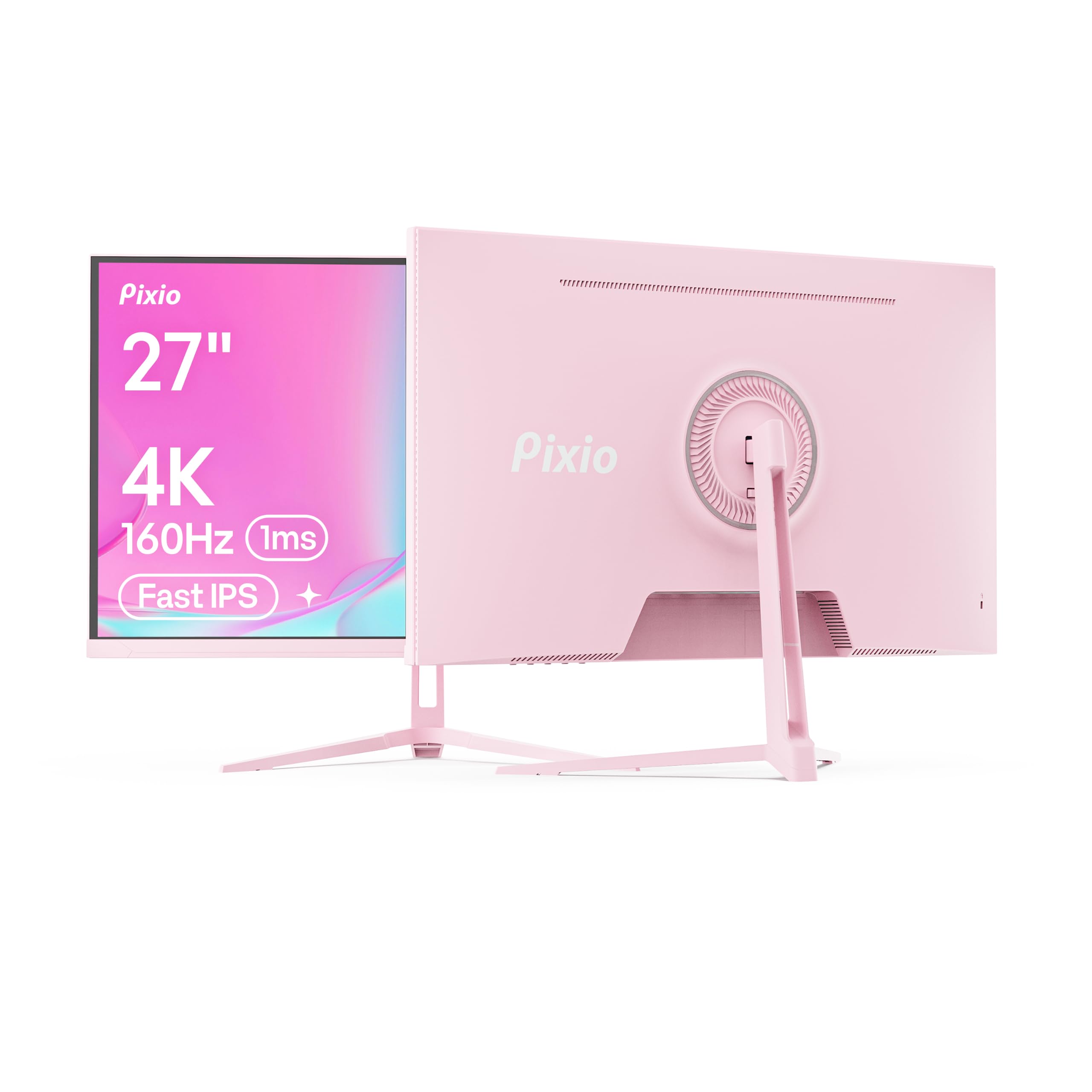
A head-turning pink panel that pairs 160Hz speed with 1ms response.
This Pixio proves a gaming monitor can match your setup’s aesthetic without cutting performance. The 27-inch 3840 x 2160 Fast IPS panel runs at 160Hz with a 1ms GTG response time, so fast games stay sharp and smear-free. Adaptive Sync (FreeSync) keeps motion tear-free as long as your graphics card supports it.
Color coverage sits at 121.76% sRGB with 400 cd brightness and HDR compatibility, delivering vivid, punchy visuals for rich play. Connectivity is future-proof: two DisplayPort 1.4 and two HDMI 2.1 ports each support up to 4K at 160Hz, so a PC and a console can both run at full speed.
The honest weak point is the stand — owners describe it as having no tilt and being wobbly, recommending a monitor arm instead. The build quality itself earns praise, and owners say it works well for desktop use, though a few report units failing after about a year, so the three-year warranty signup is worth doing. The pink finish and clean look make it the rare monitor that doubles as decor.
Why it stands out: Quality leads with 69 positive mentions and value for money is second — owners call it a great budget option for the speed it delivers.
Reach for it if: you want 160Hz gaming performance in a color that shows personality.
Plan around: the weak tilt-only stand — budget for a monitor arm or VESA mount.
9. ASUS ProArt PA279CRV

The colorist’s monitor that arrives calibrated to Delta E < 2, straight from the factory.
This ASUS ProArt is the pick for anyone whose income depends on accurate color. The 27-inch 3840 x 2160 IPS panel covers 99% DCI-P3 and 99% Adobe RGB, and it’s Calman Verified and factory pre-calibrated to Delta E < 2 — meaning the colors you see match what you intended, from the start. Owners call it accurate right away, with one measuring 99.5% sRGB and 99% Adobe RGB in testing.
The 3000:1 contrast ratio is exceptional for an IPS panel — deeper than every other screen in this list — so dark scenes in photos and video have real depth. HDR support at 400 nits brightness keeps highlights controlled, and the USB-C port delivers a generous 96W of power to a laptop while carrying video.
Connectivity extends to DisplayPort daisy-chaining, so you can run multiple monitors from a single cable, plus an HDMI port and USB hub. The stand adjusts tilt, swivel, pivot, and height for full ergonomic control. A five-year warranty (with online registration) and a free 3-month Adobe Creative Cloud subscription sweeten the deal. Owners note the built-in speakers are weak, and the power-saving settings need adjustment — but the color work is flawless for photo and video editors.
What earns the hype
- 99% DCI-P3 and 99% Adobe RGB coverage
- Calman Verified, factory calibrated to Delta E < 2
- 96W USB-C power delivery
The fine print
- Built-in speakers are weak — use headphones
- Power settings need manual tweaks to prevent sleep issues
Best for: professional photo and video editors who need accurate color without owning a calibration tool.
Give it a miss if: you’re a gamer wanting high refresh — this is a 60Hz color-accurate workhorse, not a speed demon.
10. Samsung 37″ Odyssey G7 (G75F)

A cinema-like 37-inch curve that wraps 4K around your field of vision.
This Samsung is the immersion king of the list, and its size is the first thing you notice. At 37 inches with a 1000R curve — the tightest curvature Samsung makes — the display wraps around your vision so games feel like you’re inside them rather than watching them. Owners describe it as providing over 4 square feet of screen space, which is why it’s a monster for both gaming and running four work windows side by side.
Performance matches the presence. The 3840 x 2160 VA panel hits 165Hz with a near-instant 1ms (GtG) response time, and the 3000:1 contrast ratio delivers deeper blacks and brighter whites for DisplayHDR 600 content. Owners running PS5 consoles get true 4K at 120Hz with crisp graphics, and the curved design earns consistent praise for enhancing immersion.
The 99% sRGB gamut and 350 cd/m² brightness keep colors accurate and punchy, and FreeSync Premium Pro smooths out frame pacing. The stand adjusts height and swivel. The honest caveat: owners note it’s huge and heavy — 37 inches at 16:9 is near the practical limit for a desktop — and some wish it hit 240Hz. It includes HDMI, DisplayPort, and USB-A to B upstream connections.
Why owners are smitten: Display quality leads with 55 positive mentions, and owners mention the colors look deep and amazing — with one calling it a huge improvement over the flat G5.
Choose this if: you want a desk-filling curved screen for console or PC gaming with real contrast.
Think twice if: you have a shallow desk or want a subtle setup — this is a big, heavy statement piece.
11. ASUS ROG PG32UCDP 32″ OLED
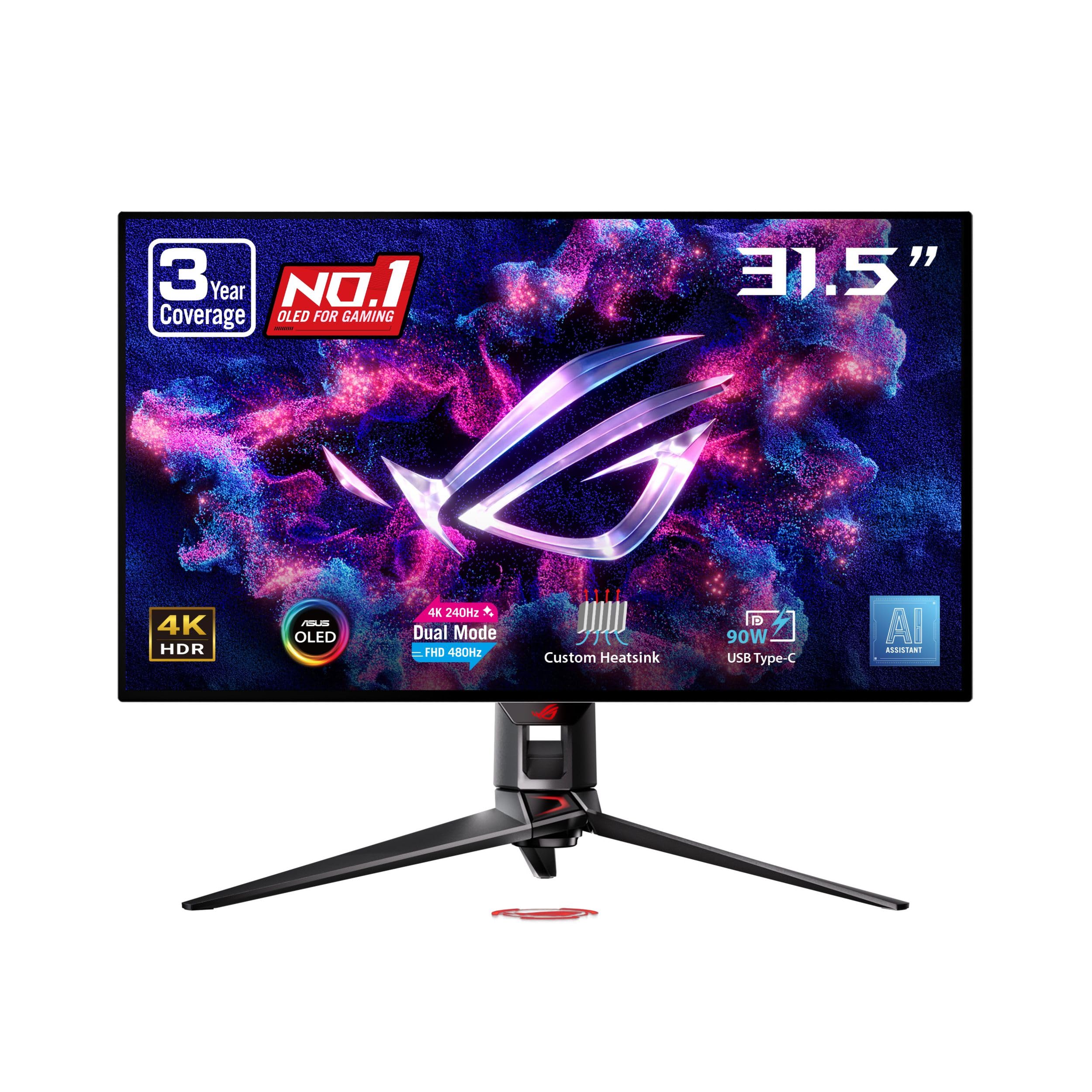
The OLED endgame — 240Hz of perfect blacks that make everything else look washed out.
This ASUS ROG is the one monitor that makes every other panel feel like a compromise. The 32-inch 3840 x 2160 WOLED display delivers true OLED blacks — pixels turn off completely — with 99% DCI-P3 coverage and true 10-bit color depth for vibrant, accurate hues. Owners describe the experience as “visually transformative” for gaming, and text stays crisp even at 100% scaling on high-end graphics cards.
Speed is absurd: 4K at 240Hz natively, or flip to dual mode for 1080p at 480Hz for the most demanding esports titles. The 0.03ms-class OLED response means no ghosting whatsoever, and the custom heatsink cooling system reduces burn-in risk while a three-year warranty covers burn-in outright. The ROG-exclusive OLED anti-flicker technology smooths refresh-rate fluctuations for easier viewing during long sessions.
The USB-C port delivers 90W to a laptop, and G-Sync Compatible support keeps Nvidia and AMD cards happy. Advanced AI features like dynamic crosshair and sniper assist build in gaming conveniences, while DisplayWidget Center software puts OLED care controls at your mouse. The matte finish kills glare in bright rooms. The honest caveats: some customers note the dual-mode 480Hz function not working in early units, aggressive auto-dimming on static images, and occasional OLED flicker in multi-monitor setups — it’s powerful, but not flawless.
The spectacle
- True OLED blacks with 99% DCI-P3 color
- 240Hz native 4K, 480Hz in 1080p mode
- 3-year burn-in warranty and custom heatsink
Before you buy
- Aggressive auto-dimming on static screens can annoy
- Rare multi-monitor OLED flicker reported
Worth it for: enthusiasts and competitive players with high-end GPUs who want the absolute best 4K gaming image available.
Not for: budget buyers or anyone who leaves static images on screen all day — OLED care matters here.
Understanding the Specs
Refresh Rate vs Response Time
Refresh rate (in Hz) is how many times the screen redraws per second — 60Hz feels fine for office work, while 120Hz and 160Hz panels make scrolling and gaming feel dramatically smoother. Response time (in ms) is how fast pixels change color; lower numbers mean less ghosting behind fast-moving objects, which is why gaming monitors advertise 1ms to 5ms ratings.
Color Gamut Percentages
Color gamut tells you what percentage of a color standard the screen can show. sRGB is the basic web standard, DCI-P3 is the wider cinema standard used for HDR video, and Adobe RGB matters for print work. A monitor quoting 99% DCI-P3 can display nearly every color in that cinematic range, which is what photo editors and video colorists look for.
FAQ
What does 2160p actually mean on a PC monitor?
Is 60Hz enough for a 4K monitor?
Will a 4K monitor work with my MacBook?
What is the difference between IPS and VA panels?
Do I need HDMI 2.1 for a 4K 160Hz monitor?
What is HDR400 and does it matter?
Can a 4K monitor run games if my graphics card is mid-range?
What does Delta E color accuracy mean?
Is a curved monitor better for gaming?
How long do OLED gaming monitors last?
Final Thoughts: The Verdict
The 2160p pc monitor winner for most buyers is the LG 27UP650K-W — it pairs the best contrast in the value tier with a fully adjustable stand and the kind of text clarity that makes you question how you ever worked on 1080p. If you game seriously, the KTC 27 Inch 160Hz delivers smooth 4K play at a price that undercuts bigger brands. And for Mac users who want one-cable charging, the Dell S2725QC keeps your desk clean while powering your laptop at 65W. Whatever you choose, make sure the refresh rate and color gamut match how you actually spend your screen time — that’s the difference between a monitor you tolerate and one you keep for years.
How We Picked
We do not accept paid placement. Every pick is matched to a real buyer and a real use-case; we do not hands-on test units.
Sources & Methodology
Specifications: manufacturer listings and product documentation. Review insights: verified customer reviews, as of August 2026. Pricing: not shown on this page (it changes often); check the current price via the retailer link.
As an Amazon Associate, Gadgets Feed earns from qualifying purchases. This does not affect which products we feature.