
Our readers keep the lights on and my morning glass full of iced black tea. As an Amazon Associate, I earn from qualifying purchases.
Specs are compiled from manufacturer listings and verified buyer reviews and can change over time — please confirm the key details on the product page before buying.
If your handheld, tablet, or ultra-thin laptop only takes a 30mm-long SSD, you already know the pain: most drives on the shelf are too long to fit, and the ones that do fit are often slow or hard to trust. The drives below all measure 30mm long and 22mm wide — the M.2 2230 size (a tiny stick-shaped drive that small devices use) — and each one earns its spot for a Steam Deck, ROG Ally, Surface, or mini PC.
I’m Min — the founder and writer behind Gadgets Feed. This guide is built by comparing the manufacturers’ published specifications and the patterns across verified customer reviews, so you get each pick’s real strengths and trade-offs instead of marketing spin.
You will see which drive fits your device, how fast it really moves game files, and where the honest trade-offs sit. The picks below cover every budget and every device that runs a 2230 m.2 ssd.
Our Picks at a Glance


How To Choose The Best 2230 M.2 SSD
The number one rule is size, not speed. A 2230 drive is 30mm long and 22mm wide. A 2242, 2260, or 2280 drive is longer and will not fit the slot in a Steam Deck, ROG Ally, Surface Pro, or most mini PCs. Buying the wrong length means a drive that physically cannot seat in the connector, no matter how fast it is.
Match The Drive Length To Your Device Slot
Check your device manual for the supported M.2 length before you buy anything. Handhelds and thin tablets almost always lock you to 2230. If your device accepts longer cards, a longer card can run cooler and hold speed better under load, so buying 2230 when it is not required costs you thermal headroom.
Watch The Read Speed, But Read The Write Speed Too
Read speed is how fast the drive pulls data out, which mostly affects boot and loading times. Write speed is how fast it takes new data in, which is what you feel when you download or install a big game. A drive with a very high read number can still be slow on writes, so the two figures are not interchangeable.
Understand What Kind Of Flash You Are Buying
QLC, TLC, and SLC describe how many bits each memory cell stores, which shifts the balance between cost, sustained write speed, and endurance. QLC packs more data per cell for a lower cost but slows down once its fast cache fills. TLC and SLC tend to hold speed better when you write large files continuously.
Quick Comparison
| Model | Best For | Capacity | Sequential Read | Sequential Write | Amazon |
|---|---|---|---|---|---|
| SABRENT Rocket Q4 2230★ Best Overall | Biggest internal library for handhelds | 2 TB | Up to 5GB/s | — | Amazon |
| Micron 2400 2230Premium Pick | Reliability-first laptop and handheld upgrades | 2 TB | Up to 4500 MB/s | Up to 4000 MB/s | Amazon |
| Addlink S91 2230Best for Steam Deck | Balanced 2TB value with long endurance | 2 TB | Up to 5000 MB/s | Up to 3200 MB/s | Amazon |
| TEAMGROUP MP44S 2TB | Two-year proven Steam Deck workhorse | 2 TB | Up to 5000 MB/s | Up to 3500 MB/s | Amazon |
| WD_Black SN770M | Fast, cool-running handheld gaming drives | 1 TB | Up to 5150 MB/s | Up to 4900 MB/s | Amazon |
| Acer MA200 | Surface and tablet storage expansion | 1 TB | Up to 5200 MB/s | Up to 4700 MB/s | Amazon |
| fanxiang S630 | Budget gaming and desktop expansion | 1 TB | Up to 5000 MB/s | Up to 3600 MB/s | Amazon |
| TEAMGROUP MP44S 1TB | Portable recording and file transfer | 1 TB | Up to 5000 MB/s | Up to 3500 MB/s | Amazon |
| Patriot Viper VP4000 Mini | Cheap capacity boost for Steam Deck and ROG Ally | 500 GB | Up to 4700 MB/s | Up to 1700 MB/s | Amazon |
In-Depth Reviews
1. SABRENT Rocket Q4 2230 NVMe SSD 2TB
Our pick — over 4.5★ from 900+ verified ratings; the strongest balance of quality and price.
The 2TB drive that finally lets you stop juggling microSD cards in your handheld.
Here is the SABRENT Rocket Q4 in one line: it holds 2TB in a true 2230 card, which is double the capacity of the 1TB TEAMGROUP MP44S above at the same physical size. That number is the whole point of this pick. Fill it once and your entire game library lives inside the device instead of on a slower memory card you have to swap out.
You get fast load times from a Gen4 PCIe interface (a newer, faster connection slot) and a Phison E21T controller (the chip that manages the drive), reaching up to 5GB/s read and up to 800,000 IOPS. IOPS counts small read and write operations per second, so a high number means the drive stays responsive when many tiny files move at once — games and apps open without stutter. It is also DRAM-less with Host Memory Buffer support, which borrows a slice of your system memory instead of carrying its own cache chip, keeping power draw and heat low in a device that has no room for a heatsink.
What wins people over is how easily it disappears into the device. Compatibility leads the feedback and performance sits right behind it, with owners running it on the Surface Pro 9, dual-booting Windows 11 alongside Linux Mint. Steam Deck users describe load times and graphics that feel like a different machine next to a microSD card, and some report reduced stuttering and pop-in on heavy titles like Red Dead Redemption 2. Grab the Steam Deck’s SD card before you open the shell — that is the step people forget.
What Earns The Top Spot
- 2TB capacity doubles the 1TB TEAMGROUP MP44S — room for a full library
- Up to 5GB/s read and 800,000 IOPS from a Phison E21T controller
- DRAM-less with Host Memory Buffer keeps heat and power draw low
- Retail drive with downloadable Sabrent Acronis cloning software
Before You Commit
- QLC flash slows once its fast cache fills on huge transfers
- Only worth buying if your device truly requires the 2230 length
Buy it when: you want one internal 2TB drive and never think about storage again — especially in a Steam Deck or Surface Pro.
Pass it by when: your device has room for a longer card, since a 2280 drive can hold speed and stay cooler under sustained writes.
2. Micron 2TB 2400 M.2 2230 NVMe PCIe 4.0×4 SSD
Built by a company that actually makes the memory chips inside other brands’ drives.
For a laptop, Surface, or handheld where you care more about it never failing than about chasing the biggest speed number, the Micron 2400 is the steady pick. It runs up to 4500 MB/s read and 4000 MB/s write over PCIe Gen 4 in the same 2TB 2230 footprint, and buyers report it going strong after a year in a USB-C enclosure without overheating. A Surface Pro 11 user described a clean month of use with no blue screens or resets.
Performance is the aspect that earns the most praise here, with compatibility close behind — exactly the two things you want from a drive you plan to leave in place for years. The flash inside is SLC, not TLC, which a Dell 7720 owner flagged as the reason it stays economical, though that also means the drive does not disclose a sustained-write endurance figure the way TLC drives often do. In a GPD Win Mini, owners measured around 4000MB read and 3000MB write and accepted the trade-off that slower means cooler.
Compare it to the SABRENT Rocket Q4 and the picture is clear: the Micron steps down to 4000 MB/s write where the SABRENT pushes a higher read figure, but it compensates with a brand that builds its own NAND (the memory chips that store your data). That is a real reason to pay more if reliability matters more than speed.
Where It Shines: raw read and write of up to 4500/4000 MB/s in a 2230 card, backed by a maker that supplies memory to other brands — so it runs cool and holds up over time.
The case for it: if you want a brand-name 2TB drive you can install and forget in a laptop or handheld, this is the safe money.
Think twice when: you need the absolute highest write speed — a drive with a higher write rating will finish giant transfers faster.
3. Addlink New S91 2TB 2230 NVMe SSD
The 2TB card that earns its keep through endurance, not just raw speed.
Look at the one number that rarely shows up on a spec sheet: 450TB of written endurance. That is the total amount of data you can write to the drive before it wears out, and it is what makes the Addlink S91 a long-term companion rather than a cheap upgrade. Owners mention it running flawlessly in an original LCD Steam Deck, even during simultaneous thumbstick and button-kit swaps.
You get up to 5000 MB/s read and 3200 MB/s write over PCIe Gen 4×4 (a four-lane fast connection), with support for SLC caching and a host memory buffer. Those two features serve different jobs: SLC caching gives the drive a fast buffer for bursts of writes, and the host memory buffer borrows a little of your system memory to keep lookups quick without a dedicated cache chip. Addlink also builds in SMART (self-monitoring that reports drive health), TRIM (housekeeping that keeps writes fast over time), and thermal throttling, so the drive can slow itself down before it gets dangerously hot. It measures 30mm long, 22mm wide, and just 2.15mm tall at its thickest point — thin enough to slide under a handheld’s internal shield.
What owners praise most is installation, with fast setups like under three minutes to install Starcraft 2, alongside competitive pricing and a five-year limited warranty. Some report the drive performing better than the stock SSD they replaced. If you dual-boot Windows for game compatibility, it handles that cleanly. The honest catch is that write speed tops out below the Micron 2400’s rated write, so if you plan to move huge files continuously, the Micron holds a small edge.
Endurance First: 450TB of written endurance and a five-year limited warranty make this the pick if you want a 2TB drive to outlast the device it lives in.
The fine print: compatibility shows up as mixed in owner feedback rather than uniformly positive, so confirm your exact model before buying.
Reach for this if: you are upgrading an original LCD Steam Deck and want high endurance plus easy installation in one card.
Look elsewhere if: your device is a BIOS-fussy machine — a drive with a friendlier detection record may serve you better.
4. TEAMGROUP MP44S SSD 2TB

Two years into a Steam Deck and still running like the day it went in.
Where the Addlink wins on endurance and the Micron wins on brand pedigree, the TEAMGROUP MP44S 2TB wins on plain staying power. Customers note two-plus years of flawless Steam Deck use with zero data loss and no detectable heat. That is the kind of track record you cannot get from a spec sheet, and it is why reliability ranks as the aspect owners praise above all else.
The drive delivers up to 5000 MB/s read and 3500 MB/s write over PCIe Gen 4×4, and it is backward compatible with a Gen3 interface, so older devices still work, just at their own ceiling. In a Steam Deck’s Gen3 port, one owner measured 46–55°C, well under the 70°C safety line. In a Steam Deck’s tight shell, the heat-dissipating graphene label — a thin heat-spreading sticker bonded to the card — helps keep it stable. Pop it into a larger PC or laptop and it will want a proper heatsink.
Reviewers point out intermittent BIOS detection in a ROG Ally Extreme that cleared up after a full round of firmware and software updates, and one owner out of eight found their drive defective and had it replaced quickly under warranty. Those are the honest edges of a drive that most owners simply describe as working.
The Steady Hands Argument
- Owner reports of two-plus years of flawless Steam Deck use
- Up to 5000/3500 MB/s with Gen3 backward compatibility
- Graphene heat-spreading label keeps a handheld’s tight shell stable
- Documented temperatures of 46–55°C stay clear of the cited 70°C ceiling
Fair Warning
- Writes at 3500 MB/s, a 300 MB/s edge over the Addlink S91’s 3200 MB/s
- Needs a heatsink once you move it out of a handheld
Choose it if: you want a 2TB Steam Deck upgrade with a proven multi-year record and no surprises.
skip it if: you need the highest possible write endurance — the Addlink S91 leads on 450TB written.
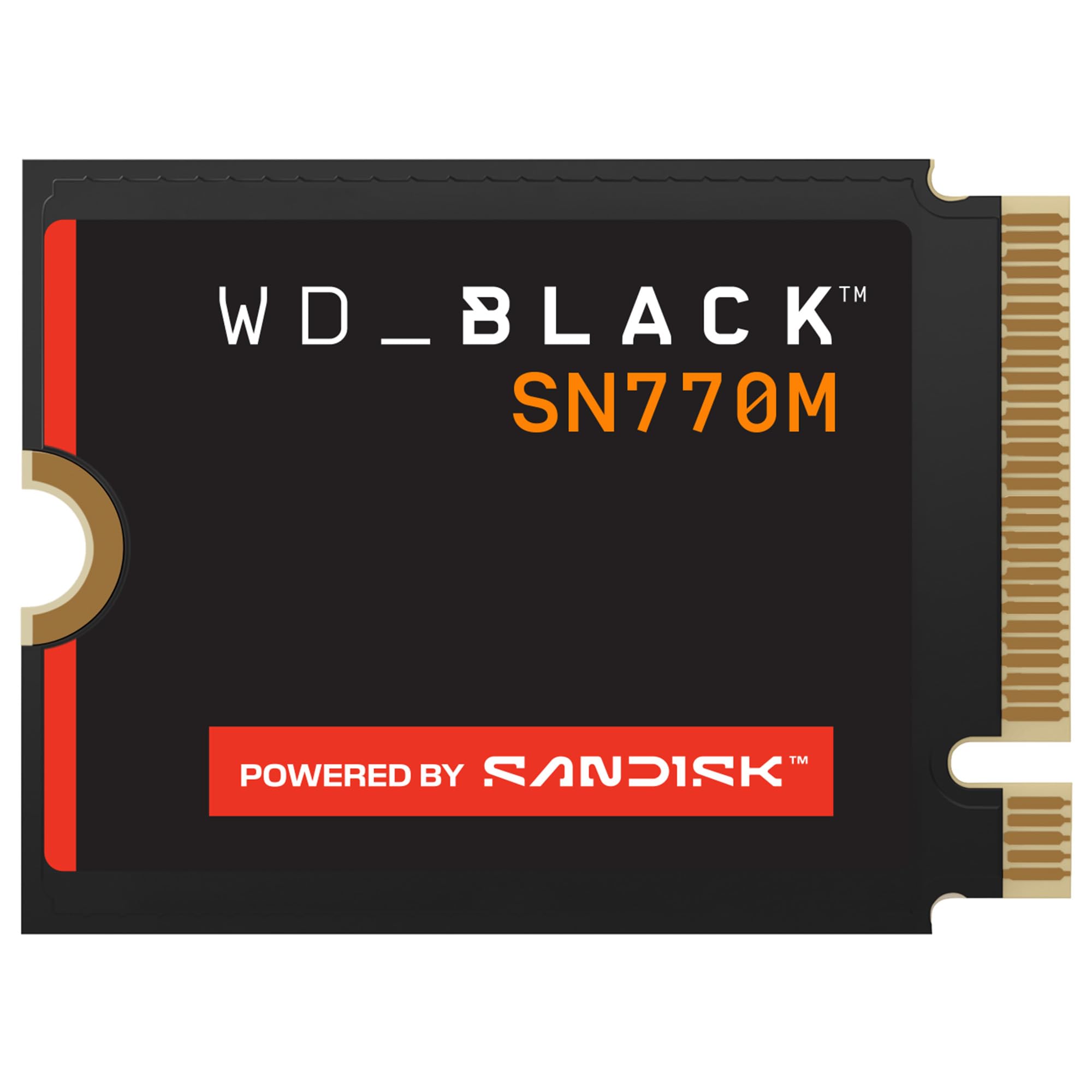
5. WD_Black SN770M 1TB M.2 2230 NVMe SSD
The gaming-brand 2230 drive that runs cool and tops the practical speed charts.
For the fastest 1TB option in this size, the WD_Black SN770M reaches up to 5150 MB/s read and 4900 MB/s write over PCIe Gen 4.0. That figure sits above the Micron 2400 and matches the SABRENT Rocket Q4’s read, but the difference shows up in tests: one Steam Deck owner clocked roughly 3535 MB/s on this drive against the stock 1TB drive’s ~2300 MB/s on the same handheld. On a Gen4 handheld, the gap is real and you feel it in load times.
Speed is the number owners praise most, with value-for-money right behind it. The drive uses TLC 3D NAND rather than QLC (two memory types; TLC keeps sustained writes steadier), and it adds Sandisk’s nCache 4.0 tech plus Microsoft DirectStorage support for faster game asset streaming. A laptop owner running it hard reported the drive staying at 100% health the entire time — the heat management is such that one Steam Deck user said it runs hot only in desktop mode and stays cool in game mode, an important distinction when you plan to game for hours.
One point to weigh honestly: compatibility is listed as mixed, working smoothly with the LCD Steam Deck but not necessarily with every Surface Pro. Reliability also draws mixed signals, with most reporting rock-solid performance and a minority citing crashes. Most buyers will be fine, but if you are installing into a Surface device specifically, check the fitment list before you commit. This model has since been replaced by a newer Sandisk generation, so it is worth a look at that listing too.
The Speed Case: up to 5150/4900 MB/s with TLC NAND and nCache 4.0 make it the quickest card in this lineup for gaming loads.
One thing to know: verified shoppers say no major defects, but a subset of Surface users hit compatibility snags — verify your model first.
Best for: handheld gamers who want the fastest real-world load times and own a Steam Deck or ROG Ally.
Not ideal if: you need a higher-capacity 2TB card or you are upgrading a Surface, where compatibility is less certain.
6. Acer MA200 M.2 2230 SSD NVMe 1TB

The 1TB card that quietly solved an oddball Dell all-in-one’s storage problem.
Sometimes the reason to buy a drive is not the fastest number on the box, it is the fact that it fits and works. The Acer MA200 hits read speeds up to 5200 MB/s and write speeds up to 4700 MB/s, the highest rated read in this listing, but the real story is compatibility. One owner noted it was the only drive that would fit their Dell 5400 all-in-one, and it works well in a Dell Latitude 7370 and a Microsoft Go. Another replaced a failed SSD in a Samsung Galaxy tablet without a hitch.
Smart buffering via HMB and SLC cache keeps game launches quick, and the low-power controller paired with a graphene heat spreader keeps heat buildup down for long sessions. It measures 22.0 x 30.0 mm, the true 2230 footprint, and is designed for Steam Deck, ultra-thin tablets, and mini-PCs. A Steam Deck owner who swapped in this 1TB drive for a 64GB stock config called the installation a breeze.
Honesty matters here: compatibility wins the positive feedback, but reliability shows up as mixed, with a small number of owners reporting instability on their specific units. One buyer described a drive that arrived with damaged packaging and would not work, and Acer refunded it. Since that same instance points to shipping, not the design itself, the takeaway is to inspect your drive on arrival and confirm the return window.
Why It Fits Odd Devices
- Up to 5200/4700 MB/s — the highest read rating in this lineup
- Reported fit in Dell all-in-ones, Latitude laptops, Microsoft Go, and Samsung tablets
- Graphene heat spreader holds temperatures down for long sessions
What To Watch
- Reliability feedback is mixed — inspect the drive when it arrives
- Not the best pick if you specifically need a 2TB card
Pick this one when: you own an unusual device with a fussy 2230 slot and need a 1TB card that actually seats.
Consider other options if: you need maximum sustained-write consistency, where a TLC drive clears the bar more reliably.
7. fanxiang S630 1TB M.2 2230 NVMe SSD

The value pick that upgrades a Surface or Steam Deck without the premium tax.
The fanxiang S630 is the drive that sells on price-to-performance. Performance is the aspect owners praise most here, with speed not far behind. A Surface Pro 8 owner measured it at over twice the speed of the original drive.
Consider the compatibility detail that trips up Surface owners: this drive is designed for PCIe 4.0, and only the Surface Pro 9 Intel version supports PCIe 4.0 in these devices. The Surface Pro 7+, Surface Pro 8, Surface Pro 9 5G, and Surface Pro X are limited to PCIe 3.0, where max read speeds top out around 3500 MB/s. So if you own one of those older Surface models, you will not see the full speed. Use that as your guide, not raw marketing copy.
The graphene heat sticker doubles as an ultra-thin heat sink, and fanxiang backs the drive with a 5-year service window or 320TBW — a measure of total data written before the drive is rated to wear out. The caveat for camera users: sustained write-heavy recording can push past what this class of drive holds, so keep it for gaming and general storage.
The Value Calculation: up to 5000/3600 MB/s, a 5-year or 320TBW service window, and a graphene heat sticker make this the best sub–class 1TB card in the lineup.
Know Before You Buy: Surface Pro 7+, 8, and X owners are locked to PCIe 3.0 and will only see around 3500 MB/s max, so the speed premium may not be worth it on those devices.
Go with this if: you want a fast 1TB upgrade for a Steam Deck OLED, Surface Pro 8, or ROG Ally at the best value in the lineup.
Look past it if: you plan to capture sustained video footage, where write speed stability will limit you.
8. TEAMGROUP MP44S SSD 1TB

The 1TB card that doubles as a fast external drive for iPhone ProLog footage.
If you shoot video on a phone or want a tiny high-capacity drive for travel backup, the TEAMGROUP MP44S 1TB makes a strong case. Same graphene heat-dissipating label as its 2TB sibling, same up to 5000/3500 MB/s Gen4 read and write, but here the standout use case is external recording. In a portable USB-C enclosure, one owner measured near-900MB read and write — fast enough for ProLog footage off an iPhone 15 Pro Max.
The drive works straight from the start in a Steam Deck — one verified buyer simply noted it works great in theirs, with zero compatibility issues. It is built for tight spaces at 22x30mm, and it stays backward compatible with a Gen3 interface, so it will not bottleneck a slightly older device. The graphene label helps the drive shed heat inside a small enclosure, which matters when you are moving gigabyte files quickly.
The one physical caveat is that the enclosure gets hot quickly during heavy transfers, so budget a moment to let it cool between large moves. And if you want maximum capacity for the same physical card, the 2TB version lists 2000GB in the same 2230 length while this one tops out at 1TB. Choose this one when portability and cell-phone recording flexibility matter more than internal storage volume.
Why It Suits Creators
- Fast enough for external ProLog recording off an iPhone 15 Pro Max
- True 22x30mm footprint with Gen3 backward compatibility
- Graphene label keeps a tight enclosure stable under load
Where It Tops Out
- 1TB capacity, so a heavy game library will want the 2TB variant
- Enclosure can get hot during sustained transfers
Suits you if: you want a travel-ready 1TB card for external recording and backup as much as for gaming storage.
Skip it for: internal library growth — the 2TB version in the same 2230 length is the better fit.
9. Patriot Viper VP4000 Mini 500GB

A compact budget card that fits flawlessly and works with the same components as the big names.
For a first storage upgrade on a tight budget, the Patriot Viper VP4000 Mini 500GB makes sense. It delivers up to 4700 MB/s read speeds over PCIe Gen 4×4, compliant with NVMe 1.4, and is compatible with the Steam Deck and ROG Ally. ROG Ally owners confirm a perfect fit and power draw in line with any other SSD. On the aspect that matters most to budget buyers, value for money leads owner feedback, with speed right behind it.
One honest gap: its write speed tops out at 1700MB/s, the lowest in this lineup and noticeably slower than the SABRENT Rocket Q4’s read-heavy rating. That means large game installs and downloads take longer than on a higher-write drive, even though everyday read tasks feel quick. For Steam Deck or ROG Ally owners who mostly play and only occasionally download, that write-speed ceiling rarely shows up in use.
The card itself is tiny, 22x30mm and thin enough to slot into a Satechi M.2 enclosure as a fast external drive for travel. In a 10Gbps enclosure, owners found it matched pricier SSDs. Buying this one is about getting a reliable, low-cost capacity boost — just be aware that 500GB is a modest starting point if you already have a big library.
The Budget Case: up to 4700 MB/s read and compatibility with Steam Deck and ROG Ally make this a low-cost entry into 2230 upgrades.
Set Your Expectation: write speed maxes at 1700MB/s, so downloading large games will be slower — this is a read-oriented upgrade, not a write-crunch workhorse.
Consider it if: you need the cheapest reliable 500GB 2230 card to breathe life into an aging handheld or laptop.
Look up if: you want write speed or capacity — the models above deliver both in higher tiers.
Understanding the Specs
What M.2 2230 Actually Means
The four digits tell you the physical size: 22mm wide, 30mm long. That is the whole reason this category exists. A 2280 drive is 80mm long and will not fit the tiny slot in a Steam Deck, ROG Ally, Surface Pro, or most mini PCs. Always match the drive length to your device’s slot before you look at speed at all.
Read Speed vs Write Speed
Read speed (measured in MB/s) is how fast the drive hands data to the system, which drives boot times and level loads. Write speed is how fast data goes onto the drive, which is what you feel during game downloads and large file transfers. A card can have a huge read number and a modest write number, so check both if you install big files often.
Sequential vs Random and IOPS
Sequential speed describes long back-to-back transfers, like copying one big video file. Random speed and IOPS describe many small reads and writes at once, which is the pattern games and operating systems actually use. That is why a drive rated for up to 800,000 IOPS feels snappy even when its headline test number is not the highest on the shelf.
TLC vs QLC vs SLC Flash
These letters describe how many bits each memory cell stores: SLC one bit, TLC three, QLC four. More bits per cell means more capacity for less money, but also a slower sustained write and lower endurance. A drive with QLC flash will slow down once its fast cache fills on massive transfers, so match the flash type to how hard you plan to push the drive.
FAQ
Will a 2230 M.2 SSD fit my Steam Deck or ROG Ally?
Is 2230 different from 2280 and will the wrong one damage my device?
Do I need a heatsink on a 2230 SSD in a handheld?
Does the capacity I buy always equal the usable space I get?
Will a Gen4 2230 SSD work in a device with only a Gen3 slot?
How long does a 2230 SSD last before it wears out?
Is it worth paying more for a premium 2230 SSD over a budget one?
Can I use a 2230 SSD as an external drive for a laptop or phone?
Can I use a 2230 SSD as an external drive for a laptop or phone?
Do I have to update firmware after installing a new 2230 SSD?
Final Thoughts: The Verdict
For most buyers, the 2230 m.2 ssd winner is the SABRENT Rocket Q4 2230 2TB because it pairs true 2230 fitment with 2TB of internal storage and a low-heat DRAM-less design that suits tight handhelds. If you want a brand that manufactures its own memory chips and prize reliability over peak speed, grab the Micron 2400 2TB. And for a budget-friendly capacity boost on a Steam Deck or ROG Ally, the Patriot Viper VP4000 Mini 500GB is the one to reach for. Whichever tier you pick, confirm the 30mm length against your device’s slot first, and let the capacity and flash type match how hard you plan to load the drive.
How We Picked
We do not accept paid placement. Every pick is matched to a real buyer and a real use-case; we do not hands-on test units.
Sources & Methodology
Specifications: manufacturer listings and product documentation. Review insights: verified customer reviews, as of September 2026. Pricing: not shown on this page (it changes often); check the current price via the retailer link.
As an Amazon Associate, Gadgets Feed earns from qualifying purchases. This does not affect which products we feature.