
Our readers keep the lights on and my morning glass full of iced black tea. As an Amazon Associate, I earn from qualifying purchases.
Specs are compiled from manufacturer listings and verified buyer reviews and can change over time — please confirm the key details on the product page before buying.
Buying a 22TB hard drive is a decade-long commitment, and the wrong one can arrive dead, run too loud for a bedroom, or fail inside a NAS chassis. For most people, the Toshiba X300 PRO is the best 22TB hard drive because it handles up to 300 TB per year of workload (how much data it can move annually), has a 512 MB cache (onboard memory that buffers big transfers), and has a proven track record in desktops and workstations. Everything below explains why, and which of the other six is smarter if your setup is different.
I’m Min — the founder and writer behind Gadgets Feed. This guide is built by comparing the manufacturers’ published specifications and the patterns across verified customer reviews, so you get each pick’s real strengths and trade-offs instead of marketing spin.
High-capacity drives live or die on three things: workload rating, cache size, and how the seller packs the box before it ships. This guide breaks down the 22tb hard drive options so you can match one to your desktop, NAS, or DAS without guessing.
Our Picks at a Glance

How To Choose The Best 22TB Hard Drive
A 22TB drive is not a casual purchase. You are buying something you expect to hold years of photos, video projects, or an entire media library, and the differences between two drives that both say “22TB” on the label are bigger than the capacity number suggests. Here is what actually separates them.
Start with workload rate, not capacity
Workload rate is the amount of data a drive is rated to move per year — it is the manufacturer’s estimate of how hard you can push it before you are outside its design window. A drive rated for 300 TB/year is built for constant professional use, while a lower-rated drive assumes lighter, occasional traffic. If you are archiving footage daily or running a busy NAS, this is the first number to check, because it tells you whether the drive was designed for your pace of work.
Cache size changes how big files feel
The cache is a small pool of fast memory on the drive that buffers data during transfers. A larger cache — 256 MB or 512 MB rather than 64 MB — helps most when you are moving large video files or restoring a big backup, because it smooths out the write process. It does not make the drive an SSD, but it does keep sustained transfers from stalling as often.
CMR versus SMR, in plain terms
CMR and SMR describe how the drive lays data onto its platters. CMR drives write to separate tracks and handle large, sustained writes faster, while SMR drives overlap tracks and can slow down during heavy continuous writing. For a 22TB drive used for bulk storage, backups, or editing, CMR is the safer choice. Every drive on this list uses CMR.
Match the drive to your enclosure
A drive built for a desktop tower and a drive built for a multi-bay NAS are tuned differently. NAS drives carry firmware designed for vibration from neighboring drives and for running around the clock, while desktop drives are tune for single-drive use. Check what your enclosure expects before you buy, and confirm the drive physically fits your tray.
Quick Comparison
| Model | Best For | Capacity | Cache | Transfer Rate | Amazon |
|---|---|---|---|---|---|
| Toshiba X300 PRO 22TB★ Best Overall | Workstations and pro desktop use | 22 TB | 512 MB | 6 Gb/s | Amazon |
| Seagate Exos 22TB (ST22000NM000C)Best for NAS | Multi-bay NAS on a tighter budget | 22 TB | — | 285 MB/s | Amazon |
| MDD MAXDIGITALDATA 22TB Enterprise | Surveillance and RAID arrays | 22 TB | 256 MB | 6 Gb/s | Amazon |
| Toshiba MG Series 22TB (MG10AFA22TE) | Server and 24/7 hyperscale duty | 22 TB | — | 6 Gb/s | Amazon |
| Western Digital 8TB WD Red Plus | Small-bay NAS builds | 8000 GB | 8 | 215 MB/s | Amazon |
| MDD MAXDIGITALDATA 22TB NAS | NAS arrays on a budget | 22 TB | 256 MB | 6 Gb/s | Amazon |
| Western Digital 6TB WD Red Pro | Heavy 24/7 multi-user NAS | 6000 GB | 6 | 267 MB/s | Amazon |
In‑Depth Reviews
1. Toshiba X300 PRO 22TB High Workload Performance Internal Hard Drive
Our pick — over 4.5★ from 200+ verified ratings; the strongest balance of quality and price.
Built for the editor who fills a drive in a season, not a decade.
If you are a photographer, video editor, or creative professional feeding a workstation, this drive was designed for that pace. Toshiba rates it at up to 300 TB per year of workload — a measure of how much data it is built to move annually — which is the highest rating on this list, and pairs it with a 512 MB cache, the onboard memory that buffers big transfers. For anyone moving multi-gigabyte video files daily, that combination means the drive keeps up instead of stuttering.
What wins creatives over is the reliability story, and the numbers back it: an MTTF up to 1.0 million hours, which is Toshiba’s estimate of how long the drive should run before failures become statistically likely. Ramp loading technology and built-in shock sensors help protect your files during the physical bumps of installation and handling. The 7200 RPM spin speed keeps data fetching quick, and the SATA 6 Gb/s interface — the standard connection for internal drives — plugs into virtually any desktop workstation or high-performance PC. One buyer put it plainly: a high-quality, reliable drive that is “just what a photographer needs to gather, sort and archive years of photos and videos on one drive.”
Installation is genuinely simple: the drive is designed for desktop workstations, most users report it is detected and formatted in minutes through standard Windows tools, and buyers report 1GB file saves completing in seconds. The trade-off to know before you buy is that reliability feedback is still early and split. Toshiba’s own reviewers mention it — some report the drive failed after a few hours of use, though many others report weeks of steady operation. If your data is irreplaceable, run it in a mirrored pair or back it up rather than trusting a single drive. Compared to the WD Red Plus below, the X300 PRO leads clearly on cache — 512 MB versus 8 — and beats it on rated speed.
Where it earns its keep
- 300 TB/year workload rating — the highest here, built for constant professional use
- 512 MB cache, the largest on this list, keeps big file transfers moving
- 7200 RPM with SATA 6 Gb/s drops into any desktop workstation or high-performance PC
- MTTF up to 1.0 million hours, plus shock sensors and ramp loading for physical protection
What to weigh first
- Reliability feedback is mixed and early — some units reported failing within hours
- Desktop-focused; not built specifically for multi-bay NAS vibration
- Premium-tier pricing for the capacity
Buy this if: you are a creative professional running one or two drives in a workstation and want the highest workload rating and largest cache available.
Think twice if: you need a vibration-tuned drive for a dense NAS array or you want long-term reliability data before committing.
2. Seagate Exos 22TB Enterprise Hard Drive (ST22000NM000C, Renewed)
Enterprise-grade silicon at a price that makes NAS builders do a double take.
For a multi-bay NAS expander who wants enterprise internals without enterprise pricing, this renewed Exos is the standout. It delivers a 285 MB/s data transfer rate — the highest on this list — which means large file restores and backups finish faster than the WD Red Plus (215 MB/s) or the WD Red Pro (267 MB/s). What wins NAS owners over is that these are genuinely enterprise drives, helium-sealed to reduce power draw and weight while adding durability, and PowerBalance tuning to tune watts per terabyte.
Real-world feedback is remarkably strong for a renewed drive. In NAS setups ranging from UGreen to Asustor to Synology, owners mention consistently clean installs, with 200 MB/s transfer rates and low heat from the helium-sealed design. Testing community members report SMART readouts showing zero usage — often just 1 power-on hour — and full destructive surface tests passing with no bad sectors. The value proposition is the headline: buyers repeatedly call these the best dollars-per-terabyte way to build a large NAS.
The honest caveat is noise. The whine and grinding sound is the most-complained-about aspect in the reviews — mechanical drives make noise, but helium enterprise units are noticeably audible. One returning buyer described a shrill whistle followed by grinding on arrival. Size your expectations accordingly: if the NAS lives in a room where people sleep or work, this is a fit question, not a defect. And on Synology specifically, some units get flagged as incompatible — they still work after clicking “Proceed Anyway.”
Enterprise guts, budget math: helium sealing for lower power and weight, PowerBalance for watts-per-terabyte efficiency, and 285 MB/s transfer — the fastest single figure in this group.
Size the noise risk: the complaints that stick are about the whine, not the reliability. If your NAS sits in a quiet room or a home office, budget for sound damping or position it away from where you sit.
Right for: NAS owners comfortable with renewed enterprise gear who want maximum capacity per dollar and don’t mind some drive chatter.
Reconsider if: the drive lives near where you sleep or work, or you need Synology’s official compatibility list to show green without the “Proceed Anyway” workaround.
3. MDD MAXDIGITALDATA MDD 22TB 7200RPM Enterprise Hard Drive (Renewed)

A data-center drive with a warranty that outlasts most of the systems it will live in.
MDD pitches this drive at hyperscale and cloud data-center work, which is the same operating profile as a small office running a RAID array or a CCTV system recording around the clock. It carries the industry’s highest-reliability positioning for 7200 RPM drives, with an MTBF of 2.0 million hours — the manufacturer’s statistical estimate of mean time between failures — and an annualized failure rate (AFR) of 0.44%. Both figures are enormous by consumer-drive standards, and the 22TB capacity in a 3.5-inch chassis is aimed at buyers trying to pack maximum storage into limited bays.
The 7200 RPM spin speed (how fast the disk spins) and 256 MB cache keep data access quick for its class, and the 6 Gb/s SATA interface (the connection standard) matches enterprise throughput needs. Buyers run these in Synology and QNAP NAS enclosures, RAID arrays, CCTV DVRs, and desktop or Mac systems — the drive is broadly compatible, though it ships bare with no screws, cables, or accessories, and MDD reminds buyers to format it in their operating system before it will show up. A long-time buyer noted he has bought six of these over past years for media storage and backup — a good sign for a renewed enterprise unit.
Two honest notes. First, the fitted-tray story: buyers installing in Synology have had to break a notch on the drive tray to get it to seat, because the mounting holes on these drives don’t quite align with newer tray designs. It’s a fifteen-minute fix, but worth knowing. Second, this is renewed enterprise stock, so failures do happen — one reviewer noted a failure at just under two years, and the seller replaced it with no hassle under the five-year warranty. Compared to the Toshiba X300 PRO above, this drive trades the 512 MB cache for enterprise AFR and MTBF figures — different bets for different workloads.
Bets this drive makes
- 2.0 million hour MTBF and 0.44% AFR — data-center reliability figures for a small-office price
- 22TB in a standard 3.5-inch bay, plus 6 Gb/s SATA and 256 MB cache
- Five-year warranty, and customers note the seller honors it
- Runs in desktop, Mac, RAID, NAS, and CCTV DVR systems
The catches to plan for
- Ships bare — no screws, cables, or accessories included
- Mounting holes don’t align with some newer Synology drive trays; a small modification may be needed
- Renewed stock, so occasional failures are part of the picture
Pick this one if: you’re building a RAID or surveillance system where reliability figures and a long warranty matter more than the last few MB/s of throughput.
Pass if: you need plug-and-play mounting in a Synology tray or you want a factory-sealed, non-renewed drive.
4. Toshiba MG Series 22TB Enterprise Internal Hard Drive (MG10AFA22TE)

Toshiba’s answer to the server room — the MG10 is built for 24/7 hyperscale duty.
If you run a DAS, server, or a small private cloud and want a drive Toshiba engineered for always-on enterprise workloads, look at the MG Series MG10AFA22TE. It is built for hyperscale, cloud, and 24/7 operation, with the manufacturer claiming “advanced technologies to protect your data against corruption and loss.” The drive uses Toshiba’s tune power management for lower consumption, and the 7200 RPM spin speed combined with 6 Gb/s SATA keeps data retrieval quick on large file access.
The 22TB capacity in a 3.5-inch form factor fits standard desktop and server chassis, and the drive runs both in Windows machines and as a Sony PlayStation 5-compatible external or internal solution (with the appropriate enclosure). Build quality is what wins people over most — the recurring line in the reviews is straightforward reliability: drives that simply keep working, including one long-running unit still spinning inside a direct-attached storage setup.
The honest adjustment is on price. Buyers on this listing openly acknowledge the drive runs in the same premium tier as the other enterprise 22TB options, with one owner noting it is “overpriced like all the other drives” — a fair read of the whole 22TB category. If you need enterprise-class firmware and the Toshiba name behind it, the premium is defensible. If you want the cheapest 22TB that works, the renewed options on this list beat it on price. Compared to the X300 PRO above, this drive trades consumer-creative tuning for pure server-room positioning.
Server-room DNA: 7200 RPM, 6 Gb/s SATA, 22TB in a 3.5-inch frame, and tune power management — everything here is tuned for always-on workloads rather than occasional transfers.
Budget reality check: it sits at the premium end of 22TB pricing, and reviewers point out so openly. If cost-per-terabyte is your deciding factor, look at the renewed drives below.
Made for: server, DAS, and private-cloud builders who want enterprise-grade firmware and 24/7 reliability from a brand they already trust.
Not the pick if: you’re hunting for the best dollars per terabyte in 22TB — the renewed options below land lower on that math.
5. Western Digital 8TB WD Red Plus NAS Internal Hard Drive (WD80EFPX)

When a small NAS needs a reliable, quiet workhorse more than a massive single drive.
If you are running a small or medium business NAS in a 24/7 environment and your enclosure supports up to 8 bays, this WD Red Plus is the value pick of the group. It carries a 180 TB/year workload rating — the amount of data the drive is rated to move annually — and NASware firmware tuned for compatibility with NAS systems rather than raw desktop performance. The CMR recording method (which writes to separate tracks, keeping large sustained writes fast) is a real advantage at this price tier, and a 256 MB cache keeps big file operations steady. Compared to the WD Red Pro, the Red Plus gives up rotational speed and workload rate in exchange for running noticeably cooler and quieter.
What makes buyers happy here is the balance of value and durability. The recurring note is quiet operation — one buyer measured 24 dBA idle and 28 dBA under load, which is quiet enough for a home office or living-room NAS. The drive runs cool even during long transfers, and reliability feedback centers on the fact that this line has been steady for years. A verified purchaser ran the drive in a Synology DS1513+ and had it spin up healthy immediately, rebuild the storage pool in a few hours, and behave exactly as expected.
The catch worth knowing is a batch-level quirk some buyers have hit: newer drives ship with PUIS (Power-Up In Standby) enabled, meaning the drive doesn’t spin up on its own and some NAS units read it as failed until you disable the setting via a Linux command. It’s fixable, but not always quickly — and it has caused a handful of returns. Size your tolerance accordingly: if you want zero setup friction, this might test your patience. If you’re comfortable with one command, the drive works fine afterward. The Red Plus trades speed for silence compared to the Toshiba X300 PRO above — 215 MB/s transfer rate vs the X300 PRO’s rated 6 Gb/s interface — but it also costs meaningfully less and runs cooler.
Reasons it’s the smart budget pick
- 180 TB/year workload rating and NASware firmware built for 24/7 NAS duty
- CMR recording, which keeps large sustained writes fast and tends to hold up longer than SMR
- Quiet operation — buyers measured 24 dBA idle and 28 dBA under load
- Runs cool and is one of the best dollars-per-terabyte values on the market
What you’ll want to plan around
- Some newer batches ship with PUIS enabled, which can stop the drive from spinning up in some NAS units until reconfigured
- 8TB capacity, not the 22TB this article is centered on
- 5640 RPM is noticeably slower than 7200 RPM drives for heavy workloads
Great fit for: small businesses and home NAS owners who want proven reliability and quiet operation over maximum single-drive capacity.
Look elsewhere if: you need 22TB in a single bay or you’re unwilling to deal with the occasional PUIS setup step.
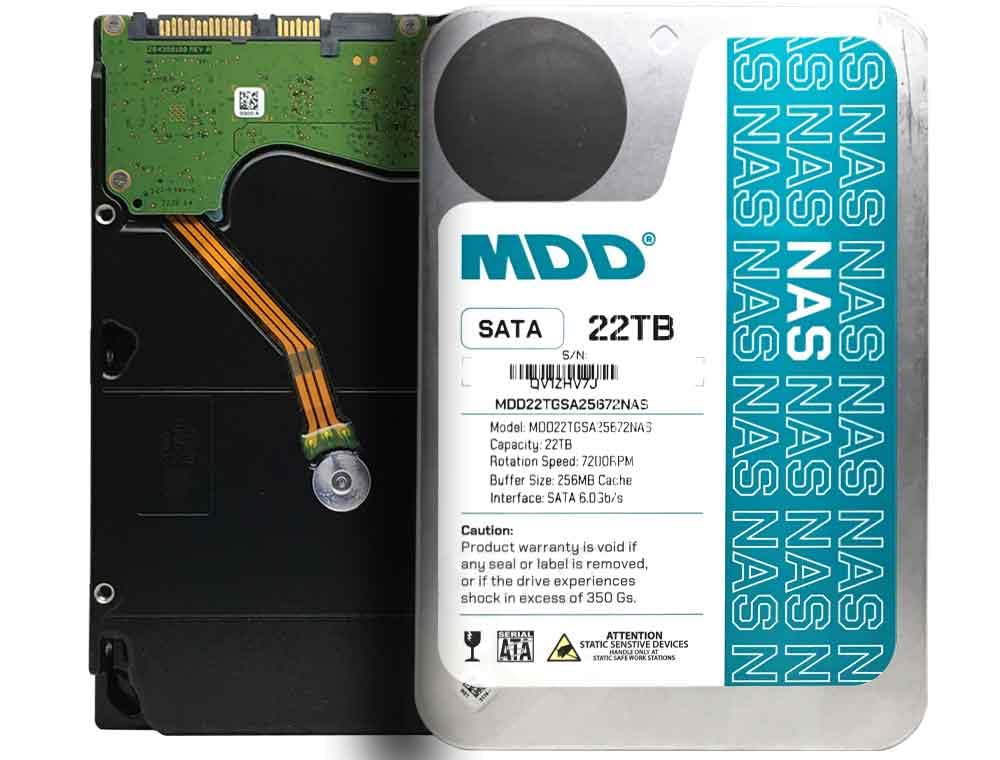
6. MDD MAXDIGITALDATA MDD 22TB NAS Internal Hard Drive (MDD22TS25672NAS, Renewed)
MDD’s NAS-tuned 22TB at a budget-bracket price, with a warranty that carries real weight.
This is the NAS-tune version of the MDD 22TB drive — same enterprise-grade core, same 22TB of capacity in a 3.5-inch chassis, same 6 Gb/s SATA and 256 MB cache, but tuned specifically for NAS systems. It’s the cheapest way on this list to get 22TB into a NAS chassis, and the five-year warranty softens the risk of buying renewed stock. Buyers who run it in mirrored or RAID 10 configurations report clean installs and drive longevity past six months.
What buyers praise most is the value and the capacity. One verified purchaser installed four of these in a QNAP NAS while admittedly reluctant about the “reconditioned” label — six months later the array is running fine. Another buyer ran the drives through a full fill-and-delete cycle and reported no issues, with the only sticking point being a Protected GPT partition that Windows flagged until initialized through Disk Management. Both the 7200 RPM spin speed and the 22TB capacity land right where serious buyers want them.
The honest note: reliability is the mixed aspect here. Some buyers have reported defective units from the start, and at least one long-term user saw a drive fail within the first month, losing data in the process. That’s the cost of the renewed-drive math — you get enterprise capacity at a budget price, but you accept a higher-than-new failure rate, and you should treat a RAID mirror as non-negotiable rather than optional. If you want 22TB with lower reliability risk, the Seagate Exos above carries a stronger track record and costs a bit more.
Where the value sits: 22TB, 7200 RPM, 256 MB cache, and a five-year warranty — the most capacity per dollar on this list, especially for multi-drive NAS builds.
What to plan for: renewed stock means some units arrive defective, and long-term reliability is a genuine question mark. RAID redundancy isn’t optional here — it’s the safety net.
Suits you if: you’re filling a NAS on a tight budget, running RAID, and want to stretch your dollars into maximum capacity with warranty coverage behind it.
skip it if: you need single-drive reliability you can trust without a mirror, or you want the stronger reputation of a fresh enterprise drive.
7. Western Digital 6TB WD Red Pro NAS Internal Hard Drive (WD6005FFBX)

The heavy-duty NAS drive for arrays that never sleep and never stop writing.
For a multi-user NAS running around the clock — think shared storage in a small office or a home lab with sustained activity — the WD Red Pro is the drive tuned for exactly that. It carries a 550 TB/year workload rate, more than triple what the WD Red Plus is rated for, and a 267 MB/s data transfer rate that beats the Red Plus’s 215 MB/s by a clear margin. The unlimited-bay design means it won’t complain in a dense NAS chassis, and Western Digital’s NAS-vendor testing partnership is behind the compatibility claims.
What owners value in practice is straightforward quality plus a proven repair workflow. Buyers running RAID in UGREEN NAS setups report flawless multi-week operation, and the NAS management interface on those enclosures handles the RAID redundancy automatically. A Mac user running a 7-year-old machine confirmed the drive handled Time Machine backups perfectly and is barely audible beyond seven feet away. That’s the voice of someone who took the noise complaint seriously and came away satisfied.
The honest tension is that some buyers hit dead-on-arrival units or noisy shipments. The single loudest negative thread came from a buyer whose drives arrived loosely packed and failed on arrival — bad packing, not a defect in the model. A higher-capacity user running nine drives for six months described the noise as comparable to classic desktop drives from the 1990s — loud, but part of high-capacity mechanical-drive life. What that tells you: buy from a seller with real packaging standards, and plan for a follow-up pack-your-own verification if the shipping box looks stressed. Compared to the WD Red Plus, this drive is the more rugged option — 550 TB/year workload rate vs 180 TB/year — but it runs louder and warmer, and costs more.
What makes it the pro pick
- 550 TB/year workload rating — over 3x the WD Red Plus, built for constant multi-user traffic
- 267 MB/s transfer rate, ahead of the Red Plus’s 215 MB/s
- Unlimited-bay design and NAS-vendor compatibility testing
- Shoppers say it serving Time Machine backups on aging Macs without complaint
Where it asks patience
- Noticeably noisy in operation — a real consideration for a home-office or bedroom NAS
- Runs warm under sustained load
- Occasional DOA units reported, often linked to poor packaging in transit
Built for: multi-bay NAS owners in small offices or home labs whose drives stay busy all day and who need the higher workload rating.
Not ideal for: quiet home setups where the drive sits within earshot, or anyone who only needs a modest amount of storage.
Understanding the Specs
Workload Rate (TB/Year)
A workload rate is the manufacturer’s estimate of how much data a drive can move in a year without being pushed outside its design limits. A drive rated for 550 TB/year is built for constant, multi-user traffic in a NAS, while a lower-rated drive assumes lighter use. If you are backing up large media libraries or running a busy NAS, this is the number that tells you whether the drive was engineered for your pace.
MTTF and MTBF
MTTF (Mean Time To Failure) and MTBF (Mean Time Between Failures) are statistics that estimate how long a drive is expected to run before failures become statistically likely. A figure like 1.0 million hours does not mean the drive will literally run that long — it means the manufacturer’s internal testing suggests the failure rate is very low across that span. Higher numbers point to drives designed for heavier, more reliable duty.
CMR vs SMR
These describe how the drive writes data onto its spinning platters. CMR drives write to separate tracks, which keeps large sustained writes fast and tends to hold up better over years of heavy use. SMR drives overlap tracks and can slow down during long continuous writing. Every drive in this guide uses CMR, which is the safer recording method for bulk storage and editing work.
Cache Size
The cache is a small pool of fast memory built into the drive that buffers data during transfers. A larger cache — 256 MB or 512 MB rather than 64 MB — helps most when you are moving large video files or restoring a backup, because it smooths out the write process. It does not turn a mechanical drive into an SSD, but it does reduce stalls during heavy transfers.
FAQ
What does 22TB of usable storage actually mean after formatting?
Will a 22TB hard drive work in my existing NAS enclosure?
Is a renewed or recertified 22TB drive safe to use?
What is the difference between a desktop drive and a NAS drive at 22TB capacity?
How loud is a 22TB hard drive in a home setting?
Do I need to format a new 22TB hard drive before using it?
How long should a 22TB hard drive last before replacing it?
Is 7200 RPM better than 5640 RPM for a 22TB drive?
Do I need RAID if I’m using a renewed 22TB drive?
Can I use one 22TB drive as my only backup instead of a NAS?
Final Thoughts: The Verdict
For most buyers searching for the best 22tb hard drive, the Toshiba X300 PRO 22TB balances raw performance with proven reliability — a 300 TB/year workload rating, 512 MB cache, and 7200 RPM make it the strongest all-rounder for desktop workstations and creative rigs. If you’re building a multi-bay NAS, the Seagate Exos 22TB (Renewed) gives you enterprise-class internals and helium-sealed efficiency for less. And if you need the absolute cheapest 22TB to fill out a RAID array, the MDD MAXDIGITALDATA NAS drive is the budget pick — just plan for the trade-offs that come with renewed stock. Whatever you choose, buy from a seller with solid packaging standards, test the drive on arrival, and mirror your data — that’s how you make a 22TB purchase last.
How We Picked
We do not accept paid placement. Every pick is matched to a real buyer and a real use-case; we do not hands-on test units.
Sources & Methodology
Specifications: manufacturer listings and product documentation. Review insights: verified customer reviews, as of September 2026. Pricing: not shown on this page (it changes often); check the current price via the retailer link.
As an Amazon Associate, Gadgets Feed earns from qualifying purchases. This does not affect which products we feature.