
Our readers keep the lights on and my morning glass full of iced black tea. As an Amazon Associate, I earn from qualifying purchases.
Specs are compiled from manufacturer listings and verified buyer reviews and can change over time — please confirm the key details on the product page before buying.
You want a 24.5-inch monitor because it sits at that balance — large enough to feel rich in a game or on a spreadsheet, yet compact enough to leave room on your desk. This guide covers six real monitors at this exact size, based on published specs and patterns from verified customer reviews, so you know exactly what you are getting before you buy.
I’m Min — the founder and writer behind Gadgets Feed. This guide is built by comparing the manufacturers’ published specifications and the patterns across verified customer reviews, so you get each pick’s real strengths and trade-offs instead of marketing spin.
A 24.5 inch monitor at 1920 x 1080 (Full HD) resolution gives you a pixel density around 90 PPI (pixels per inch) — sharp enough for text and gaming without needing a powerful GPU for 1440p. The real choices depend on how fast the screen refreshes, how accurate the colors are, and what connections you need. Here is how the top contenders actually stack up.
Quick Picks
- ASUS TUF Gaming VG259QMRL5A — Top Performer
- Alienware AW2521HFL — Premium Pick
- KTC H25T7-3 — Best Value
- UPERFECT QLED Portable Monitor Touchscreen — Versatile Pick
- Sceptre Curved 24.5-inch C255B-FWT240 — Curved Gaming
- MSI PRO MP253W — Budget Champion
How To Choose The Best 24.5 Inch Monitor
For a 24.5-inch screen, you are mostly looking at a 1920 x 1080 (Full HD) resolution. At this size you get a pixel density around 90 PPI — sharp enough for text and gaming without the extra GPU cost of 1440p. The real decisions come down to how fast the screen refreshes, how accurate the colors are, and what connections you need.
Refresh Rate and Response Time
Refresh rate (measured in Hz) tells you how many times the image updates per second. A 60Hz monitor is fine for office work, but for gaming, 100Hz or higher makes motion feel visibly smoother. Response time (measured in milliseconds) is how fast a pixel changes color — lower numbers mean less motion blur. A 1ms response time is standard for gaming, but premium panels hit 0.3ms. The catch is some manufacturers advertise “MPRT” (Moving Picture Response Time) which can be lower than real pixel transitions, so check the fine print.
Panel Type: IPS vs VA vs TN
IPS panels give you the best color accuracy and wide viewing angles (178°), making them ideal for both gaming and photo work. VA panels offer deeper blacks and higher contrast ratios (like 2000:1 or even 1,000,000:1 for curved models), but viewing angles are narrower. TN panels are rare now but still used in ultra-high refresh rate models — they are fast but have poor color off-axis. For most buyers at this size, a good IPS is the safest bet.
Connectivity and Ergonomics
Check if the monitor has HDMI 2.0 (needed for 240Hz at 1080p), DisplayPort, and USB ports. An ergonomic stand that lets you adjust height, tilt, swivel, and pivot is a major quality-of-life upgrade, especially if you use the monitor for eight hours a day. VESA mount compatibility (usually 100x100mm) means you can attach it to a monitor arm later.
Quick Comparison
On smaller screens, swipe sideways to see the full table.
| Model | Best For | Refresh Rate | Panel Type | Contrast Ratio | Amazon |
|---|---|---|---|---|---|
| ASUS TUF Gaming VG259QMRL5A | Competitive Esports | 310Hz | Fast IPS | 1000:1 | $199.00Amazon |
| Alienware AW2521HFL | Premium Build & Comfort | 240Hz | IPS | 1000:1 | $369.99Amazon |
| KTC H25T7-3 | Best All-Around Value | 240Hz | Fast IPS | 1000:1 | $131.74$154.99Ends inAmazon |
| UPERFECT QLED Portable | Touchscreen Portability | 165Hz | IPS | 2000:1 | from $269.99Amazon |
| Sceptre C255B-FWT240 | rich Curved Gaming | 240Hz | LED | 1,000,000:1 | $117.97$149.97Amazon |
| MSI PRO MP253W | Budget Home & Office | 100Hz | IPS | 2000:1 | $117.56Amazon |
In‑Depth Reviews
1. ASUS TUF Gaming VG259QMRL5A
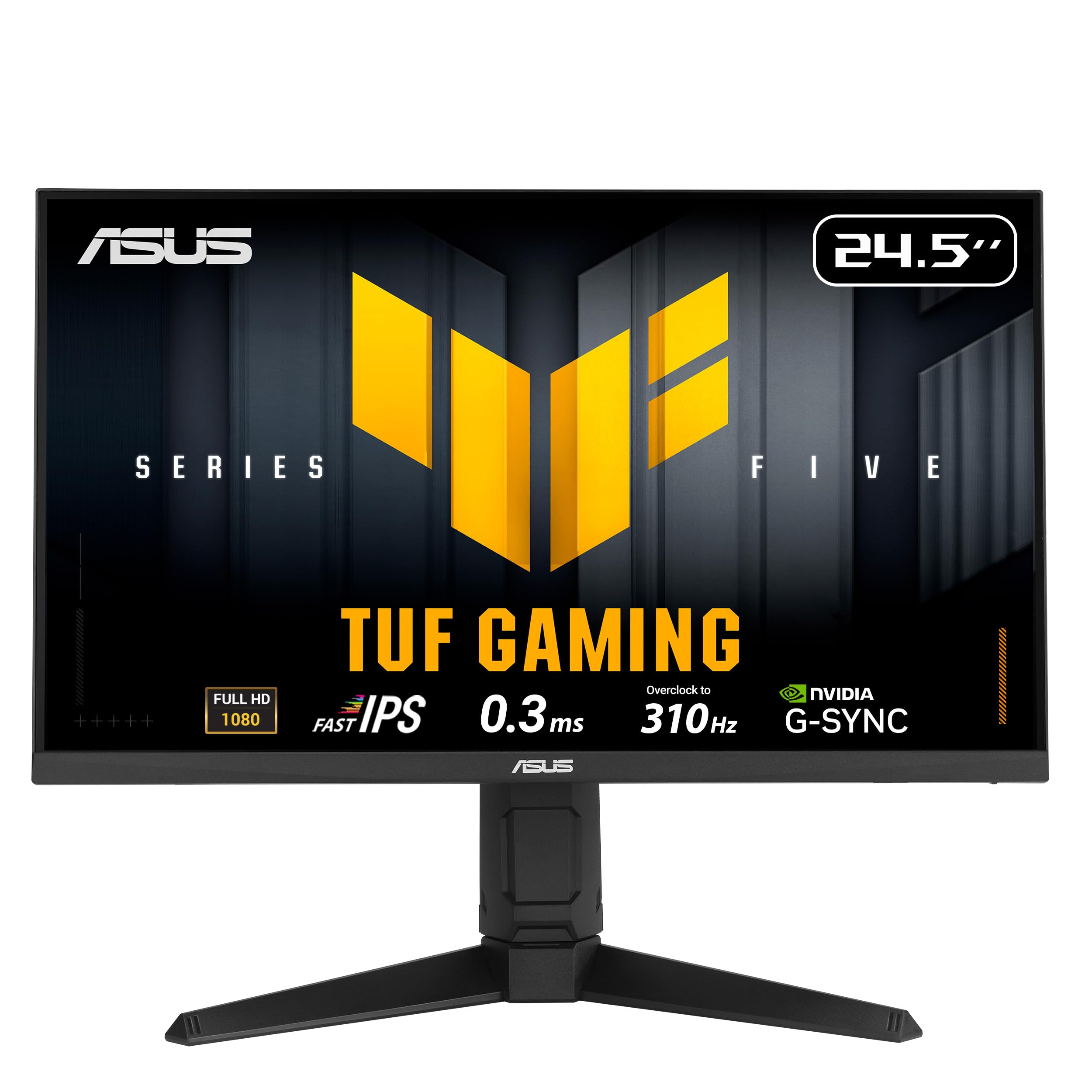
This 310Hz monitor makes motion so fluid that a 240Hz screen suddenly feels slow in fast shooters.
You feel the difference between 240Hz and 310Hz in competitive FPS games. The ASUS TUF Gaming VG259QMRL5A uses a Fast IPS panel with a 0.3ms response time (the time a pixel takes to change color from gray to gray). That is 3.3x faster than the 1ms response time on the KTC 24.5 Inch 240Hz Gaming Monitor — so motion blur nearly disappears when you flick your aim around corners. The ASUS Extreme Low Motion Blur Sync (ELMB SYNC) feature lets you run anti-ghosting (reduces blur trails) and variable refresh rate at the same time, a combination most monitors at this price do not offer.
The fully articulated stand lets you adjust height, tilt, swivel, and pivot so you can dial in the perfect position for long sessions. You get DisplayWidget Center software to tweak settings with a mouse rather than hunting through the on-screen menu — though buyers report the physical buttons are confusing without the manual. One reviewer noted “HDR mode flickers in Windows, so disabled; HDR not usable,” so treat the HDR400 as a marketing checkbox rather than a feature you will use daily. At 1920 x 1080 resolution with a 99% sRGB color gamut, colors are vibrant enough for most users, and the Fast IPS panel keeps image quality consistent from any angle. The included DisplayPort cable and L-shaped screwdriver help you get a clean setup.
Speed Demons Delight
- 310Hz overclockable refresh rate is the fastest in this roundup
- 0.3ms response time eliminates ghosting in competitive gaming
- Full ergonomic stand with height, tilt, swivel, and pivot adjustments
Reality Check
- HDR mode flickers and is effectively unusable in Windows per reviews
- On-screen buttons are confusing without the manual
- 1080p resolution means a lower pixel density than a 1440p alternative
Reach for this if: you are a competitive FPS gamer who wants the absolute highest refresh rate and fastest response time at 1080p.
Look elsewhere if: you need reliable HDR performance or prefer a simpler button layout for daily adjustments.
2. Alienware AW2521HFL

Built to last years longer than any other 24.5-inch monitor in this list, but with standard IPS blacks.
The Alienware AW2521HFL focuses on long-term reliability over headline specs. It runs a native 240Hz refresh rate with a true 1ms response time on an IPS panel that covers up to 99% sRGB. The monitor supports both AMD FreeSync Premium (matches refresh rate to frame output up to 120Hz at 1080p) and NVIDIA G-SYNC Compatible, so you get tear-free gaming regardless of your graphics card. The unique cooling vents on the top, bottom, and rear sides keep the screen running cool during long sessions — one buyer mentioned the “screen stays cool; runs days without picture failure.”
The design stands out in Lunar Light (white), a rare color at this size that makes it a centerpiece on a desk. The stand is solid though not fully articulated like the ASUS above, but the AlienFX lighting adds a subtle glow for those who like ambient matching. A two-year owner reported “excellent 2-year performance, no glitches/flicker” and that a replacement unit arrived “flawless condition.” The internal speakers are non-functional on some units per reviewers, so plan on using external audio.
Compared to the Sceptre Curved 24.5-inch which has a 1,000,000:1 contrast ratio, the Alienware’s 1000:1 is standard IPS territory — blacks are not as deep. For the premium price, you are paying for the build quality, the brand support, and the reliability over time rather than headline-grabbing numbers.
Built to Last
- Native 240Hz with dual FreeSync Premium and G-SYNC Compatible support
- IPS panel delivers wide 178° viewing angles and 99% sRGB color coverage
- Unique cooling design keeps the monitor cool during marathon gaming
Trade-Offs
- Standard 1000:1 contrast ratio; blacks are not as deep as VA panels
- Internal speakers may not work on some units per buyer reports
- Stand lacks height adjustment for ergonomic flexibility
Trusted companion for: gamers who value proven long-term reliability and brand support over the highest possible refresh rate.
skip it if: you need height adjustment on the stand or want deeper contrast for dark-room gaming.
3. KTC H25T7-3
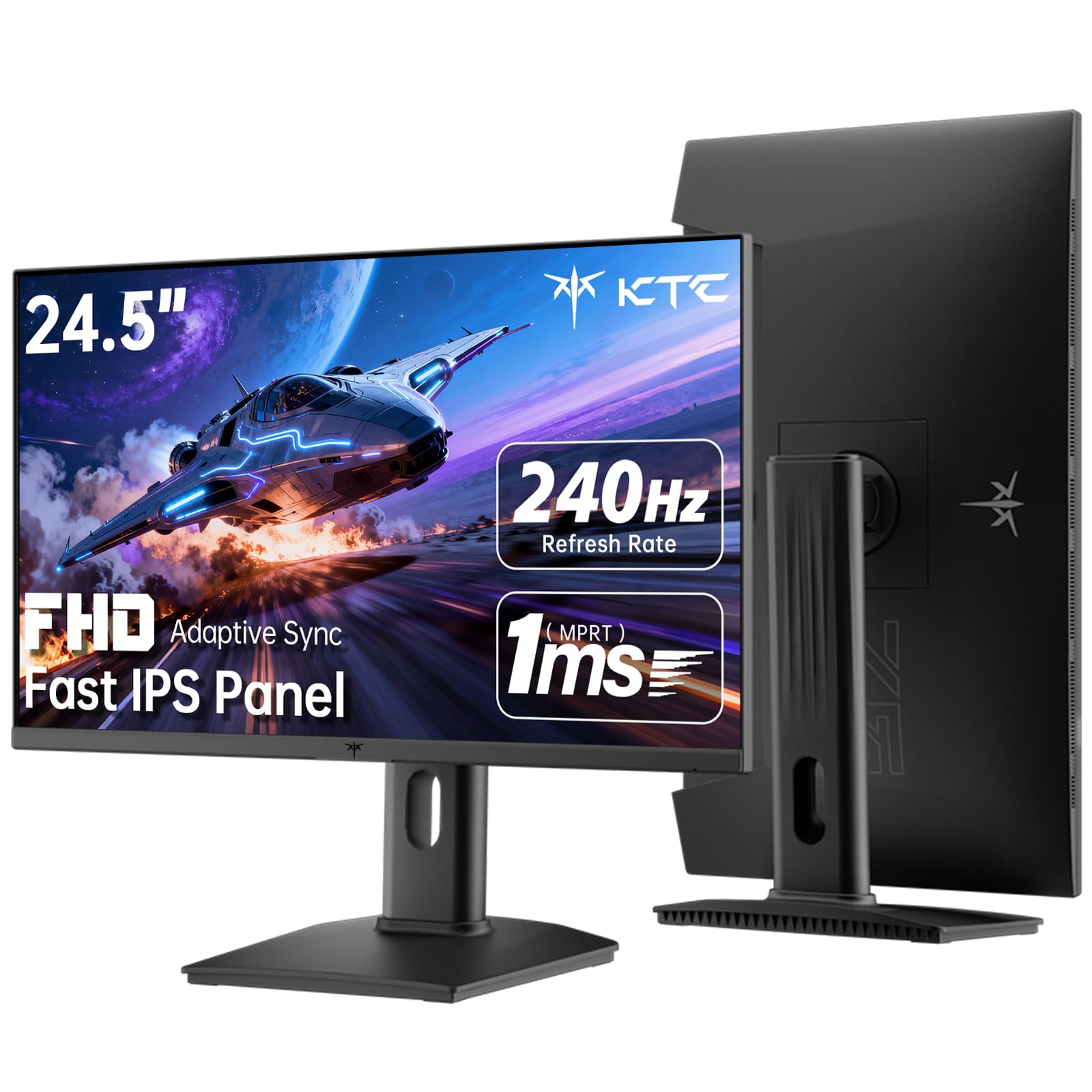
A 240Hz Fast IPS monitor that costs less than the ASUS, with a stand that works for coding too.
You get 240Hz gaming without the premium price tag with the KTC H25T7-3. Its Fast IPS panel delivers a 1ms response time with HDR400 support. The 114% sRGB color gamut is actually higher than the ASUS TUF Gaming’s 99% sRGB, so colors look punchy and vibrant from the start. The 350 cd/m² brightness keeps the image clear even in a well-lit room.
The ergonomic stand is a rarity at this price: you get pivot, tilt, and height adjustment, so you can rotate the screen vertically for coding or reading documents. It also includes a USB 2.0 port for firmware updates, though only one DisplayPort cable is included in the box — no HDMI. A reviewer flagged this: “after rest mode, half of settings and switch button become unresponsive, only allows switching inputs.” This seems to be a firmware issue that may be patched, but it is note if you leave your PC in sleep mode frequently.
For sheer specs per dollar, this KTC beats the MSI PRO MP253W’s 100Hz by more than double the refresh rate, and it adds G-Sync Compatible support alongside FreeSync, making it flexible for both NVIDIA and AMD GPU owners.
Value King
- 240Hz refresh rate with 1ms response time on a Fast IPS panel
- Full ergonomic stand: tilt, pivot, and height adjustment included
- 114% sRGB color gamut for vibrant colors above the category average
Known Flaws
- Reported bug: menu buttons become unresponsive after sleep/rest mode
- Only includes a DisplayPort cable; no HDMI cable in the box
- 1000:1 contrast ratio is standard IPS, not deep black levels
Grab this for: budget-conscious gamers who want 240Hz speed, a Fast IPS panel, and an adjustable stand without paying premium prices.
Think twice if: you rely on sleep mode frequently or want an HDMI cable included with your purchase.
4. UPERFECT QLED Portable Monitor Touchscreen
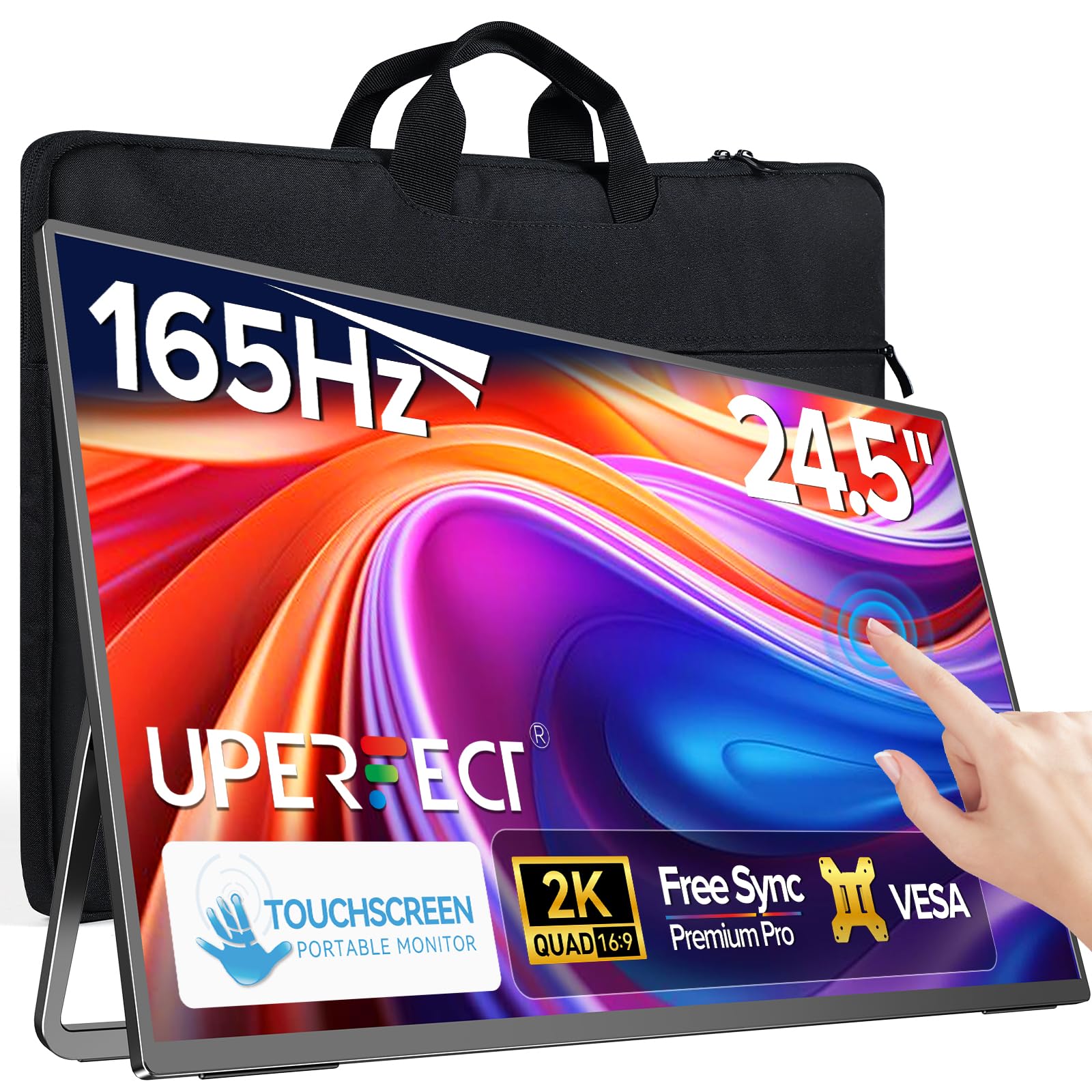
The only 24.5-inch touchscreen here — a portable gaming monitor that can also run a presentation with a tap.
This UPERFECT monitor breaks the mold: it is a portable monitor at a full 24.5 inches, with a 165Hz refresh rate, 2K resolution (2560 x 1440), and a ten-point capacitive touchscreen (you can use up to ten fingers at once). The 2000:1 contrast ratio is notably higher than the 1000:1 on most IPS gaming monitors in this list, giving you deeper blacks and richer contrast for movies and games. The 0.1ms response time is the fastest here on paper, though it is an MPRT (Moving Picture Response Time) figure — a marketing metric — rather than a true GtG (gray-to-gray) measurement.
The built-in 180° adjustable stand and VESA mount compatibility give you flexibility for desk or wall mounting, and it ships with a monitor bag for portability at 7.2 lbs. One reviewer found that FreeSync was non-functional on their unit, and brightness tested at 379 nits instead of the advertised 450 nits, so the specs seem optimistic. Another buyer noted they “couldn’t reach advertised 165Hz (max 144Hz)” but still gave it five stars after support resolved the issue. The glossy screen looks vibrant indoors but becomes reflective in bright light.
For a setup where you need a large touchscreen for productivity and a high-refresh gaming display in one package, this is the only option at this size. Just be prepared to work with customer support if some features do not land as advertised.
Unique Feature Set
- 24.5-inch portable touchscreen with ten-point touch for intuitive interaction
- 165Hz refresh rate at 2K resolution for smooth gaming visuals
- 2000:1 contrast ratio for deeper blacks than typical IPS monitors
Inconsistencies
- Some advertised features (FreeSync, 165Hz, 450 nits) may not match real performance per reviewers
- Glossy finish limits comfortable use in brightly lit rooms
- Built-in speakers are mediocre; external audio recommended
Ideal for: users who need a single screen that works as a portable touch monitor and a gaming display, with VESA mounting flexibility.
Not for: buyers who need every spec to exactly match the listing description, or anyone who avoids glossy screens.
5. Sceptre Curved 24.5-inch C255B-FWT240

A curved 24.5-inch panel with a 1,000,000:1 contrast ratio that makes dark scenes truly black — the KTC and ASUS cannot touch that.
The Sceptre C255B-FWT240 is the only curved monitor in this roundup, using a 1500R curvature (a radius of 1500mm) that creates a subtle wrap-around effect — helpful for immersion in racing and flight sims where the screen edge feels closer. It runs at 240Hz with a 1ms response time and AMD FreeSync Premium to keep frame pacing smooth. The stand includes tilt adjustment, and there are two HDMI and two DisplayPort inputs, giving you plenty of options for a multi-console setup.
The standout spec is the 1,000,000:1 contrast ratio. That is a 1000x gap compared to the 1000:1 on the KTC 24.5 Inch 240Hz Gaming Monitor. This is typical of VA panel technology, delivering deep black levels that IPS panels cannot match — dark scenes in games like Dead Space or Cyberpunk 2077 look genuinely black rather than gray. One long-term buyer reported “no flickering after a year” of use, and another praised “vivid colors, nice curve, and many display options.”
On the downside, the same reviewer noted a “slight tint” that requires using the Movie contrast setting as a workaround, and colors run cooler than expected even after calibration, so it is not ideal for color-sensitive work like photo editing. The built-in speakers are decent for a monitor but lack bass. For rich gaming with deep blacks at a budget price, this Sceptre is a strong contender.
rich Experience
- 1500R curved design creates a more enveloping gaming experience
- 1,000,000:1 contrast ratio delivers deep, true blacks that IPS cannot match
- 240Hz with FreeSync Premium and two HDMI plus two DisplayPort inputs
Color & Calibration
- Colors run slightly cool and have a tint that requires a workaround setting
- Not suitable for color-accurate professional work like photo editing
- Built-in speakers are adequate but lack depth and bass
Choose this for: gamers who want deep blacks and a curved screen for rich single-player titles on a budget.
Avoid it if: you need accurate colors for creative work or prefer the wider viewing angles of a flat IPS panel.
6. MSI PRO MP253W

A 100Hz white monitor that costs a fraction of the gaming flagships — and it is still a step up from a 60Hz office screen.
The MSI PRO MP253W is the entry-level workhorse of this list. It has a 100Hz refresh rate (a noticeable step up from standard 60Hz for everyday scrolling — windows glide past smoother), an IPS panel with 178° viewing angles, and a 2000:1 contrast ratio that gives it deeper blacks than the 1000:1 panels from ASUS, Alienware, and KTC. The TÜV certified display reduces blue light and flicker, making it comfortable for long study or work sessions.
One owner reported they “purchased March 2025 for 10-year-old gamer,” and reported no issues after two months, praising the eye protection features. The white color scheme is a rare find at this price and blends into a light-themed desk setup nicely. It includes VGA connectivity alongside HDMI, which is useful for connecting older PCs or peripheral devices.
The speakers are weak — multiple owners mention this — and the 100Hz refresh rate means it is not a gaming monitor in the same league as the 240Hz Sceptre or KTC options above. For a budget-friendly office monitor, a secondary screen for multitasking, or a first PC setup for a child, it delivers excellent value without sacrificing panel quality.
Smart Budget Choice
- 100Hz IPS panel with a 2000:1 contrast ratio for good blacks
- TÜV certified eye protection reduces eye strain during long use
- White color and thin bezels make it a clean fit for light-themed desks
Limitations
- Built-in speakers are weak and not suitable for audio enjoyment
- 100Hz refresh rate is far behind the 240Hz+ gaming monitors
- Includes VGA port which is outdated for modern GPU connectivity
Best suited for: home office users, students, parents setting up a first monitor for a child, or anyone needing an affordable white IPS display.
Pass on this if: you want high-refresh gaming, need strong built-in speakers, or plan to use it as your primary competitive gaming screen.
Understanding the Specs
Refresh Rate (Hz) and Response Time (ms)
Refresh rate controls how many times per second the image updates. A 60Hz screen refreshes 60 times a second, while a 240Hz screen does it 240 times — making fast motion appear much smoother. Response time is how fast a pixel changes color; 1ms is standard for gaming, while 0.3ms is elite. A mismatch can cause ghosting (blurry trails behind moving objects). Look for “GTG” (Gray-to-Gray) response time, not “MPRT” which is a marketing trick that can inflate the number. For competitive shooters like Valorant or CS2, higher refresh and lower response time matter more than resolution.
Panel Technology: IPS, VA, and Contrast Ratio
IPS panels dominate the 24.5-inch market for their wide 178° viewing angles and accurate colors. Their main weakness is a 1000:1 contrast ratio, meaning blacks look more like dark gray in a dim room. VA panels (used in curved monitors like the Sceptre) can hit 2000:1 or even 1,000,000:1, making blacks truly black — but viewing angles narrow and colors shift off-axis. If you game in a dark room a lot, VA’s deeper blacks win. If you do color work or sit with other people watching the same screen, IPS is the better choice.
Adaptive Sync: FreeSync and G-SYNC
These technologies match the monitor’s refresh rate to your GPU’s frame output, eliminating screen tearing (where the image splits horizontally) and stuttering (jerky motion when frame rate drops). FreeSync is AMD’s standard, G-SYNC is NVIDIA’s — but many monitors now support both (like the KTC and ASUS in this list). “FreeSync Premium” adds a requirement of at least 120Hz at 1080p for smoother low-frame-rate compensation. If you have an NVIDIA GPU, look for “G-SYNC Compatible” to ensure it works over DisplayPort.
Ergonomics: Stand and VESA Mounting
A good stand makes a huge difference if you sit at the monitor for hours. Height adjustment lets you align the screen with your eye level, tilt fights glare, swivel helps with multi-monitor setups, and pivot lets you flip the screen vertical for coding or reading. The KTC and ASUS in this list have full articulation. VESA mount holes (typically 100x100mm) let you ditch the stock stand entirely and attach the monitor to an arm, freeing up desk space and making cable management easier.
FAQ
Is a 24.5 inch monitor good for gaming?
What is the difference between 100Hz and 240Hz on a 24.5 inch monitor?
Can I use a 24.5 inch monitor for photo editing?
What does HDR400 mean on a 24.5 inch monitor?
Do 24.5 inch monitors support VESA mounting?
Is a curved monitor better than a flat one at 24.5 inches?
What cables do I need for a 240Hz 24.5 inch monitor?
Which 24.5 inch monitor is best for a console like PS5 or Xbox Series X?
How do I fix screen tearing on a 24.5 inch monitor?
Final Thoughts: The Verdict
For most buyers, the 24.5 inch monitor winner is the KTC H25T7-3 because it gives you a 240Hz Fast IPS panel, a fully adjustable stand, and vibrant colors at a price that undercuts the competition by a wide margin. If you want the absolute highest refresh rate for competitive esports, grab the ASUS TUF Gaming VG259QMRL5A with its 310Hz and 0.3ms response time. And for an rich single-player experience with deep blacks, the standout is the Sceptre Curved 24.5-inch C255B-FWT240 with its 1,000,000:1 contrast ratio.
How We Picked
We do not accept paid placement, and we did not hands-on test every unit. Instead, we match each pick to a real buyer and use-case by comparing the manufacturers’ published specifications against the patterns in verified customer reviews — so you get each pick’s real strengths and trade-offs instead of marketing copy.
Sources & Methodology
Specifications: manufacturer listings and product documentation. Review insights: verified customer reviews, as of July 2026. Pricing: not shown on this page (it changes often); check the current price via the retailer link.
As an Amazon Associate, Gadgets Feed earns from qualifying purchases. This does not affect which products we feature.
Product prices and availability are accurate as of the date/time indicated and are subject to change. Any price and availability information displayed on Amazon at the time of purchase will apply to the purchase of this product. As an Amazon Associate I earn from qualifying purchases.
CERTAIN CONTENT THAT APPEARS ON THIS SITE COMES FROM AMAZON. THIS CONTENT IS PROVIDED "AS IS" AND IS SUBJECT TO CHANGE OR REMOVAL AT ANY TIME.
Amazon and the Amazon logo are trademarks of Amazon.com, Inc. or its affiliates.