
Our readers keep the lights on and my morning glass full of iced black tea. As an Amazon Associate, I earn from qualifying purchases.
Specs are compiled from manufacturer listings and verified buyer reviews and can change over time — please confirm the key details on the product page before buying.
Your DVR and cameras never clock out, so the screen showing them shouldn’t either. A standard TV will fade, burn in, or die if you leave it on all day every day — that’s exactly what a dedicated 24/7 monitor is built to survive. We’ve dug through the specs and the owner chatter on nine commercial-grade panels to find which ones actually hold up to the always-on grind, from compact control-room tiles to full signage walls.
I’m Min — the founder and writer behind Gadgets Feed. This guide is built by comparing the manufacturers’ published specifications and the patterns across verified customer reviews, so you get each pick’s real strengths and trade-offs instead of marketing spin.
You need a screen that keeps a crisp, readable picture flowing from your security system around the clock. 24/7 monitor — our picks handle continuous surveillance without the burn-in that kills regular TVs.
Our Picks at a Glance


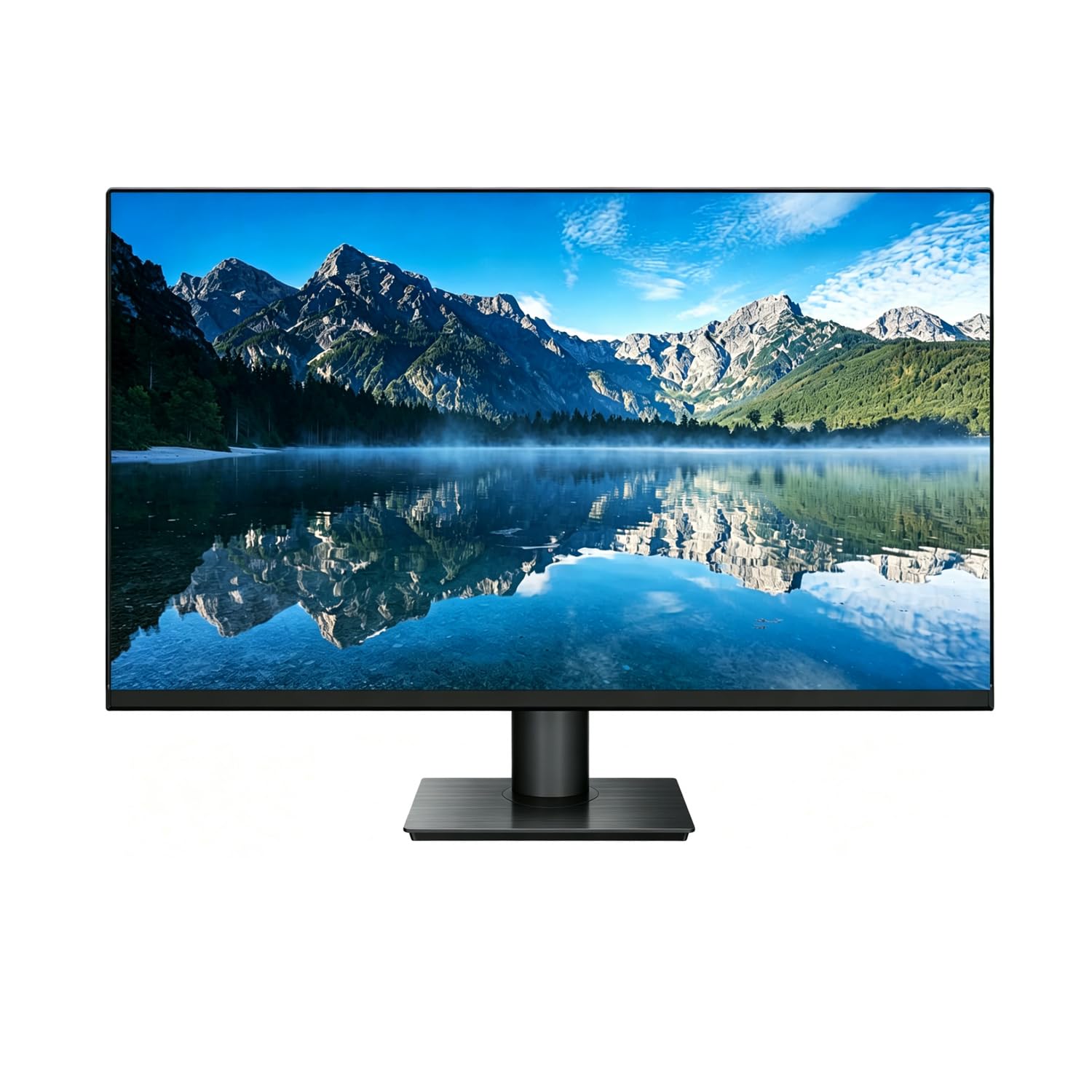
How To Choose The Best 24/7 Monitor
Picking a monitor for round-the-clock security isn’t like buying a TV for movie night. The main things to weigh are the inputs your DVR actually outputs, how bright the panel needs to be for its room, and whether the screen is truly engineered to never turn off.
Match the Inputs to Your System
Before anything else, check what your DVR or NVR pushes out. If you have an older analog system, you’ll want a monitor with a BNC port (the twist-lock connector used by CCTV cameras and recorders). Newer IP-based NVRs often output over HDMI (the standard digital video plug). Many commercial monitors pack both, so you won’t need a separate converter box sitting on the shelf.
Brightness Is About the Room, Not the Brand
Brightness is measured in cd/m² (the unit of light a screen emits per square meter). A 200-250 cd/m² panel is plenty for a dim control room or a home office. But if your monitor faces a sunny window, you’ll want a much higher figure — think 500 cd/m² and up — so the picture doesn’t wash out during the day.
Resolution Means Detail You Can Actually See
Security monitors range from 1366 x 768 up to full 4K (3840 x 2160). Higher resolution lets you read a license plate or a face from across the room, but only if your camera system actually captures that detail in the first place. Some monitors can also accept a 4K signal and downscale it to fit their smaller panel, which future-proofs you if you upgrade your cameras later.
Quick Comparison
| Model | Best For | Resolution | Brightness | Key Inputs | Amazon |
|---|---|---|---|---|---|
| SVD 18.5″★ Best Overall | Best Overall / Home & Small Office | 1366 x 768 | 200 cd/m² | BNC, HDMI, VGA, USB | Amazon |
| 101AV 18.5″Sharpest Compact Image | Sharpest Compact Image | 3840 x 2160 (input) | 200 cd/m² | HDMI, VGA, BNC (looping) | Amazon |
| 32″ Real HDLarge-Screen Full HD | Large-Screen Full HD | 1920 x 1080 | — | HDMI, VGA, Audio | Amazon |
| Sony BRAVIA 32″ | 4K Viewing & Smart Features | 3840 x 2160 | — | HDMI (x4), USB, Ethernet | Amazon |
| Cocar 17″ | Bright 4:3 Viewing | 1280 x 1024 | 500 cd/m² | BNC, HDMI, AV, VGA | Amazon |
| 101AV 21.5″ | Direct Super HD Camera Feed | 5MP 2592×1944 | 250 cd/m² | HDMI, Super HD BNC (x2) | Amazon |
| Cocar 18.5″ | Component Video (YPbPr) | 1336 x 768 | 300 cd/m² | YPbPr, HDMI, BNC (x2) | Amazon |
| 50″ Canlarriz | Bright Signage & Tiling | 3840 x 2160 | 1000 nits | HDMI, USB 3.0 | Amazon |
| Samsung QB65R | Large-Upscale Signage Wall | 3840 x 2160 | 350 cd/m² | HDMI, USB, Wi-Fi, Bluetooth | Amazon |
In-Depth Reviews
1. SVD 18.5″ Security Monitor
Our pick — over 4.5★ from 90+ verified ratings; the strongest balance of quality and price.
The plug-and-play panel that satisfied buyers enough to order thirty more.
This 18.5-inch LED screen is the easiest recommendation for a home or small-office CCTV setup because it makes the old-school connections simple. You get 1x BNC (the twist-lock plug from your DVR), 1x HDMI, 1x USB, and 1x VGA, so most existing security gear hooks up with zero adapters. The 1366 x 768 resolution and 200 cd/m² brightness keep a clear picture without the cost of a bigger, brighter panel — and the 16:9 widescreen shape suits modern camera feeds.
You get a monitor that works right from the start, with build quality that holds up. Buyers report using it for over two months and being satisfied, noting the “good resolution for a fair price.” One installer purchased over 30 of these for customers and reports they all performed perfectly — a strong vote of confidence for a business buying in bulk.
The trade-off is a modest 200 cd/m² brightness and a picture that isn’t the sharpest you can buy. A few note it doesn’t look quite as crisp as other panels they’ve used, and the contrast relies on a dynamic 10000:1 (DCR) rating rather than a static one. It’s a solid everyday performer rated for 24/7 duty., not a specialty display.
Built to Last All Day
- Pick the input you need: BNC, HDMI, VGA, or USB.
- sturdy construction rated for continuous monitoring.
- Ultra-thin profile with VESA mount holes for wall placement.
Know the Limits
- 200 cd/m² brightness is best for dimmer rooms.
- Native resolution caps at 1366 x 768, not full HD.
The crowd favorite: if you want a dependable, uncomplicated screen that connects straight to a classic analog CCTV system, this is the one to beat.
Think twice if: you’re monitoring a sunlit retail floor and need a panel bright enough to fight the glare.
2. 101AV 18.5″ Security Monitor
A small screen that accepts a 4K feed and sharpens it for close-up viewing.
This 18.5-inch panel is built for buyers who care about detail. Its HDMI port accepts a downscaled 4K/8MP Ultra HD image (3840×2160@30Hz), so if your cameras or NVR output high resolution, this screen keeps it looking crisp instead of soft. It uses Super Sampling Anti-Aliasing (a process that smooths jagged edges on the feed) to eliminate pixelation, which genuinely helps when you’re trying to identify a face or a license plate at a glance.
It’s a favorite for businesses that need a reliable legal-compliance monitor; one owner needed it for a business setting required by law to display security footage, found it easy to hook up, and praised the “excellent display.” The 178-degree viewing angle means you can glance at it from across the counter and still read the picture. It includes a metal-reinforced chassis, HDMI and VGA ports, plus a looping BNC video-in connector.
It’s not the brightest screen at 200 cd/m², so keep it out of direct sun. Setup is broadly praised, though a few mention the HDMI cable isn’t in the box — the included components are a power cable and an HDMI cable, so check before you start. The 4K input is a future-proofing bonus, not a native display spec: the panel itself is 1366 x 768.
A sharper feed: the anti-aliasing makes this the pick for security pros who want every pixel to count.
One real gap: the 200 cd/m² panel is meant for controlled indoor light, not a bright storefront.
3. 32″ Real HD CCTV Monitor
The big 32-inch screen that makes a 12-camera grid actually watchable.
When you’ve got a dozen cameras and a wall-mounted screen to fill, this 32-inch panel earns its spot. It runs a native Full HD 1920×1080 resolution with 16.7 million colors (8-bit), which means a large surveillance grid stays readable without zooming into each tile. The 75Hz refresh rate and 178° viewing angle keep motion smooth and details visible from any seat in the room.
Owners who installed a 12-camera security system specifically needed the larger screen to improve viewing and report it “works great so far,” calling the picture clear and the colors vibrant. It’s easy to connect with 1x HDMI input, 1x VGA, and 1x audio-in, and it accepts a 4K source even though the panel itself is 1080p — nice headroom if you upgrade cameras later.
The catch shows up in longevity, not the picture. A few owners mention the power supply gave out around the one-year mark, and one noted red lines appearing across the screen. It’s still a budget-friendly large option, but if you need a true multi-year commercial workhorse, the premium signage displays below are built to a higher standard.
Why It’s a Crowd Pleaser
- Full 1080p resolution at a size that fills a wall.
- Slender profile looks clean when you line up multiple units.
- 75Hz refresh keeps moving feeds from stuttering.
Where It Falls Short
- Power supply complaints surface around a year of constant use.
- No remote control included.
Reach for it if: you want a clear, large, easy-to-connect screen for a home or small-business camera system without spending premium-dollar.
Look elsewhere if: uptime is mission-critical and you can’t tolerate a possible early power failure.
4. Sony BRAVIA FW-32BZ30J 32″ Professional Display

The 4K commercial display that doubles as a control-room centerpiece.
This is the premium pick for buyers who want their security monitor to also nail everything else. The 32-inch VA panel runs true 4K Ultra HD (3840 x 2160) with Sony’s 4K HDR Processor X1, so it delivers deep blacks and rich contrast — one owner noted it beats their OLED gaming monitor for black levels. It’s rated for 24/7 professional operation., which is the whole point of this list.
The connectivity is the real star: 4 HDMI inputs, 2 USB ports, Ethernet, and built-in Wi-Fi with Chromecast, plus an Android 10 operating system with 16GB of storage. That means you can run a security feed on one input while the display streams dashboards or presentations on another. Buyers using it for a security camera system call the picture “crisp” and report it shows every little detail.
The honest trade-offs: it’s a monitor, not a TV, so there’s no tuner or coaxial jack — you’ll need a streaming device or an external source. The 60Hz refresh is fine for surveillance but not a gaming spec, and the down-firing 5W + 5W speakers are serviceable rather than impressive. One owner had a cracked unit arrive and found customer service slow, though the display itself delivered.
A different league: no other pick here matches its mix of 4K clarity, smart apps, and professional-grade reliability.
Fair warning: treat the panel gently on delivery and expect to pair it with an external sound system for anything serious.
5. Cocar 17″ BNC CCTV Monitor

The compact panel that’s 2.5 times brighter than its rivals for sunny spots.
This 17-inch LCD monitor punches far above its size on brightness. At 500 cd/m², it’s dramatically brighter than the 200 cd/m² security monitors on this list, making it a smart choice for a kitchen, storefront, or any room where daylight hits the screen. The 1280 x 1024 resolution in a 4:3 aspect ratio matches the shape of older analog camera feeds, so you lose fewer pixels to black bars.
It’s a versatile little workhorse: 2 built-in speakers, a USB port with a media player, and connections for HDMI, AV, BNC, 3.5mm audio, and VGA. One business owner running several of these in a company reports “good image quality” and says they are “long lasting,” noting you get the right quality for what you pay. Another owner found the picture “breathtaking” over a BNC connection for a kitchen security view.
Here’s the honest mixed picture: while the picture quality earns praise, durability draws frowns, with some reporting the unit didn’t keep going past 6 months. There’s also disagreement on value and compatibility — it’s a fantastic fit for a classic analog setup but less ideal for demanding HDMI-only systems. Weigh the bright screen against the longevity reports before committing.
What Shines
- 500 cd/m² is the brightest panel in this lineup.
- Plays media straight from a USB stick.
- Slim ABS housing that resists impacts.
Approach With Care
- Several customers note the unit failing within 6 months.
- Image can blow out on white-balance settings, per one owner.
Choose this if: you need a bright, visible screen in a well-lit room and you’re running a classic BNC-based camera rig.
Pick something else if: you’re after a multi-year commercial lifespan and can’t chance a 6-month failure.
6. 101AV 21.5″ 5MP Professional Monitor

A specialist panel that takes a 5MP camera feed directly, no DVR in between.
This 21.5-inch monitor is built for a specific job: showing super-high-definition camera feeds without running them through a recorder first. Its Super HD BNC inputs accept video from cameras up to 5MP/2592×1944 resolution — that’s roughly 10 times the pixel count of standard-definition 960H or CVBS cameras — so it’s a step up for anyone with newer HD-TVI or HD-AHD cameras. The 5ms response time keeps fast-moving scenes from smearing.
What buyers highlight is the crisp, clear image: they call the picture quality “awesome and clear,” and one owner was pleasantly surprised by the sharp colors. It also includes 2 BNC video outputs, so you can chain a second monitor up to 1000ft away without losing signal quality. It’s FCC, CE, and RoHS certified for continuous 24/7/365 operation., and it auto-recovers the display after power blips.
The main caveat is that it’s a specialist tool: if your cameras are plain 1080p or you just need a basic DVR screen, you won’t use its 5MP capability. A few owners call it “bare bones” and note it does the job without extras. And while one owner noted a 50,000-hour lifespan claim., the long-term track record is still being written by early adopters.
Built for the upgrade path: if you’re adding high-res cameras and want them displayed at full detail, this is the most future-ready compact option here.
Not for everyone: skip it if your whole system is standard-definition analog, where the extra resolution goes unused.
7. Cocar 18.5″ 16:9 CCTV Monitor

The 18.5-inch panel that speaks fluent YPbPr for legacy component gear.
This monitor carves out a niche with its YPbPr inputs — the component video connection that splits red, green, and blue signals into separate channels. That separation reduces interference and boosts color vividness, which is handy if you’re connecting an older DVD player, a set-top box, or a camera system that outputs component video. The 300 cd/m² brightness and 1000:1 contrast sit comfortably in the middle of this pack, and the 178° viewing angle covers the whole room.
It’s a capable all-rounder: 2 built-in speakers, a USB media player, dual composite BNC inputs with one output, HDMI, and VGA. The package even includes a wall-mount bracket and remote control, which is a rare bonus at this level. One buyer found it a solid purchase, praising the wide screen, good colors, and dual inputs, and noting the seller’s prompt support.
The weak spot is color accuracy from the start — a couple of owners found the picture and color quality “subpar” for a CCTV monitor. One buyer in France flagged that the power supply uses a UK plug and the remote menu is in Mandarin, which is a real friction point outside the US market. It’s a fair value for the connections, but a mixed bag on color and regional fit.
Best value in connections: for the sheer number of ports and the included mount, this is a lot of box for the money.
Heads-up: double-check your local plug type and be prepared to tune color settings yourself.
8. 50″ Canlarriz Digital Signage Display

A 1000-nit 50-inch panel that doubles as a security wall and a marketing screen.
This is a display built to be seen. At 1000 nits of brightness, it’s the most intense panel in this lineup — not just for surveillance but for a retail environment where customers need to spot content across a bright floor. The 50-inch 4K UHD (3840 x 2160) resolution, plus a 6.8mm ultra-narrow bezel, makes it a candidate for tiling multiple screens into a smooth video wall. It’s rated for a 50,000-hour lifespan and 24/7 continuous loop playback..
It runs on a built-in Android system with the Google Play Store pre-installed, so you can show menus, social feeds, countdowns, or QR codes divided into 2 to 6 zones on one screen. Owners who love it call it a “beautiful display” that’s “eye catching to customers,” praising the ultra-thin bezel and smooth landscape-to-portrait rotation. The complimentary CMS software lets you switch content and adjust brightness remotely.
The honest reality is split: some call it “a solid piece of tech,” while others found the brightness and clarity below the claims, calling the software unstable. Setup gets mixed reviews too — one owner found the initial configuration “a bit tedious” and couldn’t connect to hotspots on the road. This is a powerful tool if you’re comfortable with tech, but it’s not a true plug-and-play experience.
The High-End Appeal
- 1000 nits of brightness works in well-lit commercial spaces.
- Split the 4K screen into 2 to 6 interactive content zones.
- All-metal chassis with smart heat management for 24/7 use.
The Growing Pains
- Software stability earns mixed feedback from owners.
- Initial setup can be tedious, especially off a hotspot.
Reach for this if: you run a store or restaurant and want one screen that does signage, menus, and security feeds at eye-catching brightness.
Look elsewhere if: you need a simple, set-and-forget security monitor and have limited patience for software configuration.
9. Samsung QB65R 65″ Commercial Signage Display

The 65-inch wall of color that runs 4K content with no smart-TV bloat.
When your surveillance needs the scale of a boardroom or a lobby, this 65-inch 4K UHD (3840 x 2160) display delivers. It uses Samsung’s Crystal Color and intelligent UHD upscaling to keep both standard and high-definition content looking its best, and it’s rated for commercial 24/7 duty. The 4,000:1 contrast ratio keeps blacks deep, and at 350 cd/m² it’s built for controlled indoor environments rather than sun-blasted windows.
Owners love that it’s a true “non-smart” commercial display — no bloated TV interface — and it works brilliantly as a giant PC monitor with no perceived input lag. One owner calls it a reliable replacement for short-lived TVs, praising its accurate picture quality. It supports Wi-Fi and Bluetooth, is compatible with a Cisco WebEx room kit for conferencing, and features a system-on-chip with an embedded media player for all-in-one digital signage.
The quirks are real but specific. One owner notes that despite the title, wireless connection can be finicky — Samsung support confirmed you may need an ethernet hub. Another flags a potential security concern: Bluetooth pairing broadcasts continuously and can’t be disabled. It’s a premium commercial tool with a couple of unique annoyances that matter most in locked-down environments.
The big-stage pick: for a commanding surveillance view or signage wall where image quality and reliability outweigh the price tag.
Check first: if your network is security-sensitive, verify your stance on the always-on Bluetooth before you buy.
Understanding the Specs
cd/m² Brightness
This measures how much light the screen puts out per square meter. A higher number means a visibly brighter image, which matters most when a monitor faces a window or a bright retail floor. Panels at 200-300 cd/m² are fine for dim control rooms; you’ll want 500 cd/m² or more for daylight exposure.
Resolution Pixels
The resolution, like 1366 x 768 or 3840 x 2160, tells you how many individual pixels the screen shows. More pixels mean you can sit closer and still read fine detail, like a face or a plate. But a monitor’s resolution only matters if your cameras actually feed it — a 4K screen can’t invent detail a 1080p camera never captured.
FAQ
What makes a monitor truly rated for 24/7 operation?
Will my DVR connect to these monitors with a BNC cable?
Can a 24/7 monitor show a 4K camera feed?
How long does a commercial security monitor last?
Is a brighter monitor always better for security?
What is a 4:3 aspect ratio monitor for?
Can I mount these monitors on a wall?
Do I need a monitor with built-in speakers?
What is the difference between a security monitor and a regular TV?
Final Thoughts: The Verdict
For most buyers, the 24/7 monitor winner is the SVD 18.5″ because it pairs a durable, 24/7-rated build with every input a classic security system needs at a friendly price. If you want the sharpest compact image that also future-proofs your 4K cameras, grab the 101AV 18.5″. And for a bright, large-scale command center that doubles as signage, the 50″ Canlarriz is the one to reach for.
How We Picked
We do not accept paid placement. Every pick is matched to a real buyer and a real use-case; we do not hands-on test units.
Sources & Methodology
Specifications: manufacturer listings and product documentation. Review insights: verified customer reviews, as of August 2026. Pricing: not shown on this page (it changes often); check the current price via the retailer link.
As an Amazon Associate, Gadgets Feed earns from qualifying purchases. This does not affect which products we feature.