
Our readers keep the lights on and my morning glass full of iced black tea. As an Amazon Associate, I earn from qualifying purchases.
Specs are compiled from manufacturer listings and verified buyer reviews and can change over time — please confirm the key details on the product page before buying.
Here is the honest bottom line before you scroll: a 24 inch 1440p 144Hz monitor is the sharpest small gaming screen you can buy, and for most people the best pick is the SANSUI 24.5 Inch QHD 300Hz. It keeps the desk small, keeps the pixels dense, and gives you the highest refresh rate in this whole group. One quick note upfront — this list uses flexible, human-like matching for screen size and refresh rate. That means we accept the nearest sold size (23.8 inch or 24.5 inch instead of exactly 24) and any panel that hits 144Hz or higher, so a 165Hz or 300Hz screen still counts. Not every pick is the exact number you typed into the search bar, and we would rather tell you that than pretend.
I’m Min — the founder and writer behind Gadgets Feed. This guide is built by comparing the manufacturers’ published specifications and the patterns across verified customer reviews, so you get each pick’s real strengths and trade-offs instead of marketing spin.
You do not need a 27 inch screen to get a crisp picture, and you do not need to guess which small panel is worth it. This breakdown of the 24 inch 1440p 144hz monitor market covers real specs and daily-use trade-offs.
Our Picks at a Glance
How To Choose The Best 24 Inch 1440P 144Hz Monitor
A small screen at 1440p is a different animal from a big one at the same resolution. The pixels sit closer together, so the image looks finer — but every other choice, from refresh rate to the stand, matters just as much for how happy you stay with it. Start with what you actually do on it.
Pixel density beats raw size on a desk
QHD means 2560 x 1440 pixels, which is a big jump in detail over the 1920 x 1080 of a standard 1080p screen. On a 24 inch panel those extra pixels are packed into a smaller area, so text, edges, and fine game detail land sharper than the same resolution stretched across 27 inches. If your desk is shallow and you sit close, this is the single biggest reason to go small and sharp rather than big and soft.
Refresh rate: how far above 144Hz is worth it
Refresh rate is how many times per second the screen redraws the picture, measured in hertz (Hz). The category name says 144Hz, but higher numbers exist here — 165Hz and even 300Hz. More hertz means smoother motion in fast games, and it also reduces the blur you see when you whip the camera around. You only benefit if your graphics card can push those frames, so match the panel to your hardware rather than chasing the biggest number on the box.
Response time and adaptive sync keep the image clean
Response time, written as 1ms GTG (the time a pixel takes to change from one shade of grey to another), is what stops fast motion from smearing. Pair that with adaptive sync — FreeSync or G-Sync Compatible — which matches the screen’s refresh to your card’s output so you do not get torn, split frames. Both matter more on a 24 inch screen because you sit closer, so your eye catches every flaw.
Ports, stand, and mounts decide daily comfort
Check the connections before you buy, because HDMI and DisplayPort do not always deliver the same top refresh rate. A height-adjustable stand or a VESA 100mm mount lets you raise the screen to eye level, which saves your neck over long sessions. If built-in speakers are on your list, note that most of these panels either skip them or use weak ones.
Quick Comparison
| Model | Best For | Refresh Rate | Resolution | Panel | Amazon |
|---|---|---|---|---|---|
| SANSUI 24.5″ QHD 300Hz (ES-G25F6Q Pro)★ Best Overall | Fastest smooth motion | 300Hz | 2560 x 1440 | Fast IPS | Amazon |
| KOORUI 24″ Nano IPS 165Hz (GP01) | Small desk, tight pixels | 165Hz | 2560 x 1440 | Nano IPS | Amazon |
| Pixio PX24Q PRO 24″ 180Hz | Adjustable ergonomics | 180Hz | 2560 x 1440 | Fast IPS | Amazon |
| Pisichen 24″ 1440p Touchscreen | Touch input on Windows | 144Hz | 2560 x 1440 | IPS | Amazon |
In‑Depth Reviews
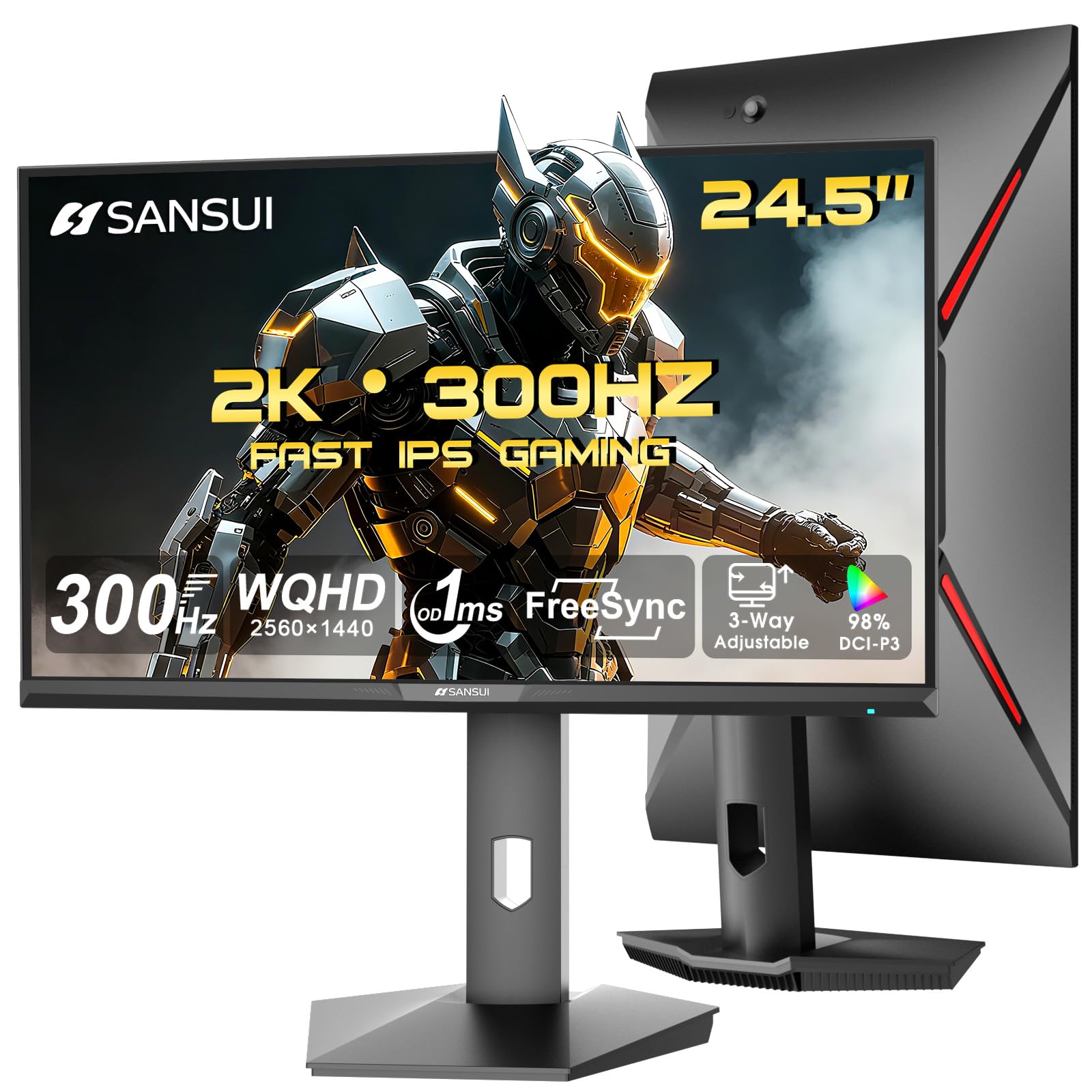
1. SANSUI 24.5 Inch Gaming Monitor QHD 1440P 300Hz
Our pick — over 4★ from 4,500+ verified ratings; the strongest balance of quality and price.
The panel that redraws your game 300 times a second on a screen that still fits a small desk
If motion smoothness is the reason you are shopping, this is the one to beat. The SANSUI 24.5 inch screen runs at 300Hz — that is the refresh count, the number of times per second the picture redraws — and it pairs that with a 1ms OD/MPRT response time, which is how fast a pixel switches to cut motion blur. Against the KOORUI in this group, the SANSUI nearly doubles the refresh in raw terms (300Hz vs 165Hz), so fast camera swings stay far cleaner. A 4.4-star rating across thousands of owners makes it the crowd favorite here.
The image itself holds up. You get a QHD 2560 x 1440 resolution on a 24.5 inch Fast IPS panel, plus a 130% sRGB color gamut — sRGB is the standard color range most games and videos are made in, so covering 130% of it means colors come through saturated rather than washed out. Brightness sits at 350 nits (a nits reading measures how bright the screen glows), which is bright enough for a lit room, and the anti-flicker plus low blue light features are there for long sessions. What wins people over most is the overall quality of the panel, with picture quality close behind — owners consistently call it sharp from the start. Gamers also love the built-in CrossHair, Timer, and RTS/FPS/Racing assistants for on-screen aiming help.
Setup is genuinely stress-free. The stand snaps together without tools and offers pivot (-90° to +90°), swivel (L20° to R20°), height (0 to 110mm), and tilt (-5° to 20°) adjustment — that range of motion means you can raise it to eye level and rotate it upright for a second vertical screen. You get 2× HDMI 2.1 and 2× DP 1.4 ports, both capable of the top refresh rate, and a DP cable is in the box. The catch worth knowing: connectivity is the one mixed topic in owner feedback, with a slice of buyers running into HDMI port trouble, and there are no built-in speakers — just an audio jack. A seasoned user notes that moving the monitor back and tuning brightness clears up early complaints, so budget a few minutes in the menu on day one rather than judging it from the start.
Where it pulls ahead
- 300Hz refresh rate with 1ms OD/MPRT response for the smoothest fast-motion of the group
- 130% sRGB coverage so colors stay rich, not flat
- Full pivot, swivel, height, and tilt stand with no-tool assembly
- 2× HDMI 2.1 and 2× DP 1.4, both up to 300Hz, DP cable included
Worth knowing first
- No built-in speakers — you get an audio jack only
- A minority of owners hit HDMI port issues
- Single-unit color and durability gripes surface now and then
Grab this if: you want the smoothest, fastest small 1440p panel here and use an external speaker or headset.
Look elsewhere if: built-in sound or a rock-solid HDMI handshake is a must-have for you.
2. KOORUI Gaming Monitor, QHD 24″ Nano IPS, 1440P 165Hz (GP01)

The dense little powerhouse for tight desks — a true 24 inch flat panel that hides its pixels
Owners put it plainly: the 24-inch 1440p 165Hz IPS FreeSync combo is hard to find at this form factor, “but this one fits the bill.” The KOORUI GP01 nails a niche most brands skip — a flat, 24 inch QHD panel rather than a stretched 27 inch. The Nano IPS screen uses a nano-particle layer for more accurate color and faster response than plain IPS, and it covers 100% sRGB. Where the SANSUI above leans on raw refresh, this pick leans on color precision, which makes it the better call if you also edit photos or video. What people gush about most is the display quality — buyers squarely call it a step up from big-name screens.
Speed is still strong. You get a 165Hz refresh rate and a 1ms response time with adaptive sync that is G-Sync Compatible, so it plays nicely with NVIDIA cards as well as FreeSync setups. The resolution is the same 2560 x 1440 QHD as every pick here, so text and fine detail stay crisp at this size. Mixed feedback shows up in two spots worth naming: brightness is called decent by some and weak for dark content by others, and a few mention color and settings needing a tweak. Buyers report HDMI caps at 144Hz while DisplayPort carries the full 165Hz, so plan to use the DP cable for top speed.
The stand is a genuine highlight — height adjustment with a 110mm lift range, tilt from -30° to 30°, swivel, and a full 90° rotation for portrait mode, all on VESA 100mm support if you would rather arm-mount it. You get HDMI 2.0 x2, DP 1.4, and an audio interface, with a DP cable and power adapter included. The menu joystick takes patience to learn, but the 3-year limited warranty and 12-month replacement cover soften the risk.
Color-first angle: The 100% sRGB Nano IPS panel is the reason to pick this over faster rivals — accurate color matters more than a higher hertz number if your screen doubles as a work display.
The trade-off: Brightness lands on the softer side for dark scenes, and the menu joystick takes patience to learn.
Reach for this if: you want the smallest true 24 inch 1440p screen with accurate color and a genuinely flexible stand.
Consider a different panel if: you watch a lot of dark, cinematic content or want a top-tier brightness ceiling.
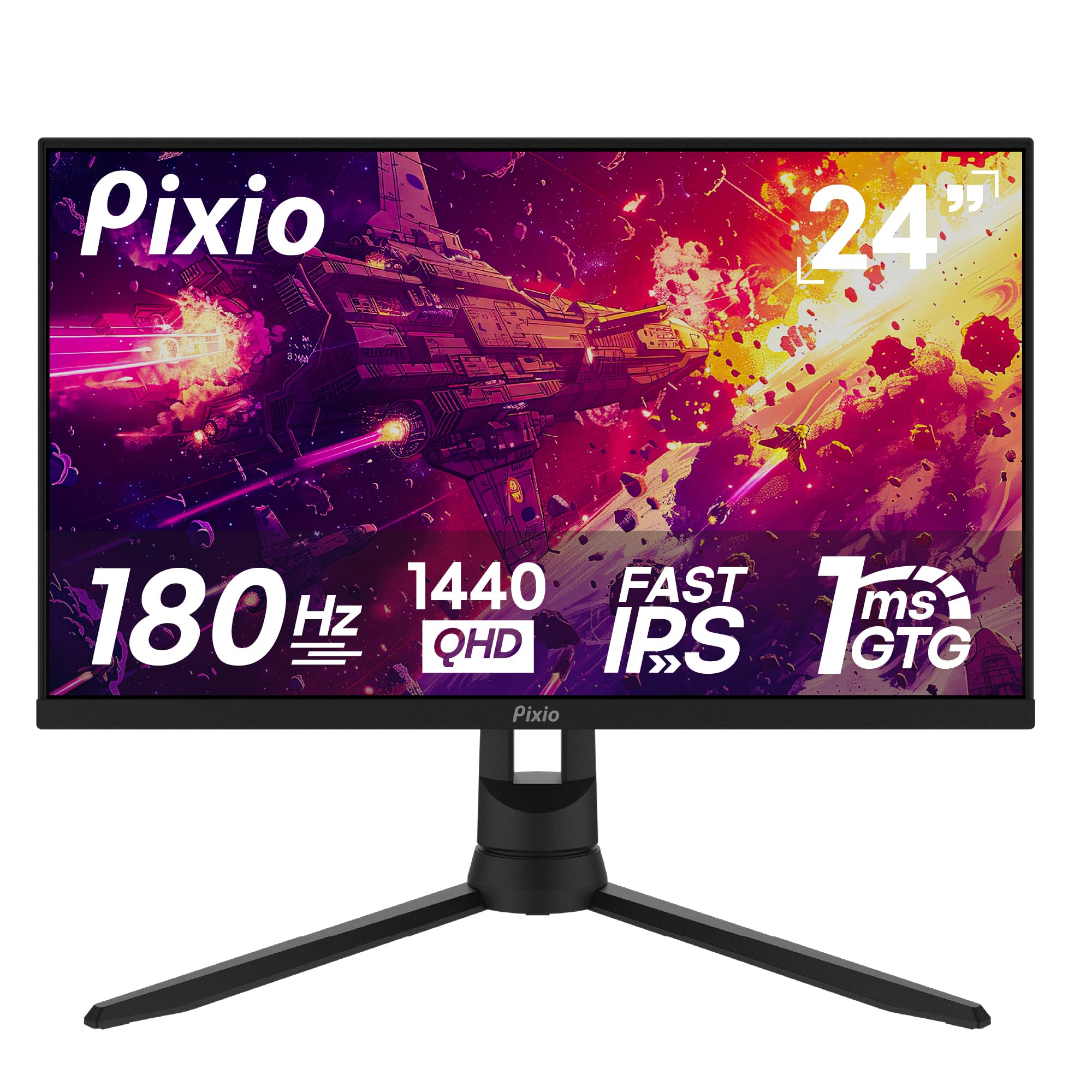
3. Pixio PX24Q PRO 24 inch 180Hz QHD Gaming Monitor
A 24 inch screen that sits exactly where you want it, with a 180Hz heart inside
If neck and shoulder comfort decides your setup, this one earns its spot. The Pixio PX24Q PRO pairs a 24 inch QHD 2560 x 1440 Fast IPS panel with a 180Hz refresh rate and a 1ms GTG response time — GTG here just means the grey-to-grey speed at which a pixel changes color, the number that governs blur. That 180Hz slots it above the KOORUI’s 165Hz for motion smoothness while keeping the same sharp 1440p detail. Value is the loud theme in ownership experience — buyers rank it near the top of the group on money well spent.
Fast-IPS is the smart middle ground: it keeps the vibrant color and wide viewing angles of IPS while borrowing the quick response of a TN panel, so you do not have to choose between pretty and fast. That suits competitive FPS play, and owners confirm titles like Warzone run smoothly on it. Built-in speakers are on board too, which is more than several rivals here offer. For a first setup or a console-and-MacBook desk, it registers as a strong, low-hassle choice that holds up over years of use.
Two things to weigh. Picture quality is the genuinely mixed topic in owner feedback — many praise the clarity while some hit blurry visuals, so panel-to-panel variation is real. And the speakers are the common gripe: functional, but a cheap external set or a headset fixes it instantly. The stand brings height and tilt adjustment, and the screen runs 300 cd brightness (cd is the older name for the nits brightness measure) — fine for a normal room. FreeSync is included for tear-free motion, and the picture responds well to a quick menu tune-up.
Comfort read: The height-and-tilt stand plus 24 inch footprint is what keeps this friendly for long desk sessions and small rooms.
One honest note: Contrast sits at 1000:1 — that is the ratio of brightest white to darkest black — so blacks read as dark grey rather than deep, and the built-in speakers will not wow anyone.
Best matched to: competitive players and first-time setup builders who want 180Hz speed and an adjustable stand without overspending.
Pass on it if: you rely on built-in audio or demand flawless picture consistency from every unit.
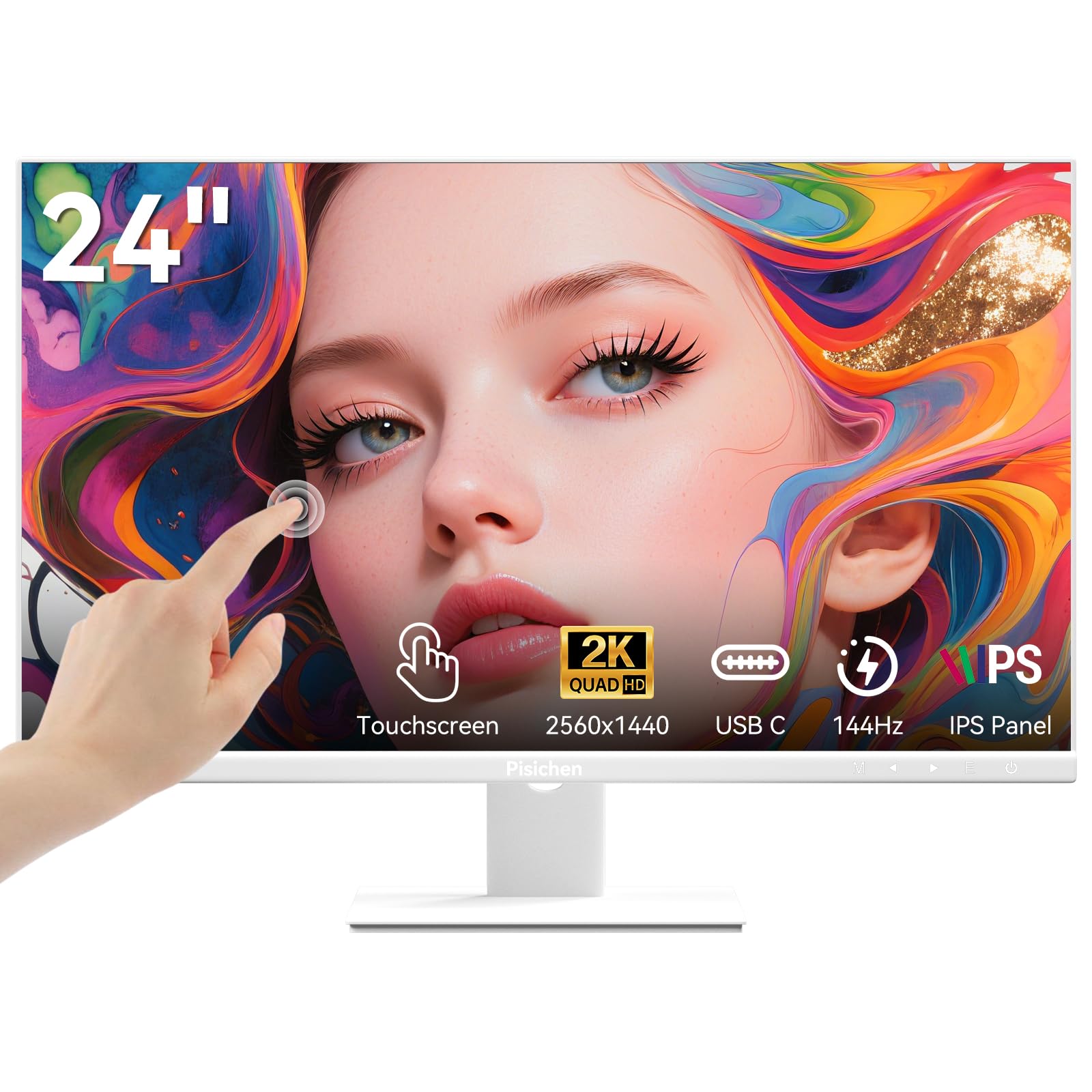
4. Pisichen 24 Inch Touch Screen Monitor 2K 1440p IPS
The only pick here you can tap, swipe, and pinch like a tablet — at gaming speed
This is the wildcard, and it earns its place by doing something the others cannot. The Pisichen 24 inch screen is a 10-point IPS touchscreen (10-point means it reads up to ten fingers at once) running a 144Hz refresh rate at QHD 2560 x 1440. Owners mention it is the only 24-inch 1440p touchscreen at 144Hz they could find. If you work on a Windows 11 or Windows 10 machine and want to reach up and tap a thing instead of grabbing a mouse, this is the unconventional pick that actually delivers.
The touch layer is more capable than a novelty. Tap, swipe, and zoom work without a stylus, and Windows handles it natively — one USB-C cable can carry video, data, and touch together, provided your device supports DisplayPort Alt Mode (a mode that lets a USB-C port send video). When your laptop or PC lacks that, HDMI and DP ports step in as a fallback. The IPS panel brings 99% color gamut and 3000:1 contrast — that is the white-to-black ratio, so dark scenes hold more depth than the 1000:1 panels elsewhere here. Screen quality is what owners value most, and a few point to the touch helping their hands in day-to-day use.
Now the small print, because it matters. The USB-C port carries video but does not deliver power, so you still need the monitor’s own power source. The stand is lighter-built than the metal stands on the gaming-first picks. One owner had a unit arrive with a dead pixel and dealt with a slow resolution, which is the kind of rare out-of-box miss that happens with any brand — worth a quick pixel check on arrival. The panel also uses a bright blue indicator light some find distracting, and touch can wake the PC from sleep. If those quirks are fine, the white frameless body and 400 cd brightness make it a clean-looking desk centerpiece.
The fit: Windows users who want touch input baked into a sharp 1440p gaming panel and can live with a single USB-C cable doing the heavy lifting.
The misfit: anyone expecting USB-C to charge the connected laptop, or wanting a full metal gaming stand from the start.
Understanding the Specs
Refresh Rate (Hz)
Refresh rate is how many times per second the screen redraws, written in hertz. The category says 144Hz, but every pick here meets or beats it — and the SANSUI tops out at 300Hz. A higher number means smoother motion and less blur when the camera moves fast. It only helps if your graphics card can push that many frames, so a 300Hz panel on a weak card gains you little. On a 24 inch screen you sit close, so the smoothness difference between 144Hz and 300Hz is easy to feel in fast shooters.
Resolution and Pixel Density
QHD, or 1440p, means 2560 x 1440 pixels. Squeeze that into a 24 inch panel and the pixel density is higher than on a 27 inch 1440p screen, so text and edges look finer — the reason to choose small-and-sharp over big-and-soft. This is the exact spec the whole category is built around, and all four picks here hit the same 2560 x 1440, so the real differences between them come from refresh rate, panel type, and features rather than raw sharpness.
FAQ
Is a 24 inch 1440p monitor sharper than a 27 inch 1440p one?
Do I need DisplayPort to hit the full refresh rate?
What does the 1ms response time actually do for gaming?
Will a 1440p 144Hz monitor work with my game console?
Is a Nano IPS or Fast IPS panel better?
Can I mount these monitors on an arm or wall bracket?
Do these 24 inch 1440p monitors have built-in speakers?
Is 165Hz or 180Hz worth it over 144Hz?
What contrast ratio should I look for on a 24 inch 1440p panel?
How much desk space does a 24 inch monitor take up?
Final Thoughts: The Verdict
For most people, the 24 inch 1440p 144hz monitor winner is the SANSUI 24.5 Inch QHD 300Hz because it pairs the group’s highest 300Hz refresh rate with a sharp QHD Fast IPS panel and a fully adjustable stand, and it is the crowd favorite by rating. If accurate color and a genuinely small true-24 inch footprint matter more than raw speed, grab the KOORUI 24″ Nano IPS 165Hz. And for touch input on a Windows desk, the Pisichen 24 Inch Touchscreen is the one to reach for, while the Pixio PX24Q PRO suits competitive players who want 180Hz with easy height and tilt tuning. Whichever you choose, use the DisplayPort cable to open up the full refresh rate — HDMI caps the KOORUI at 144Hz instead of 165Hz.
How We Picked
We do not accept paid placement. Every pick is matched to a real buyer and a real use-case; we do not hands-on test units.
Sources & Methodology
Specifications: manufacturer listings and product documentation. Review insights: verified customer reviews, as of September 2026. Pricing: not shown on this page (it changes often); check the current price via the retailer link.
As an Amazon Associate, Gadgets Feed earns from qualifying purchases. This does not affect which products we feature.