
A 24-inch 4K gaming monitor packs over 183 pixels per inch — sharp enough to make standard 1080p look fuzzy by comparison. The challenge is finding one that balances this pixel density with the high refresh rates and low response times that actual gaming demands, without breaking your desk with a massive footprint.
I’m Min — the co-founder and writer behind Gadgets Feed. I’ve spent countless hours analyzing panel technologies, refresh rate curves, and connectivity standards to separate the true gaming performers from the office-focused displays wearing gaming clothes.
This guide digs into the specific specifications and real-world trade-offs of the current market to help you pinpoint the right best 24 inch 4k gaming monitor for your setup, whether you prioritize competitive frame rates or visual fidelity.
How To Choose The Best 24 Inch 4K Gaming Monitor
Selecting a 24-inch 4K gaming monitor requires balancing pixel density with motion performance. The small screen size makes 4K incredibly sharp, but not every panel delivers the refresh rate and response time needed for a fluid gaming experience. Focus on these three areas to avoid a mismatch between your graphics card and the monitor’s capabilities.
Refresh Rate vs. Resolution Trade-off
A 24-inch 4K panel is demanding on your GPU. You need a monitor that can actually display high frame rates. Look for models with at least 144Hz native refresh to smooth out motion. Dual-mode monitors let you drop to 1080p for a higher refresh rate (like 320Hz) in competitive shooters, giving you the best of both worlds without buying two screens.
Panel Type and Response Time
Fast IPS panels are the standard for this category, offering wide viewing angles and sub-millisecond response times (1ms GTG or better). Avoid VA panels with slow response times for competitive gaming, as they introduce black-level smearing. OLED panels provide near-instant 0.03ms response and perfect blacks, but they come at a premium and may not be available in 24-inch sizes yet.
Connectivity for Full Bandwidth
To drive 4K at high refresh rates, you need HDMI 2.1 or DisplayPort 1.4 with Display Stream Compression (DSC). HDMI 2.0 limits you to 60Hz at 4K, which defeats the purpose of a gaming monitor. Check that your GPU supports DSC over DisplayPort if the monitor lacks HDMI 2.1.
Quick Comparison
On smaller screens, swipe sideways to see the full table.
| Model | Category | Best For | Key Spec | Amazon |
|---|---|---|---|---|
| Acer Nitro VG270K | Mid-Range | Flexible Resolution Gaming | 160Hz 4K / 320Hz FHD Dual Mode | Amazon |
| Dell S2725QS | Mid-Range | Mixed Use / Productivity | 4K 120Hz, 1500:1 Contrast | Amazon |
| KOORUI G2741L | Budget | Entry-Level 4K Gaming | 4K 160Hz / FHD 320Hz Dual Mode | Amazon |
| ViewSonic VX2730D-4K | Mid-Range | Switchable Refresh Rate | 4K 144Hz / FHD 288Hz | Amazon |
| ASUS ROG Strix XG27UCG | Premium | High-FPS Competitive Play | 4K 160Hz / FHD 320Hz Dual Mode | Amazon |
| Odmenot O2401 | Mid-Range | Portable 4K Secondary Screen | 24″ 4K 60Hz Portable | Amazon |
| UPERFECT 23.8″ QLED | Premium | Portable QLED Color Accuracy | 23.8″ 4K 60Hz QLED | Amazon |
| ViewSonic VP2488-4K | Premium | Mac-Centric Color Work | 24″ 4K 60Hz, Thunderbolt 4 | Amazon |
| LG 37G800A-B | Premium | Immersive Curved 4K Gaming | 37″ 4K 165Hz Curved VA | Amazon |
| ASUS ROG Strix XG27UCDMG | Premium | Ultimate QD-OLED Visuals | 26.5″ 4K 240Hz QD-OLED | Amazon |
| Samsung Odyssey G7 G75F | Premium | Curved 4K Console Gaming | 37″ 4K 165Hz Curved VA | Amazon |
In-Depth Reviews
1. Acer Nitro VG270K V4bmiipx

The Acer Nitro VG270K delivers the most versatile package for pure gaming. Its dual-mode Dynamic Frequency Ratio (DFR) technology lets you toggle between 4K UHD at 160Hz for immersive single-player titles and 1080p at 320Hz for competitive shooters, all on a fast IPS panel with a 0.5ms GTG response time. The ZeroFrame design makes multi-monitor setups seamless, and the included HDMI 2.1 ports ensure you can hit those higher refresh rates without bandwidth bottlenecks.
Color performance is strong for the category, with DCI-P3 90% coverage and HDR10 support adding punch to supported games. The built-in speakers are weak — expect to use external audio — and the stand only offers tilt adjustment, so you may want a VESA arm for ergonomic positioning. Setup is straightforward with included HDMI and DisplayPort cables.
This monitor occupies a sweet spot where price meets feature density. You get the sharpness of 4K at a 27-inch size with the flexibility to drop to 1080p for high frame rates, making it ideal for gamers who play both story-driven RPGs and fast-paced esports titles. The FreeSync Premium support keeps tearing at bay across both modes.
Why it’s great
- Dual-mode refresh rate covers all gaming genres
- 0.5ms GTG response for near-zero motion blur
- HDMI 2.1 ports enable full bandwidth at 4K 160Hz
Good to know
- Built-in speakers are too quiet for gaming use
- Stand only offers tilt, no height or swivel
2. Dell S2725QS 27 Plus 4K

The Dell S2725QS is a hybrid monitor that leans heavily into productivity without sacrificing gaming entirely. Its 27-inch 4K IPS panel runs at 120Hz with AMD FreeSync Premium, making desktop navigation and light gaming feel fluid. The 1500:1 contrast ratio is noticeably deeper than typical 1000:1 IPS panels, giving text and dark scenes more punch, and the ComfortView Plus blue-light reduction keeps fatigue low during long sessions.
Where this monitor falls short for competitive gaming is response time: the 0.03ms MPRT sounds fast, but the GTG response is higher, leading to visible ghosting in fast-moving first-person shooters. The built-in speakers are improved over the previous generation, with more volume and frequency range, but they still lack the bass for immersive gaming. The ash white finish and ultra-thin bezels look clean in a home office setup.
If your daily driver is productivity with occasional gaming, the S2725QS is a strong choice. The included HDMI 2.1 cable and height-adjustable stand add value, and the anti-glare coating keeps reflections down in bright rooms. Just don’t expect esports-level performance — this is a 120Hz desktop companion, not a 240Hz tear-through.
Why it’s great
- 1500:1 contrast delivers deeper blacks than standard IPS
- ComfortView Plus keeps color accuracy while reducing blue light
- Height, pivot, and swivel adjustable stand included
Good to know
- Noticeable ghosting in fast FPS games
- Some units have a persistent yellow tint
3. ASUS ROG Strix XG27UCG

The ASUS ROG Strix XG27UCG is the premium dual-mode monitor for gamers who refuse to compromise. It operates at 4K UHD at 160Hz or drops to 1080p at 320Hz, with Fast IPS technology delivering a 1ms GTG response time that feels instant. The Extreme Low Motion Blur Sync (ELMB SYNC) technology works in tandem with variable refresh rate, eliminating both ghosting and tearing simultaneously — a rare feature at this price tier.
Color coverage is excellent at 95% DCI-P3, and the DisplayWidget Center software lets you adjust settings with a mouse rather than fumbling with OSD buttons. The stand is heavy-duty with full height, swivel, and pivot adjustments, though it takes up significant desk space. The USB-C port with DP Alt Mode adds flexibility for laptop users who want a single-cable setup.
This monitor demands a powerful GPU to feed its 4K 160Hz mode — plan for an RTX 4080 or equivalent to see real gains. The 3-year warranty includes burn-in coverage for the panel, which speaks to ASUS’s confidence in longevity. For competitive players who also want gorgeous single-player visuals, this is the best of both worlds in a single 27-inch package.
Why it’s great
- ELMB SYNC eliminates both ghosting and tearing
- Full ergonomic stand with height, swivel, and pivot
- 95% DCI-P3 color gamut for vivid HDR gaming
Good to know
- Heavy stand requires significant desk space
- HDMI limited to 4K 120Hz on some GPUs
4. ViewSonic VX2730D-4K
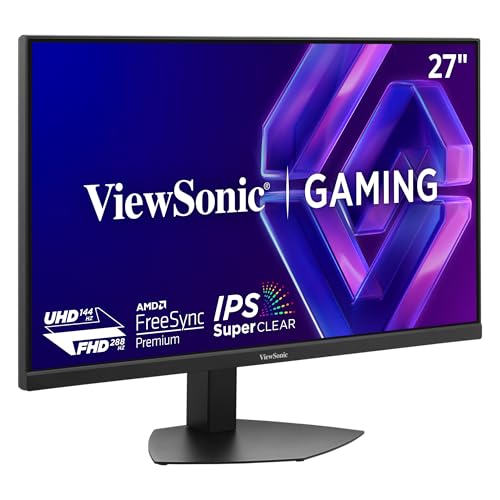
The ViewSonic VX2730D-4K carves a niche with its switchable refresh rate technology, letting you choose between 4K at 144Hz for immersive gaming or Full HD at 288Hz for competitive esports. The 0.5ms MPRT response time minimizes motion blur, and the 10-bit IPS panel covers 99% sRGB for accurate colors out of the box. Dual HDMI 2.1 ports plus DisplayPort 1.4 give you flexibility for PC and console switching.
Brightness is limited to 250 nits, which means HDR performance is underwhelming — the monitor accepts HDR signals but lacks the luminance to deliver impactful highlights. The esports mode scales the viewable area to 24.5 inches, matching the standard used by pro players, which is a thoughtful touch for competitive gaming. The stand includes height, tilt, and pivot adjustments, though the build feels slightly plasticky.
This monitor is a strong value for gamers who play across multiple genres and want the flexibility to switch modes without buying a second screen. The missing 1440p resolution support is a notable gap — you either run 4K or 1080p with no middle ground. If you can live with that binary choice, the ViewSonic delivers solid performance for its price.
Why it’s great
- Switchable between 4K 144Hz and FHD 288Hz
- Dual HDMI 2.1 ports for console and PC
- Esports scaling mode matches pro competitive standard
Good to know
- No 1440p resolution support — only 4K or 1080p
- 250 nits brightness limits HDR impact
5. KOORUI G2741L

The KOORUI G2741L brings dual-mode technology (4K 160Hz and FHD 320Hz) to an aggressive price point. The 95% DCI-P3 color gamut and HDR400 certification suggest strong color performance, and the Fast IPS panel with 1ms GTG response keeps motion clean in both modes. The stand supports height, tilt, and pivot adjustments, which is rare at this price tier.
Long-term reliability is the main concern here. Multiple user reports cite power button failures after a year and drivers that lose the monitor when powered off, requiring cable reseating. The OSD menu is clunky, and the power LED cannot be disabled — it blinks constantly when the monitor is in standby. These are quality-of-life issues that add friction to daily use.
If you accept the reliability risk, the KOORUI delivers impressive specs for the money. The dual-mode capability matches monitors costing twice as much, and the ergonomic stand is a genuine bonus. Just factor in that you may need to deal with customer support within the first year. This is a budget pick for patient buyers who prioritize feature quantity over refinement.
Why it’s great
- Dual-mode 4K 160Hz and FHD 320Hz for low price
- Full ergonomic stand with height and pivot
- 95% DCI-P3 color coverage
Good to know
- Reports of power button failure within first year
- Power LED cannot be turned off in standby mode
6. Odmenot O2401 24″ Travel Monitor
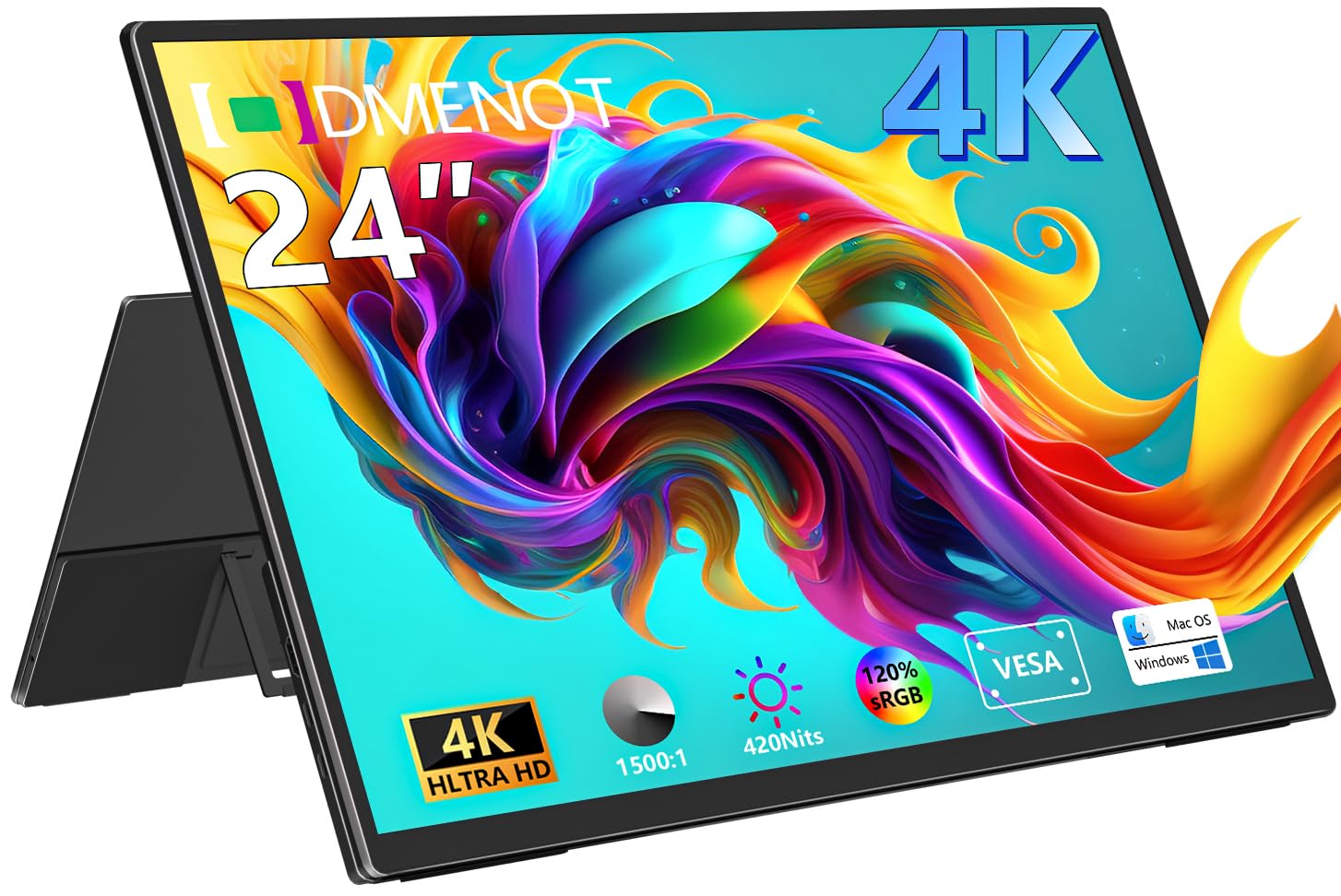
The Odmenot O2401 is a 24-inch portable 4K monitor designed for travelers who need a large secondary display. The 3840×2160 resolution on a 24-inch panel yields a pixel density of 184 PPI — sharper than most desktop monitors. The 120% sRGB color gamut and 420 nits of peak brightness make it suitable for photo editing on the go, though the 60Hz refresh rate limits its gaming appeal to slower titles.
Connectivity is simple with full-function USB-C and HDMI ports — no drivers required. The built-in 90-degree foldable stand is convenient, and the VESA 75×75 mount adds mounting flexibility. At just over 4 pounds, it’s portable, but the bezels make it too large for standard carry-on bags. You will need a separate power adapter, as USB-C power alone may not reach peak brightness.
This is not a gaming monitor in the traditional sense — the 60Hz refresh rate and lack of adaptive sync mean you won’t want to play competitive shooters on it. But for strategy games, media consumption, and productivity on the road, the 24-inch 4K panel is unmatched in the portable category. The OSD controls are finicky, requiring many button presses for adjustments.
Why it’s great
- 184 PPI at 24 inches is sharper than most desktop monitors
- 420 nits brightness works well in varied lighting
- VESA mount compatible for flexible desk setups
Good to know
- 60Hz refresh rate limits fast-paced gaming
- Requires separate power supply for full brightness
7. UPERFECT 23.8″ QLED Portable Monitor
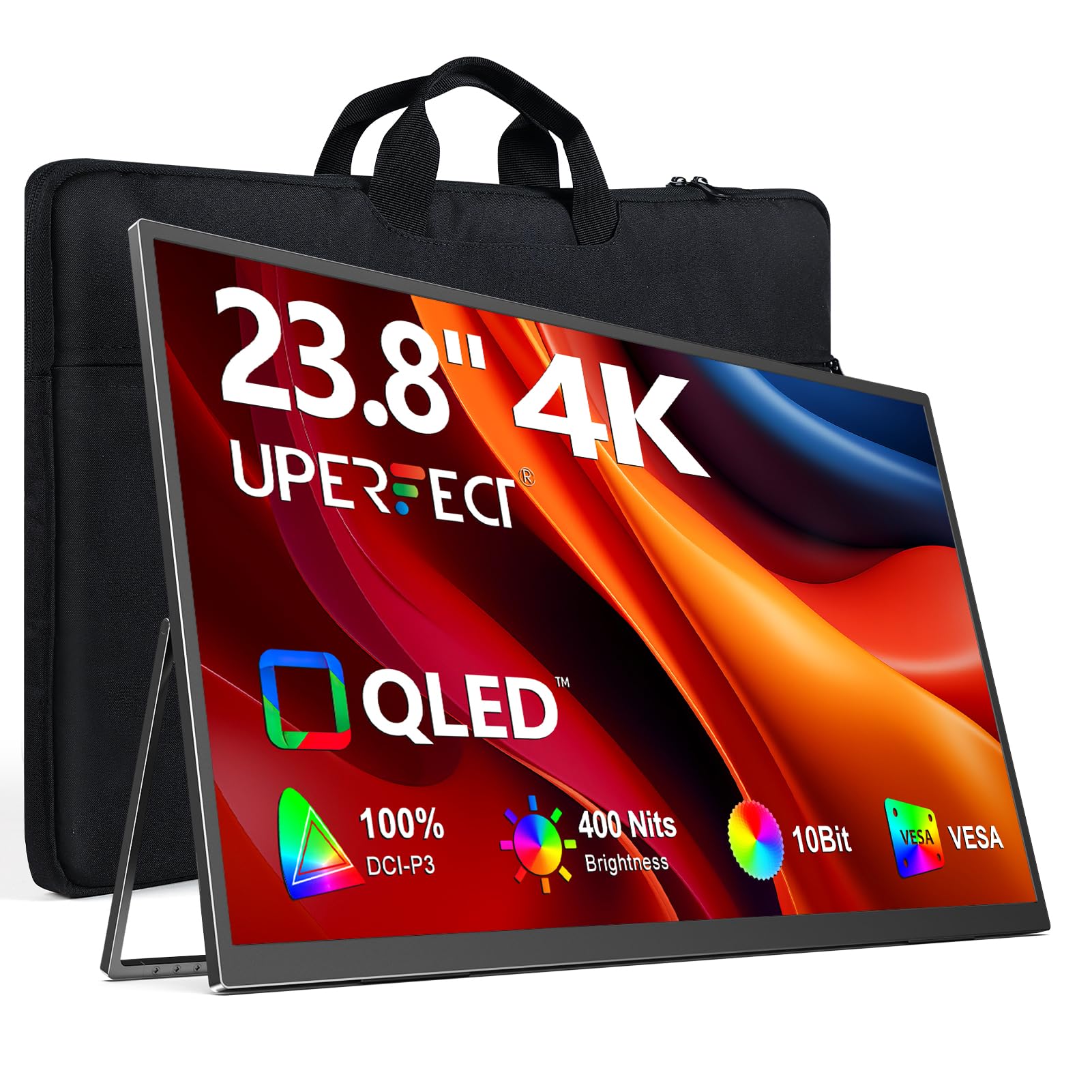
The UPERFECT 23.8-inch QLED portable monitor aims to bridge the gap between desktop color accuracy and travel portability. The QLED panel delivers 100% DCI-P3 color gamut with a 2000:1 contrast ratio, producing richer blacks and more vibrant colors than standard IPS portable monitors. The 400 nits peak brightness makes HDR content reasonably impactful, though only when connected to an external power supply.
The 60Hz refresh rate keeps this firmly in productivity and media consumption territory rather than competitive gaming. FreeSync support helps reduce tearing in lighter titles, and the 1ms response time is an MPRT spec — real-world GTG response is higher. The built-in 180-degree adjustable stand is convenient, and the VESA 75×75 mount gives you desk-arm flexibility. Viewing angles are mediocre for an IPS panel, with color shift noticeable off-axis.
This monitor shines for creative professionals who need accurate color on the go and are willing to accept the 60Hz refresh ceiling. The QLED panel genuinely looks better than typical portable monitors, and the all-metal build feels premium. Just plan for external speakers — the built-in ones are weak — and be ready to carry a power adapter since USB-C alone delivers only 300 nits.
Why it’s great
- QLED panel with 100% DCI-P3 for accurate colors
- 2000:1 contrast ratio for deeper blacks
- Metal chassis feels premium and durable
Good to know
- 60Hz refresh rate limits gaming appeal
- Full 400 nits brightness requires external power
8. ViewSonic VP2488-4K

The ViewSonic VP2488-4K is a 24-inch 4K monitor designed for Mac users who need color accuracy above all else. It is Pantone Validated with 98% DCI-P3 and 100% sRGB coverage, ensuring colors match what you see on a MacBook display. Thunderbolt 4 connectivity delivers up to 40 Gbps data transfer and 100W power delivery, turning it into a dock that charges your laptop and drives the display over a single cable.
The 60Hz refresh rate is a dealbreaker for dedicated gaming — this is purely a productivity and color work monitor. The 500 nits brightness rivals the iPad Pro for luminance, making it usable in bright environments. The ergonomic stand offers full tilt, swivel, pivot, and height adjustment, and the frameless design supports daisy chaining multiple units via Thunderbolt 4 for a seamless multi-monitor setup.
Some users report bugs with USB device reconnection after sleep, which is frustrating given the premium price. The lack of a headphone jack and limited on-screen display controls are minor annoyances. For Mac users who need reference-grade color at 4K in a compact 24-inch size, the VP2488-4K is unmatched — just don’t expect to game on it.
Why it’s great
- Pantone Validated with 98% DCI-P3 color accuracy
- Thunderbolt 4 with 100W power delivery for MacBooks
- 500 nits brightness for bright room use
Good to know
- 60Hz refresh rate, not suitable for gaming
- Some units have USB reconnection issues after sleep
9. LG 37G800A-B UltraGear
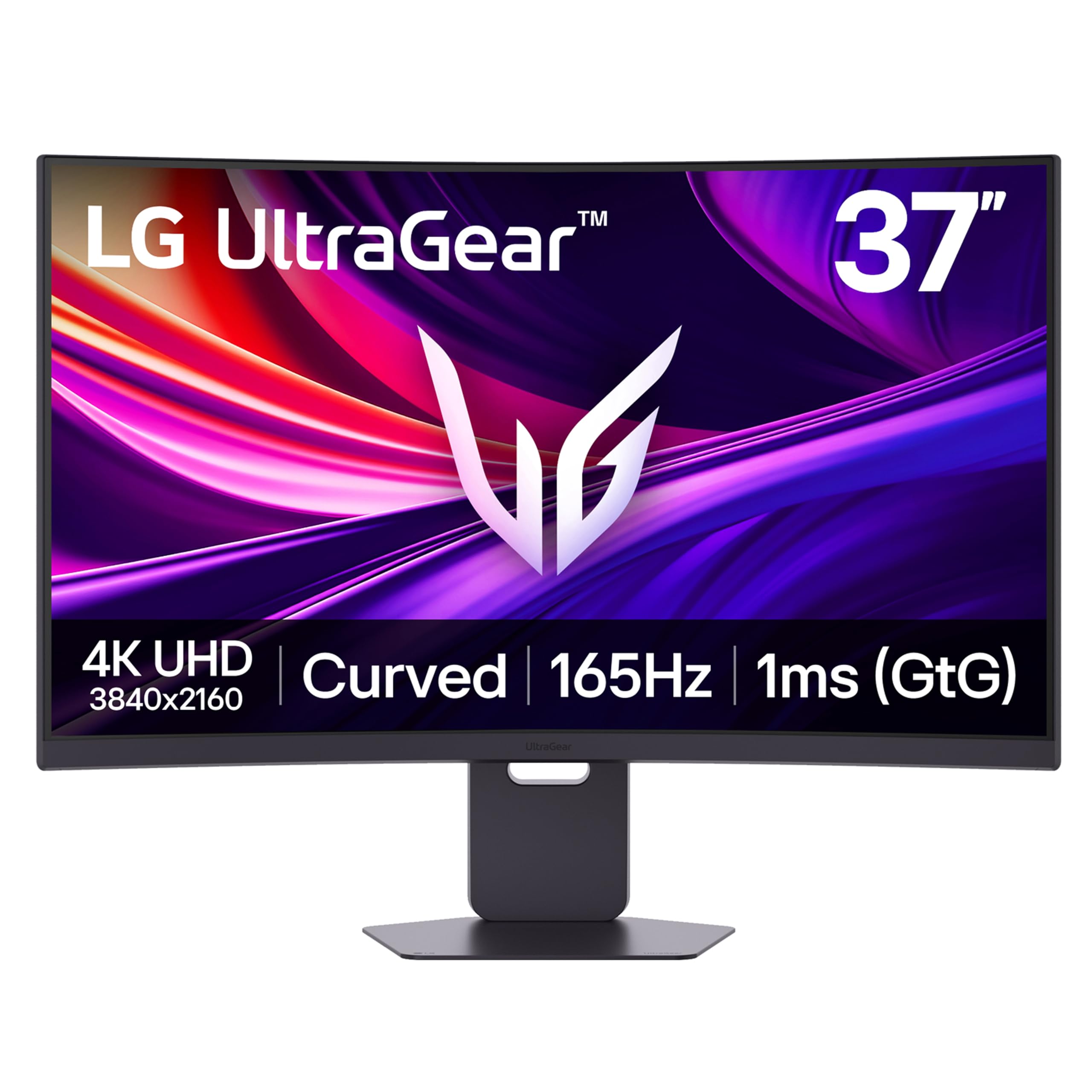
The LG 37G800A-B breaks the 27-inch mold with a 37-inch curved VA panel running at 4K 165Hz. The 1000R curvature wraps around your peripheral vision, creating an immersive experience for racing and flight sim games. The VA panel delivers a 3000:1 native contrast ratio, which produces deep blacks without the blooming of IPS, and the DisplayHDR 600 certification ensures highlight detail pops in supported content.
The 1ms GTG response time is competitive, and AMD FreeSync Premium Pro keeps the image tear-free across the refresh range. Connectivity is robust with dual HDMI 2.1, DisplayPort 1.4, and USB-C with 65W power delivery. The built-in speakers are serviceable for casual use, and the Dynamic Action Sync reduces input lag further. The aggressive curve may not suit everyone — flat-panel fans may find it distracting in desktop productivity tasks.
This monitor demands a serious GPU to drive 4K at 165Hz, and its 37-inch size may overwhelm smaller desks. The USB-C port reportedly delivers inconsistent power on some units, which could be an issue if you rely on it for laptop charging. For immersive single-player gaming where contrast and surround feel matter more than raw speed, the LG UltraGear delivers a unique experience at this size.
Why it’s great
- 3000:1 VA contrast for deep blacks without blooming
- DisplayHDR 600 highlights detail in bright scenes
- USB-C with 65W PD for laptop charging
Good to know
- 1000R curve may not suit flat-panel purists
- Some units have inconsistent USB-C power delivery
10. ASUS ROG Strix XG27UCDMG

The ASUS ROG Strix XG27UCDMG is the pinnacle of gaming monitor technology at this size. Its 26.5-inch QD-OLED panel combines infinite contrast with 4K resolution and a blistering 240Hz refresh rate, delivering motion clarity that IPS simply cannot match. The 0.03ms GTG response time is effectively instant, and the 99% DCI-P3 color gamut makes every game look vibrant and lifelike. VESA DisplayHDR 400 True Black compliance means black levels are truly black.
OLED burn-in is managed through ASUS’s OLED Care Pro system, which includes a Neo Proximity Sensor that dims the screen when you step away. The custom heatsink allows sustained brightness without overheating, and the anti-flicker 2.0 algorithm reduces screen flicker by 20% over previous OLED gens. Connectivity includes DisplayPort 1.4, HDMI 2.1, and USB-C with 90W power delivery — everything you need for a high-end setup.
The glossy screen coating is a double-edged sword: colors pop beautifully, but reflections are more noticeable than on matte panels. The 3-year warranty includes burn-in coverage, which gives peace of mind for a significant investment. For gamers who want the absolute best image quality and motion performance in a compact 26.5-inch size, the XG27UCDMG is the undisputed champion — provided your budget and GPU can keep up.
Why it’s great
- QD-OLED with infinite contrast and 0.03ms response
- 240Hz refresh rate for ultra-smooth gameplay
- OLED Care Pro with burn-in warranty coverage
Good to know
- Glossy coating shows reflections in bright rooms
- Requires powerful GPU to drive 4K 240Hz
11. Samsung Odyssey G7 G75F

The Samsung Odyssey G7 G75F offers a 37-inch 4K curved VA panel with a 1000R radius, designed to fill your peripheral vision for immersive gaming. The 165Hz refresh rate and 1ms GTG response time compete well with flat alternatives, and the DisplayHDR 600 certification delivers brighter highlights and deeper blacks than standard HDR monitors. AMD FreeSync Premium Pro keeps the experience tear-free across PC and console platforms.
The VA panel’s 3000:1 contrast ratio is a significant advantage over IPS in dark scenes, making horror games and space sims look moody and atmospheric. The aggressive curve, however, is divisive — some users find it essential for immersion, while others report it distorts straight lines and makes desktop work uncomfortable. The stand offers height and swivel adjustments but lacks pivot for portrait mode.
This monitor excels for console gamers and PC users who prioritize contrast and immersion over raw speed. The 37-inch size may require a deep desk to avoid eye strain from the aggressive curve. At its price point, you are paying a premium for the large curved VA panel rather than raw gaming specs — OLED alternatives offer better response times and contrast for similar money. Consider this if the curve and size are your priority.
Why it’s great
- 3000:1 VA contrast for deep, immersive blacks
- 1000R curve fills peripheral vision for sim racing
- DisplayHDR 600 brightens HDR highlights
Good to know
- Aggressive curve distorts flat desktop content
- 36-inch size requires deep desk to avoid eye strain
FAQ
Can a 24-inch 4K gaming monitor run at 144Hz or higher?
What is the real pixel density advantage of a 24-inch 4K monitor over 27-inch?
Does dual-mode refresh rate affect image quality when switching between 4K and 1080p?
Do I need HDMI 2.1 for a 24-inch 4K gaming monitor?
Final Thoughts: The Verdict
For most users, the best 24 inch 4k gaming monitor winner is the Acer Nitro VG270K because it packs dual-mode refresh rate, fast IPS response, and HDMI 2.1 connectivity at a price that undercuts most competitors while delivering genuine gaming performance. If you want a productivity-first monitor that can still game, grab the Dell S2725QS for its excellent ergonomics and contrast. And for uncompromised gaming visuals, nothing beats the ASUS ROG Strix XG27UCDMG with its QD-OLED panel and 240Hz refresh rate — provided your budget and GPU are ready.