
The 24-inch All-In-One computer occupies a unique spot in the desktop market: large enough for comfortable daily productivity and media consumption, yet compact enough to free your workspace from the tower-on-the-floor clutter that traditional desktops demand. Choosing the right one means balancing processor horsepower, memory capacity, and display quality within a single chassis — a decision that directly impacts how smoothly you work, stream, and create for years to come.
I’m Min — the co-founder and writer behind Gadgets Feed. This guide comes from many hours of analyzing processor benchmarks, memory bandwidth data, and display specifications across the current 24-inch AIO landscape to identify which models truly deliver on their promise of space-saving performance. I dug into the real specs that define daily computing experience rather than marketing claims.
After evaluating the top contenders on the market today, I assembled this analysis of the best 24 inch all-in-one computer options available right now, covering everything from budget-friendly workhorses to premium powerhouses that redefine what an integrated desktop can do.
How To Choose The Best 24 Inch All-In-One Computer
Selecting the right 24-inch AIO requires understanding that this form factor trades easy upgradability for space savings. Every component inside is permanent or difficult to replace, so the decision you make at checkout — particularly around processor, RAM, and storage — defines the usable lifespan of the entire machine.
Processor Priority: It’s About Architecture, Not Just Cores
The CPU is the heart of any AIO and the one spec you cannot upgrade later. Current 24-inch AIOs tend to use either Intel N100/N-series chips (efficient but modest), Intel Core i5 or i7 processors (mainstream performance), or AMD Ryzen 5 and 7 series (competitive multi-threaded work). The AMD Ryzen 5 7430U and Ryzen 7 7730U offer strong single-core speed plus six to eight genuine cores, while the Intel Core i5-1334U provides excellent burst performance for tasks that resolve quickly. The N100 is fine for light document editing and web browsing but will feel strained under heavy multitasking or large spreadsheets.
Memory and Storage: The Two Specs That Define Daily Experience
For a 24-inch AIO running Windows 11, 8GB of RAM is the absolute minimum for a tolerable experience. 16GB is the practical sweet spot for most home and office users, enabling smooth multitasking between browser tabs, Office apps, and video calls without lag. The premium options now offer 32GB of DDR5 memory, which future-proofs the system for heavier creative or analytical work. On storage, a 512GB PCIe SSD hits the value sweet spot — fast enough for sub-ten-second boot times and roomy enough for local files. Systems still shipping with 128GB or 256GB SSDs may require external drives sooner than you expect.
Display Quality and Connectivity: Beyond Resolution
Nearly every 24-inch AIO ships with a 1920×1080 Full HD panel, but quality differs significantly. An IPS panel with 99% sRGB coverage and anti-glare coating makes a real difference in readability over long sessions versus a basic TN or low-grade VA panel. The Acer Aspire C24 uniquely offers a 120Hz refresh rate in this size class, which reduces perceived stutter when scrolling and moving windows. On connectivity, look for at least Wi-Fi 6 (or better, Wi-Fi 6E) and Bluetooth 5.2 or 5.3. USB-C ports are becoming standard and greatly simplify connecting modern peripherals or secondary displays.
Quick Comparison
On smaller screens, swipe sideways to see the full table.
| Model | Category | Best For | Key Spec | Amazon |
|---|---|---|---|---|
| Apple iMac M4 | Premium | Creative professionals & ecosystem users | 24GB unified memory / M4 chip | Amazon |
| Lenovo ThinkCentre i7 | Premium | Heavy multitasking & pro workflows | 32GB DDR5 / 1TB SSD | Amazon |
| Dell EC24250 Touch | Premium | Touch-based interaction & bright rooms | Intel Core 5 120U / 16GB DDR5 | Amazon |
| HP 24-cr0112 i5 | Premium | Intel performance at mid-premium price | Core i5-1334U / 16GB RAM | Amazon |
| HP 24-cr0032 Ryzen 7 | Premium | AMD multi-core performance | Ryzen 7 7730U / 16GB DDR4 | Amazon |
| HP 24-cr0002 Ryzen 5 | Mid-Range | Balanced productivity & video calls | Ryzen 5 7520U / 8GB RAM | Amazon |
| Acer Aspire C24 | Mid-Range | Smooth scrolling & gaming-light use | 120Hz IPS / Ryzen 5 7430U | Amazon |
| Lenovo IdeaCentre N100 16GB | Mid-Range | Budget-minded buyers wanting 16GB RAM | Intel N100 / 16GB DDR4 | Amazon |
| Lenovo 24 16GB Win Pro | Mid-Range | Business users needing Windows 11 Pro | Intel N100 / 16GB DDR4 / 512GB | Amazon |
| Lenovo 24 8GB Office | Budget | Basic tasks with free Office 365 web | Intel N100 / 8GB DDR4 / 512GB | Amazon |
| Lenovo 24 16GB 128GB | Budget | Lowest entry cost for light office use | Intel N100 / 16GB DDR4 / 128GB | Amazon |
In‑Depth Reviews
1. Apple 2024 iMac M4

The Apple iMac with the M4 chip represents a fundamental shift in what a 24-inch AIO can deliver. The 10-core CPU and 10-core GPU combination, paired with 24GB of unified memory, makes this machine feel instant in every interaction — app launches, photo edits, and even light 4K video work happen without a single stutter. The unified memory architecture means the CPU and GPU share the same pool, eliminating the bottleneck that traditional separate RAM configurations create when moving data between components.
The 24-inch 4.5K Retina display is the clear standout feature here, offering 500 nits of brightness and support for one billion colors — a spec that no other 24-inch AIO on this list can approach. The 12MP Center Stage camera keeps you perfectly framed during video calls, and the six-speaker system with Spatial Audio provides genuinely immersive sound for music and movies. The M4 chip also enables Apple Intelligence features locally, processing on-device AI tasks without sending data to the cloud.
On the connectivity side, this iMac includes up to four Thunderbolt 4 ports, Wi-Fi 6E, and Bluetooth 5.3 — matching or exceeding the wireless standards of much newer Windows AIOs. The 512GB SSD provides fast storage, though heavy media users will want external drives for large libraries. The Color-matched accessories (Magic Keyboard and Magic Mouse) are included but charge via Lightning, a dated detail in an otherwise future-facing machine. This is the premium choice for anyone already in the Apple ecosystem or demanding the best display in the 24-inch class.
Why it’s great
- Best-in-class 4.5K Retina display with 500 nits and 1 billion colors
- M4 chip delivers desktop-class performance in a fanless-silent chassis
- 12MP Center Stage camera and six-speaker Spatial Audio elevate video calls
Good to know
- Premium pricing positions it above all Windows competitors
- Magic Mouse charges on the bottom, preventing use while plugged in
- Limited to 512GB SSD at this config; external storage recommended for large media
2. Lenovo ThinkCentre 24 i7-13620H
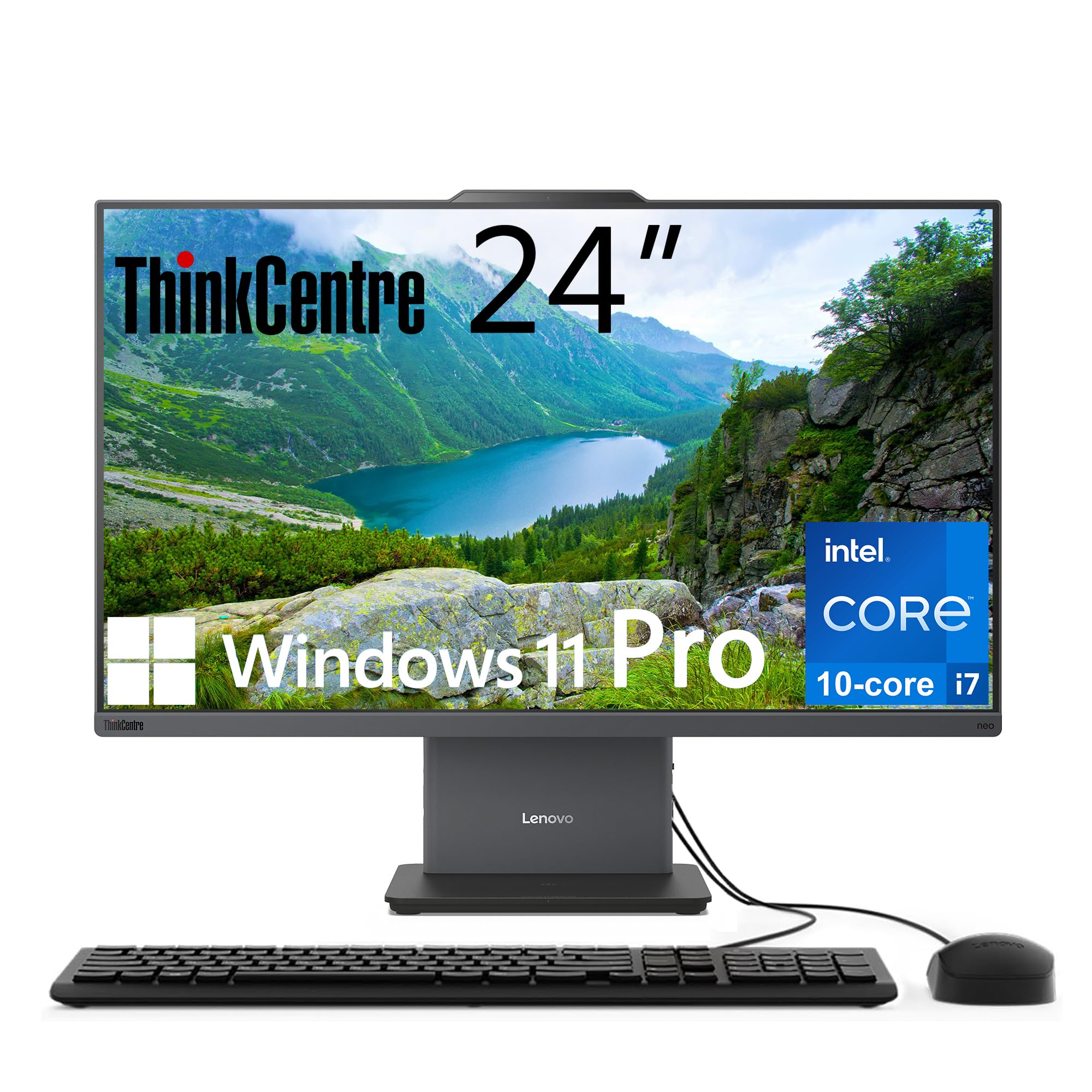
The Lenovo ThinkCentre series has long been known for business-grade reliability, and this 24-inch model brings serious workstation-class specs to the AIO form factor. Under the hood sits a 13th Gen Intel Core i7-13620H processor with 10 cores (6 performance + 4 efficient) and 16 threads, capable of boosting up to 4.9 GHz. That pairs with 32GB of DDR5 RAM — the first DDR5 system on this list — and a 1TB PCIe SSD, making this the most spec-dense Windows AIO in this roundup for pure compute and memory throughput.
The 23.8-inch FHD IPS display runs at a smooth 100Hz refresh rate and covers 99% sRGB, with anti-glare coating and low blue light certification for comfortable all-day use. Business buyers will appreciate the Windows 11 Pro operating system and the wired keyboard and mouse included in the box. The port selection includes HDMI-in and HDMI-out, allowing this AIO to serve as a standalone monitor for a secondary laptop or gaming console — a flexibility most AIOs lack entirely.
The ThinkCentre chassis is built to Lenovo’s usual quality standards with a Luna Grey finish that looks professional without being sterile. The integrated Intel UHD Graphics handle daily productivity and 4K video playback smoothly, though this isn’t a machine for gaming or GPU-accelerated rendering. The passive cooling approach keeps fan noise minimal during normal use. For power users who need maximum RAM and storage from day one without opening the chassis, this configuration delivers exactly that.
Why it’s great
- 32GB DDR5 RAM and 1TB SSD provide future-proof capacity from the start
- 10-core i7-13620H outperforms all N100-based AIOs by a wide margin
- HDMI-in port allows use as a standalone external monitor
Good to know
- Integrated Intel UHD Graphics cap gaming and GPU tasks
- Wired keyboard and mouse included but feel basic for this price tier
- FHD resolution at 24 inches is standard, not as sharp as the iMac Retina
3. Dell EC24250 24 Touch Display

The Dell EC24250 sets itself apart from almost every other 24-inch AIO by including a native touchscreen display. The 23.8-inch FHD IPS panel supports full 10-point multi-touch and covers 99% of the sRGB color space, with Dell’s ComfortView Plus technology reducing harmful blue light emissions without giving the display a yellow tint. The 5MP+IR camera includes HDR support for crisp video calls and Windows Hello facial recognition for instant, password-free login — a convenience feature rarely seen at this price point.
Inside the slim white chassis, the Intel Core 5 120U processor (with a max turbo of 5 GHz) paired with 16GB of DDR5 RAM and a 512GB SSD delivers snappy everyday performance for office productivity, web research, and media streaming. The dual 2W Bluetooth speakers with Dolby Atmos spatial audio produce fuller sound than the single-speaker setups found on most budget AIOs. Dell includes a 1-Year Onsite Service warranty — a tangible value-add that means a technician will visit your home if hardware fails, not just ship a box for you to send back.
The port selection includes USB-C 5Gbps, multiple USB-A ports, HDMI, and an RJ-45 Ethernet port. The touchscreen works reliably for zooming into maps, scrolling long documents, and interacting with Windows 11 gestures, though the glossy touch surface picks up fingerprints that require occasional wiping. The white finish and slim bezels make this a visually appealing centerpiece for a home office. For buyers who interact with their screen directly or want the convenience of touch navigation in a 24-inch package, this Dell is the clear choice.
Why it’s great
- Full 10-point touchscreen with anti-glare treatment and 99% sRGB coverage
- 5MP+IR camera with Windows Hello facial recognition and HDR
- 1-Year Onsite Service warranty from Dell reduces downtime risk
Good to know
- Touch surface is glossy and shows fingerprints clearly
- No dedicated GPU limits gaming and rendering tasks
- Non-adjustable stand height may require a riser for ergonomic setup
4. HP 24-cr0112 Intel Core i5
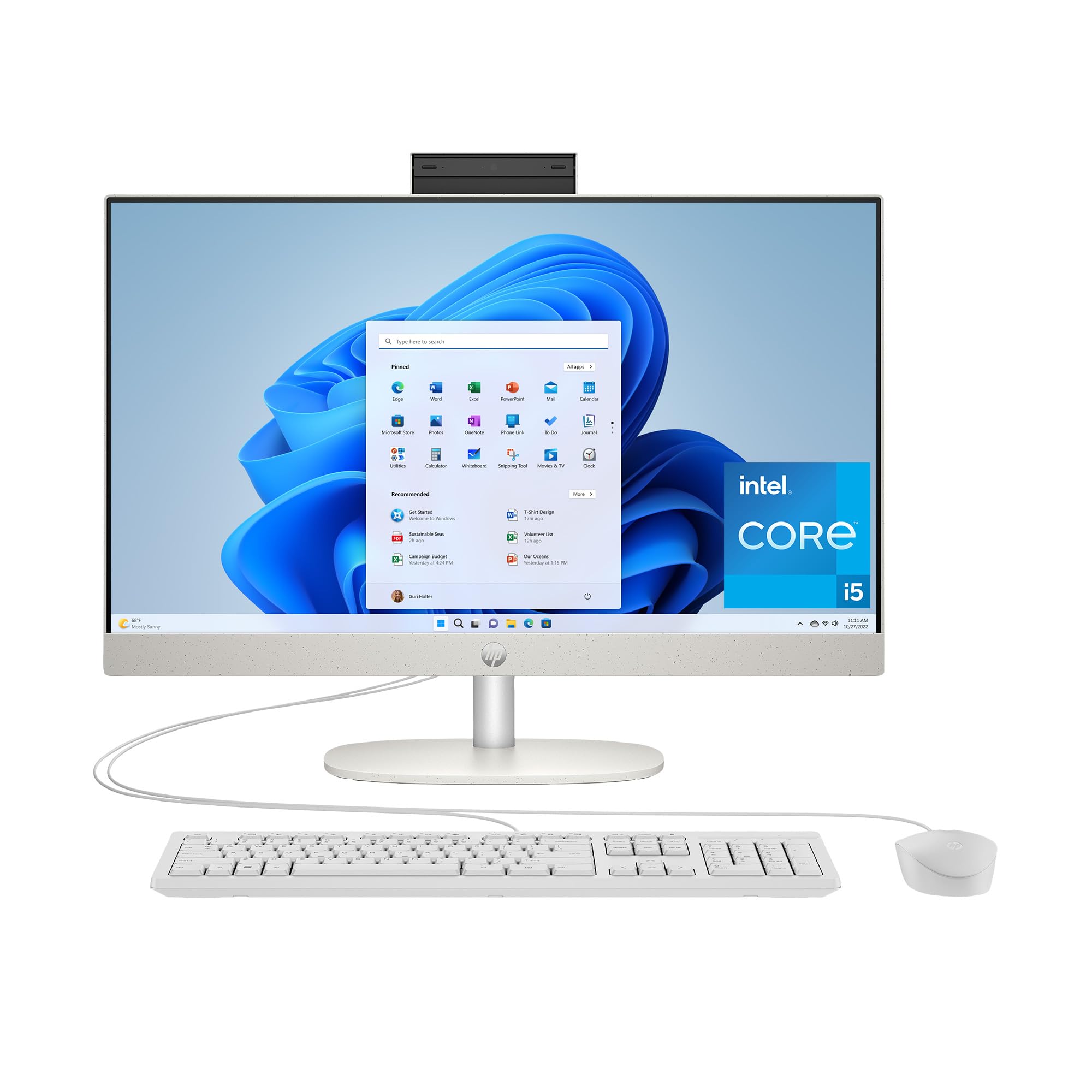
HP refines its AIO formula with the 24-cr0112, powered by a 13th Generation Intel Core i5-1334U processor that reaches 4.6 GHz turbo speed. This processor sits in a meaningful performance tier above the N100 chips found in many budget AIOs, offering noticeably faster response in spreadsheet calculations, browser multitasking, and light creative work. The 16GB of RAM and 512GB SSD provide the balanced spec profile that defines a genuinely capable daily driver for the typical home or office user.
The 23.8-inch FHD display features HP’s ultra-slim three-sided micro-edge design, achieving up to 89% screen-to-body ratio. This makes the visible display area feel larger than the chassis suggests, minimizing the bezel distraction that older AIOs suffer from. Intel Iris X Graphics handle 4K video streaming effortlessly and can manage light 720p gaming, while the dual 2W speakers provide adequate audio for system sounds and video calls. The pop-up privacy camera is a nice security touch, physically blocking the lens when not in use.
Port selection includes one USB-C 5Gbps port, two USB-A 5Gbps ports, two USB 2.0 Type-A ports, HDMI, and an RJ-45 Ethernet connection. The Shell White finish and slim profile fit well in modern home offices or shared family spaces. Users upgrading from older Windows 7 or 10 systems report the setup process is straightforward and the performance uplift is immediately noticeable. For buyers who want Intel mainstream performance without jumping to the premium i7 or i9 tiers, this HP hits the sweet spot.
Why it’s great
- Core i5-1334U provides genuine mainstream performance above N100-class chips
- Three-sided micro-edge display with 89% screen-to-body ratio
- Pop-up privacy camera for physical lens security
Good to know
- Integrated Intel UHD Graphics limit gaming to lightweight titles
- Stand does not offer height adjustment
- Some units shipped with Windows 10-era keyboard and mouse feel
5. HP 24-cr0032 AMD Ryzen 7

The HP 24-cr0032 brings AMD’s Ryzen 7 7730U processor to the 24-inch AIO category, and that choice matters. With 8 cores and 16 threads reaching up to 4.5 GHz, this CPU handles multi-threaded workloads like video transcoding, large spreadsheet calculations, and running multiple virtual desktops more efficiently than the Intel i5 in the same chassis. Paired with 16GB of DDR4 RAM and a 512GB SSD, the system feels responsive across a wide range of productivity and creative tasks.
The 23.8-inch FHD display features ultra-slim three-sided micro-edges with up to 89% screen-to-body ratio, matching the design of the i5 version. HP includes its tiltable pop-up privacy camera and dual array microphones with advanced noise reduction — making this one of the better-configured AIOs for remote workers who spend hours in video conferences. The AMD Radeon Graphics integrated into the Ryzen 7 chip provides slightly better media decode performance than Intel UHD, though it still falls short of what a discrete GPU could deliver.
Memory is expandable up to 32GB via a single accessible SO-DIMM slot, a useful future-proofing detail in a market where most AIOs have soldered RAM. The 512GB SSD provides ample local storage for documents and media, though video editors will want external drives. The HP Video Controls software lets you fine-tune camera and audio settings. This AIO balances the best CPU in its price bracket with a quality display and practical work features, making it ideal for anyone whose daily tasks benefit from extra CPU cores.
Why it’s great
- Ryzen 7 7730U delivers 8 cores and 16 threads for multi-threaded workloads
- Memory expandable to 32GB via accessible SO-DIMM slot
- Pop-up privacy camera and advanced noise reduction for remote work
Good to know
- Non-adjustable stand limits ergonomic positioning
- No dedicated GPU for serious gaming or 3D work
- Included keyboard and mouse feel entry-level for a premium-tier machine
6. HP 24-cr0002 AMD Ryzen 5
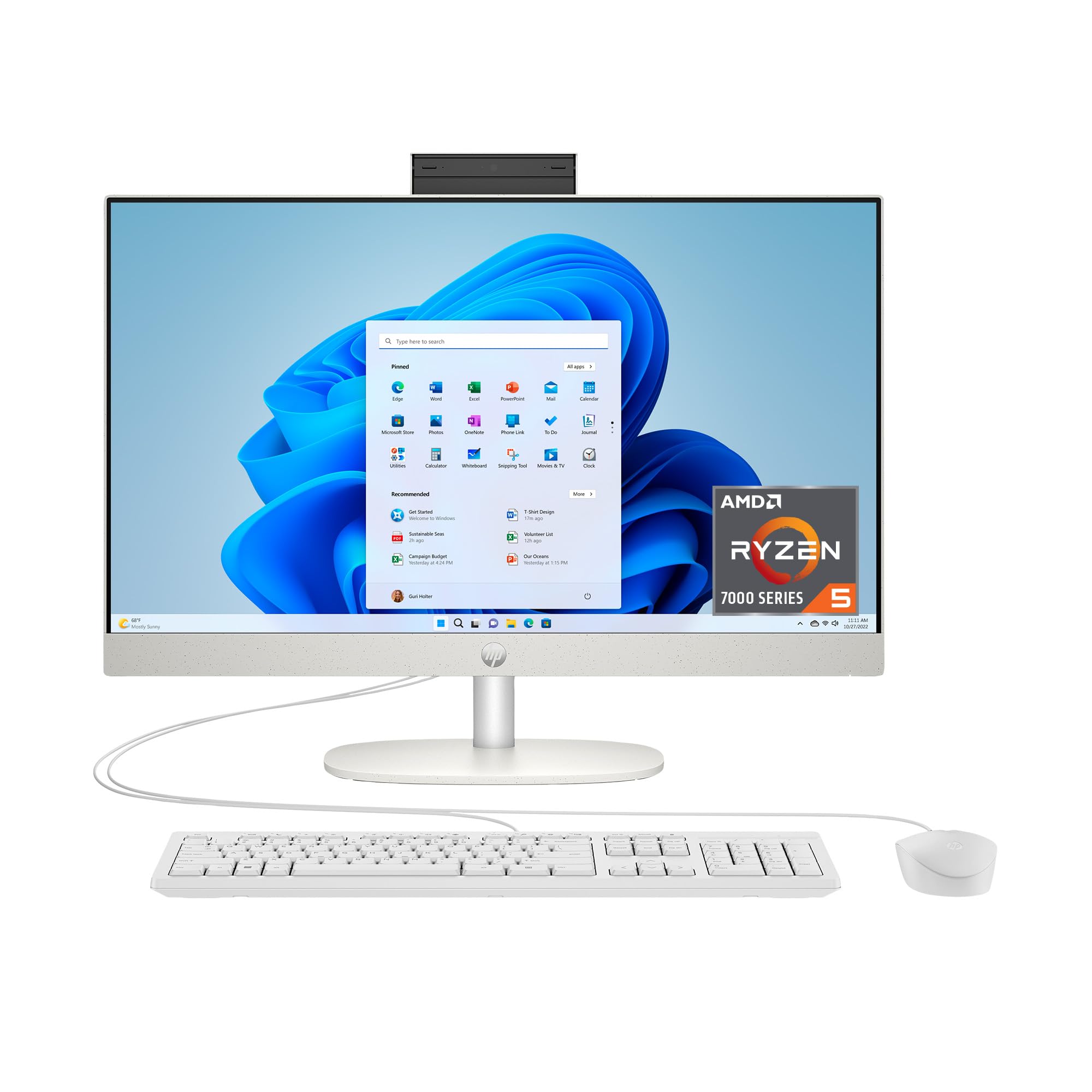
The HP 24-cr0002 represents the entry point into genuine AMD performance for the 24-inch AIO category. The AMD Ryzen 5 7520U processor, with 4 cores and 8 threads reaching up to 4.3 GHz, provides noticeably snappier responsiveness than Intel N100-based systems for everyday multitasking.
The 23.8-inch FHD display with HP’s three-sided micro-edge design looks clean and modern, and the pop-up tiltable privacy camera is a welcome inclusion at this price tier. AMD Radeon Graphics handle 4K video playback without issue, and the dual array microphones with noise reduction make this a solid choice for video conferencing on a budget. The 256GB SSD provides fast boot times but fills quickly with local documents and media, so plan for cloud storage or an external drive from day one.
Port selection covers the basics with USB-A, USB-C, HDMI, and Ethernet. The Shell White chassis keeps the desk looking clean and uncluttered. For users whose workload stays within web browsing, email, Office documents, and video calls — and who don’t need heavy local storage — this HP delivers strong value with a quality Ryzen processor inside. Just be prepared to manage RAM usage more carefully than with 16GB configurations.
Why it’s great
- Ryzen 5 7520U outperforms Intel N100 chips in multi-threaded tasks
- Pop-up privacy camera and noise reduction mics included
- Modern micro-edge display design at a compelling entry point
Good to know
- 8GB RAM is the minimum for Windows 11; heavy multitasking will show limits
- 256GB SSD requires external or cloud storage for most users
- Some reports of early failures under warranty; check return policy
7. Acer Aspire C24 Ryzen 5 120Hz

The Acer Aspire C24 stands alone in the 24-inch AIO category for a single reason: its 23.8-inch FHD IPS display runs at a 120Hz refresh rate. Every other machine on this list tops out at 60Hz or 100Hz, making the Acer the only option that delivers visibly smoother cursor movement, scrolling, and window animations. The 120Hz panel, combined with a 90.71% screen-to-body ratio and Acer VisionCare (flickerless + BluelightShield), makes this the most comfortable display for extended reading and browsing sessions.
Under the hood, the AMD Ryzen 5 7430U processor with 6 cores and 12 threads (up to 4.3 GHz) provides a clear performance advantage over the quad-core N100 chips found in budget AIOs. The 16GB of DDR4 RAM and 512GB PCIe SSD deliver the balanced spec profile we recommend for most buyers. Connectivity includes Wi-Fi 6E (supporting the 6 GHz band for lower latency), Bluetooth 5.2, DisplayPort out, HDMI out, USB-C, and multiple USB-A ports — a more complete port suite than many competitors offer.
The 2MP webcam with privacy shutter and dual microphones handle video calls adequately, though the camera resolution falls behind the 5MP unit on the Dell EC24250. Some early users report the cooling fan can be audible under load, though adjusting the power plan to a balanced profile mitigates this. The included USB keyboard and mouse are functional but basic. For buyers who prioritize display smoothness and a strong AMD processor in a single package, the Aspire C24 is a unique and compelling choice.
Why it’s great
- Only 24-inch AIO with a 120Hz IPS display for ultra-smooth visuals
- Ryzen 5 7430U (6 cores/12 threads) outperforms N100 and i3-class chips
- Wi-Fi 6E support provides faster and more stable wireless connectivity
Good to know
- Cooling fan can be audible under sustained load; adjust power settings to reduce noise
- 2MP webcam is adequate but lower resolution than some competitors
- Some users report keyboard key mapping issues with the included peripherals
8. Lenovo IdeaCentre 24 N100 16GB

The Lenovo IdeaCentre 24 combines the efficient Intel N100 quad-core processor with a generous 16GB of DDR4 RAM and a 512GB PCIe SSD, creating a configuration that prioritizes multitasking headroom over raw CPU power. The N100, with its 4 cores and 6MB cache running up to 3.4 GHz, handles document editing, web browsing, email, and streaming with reasonable smoothness — it’s the extra RAM that lets you keep more tabs and apps open simultaneously without slowdown.
The 23.8-inch FHD IPS anti-glare display delivers 250 nits of brightness and wide viewing angles, suitable for an office or family room environment. Wi-Fi 6 and Bluetooth 5.2 provide modern wireless connectivity, and the port selection includes four USB-A ports (two high-speed, two USB 3.2 Gen 2 at 10Gbps), HDMI-out, and Ethernet. The Ebony Black finish is understated and professional, fitting into most desk setups without drawing attention.
The included wired keyboard and mouse are functional but basic, and the 720p webcam with mono microphone handles video calls adequately for casual use. This configuration strikes a smart balance for the budget-conscious buyer who needs smooth multitasking above all else — the 16GB RAM makes a bigger daily difference than a faster CPU with less memory. For students, home office workers on a budget, or as a family computer, this IdeaCentre delivers reliable performance at a competitive price.
Why it’s great
- 16GB DDR4 RAM provides generous multitasking headroom for budget AIO
- 512GB PCIe SSD offers fast boot times and ample local storage
- Wi-Fi 6 and Bluetooth 5.2 for modern wireless connectivity
Good to know
- Intel N100 CPU is efficient but shows limits under heavy multitasking
- 720p webcam is basic; video quality is acceptable but not excellent
- Wired keyboard and mouse feel entry-level and may be replaced over time
9. Lenovo 24 N100 16GB Win Pro

This Lenovo 24-inch AIO delivers the same Intel N100 processor and 16GB DDR4 RAM / 512GB SSD combination as the IdeaCentre, but ships with Windows 11 Professional instead of Windows 11 Home. The Pro edition includes features like BitLocker device encryption, Remote Desktop hosting, Group Policy management, and Hyper-V virtualization — tools that matter for small business owners, IT administrators, and power users who connect to corporate networks or handle sensitive data.
The 23.8-inch FHD IPS anti-glare display with 99% sRGB coverage provides accurate color reproduction for document work and media consumption. Wi-Fi 6 and Bluetooth 5.2 handle wireless connectivity, and the port selection matches the other Lenovo N100 configurations with four USB-A ports, HDMI-out, and Ethernet. The white finish gives the system a clean, modern look that stands out against the black and gray standard of most business desktops.
The wired keyboard and mouse are basic, and the 720p camera and mono microphone meet the minimum for video calls but won’t impress. Some users report the keyboard key layout can have inconsistencies (the @ symbol placement varies by regional model). For buyers who specifically need Windows 11 Pro features in a space-saving AIO form factor, this configuration delivers exactly that — a capable, if modest, machine with the right operating system for business environments.
Why it’s great
- Windows 11 Pro includes BitLocker encryption and Remote Desktop features
- 16GB RAM and 512GB SSD provide a balanced spec set for business use
- IPS display with 99% sRGB offers accurate colors for document work
Good to know
- Intel N100 CPU limits performance for heavy multitasking
- Some units ship with incorrect keyboard key mapping for certain symbols
- 720p camera and mono microphone are adequate but not impressive
10. Lenovo 24 N100 8GB Office
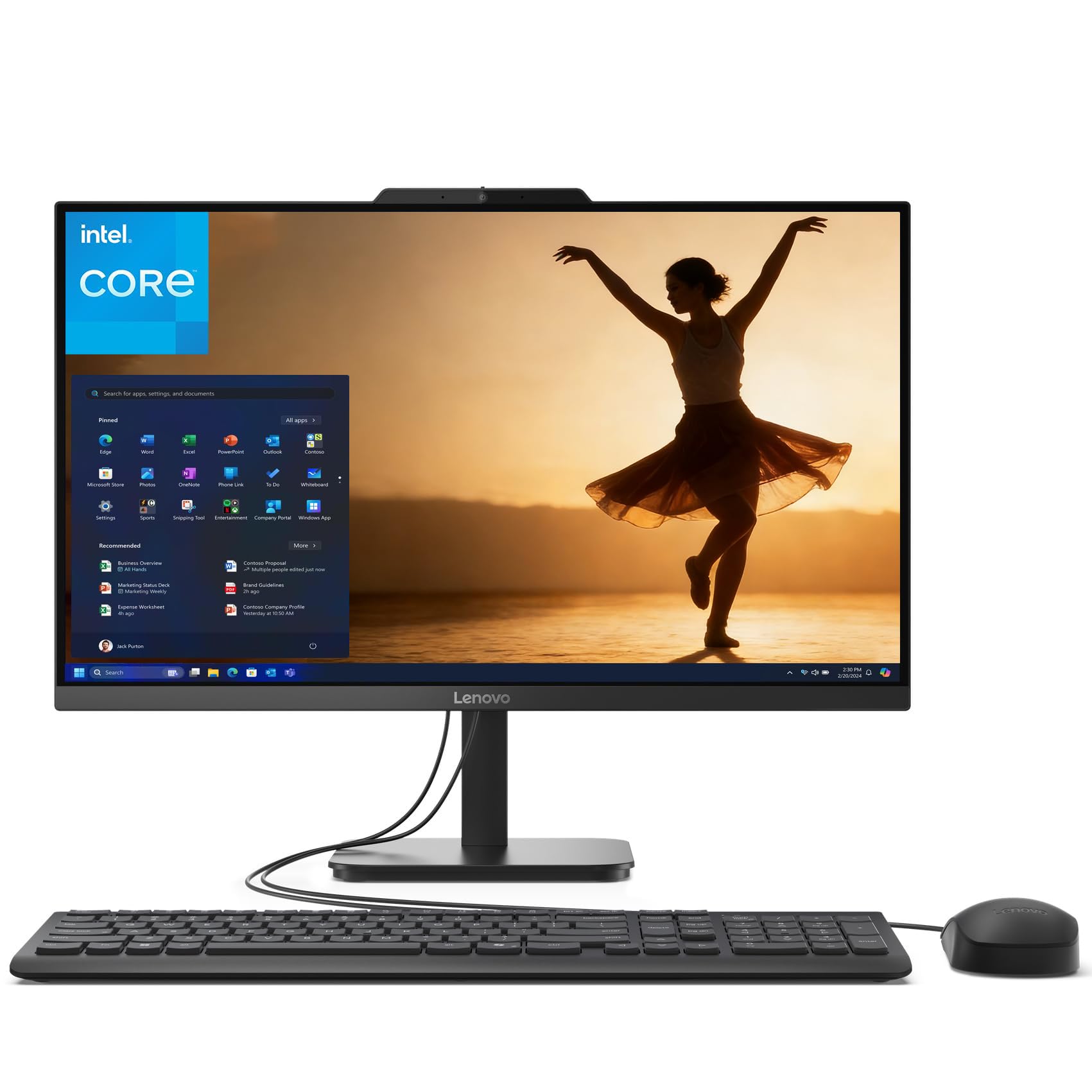
The Lenovo 24 N100 with 8GB of RAM represents the entry-level configuration for this chassis, designed for users whose computing needs stay within web browsing, email, light document editing, and media streaming. The Intel N100 quad-core processor handles these tasks competently, and the 512GB PCIe SSD provides surprisingly generous local storage for a budget-tier machine. The highlight feature is the inclusion of lifetime Office 365 for web — meaning you can edit Word, Excel, and PowerPoint documents directly in your browser without a subscription.
The 23.8-inch FHD IPS anti-glare display matches the quality of more expensive configurations in this Lenovo family, with 99% sRGB coverage and wide viewing angles. Wi-Fi 6 and Bluetooth 5.2 provide modern wireless standards. The Charcoal finish has a professional look that works well in home office or student desk setups. The 720p HD camera and built-in microphone enable Zoom and Teams calls straight out of the box.
The 8GB RAM is the biggest constraint here — Windows 11 itself uses a significant portion of that, leaving limited headroom for multitasking. The wired keyboard and mouse are functional but basic. For the user who needs a simple, reliable computer for basic tasks and values the free web-based Office suite, this AIO presents the lowest cost of entry into the 24-inch class.
Why it’s great
- Free lifetime Office 365 for web eliminates subscription costs for basic productivity
- 512GB SSD provides fast storage with more capacity than many budget models
- IPS display with 99% sRGB matches premium Lenovo panels
Good to know
- 8GB RAM is the minimum for Windows 11; multitasking headroom is limited
- Intel N100 processor is not suited for heavy multitasking or creative work
- Some users report the internal microphone is non-functional and requires external headset
11. Lenovo 24 N100 16GB 128GB

The Lenovo 24 N100 with 16GB RAM but a smaller 128GB PCIe SSD presents an interesting trade-off: generous memory for smooth multitasking paired with limited local storage. The 16GB of DDR4 RAM allows this system to handle more browser tabs, larger documents, and multiple apps running simultaneously without the stuttering that plagues 8GB configurations. The Intel N100 processor handles basic productivity workflows competently, and the extra RAM makes the daily experience noticeably smoother for users who multitask.
The 23.8-inch FHD IPS anti-glare display delivers the same 99% sRGB coverage and 250-nit brightness as the other Lenovo N100 models, providing a good viewing experience for the price. Modern connectivity includes Wi-Fi 6 and Bluetooth 5.2, plus a solid port selection of USB-A ports (two USB 2.0 and two USB 3.2 Gen 2), HDMI-out, and Ethernet. The wired keyboard and mouse are included and functional for everyday use, though some units have shipped with incorrect key mapping for certain symbols like the @ sign — a known issue to check on arrival.
The 128GB SSD is the limiting factor here. After Windows 11 and essential applications are installed, you will have roughly 50-60GB of usable free space — enough for documents and a few apps, but insufficient for local media libraries, large game installations, or extensive photo storage. Plan for external USB storage or cloud services from the start. For the budget-conscious buyer who needs smooth multitasking and plans to use cloud or external storage, this configuration offers the most affordable path to 16GB of RAM in the 24-inch AIO category.
Why it’s great
- 16GB DDR4 RAM ensures smooth multitasking even with many apps open
- Cheapest path to a 16GB 24-inch AIO configuration
- IPS display with 99% sRGB provides solid image quality
Good to know
- 128GB SSD fills quickly after Windows installation; external storage required
- Intel N100 CPU is adequate for basics but not for heavy workloads
- Some units ship with keyboard key mapping issues for @ and other symbols
FAQ
Can I upgrade the RAM or storage in a 24-inch AIO after purchase?
Is a 120Hz display worth it on a 24-inch productivity AIO?
Why do most 24-inch AIOs still use 1920×1080 resolution instead of higher?
Can I use a 24-inch AIO as a monitor for a laptop or game console?
Final Thoughts: The Verdict
For most users, the best 24 inch all-in-one computer winner is the Acer Aspire C24 because its combination of a 120Hz IPS display, a 6-core AMD Ryzen 5 7430U processor, 16GB of RAM, and Wi-Fi 6E delivers the best overall daily experience without reaching premium price territory. If you want the absolute best display and ecosystem integration, grab the Apple iMac M4 — its 4.5K Retina screen and M4 chip performance set the category standard. And for heavy multitasking and business workflows, nothing beats the Lenovo ThinkCentre i7 with its 32GB of DDR5 RAM and 1TB SSD.