
Most 24-inch monitors sit flat on a desk and ask your eyes to do the hard work of focusing across the entire panel. A curved alternative wraps the edges toward you, shrinking the distance between your peripheral vision and the screen’s corners. The result is a more natural focal plane that reduces eye saccades — the tiny jumps your eyes make when scanning from one edge to the other.
I’m Min — the co-founder and writer behind Gadgets Feed. I’ve spent hundreds of hours cross-referencing VA panel contrast ratios, pixel response latencies, and adaptive sync implementations across the 24-inch curved monitor segment to separate genuine performance gains from marketing flare.
This guide breaks down every meaningful spec — from curvature radius to refresh rate ceiling — so you know exactly which 24 inch curved monitor fits the way you actually compute and play.
How To Choose The Best 24 Inch Curved Monitor
Selecting a curved monitor at this size requires a different lens than a larger panel. The curvature radius, panel type, and refresh rate interact more tightly because your viewing distance is shorter. Here are the three specs that matter most.
Curvature Radius: 1500R vs 1800R
At a 24-inch diagonal, a 1500R curvature (a circle with a 1500mm radius) wraps the screen more aggressively than an 1800R design. The tighter curve matches the natural sweep of your vision at a typical arm’s-length desk distance, making the edges feel closer to your focal center. An 1800R curve is gentler and works well if you shift your head frequently or share the screen with a second person.
Panel Type: VA vs Fast IPS for Curved
Curved monitors almost universally use VA panels because the liquid crystal alignment bends predictably across a curved substrate. VA delivers a native 3000:1 contrast ratio — meaning black areas appear genuinely dark rather than grayish. Fast IPS panels offer wider viewing angles and quicker pixel transitions, but their lower 1000:1 native contrast can wash out shadow detail in dim rooms. For a curved 24-inch screen, VA is the typical choice for depth and darkness.
Refresh Rate and Adaptive Sync
A 60 Hz panel is fine for office documents and static coding windows, but motion-heavy tasks like fast camera pans or competitive shooters benefit from 100 Hz and above. Adaptive sync (FreeSync or G-Sync Compatible) eliminates the stutter that occurs when the GPU delivers frames at a rate the monitor cannot match. At 24 inches, 1080p resolution keeps GPU load low, so a 180 Hz panel is attainable even with a mid-range graphics card.
Quick Comparison
On smaller screens, swipe sideways to see the full table.
| Model | Category | Best For | Key Spec | Amazon |
|---|---|---|---|---|
| MSI MAG 244C | 1500R VA | Competitive gaming at 180 Hz | 180Hz / 1ms / 1500R | Amazon |
| ASUS TUF Gaming VG24VQER | 1500R LED | Pro-grade ELMB Sync motion clarity | 180Hz / 90% DCI-P3 | Amazon |
| Sceptre C255B-FWT240 | 1500R VA | 240 Hz esports at a budget | 240Hz / 1ms / FreeSync Premium | Amazon |
| Samsung S3 S36GD | 1800R VA | Everyday use and casual gaming | 100Hz / 1800R / TÜV Eye Care | Amazon |
| KTC H24T7 | IPS Flat | Productivity with QHD pixel density | 185Hz / 2560×1440 / HDR400 | Amazon |
| KTC H24S17P | 1500R VA | Budget 240Hz curved immersion | 240Hz / 3000:1 / 350 cd/m² | Amazon |
| Pixio PXC248 Wave | 1500R VA | Aesthetic white builds with 200 Hz | 200Hz / 1500R / HDR | Amazon |
| Kado (2-Pack) | 1500R VA | Dual-monitor office and light gaming | 75Hz / 1500R / 2x built-in speakers | Amazon |
| Samsung LC24F390FHNXZA | 1800R VA | Budget-friendly home and office | 60Hz / 1800R / Eye Saver Mode | Amazon |
In‑Depth Reviews
1. MSI MAG 244C 24 Inch FHD Curved Gaming Monitor
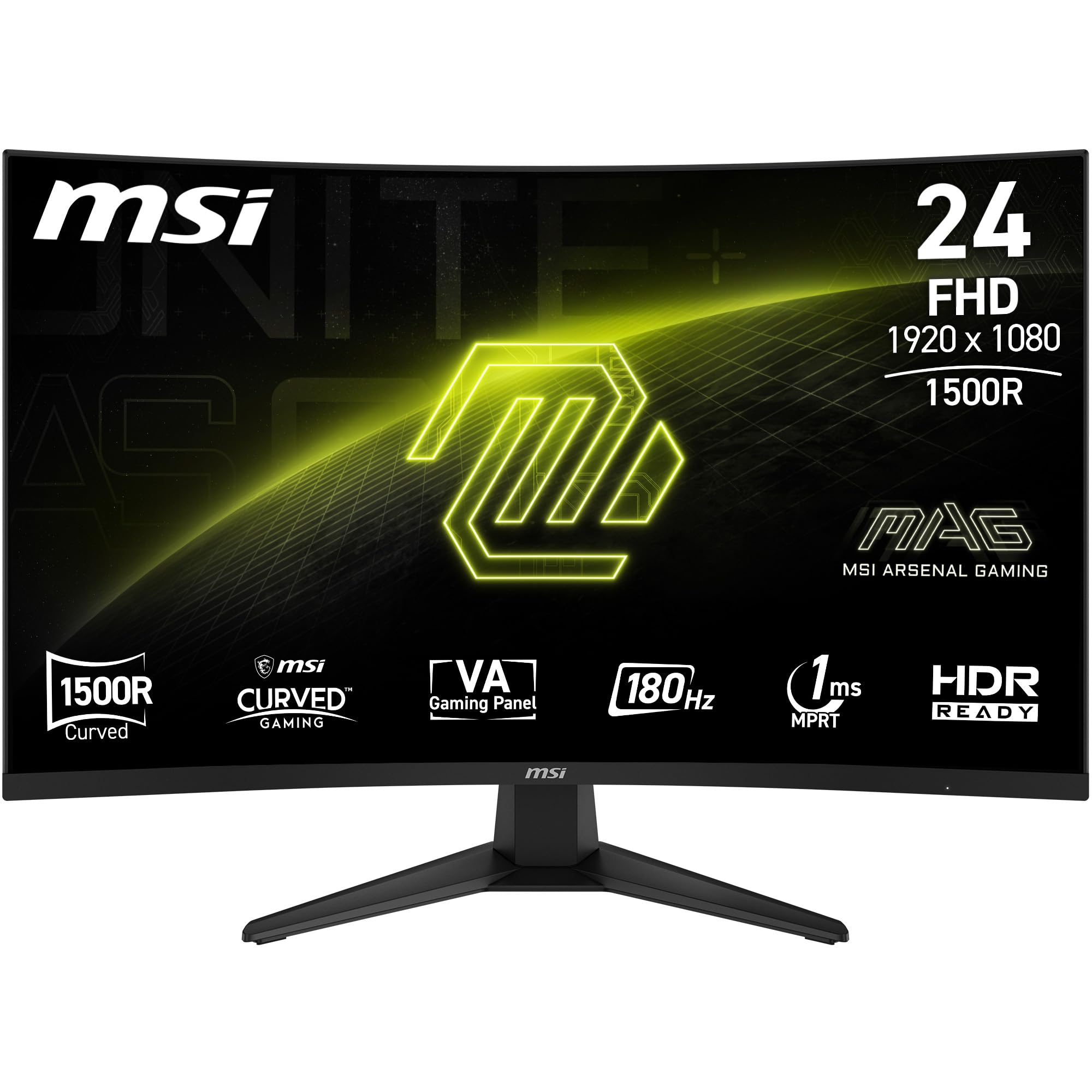
This MSI pairs a 1500R curvature with a 180 Hz refresh rate and a 1ms response time, making it the most balanced combination of speed and wrap-around immersion in this lineup. The VA panel delivers a native 3000:1 contrast ratio that makes dark scenes in games like Cyberpunk 2077 genuinely deep instead of washed out. The 105% sRGB coverage ensures colors are punchy enough for media consumption without needing calibration.
The rear 5-way joystick navigator simplifies on-screen menu adjustments — no fumbling for hidden buttons. DisplayPort 1.2a and HDMI 2.0b CEC ports give you flexibility for both PC and console connections. Adaptive Sync via FreeSync keeps frame pacing smooth across the entire 180 Hz range.
Some users noted that the thin bezel doesn’t mean the display glass is edge-to-edge — there is a small internal border. That’s a minor cosmetic detail that doesn’t affect the image or gaming performance. For the spec-for-dollar ratio, this monitor is the most complete package in the segment.
Why it’s great
- 180 Hz with 1ms MPRT and native FreeSync
- 3000:1 VA contrast for deep blacks
- Joystick control and wide port selection
Good to know
- Display area does not extend fully to the bezel edge
- Brightness is rated at 250 cd/m², not suitable for very bright rooms
2. ASUS TUF Gaming VG24VQER Curved Monitor

ASUS packs Extreme Low Motion Blur Sync into this 23.6-inch curved panel, which simultaneously enables ELMB and FreeSync — a feature that reduces ghosting without introducing the strobe crosstalk typical of competing implementations. The 90% DCI-P3 color gamut is wider than the sRGB coverage most 24-inch monitors cap at, giving it an edge for games that support wide color spaces.
Shadow Boost lifts dark areas without clipping highlights, a practical advantage when you need to spot enemies hiding in corners during fast rounds. The stand offers tilt adjustment only, but the DisplayWidget Center software lets you tweak profiles from your desktop rather than reaching behind the panel.
The 180 Hz ceiling is identical to the MSI above, but the ELMB Sync technology and DCI-P3 coverage justify the premium for those who prioritize motion clarity and color depth over raw refresh rate. The included L-shaped screwdriver is a thoughtful touch for VESA mounting.
Why it’s great
- ELMB Sync works simultaneously with FreeSync
- 90% DCI-P3 for wide color gamut
- Shadow Boost improves dark scene visibility
Good to know
- Stand only offers tilt — no height or swivel adjust
- Buttons on rear are small and require memorization
3. Sceptre C255B-FWT240 24.5-inch Curved Gaming Monitor

240 Hz is the highest refresh rate in this roundup, and Sceptre delivers it at a price that undercuts many 180 Hz competitors. The 1500R curvature wraps the 24.5-inch VA panel around your field of view, while FreeSync Premium ensures frame rates above 120 Hz remain tear-free. The 1ms response time feels snappy even during rapid flick-shot movements.
Built-in speakers provide audible game audio without requiring a separate speaker bar, though they lack bass and get tinny at high volume. The Blue Light Shift filter reduces eye strain during long sessions, and the frameless design minimizes bezel distraction in a multi-monitor setup. Color accuracy out of the box leans slightly cool, but the on-screen menu allows adjustment.
Some users reported screen lines on glowing objects in certain games, though this seems limited to specific firmware batches and is not a universal issue. For anyone prioritizing raw frame rate over color-critical work, this monitor delivers the highest Hz per dollar in the category.
Why it’s great
- 240 Hz refresh rate at a budget price
- FreeSync Premium for low-latency VRR
- Built-in speakers and Blue Light Shift
Good to know
- Colors can appear cooler than neutral out of the box
- Built-in speakers lack bass response
4. KTC H24T7 24 Inch Gaming Monitor
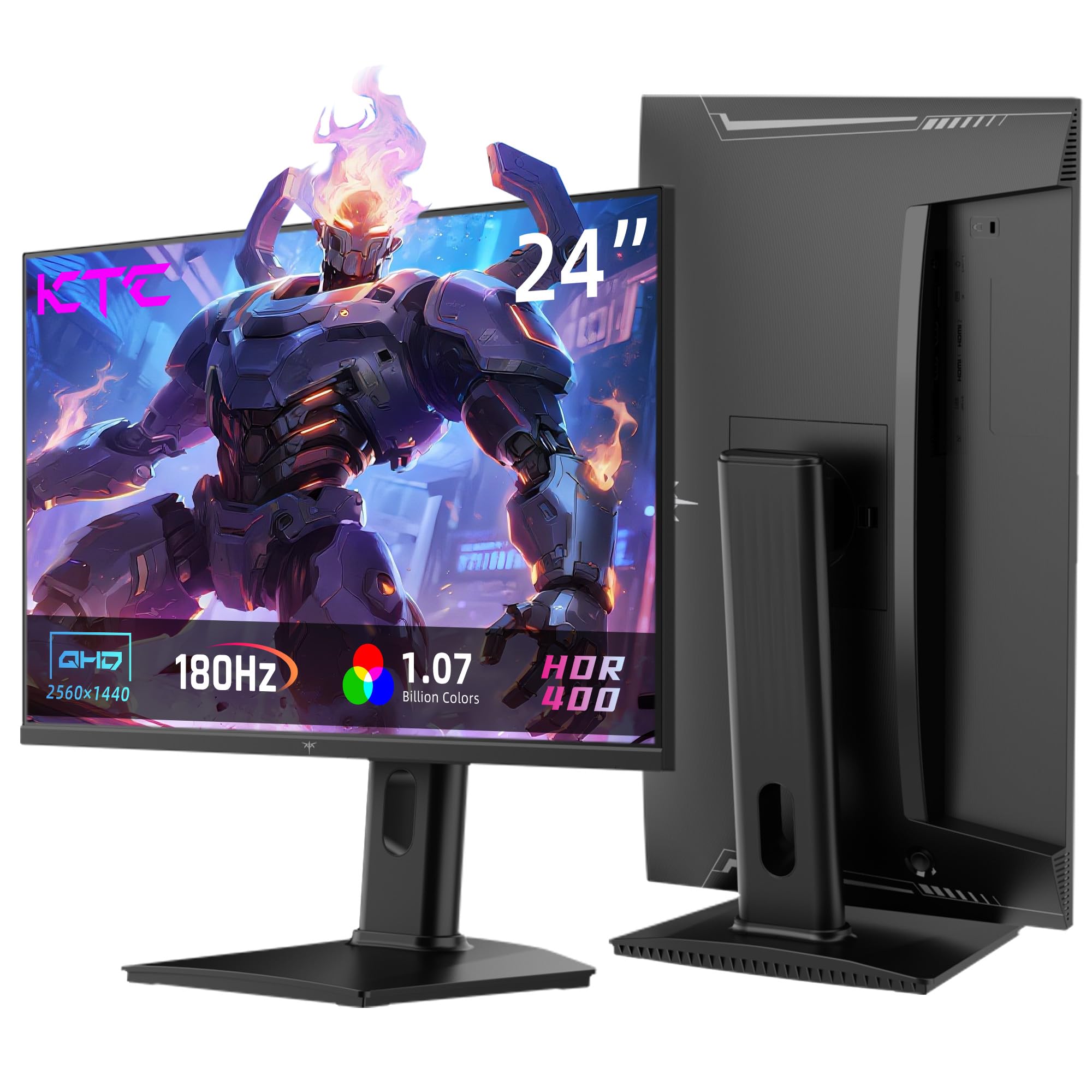
This KTC model breaks the 1080p ceiling with a native 2560×1440 resolution on a 24-inch Fast IPS panel. The pixel density jumps to roughly 123 PPI, making text look significantly sharper than any 1080p monitor in this guide. The 185 Hz overclocked refresh rate pairs well with the high resolution, though you will need a capable GPU to push 1440p frames at that speed.
HDR400 certification and 99% sRGB coverage deliver vibrant colors, and the 1000:1 contrast ratio is typical for IPS — blacks won’t match VA depth, but wide viewing angles compensate. The stand includes tilt, pivot, and 110mm height adjustment, so you can dial in perfect ergonomics without an aftermarket arm.
Connectivity includes DisplayPort 1.4 and two HDMI 2.0 ports. The rear joystick menu takes some familiarization, but it keeps the bezel clean. This is the best choice if pixel density matters more than contrast ratio.
Why it’s great
- QHD 1440p resolution at 24 inches for sharp text
- 185 Hz overclocked refresh rate with G-Sync Compatible
- Full ergonomic stand with height and pivot
Good to know
- IPS contrast is 1000:1 — blacks not as deep as VA
- Menu navigation via rear joystick requires practice
5. Samsung S3 S36GD 24-in Curved Computer Monitor

Samsung’s S36GD uses an 1800R curvature — the gentlest bend in this roundup — which makes it suitable for shared desk environments where multiple people might view the screen from slightly different angles. The 100 Hz refresh rate is double that of a standard office monitor, so scrolling through documents and web pages feels noticeably smoother, yet it remains efficient enough for casual gaming.
The VA panel delivers the classic 3000:1 contrast ratio, making movies and YouTube content look deeper than what an equivalent IPS panel would produce. Eye Saver Mode and flicker-free backlighting are TÜV-certified, reducing strain during long workdays. Connectivity is limited to HDMI and D-Sub — no DisplayPort — and the stand lacks height adjustment.
The 4ms GtG response time is adequate for everyday use but may leave visible trails during fast-paced competitive gaming. This is a solid choice for a home office or student desk where comfort and affordability take priority over esports performance.
Why it’s great
- Factory 3000:1 VA contrast for rich blacks
- 100 Hz refresh rate at an accessible price point
- 1800R gentle curve reduces edge distortion for multiple viewers
Good to know
- No height or tilt adjustment — stand is fixed
- Limited to HDMI and D-Sub ports
6. KTC H24S17P 24 Inch Curved 240Hz Gaming Monitor
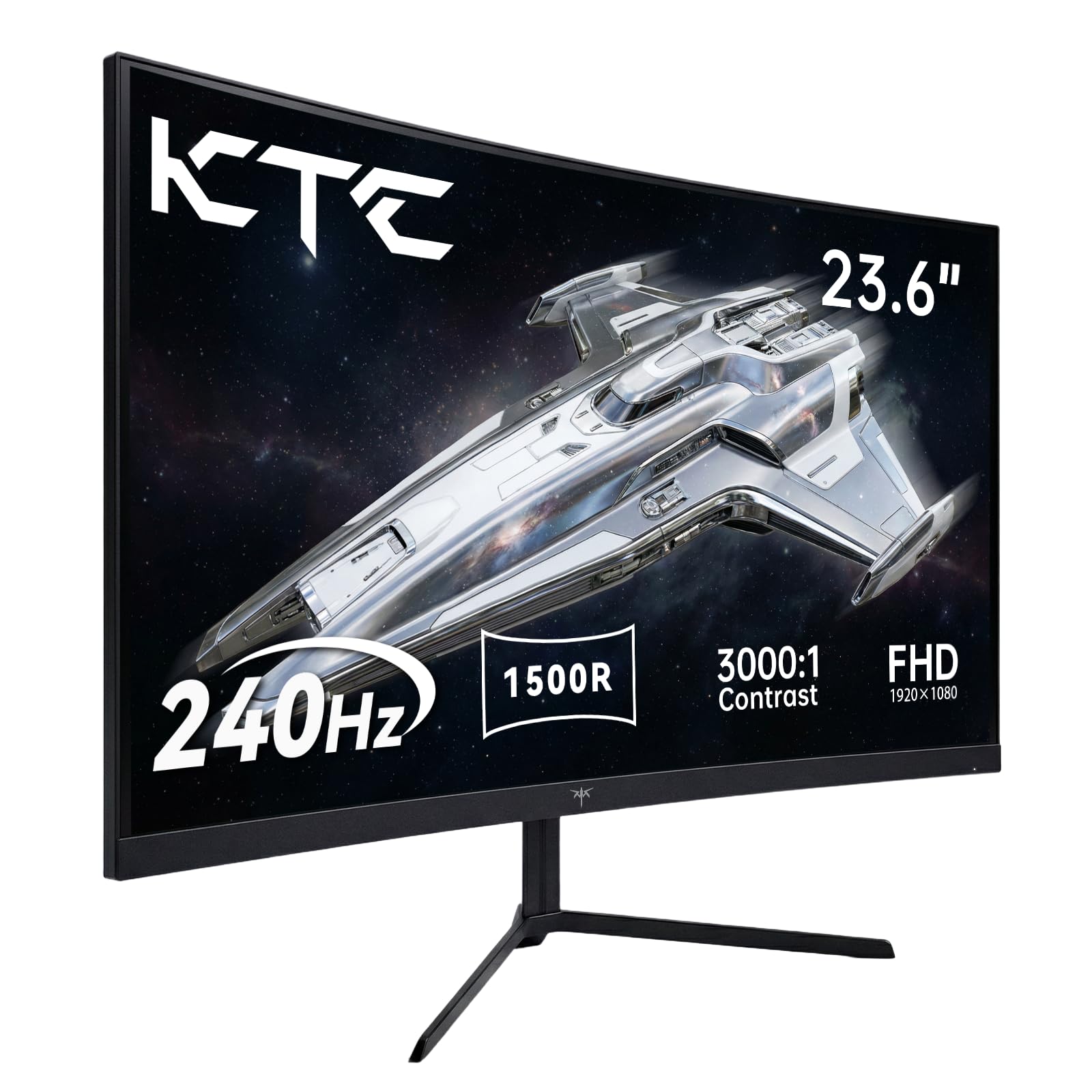
KTC’s curved 240 Hz monitor pushes brightness to 350 cd/m² — notably higher than the 250 cd/m² typical of budget VA panels — which helps HDR content retain highlight detail. The 1500R curvature and 3000:1 native contrast create the kind of immersive, punchy image that makes single-player games feel engaging. The 1ms MPRT response time keeps motion blur in check during 240 Hz operation.
Anti-glare and flicker-free technologies are included alongside low blue light mode, making this a viable option for long gaming marathons. The stand supports -5° to 15° tilt and VESA 100x100mm mounting. Port selection includes two HDMI 2.0 and one DisplayPort 1.4.
Some users have reported that the maximum refresh rate can depend on the input cable and port used — HDMI caps at 144 Hz, so DisplayPort is required for the full 240 Hz. Ensure your GPU supports DP 1.4 before buying. For the price, the combination of high brightness and 240 Hz is hard to beat.
Why it’s great
- 350 cd/m² peak brightness for better HDR
- VA panel with 3000:1 native contrast
- FreeSync and G-Sync Compatible support
Good to know
- 240 Hz requires DisplayPort — HDMI limited to 144 Hz
- Menu system has a learning curve
7. Pixio PXC248 Wave White Curved Gaming Monitor

The Pixio PXC248 Wave is the only white monitor in this comparison, and its clean aesthetic is backed by a 200 Hz Fast VA panel with a 1500R curvature. The 1ms GtG response time is competitive with the 180 Hz options, and the extra 20 Hz headroom provides a slight edge in frame-time consistency. HDR support expands the color range, though peak brightness is 300 cd/m² — adequate for HDR effect without full luminance.
Built-in speakers are present but best viewed as a backup — they sound thin and lack bass. The stand offers tilt adjustment, and the monitor includes VESA 100x100mm compatibility for aftermarket arms. Adaptive Sync via FreeSync keeps gameplay smooth across the full refresh range.
The white chassis includes white cables in the box, which is a rare consideration for users building a coordinated setup. The monitor works well in both landscape and portrait orientations for dual-monitor configurations. For anyone building a light-colored desk, this is the only curved 24-inch that matches the scheme.
Why it’s great
- Unique white chassis with matching cables
- 200 Hz Fast VA panel with 1ms GtG
- FreeSync for tear-free gaming
Good to know
- Built-in speakers are weak and lack clarity
- Brightness is moderate at 300 cd/m²
8. Kado 2-Pack Dual 24 Curved Monitor Setup

Kado, a sub-brand of Sceptre, packages two 24-inch 1500R curved monitors in one box specifically for dual-monitor setups. Each panel runs at 75 Hz with a VA architecture that delivers solid contrast. The 98% sRGB color gamut ensures consistent color between the two screens, which is critical when dragging windows across monitors for design work or data analysis.
The panoramic curve reduces the gap between the two displays, creating a more cohesive viewing arc compared to flat panels. Each monitor has built-in speakers, so you get audio from both without external hardware. The stands are adjustable for tilt, and VESA 100x100mm mounts allow arm-based positioning.
The 75 Hz ceiling makes this pair best suited for office productivity, programming, and light casual gaming — not competitive esports. Some users reported intermittent detection issues after idle periods, though this seems limited to specific HDMI cable configurations. For the price of a single premium monitor, you get a full dual-curved setup.
Why it’s great
- Two curved monitors at a single-unit price
- 1500R curvature for multi-screen immersion
- 98% sRGB with built-in speakers on each
Good to know
- 75 Hz limit — not suitable for fast-paced competitive gaming
- Occasional detection issues reported after standby
9. Samsung LC24F390FHNXZA Curved Monitor

The Samsung LC24F390FHNXZA is a straightforward 1800R curved monitor built for basic computing needs. The 60 Hz refresh rate is standard for office work — comfortable for web browsing, document editing, and video streaming. The VA panel’s 3000:1 contrast ratio makes this one of the most affordable ways to get deep blacks on a curved screen at this size.
Eye Saver Mode removes blue light emissions at the touch of a button, and the flicker-free backlight reduces fatigue during long sessions. The ultra-slim profile measures under half an inch thick, making it a sleek addition to any desk. A mouse pad is included in the box.
There is no height adjustment, and the tilt range is -2° to 22°. The HDMI port is the primary connection — DisplayPort is absent. Text can appear slightly soft when scaling documents above 120%, which is typical for 1080p at 24 inches. For a secondary monitor or a budget-primary screen, this model offers the core curved experience without unnecessary extras.
Why it’s great
- 3000:1 VA contrast at an entry-level price
- Ultra-slim profile saves desk depth
- Eye Saver Mode with TÜV certification
Good to know
- 60 Hz limit — not for fast gaming
- No height adjustment or DisplayPort input
FAQ
Does a 1500R curve at 24 inches make text look warped?
Can I use a 24-inch curved monitor for professional photo editing?
Why are most 24-inch curved monitors 1080p instead of 1440p?
Final Thoughts: The Verdict
For most users, the 24 inch curved monitor winner is the MSI MAG 244C because it balances a 180 Hz refresh rate, 1500R VA contrast, and adaptive sync at a price that undercuts the competition. If you want the highest frame rate available at this size, grab the Sceptre C255B-FWT240 for 240 Hz. And for a dual-screen office setup where immersion matters, nothing beats the Kado 2-Pack.