
Our readers keep the lights on and my morning glass full of iced black tea. As an Amazon Associate, I earn from qualifying purchases.
Specs are compiled from manufacturer listings and verified buyer reviews and can change over time — please confirm the key details on the product page before buying.
A cluttered desk and a stiff neck — those are the two problems a monitor mount solves in one move. The right arm lifts your screen off the surface, freeing real estate, and lets you glide it where your eyes actually want it. For a 24‑inch monitor that usually lives right in front of you, a mount with solid adjustability and a gas‑spring you can trust makes the difference between a daily irritation and a setup that feels easy.
I’m Min — the founder and writer behind Gadgets Feed. This guide is built by comparing the manufacturers’ published specifications and the patterns across verified customer reviews, so you get each pick’s real strengths and trade-offs instead of marketing spin.
This article compares three proven 24 inch monitor mount options, weighing stability, range of motion, and real owner experiences so you know exactly which one belongs on your desk.
Quick Picks
- HUANUO FlowLift Single Monitor Mount — Best Overall
- Acer Single Monitor Mount — Top Performer
- ARES WING Ultrawide Monitor Desk Arm — Future‑Proof Pick
How To Choose The Best 24 Inch Monitor Mount
You want a mount that keeps your 24-inch monitor exactly where you put it, without drifting, so your desk feels roomier. The right choice depends on three things: how much you need to move the screen, how rock-solid it stays, and whether it clamps to your desk edge.
Gas Spring vs. Fixed Arm
A gas-spring arm lets you lift, tilt, and swivel your monitor with one hand, holding it at the exact height you set. A fixed arm stays in one position after installation and requires loosening bolts to change. For a 24-inch monitor, a gas spring is almost always worth it — you adjust your screen many more times a day than you think.
Weight Capacity
Most 24-inch monitors weigh between 6 and 12 pounds. Every mount lists a weight range (usually 4.4 to 19.8 pounds). For the best gas-spring behavior (the gas cylinder that holds your screen in place), stay in the middle of that range. If your monitor is too light, the arm pushes up; too heavy, it sags. the balance is a mount rated comfortably above your monitor’s weight so it never struggles.
Installation and Desk Fit
Check your desk thickness before you buy. C-clamps typically fit edges up to 3.5 inches thick; grommet mounts need a hole in the desktop. Wood desktops are best. Avoid glass or honeycomb-core desks unless the mount specifically says it is safe — the clamp pressure can crack or crush them.
Quick Comparison
In‑Depth Reviews
1. HUANUO FlowLift Single Monitor Mount
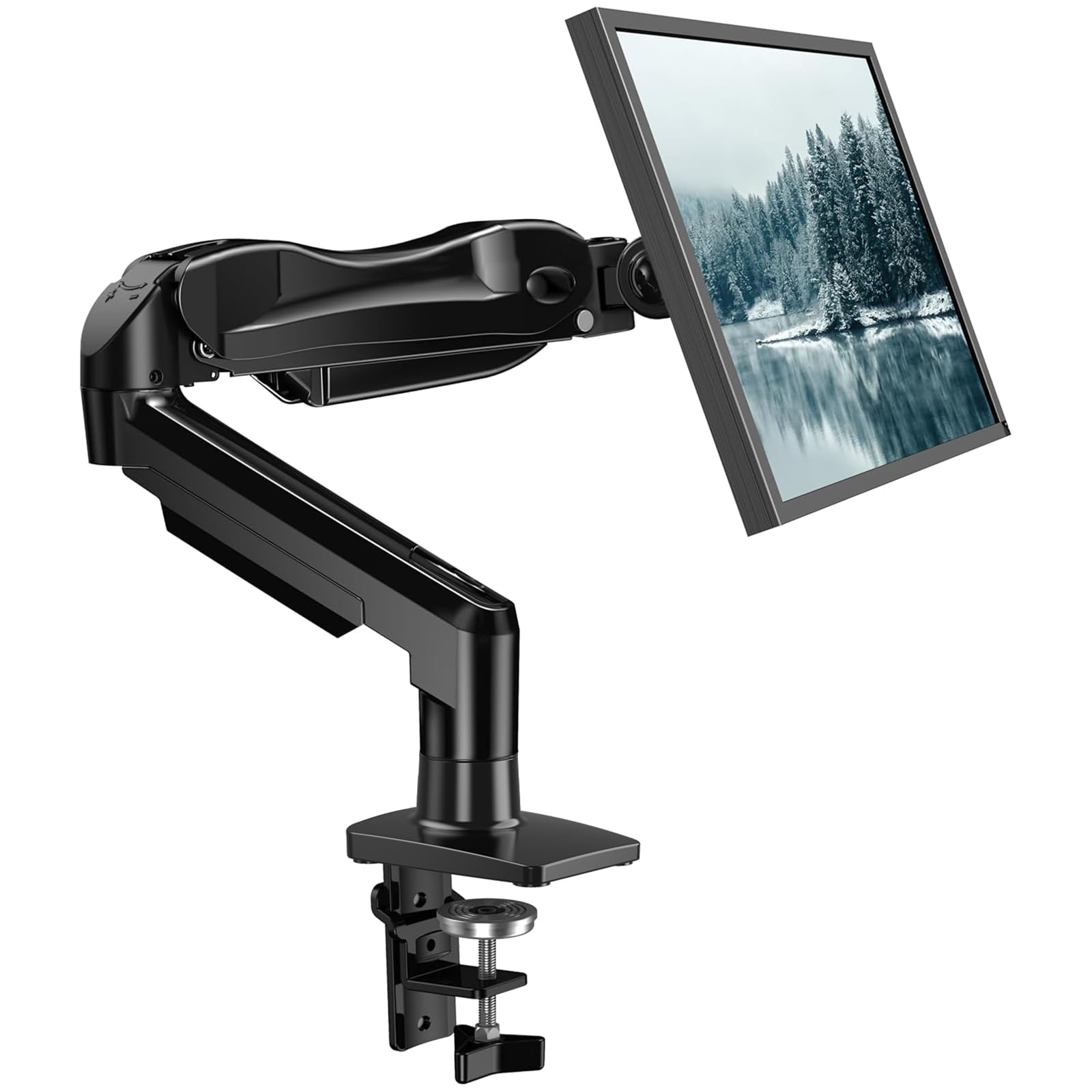
The budget‑friendly mount owners call “solid as a rock” for a 24‑inch daily driver.
The HUANUO FlowLift is the crowd favorite here for a reason — it delivers a full gas‑spring arm for a price that undercuts most competitors while keeping the build quality that matters. It fits monitors from 13 to 32 inches and holds up to 19.8 pounds, which covers every standard 24‑inch screen with room to spare. The tilt range spans –50° to +85°, and the arm swivels a full ±90° with 360° rotation, so you can pivot from portrait coding to landscape gaming without touching a screw.
Installation takes about three minutes thanks to a one‑piece design. You get both a C-clamp and a grommet base in the box, and the clamp handles desks up to 3.54 inches thick. Buyers consistently use one word: stable. The review pages sum it up: “Solid arm, no sag with 24-inch monitor.” The alloy‑steel construction and 20,000‑motion test certification back up that confidence. The one honest caveat is tilt stiffness — several owners note that forward/back tilt can drift if set too loose, or require a jerk to move if overtightened. But as a set‑and‑forget arm, it rarely needs re‑adjusting.
What owners rave about
- Rock‑steady with no sag even fully extended — buyers call it “sturdy, no issues with weight”
- Very wide tilt range (–50° to +85°) offers more flexibility than the Acer’s –60° to +90° in practice for low‑angle viewing
- Alloy steel feels heavier and more industrial than the aluminum arms here
The trade‑off to know
- Tilt tension is the most‑discussed gripe — some owners find the forward/back tilt too loose or too stiff from the start
- Best thought of as a “set once” arm; frequent re‑adjusters may prefer a smoother gas spring
Reach for this if: you want the best value per dollar for a 24-inch monitor — stable, adjustable, and backed by thousands of satisfied owners.
Look elsewhere if: you plan to tilt the screen forward and backward every day; the HUANUO works best when you set the angle once and leave it.
2. Acer Single Monitor Mount
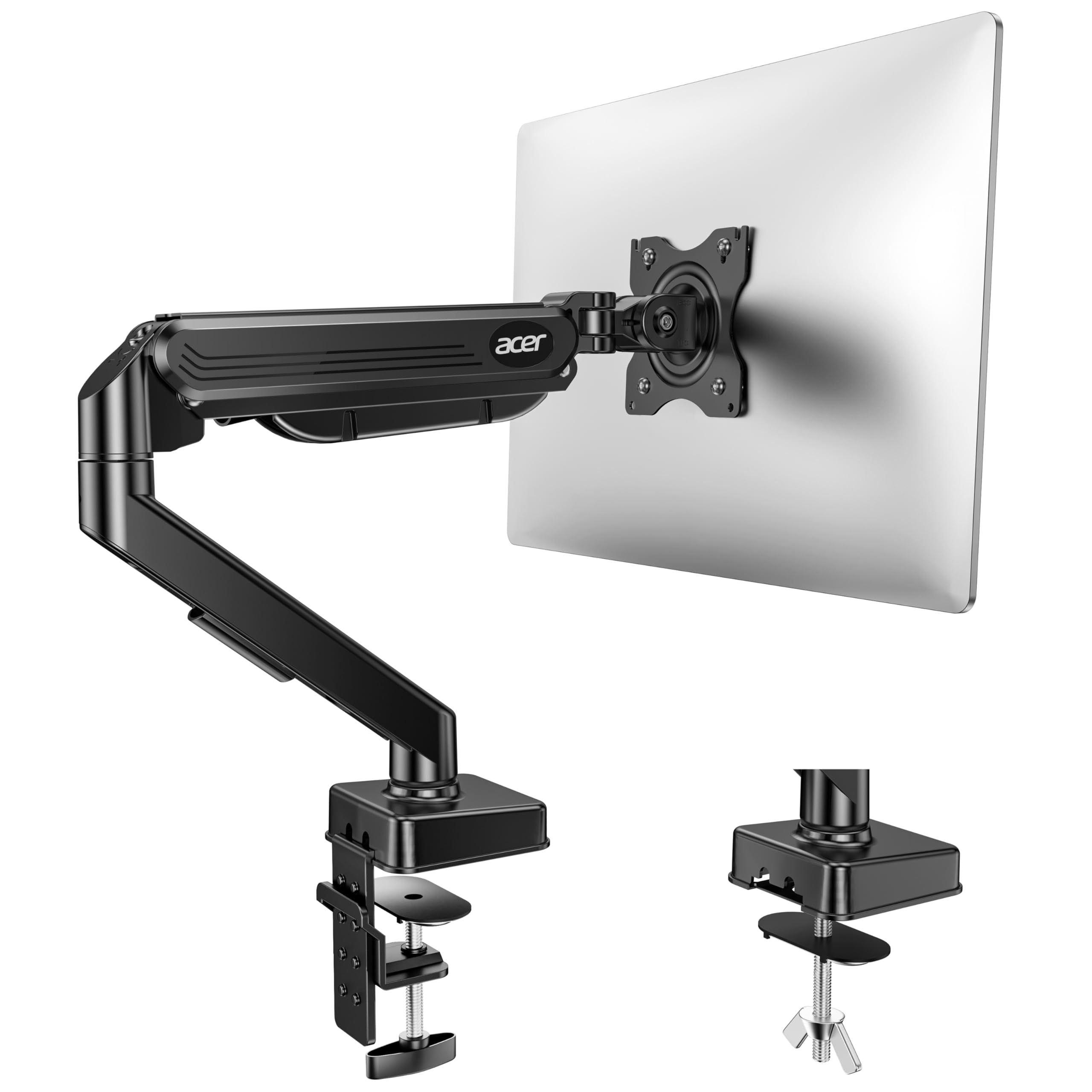
The smoothest tilting gas spring here, offering a tilt range from –60° to +90°.
The Acer arm pushes the tilt envelope to –60° to +90°, giving you a 150-degree total tilt range compared to the HUANUO’s 135 degrees — useful if you sometimes stand to work and need to angle the screen upward. It supports 17 to 34‑inch monitors in the same 4.4 to 19.8‑pound weight bracket and uses an aluminum body that keeps it lighter while still feeling premium. The arm reaches 18.1 inches off the desk, while the ARES WING reaches 18.7 inches, which helps taller users avoid hunching.
One owner who runs a home office noted after six months of daily use that the mount is “incredible stable” — a phrase that reappears across multiple reviews. The gas‑spring tension screw lets you dial in the lift force so the monitor stays put exactly where you leave it. The biggest complaint is an occasional clamp that feels poorly designed; a small number of buyers received units with wrong‑sized hex wrenches or unclear assembly steps. That said, the vast majority report a five‑minute install and trouble‑free daily use. For pure tilt flexibility, the Acer beats the HUANUO on paper and in practice.
Why it stands out
- Widest tilt range of any pick here (–60° to +90°) — a genuine edge for sit‑stand desks
- Aluminum build feels premium and modern, with a reported six‑month track record of “incredible stability”
- Raises the screen 18.1 inches off the desk, the tallest max height among these three
The small catch
- Clamp quality is inconsistent — a few buyers report missing hardware or a clamp that relies on force instead of precise bolts
- Some find the vertical adjustment less intuitive than the HUANUO’s one-handed lift
Best suited for: anyone who frequently tilts their screen between sitting and standing — the extra 6 degrees of tilt range make a real difference.
skip it if: you want the simplest possible clamp installation; the HUANUO’s hardware is more consistently praised from the start.
3. ARES WING Ultrawide Monitor Desk Arm
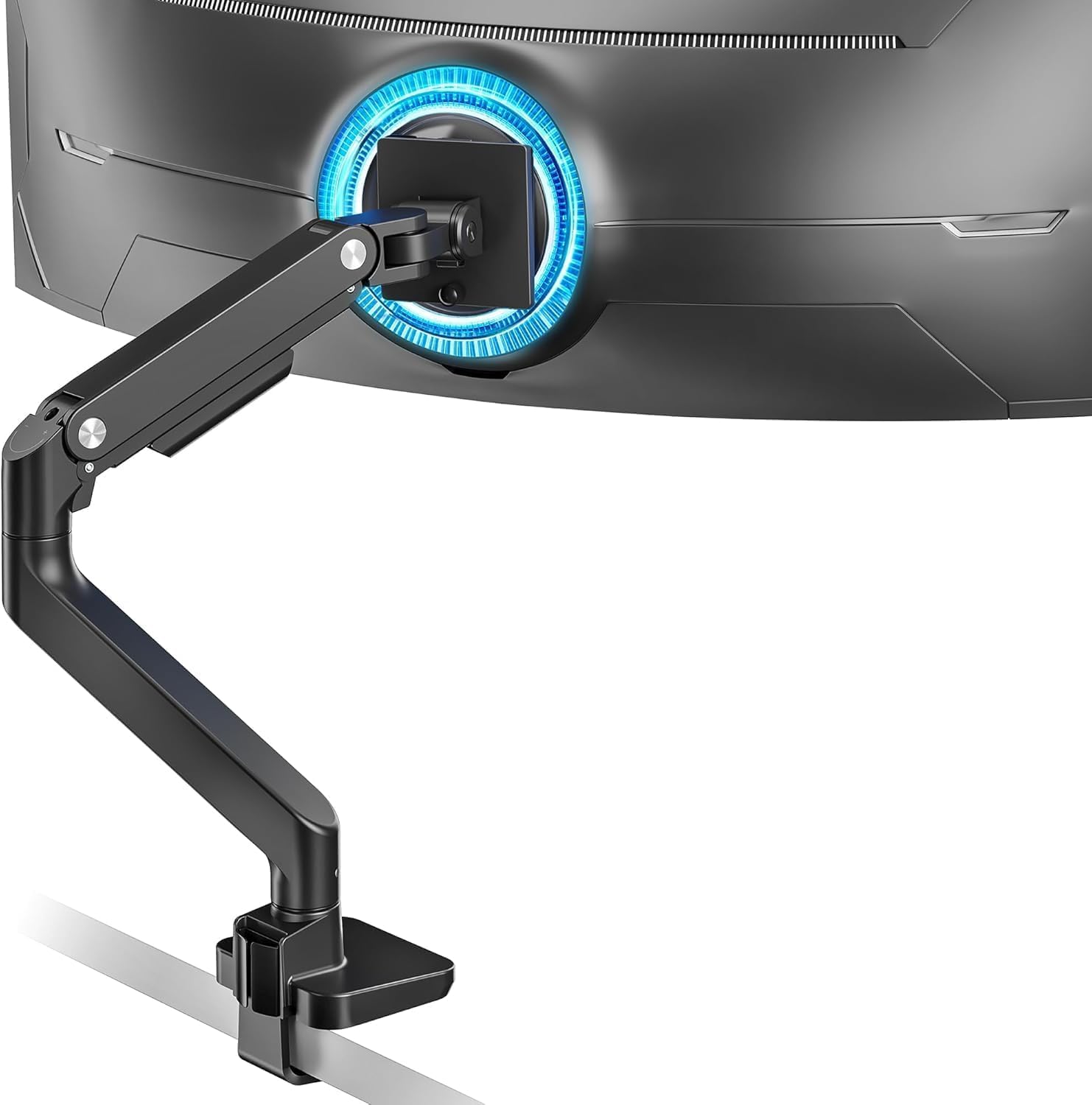
Built for an ultrawide upgrade later — it still handles a 24‑inch monitor beautifully today.
If you are shopping for a 24‑inch mount today but plan to move up to a 32-inch or even a 49‑inch ultrawide down the road, the ARES WING saves you from buying twice. Its gas spring supports 4.4 to 44 pounds — more than double the capacity of the HUANUO or Acer — and the arm extends a full 22.4 inches from the mount point. That reach means you can push a 24‑inch monitor all the way to the back of a deep desk or swing it right in front of your face for detail work.
Owners praise the “high-quality look and feel” and note that it holds a 32‑inch without sag despite costing less than premium brands. The aluminum and steel build feels substantial, and the detachable VESA plate simplifies mounting. The one recurring negative is that the weight support, while high on paper, can be borderline for the heaviest 49‑inch curved monitors like the Samsung G9 — a few owners had to crank the tension screw extremely tight. For a 24‑inch monitor, capacity is never a concern; you have more than three times the headroom you need. The tilt range (+50° to –20°) is narrower than the competition, but that is a fair trade for the ability to hold a massive screen later.
Biggest strengths
- Massive 44‑pound capacity — can hold anything from a 17‑inch to a 49‑inch ultrawide monitor
- 22.4‑inch arm extension gives you the most desk‑clearing reach of any pick here
- Owners consistently describe it as “very stable” and “easy to install” for both small and large screens
What to watch
- Narrower tilt range (+50° to –20°) compared to the HUANUO’s 85° or the Acer’s 90° total sweep
- Some heavy‑ultrawide owners found the gas spring barely adequate at the top of the weight range — not an issue for a 24‑inch monitor
Ideal for: someone who wants one arm that grows with their setup — perfect for a 24‑inch today and a 49‑inch ultrawide tomorrow.
Not for: anyone who needs extreme tilt angles for sit‑stand use; the ARES WING’s 50° range is noticeably less than the other two.
Understanding the Specs
VESA Pattern
This is the square of four screw holes on the back of your monitor. Most 24‑inch screens use a 75x75mm or 100x100mm pattern. Every mount here supports both. If your monitor has a non‑standard pattern, you will need an adapter plate — check the mount’s compatibility list before buying.
Gas Spring Tension
The gas spring inside the arm counterbalances your monitor’s weight so it floats at your chosen height. A tension screw lets you adjust the force. If the spring is too weak, the monitor drifts down; too strong and it pops up. Turning the screw clockwise adds tension for heavier screens, counterclockwise loosens it for lighter ones. This adjustment is the most common source of setup confusion — and the most important to get right.
Tilt Range
Tilt angle is measured in degrees from the vertical. A range like –50° to +85° means the screen can tip backward 50 degrees and forward 85 degrees. Wider tilt is helpful for standing desks or viewing from a low chair. Narrower tilt is fine if you sit at a fixed desk height.
C-Clamp vs. Grommet Mount
A C-clamp grips the rear edge of your desktop. It works on most solid-wood desks but can damage hollow- or honeycomb-core surfaces. A grommet mount passes through a hole in the desk (usually pre‑drilled for cable management). It is sturdier than a clamp but requires a hole. Both mounting options are included with every mount here, so you can choose whichever your desk supports.
FAQ
Will these mounts work with a 24‑inch monitor that does not have VESA holes?
How much desk space does a monitor arm actually save?
Can I use a monitor mount on an IKEA desk with a honeycomb core?
What is the difference between a gas‑spring arm and a mechanical‑spring arm?
How do I prevent my monitor from sagging on a gas‑spring arm?
Is a 24‑inch monitor too light for a gas‑spring arm to work properly?
Can I mount a monitor arm on a glass desk?
How long does a monitor arm typically last before the gas spring fails?
Do I need to install the VESA plate before or after attaching the arm to the desk?
Can I use a single mount to hold two 24‑inch monitors?
Final Thoughts: The Verdict
For most people, the 24 inch monitor mount winner is the HUANUO FlowLift because it offers rock‑steady alloy‑steel build and a wide tilt range at a price that leaves room for a second mount later. If you want the smoothest tilt for a sit‑stand desk, grab the Acer Single Monitor Mount. And for a future‑proof arm that can handle a 49‑inch ultrawide next year, the ARES WING Ultrawide Desk Arm is the one to reach for.
How We Picked
We do not accept paid placement. Every pick is matched to a real buyer and a real use-case; we do not hands-on test units.
Sources & Methodology
Specifications: manufacturer listings and product documentation. Review insights: verified customer reviews, as of July 2026. Pricing: not shown on this page (it changes often); check the current price via the retailer link.
As an Amazon Associate, Gadgets Feed earns from qualifying purchases. This does not affect which products we feature.