
Your network is only as strong as its weakest link, and for any growing business, dense home lab, or high-traffic office, that weak link is often a basic unmanaged switch. When you need granular control over traffic, ironclad security through VLAN segmentation, and the ability to prioritize critical data like VoIP or video surveillance, a managed switch is the only real solution. Stepping up to a 24-port model gives you the port density to connect every workstation, server, camera, and access point without compromise.
I’m Min — the co-founder and writer behind Gadgets Feed. I’ve spent countless hours analyzing the technical specifications, real-world performance reviews, and feature sets of dozens of managed switches to build this definitive guide for network administrators and power users alike.
After deep research into L2 and L2+ features, PoE budgets, fabric switching capacity, and management interfaces, this guide will help you find the absolute best 24 port managed switch for your specific network environment and budget.
How To Choose The Best 24 Port Managed Switch
Selecting the right managed switch requires balancing layer capabilities, power needs, and management preferences. This section breaks down the key decision points so you can match the hardware to your network’s actual demands.
Layer 2 vs. Layer 2+ vs. Layer 3 Switching
Layer 2 switches handle traffic within the same subnet using MAC addresses, perfect for basic VLAN segmentation. Layer 2+ (or Lite L3) adds static routing, allowing traffic to pass between VLANs without a separate router, which is a massive performance gain for internal traffic. Full Layer 3 switches support dynamic routing protocols like OSPF and RIP, which is overkill for most small-to-medium deployments but essential for complex enterprise networks. For the vast majority of users, a robust L2+ switch offers the best balance of capability and cost.
Power over Ethernet (PoE) Budget is Critical
If you plan to power devices directly from the switch, the total PoE budget (expressed in watts) is the single most important number. A switch with a 150W budget can easily power a few access points and cameras, while a 400W budget is necessary for high-density surveillance with pan-tilt-zoom cameras or multiple high-power access points. Always calculate the total power draw of all PoE devices you intend to connect and leave at least a 20% headroom for spikes and future expansion.
Uplink Speed and Ports
Copper 1G RJ45 ports are standard, but your backbone uplink speed can be a bottleneck. Look for SFP (1G) or SFP+ (10G) uplink ports. Two 10G SFP+ ports are ideal for connecting to a core switch or a high-speed NAS, ensuring that your combined 24 ports of traffic don’t hit a wall. The ability to use fiber SFPs also allows for longer cable runs (up to 10km+) between buildings or floors without signal degradation.
Management Interface & Ecosystem
The “managed” part of the switch defines your daily experience. Standalone web GUIs are common and sufficient for basic VLAN and QoS setup. More advanced ecosystems like TP-Link Omada SDN, Ubiquiti UniFi, or NETGEAR Insight provide centralized, cloud-accessible management across switches, access points, and routers. This is a significant advantage for multi-site deployments, as it allows for single-pane-of-glass monitoring and configuration. CLI access via SSH or console is a must-have for network engineers who prefer scripted configurations.
Quick Comparison
On smaller screens, swipe sideways to see the full table.
| Model | Category | Best For | Key Spec | Amazon |
|---|---|---|---|---|
| MikroTik CSS326-24G-2S+RM | Smart Switch | VLANs & SFP+ Uplinks | 2x 10G SFP+ Ports | Amazon |
| TP-Link Omada SG3428 | L2+ Smart | SDN Cloud Management | 4x SFP Slots, Static Routing | Amazon |
| SODOLA 24 Port 2.5G | Multi-Gig | High-Speed Clients | 24x 2.5G Base-T Ports | Amazon |
| NETGEAR GS724T | Smart Switch | Insight Cloud Mgmt | 2x 1G SFP Ports | Amazon |
| D-Link DGS-1100-24V2 | Smart Switch | Budget-Friendly VLANs | Fanless, Lifetime Coverage | Amazon |
| Cudy GS1024E | Light Managed | Simple Web Management | QoS & VLAN via Web UI | Amazon |
| MokerLink 24 PoE L3 | PoE+ & 10G | High-Power PoE Network | 400W PoE Budget, 4x 10G SFP+ | Amazon |
| Ubiquiti UniFi USW-24-POE | Ecosystem Switch | UniFi Network Integration | Layer 2, 16x PoE+ Ports | Amazon |
| TP-Link TL-SG1024 | Unmanaged | Plug-and-Play Expansion | Fanless, Metal Enclosure | Amazon |
In‑Depth Reviews
1. MikroTik CSS326-24G-2S+RM

The MikroTik CSS326-24G-2S+RM is the quintessential smart switch for network enthusiasts who demand enterprise-grade features without the enterprise price tag. Its core differentiator is the dual 10G SFP+ uplinks, which allow you to connect this 24-port gigabit switch to a high-speed core or NAS without bottlenecks. Powered by SwOS, it offers a remarkably feature-rich web interface that includes port-to-port forwarding, MAC filtering, VLAN configuration, traffic mirroring, and bandwidth limiting — all accessible without a licensing fee.
User reviews consistently highlight its rock-solid stability and cool, fanless operation, with one reviewer reporting 9.6Gbps UDP iperf throughput over 10GbE DAC links with minimal latency. The metal rackmount chassis is robust, and the unit sips power at around 5.6W when DC-powered, making it excellent for remote locations. The learning curve is steeper than a basic smart switch, especially for first-time users navigating SwOS, and the unit lacks a PoE capability, but for pure gigabit switching with a future-proof 10G uplink, it is unmatched in the mid-range.
For users building a high-performance home lab or small business network, the capability to run 24 full-duplex gigabit ports with a 10G backbone is transformative. The included rack ears and support for both AC and 9-32 VDC power input add to its versatility. This is the switch you buy when you need serious throughput and management features at a price that respects your budget.
Why it’s great
- Two 10G SFP+ uplinks provide massive bandwidth for the core network.
- Fanless, power-efficient design (under 6W) ideal for silent operation.
- Feature-dense SwOS management with VLAN, mirroring, and ACL support.
Good to know
- SwOS has a steep learning curve compared to more intuitive web UIs.
- No PoE support; requires separate power for connected devices.
2. TP-Link Omada SG3428

The TP-Link Omada SG3428 is the centerpiece switch for anyone wanting to build a fully managed, cloud-controllable network without paying Ubiquiti or Cisco prices. This L2+ switch supports static routing, which allows it to pass traffic between VLANs at wire speed, a critical feature for segmenting guest, IoT, and corporate networks on a single switch. The inclusion of four dedicated Gigabit SFP slots provides flexible fiber or copper uplinks, and its full integration with the Omada SDN platform means you can manage the switch, along with Omada routers and access points, from a single cloud dashboard.
Customer feedback is overwhelmingly positive, with users praising its reliability after initial setup and its compatibility with Omada hardware controllers and software. The switch handles VLANs, IP-MAC-Port binding, ACL, DHCP Snooping, and 802.1X authentication, offering security features typically found in much more expensive enterprise switches. The CLI feels familiar to anyone who has worked with Cisco IOS, further lowering the barrier for network professionals. The fanless design also ensures it stays quiet in a small office or home environment.
The web UI, while comprehensive, can be overwhelming for beginners, and some users note that initial adoption into the Omada SDN requires careful network preparation, including DHCP on the correct VLAN. A 5-year warranty from TP-Link provides long-term peace of mind. This switch is the perfect choice for a business that plans to scale its managed network incrementally, as the Omada ecosystem is incredibly cost-effective.
Why it’s great
- L2+ static routing enables efficient inter-VLAN traffic without a separate router.
- Full Omada SDN integration for cloud management and zero-touch provisioning.
- 4x SFP slots offer flexible fiber or copper uplink options.
Good to know
- Initial cloud adoption can require specific VLAN and DHCP configuration steps.
- Web interface is dense and may have a moderate learning curve.
3. SODOLA 24 Port 2.5G Smart Managed Switch

The SODOLA 24 Port 2.5G switch is a forward-thinking solution for anyone who is tired of gigabit bottlenecks. Every single one of its 24 copper ports supports 2.5Gbps speeds, which is the sweet spot for modern WiFi 6/6E access points and high-speed NAS devices that often have 2.5G Ethernet built-in. It also includes two 10G SFP+ uplink ports for connecting to a core network backbone, giving it a total switching capacity of 160Gbps — more than enough to handle all 24 ports at full line rate simultaneously.
Users report that the switch is truly plug-and-play for basic operation but offers a comprehensive web-managed interface for advanced features like Link Aggregation (LAG), VLAN, QoS, IGMP Snooping, and RSTP. The metal housing and fanless design keep it cool and silent, a major plus for office environments. Reviewers have successfully used the LAG feature to aggregate 2.5G connections for servers and have uplinked it to a 10G core switch without compatibility issues. While the brand is less established than Netgear or TP-Link, the hardware performance speaks for itself.
This is the switch to buy if you are actively upgrading your network to support faster WiFi and wired file transfers. The ability to provide 2.5Gbps to every desk port is a massive upgrade over standard 1Gbps, and the 10G uplinks ensure that your investment is not limited by a slow backbone. It is ideal for creative professionals transferring large media files or for power users with multi-gig internet connections.
Why it’s great
- 24x 2.5G Base-T ports offer a massive speed upgrade over standard gigabit.
- 2x 10G SFP+ uplinks provide a future-proof, high-bandwidth backbone connection.
- Fanless metal design ensures silent and cool operation.
Good to know
- Brand is less established for enterprise networking; warranty support is limited.
- Web management interface, while functional, is less polished than major brands.
4. NETGEAR 24-Port Gigabit Smart Switch (GS724T)

The NETGEAR GS724T is a staple of the smart managed switch category, known for its intuitive interface and rock-solid reliability. This model features 24 Gigabit Ethernet ports and two dedicated 1G SFP ports for fiber uplinks. The signature value here is the inclusion of a one-year NETGEAR Insight subscription, which provides cloud-based remote management from anywhere, a huge boon for IT managers overseeing multiple sites without needing a VPN into each location. The energy-efficient design (IEEE 802.3az) also cuts down on power waste without sacrificing performance.
User reviews consistently note the ease of setup and the reliability of NETGEAR hardware, with one user specifically replacing a compromised competitor switch and finding the Netgear more secure and better designed. The local web GUI is straightforward, making VLAN and QoS configuration painless even for those less experienced with networking. The switch supports desktop or rackmount placement and runs quietly, making it a versatile addition to any IT closet. The included rackmount hardware and rubber footpads offer flexible deployment options.
While the SFP ports are limited to 1G, which is fine for most uplinks, it is not future-proofed for 10G backbones. The plastic case, while sturdy, feels less premium than the all-metal competitors. This switch is perfect for small to medium businesses that want a reliable, easy-to-manage network core with the added convenience of cloud monitoring. It is a “just works” switch that minimizes your daily administrative burden.
Why it’s great
- 1-year NETGEAR Insight cloud subscription for remote management.
- Intuitive web interface makes VLAN and QoS configuration very easy.
- Quiet, energy-efficient operation with a solid rackmount kit.
Good to know
- SFP ports are limited to 1G, no 10G uplink option.
- Case is made of plastic, not full metal.
5. D-Link 24-Port Gigabit Smart Managed Switch (DGS-1100-24V2)

D-Link’s DGS-1100-24V2 is a no-nonsense smart managed switch that ticks boxes for both budget-conscious buyers and regulated industries. The “V2” denotes this is the current revision, offering a fanless design for silent operation and energy efficiency via IEEE 802.3az. It provides all the essential L2 management features — VLAN, QoS, IGMP Snooping, and Link Aggregation — through an intuitive web UI. A significant differentiator is its TAA (Trade Agreements Act) compliance, meaning it is approved for use in US government and federal projects, a requirement many competitors cannot meet at this price point.
Customer reviews highlight that it works well once configured, but the default /24 subnet can block initial DHCP communication, requiring a static IP to be set on the management interface for first-time setup. The phone app has been reported as buggy, so the web UI is the preferred management tool. The unit is physically smaller than many 24-port switches and includes a power cord retainer. Users who have used it alongside pfSense, OpenVPN, and ESXi report that 802.1Q VLANs work seamlessly, and the fanless operation means it is dead silent in a home office.
D-Link backs this switch with a Limited Lifetime Product Coverage, which adds immense value over the long term. However, the lack of included documentation in the box has been a pain point for some, and the customer is expected to be somewhat network-savvy. This is the ideal switch for a small government office, a school lab, or a home user who specifically needs TAA compliance without breaking the bank.
Why it’s great
- TAA compliant for government and federal projects.
- Fanless, energy-efficient design with Limited Lifetime Product Coverage.
- Provides advanced L2 features like VLAN and IGMP Snooping at a low cost.
Good to know
- Default configuration may prevent DHCP; static IP setup is required initially.
- No printed documentation included in the box.
6. Cudy GS1024E 24 Port Light Smart Managed Gigabit Switch
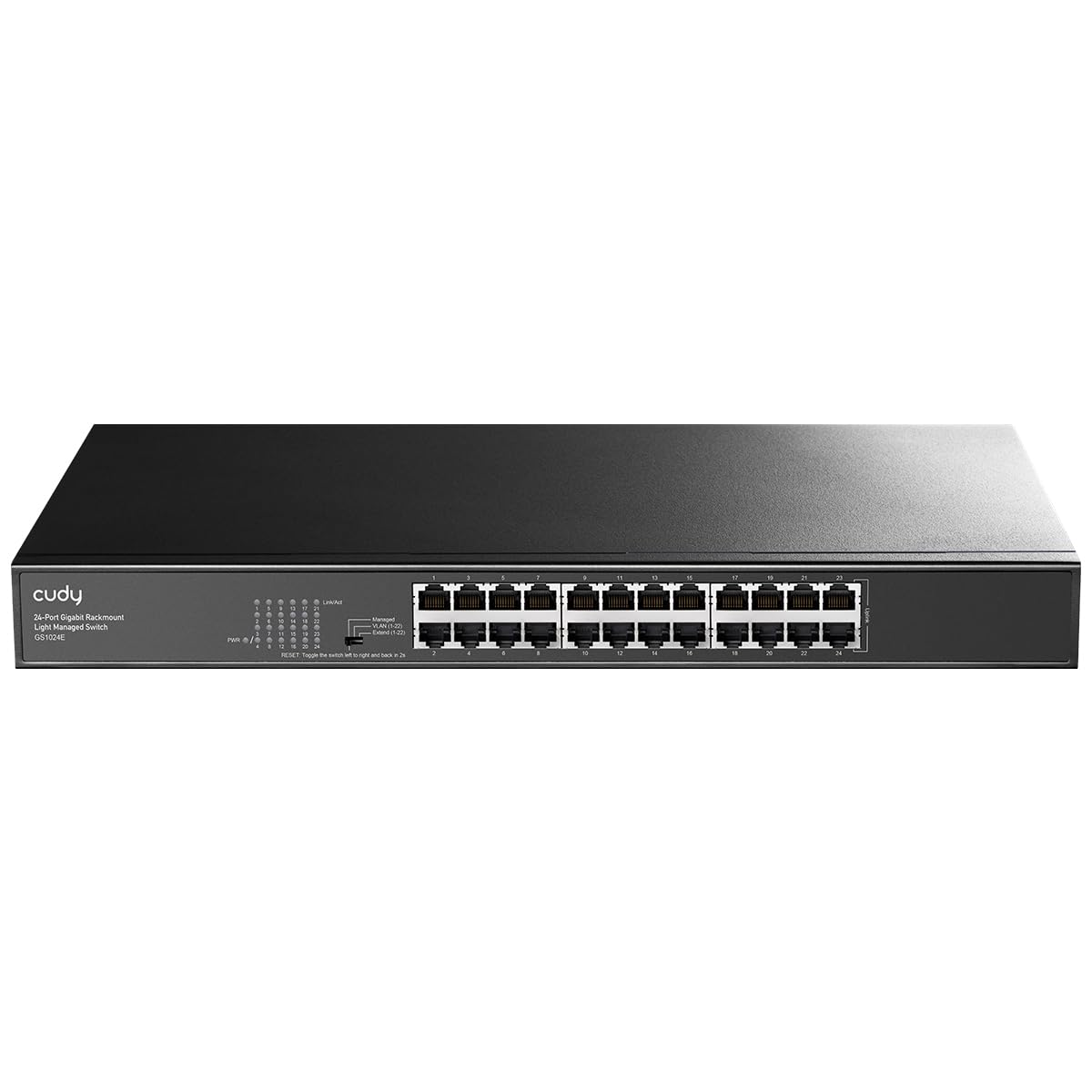
The Cudy GS1024E aggressively challenges the “you get what you pay for” mantra by packing genuine web-managed features into a chassis that costs the same as many basic unmanaged switches. This “light smart managed” switch offers a full suite of software features including 802.1Q VLAN, Port-based QoS, IGMP Snooping, Link Aggregation, and STP/RSTP, all accessible through a clean, intuitive web interface. It supports advanced modes like “Extend” which can push a 10Mbps connection up to 250 meters over CAT5e, a fantastic feature for long-range security camera runs or extending the network to a detached garage.
User feedback from the global market is overwhelmingly positive, with European buyers noting that the fanless metal construction is whisper-quiet and the VLAN functionality is easy to implement. One reviewer successfully connected over 20 devices including IP cameras, Wi-Fi repeaters, servers, and printers without any noticeable latency. The granular control allows for isolating guest networks or creating a dedicated VLAN for IoT devices to improve security. The rack-mountable steel housing and included mounting kit make professional installation straightforward.
The main consideration is that Cudy is a less globally recognized brand than D-Link or TP-Link, though its hardware is aggressively priced to compete. The switch lacks a physical power switch, requiring a cable pull to cycle power. For anyone who needs the security and traffic management of a managed switch but is operating on a strict budget, the Cudy GS1024E offers an incredible return on investment, effectively turning a basic network into a segmented, optimized one for the cost of a few ethernet cables.
Why it’s great
- Web-managed features (VLAN, QoS, IGMP) at an unmanaged switch price point.
- “Extend” mode enables up to 250 meters of cable distance at 10Mbps.
- Fanless and quiet, with an all-metal rackmountable chassis.
Good to know
- Less established brand for enterprise networking support.
- No physical on/off switch; must disconnect power to reboot.
7. MokerLink 24 Port Gigabit PoE Managed Switch with 4 x 10G SFP+

The MokerLink 24 Port PoE Managed Switch is a powerhouse designed for high-density surveillance and access point deployments. Its headline feature is a massive 400W PoE budget distributed across 24 ports, each capable of delivering up to 30W (802.3af/at). This means you can power a full suite of PTZ cameras, WiFi 6/7 access points, and VoIP phones from a single switch without needing separate power injectors. On top of that, it includes four 10G SFP+ uplinks, providing a massive 336Gbps switching capacity that ensures zero bottlenecks even when all PoE traffic is flowing.
Beyond raw power, this switch delivers true Layer 3 management features including static routing, DHCP server/relay/snooping, and IPv4/IPv6 support, allowing for very advanced network architectures at a fraction of the cost of enterprise L3 switches. Users report that it works well with Ubiquiti gear, passing VLAN tags correctly, and its fanless design with cooling holes keeps it quiet enough for an office environment despite the high power output. One reviewer successfully deployed it in an attic, powering multiple cameras and a WiFi 7 access point over 100+ feet of CAT6 at full 10Gbps via the SFP+ port.
The main caveat from power users is that the SFP+ ports share speed mode settings, meaning you cannot mix a 1G and a 10G SFP module simultaneously without issues. Also, the unit runs relatively warm due to the PoE load, so ventilation is important. This switch is the definitive choice for anyone building a heavily PoE-dependent network — think a 24-camera security system or a large office with multiple high-performance WiFi access points — where the combination of high power, high throughput, and Layer 3 intelligence is a requirement.
Why it’s great
- 400W PoE budget can power almost any combination of cameras and access points.
- 4x 10G SFP+ uplinks offer massive 336Gbps backplane switching capacity.
- L3 management features including static routing and DHCP services.
Good to know
- SFP+ ports cannot mix 1G and 10G modules; all must operate at the same speed.
- Runs hot under heavy PoE load; generous ventilation is required.
8. Ubiquiti UniFi USW-24-POE

The Ubiquiti UniFi USW-24-POE is more than just a switch; it is the heart of the UniFi ecosystem, offering flawless integration with UniFi access points, gateways, and cameras. This Gen2 switch provides 24 Gigabit RJ45 ports, 16 of which support PoE+ (802.3at) with a total PoE budget sufficient for a typical deployment of UniFi APs and cameras. Setup and management are done entirely through the UniFi Network Controller software, which provides a beautiful, single-pane-of-glass view of your entire network, including real-time traffic statistics, client mapping, and deep packet inspection.
User reviews consistently praise its rock-solid stability and its role as the go-to drop-in replacement for expanding a UniFi network. The fanless design of the Gen2 model (identified by the 1-inch LCD touchscreen on the front panel) ensures silent operation, a stark contrast to the louder Gen1 models. One reviewer noted that after a year of heavy use powering multiple UniFi APs and Flex minis, the switch remains highly recommended. The build quality is excellent, with a sturdy, all-metal chassis that feels premium.
The main trade-off is its Layer 2 limitation; it lacks the static routing or advanced L3 features of the MikroTik or MokerLink switches, meaning inter-VLAN routing must happen at the UniFi gateway. The PoE budget, while adequate, is not as high as dedicated PoE powerhouses like the MokerLink. This switch is the obvious choice for anyone already invested in or planning to build a full UniFi network, where the value of central management and seamless integration far outweighs the need for standalone advanced L3 features.
Why it’s great
- Deep, seamless integration with the entire UniFi ecosystem.
- Beautiful and powerful UniFi Network Controller management software.
- Quiet, fanless Gen2 design with a premium all-metal build.
Good to know
- Limited to Layer 2 switching; no advanced static routing capabilities.
- PoE budget is adequate but not as high as dedicated PoE switches.
9. TP-Link TL-SG1024
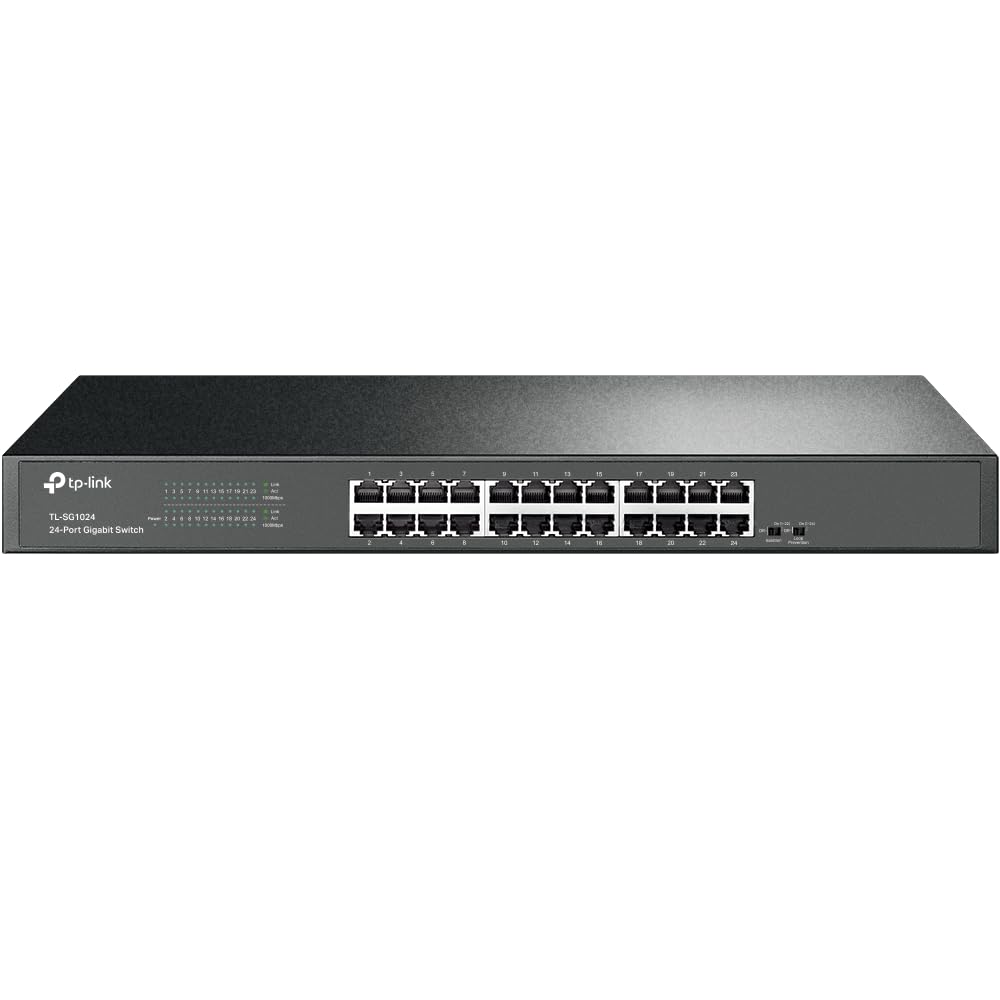
While this guide focuses on managed switches, the TP-Link TL-SG1024 earns its place as a massively popular reference point for pure, unmanaged reliability. It is the benchmark for “it just works” network expansion. With 24 auto-negotiating 10/100/1000Mbps ports, a rugged alloy steel rackmount case, and a fanless design, it is built to be deployed and forgotten. It handles heavy loads with native jumbo frame support (up to 10k bytes) and features an internal PSU with an IEC C13 socket and a grounding terminal, giving it a truly professional feel. This is the switch you buy when management features are not needed and uptime is the only metric that matters.
Customer reviews span over a decade of use, with multiple users reporting flawless operation for 5+ years in harsh environments like non-climate-controlled sheds. One user explicitly stated it handled 20Gbps saturation across 10 machines simultaneously. The switch includes rack ears (including right-angle brackets) and rubber feet for flexible installation. It is worth noting that while it is an excellent unmanaged switch, it lacks any VLAN, QoS, or SFP uplink ports.
For any user whose network requirements have outgrown a simple network, this switch serves as a fantastic backup or edge switch for a segment of the network where management is not required. Its reputation for reliability is almost unmatched, and its incredibly low price makes it a staple for network expansions where budget constraints are absolute and smart features are on a different device (like a router or firewall). It is the right tool for the right, simple job.
Why it’s great
- Legendary reliability with years of flawless operation reported.
- Fanless design is completely silent for office environments.
- Includes professional mounting kit with right-angle rack ears.
Good to know
- 100% unmanaged; no VLAN, QoS, or any traffic control features.
- No SFP or uplink ports; 24 ports are all copper gigabit.
FAQ
Why choose a managed 24 port switch over an unmanaged one for a small business?
What is the practical benefit of SFP+ ports on a 24 port switch?
How do I calculate the correct PoE budget for a 24 port surveillance switch?
Is a Layer 3 managed switch overkill for a home lab?
Final Thoughts: The Verdict
For most users, the best 24 port managed switch winner is the MikroTik CSS326-24G-2S+RM because it delivers an unbeatable combination of 10G uplinks, robust L2 management, and fanless reliability at a budget-conscious price. If you want the power of a cloud-controlled L2+ ecosystem with advanced security features, grab the TP-Link Omada SG3428. And for high-density PoE to power dozens of cameras and access points with a 10G backbone, nothing beats the sheer value of the MokerLink 24 PoE L3 Switch.