
Twenty-four terabytes is the point where storage decisions get serious. At this capacity, you are no longer picking between a few external drives — you are choosing an architecture. The debate pits traditional spinning hard drives with their massive capacities and lower cost per gigabyte against the silent, shock-resistant speed of solid-state storage, even if the latter requires a multi-drive approach to reach the same total space. The thermal envelope, noise floor, and rebuild time in a RAID array all shift depending on which side of this line you land on.
I’m Min — the co-founder and writer behind Gadgets Feed. My analysis here comes from weeks of comparing sequential and random read/write benchmarks, workload ratings like TBW (terabytes written), MTBF figures, and real-world compatibility reports across NAS enclosures and direct-attach chassis.
This guide evaluates drives across multiple form factors and interfaces to help you find the ideal 24 tb ssd or high-capacity HDD configuration for your specific workflow and environment.
How To Choose The Best 24 Tb SSD or Storage Solution
Selecting a 24TB storage solution is rarely about a single drive. At this capacity, your choice is between a single high-capacity HDD, a multi-bay NAS populated with smaller drives in RAID, or a fleet of SSDs that sum to the target capacity. Each path has distinct trade-offs in cost, speed, noise, and data safety.
Workload Rating and Duty Cycle
A drive’s workload rating, measured in terabytes written per year, is the single most important spec for 24/7 operation. Standard desktop HDDs are rated for 55 TB/year. Enterprise and surveillance drives like the Seagate SkyHawk AI and WD Purple Pro are rated for 550 TB/year — a tenfold increase that directly correlates with bearing and actuator durability under constant writes. SSDs use TBW (terabytes written) instead, and a high-endurance drive like the Gigastone NAS-certified SSDs is rated for a lifetime TBW far exceeding a typical desktop SATA SSD, making them viable for caching or primary storage in RAID.
Interface and Protocol
SATA III tops out at 6 Gb/s, which is more than adequate for a 7200 RPM HDD that delivers roughly 280 MB/s sequentially. For SSDs, SATA III is a bottleneck — the Samsung 870 EVO hits 560 MB/s read, the theoretical limit. SAS 24 Gb/s, as found on the Water Panther enterprise drive, doubles the interface speed and adds dual-port failover capabilities mandatory for server deployments. External users should prioritize USB-C (10 Gbps or 20 Gbps) connections to avoid bottlenecking multi-drive enclosures.
Quick Comparison
On smaller screens, swipe sideways to see the full table.
| Model | Category | Best For | Key Spec | Amazon |
|---|---|---|---|---|
| Seagate IronWolf Pro 28TB | NAS HDD | Enterprise NAS RAID | 7200 RPM / 512MB Cache / 550TB/yr | Amazon |
| Synology DS225+ Bundle | NAS System | Home/Office Network Storage | 2-Bay / 24TB (2x12TB) / Btrfs | Amazon |
| Seagate SkyHawk AI 24TB | Surveillance HDD | NVR/DVR Continuous Recording | 7200 RPM / 64 HD+32 AI Streams | Amazon |
| BUFFALO TeraStation Essentials | Desktop NAS | SMB File Sharing & Backup | 4-Bay / 2.5GbE / RAID 5 | Amazon |
| Oyen Digital HDX Pro C 24TB | External HDD | Desktop Backup Pile | USB-C 10Gbps / 7200RPM / Fan | Amazon |
| WD Purple Pro 24TB | Surveillance HDD | Security Camera DVRs | 7200 RPM / 512MB / AllFrame Tech | Amazon |
| WD My Book 24TB | External HDD | Personal Archival Backup | USB 3.2 Gen1 / HW Encryption | Amazon |
| SanDisk Professional 22TB | External HDD | Mac Creative Workflows | USB-C 10Gbps / Ultrastar Inside | Amazon |
| Gigastone 4TB NAS SSD 4-Pack | NAS SSD | High-Performance RAID Cache | SATA III / High Endurance / 16TB Total | Amazon |
| Gigastone 2TB NAS SSD 4-Pack | NAS SSD | Budget SSD RAID Array | SATA III / 550MB/s / 8TB Total | Amazon |
| Samsung 870 EVO 4TB | SATA SSD | Single-SSD Boot/App Drive | 560/530 MB/s / 2400 TBW | Amazon |
| Samsung 870 QVO 8TB | SATA SSD | High-Capacity Bulk SSD Storage | 560/530 MB/s / QLC / 8TB Single | Amazon |
| Water Panther 15.36TB SAS SSD | Enterprise SAS SSD | Dell PowerEdge Server Boot/Data | SAS 24Gb/s / 2.5″ / 2M hr MTBF | Amazon |
In‑Depth Reviews
1. Seagate IronWolf Pro 28TB Enterprise NAS HDD
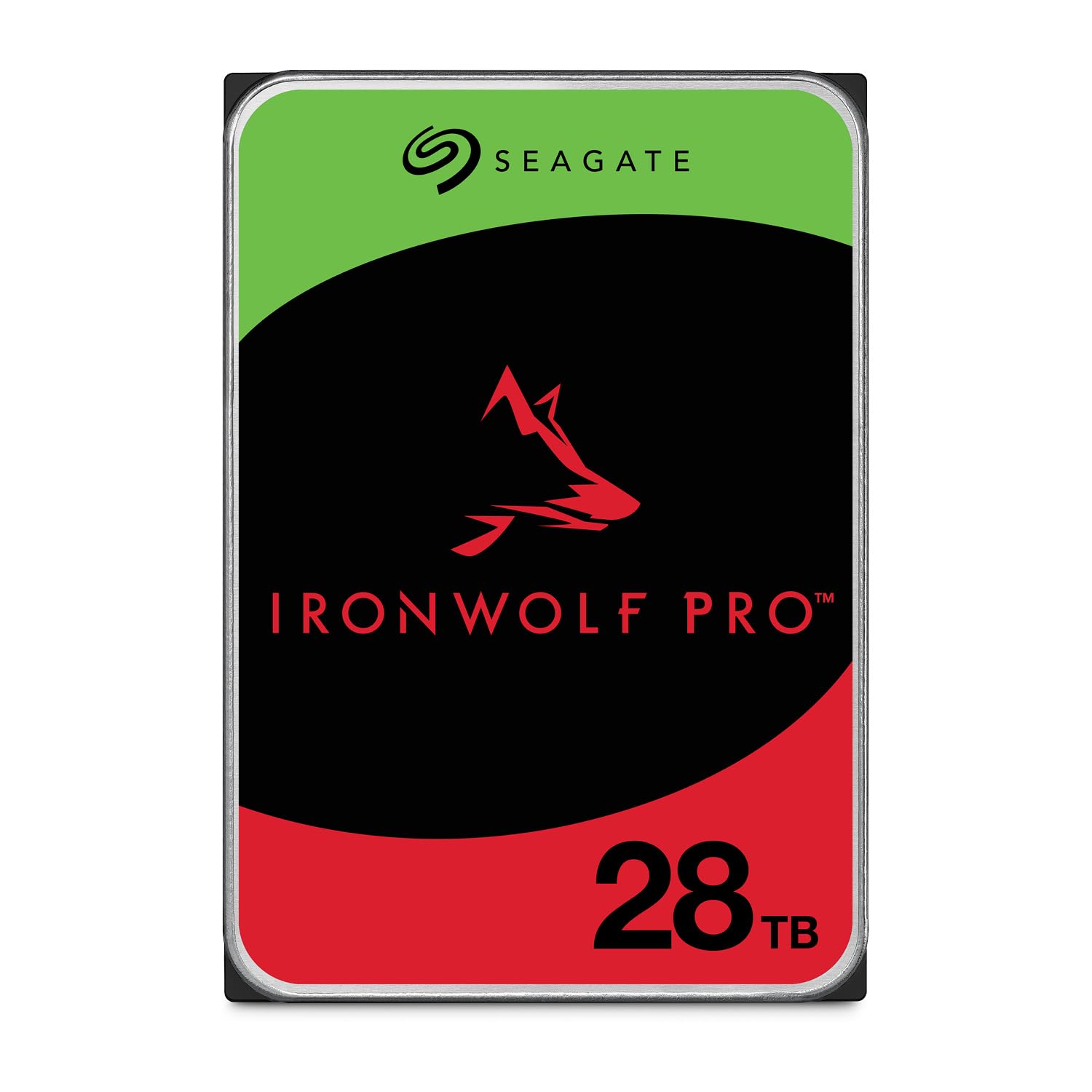
The IronWolf Pro represents the current ceiling for consumer-accessible high-capacity NAS drives. Its 28TB capacity uses conventional magnetic recording (CMR) — critical for RAID environments where SMR drives cause rebuild failures. The 512MB cache and dual-plane balancing motor are designed to handle the vibration stress of a multi-bay enclosure without resorting to error recovery that could drop a drive from an array.
With a 550TB/year workload rating and 2.5 million hours MTBF, this drive is built for continuous 24×7 operation in a Synology or QNAP chassis. The included three-year Rescue Data Recovery Services add a safety net that few competitors match at this price point. Users report quiet operation in office-adjacent racks and consistent performance across RAID 5 and RAID 6 configurations.
The catch is the price per terabyte — it sits firmly in premium territory thanks to the CMR guarantee and high endurance rating. A 2TB SATA SSD costs less on a per-gigabyte basis, but when you need 28TB in a single 3.5-inch slot, this is the drive that will serve a busy office or content-creation NAS for years without complaint.
Why it’s great
- True CMR recording for reliable RAID rebuilds
- Industry-leading 550TB/year workload rating
- Three-year Rescue Data Recovery Services included
Good to know
- Premium per-terabyte pricing
- Support response times can be slow for RMAs
2. Synology DS225+ 24TB Bundle
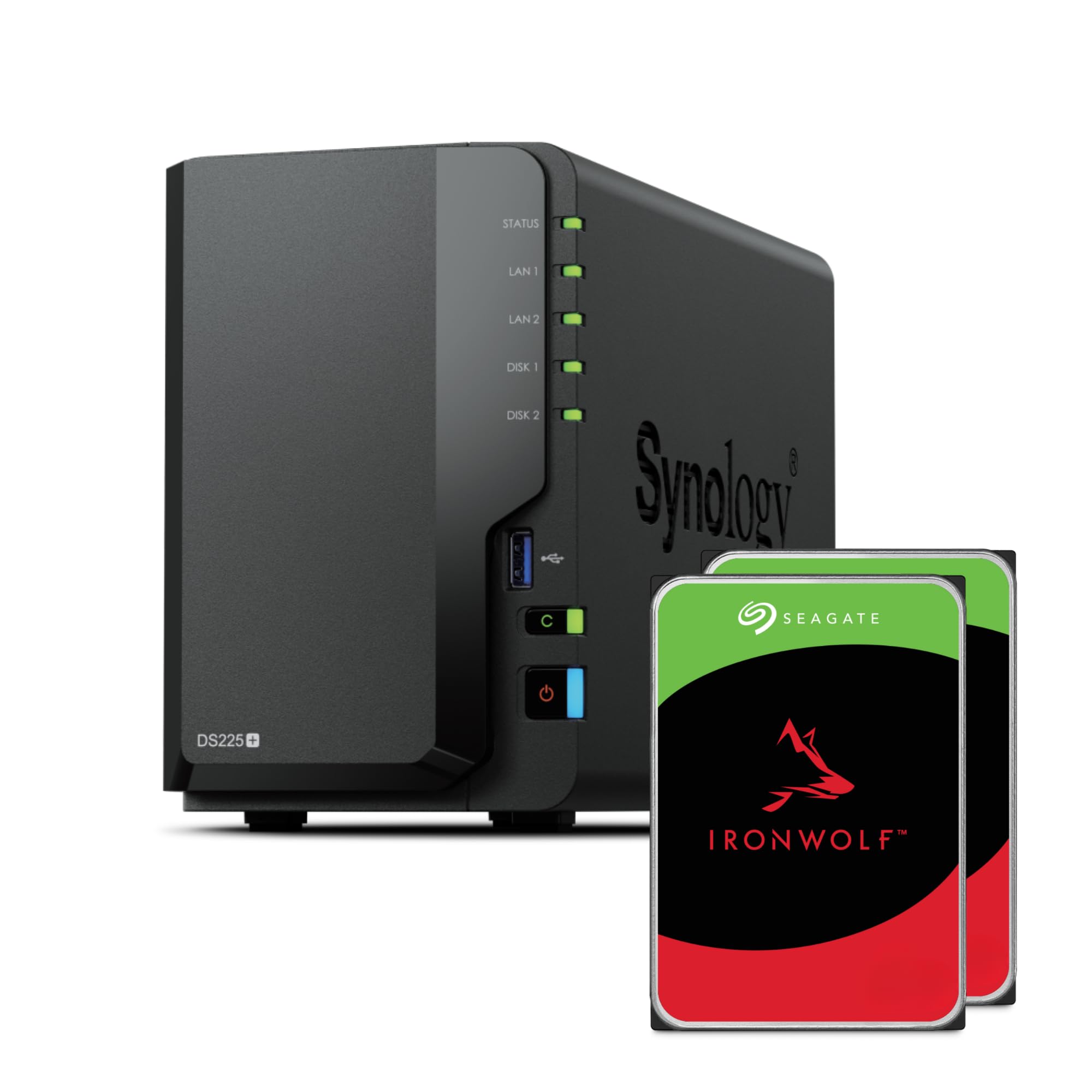
This bundle pairs the DS225+ with two pre-installed 12TB Seagate IronWolf drives for a total of 24TB in RAID 1 or SHR configuration. The J4125 quad-core processor is a proven workhorse for file sharing, media serving, and backup tasks, though power users will want to upgrade the 2GB DDR4 memory to the 6GB maximum for Docker containers.
The DS225+ supports Synology Hybrid RAID (SHR), which allows mixing drive sizes later and still maintaining redundancy — a flexibility advantage over traditional RAID. The dual 2.5GbE and 1GbE ports provide enough throughput for multiple 4K streams without a bottleneck. Users praise the Btrfs file system for its snapshot and self-healing capabilities.
Setup is straightforward for those familiar with Synology DSM, but the initial configuration does require downloading documentation online rather than relying on printed guides. The included 2GB of memory is tight if you plan to run Synology’s Surveillance Station or Docker alongside file services.
Why it’s great
- Pre-installed drives in a reliable NAS chassis
- Btrfs snapshots and data integrity protection
- Dual 2.5GbE ports for high-speed networking
Good to know
- Base 2GB RAM may need upgrading for heavy use
- Setup requires online documentation access
3. Seagate SkyHawk AI 24TB

Built specifically for video surveillance, the SkyHawk AI is engineered to handle the constant write streams from up to 64 HD cameras plus 32 AI analytics streams without dropping frames. The ImagePerfect AI firmware ensures zero dropped frames even during simultaneous recording and playback requests — a failure mode common with desktop drives in NVRs.
The 512MB cache and 550TB/year workload rating align with the drive’s enterprise-class 2.5 million hour MTBF. SkyHawk Health Management actively monitors the drive’s temperature, vibration, and error counts, sending alerts before failures occur. RAID RapidRebuild cuts volume rebuild times by 3× compared to standard RAID, minimizing exposure windows in multi-drive NVR setups.
Users report that the drive is quiet enough to sit in an office within a few feet of a desk, but the 7200 RPM spindle does produce an audible hum in a silent room. Some users have noted that the drive’s 24TB capacity requires an NVR that supports exFAT or GPT partitioning — older DVRs with MBR limits may not see the full capacity.
Why it’s great
- Zero dropped frame guarantee for critical surveillance
- Health monitoring with predictive failure alerts
- 3× faster RAID rebuild with RapidRebuild
Good to know
- Audible 7200 RPM hum in silent rooms
- NVR must support GPT for full capacity use
4. BUFFALO TeraStation Essentials 24TB

The TeraStation Essentials takes the guesswork out of NAS setup by shipping with four pre-tested 6TB drives already installed in RAID 5, giving 18TB of usable space out of the box. For small offices that need 24TB, switching to RAID 0 unlocks the full raw capacity — though with zero redundancy. The 2.5GbE port offers a meaningful speed bump over traditional gigabit without requiring a network infrastructure upgrade.
Buffalo includes 256-bit AES drive encryption and cloud sync with Amazon S3, Dropbox, Azure, and OneDrive, making it a capable hybrid cloud appliance. The NAS runs a closed Linux-based OS designed for low maintenance, and the three-year warranty covers all four drives plus the unit itself. The 5400 RPM drives inside are quieter and cooler than 7200 RPM alternatives.
The software interface is functional rather than polished, and the initial setup requires downloading drivers on a local machine rather than a fully web-based configuration. The plastic chassis feels less premium than an all-metal Synology or QNAP, but the price point makes it the most accessible 24TB turnkey NAS on the market.
Why it’s great
- Pre-loaded 24TB with RAID pre-configured
- 2.5GbE networking without cable upgrade needed
- Three-year warranty covers all drives
Good to know
- 5400 RPM drives limit peak throughput
- Setup requires local driver installation
5. Oyen Digital HDX Pro C 24TB
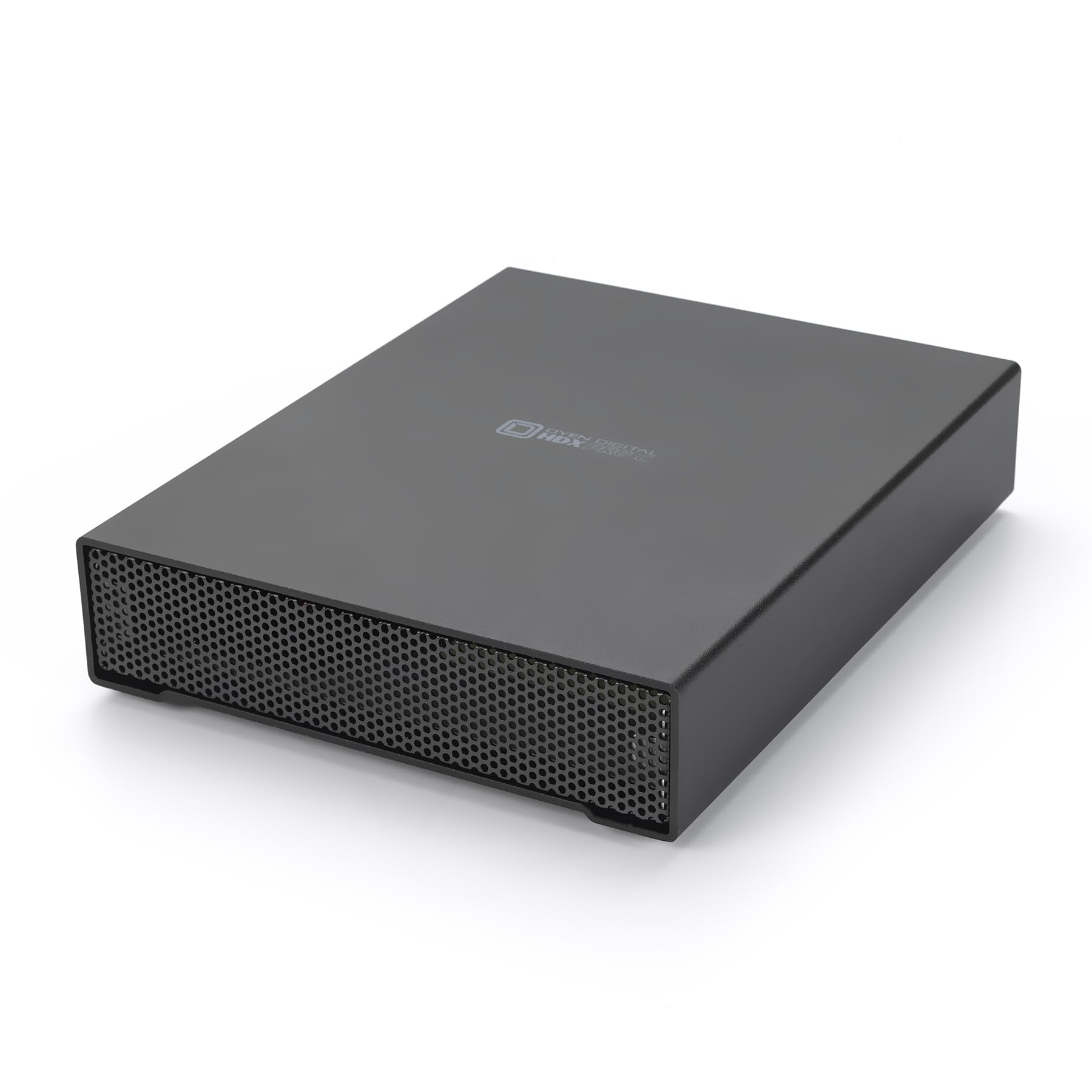
The HDX Pro C is a premium external enclosure built around a 7200 RPM enterprise-grade 24TB drive. The all-aluminum chassis with an internal fan and power supply keeps the drive cool and stable under continuous load. The USB-C interface with two ports — one for the host, one for daisy-chaining additional storage — makes it a flexible hub for creative professionals who need to expand their rig without opening the case.
Performance hovers around 270 MB/s sequential read and write, which saturates USB 3.2 Gen2 but leaves headroom for multiple simultaneous transfers. The drive is plug-and-play on both Mac and Windows with no software required. Users consistently highlight the build quality: thick aluminum walls, a satisfying USB-C click, and a fan that is audible but not intrusive.
The internal power supply eliminates the brick-style adapter typical of external drives, which simplifies cable management. However, each unit requires a dedicated wall outlet — daisy-chaining multiple drives from a single power strip can cause shutdowns under peak draw. The price is steep compared to a bare internal drive, but the enclosure quality and warranty justify the premium for users who value durability.
Why it’s great
- All-aluminum chassis with internal PSU and fan
- Dual USB-C ports for daisy-chaining
- 7200 RPM enterprise drive inside
Good to know
- Requires dedicated power outlet per unit
- Fan noise is present under heavy load
6. Western Digital 24TB WD Purple Pro
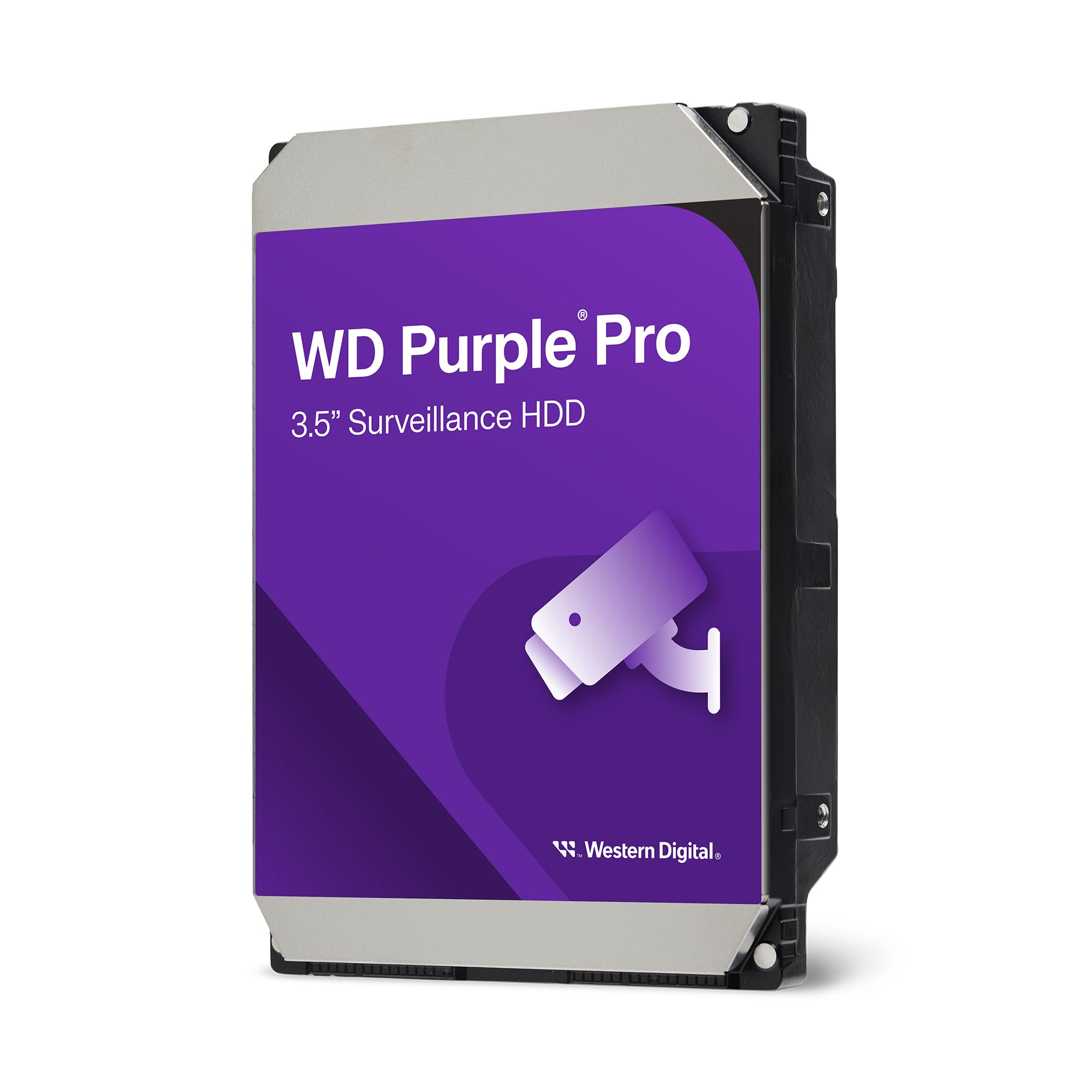
WD’s Purple Pro line is the direct competitor to the SkyHawk AI, offering the same 550TB/year workload rating and 2.5 million hour MTBF. The 512MB cache and AllFrame technology optimize the drive for uninterrupted video recording, preventing pixelation or frame loss even during simultaneous playback and recording. The drive is designed for 24/7 operation in DVRs and NVRs with up to 64 camera feeds.
Enterprise-class reliability is backed by a 5-year limited warranty, which is standard for surveillance-grade drives at this capacity. WD Device Analytics provides telemetry on temperature, vibration, and overall drive health, integrating with compatible NVR systems that support the protocol. Users running 13-camera Blue Iris setups report 30+ days of continuous recording without a single compatibility issue.
The failure rate in the first week is a concern — multiple user reports mention DOA units. Testing drives immediately upon arrival and within the return window is essential. The drive is also not designed for desktop or gaming use, as its firmware prioritizes sequential writes over random I/O performance.
Why it’s great
- Enterprise-class 550TB/year workload rating
- AllFrame technology prevents frame loss
- 5-year warranty with telemetry support
Good to know
- DOA rate appears higher than average
- Not suited for desktop or random I/O workloads
7. WD My Book 24TB

WD’s My Book is the most recognizable name in external desktop storage, and the 24TB variant delivers exactly what the brand promises: a simple, reliable way to archive large media libraries and documents. It ships with WD Backup and WD Security software for password protection and hardware encryption, though many users opt to reformat to exFAT for cross-platform compatibility.
The USB 3.2 Gen1 interface caps out at 5 Gbps, which is adequate for an HDD that can’t saturate USB 3.2 Gen2. The drive ships formatted as exFAT, ready for Mac and Windows without reformatting. The aluminum and glass enclosure is compact for a 3.5-inch desktop drive, though the included power brick adds bulk to the setup.
User reports highlight excellent durability — one user’s 8TB My Book survived a three-foot drop onto hardwood while not spinning and was rescued by reseating the SATA interface board. However, the included WD software has been reported to cause mounting issues on some systems, and the drive’s sleep delay on wake can be frustrating for users who access it infrequently.
Why it’s great
- Hardware encryption and password protection
- Proven durability from decades of My Book design
- Ready for Mac and Windows out of the box
Good to know
- WD software can cause mounting issues
- Sleep delay on wake may be inconvenient
8. SanDisk Professional 22TB G-Drive
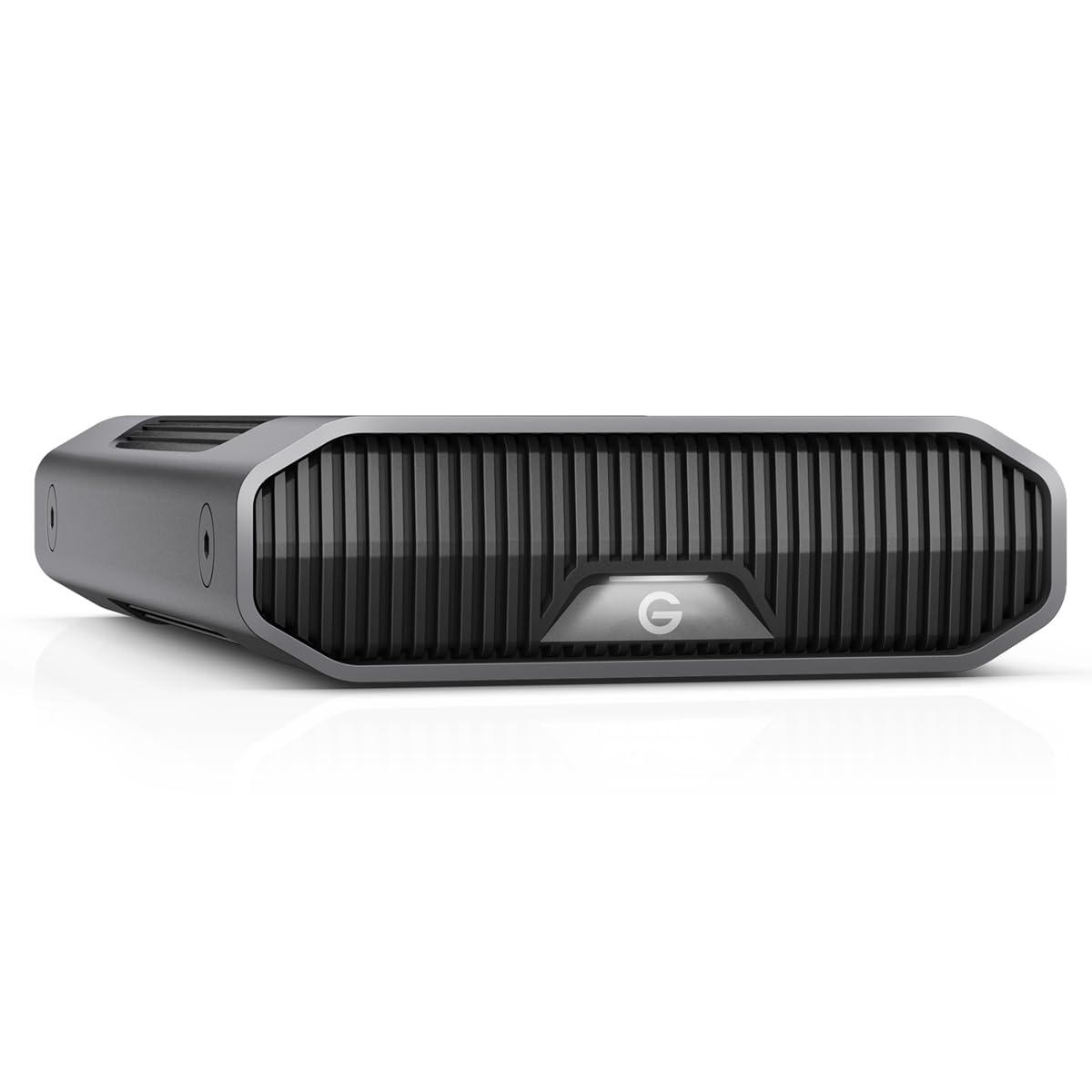
The G-Drive is a favorite among Mac creatives who need reliable external storage for large video projects. It packs an enterprise-class Ultrastar 7200 RPM drive inside a stackable anodized aluminum enclosure. The USB-C interface runs at 10Gbps and supports up to 280 MB/s sequential transfers — consistent with the drive’s enterprise-grade spindle and actuator design.
The drive is Apple Time Machine compatible out of the box and can be easily reformatted for Windows. The three-mode LED brightness adjustment is a thoughtful touch for studio environments where blinking lights are distracting. Users praise the build quality and the solid feel of the all-metal chassis.
Mac users have reported a higher failure rate, with some drives failing to mount or experiencing volume corruption within months. The drive also produces noticeable heat and a continuous hum that may be distracting in quiet editing suites. For Windows users, the drive generally works well after reformatting, but the mixed Mac reliability reports are hard to ignore.
Why it’s great
- Enterprise Ultrastar HDD inside premium aluminum chassis
- Stackable design with adjustable LED brightness
- USB-C 10Gbps for fast creative workflows
Good to know
- Higher failure rate reported on Mac
- Noticeable heat and drive hum under load
9. Gigastone 4TB NAS SSD 4-Pack
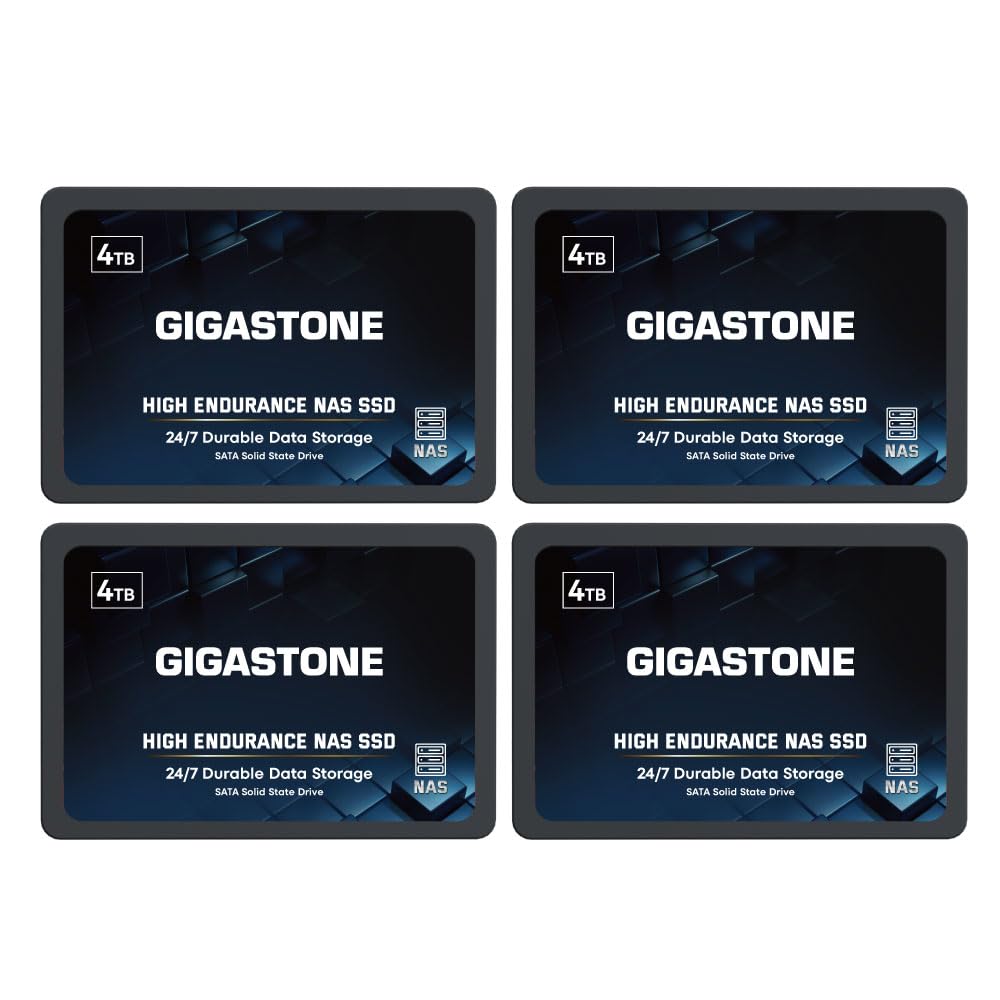
Gigastone’s NAS-certified SSDs offer a compelling alternative to HDDs in RAID configurations where silence and vibration resistance matter. This 4-pack of 4TB drives provides 16TB of total raw capacity — enough for a 12TB RAID 5 array with parity or a 16TB RAID 0 for high-speed bulk storage. Each drive is rated for high endurance with SLC caching that boosts sustained write speeds.
The TLC 3D NAND and power loss protection firmware make these drives suitable for 24/7 NAS operation in Synology, QNAP, and Asustor chassis. Sequential speeds hit 530 MB/s, saturating SATA III bandwidth. Users running RAID 1 configurations report months of trouble-free performance with no data integrity errors.
The failure rate within the first year is a concern — multiple reports mention drives developing bad sectors within months. Gigastone’s customer support has mixed reviews, with some users receiving replacements quickly and others facing long delays. The 5-year warranty is valuable, but the RMA process can be inconsistent.
Why it’s great
- High endurance with SLC caching for NAS use
- Power loss protection and ECC firmware
- 16TB total capacity from a single purchase
Good to know
- Notable failure rate in first year
- RMA process can be slow and inconsistent
10. Gigastone 2TB NAS SSD 4-Pack

This bundle of four 2TB NAS SSDs offers the most affordable entry into an all-SSD RAID array. With a total of 8TB raw capacity, a RAID 5 configuration yields 6TB of protected, silent storage — ideal for a home lab or office NAS where noise from spinning drives is unacceptable. The 550 MB/s sequential speed is the theoretical limit of SATA III.
The drives are certified for compatibility with Synology, QNAP, and Asustor NAS units, including support for RAID configurations that benefit from the low latency and fast rebuild times of SSDs compared to HDDs. Users running light database workloads and VM storage report excellent responsiveness and zero vibration interference.
As with the larger 4TB pack, the failure rate in the first few months is a risk. A single bad drive in a RAID 5 array can expose the entire volume during rebuild. The 5-year warranty covers this, but the RMA process has been flagged as slow by some users. For production environments, a hot spare is recommended.
Why it’s great
- Most affordable entry to all-SSD RAID
- Silent, vibration-free NAS operation
- Fast SATA III speeds with SLC caching
Good to know
- Higher failure rate in early months
- RMA replacement can be slow
11. Samsung 870 EVO 4TB

The 870 EVO is the gold standard for SATA SSDs. With 560 MB/s sequential read and 530 MB/s write, it saturates the SATA III interface completely. The 2400 TBW endurance rating means the 4TB model can handle roughly 657 GB of writes per day for ten years — overkill for a desktop boot drive but reassuring for a write-intensive workstation cache drive.
The drive uses Samsung’s V-NAND and a refined ECC algorithm that maintains steady performance even as the drive fills up. The included Magician software enables firmware updates, performance optimization, and data migration for a seamless upgrade experience. Users consistently report five-plus years of trouble-free operation across multiple generations of EVO SSDs.
Reaching 24TB would require six of these drives in a RAID array or a multi-bay NAS, which pushes the cost well into premium territory. For a single-drive installation, 4TB is the maximum SATA SSD capacity Samsung offers, and it excels in that role. The 870 EVO is not NVMe — for the same price, you could get a faster PCIe 4.0 NVMe SSD, but compatibility with older hardware makes the EVO indispensable.
Why it’s great
- Industry-leading 2400 TBW endurance rating
- Full SATA III speed with sustained performance
- Proven reliability across years of use
Good to know
- Requires six drives for 24TB capacity
- No NVMe option — slower than PCIe SSDs
12. Samsung 870 QVO 8TB

The 870 QVO is Samsung’s highest-capacity SATA SSD, using QLC NAND to pack 8TB into a standard 2.5-inch form factor. For users who need a single large SSD for media libraries, game installations, or as a DAS volume, this drive eliminates the complexity of multi-drive RAID. Read speeds match the EVO at 560 MB/s, while write speeds hit 530 MB/s with the help of a large SLC cache.
The endurance rating of 2880 TBW is remarkably high for QLC NAND, thanks to a refined ECC algorithm that Samsung has developed over multiple generations. The drive performs well for media serving and other read-intensive workloads. Users migrating from a spinning hard drive report a dramatic improvement in responsiveness — Windows Explorer no longer hangs when browsing large folders.
The QLC NAND exhibits slower write performance once the SLC cache is exhausted, which typically happens during sustained large-file writes exceeding 40 GB. For archival use and media repositories, this is rarely an issue. Three of these drives deliver 24TB of fast SSD storage, but the total cost sits firmly in premium territory compared to HDD-based alternatives.
Why it’s great
- 8TB in a single 2.5-inch SSD
- High QLC endurance with 2880 TBW rating
- Massive speed improvement over HDDs
Good to know
- SLC cache exhaustion slows sustained large writes
- Three drives needed for 24TB total capacity
13. Water Panther 15.36TB SAS SSD
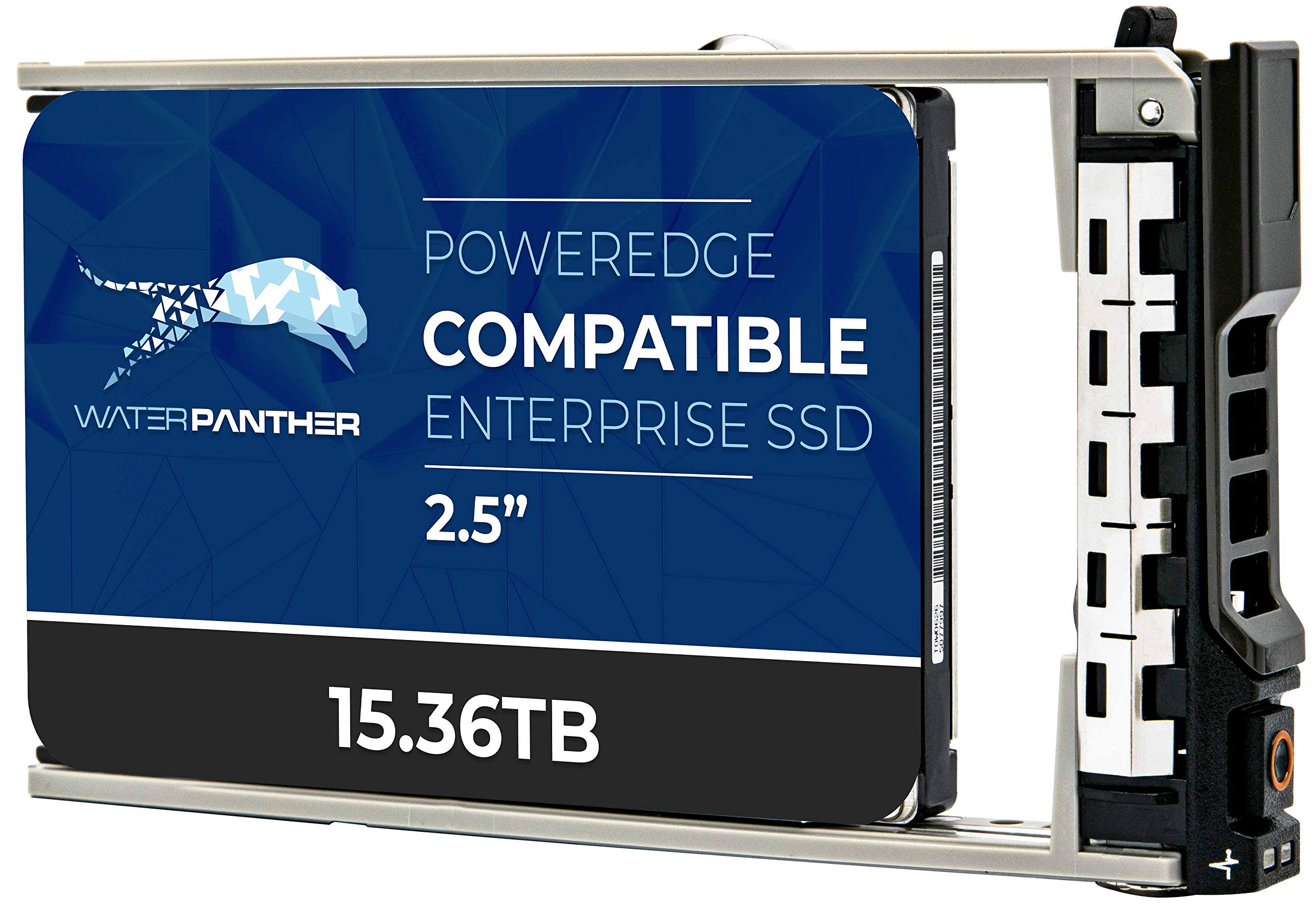
Water Panther’s 15.36TB SAS SSD targets the enterprise server market, specifically Dell PowerEdge systems requiring high-capacity, high-durability boot and data drives. The SAS 24 Gb/s interface delivers double the bandwidth of SATA III, with dual-port capabilities for failover redundancy in critical server deployments. The 2.5-inch form factor fits standard server drive bays.
The drive uses 3D NAND flash with an enterprise-grade controller that maintains consistent low latency under sustained write loads. The 2-million-hour MTBF rating is standard for enterprise SSDs, and the 2-year replacement warranty provides basic coverage for data center deployments. The drive ships pre-installed in a Dell 13G tray, ensuring compatibility with the extensive list of PowerEdge servers.
This is a niche product for users running on-premises Dell servers who need high-speed, high-capacity SSD storage without the complexity of NVMe over PCIe bifurcation. Two of these drives reach 30.72TB, exceeding the 24TB target. The SAS interface limits it to server environments — consumer motherboards rarely include SAS controllers. The pricing reflects enterprise-level components.
Why it’s great
- SAS 24Gb/s with dual-port failover support
- Fits Dell PowerEdge 13G trays natively
- 15.36TB in a single 2.5-inch enterprise SSD
Good to know
- Requires SAS controller — not consumer compatible
- Very high price per gigabyte
FAQ
What is the real usable capacity of a 24TB HDD?
Can I use a surveillance drive in a standard desktop PC?
Why do some 24TB drives use 5400 RPM instead of 7200 RPM?
Final Thoughts: The Verdict
For most users, the 24 tb ssd or storage solution winner is the Seagate IronWolf Pro 28TB because it offers CMR reliability, enterprise endurance, and the capacity to handle demanding NAS workloads for years. If you want a turnkey network storage experience, grab the Synology DS225+ Bundle. And for silent, vibration-free operation in a compact RAID array, nothing beats the Gigastone 4TB NAS SSD 4-Pack.